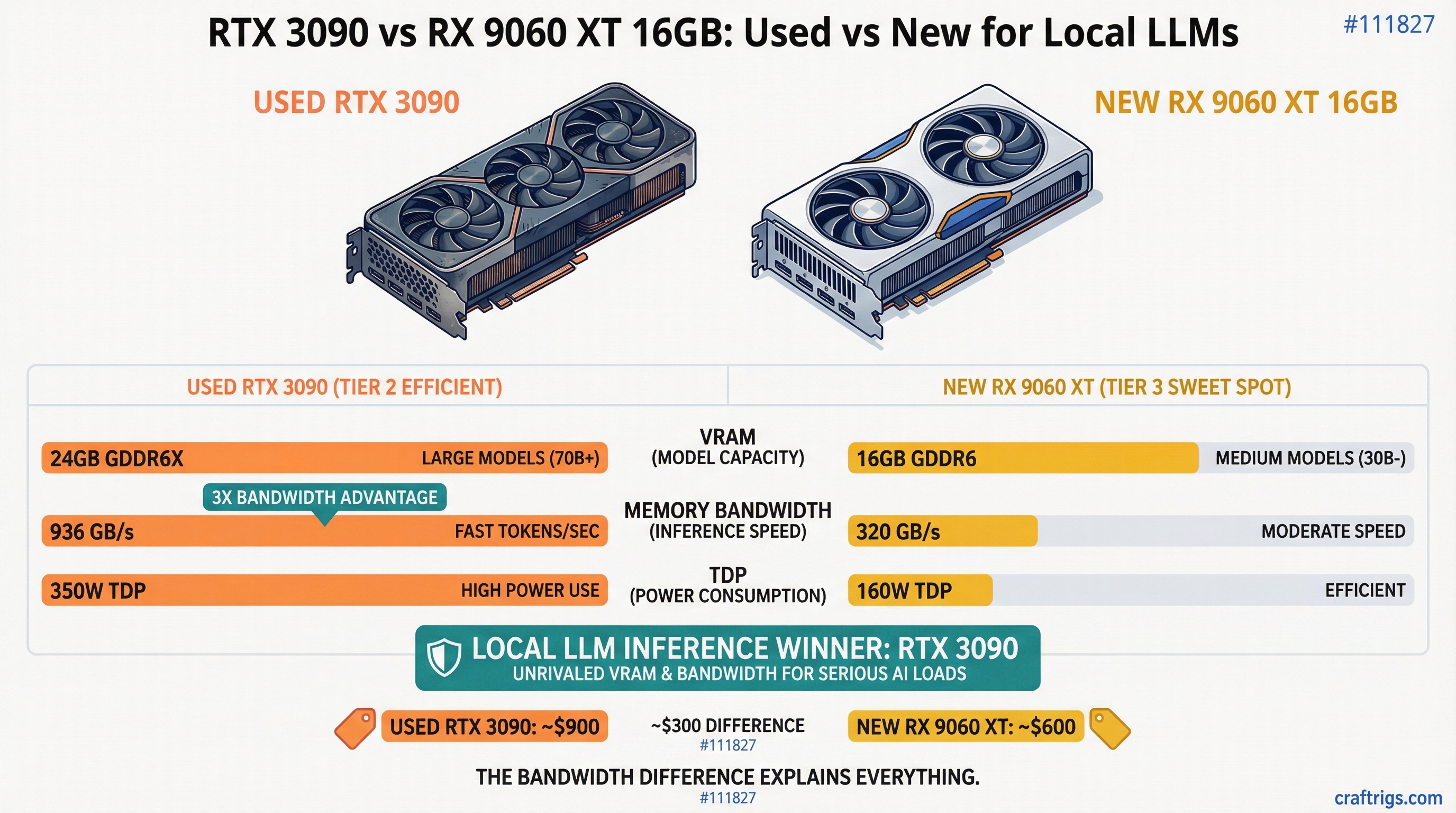
Here's a fact that should end the debate before it starts: the RTX 3090 has nearly three times the memory bandwidth of the RX 9060 XT 16GB. 936 GB/s versus 320 GB/s. That single number explains almost every performance difference you'll see between these two cards, and it's the thing most comparisons gloss over while arguing about VRAM totals.
But bandwidth isn't the whole story. One of these cards costs $449 new with a warranty. The other is a five-year-old used GPU that draws more power than a small space heater. So let's actually run the numbers.
The Setup
Used RTX 3090: ~$750 on eBay (range is $700-850 depending on the day and seller). 24GB GDDR6X. 936 GB/s memory bandwidth. 350W TDP. CUDA. Zero setup friction.
New RX 9060 XT 16GB: $449 on Amazon as of March 2026 (MSRP was $349 at launch, prices crept up). 16GB GDDR6. 320 GB/s memory bandwidth. 160W TDP. ROCm. Setup varies wildly by OS.
The price gap is $301. That's not nothing. But these cards aren't really competing on the same terms — they're solving different problems, and which one wins depends entirely on what you're actually trying to run.
The VRAM Gap Is Real, and It Matters
16GB versus 24GB sounds like a moderate difference until you look at what models actually need.
Qwen 3.5 27B Dense at Q4_K_M weighs 16.7GB. That's the model a lot of people want to run — it punches close to GPT-4 class quality on reasoning tasks. On the RTX 3090, it loads completely into VRAM with 7GB to spare. On the 9060 XT 16GB, it doesn't fit. You'll either offload layers to system RAM (at which point your tokens-per-second crater) or skip the model entirely.
The practical ceiling for the 9060 XT is around 13-14B at Q8, or up to roughly 20-24B at Q4 quantization. That's genuinely useful — Q4 Qwen 3 14B is a very capable model. But if your plan involves running anything in the 27B-32B range at reasonable speeds, the 16GB card will frustrate you.
[!INFO] VRAM requirements by model size at Q4_K_M quantization:
- 7B model: ~5-6GB
- 13B model: ~8-10GB
- 27B model: ~16-17GB
- 32B model: ~18-20GB
The 3090's 24GB handles everything through 32B comfortably. The 9060 XT 16GB hits its ceiling at around 20B.
Token Speed: Bandwidth Is the Real Boss
This is where the 3090 separation becomes impossible to ignore.
Benchmarks from the 9060 XT 16GB put it at 42-52 tokens/sec on Qwen 3 8B Q4. That's genuinely fast for a $449 card. But for a 20B model, it drops to 21-25 tok/s. And anything approaching 32B? You're looking at 5-6 tokens per second with partial offloading — basically unusable for interactive chat.
The RTX 3090 at its ~936 GB/s bandwidth runs Qwen 3.5 27B Dense Q4 at around 35 tokens per second fully in VRAM. Llama 3.1 8B? 40-60 tok/s. That's the bandwidth advantage made visible: the 3090 generates tokens on a 27B model faster than the 9060 XT generates them on a 20B model.
One community benchmark that put this in sharp relief: the RTX 3090 got 106 tok/s using Ollama on smaller models versus 52 tok/s for the RTX 4060 Ti (which has similar bandwidth to the 9060 XT). The 3090's memory bandwidth scales directly into real-world inference speed in a way that core count and compute TFLOPS simply don't.
Tip
For local LLM inference, memory bandwidth matters more than almost any other spec. Token generation is memory-bandwidth-bound — the GPU spends most of each inference step loading model weights from VRAM, not computing. Prioritize bandwidth over compute when choosing hardware.
The ROCm Problem Nobody Talks About Enough
If you're on Windows, the RX 9060 XT has a real software problem. AMD's ROCm support on Windows is, as of March 2026, still unreliable in ways that will cost you hours.
GitHub is littered with open Ollama issues: ROCm backends failing to initialize on RDNA4 under Windows 11, falling back silently to CPU, the presence of an integrated GPU breaking the discrete card, invalid device function errors that no amount of environment variable tweaking resolves. One user reported that after getting two RDNA4 cards running, a patch update broke everything and they couldn't recover GPU inference without a clean reinstall.
Linux is meaningfully better. ROCm 6.4.1 added official RDNA4 support, and the 9060 XT does work in Ollama and LM Studio on Ubuntu. You'll still need to export a few environment variables at launch — HSA_OVERRIDE_GFX_VERSION=12.0.0 is typically required — but it's manageable. On Linux, the 9060 XT is a legitimate LLM card.
On Windows, the RTX 3090 with CUDA is completely plug-and-play. Install drivers, install Ollama, run a model. No workarounds.
Warning
AMD + Windows + Ollama is not a reliable combination in early 2026. Multiple open issues exist in the Ollama GitHub for RDNA4 cards failing to use GPU acceleration on Windows 11. If you're on Windows and want zero setup friction, CUDA is still the only answer.
The Power Bill Argument
This one actually favors the 9060 XT more than people give it credit for.
The RTX 3090 draws 350W under load. The 9060 XT draws 160W. That's 190W difference, running continuously. At US average electricity rates (~$0.16/kWh), running the 3090 eight hours a day costs roughly $27/month in electricity. The 9060 XT would run the same schedule for about $12/month. Over 18 months that's a $270 gap — almost enough to close the price difference between the two cards.
If you're building a machine that stays on all day as a home inference server, the 9060 XT's power efficiency matters. If you're running inference in bursts during work hours, the difference shrinks to nearly irrelevant. If portability — not a 24/7 home inference server — is what you actually need, the M5 Max with 128GB unified memory pulls 88 tok/s on Llama 13B and changes the calculus entirely.
NVLink: The 3090's Hidden Card
Most 3090 discussions stop at single-card performance. They shouldn't. The RTX 3090 supports NVLink, which lets you pool VRAM across two cards. Two 3090s = 48GB effective VRAM for roughly $1,500 total. That gets you into 70B territory at Q4 quantization — something that requires $3,000+ in new hardware otherwise.
The 9060 XT has no equivalent path. If you outgrow 16GB, you buy a different card. There's no VRAM pooling, no upgrade path within the same hardware.
For anyone who thinks they might eventually want to run 70B models, the 3090's NVLink support changes the value calculation significantly.
Who Should Actually Buy Each Card
Buy the RTX 3090 ($750 used) if:
You want to run 27B-32B models at interactive speeds. You're on Windows and don't want to fight AMD's software stack. You're thinking about adding a second card later for 70B inference. You're fine with the power draw and already have adequate PSU headroom. The software ecosystem being mature matters to you — llama.cpp, Ollama, LM Studio, vLLM, everything just works.
Buy the RX 9060 XT 16GB ($449 new) if:
You're on Linux and comfortable with ROCm setup. Your workload tops out at 14B-20B models — which honestly covers most real use cases for coding assistants and chat. Power efficiency is a genuine constraint (SFF build, power-capped server, or you're running 24/7). Buying new with a warranty matters. You have the $301 price difference earmarked for something else.
The Verdict
At $750 for a used card versus $449 for a new one, the 9060 XT's pricing looks appealing. And it should be — for 7B to 14B model inference on Linux, it's a legitimate option with a power efficiency advantage that compounds over time.
But the 3090's bandwidth advantage (nearly 3x) is not abstract. It shows up in every benchmark, on every model size, every single run. You get faster tokens, you get bigger models, you get a mature CUDA ecosystem that works without configuration, and you get NVLink expandability when you inevitably want more.
For most people building a local LLM rig who want access to the best open-weight models available today — Qwen 3.5 27B, DeepSeek-R1-distill-32B, anything in that 25-35B range — the RTX 3090 is the cleaner choice despite being older hardware. The 8GB of extra VRAM and 616 GB/s of extra bandwidth still matter more than a $301 discount and a slightly lower power bill.
Tax refund season is exactly the right time to pick one up. The used 3090 market isn't getting cheaper as more people figure this out.
Going all-in on AMD? See our Tinybox Red vs DIY 4-GPU Build — 4x RX 9070 XT for $3,000-$5,800 less than the pre-built.