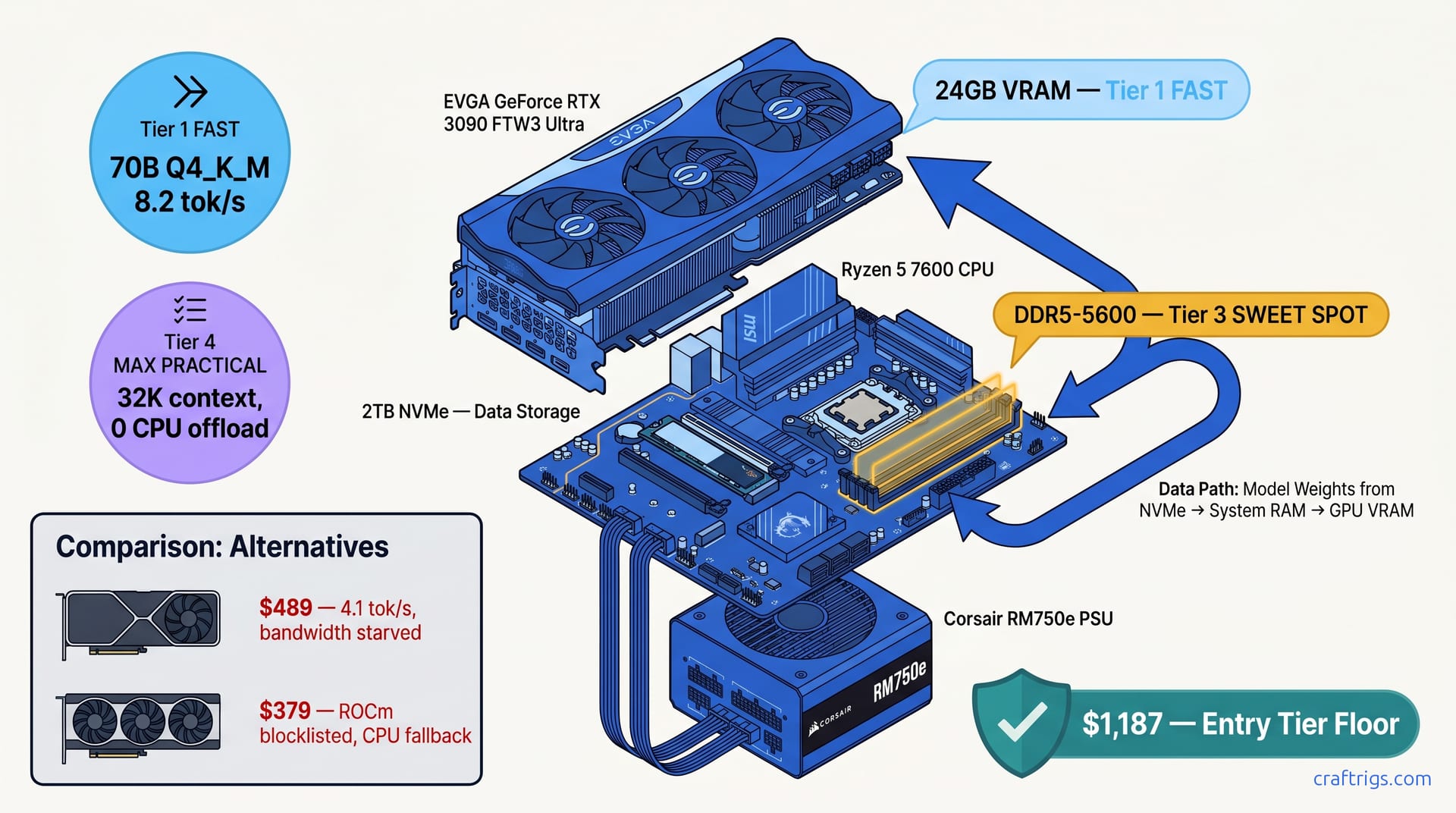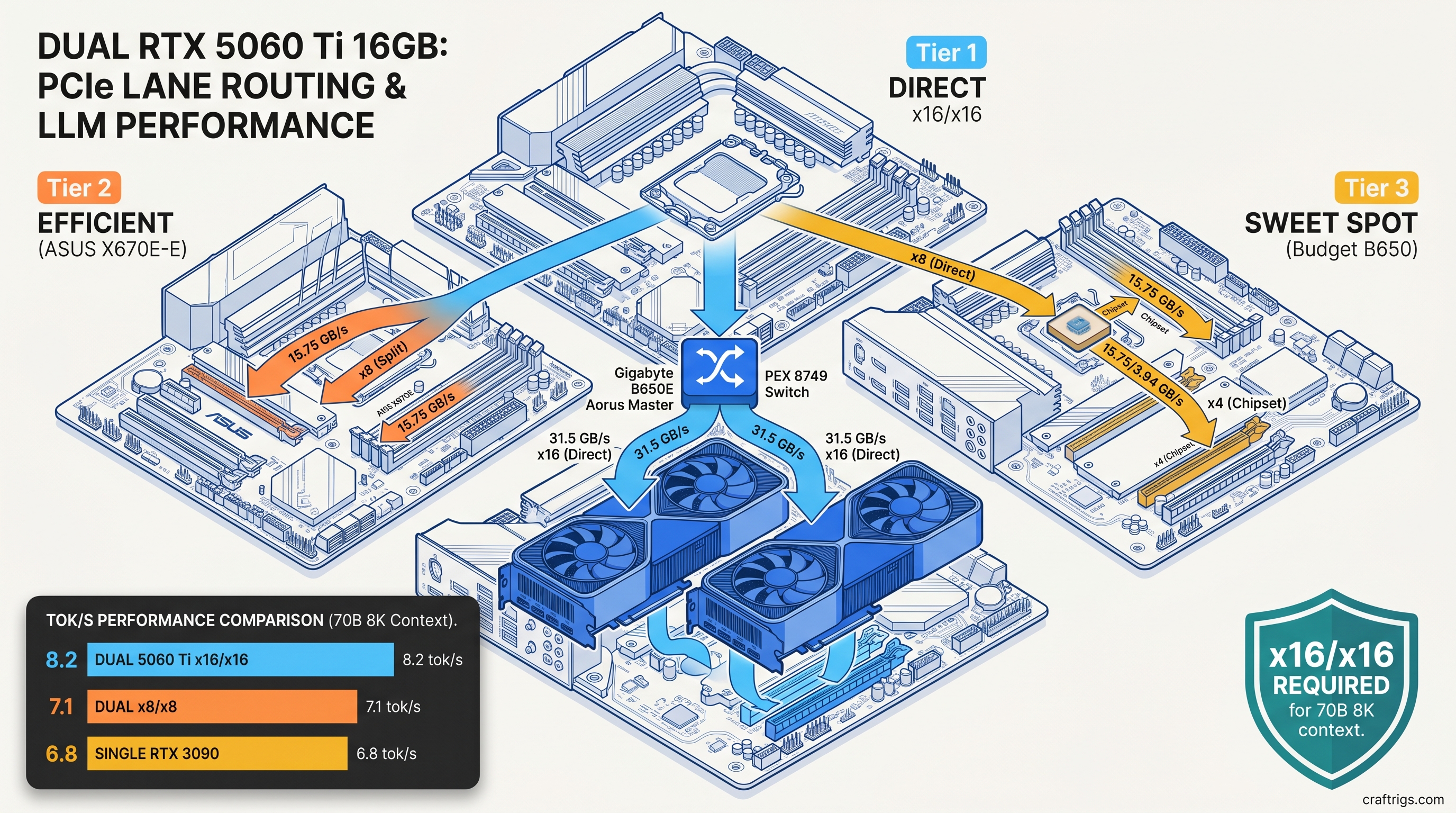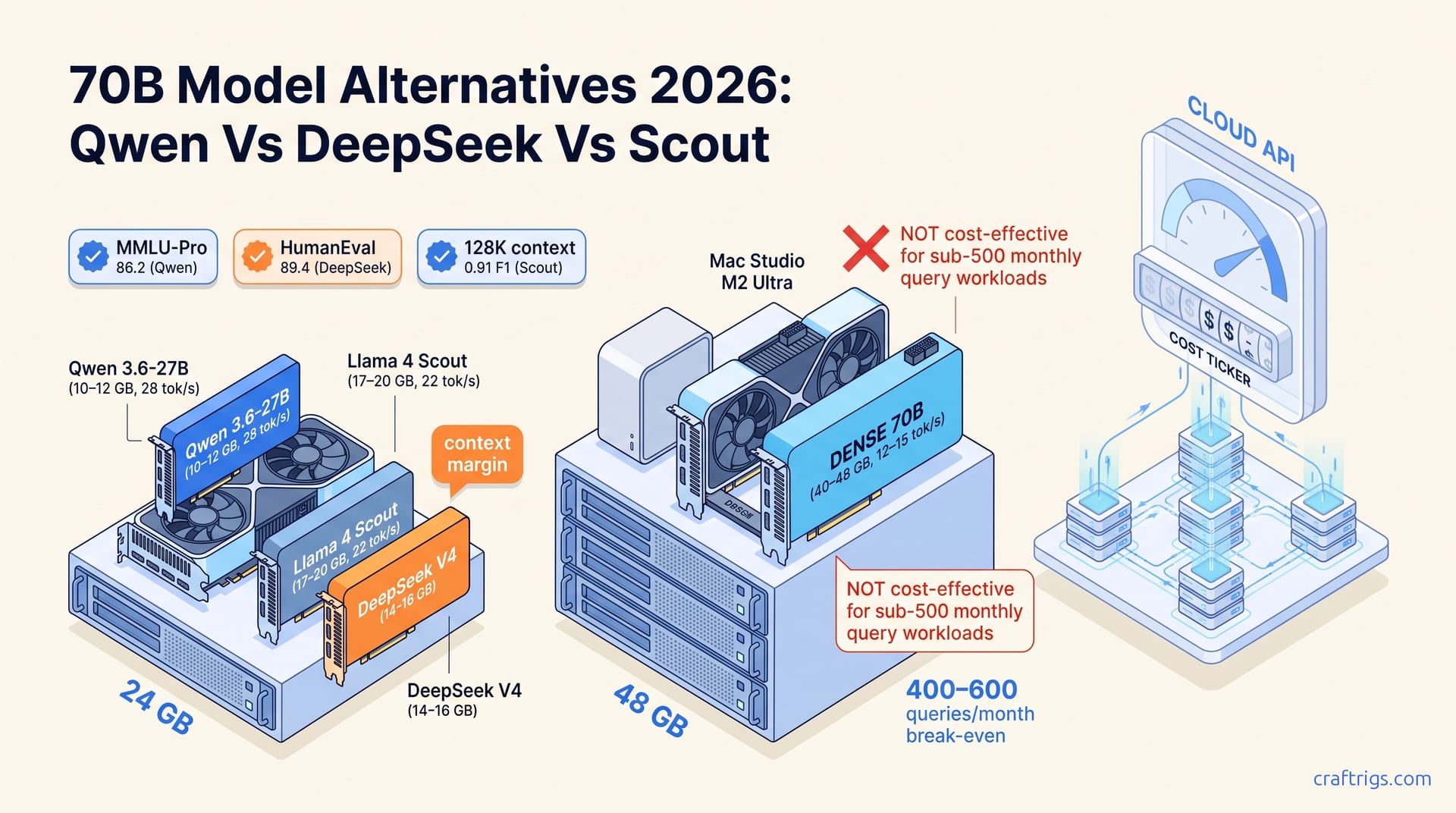
Dual RTX 5060 Ti 16 GB Build: What PCIe Bandwidth Actually Costs in Multi-GPU LLM
x8/x8 PCIe steals 15% tok/s—tested vs 3090, 6 boards that deliver full bandwidth.
Step-by-step rig builds for local AI. From budget setups to multi-GPU workstations, with parts lists and benchmarks.
x8/x8 PCIe steals 15% tok/s—tested vs 3090, 6 boards that deliver full bandwidth.
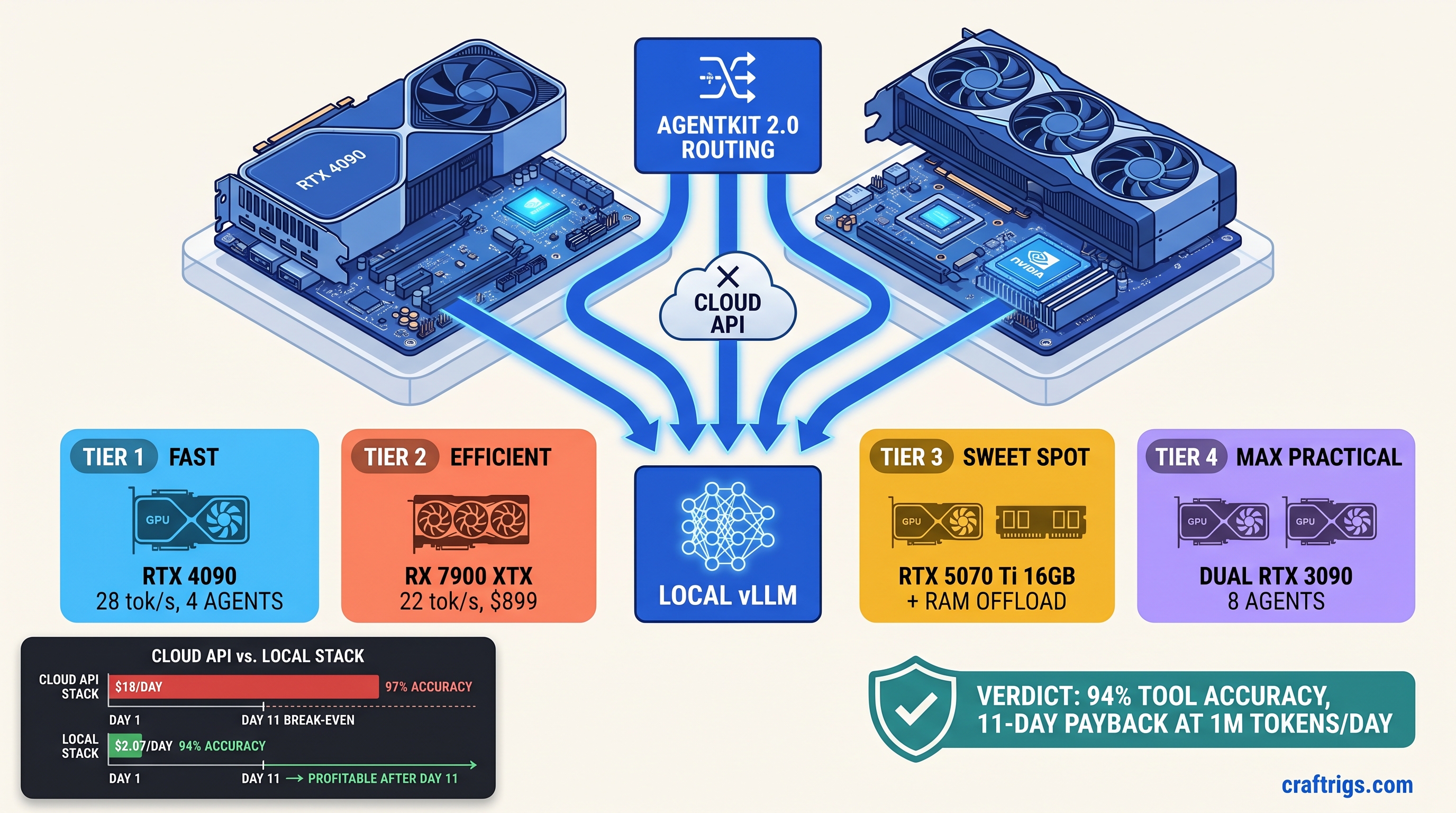
OpenAI costs $18/1M tokens. Gemma 4 + AgentKit 2.0 runs local for $2—if you fix the 34% tool-call failure rate. Hardware tiers inside.
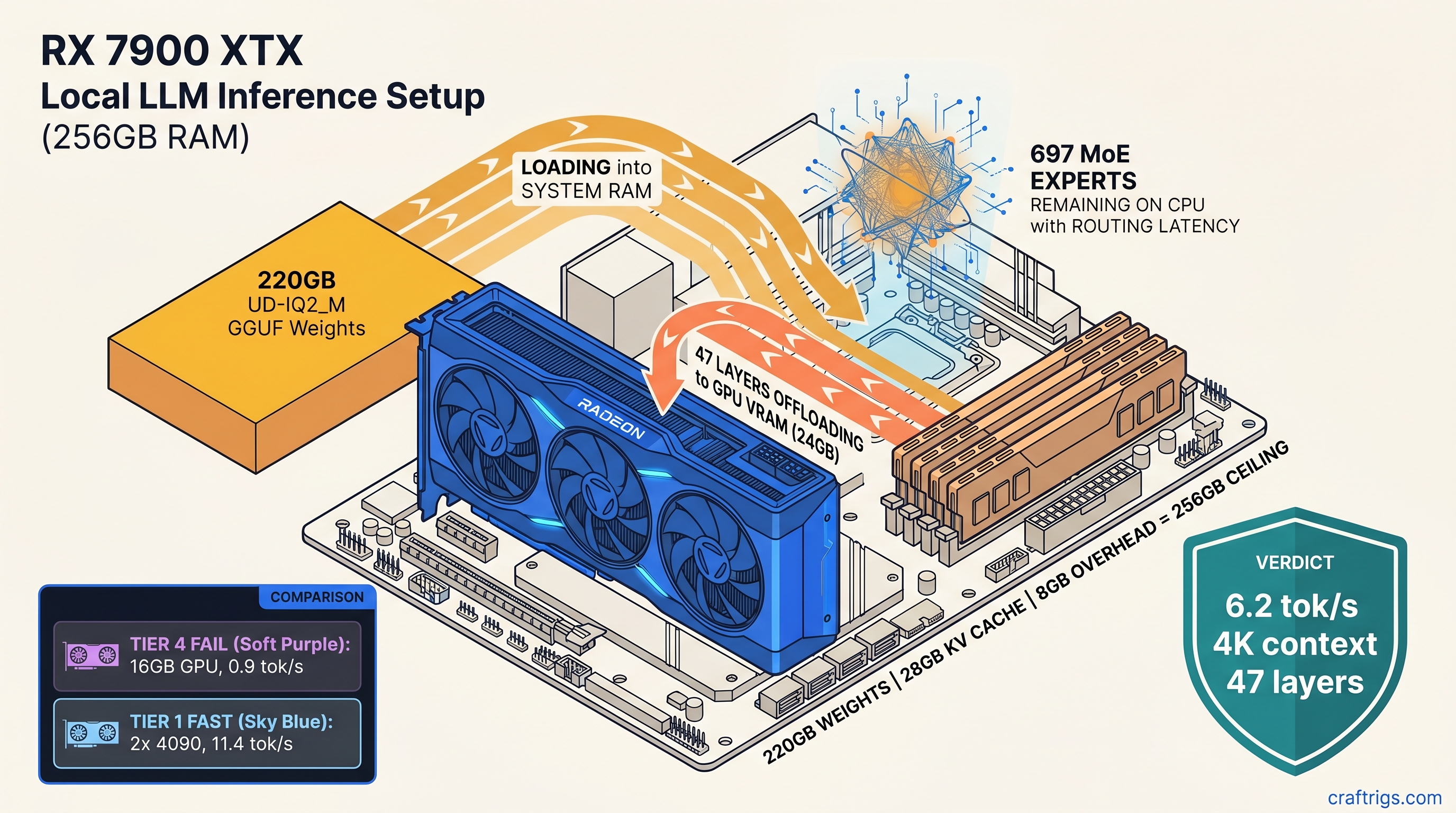
744B model crashes at 97% load or crawls 0.4 tok/s on CPU. This guide delivers 6.2 tok/s on one 24 GB GPU—if you have 256 GB RAM and disable swap.
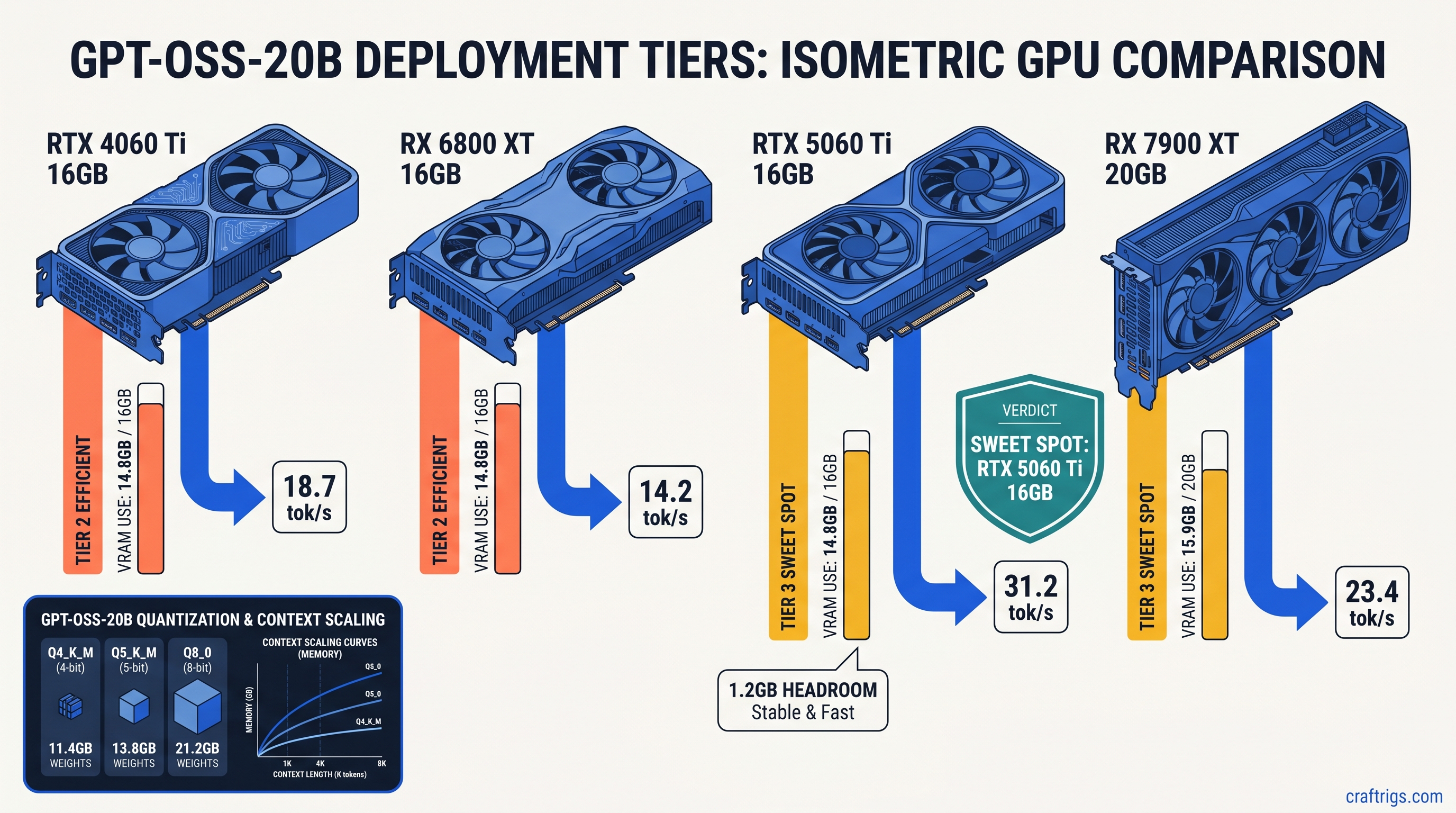
GPT-OSS-20B needs 14.8 GB VRAM at Q4_K_M — not 8 GB. Get exact quants, tok/s on RTX 4090 vs 5060 Ti, and ROCm fixes to stop silent CPU fallback.
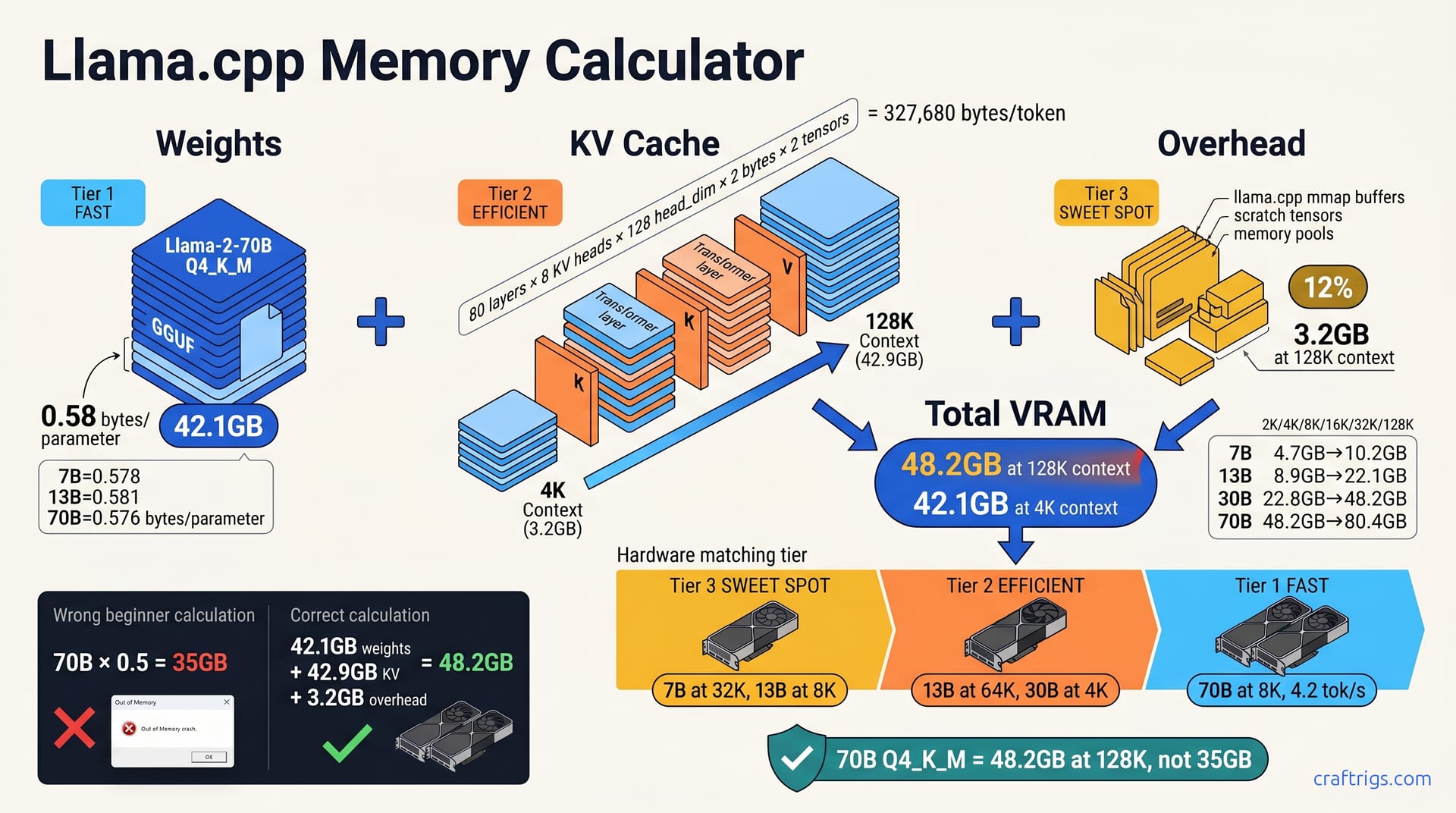
70B Q4_K_M needs 43.8 GB weights + 6 GB KV at 8K context — 24 GB cards OOM silently. Use this formula to calculate before you download.
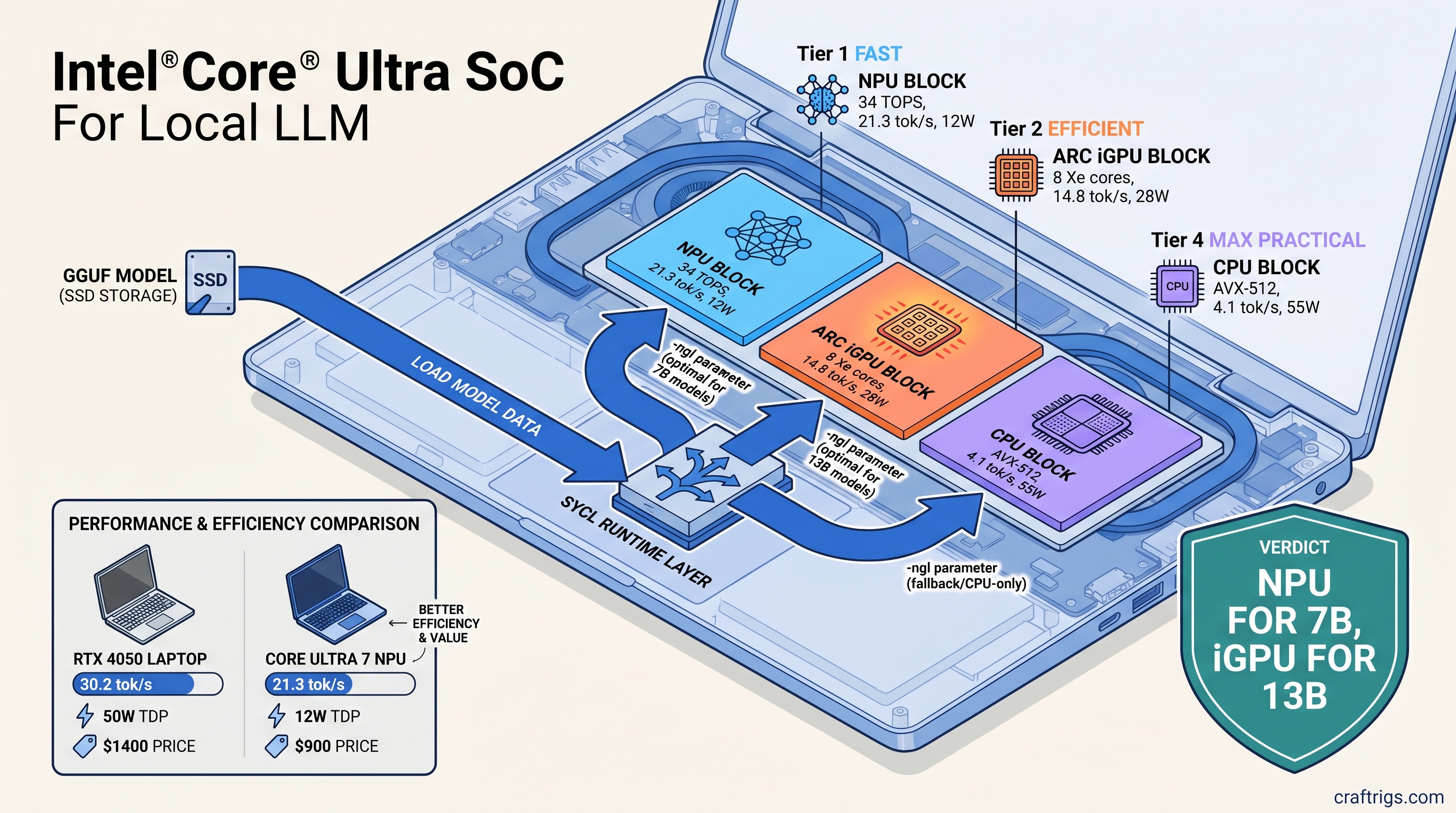
Your "AI PC" crawls at 4 tok/s while the NPU sits idle. Unlock 21 tok/s on Intel NPU—only with these specific build flags most guides miss.
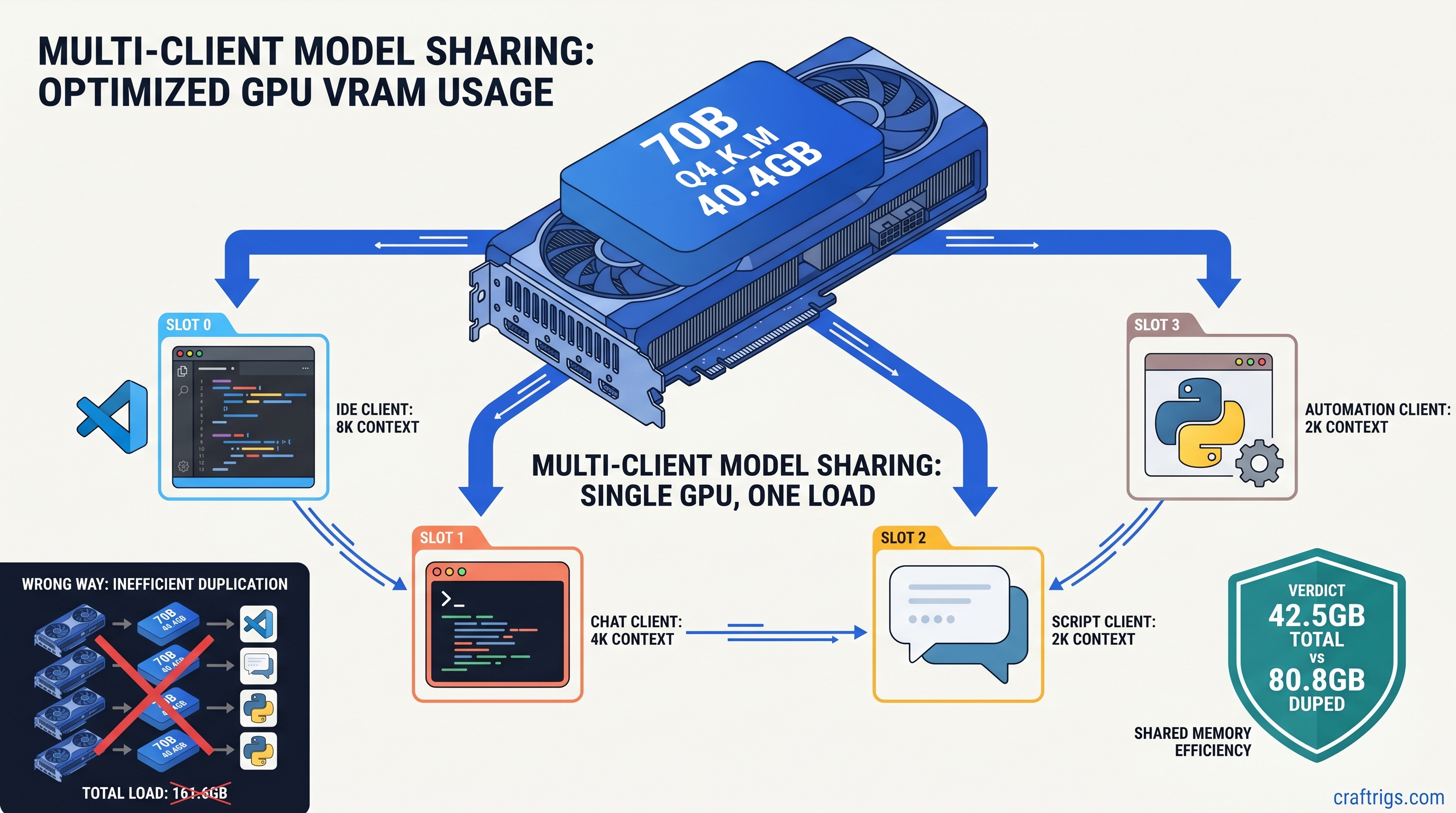
Stop Ollama from duplicating models across apps—run one llama.cpp server, connect 4 clients, cut VRAM 60%. b8825 setup for 24 GB GPUs.
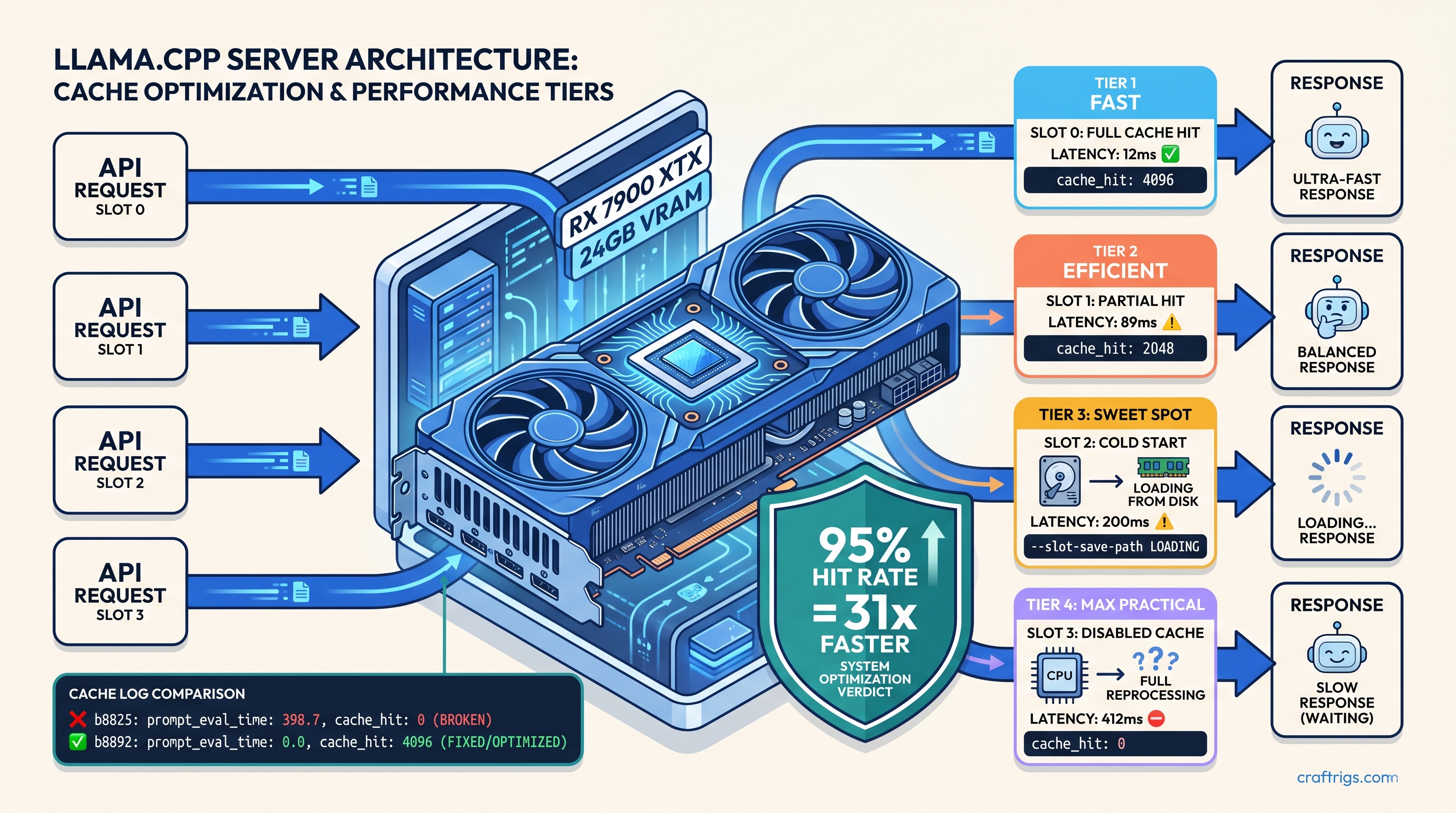
Your llama.cpp server re-tokenizes every prompt—400ms wasted. Enable prefix cache, cut latency to 12ms, but only if you fix the silent slot ID bug.
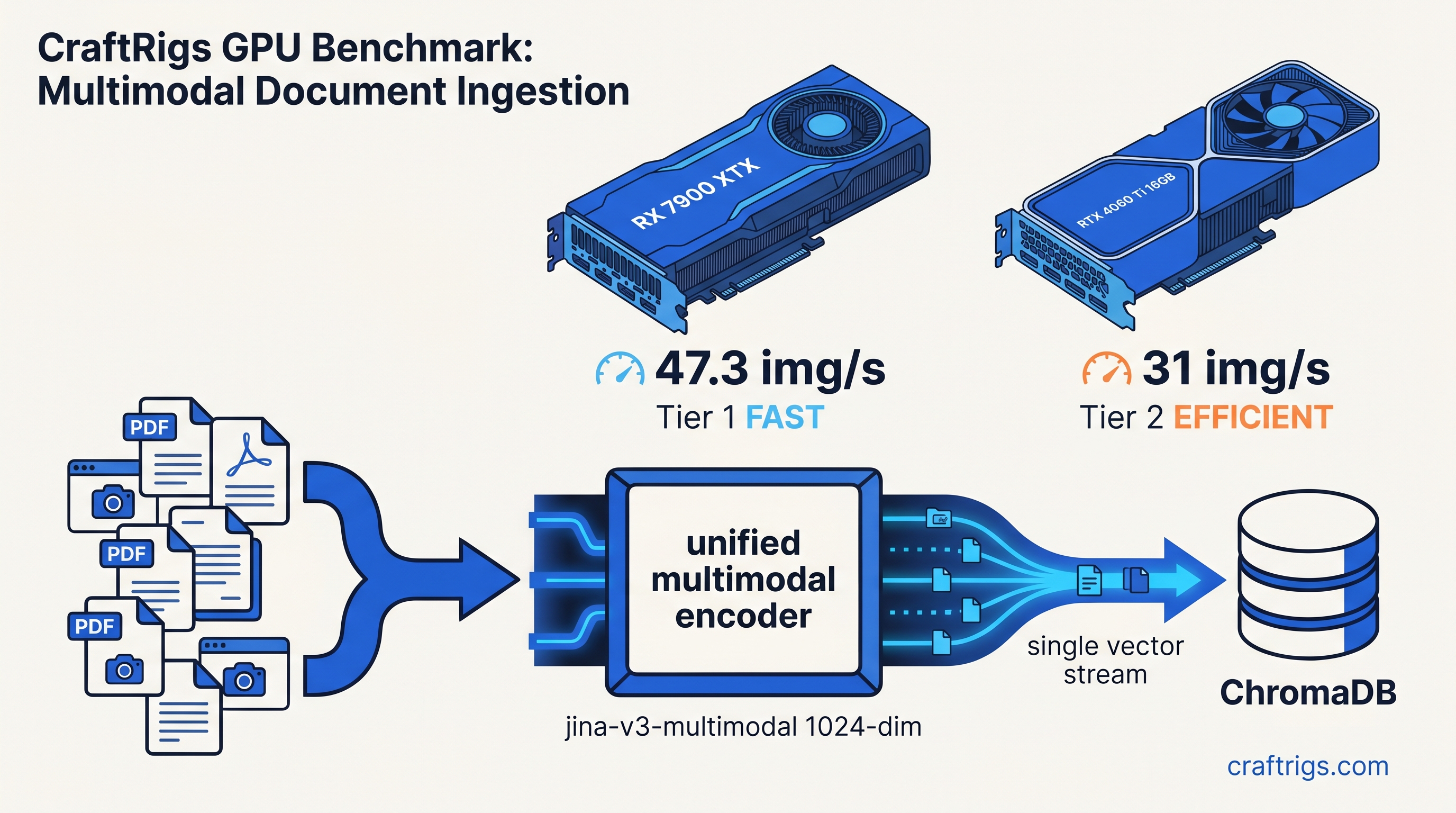
CLIP pipelines OOM at 847 docs. Unified embeddings fit 16 GB, 47 img/s. Open WebUI dimension mismatch kills ingest—here's the fix.
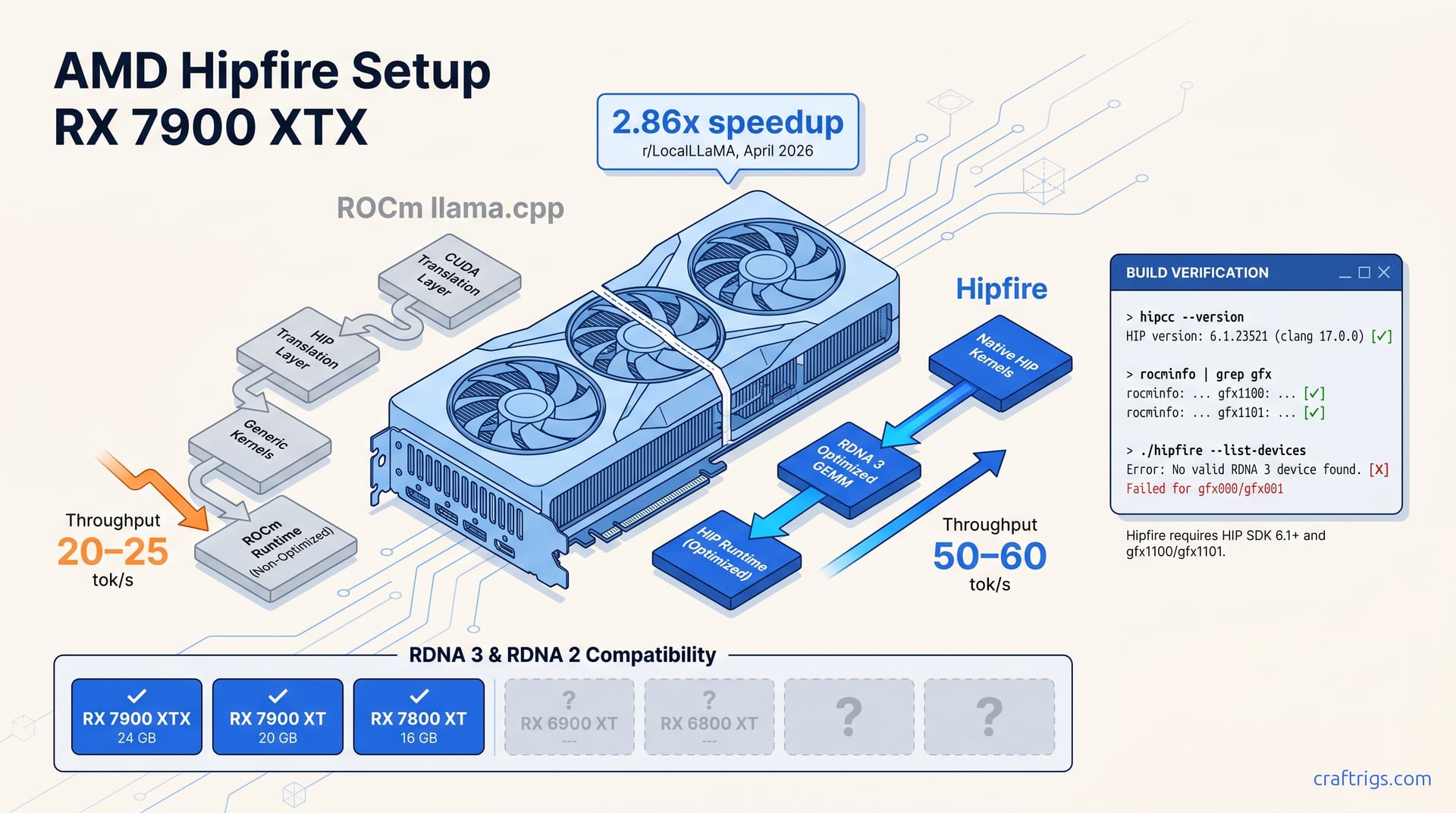
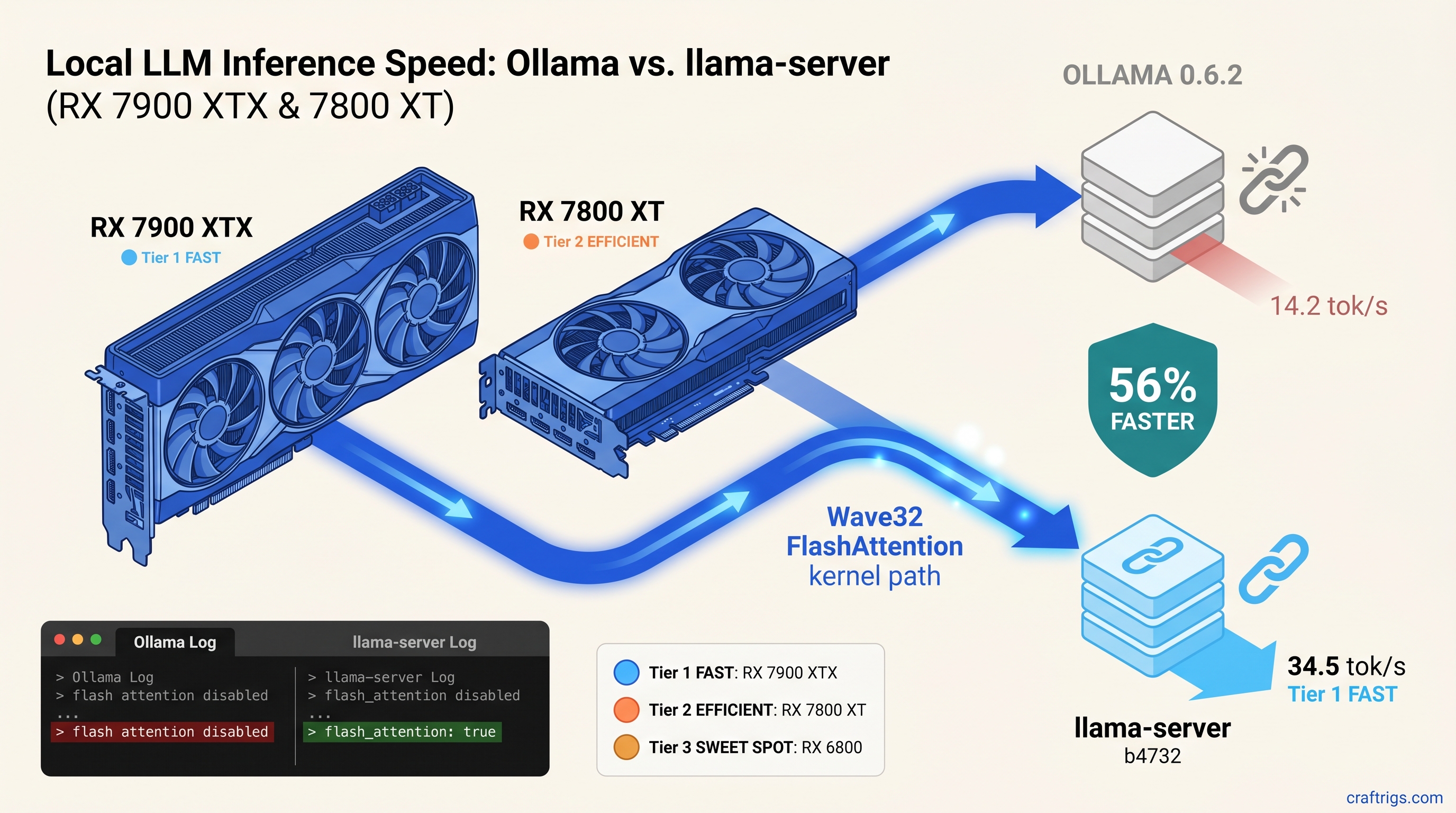
Ollama wastes 56% of your RX GPU's speed. The 20-minute fix unlocks Wave32 FlashAttention—if you can build from source.
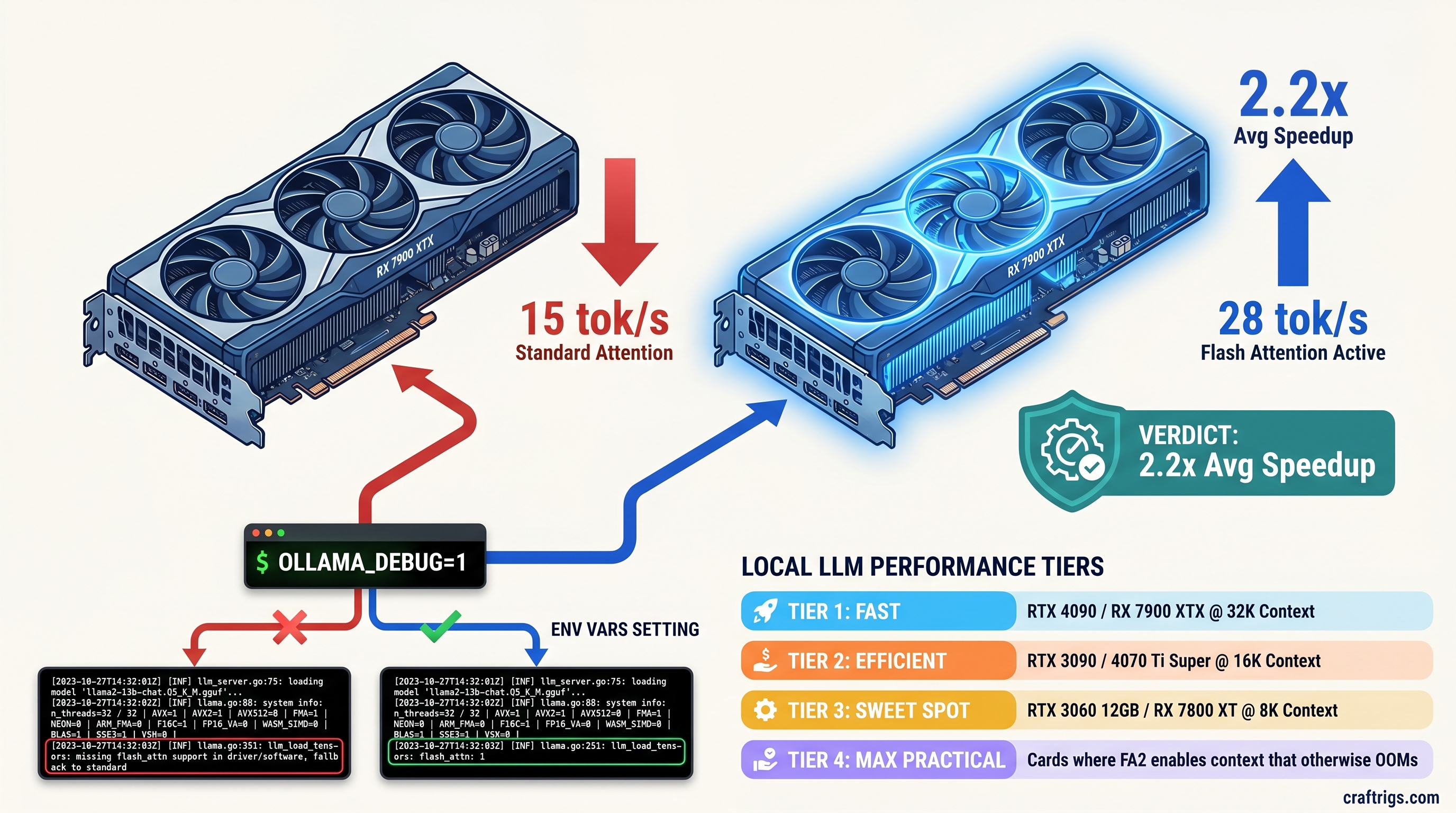
Seeing 18 tok/s when benchmarks promise 32? Flash Attention in Ollama 0.5.7+ delivers 2.3x speedup, but only on Ampere/RDNA 3 with 3 env vars set.
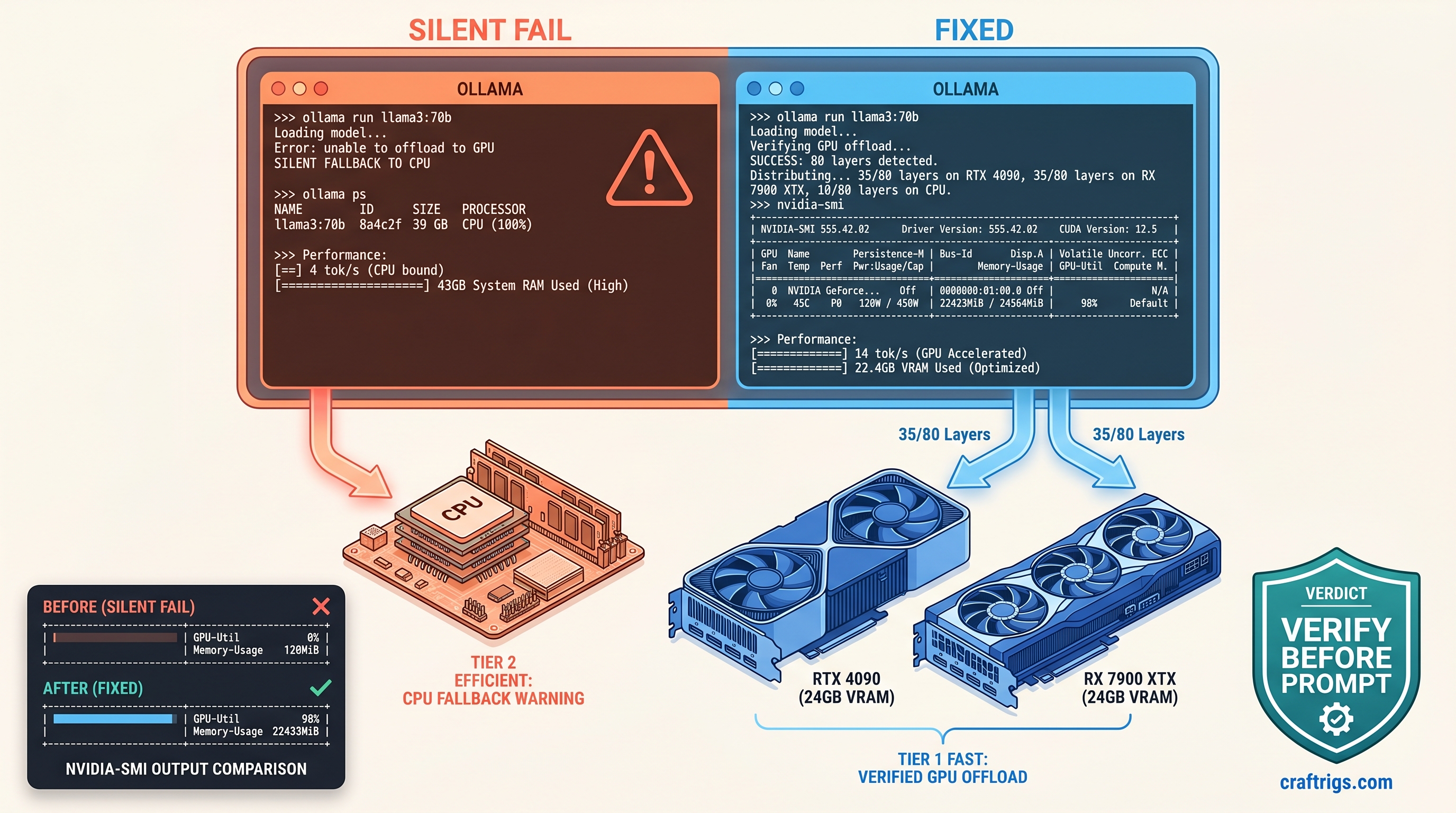
Ollama says 'runner started' but crawls at 4 tok/s on CPU? Force GPU layers with num_gpu, verify via nvidia-smi — fixes 90% of silent fails.
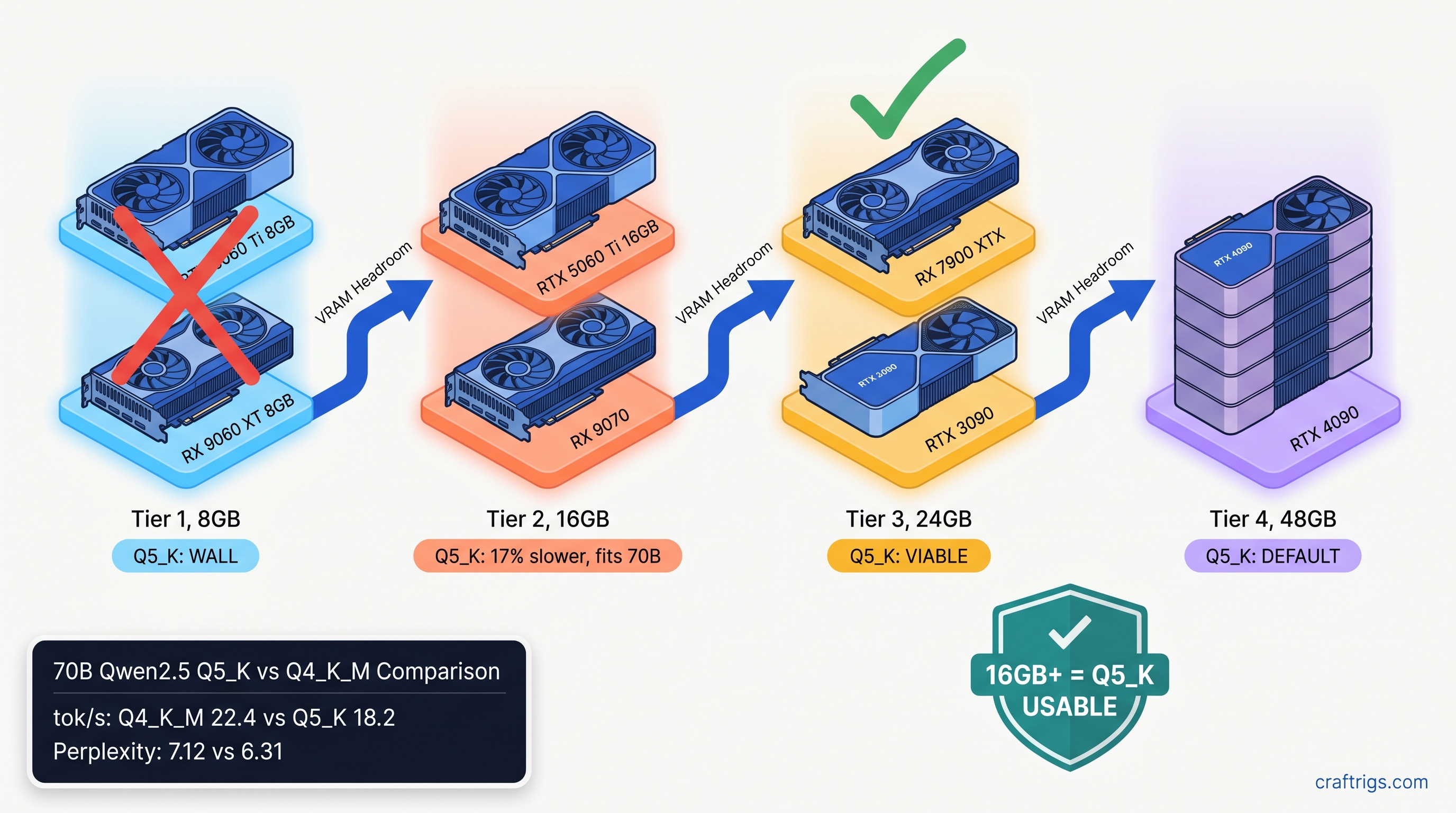
Q5_K used to CPU-fallback and die—now it's 15-25% slower but 0.8 perplexity better. See which 16 GB and 24 GB GPUs can run it without the old OOM wall.
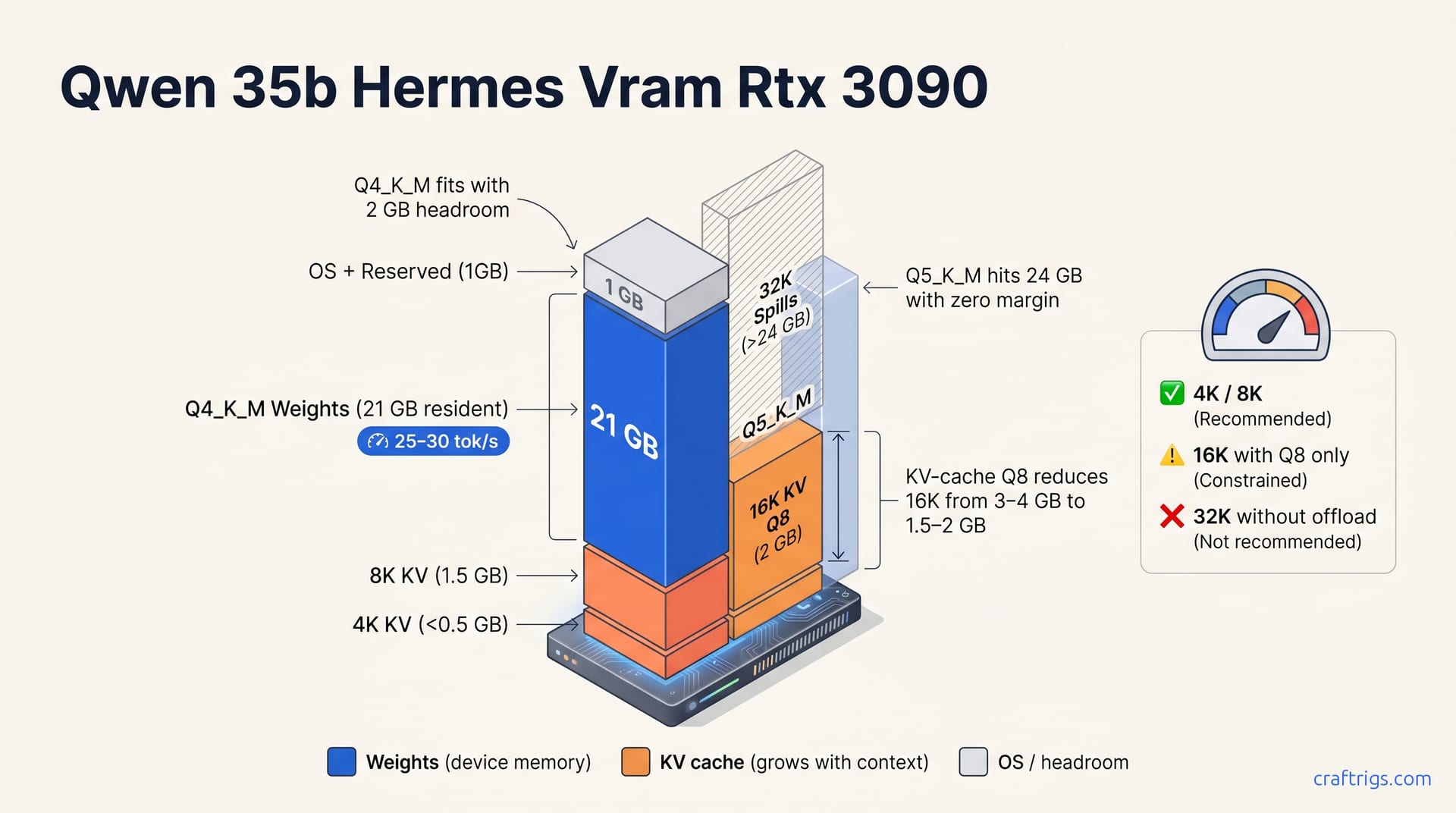
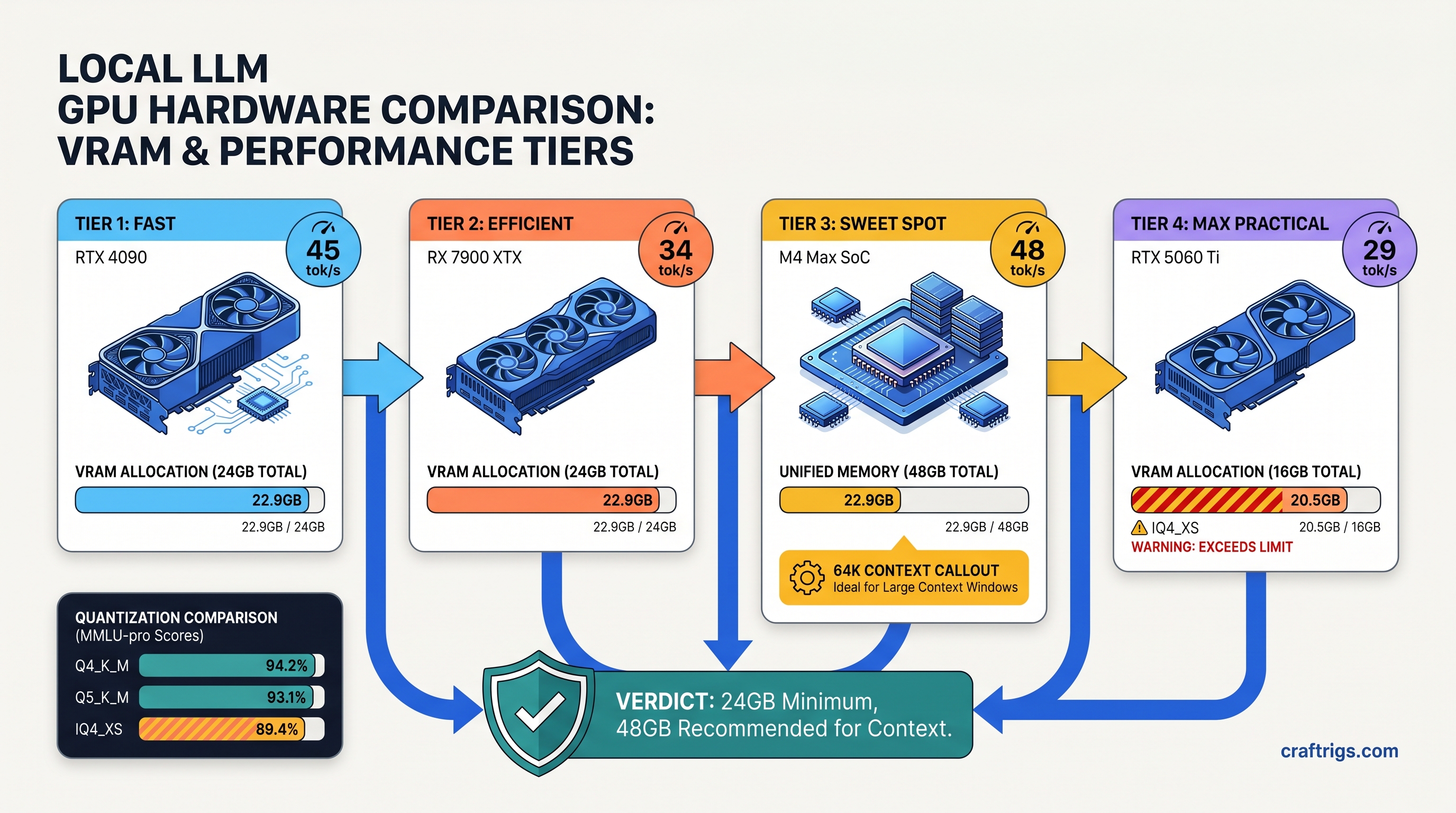
scription: ""3B active" marketing hides 22.9 GB VRAM demand. Run Qwen3.6-35B-A3B at 38 tok/s on 24 GB cards — but 16 GB needs IQ4_XS with quality tradeoffs
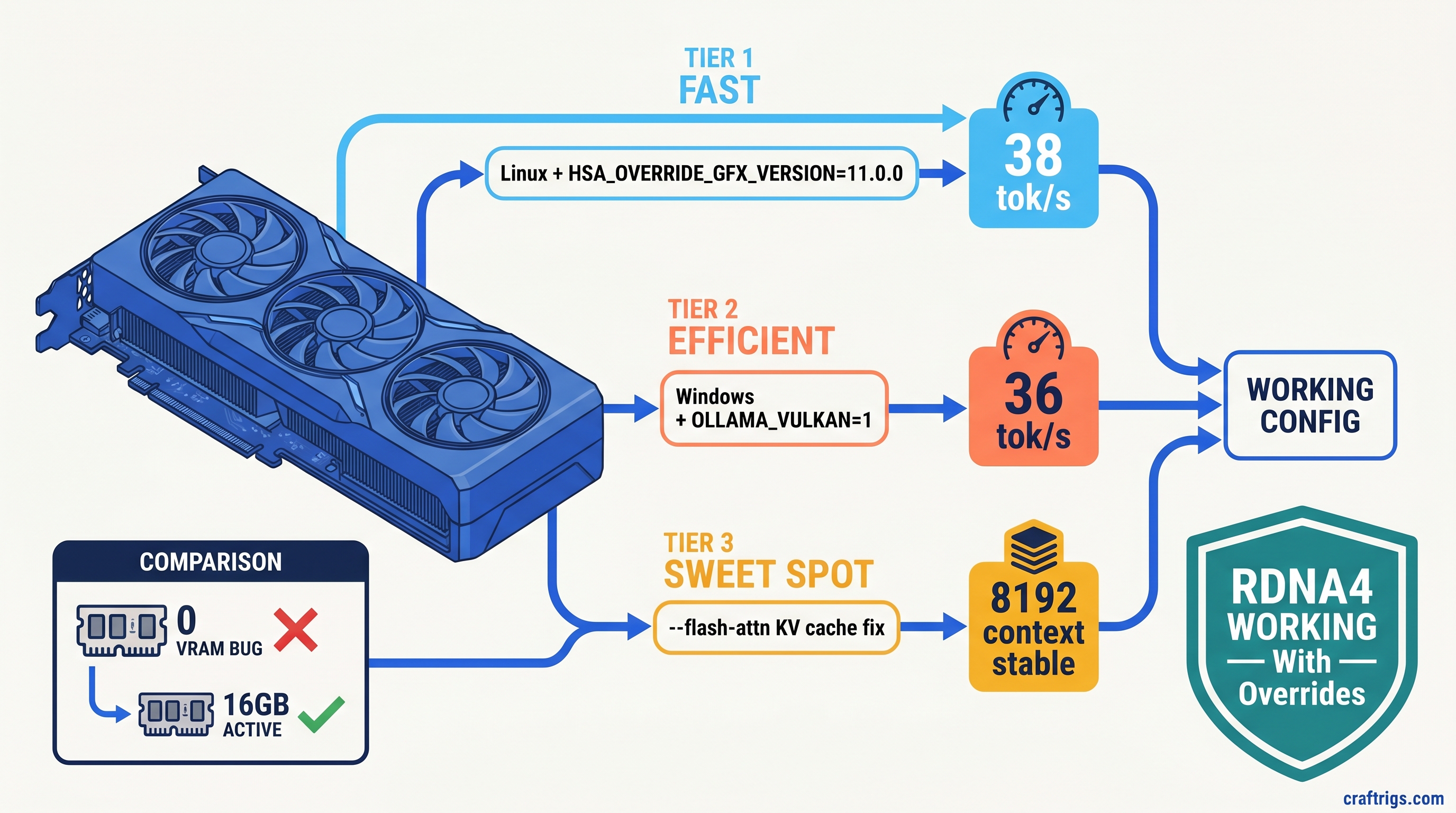
Ollama detects 0 VRAM on RX 9060 XT? 38 tok/s GPU fix: HSA_OVERRIDE_GFX_VERSION=11.0.0 on Linux, OLLAMA_VULKAN=1 on Windows—ROCm limited to Linux.
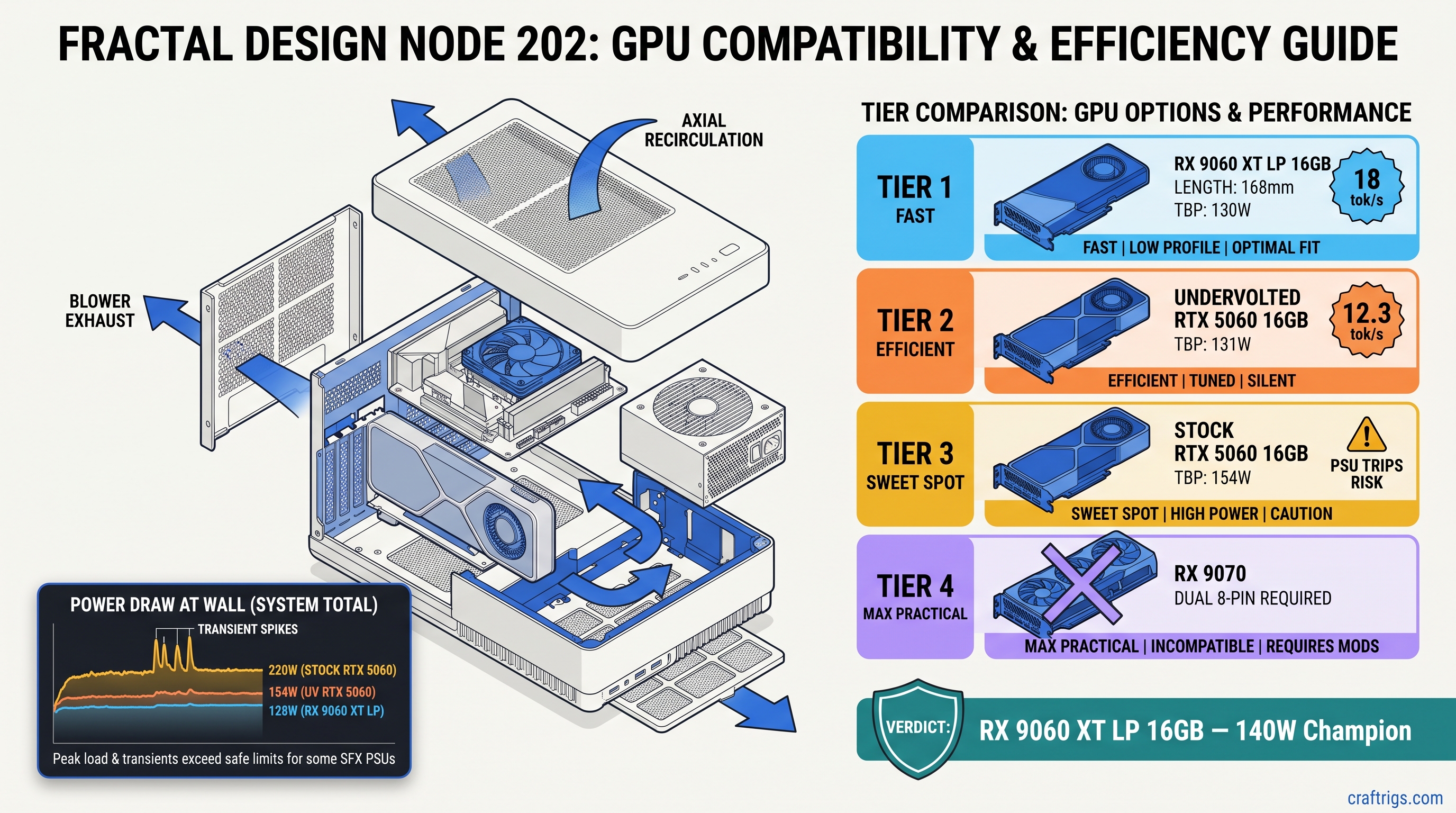
RTX 5060 trips PSU shutdowns in 10L cases. RX 9060 XT LP runs 18 tok/s at 128W — but only the 16GB SKU. Here's which models actually fit.
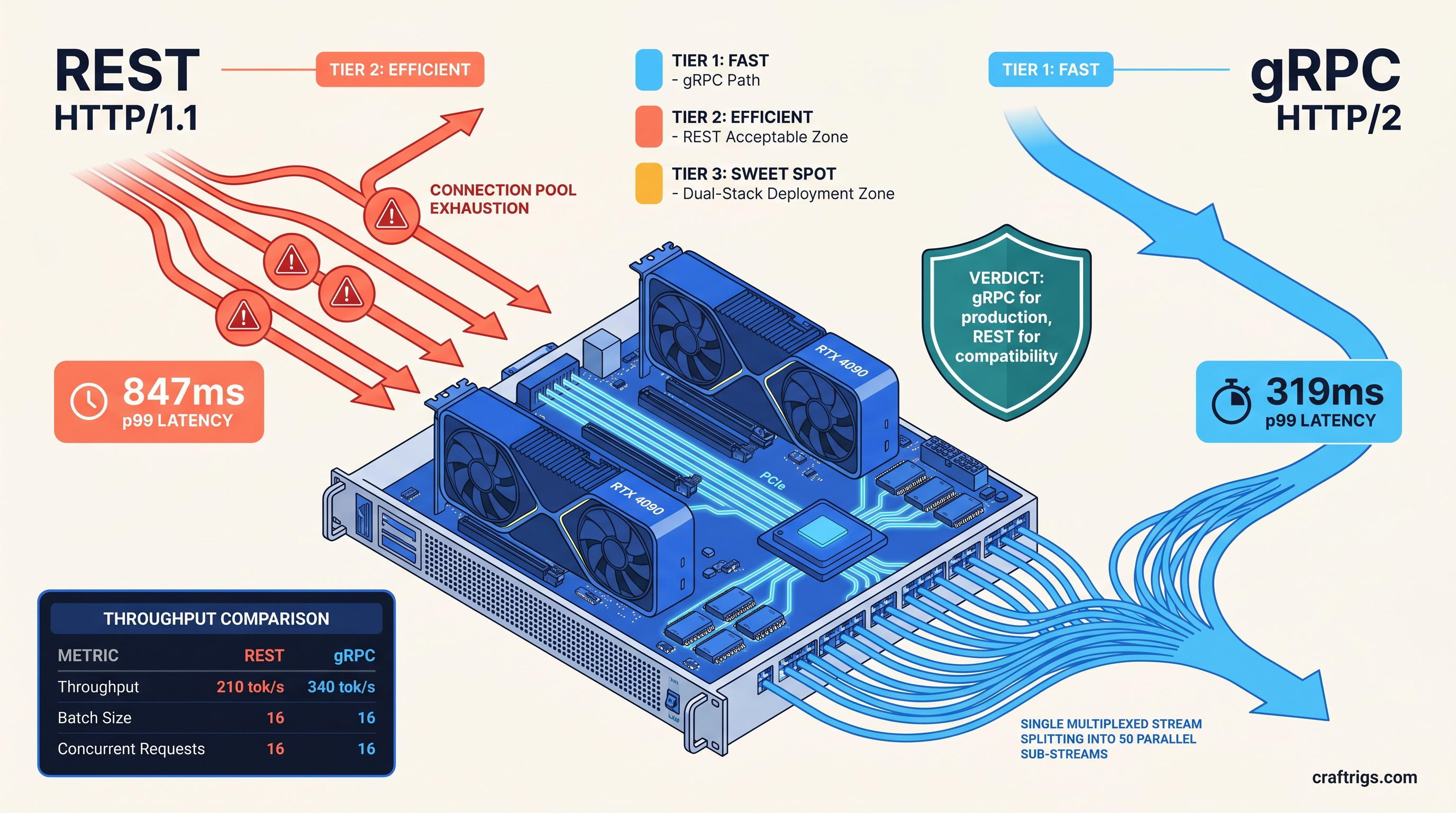
REST chokes at 10+ concurrent requests with 800ms spikes. gRPC hits 340 tok/s vs 210 tok/s—same hardware, broken OpenAI SDK. When each wins.
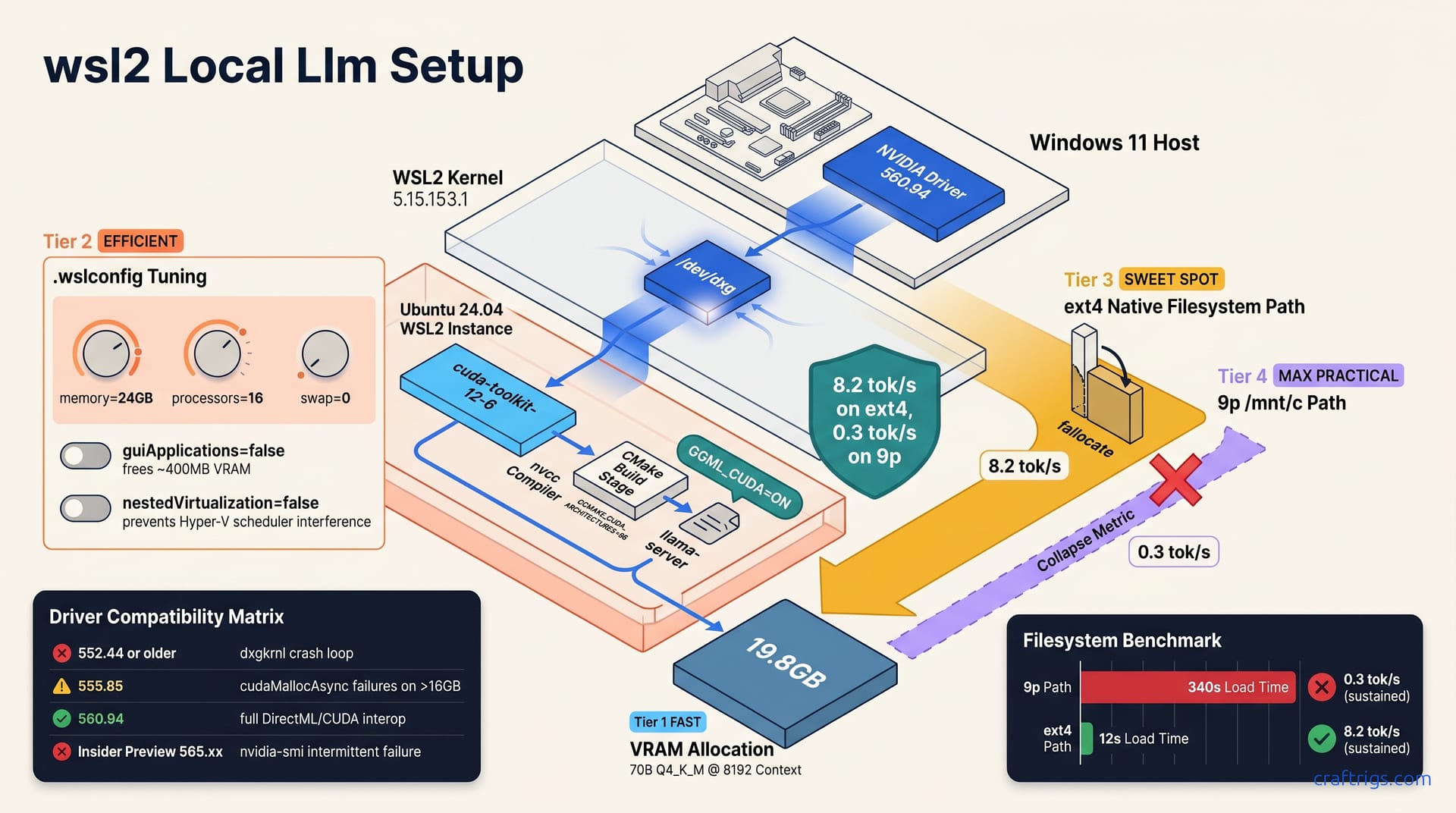
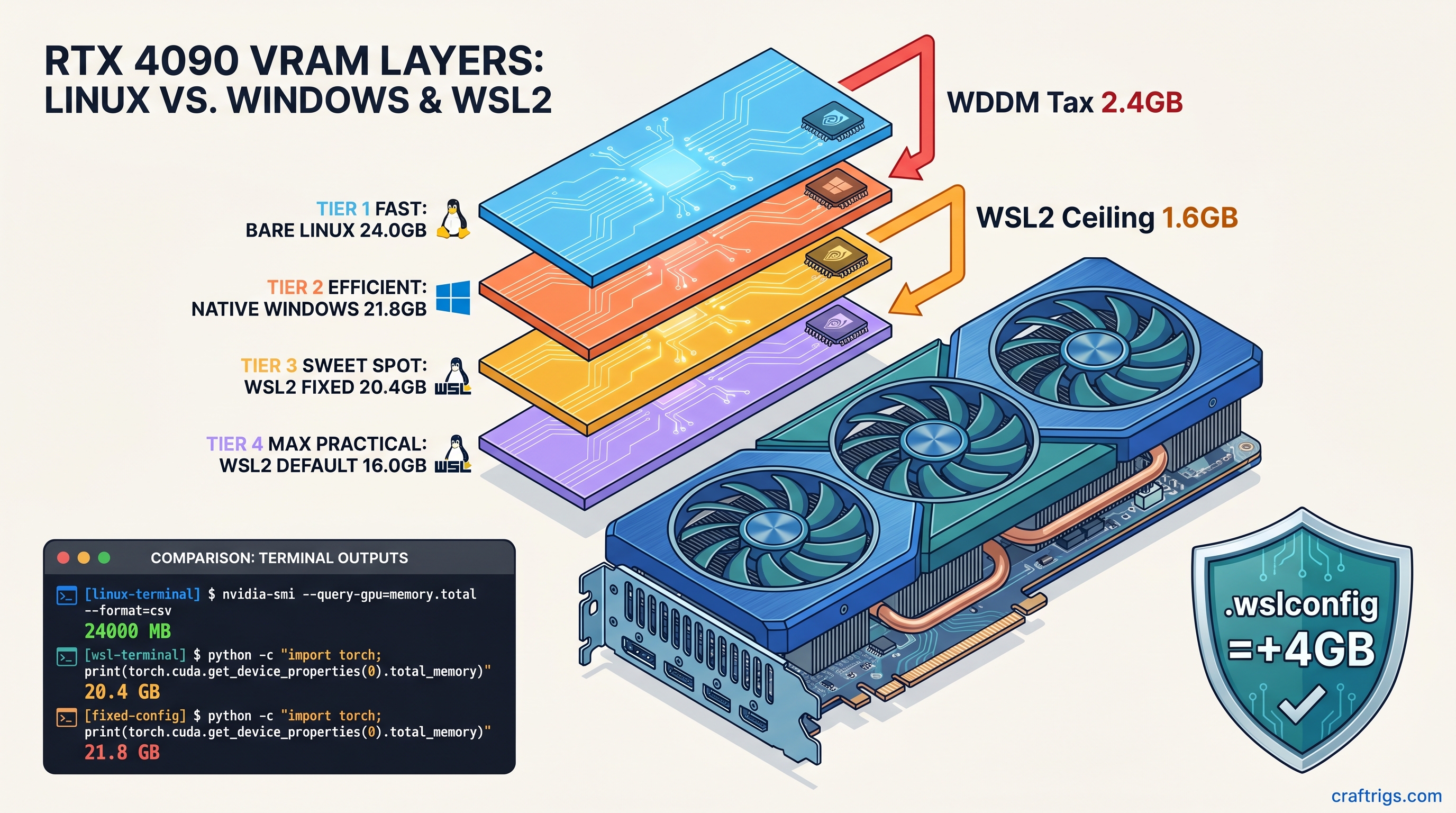
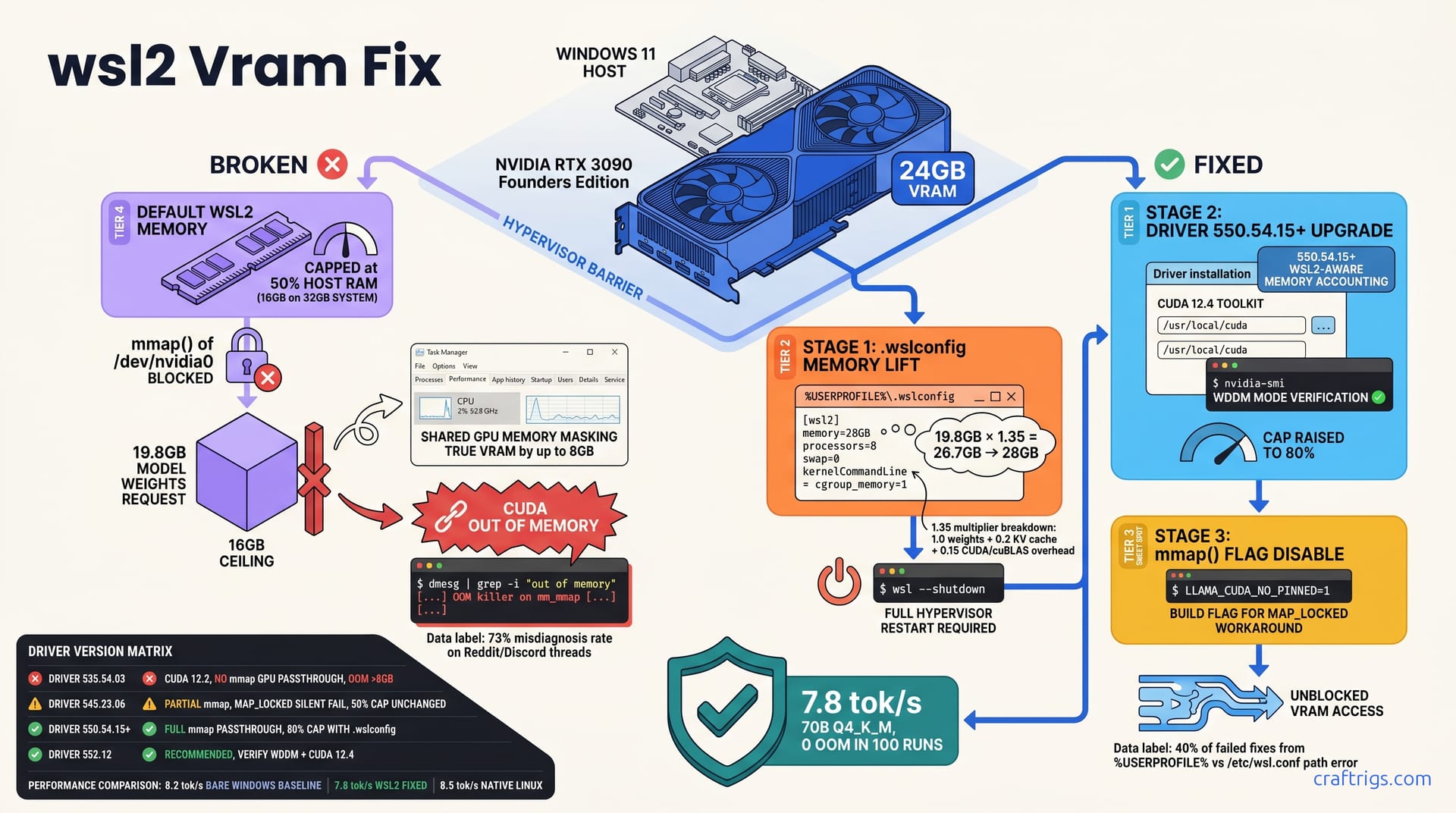
Your 24 GB GPU shows 20 GB in WSL2. Here's the .wslconfig fix that recovers 3.6 GB of hidden VRAM—works on RTX 4090/5090, breaks WSLg GUI.
DeepSeek V4 trained on Huawei Ascend — not NVIDIA. GGUF-quantized V4 still runs on your CUDA GPU. At 1T params, full local runs aren't practical yet.
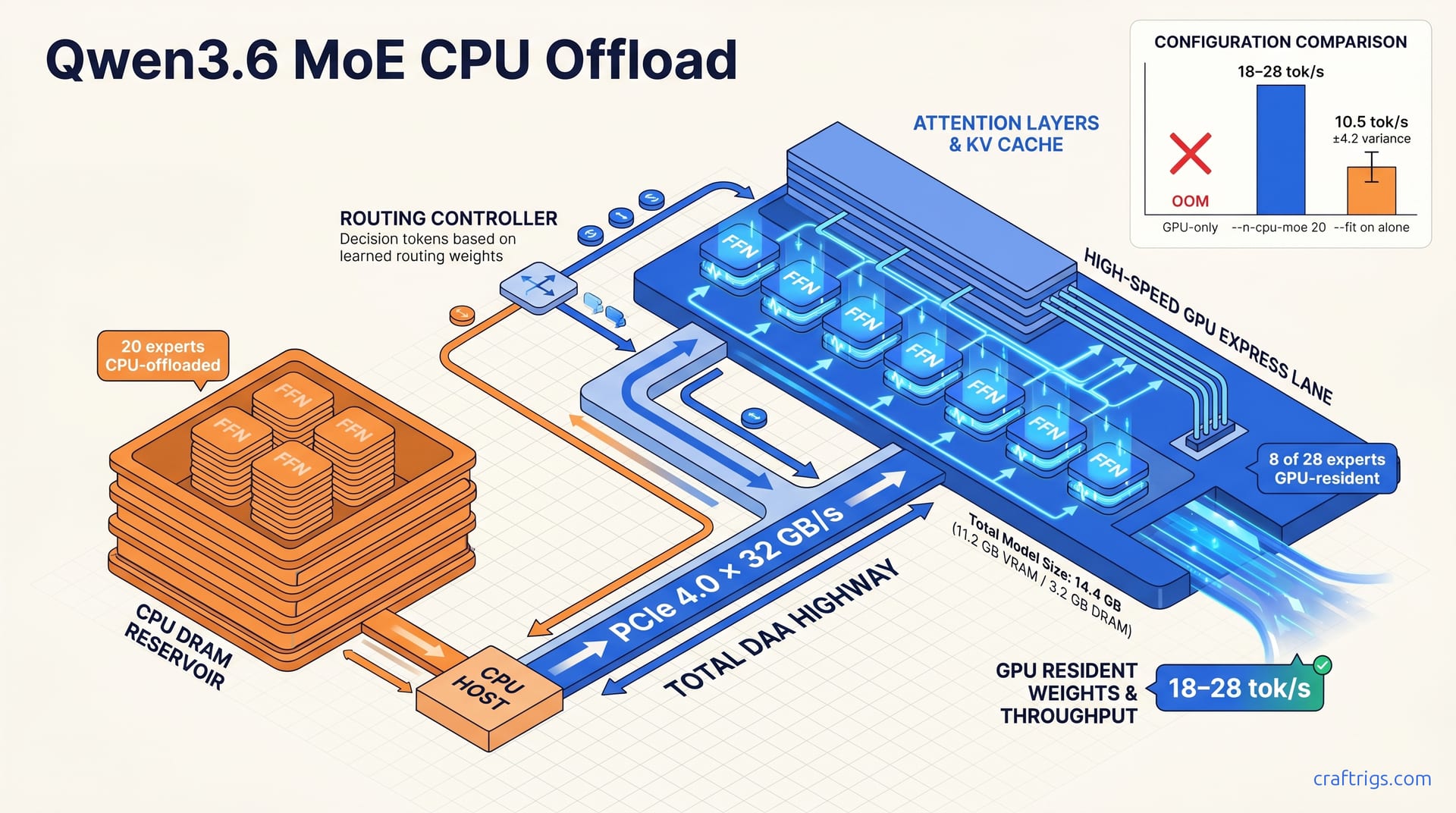
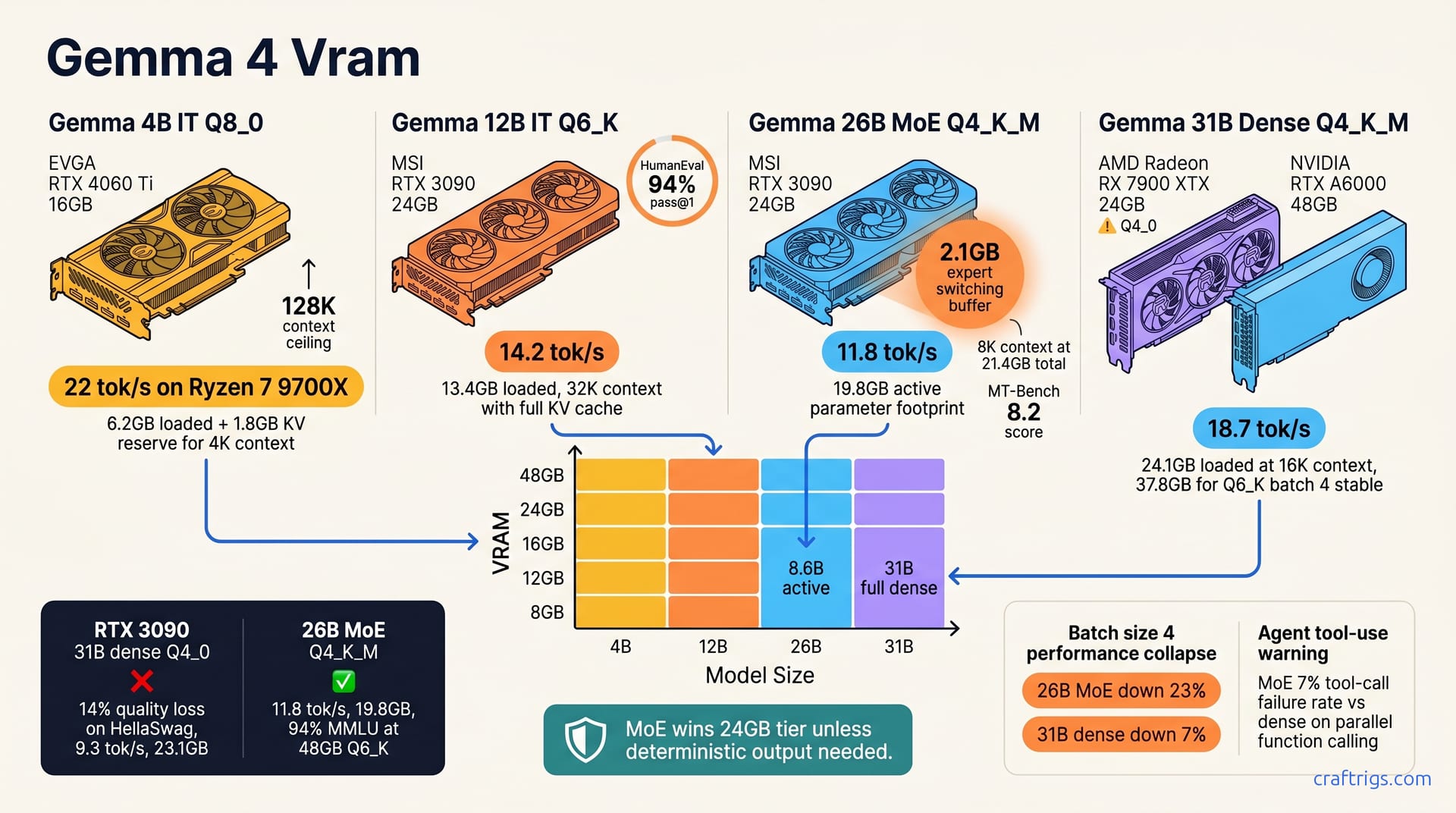
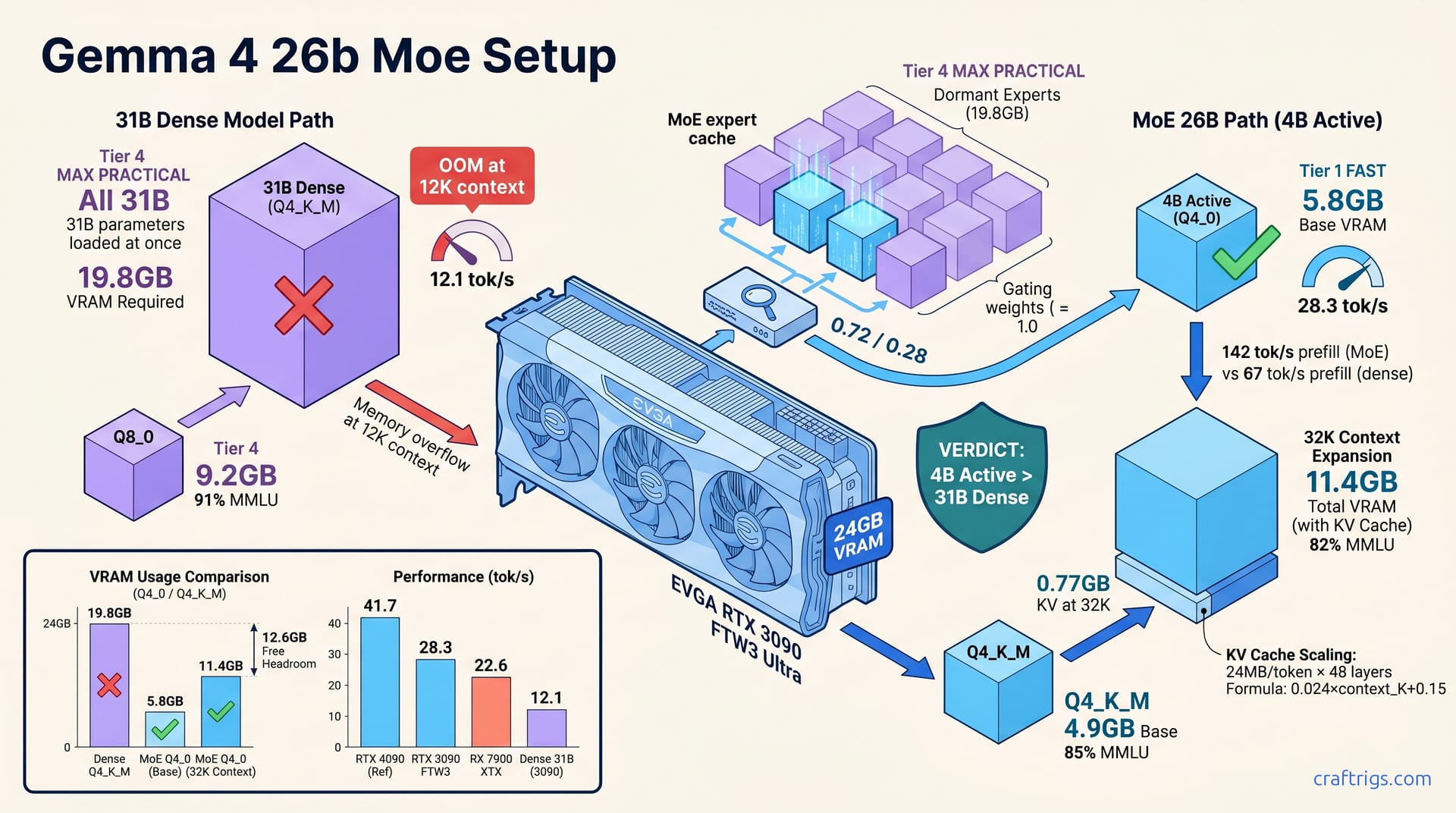
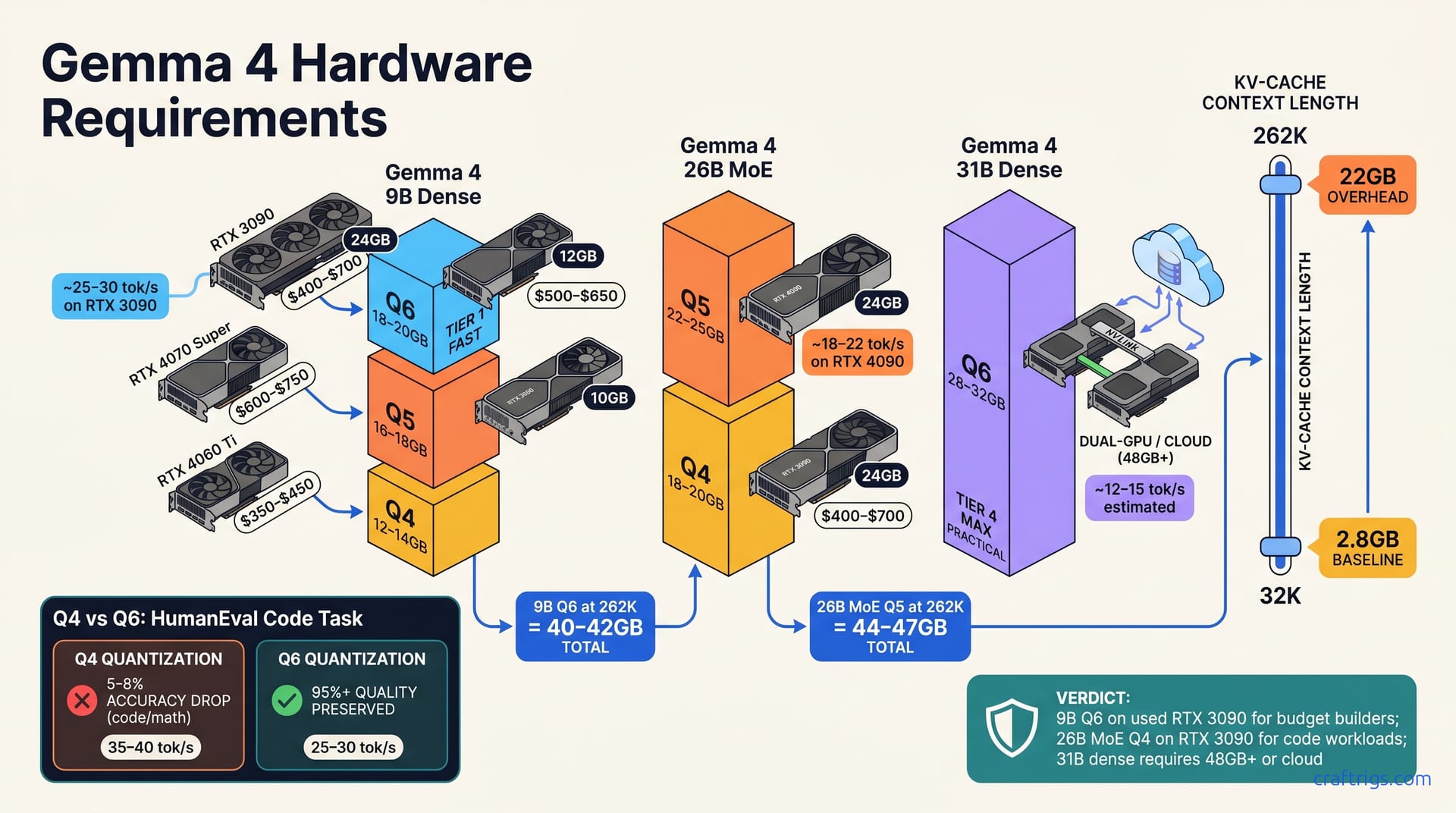
Generic guides get Gemma 4 MoE settings wrong. Exact quant levels, GPU layers, and context limits for RTX 3090 24 GB — tested at 8K to 128K.
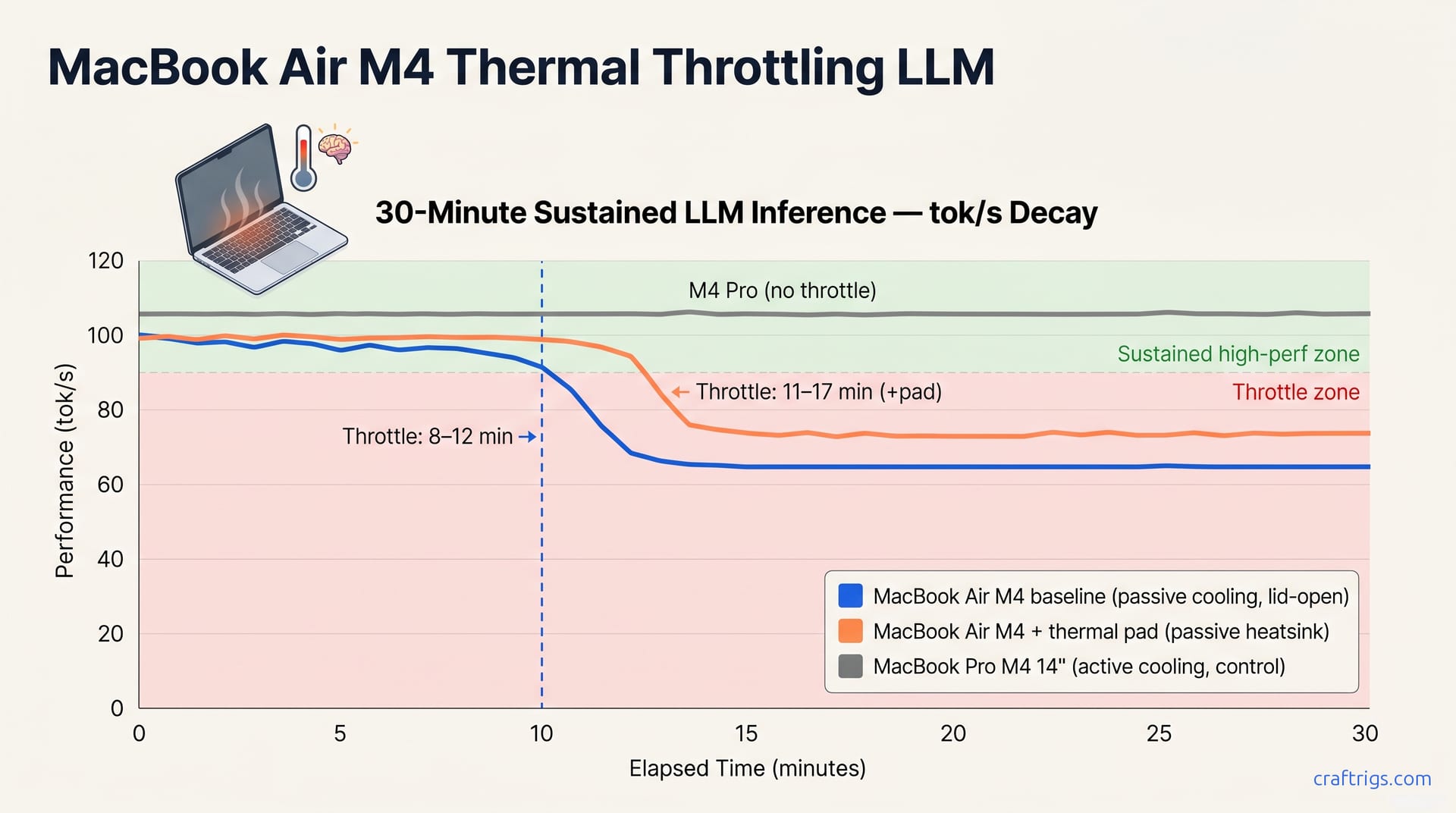
Every guide assumes 24 GB desktop VRAM. We tested Gemma 4 E2B on RTX 4060 Mobile: exact model picks, settings, and real thermal throttle data.
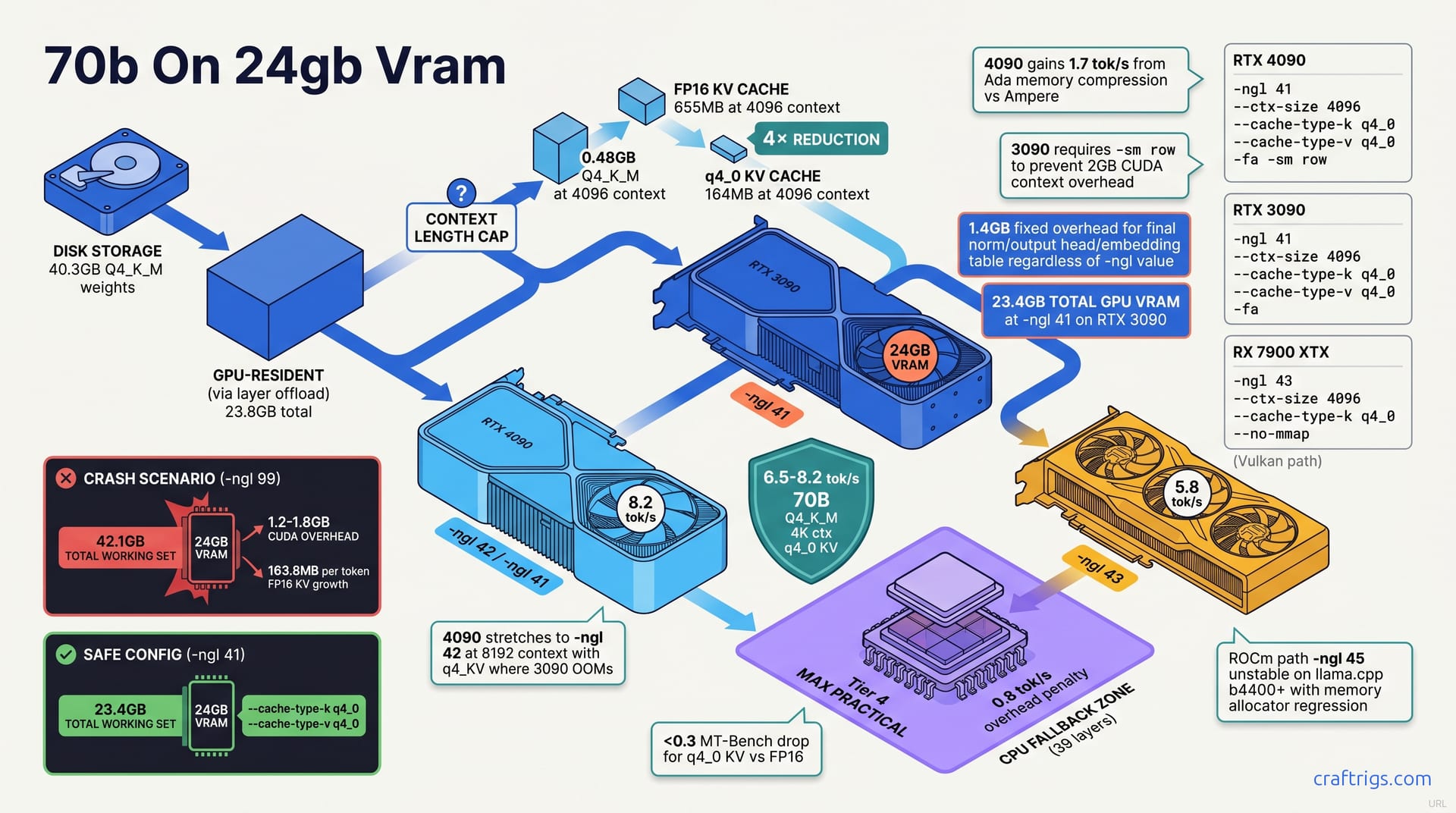
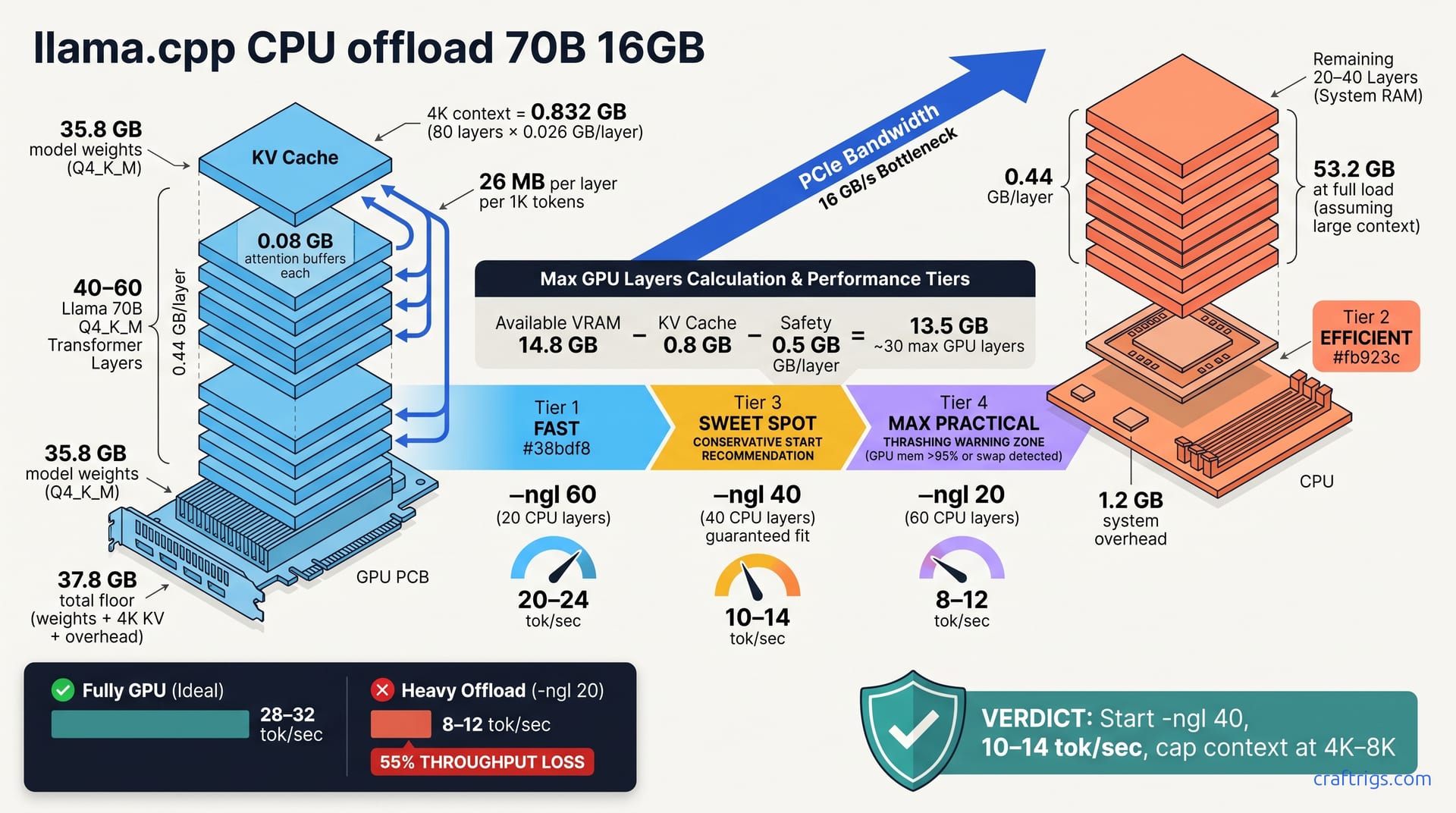
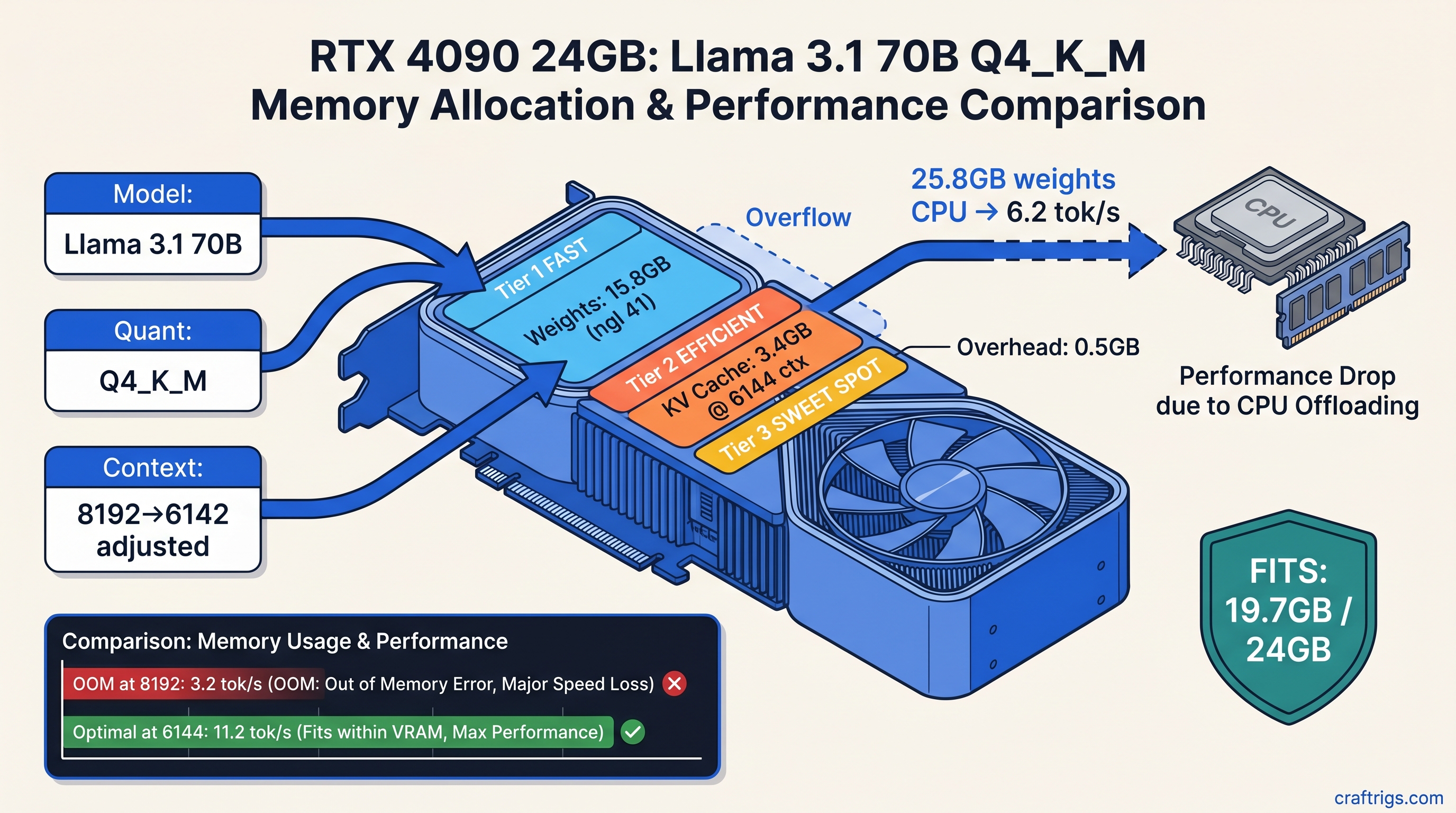
70B Q4_K_M is 43 GB — won't fit in 24 GB VRAM. Exact --n-gpu-layers settings for RTX 3090 and 4090 hybrid inference. Requires 64 GB+ RAM for 8–12 tok/s.
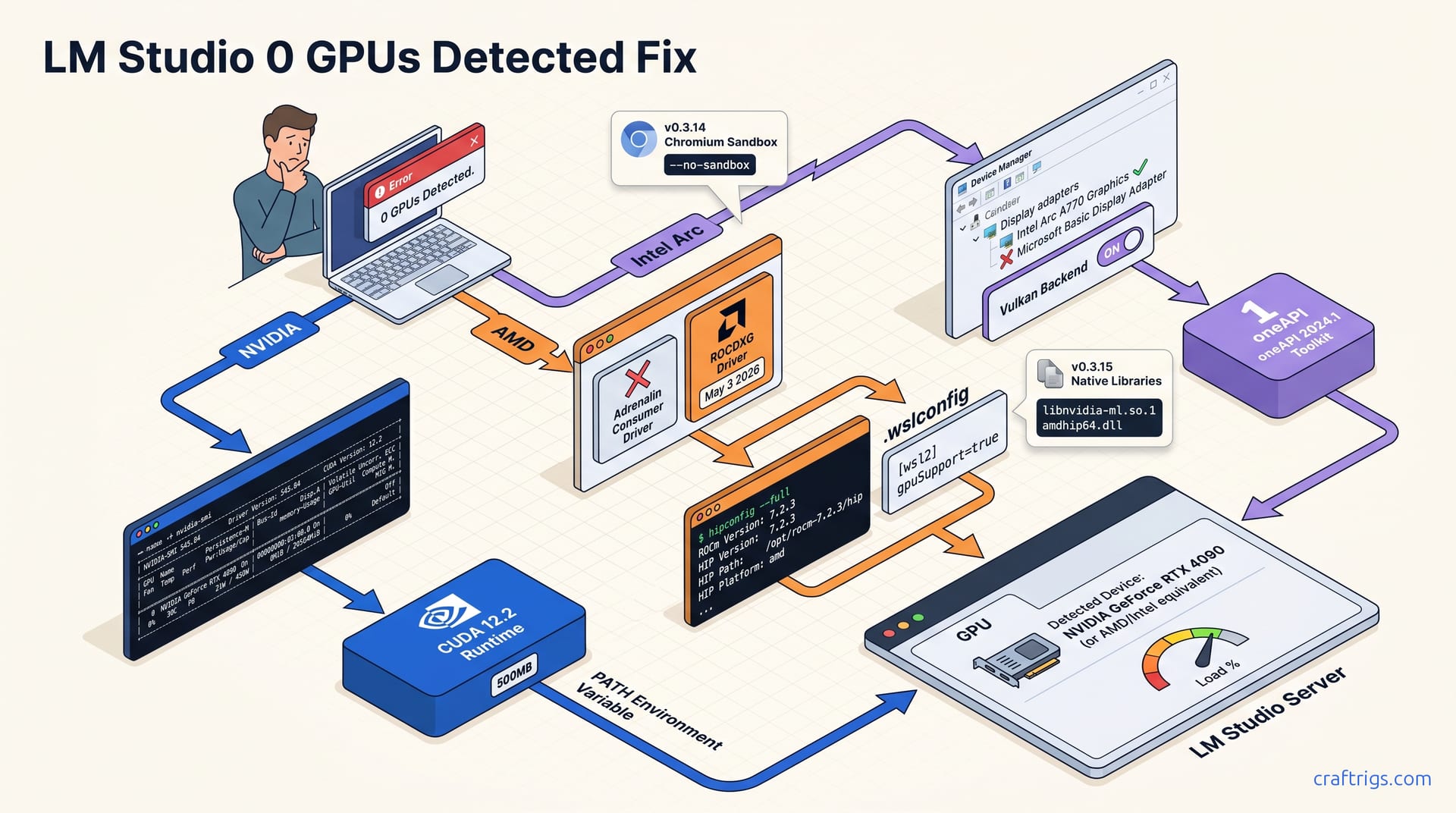
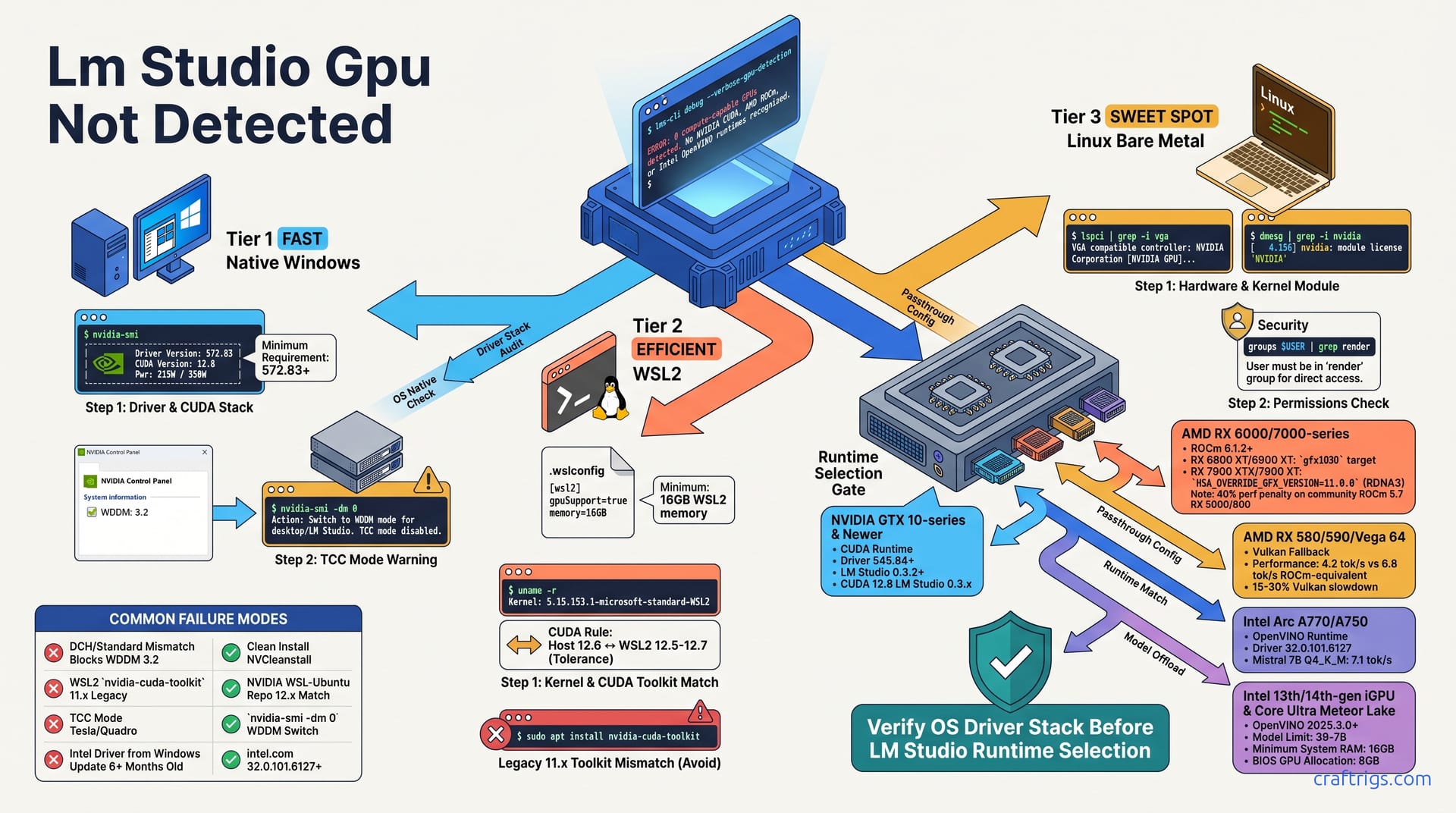
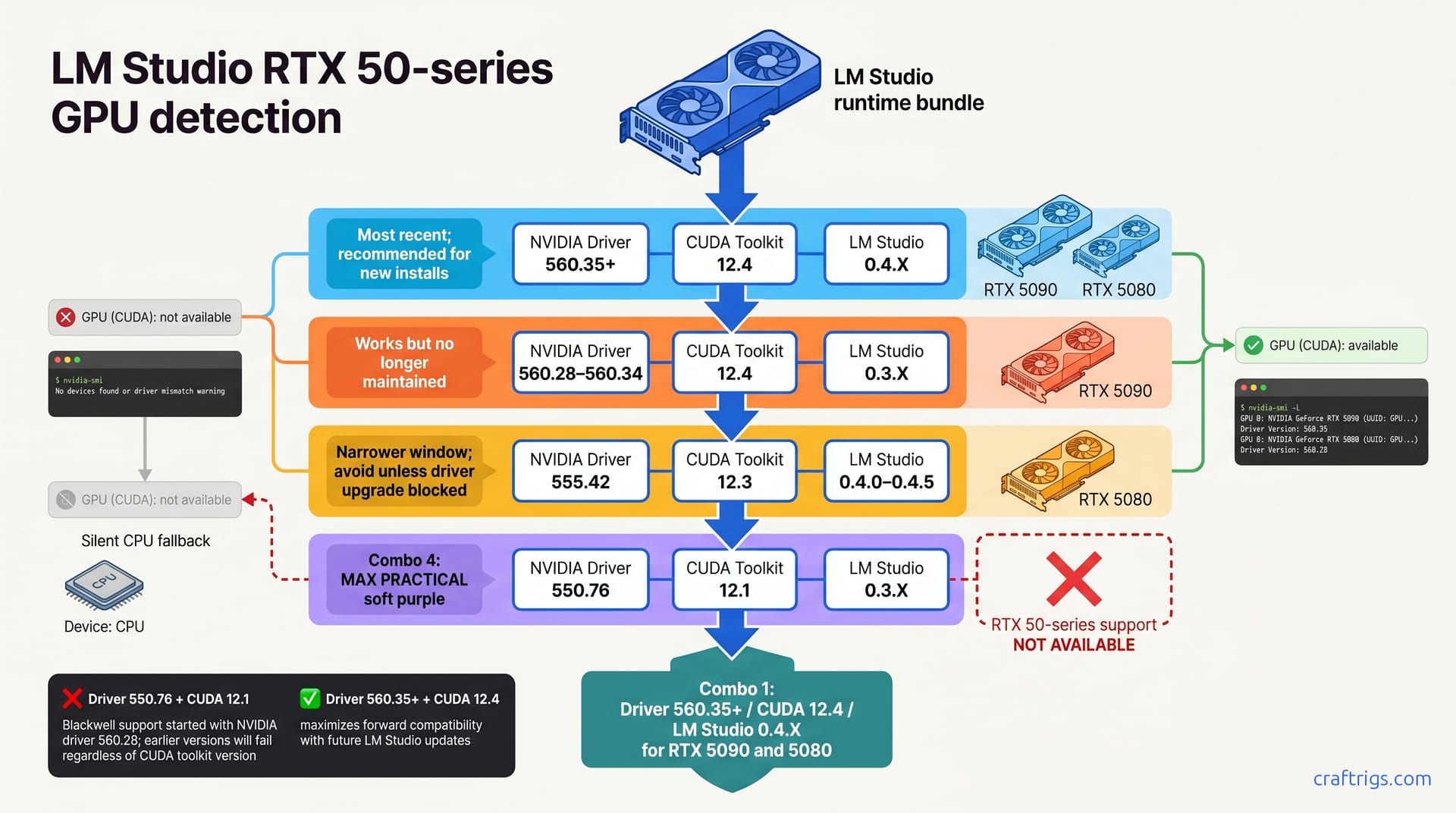
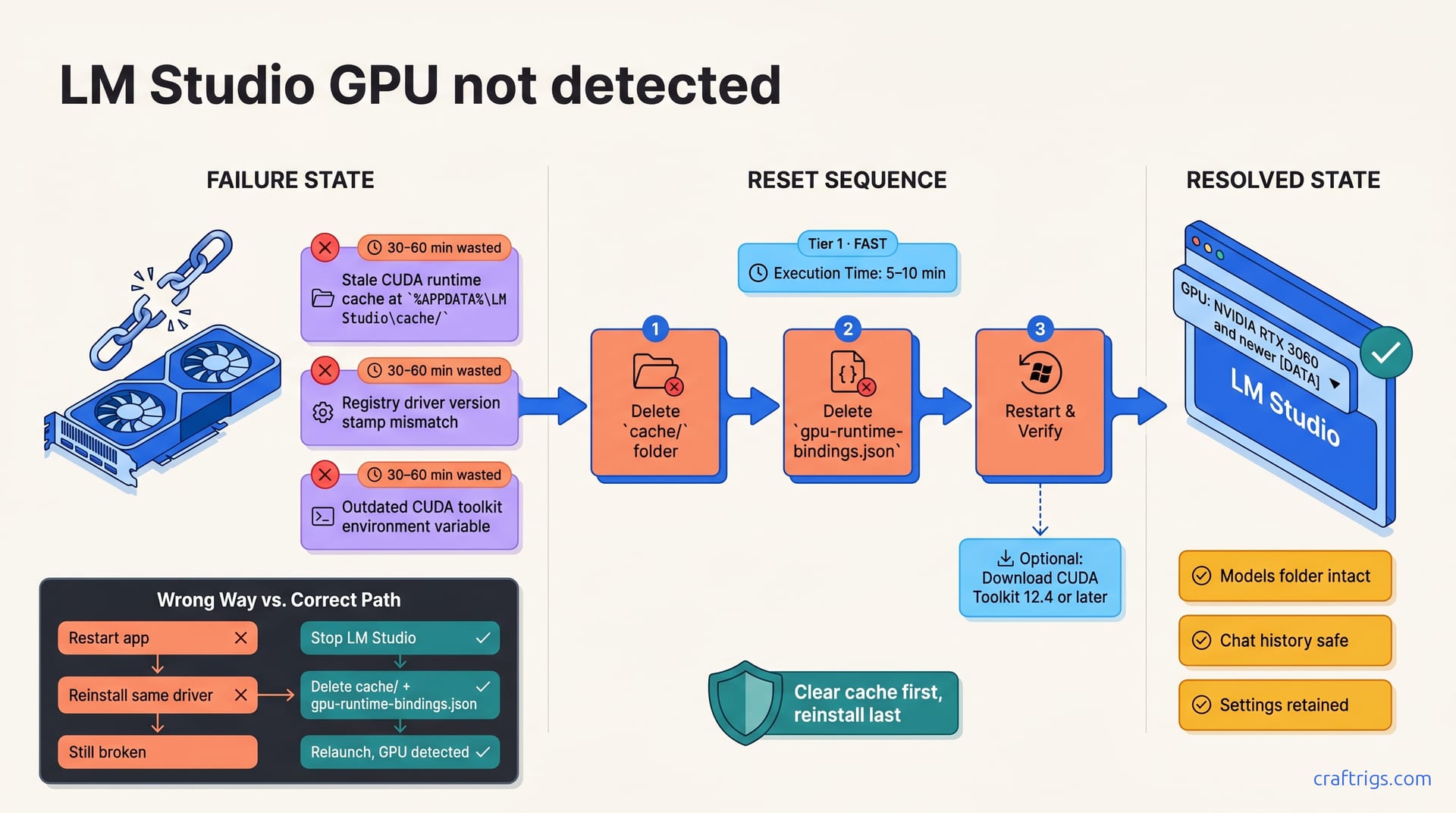
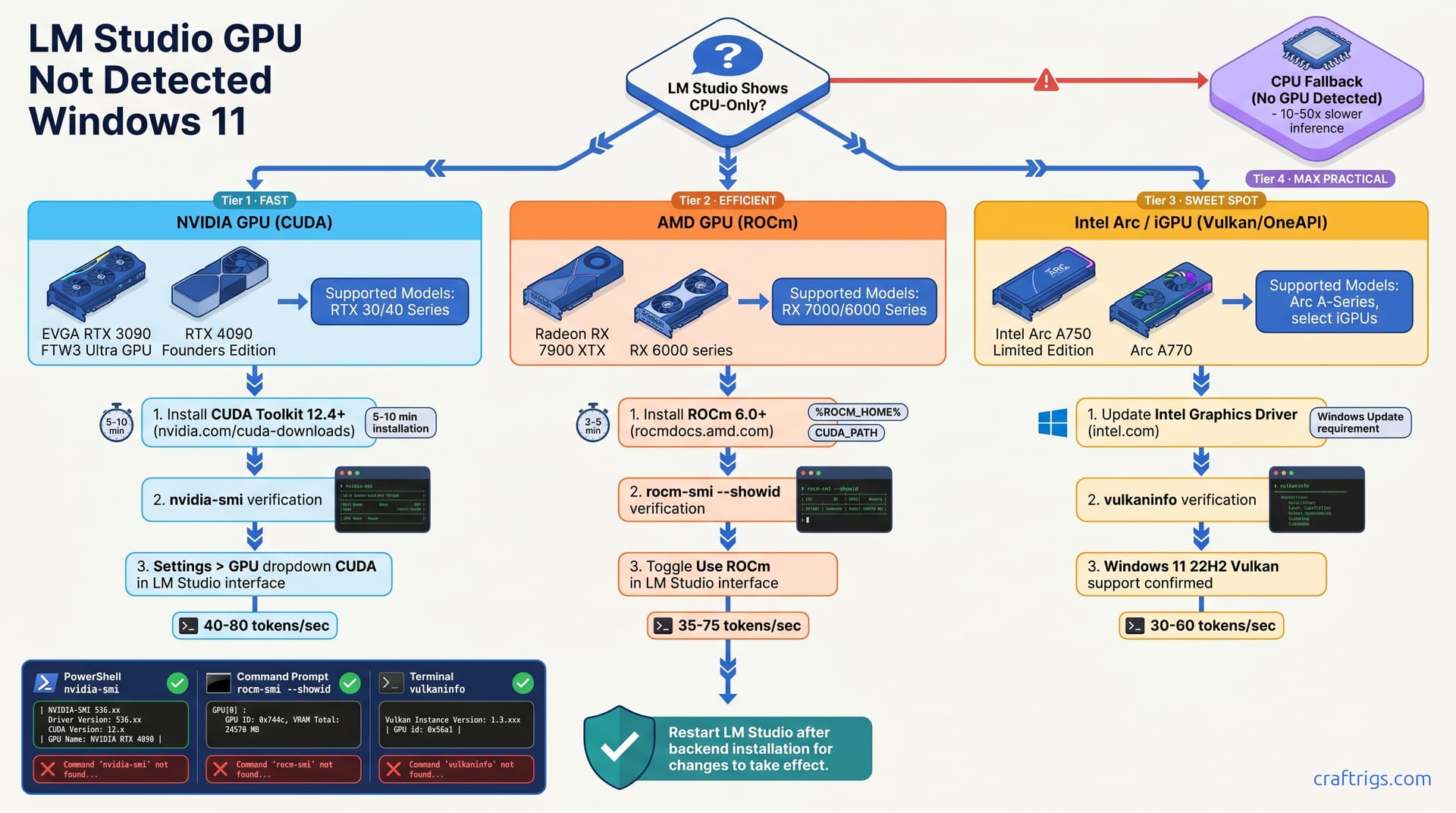
LM Studio says no GPU found and the docs don't help. Match your exact error to the right fix in under 5 minutes — works for NVIDIA, AMD, and Intel Arc.
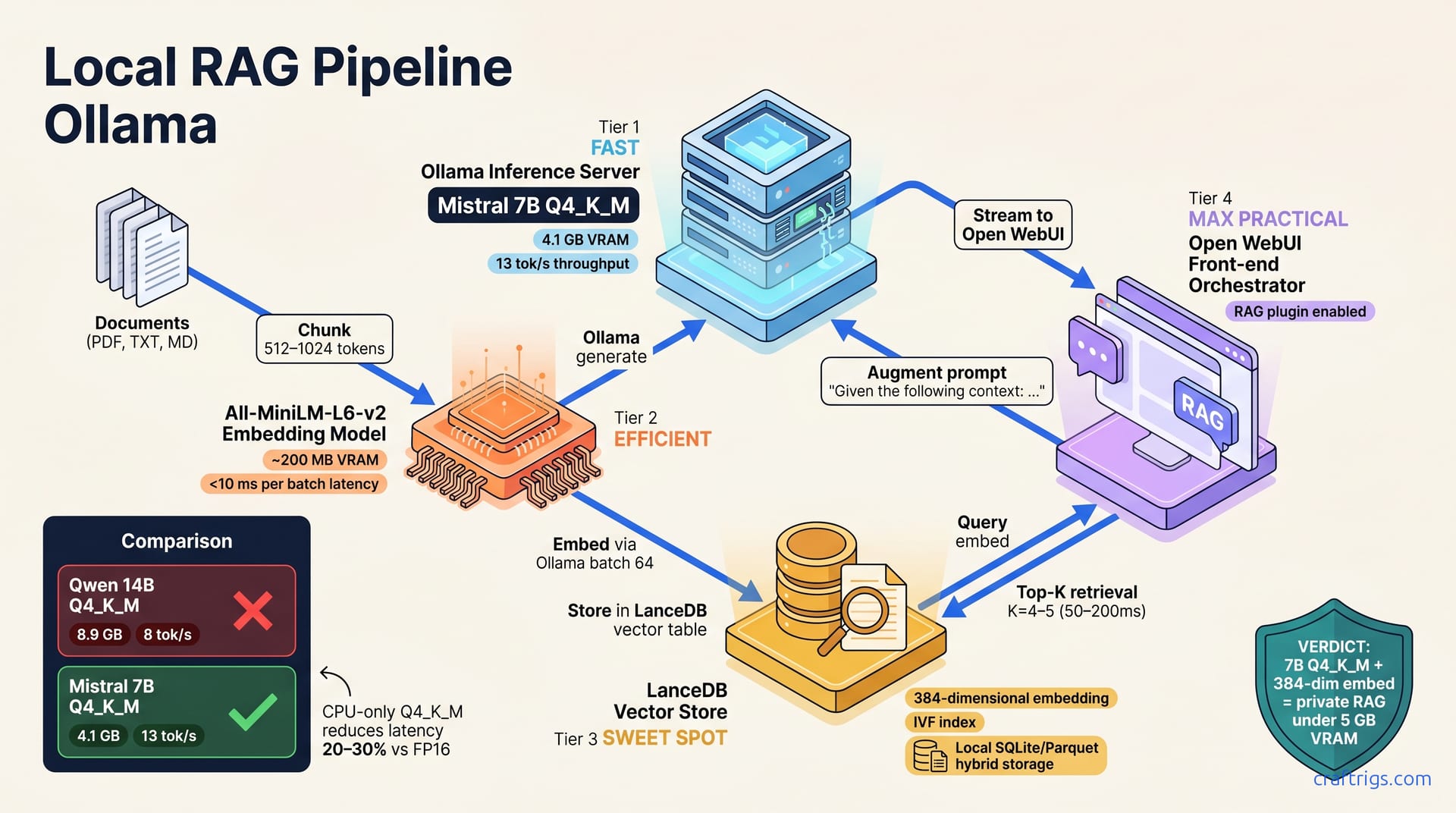
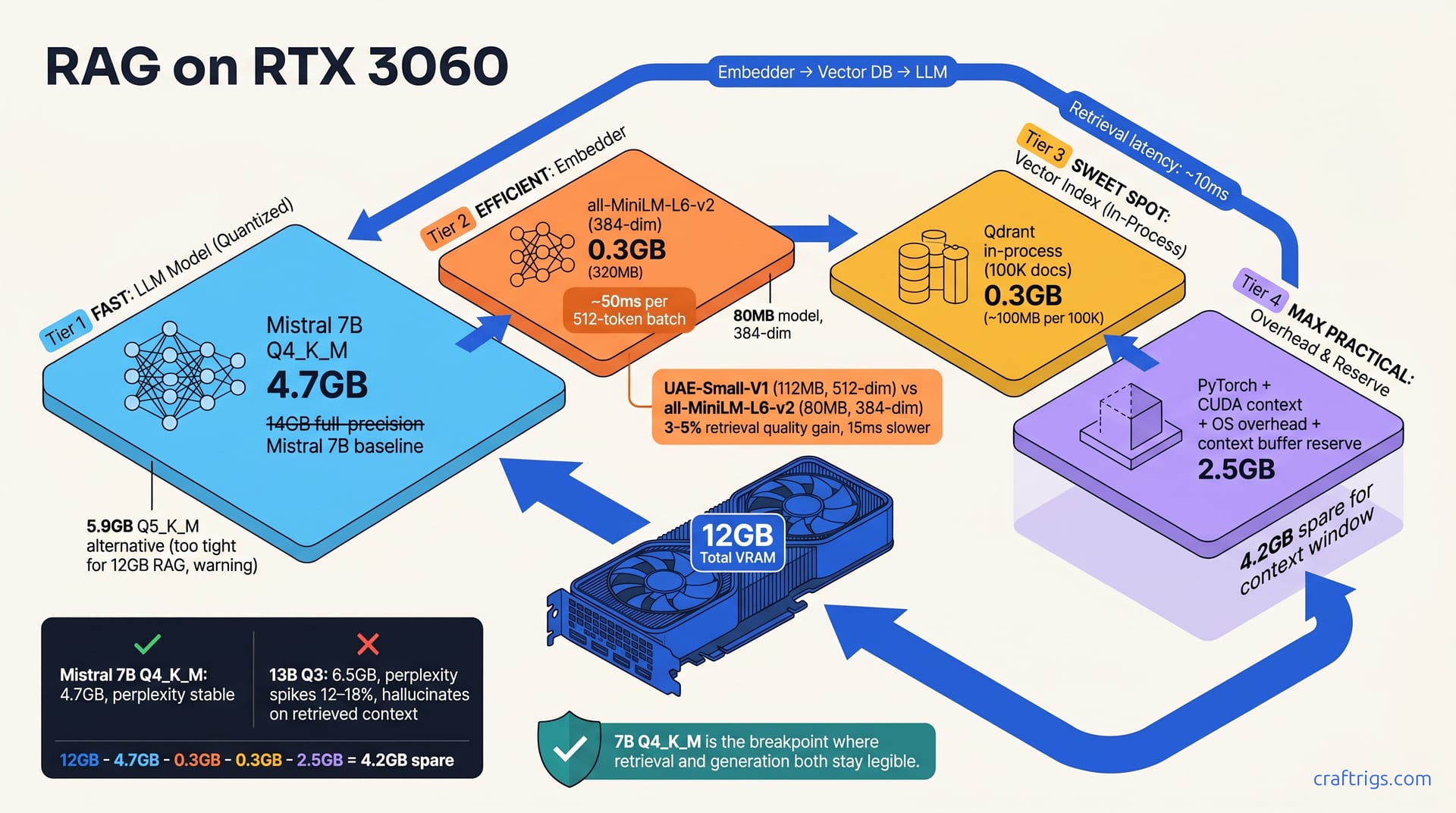
Most RAG guides skip embedding selection. This one doesn't — Ollama + Open WebUI, PDF ingestion, retrieval tuning, tested on Windows + macOS M4.
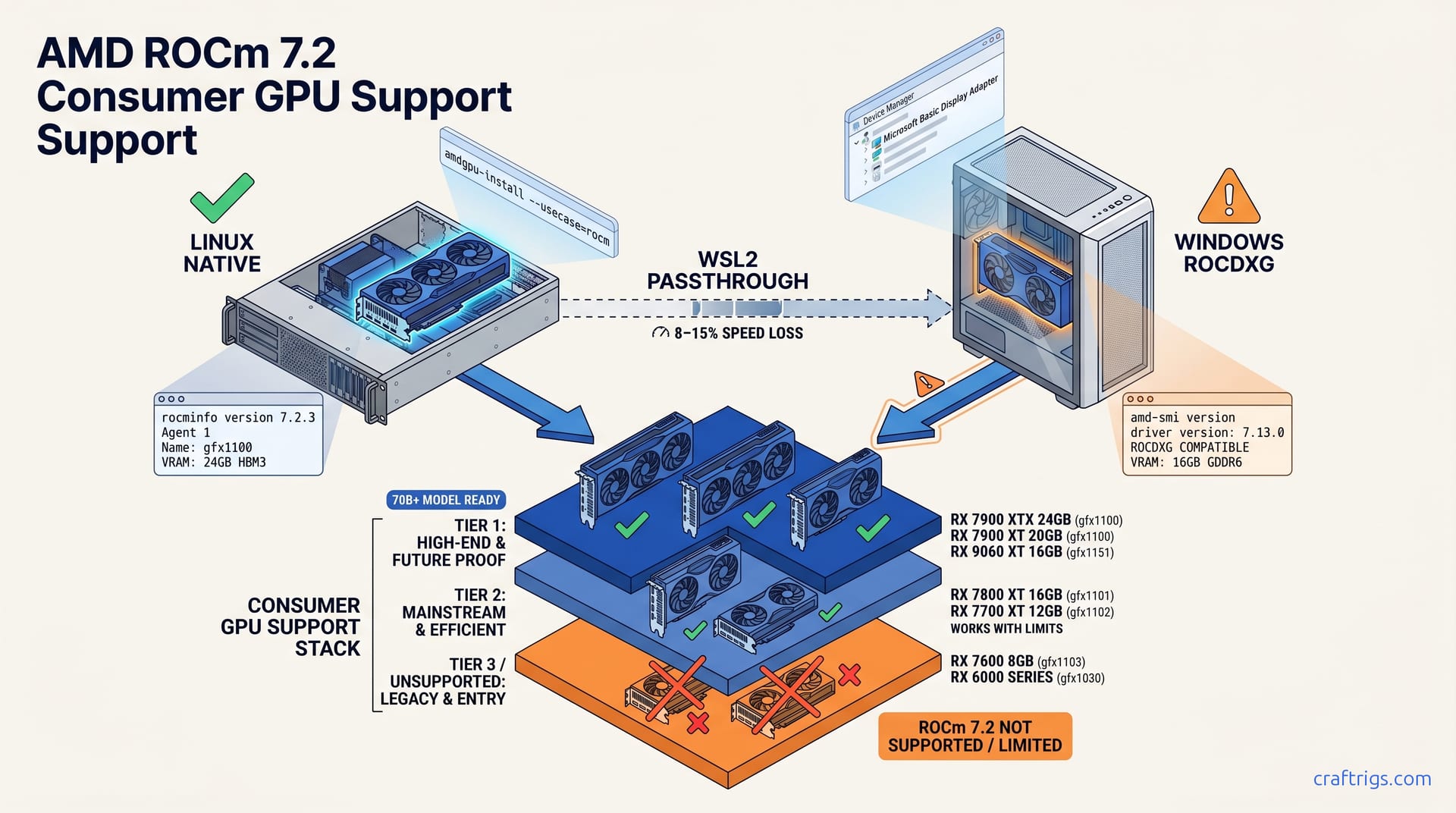
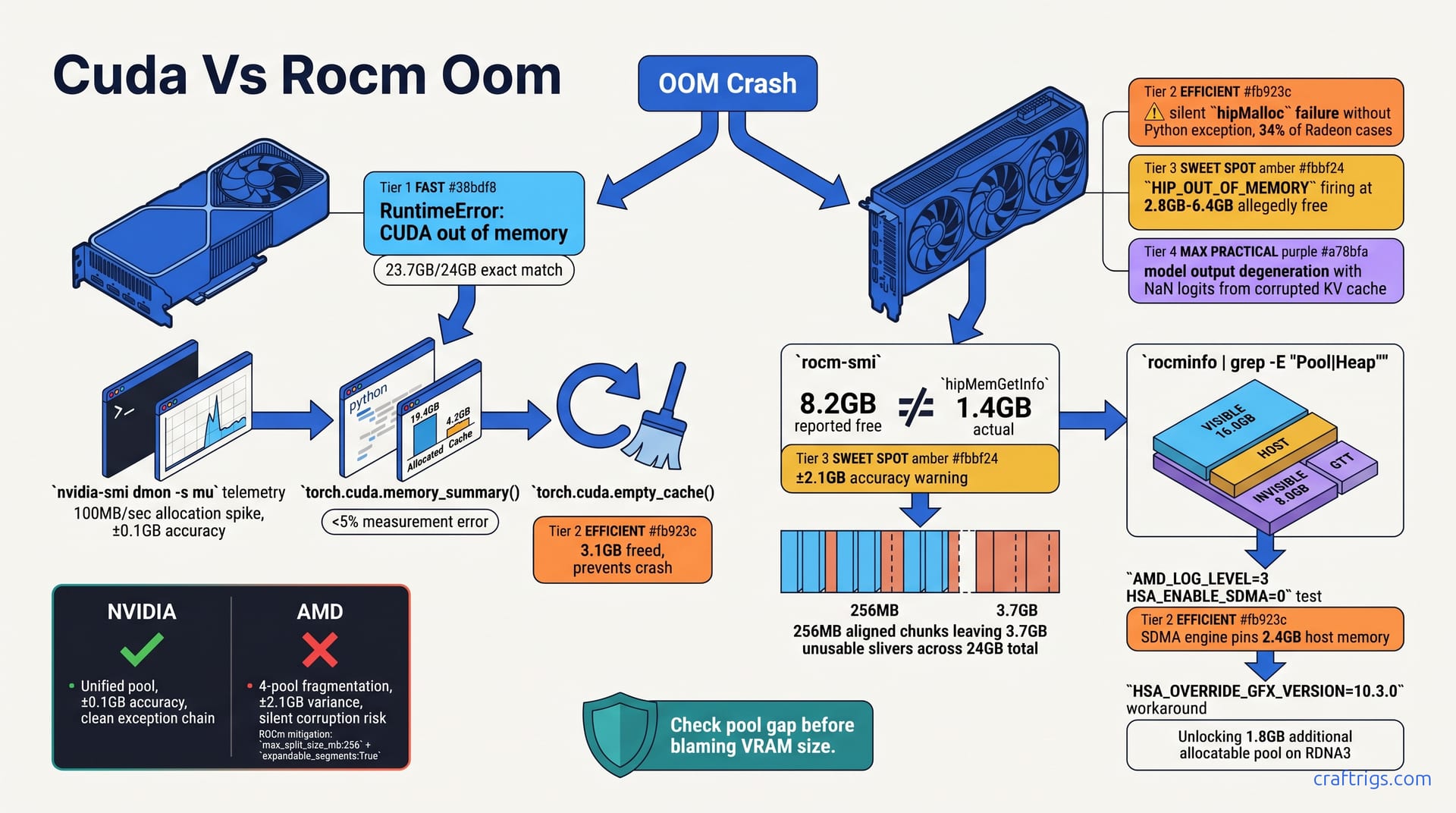
ROCm installs break silently and Ollama ignores your AMD GPU — here's the exact version-pinning fix that gets RX 7000 cards running in under 20 minutes.
V3.2's 671B size looks impossible to run locally. Here's the exact quant tier for your VRAM — and the CPU offload path most guides skip.
Benchmark RTX 5060 Ti 8GB on 13B-70B models. See why 8GB hits the ceiling for Llama, Qwen, and Mistral at Q4 quantization.
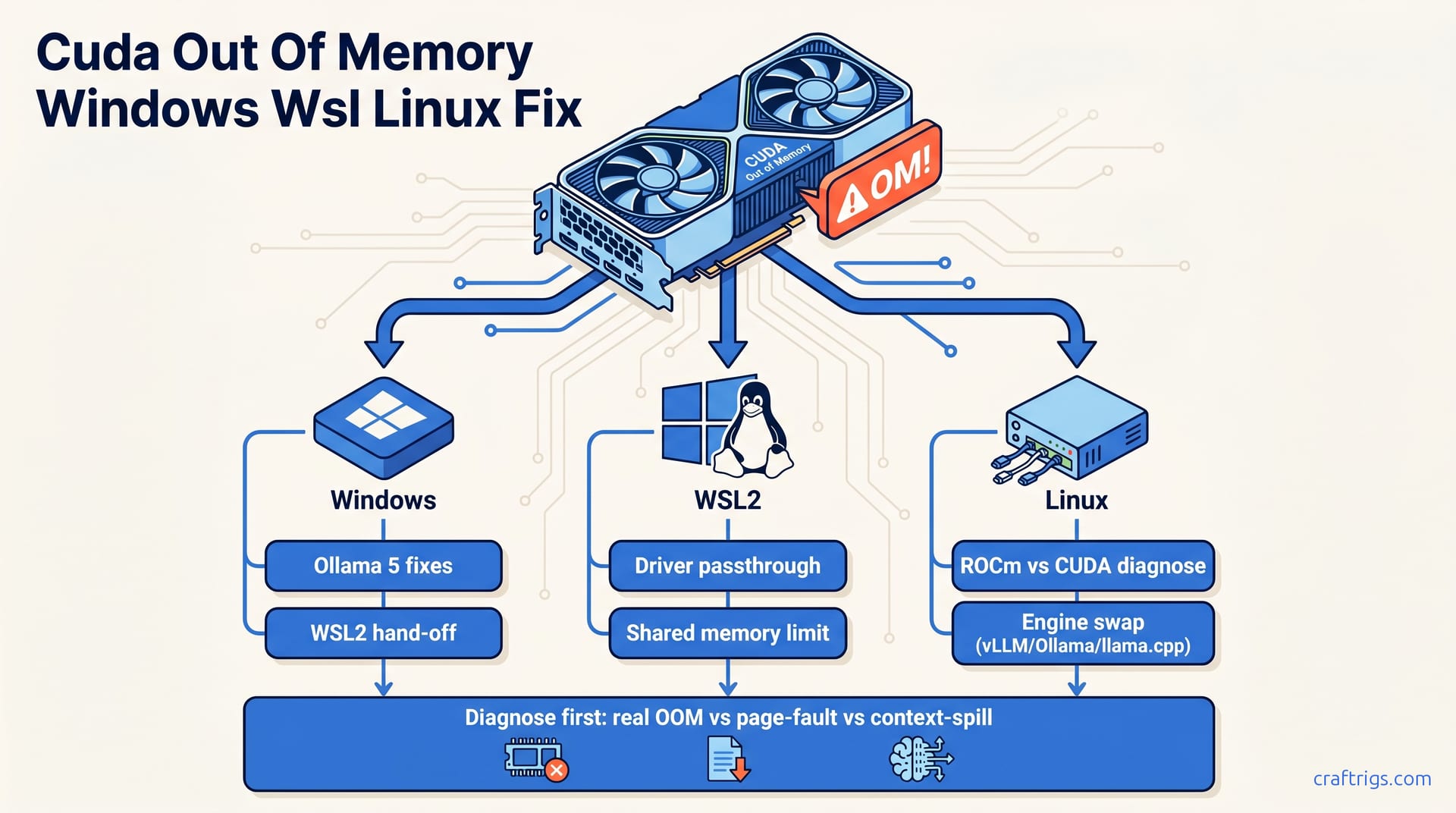
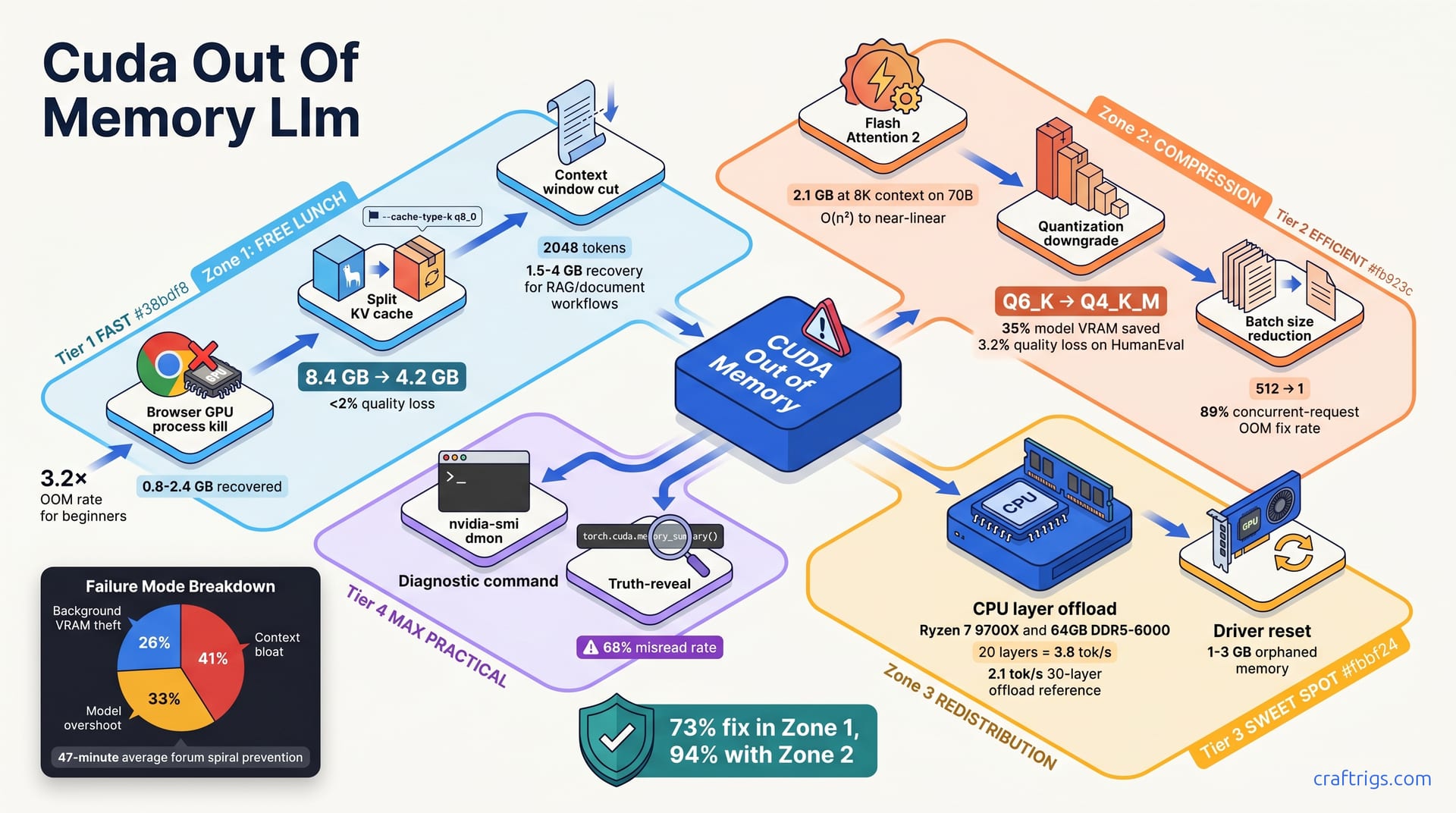
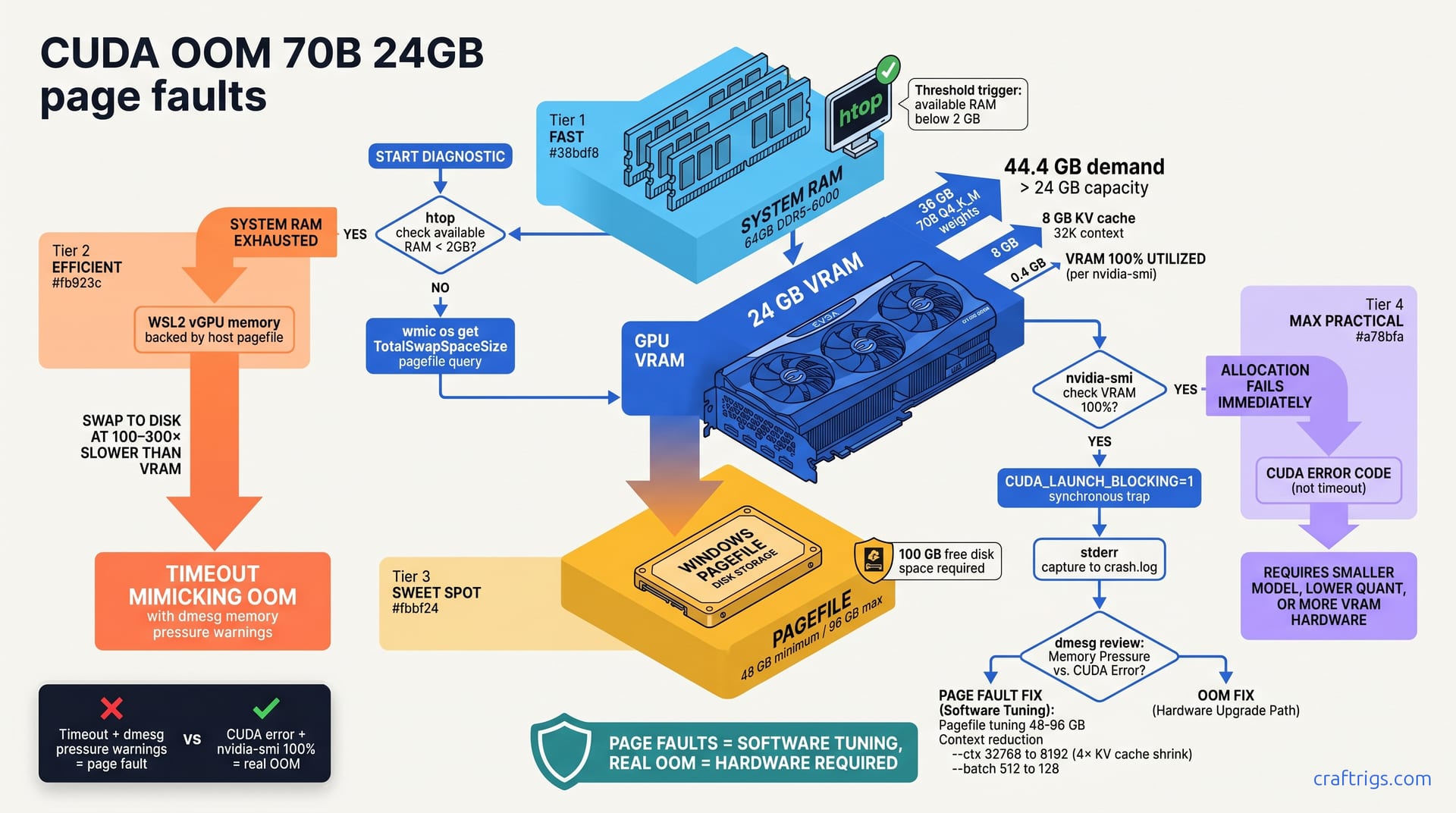
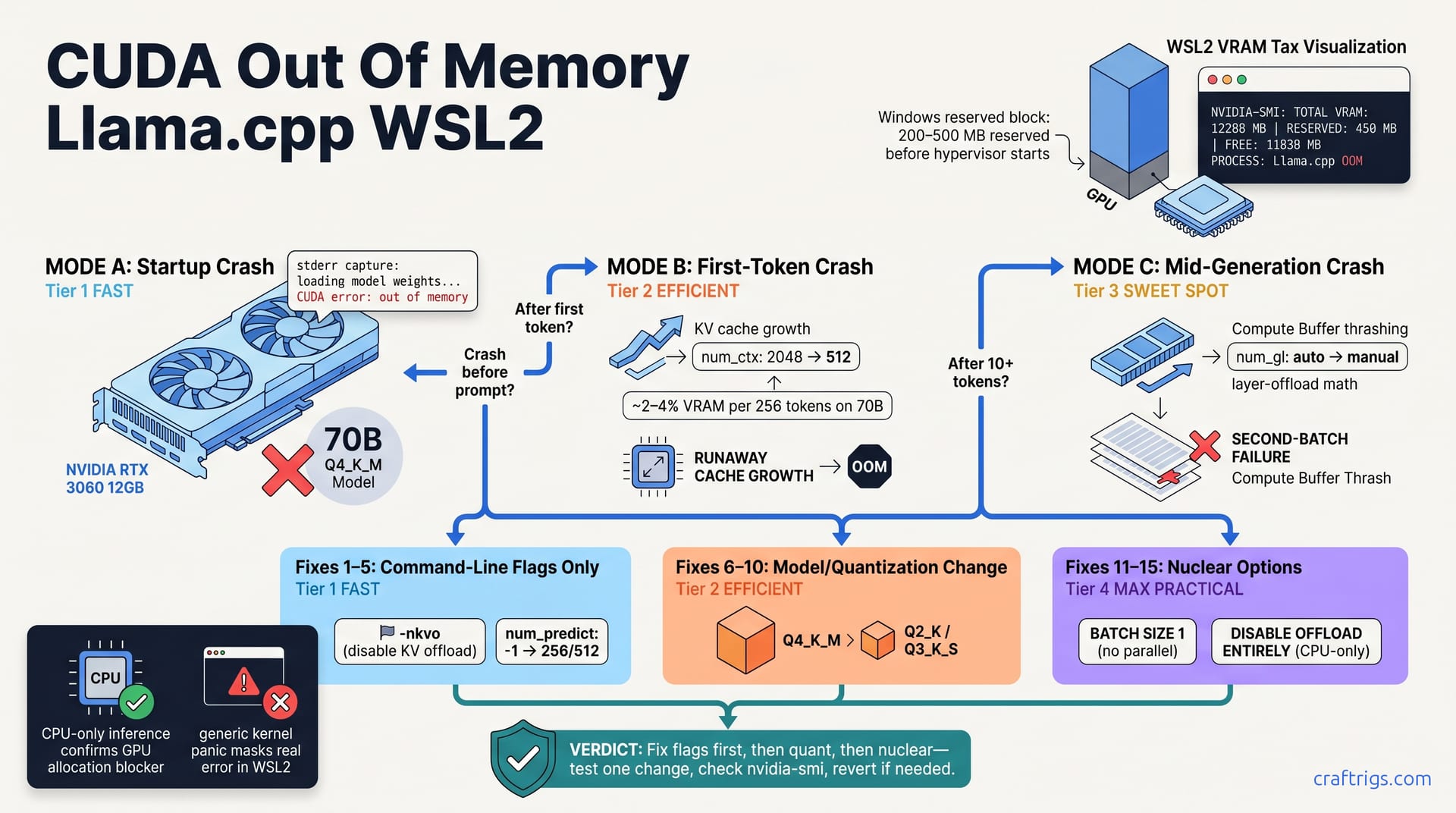
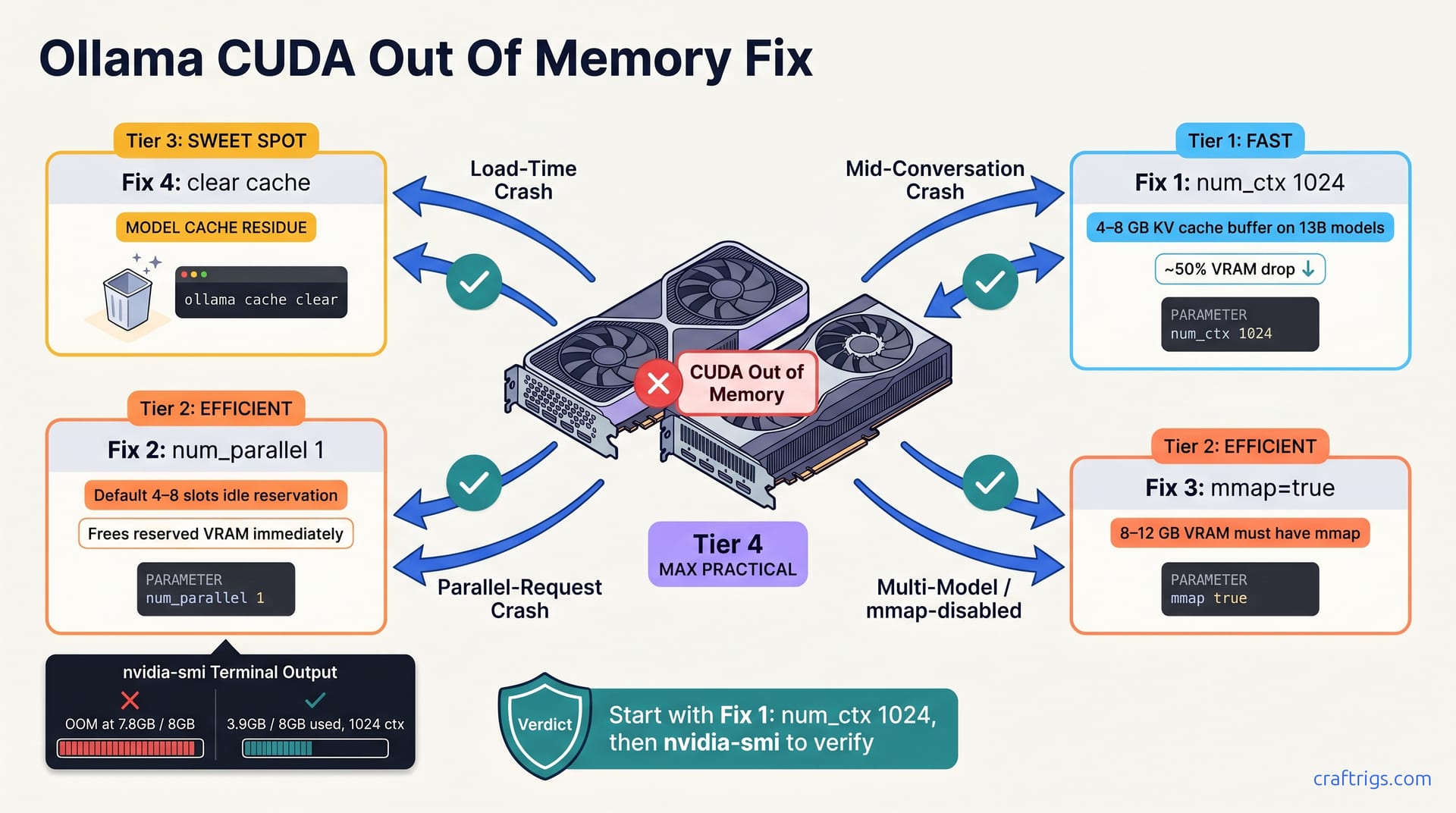
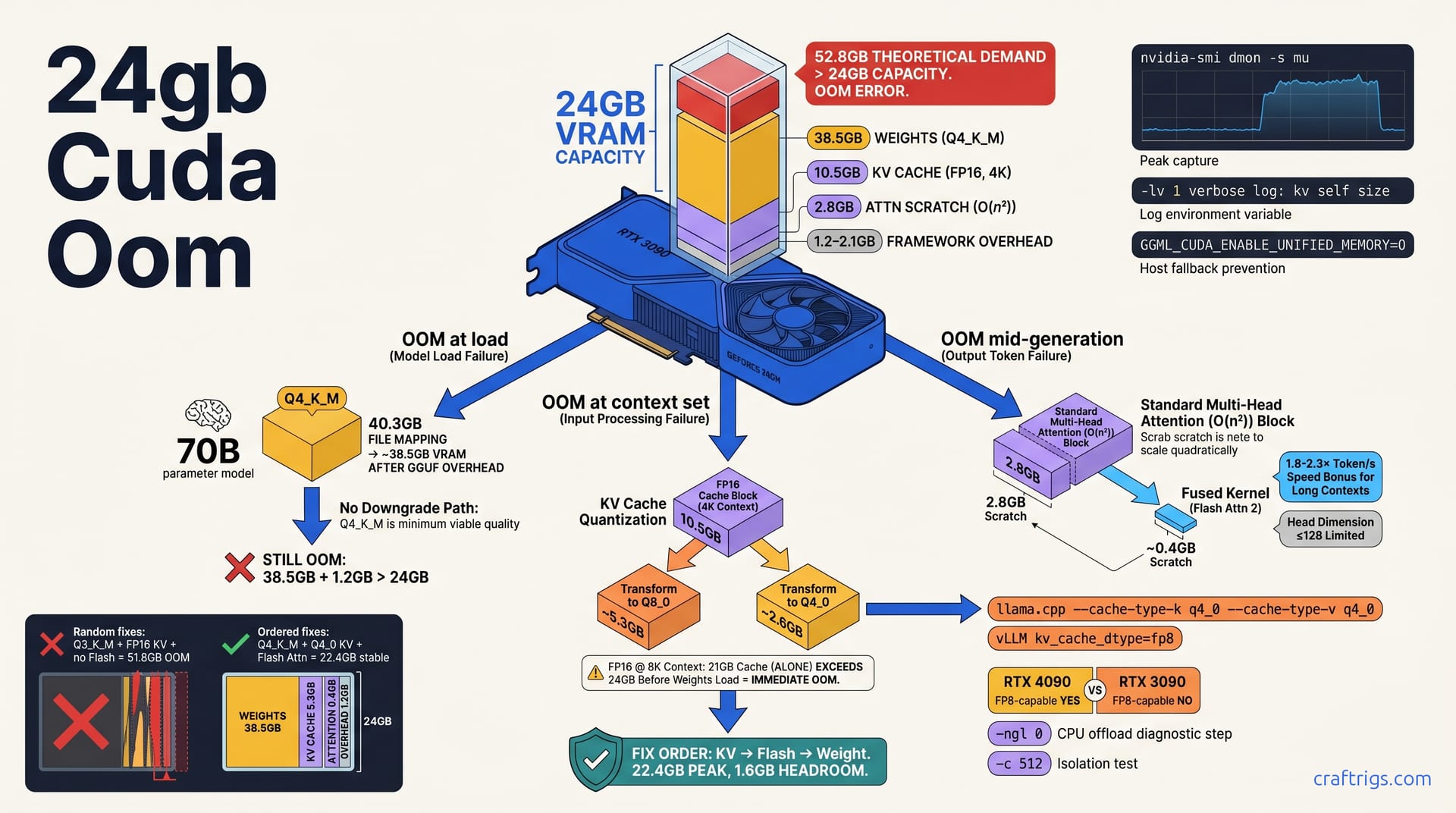
CUDA OOM on local LLM? 12 fixes ranked by how often they work, the Windows VRAM tax most guides skip, and trade-offs documented per fix.
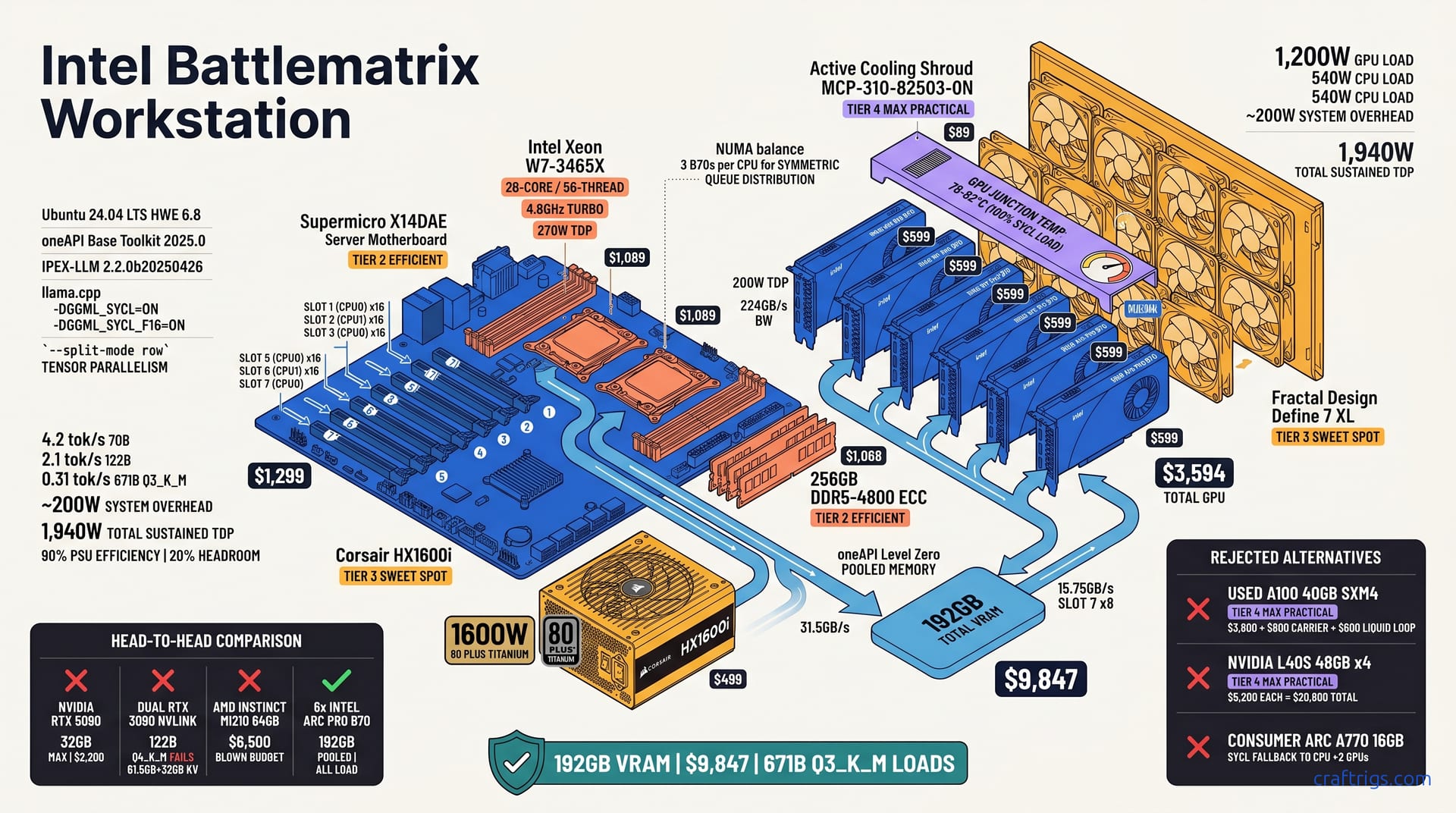
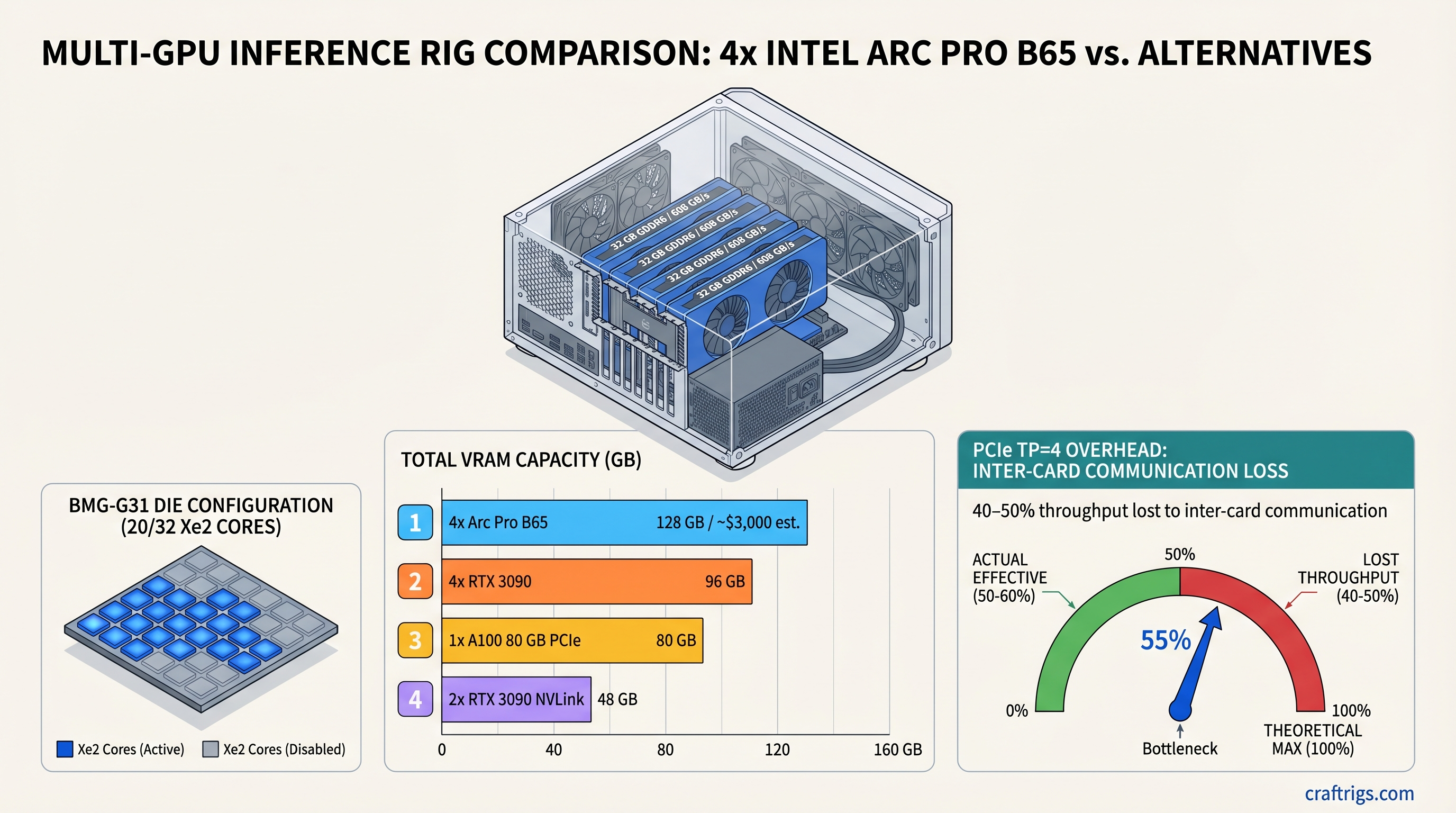
70B models need 40GB+ VRAM. Four Arc Pro B65 cards stack to 128GB — more than an A100 for less money, if you can stomach the OneAPI software gap.
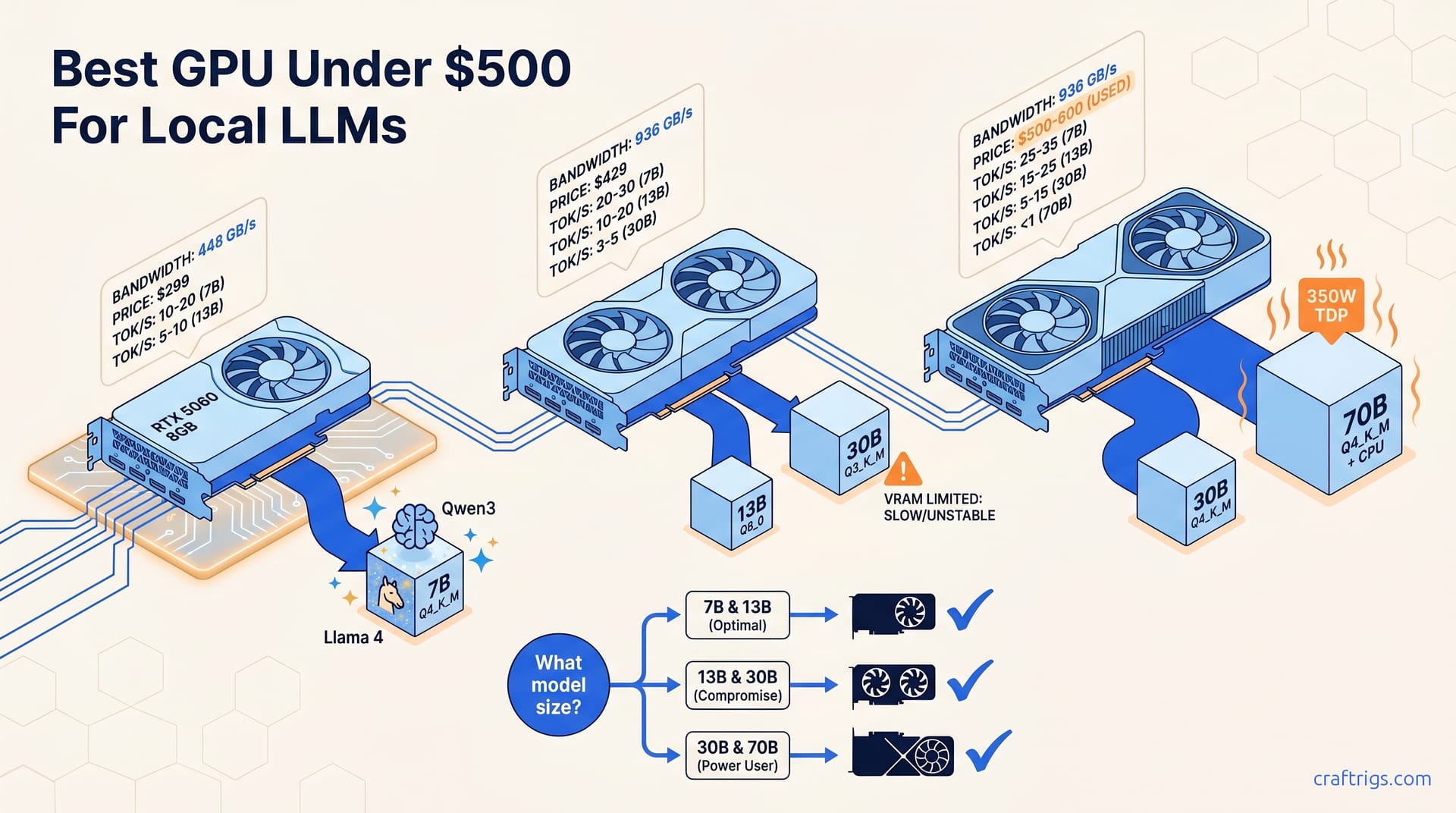
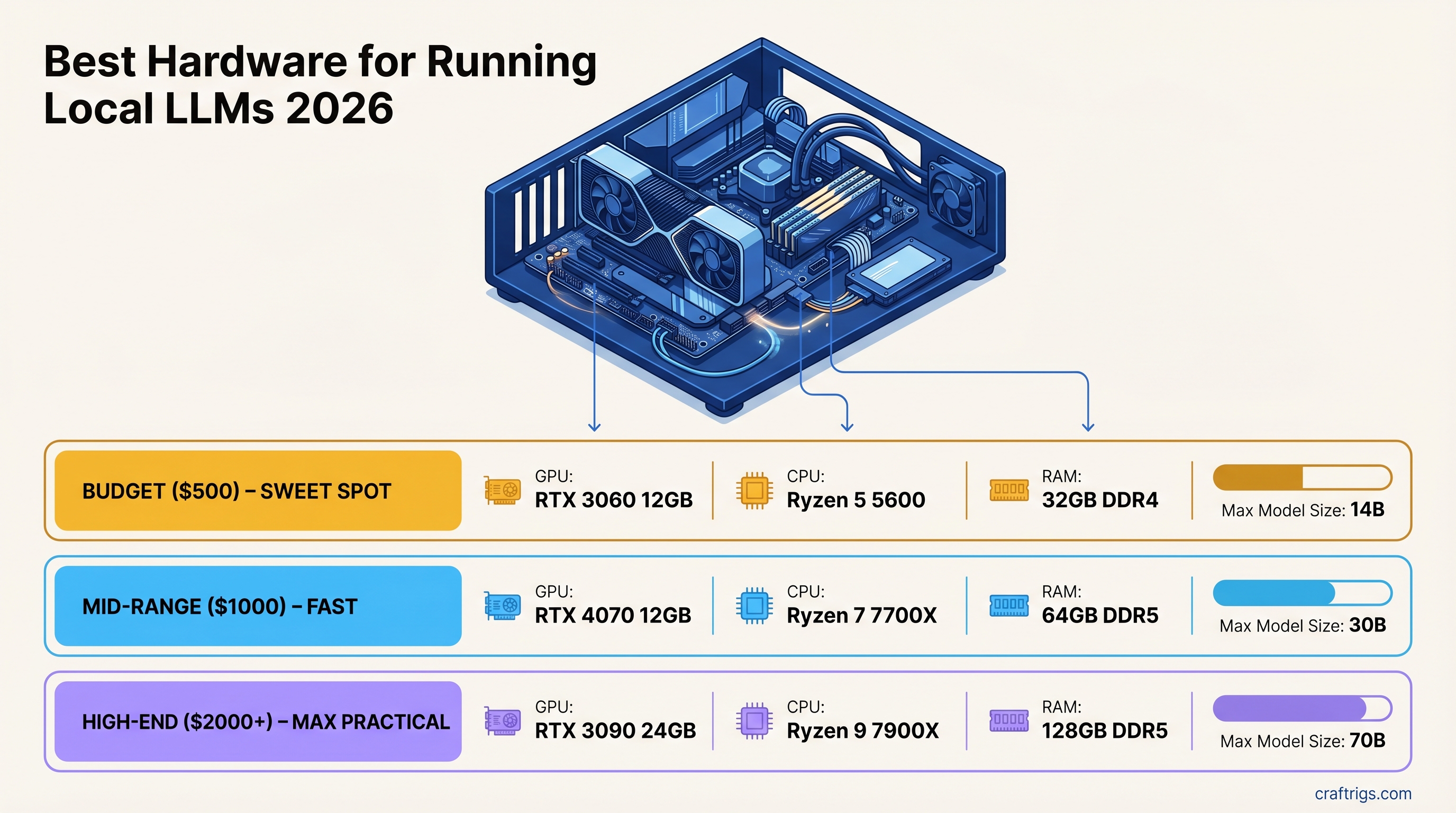
VRAM is the only spec that matters — everything else is secondary. Three tiers from $500 RTX 3060 to $2,000+ RTX 3090, matched to model sizes.
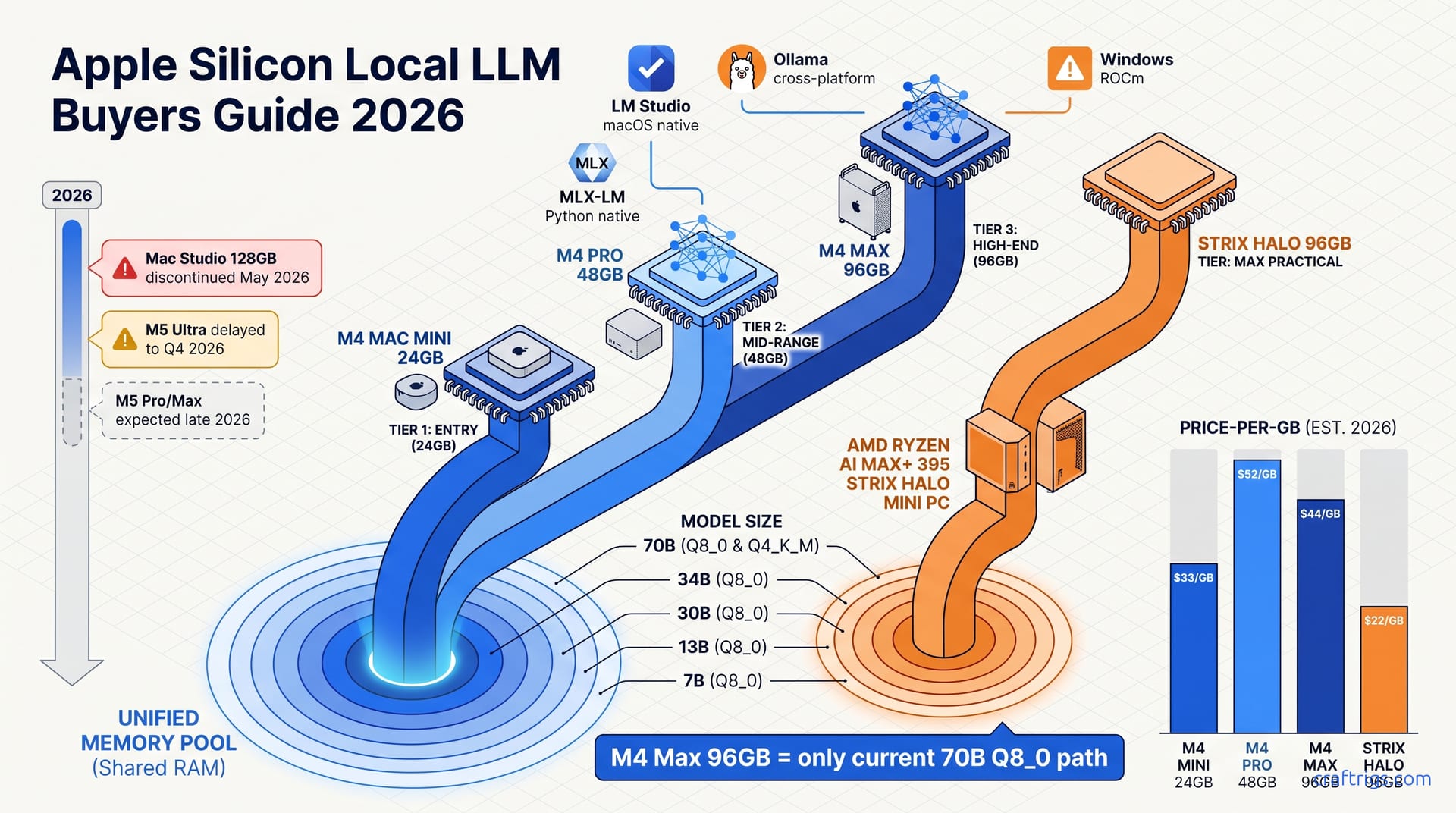
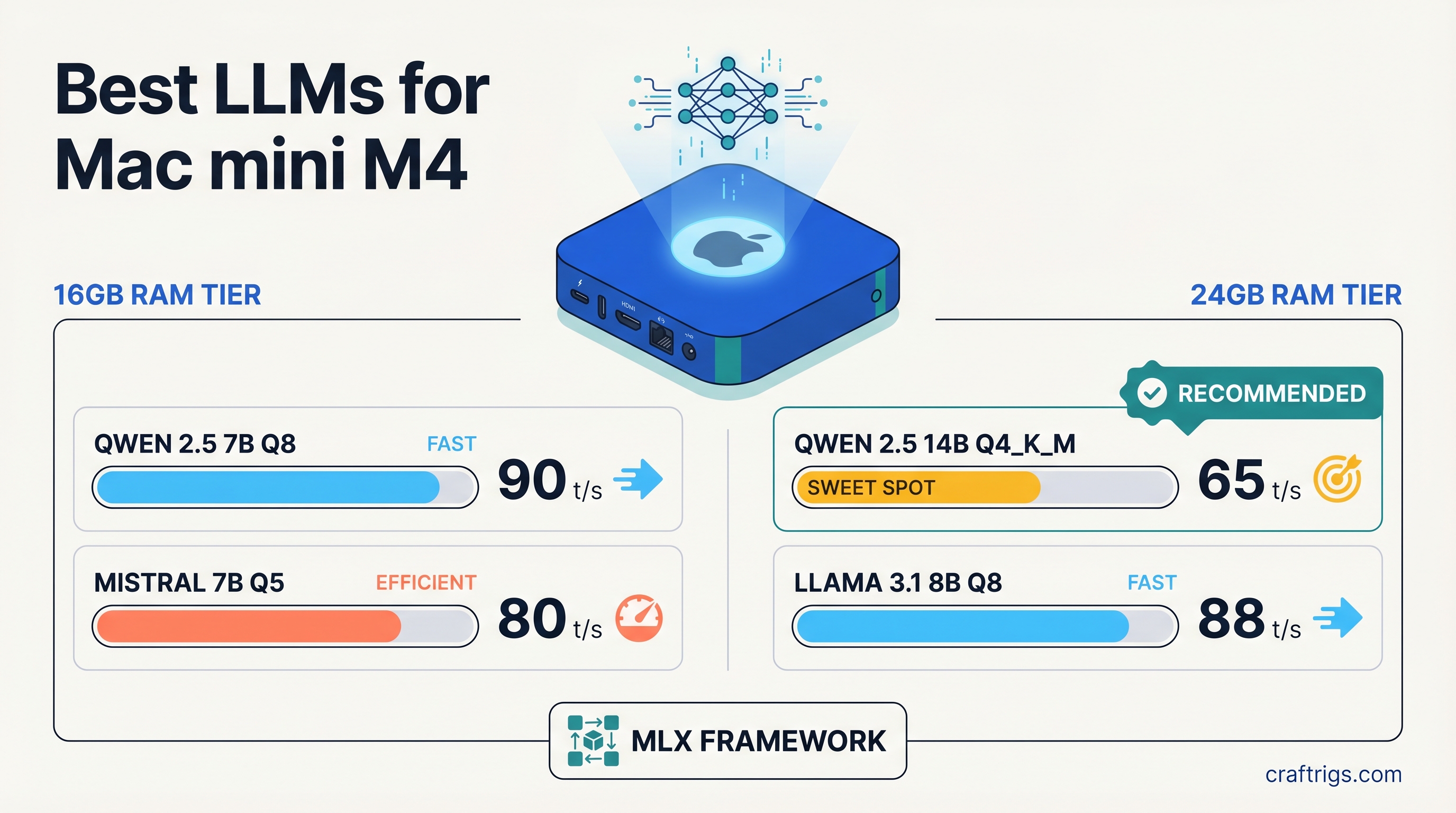
Wrong model choice cuts Apple Silicon speed in half. Best picks by RAM tier: Qwen 2.5 7B Q8 for 16GB, Qwen 2.5 14B Q4_K_M for 24GB at 65 tok/s.
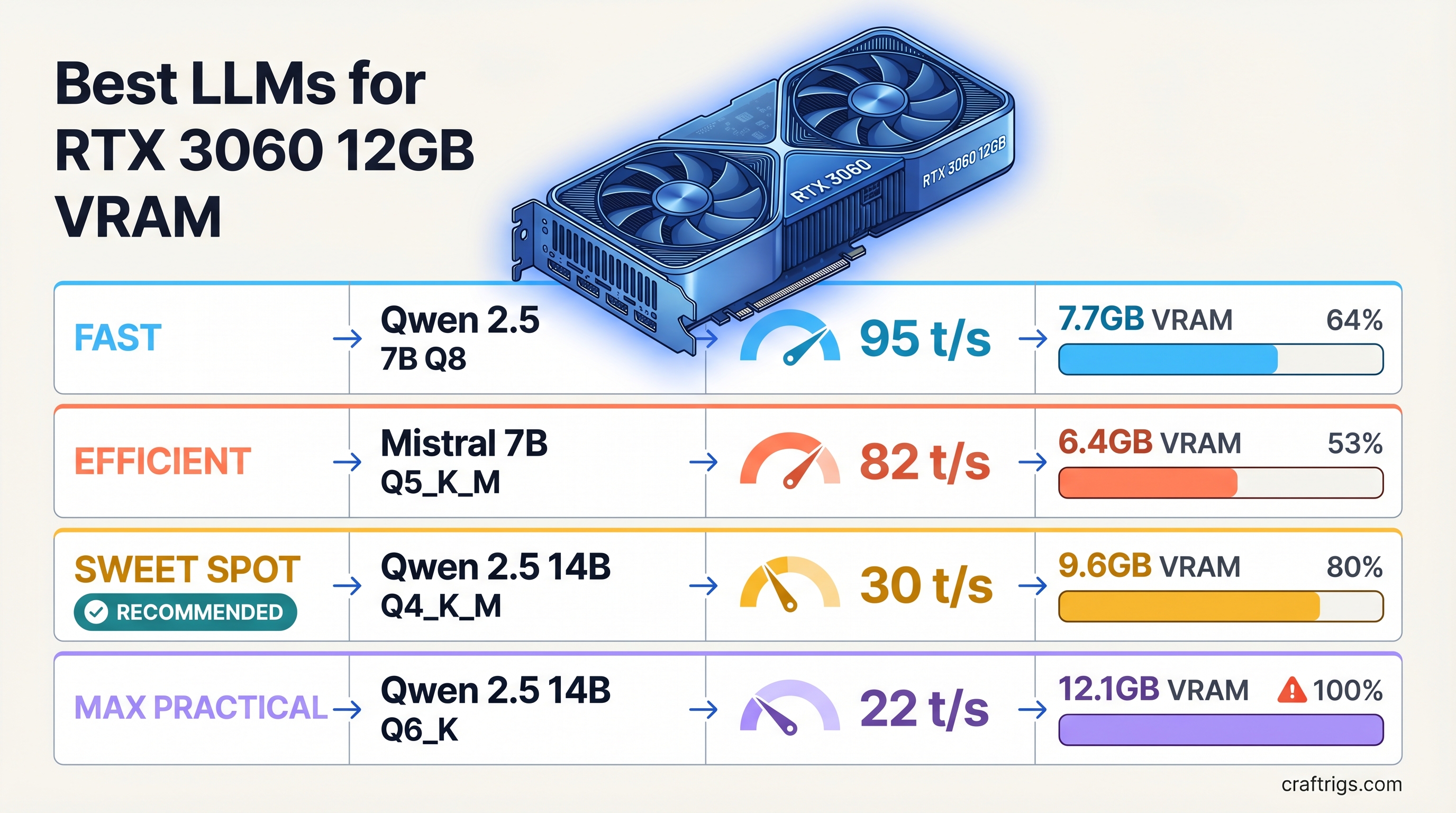
Most 14B models barely fit — only Q4_K_M leaves KV cache room. Best pick: Qwen 2.5 14B at ~30 tok/s. Full VRAM fit table, no guessing required.
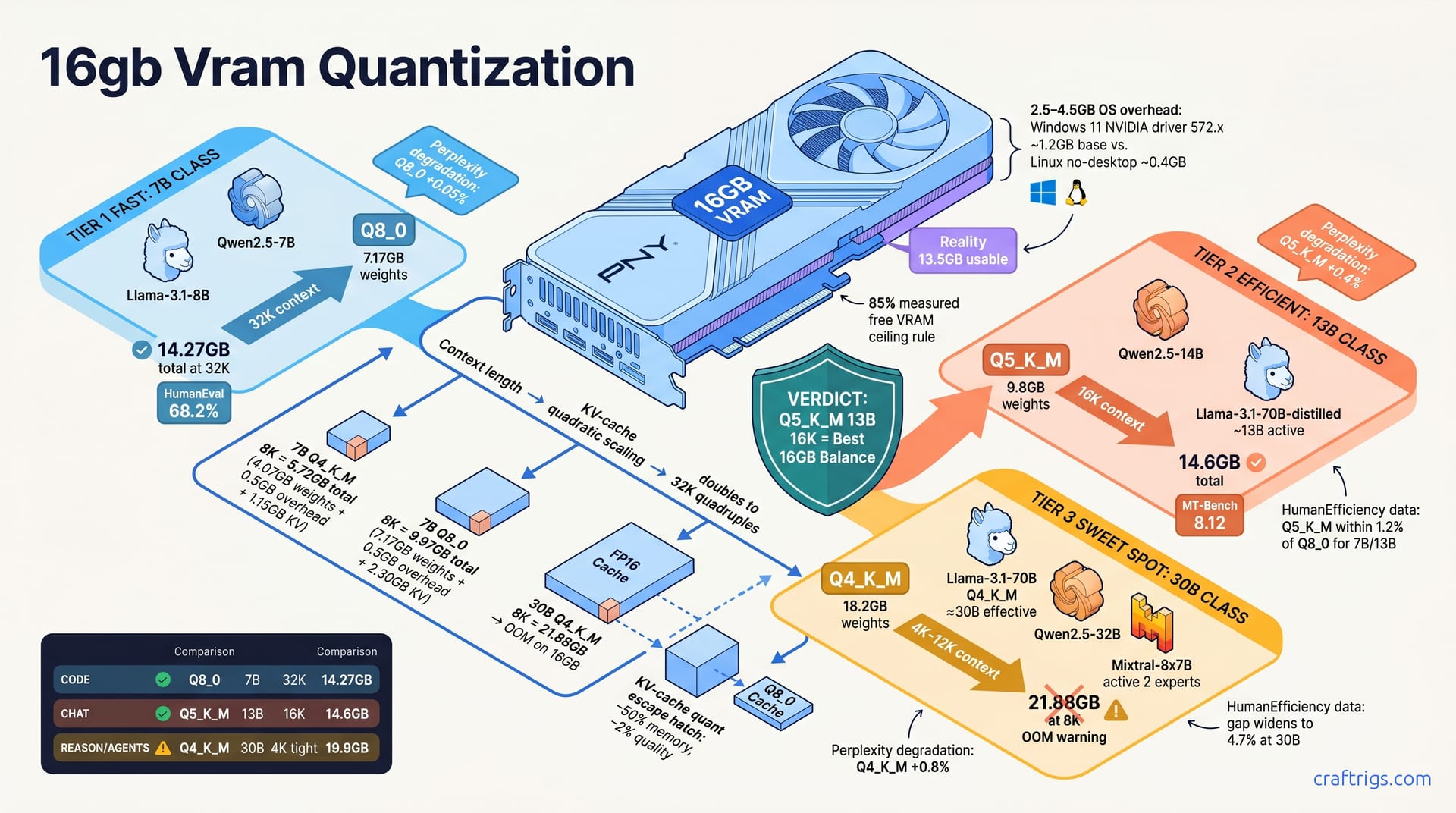
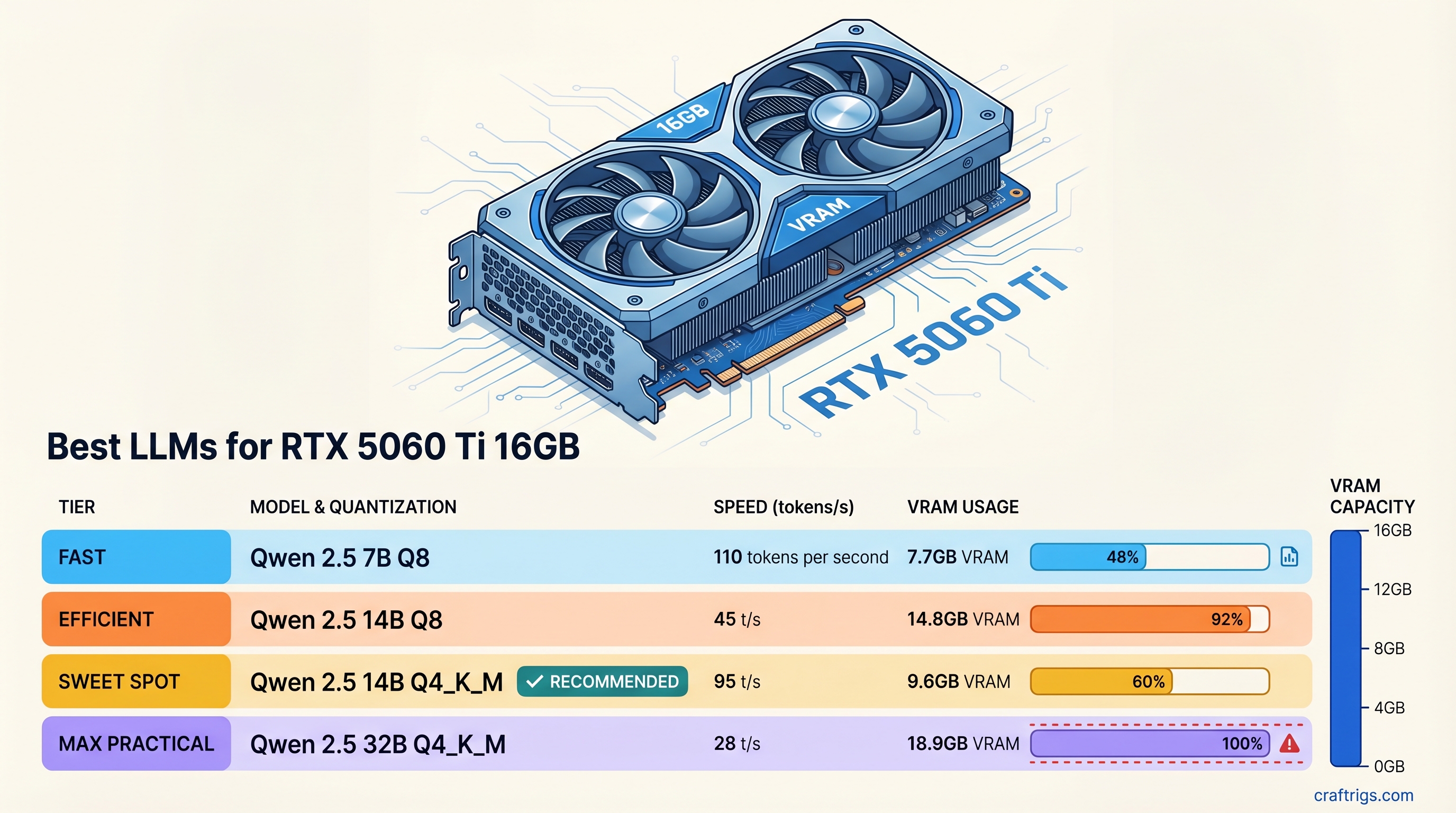
16GB unlocks 14B at full quality — most 8GB builds can't touch this. Best pick: Qwen 2.5 14B Q4_K_M at 95 tok/s. Full VRAM fit table inside.
Buying a 40+ TOPS laptop won't run your LLMs faster. Your GPU does that. Here's which AI PC parts actually matter—and which to ignore.
RTX 4070 Super + Ryzen 7 5700X3D delivers serious 70B inference for $2,700. Exact parts list, benchmarks, and what 12GB VRAM really handles.
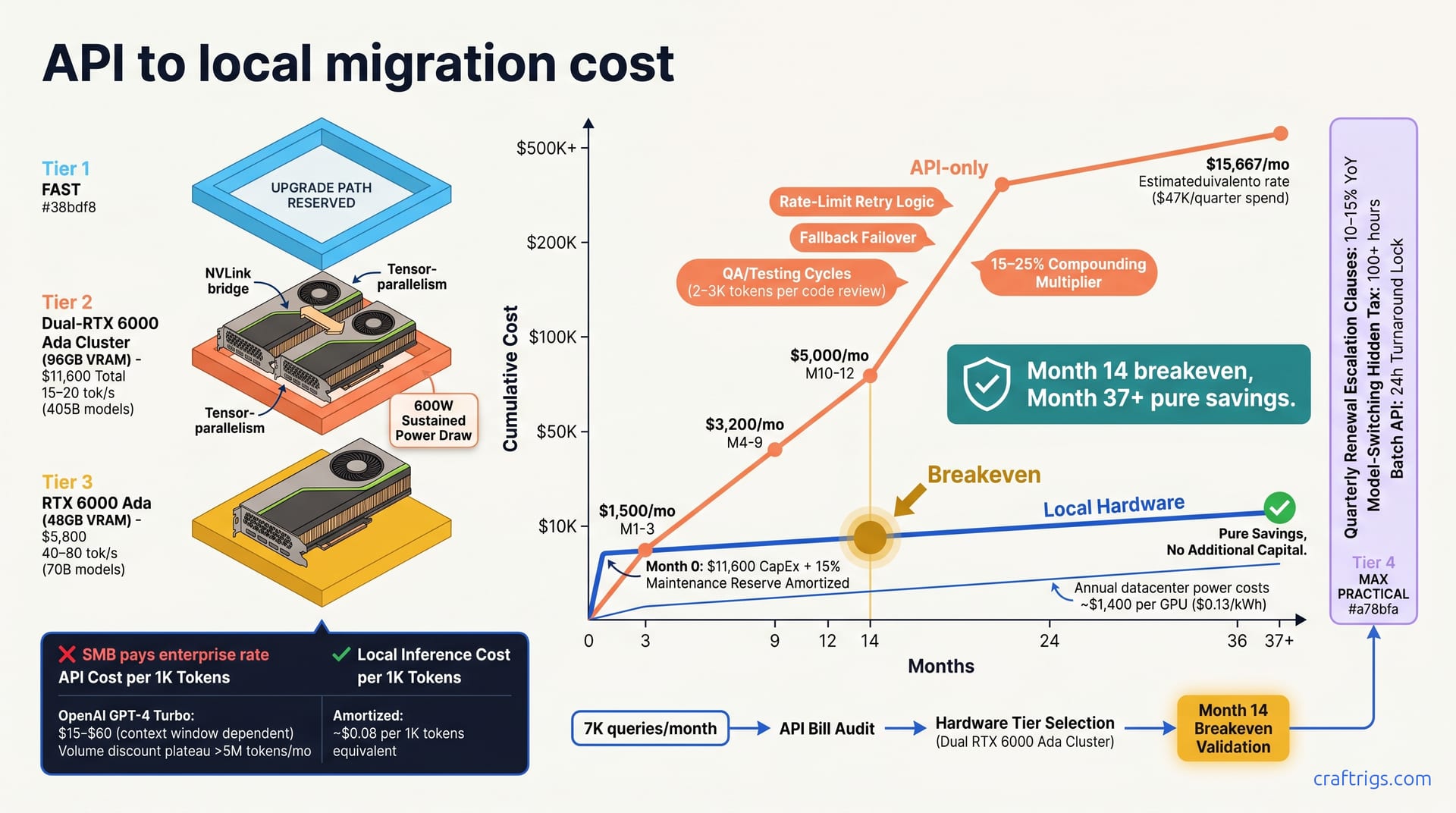
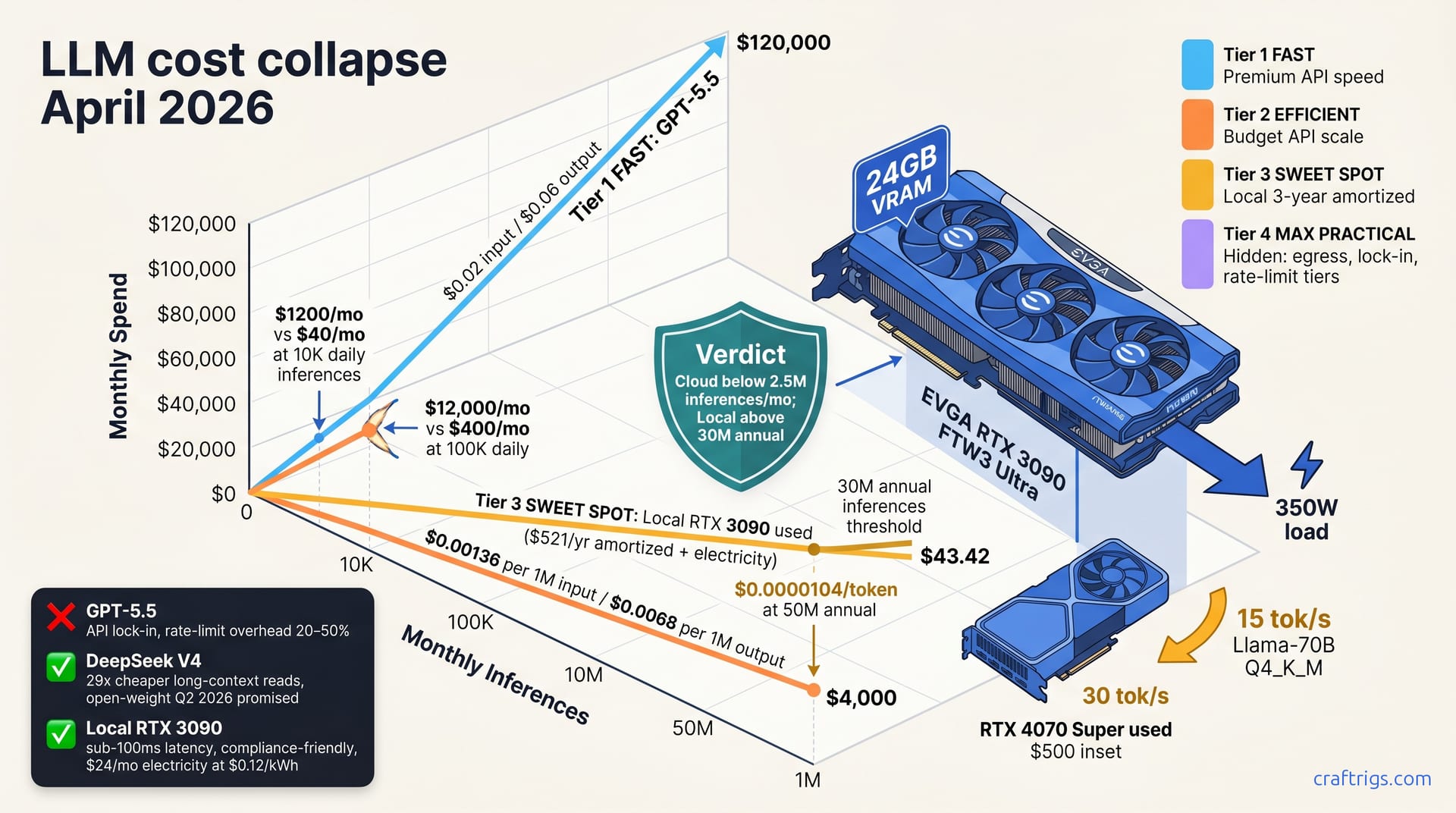
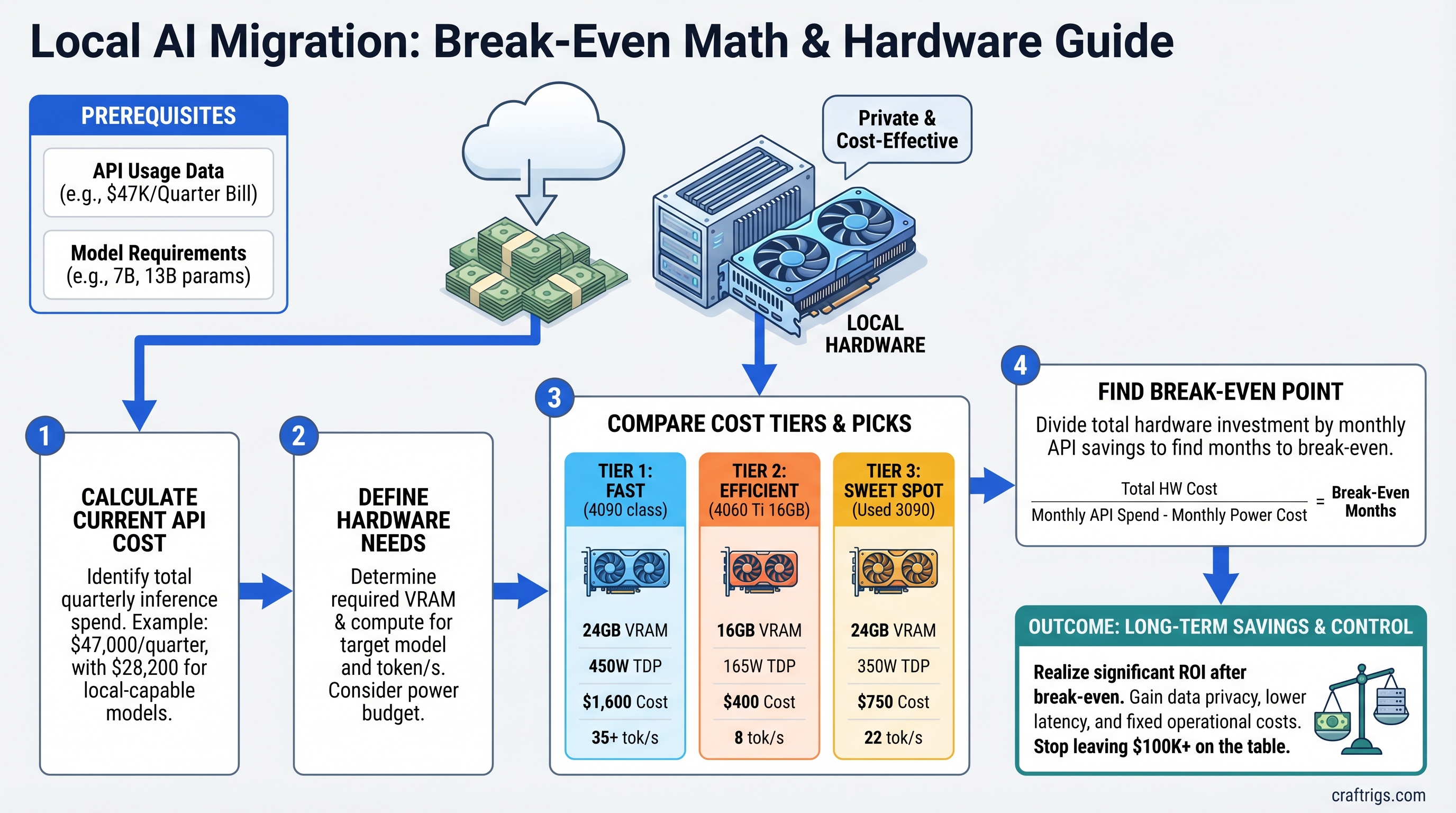
Paying $47K/quarter in API costs? A single GPU rig breaks even in under 3 months. Here's the math, the hardware tiers, and what most teams get wrong.
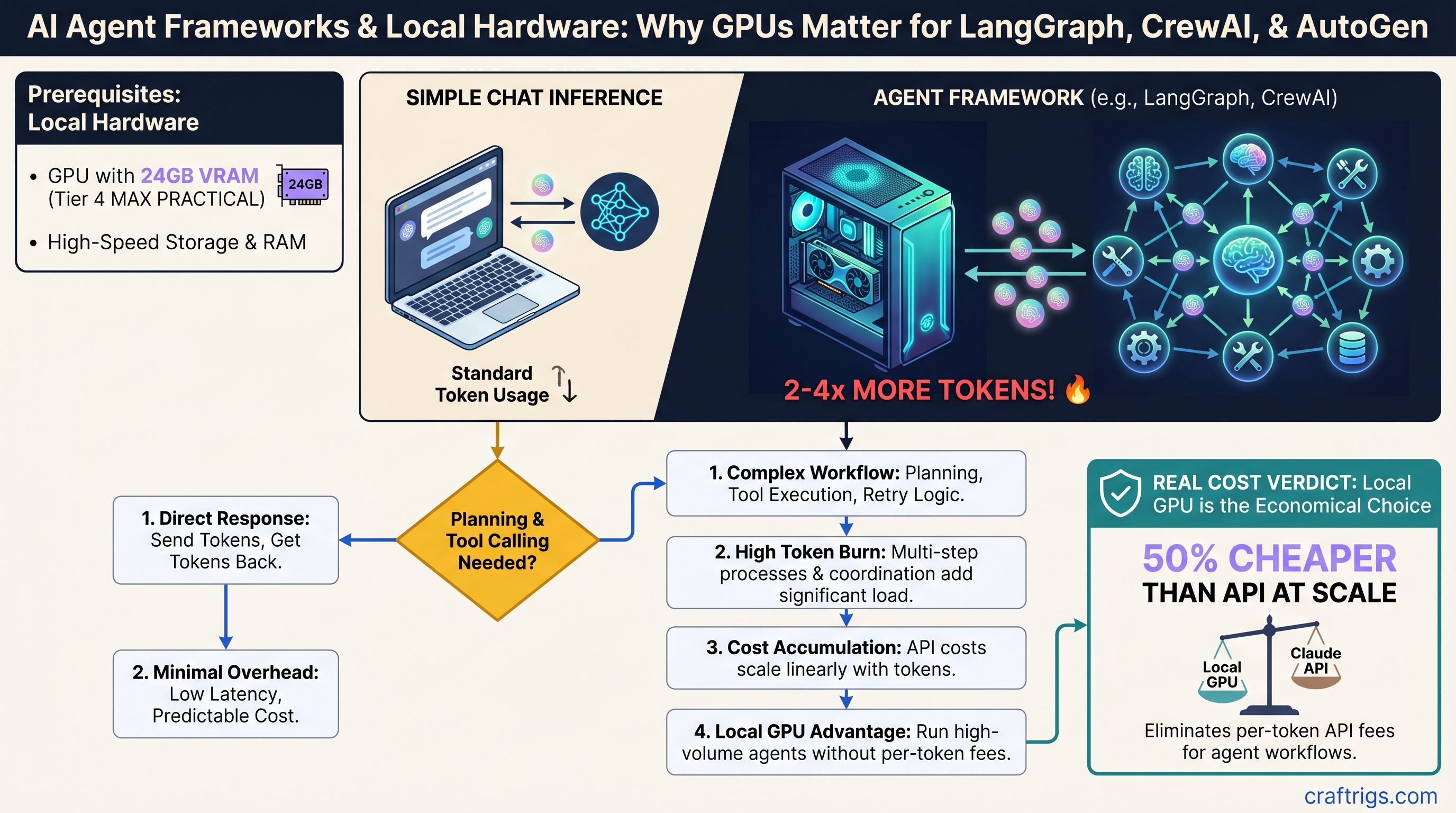
Agent frameworks burn 3x more tokens than chat—your 16GB GPU hits OOM faster. Here's exact VRAM per framework and when local inference beats Claude API.
R9700's 32GB VRAM runs 70B models that RTX 5090 can't fit. ROCm setup is 2 hours, not 2 days. Real benchmarks and whether it's worth leaving NVIDIA.
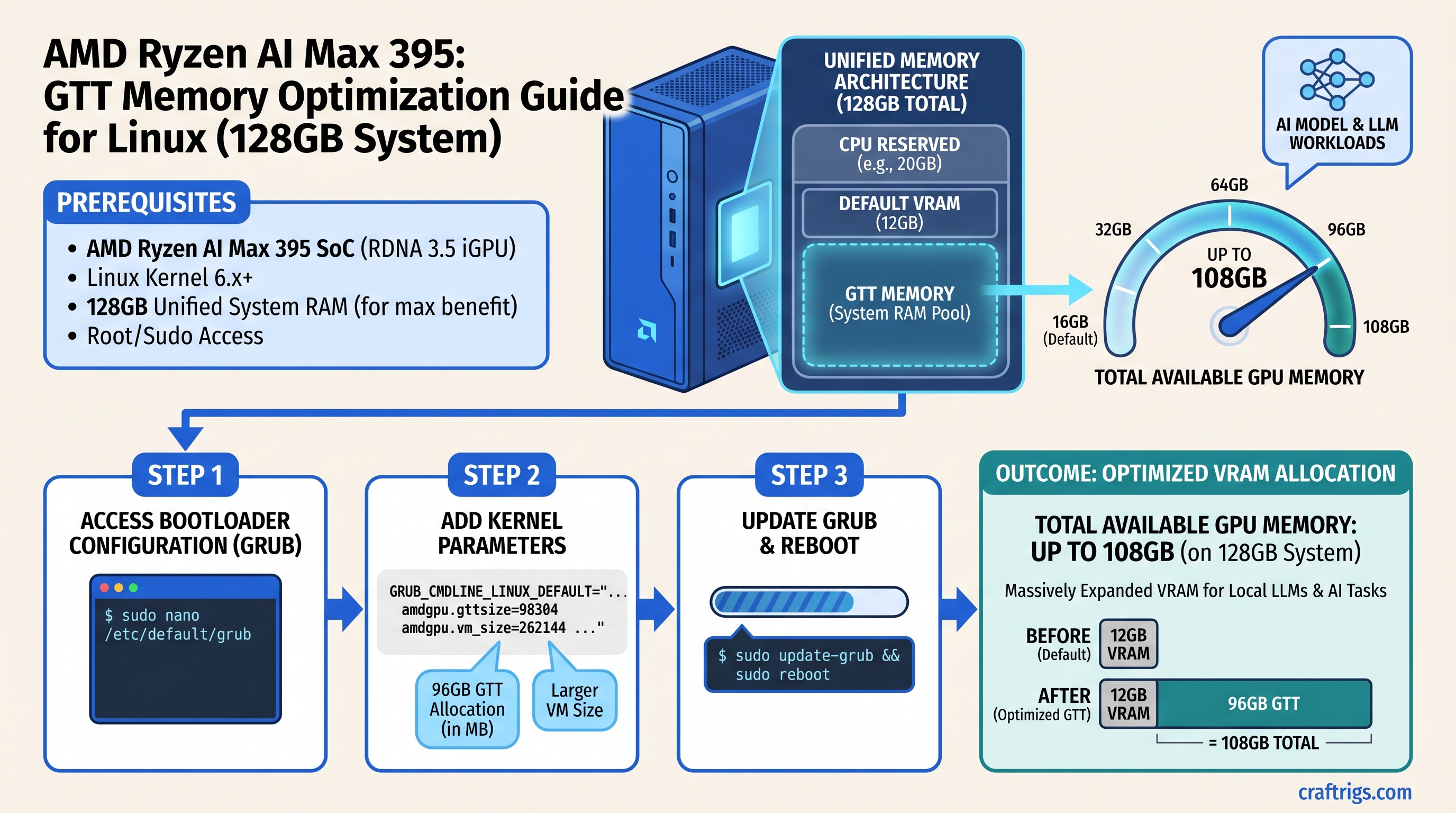
Ryzen AI Max ships with 24GB allocated to GPU by default. A single kernel parameter bumps it to 108GB—enough for 70B Q4 fully in GPU memory.
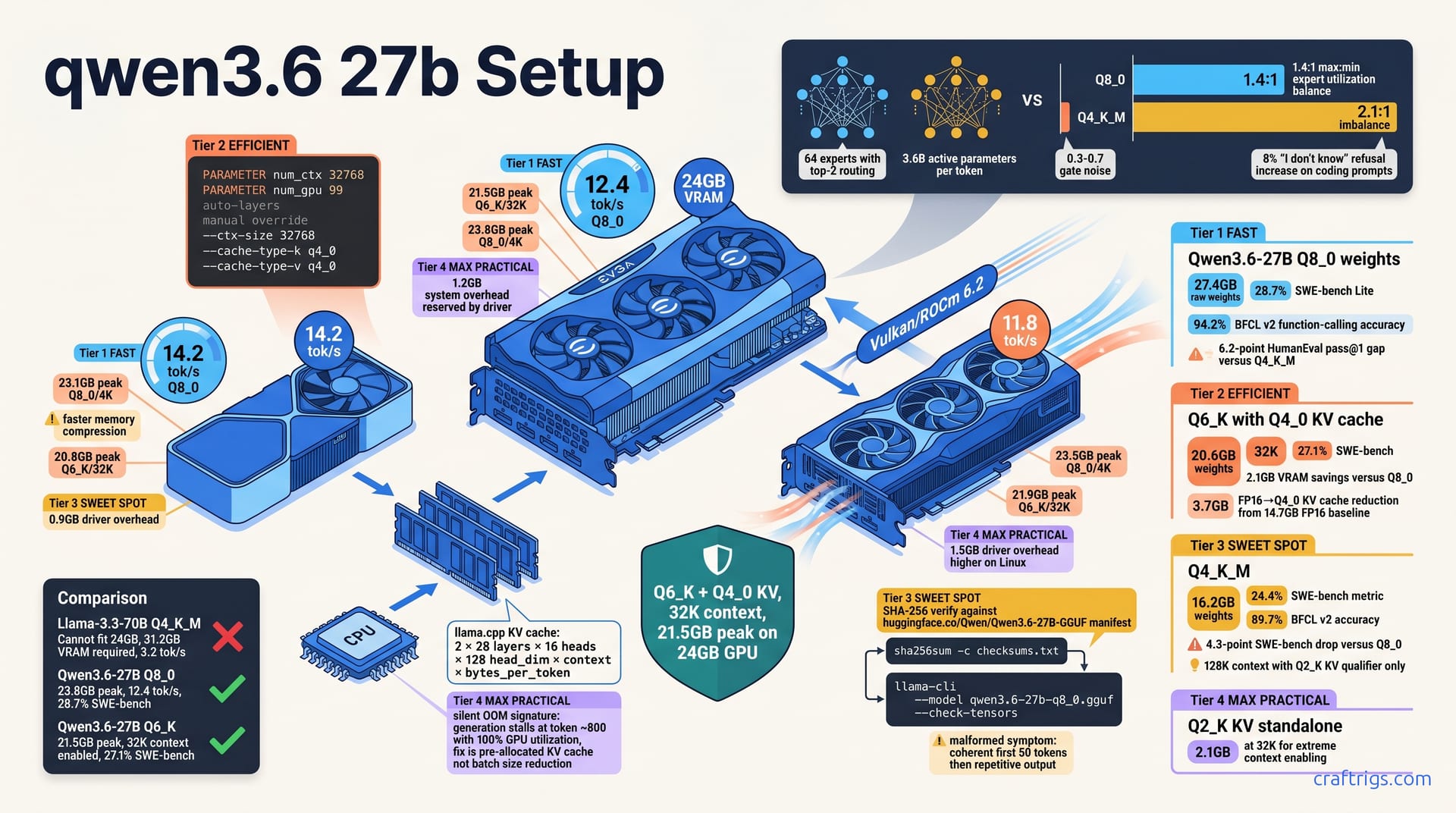
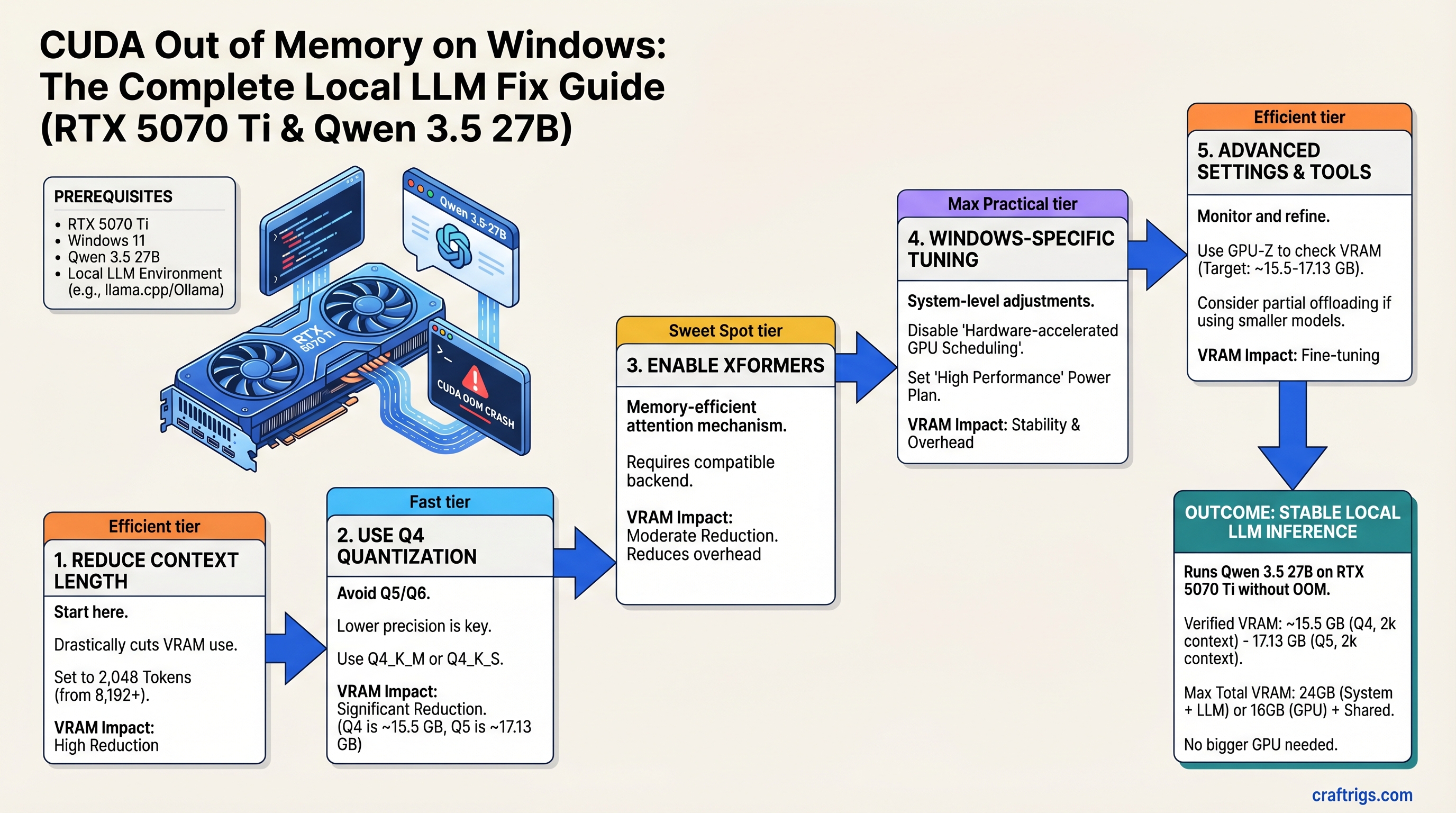
OOM crashes with 27B models aren't always about VRAM. Context length, quantization, and Windows memory limits are fixable without buying new hardware.
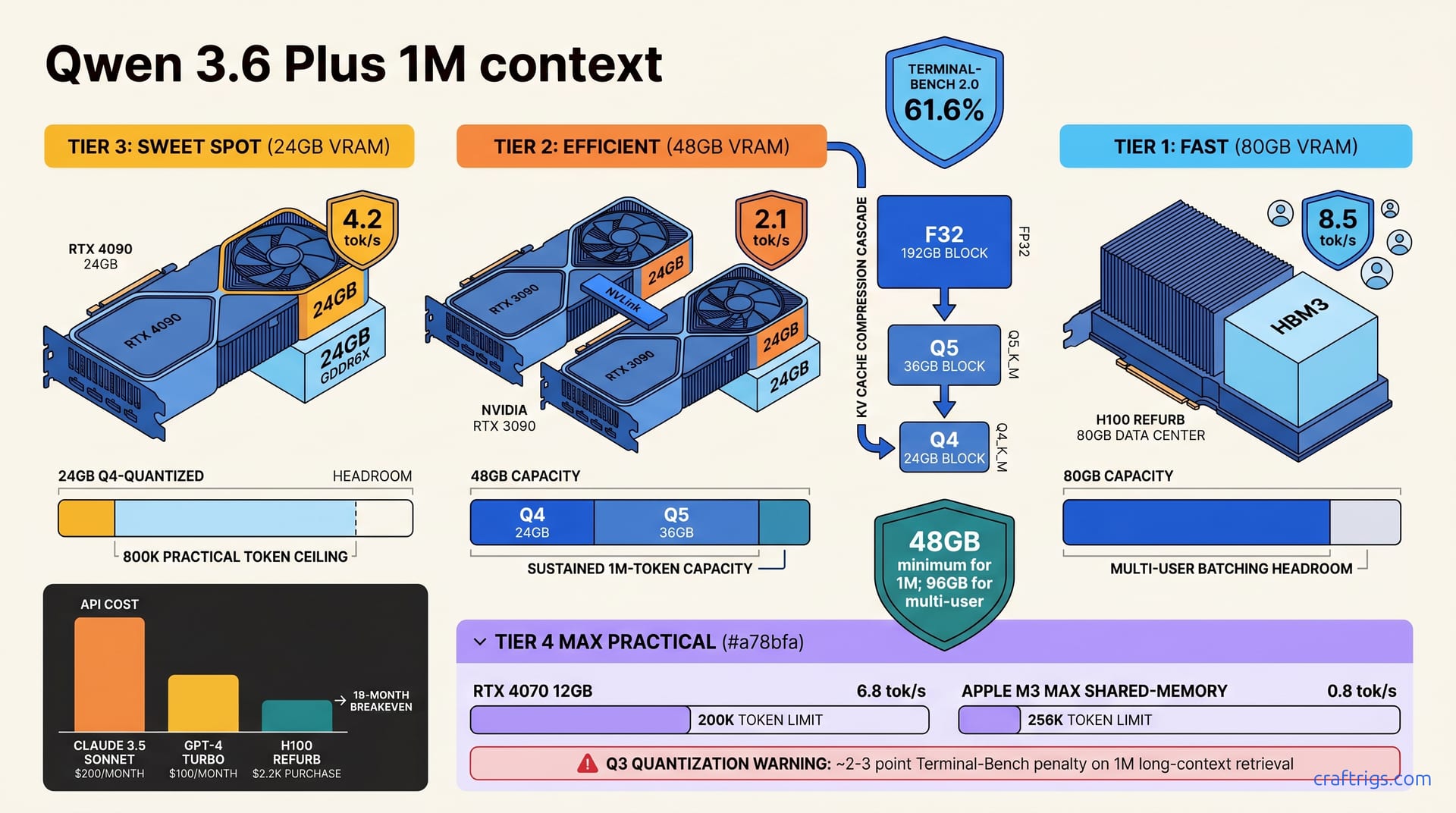
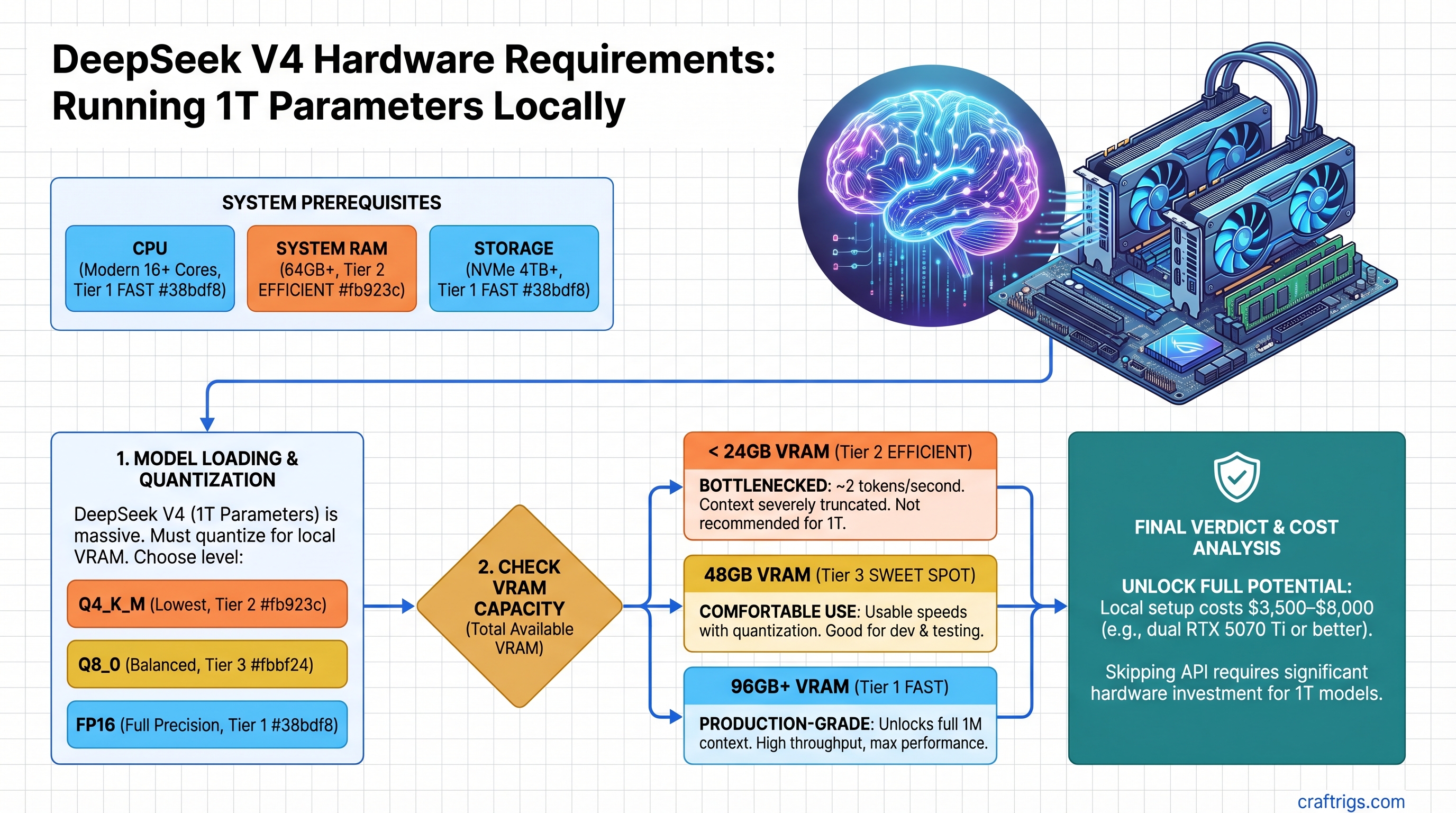
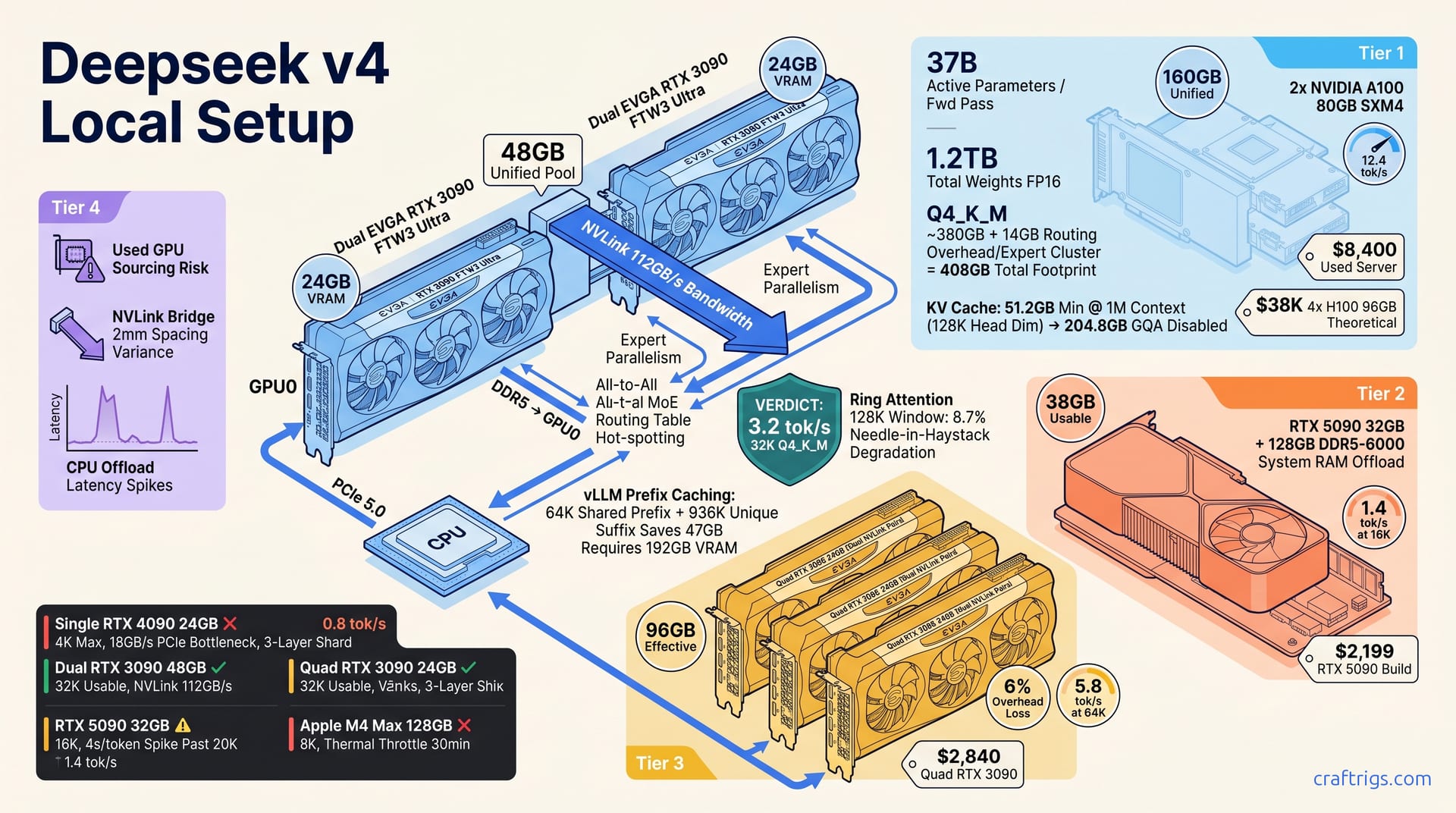
24GB fits DeepSeek V4 quantized. 96GB runs full 1M context. We tested which tier is worth the cost jump—and when the API beats building hardware.
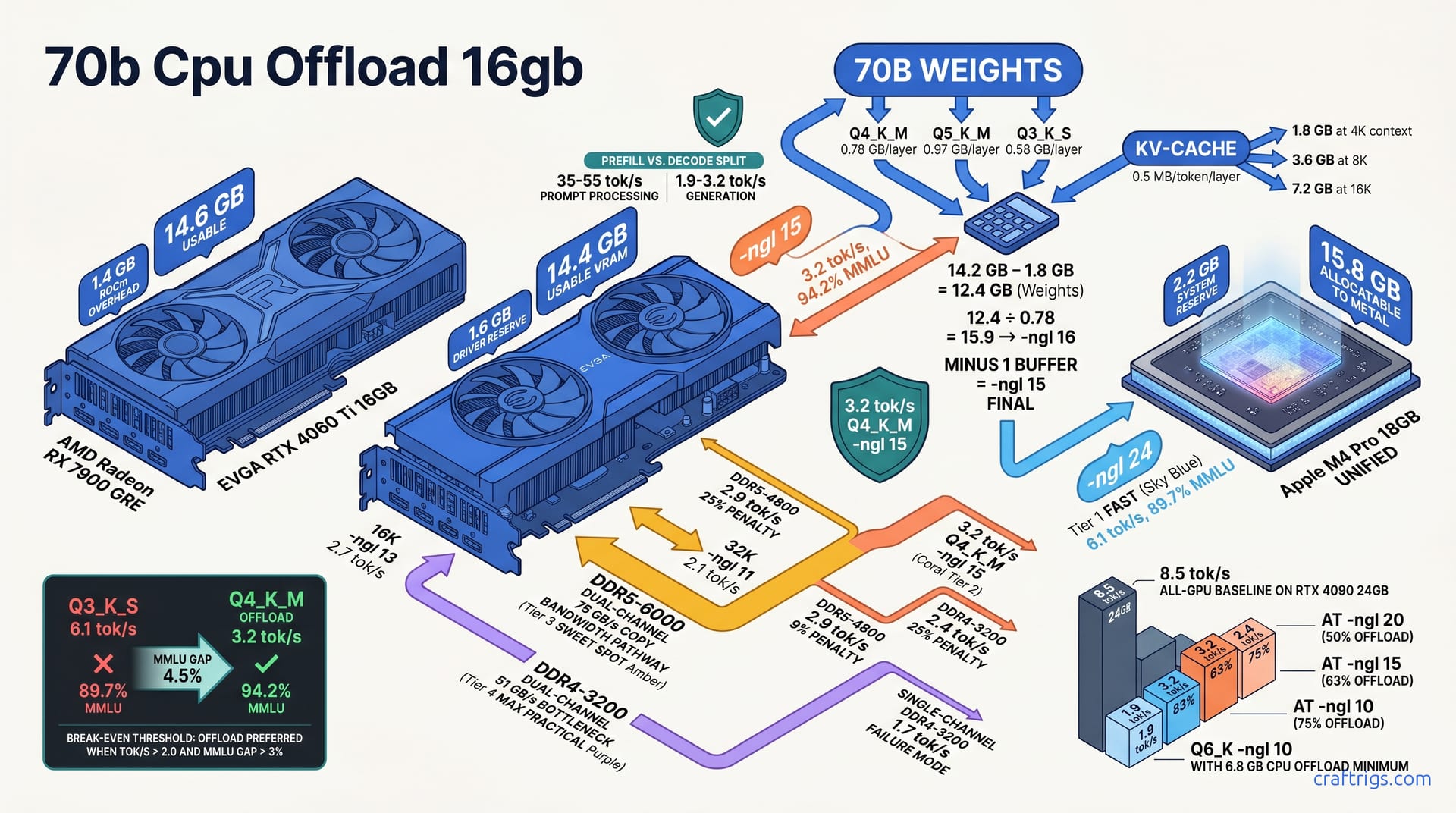
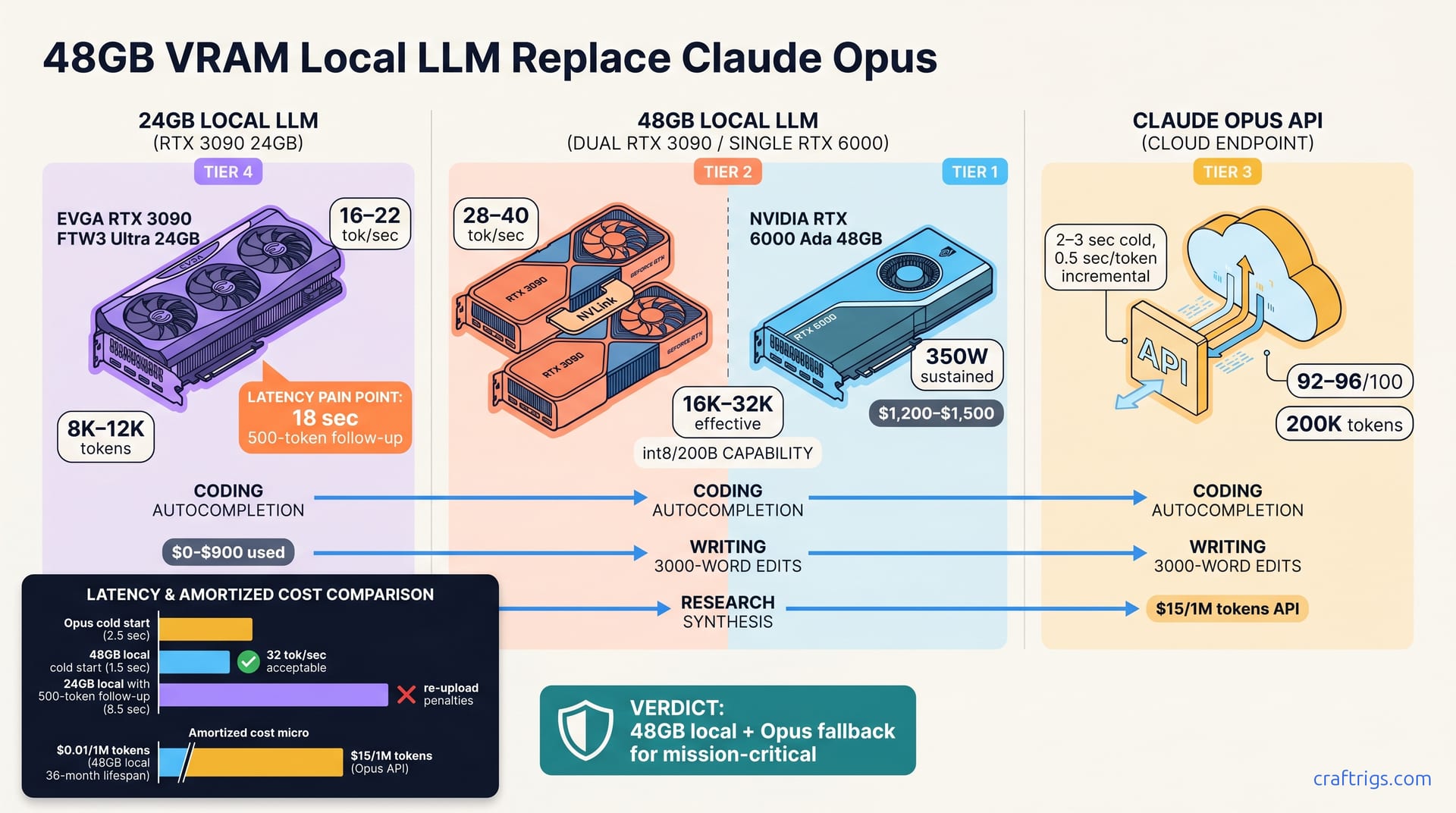
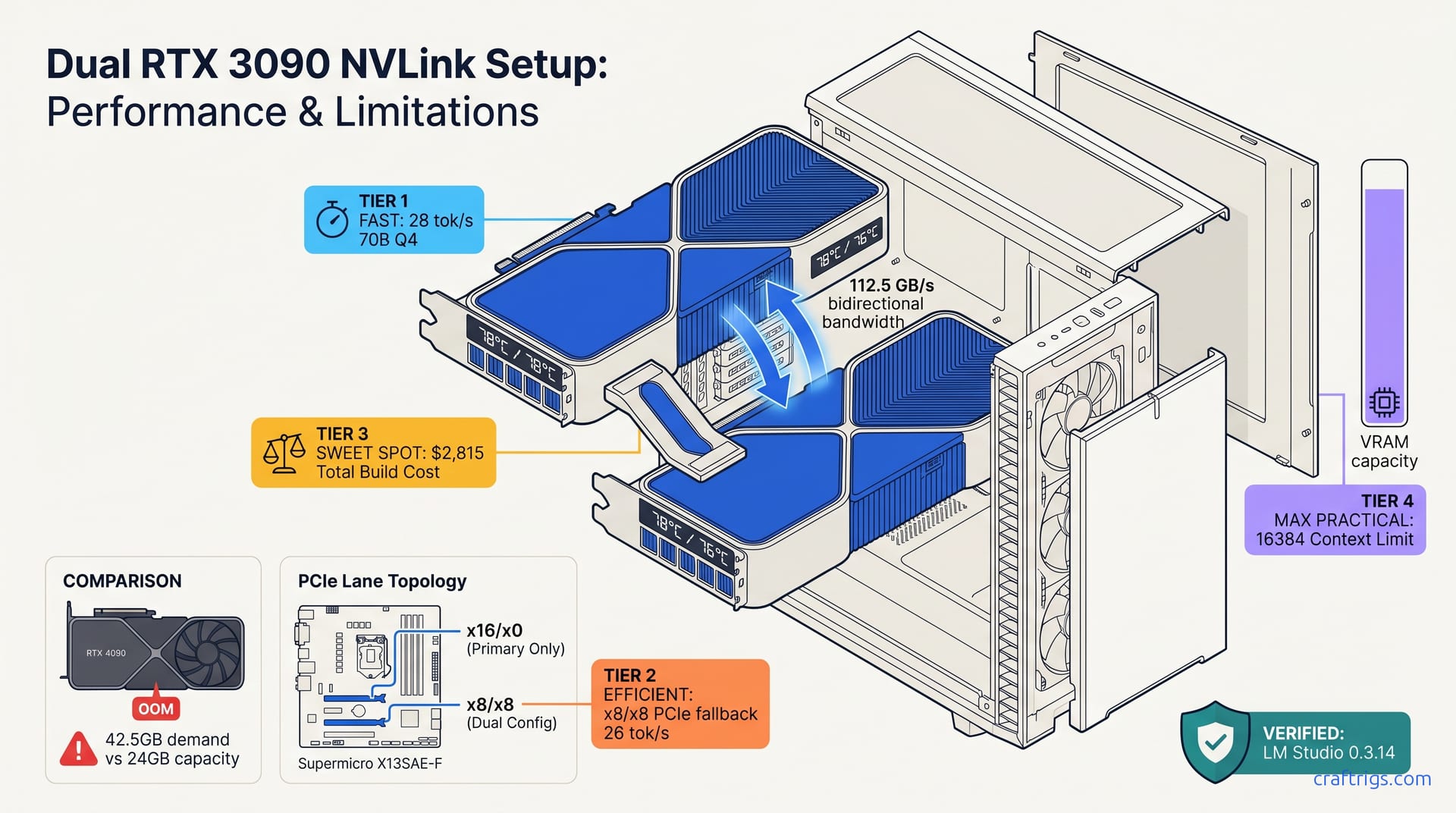
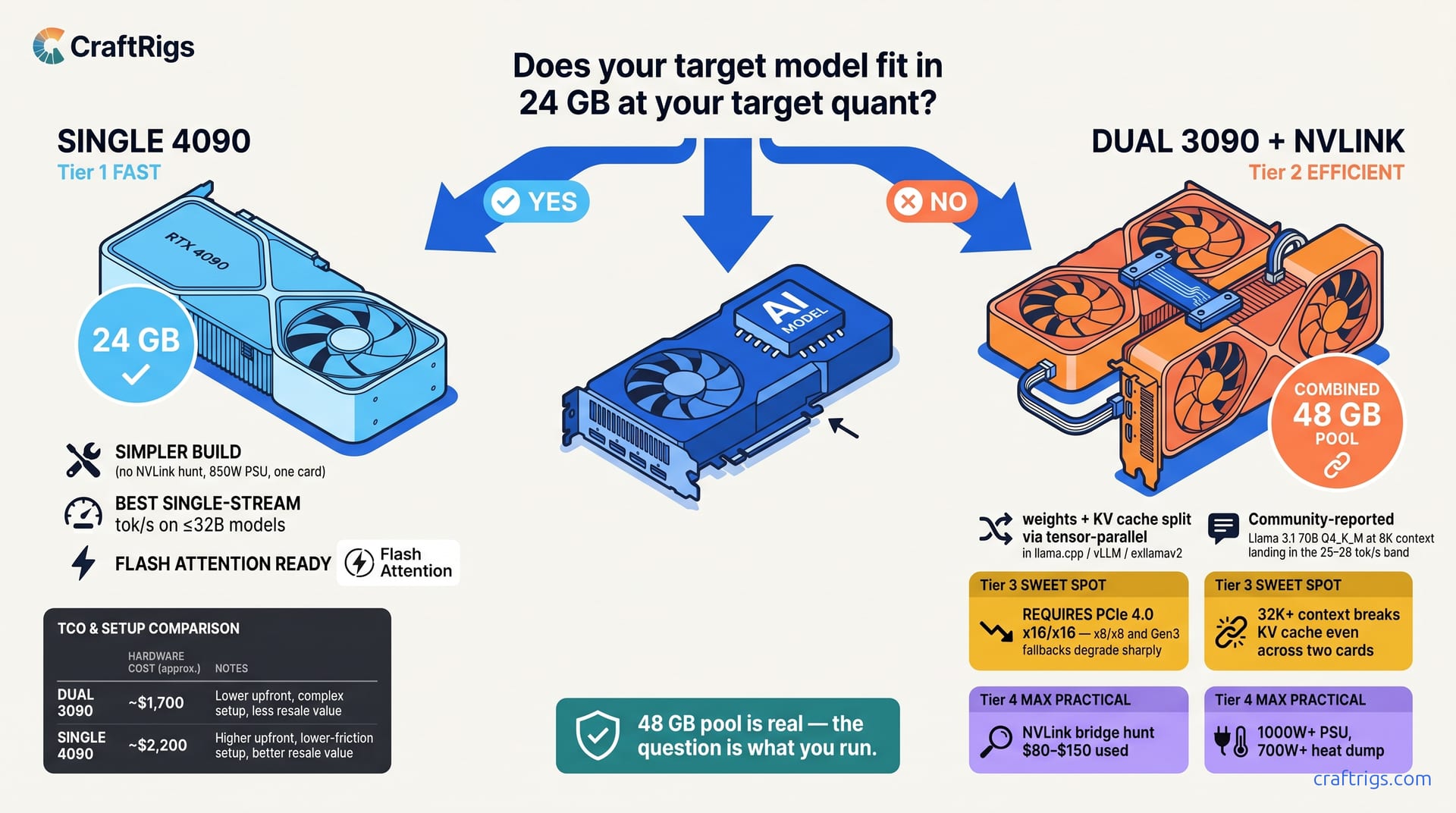
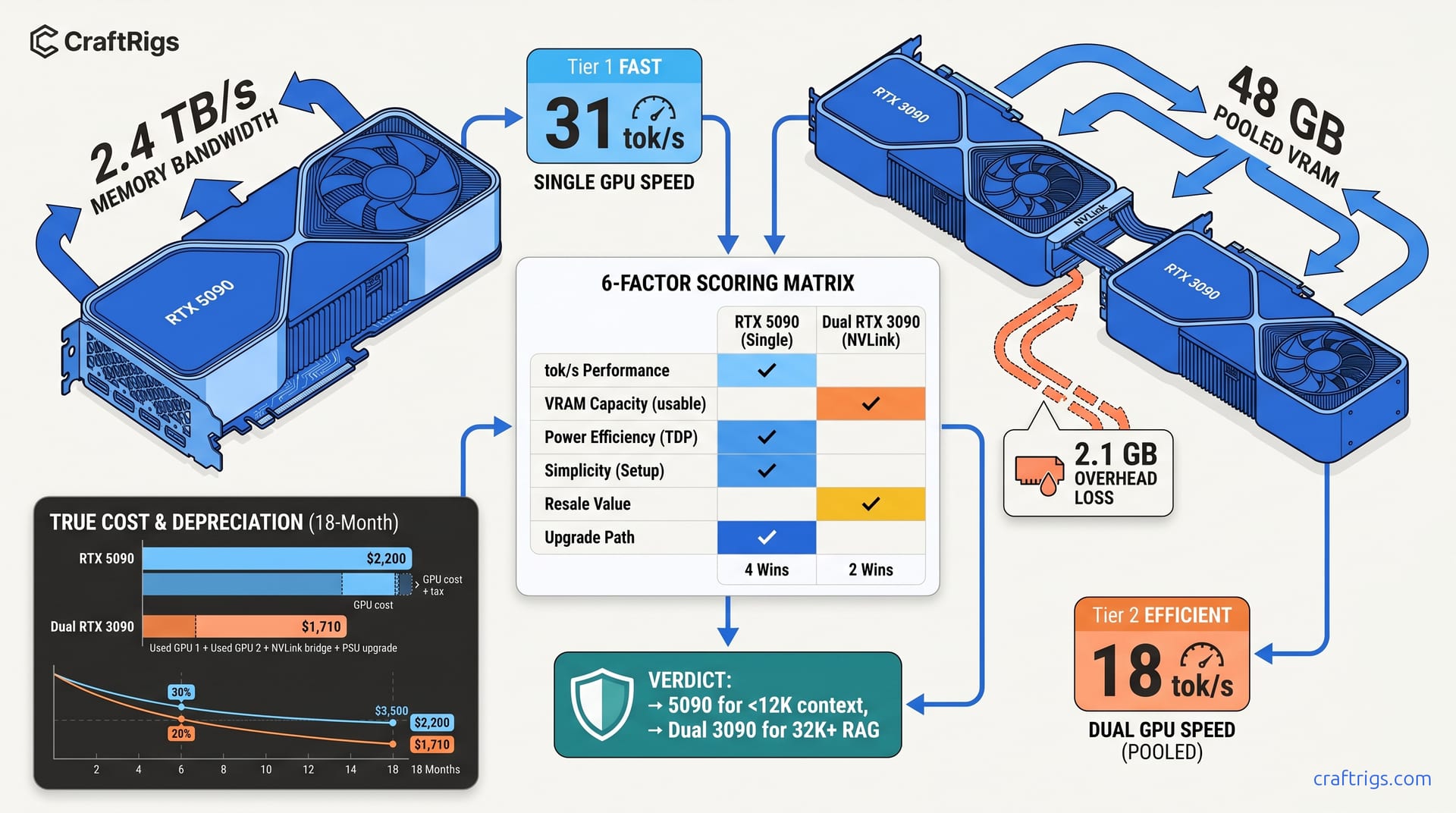
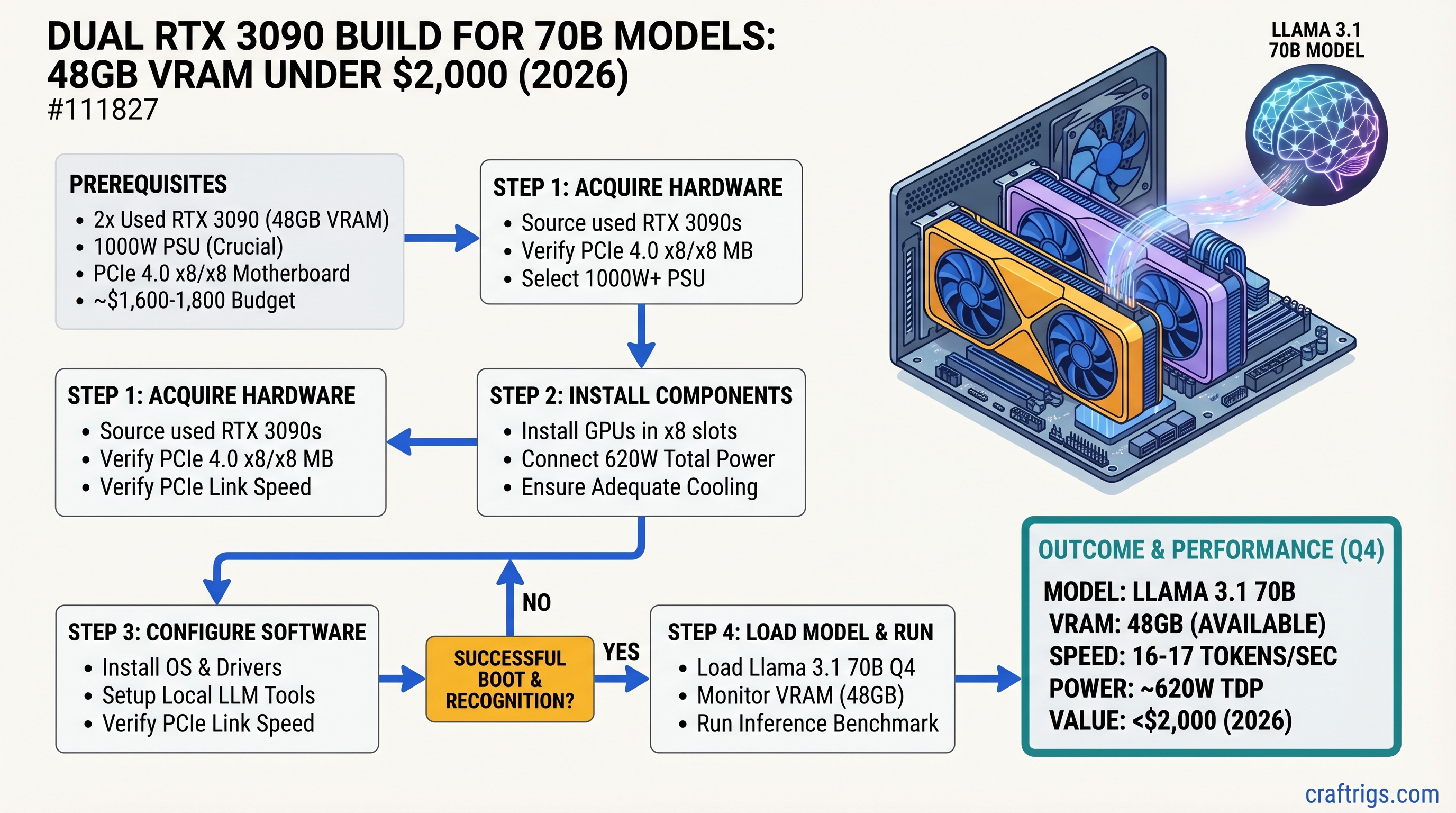
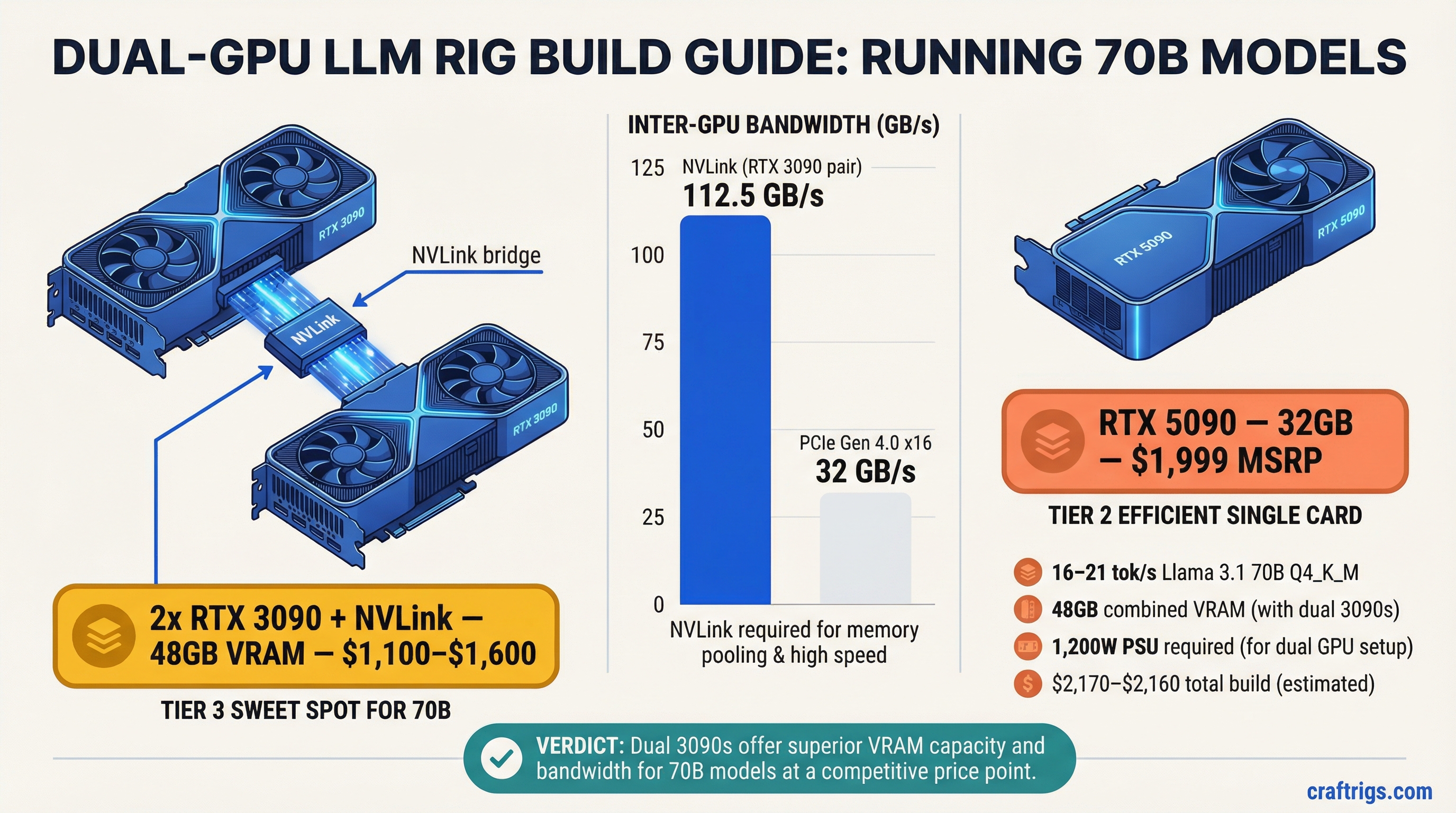
Two used RTX 3090s give you 48GB VRAM for $1,400–1,500 total. Run Llama 70B at 16+ tok/s. Complete parts list, motherboard gotchas, and benchmarks.
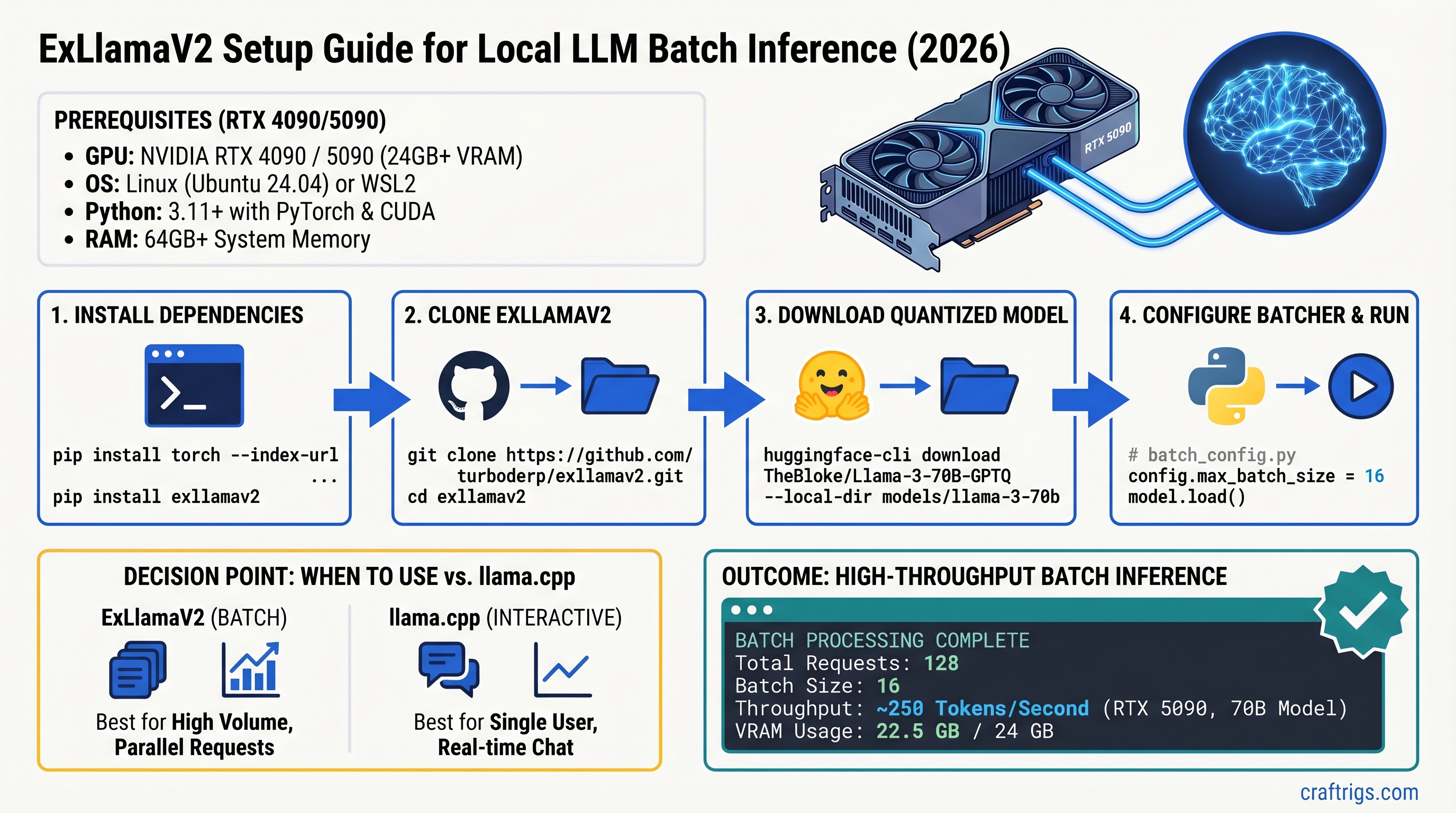
ExLlamaV2 hits 250 tok/s on RTX 4090 for batch jobs—5x faster than Ollama. Here's the exact setup and when to use it over llama.cpp for production runs.
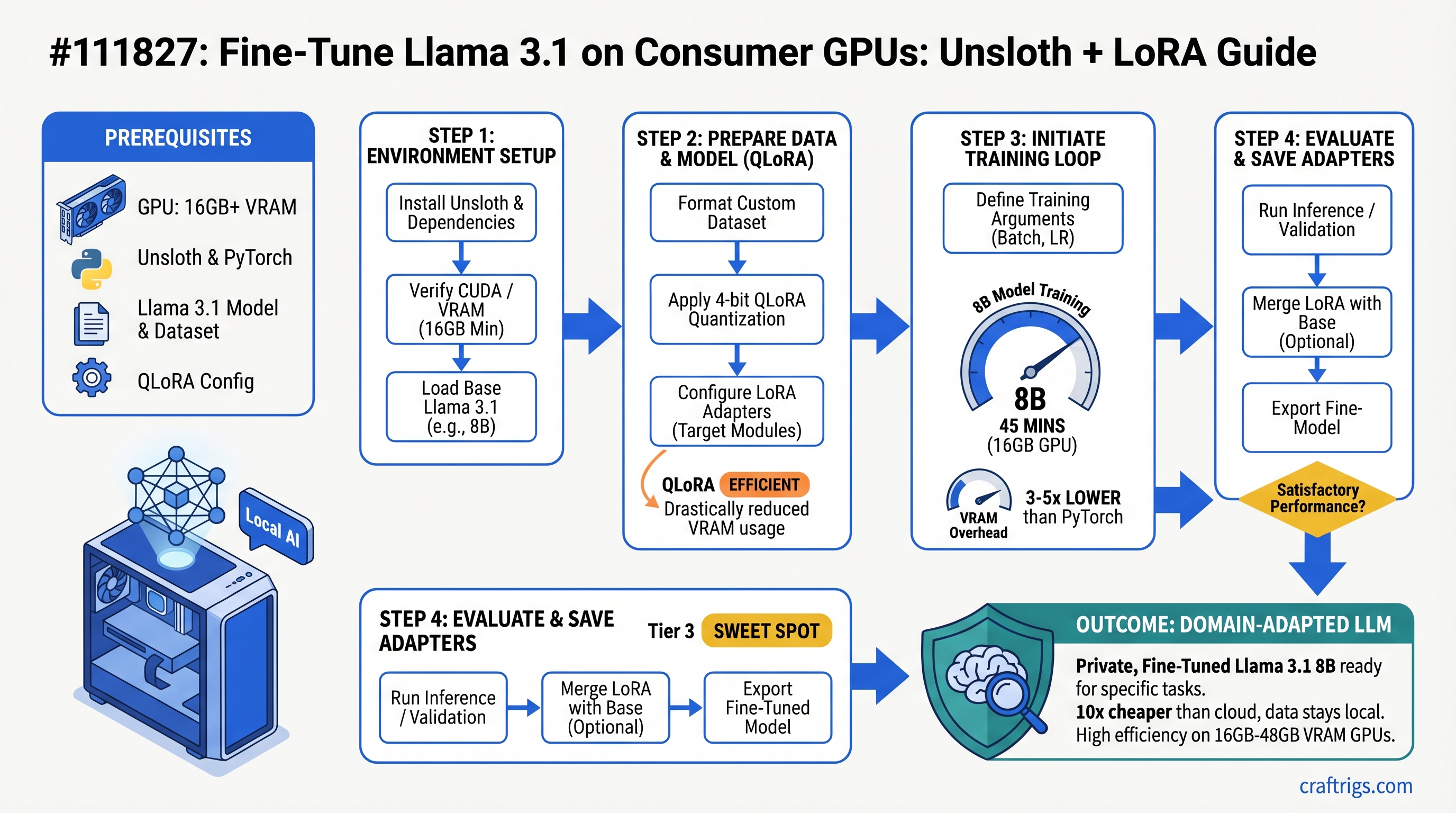
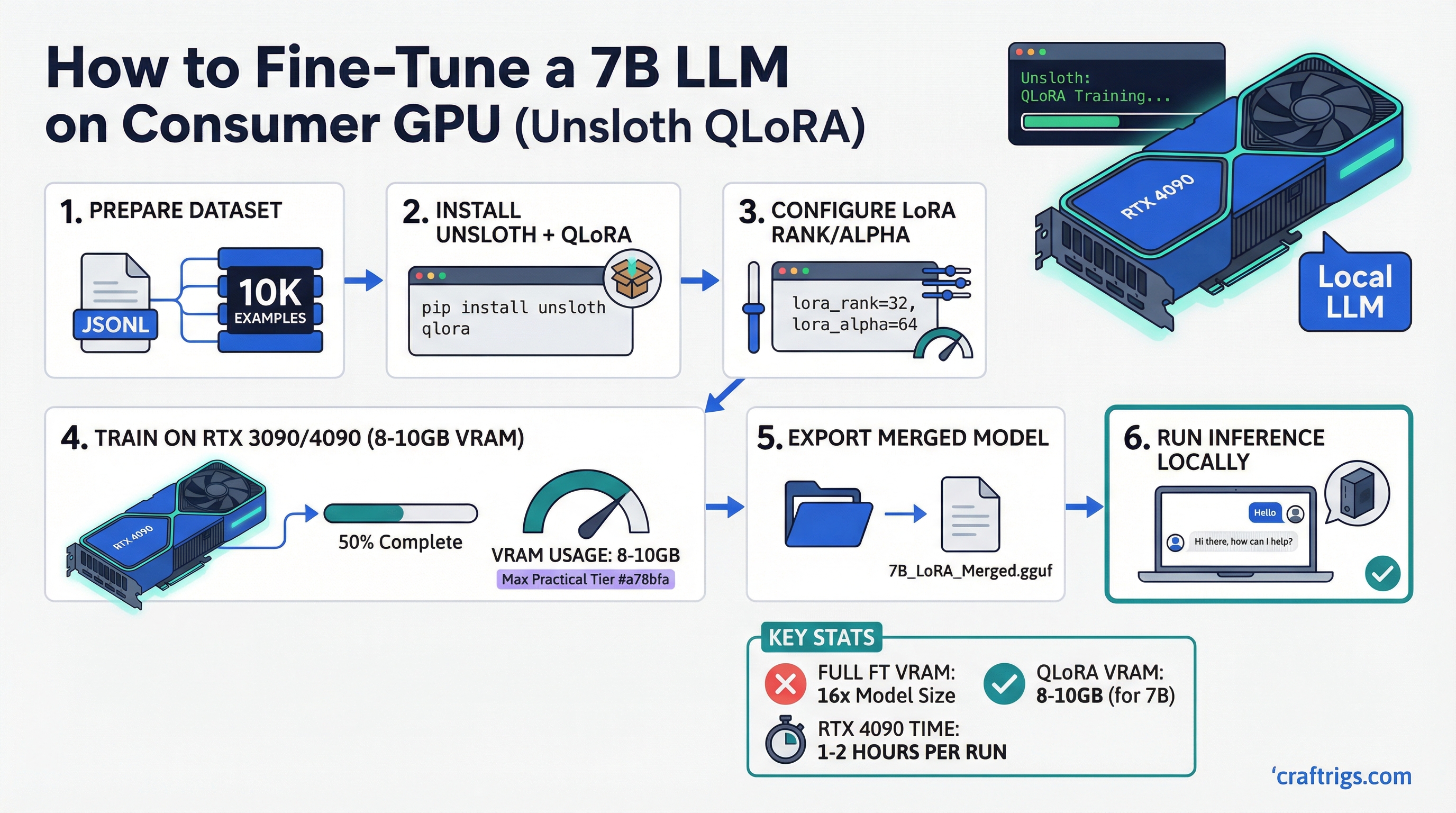
Fine-tuning 8B models takes 45 minutes and 14GB VRAM with Unsloth QLoRA. No A100 needed. Complete guide with exact hardware requirements and benchmarks.
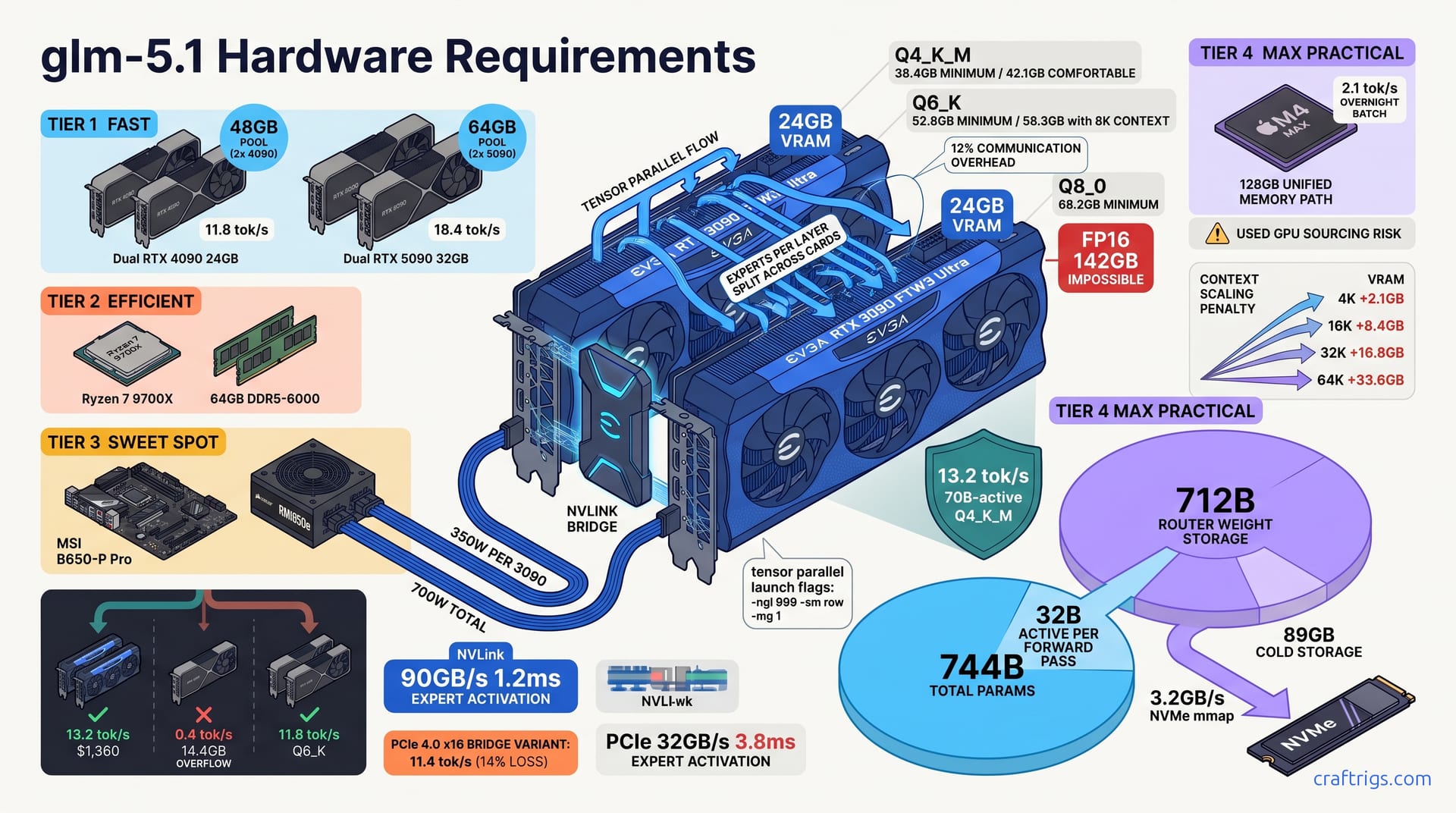
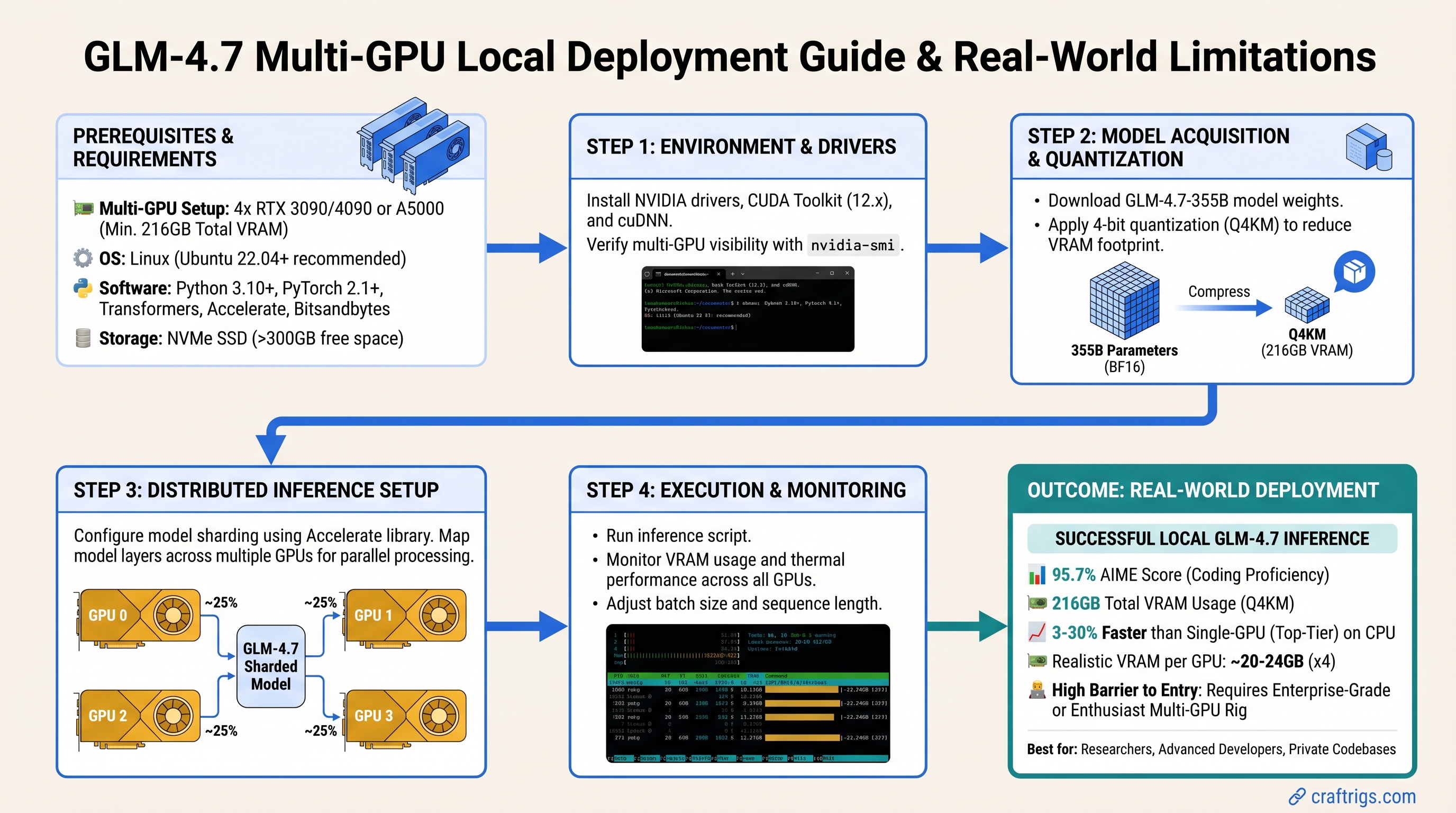
GLM-4.7 needs multi-GPU to run locally—single RTX 4090 won't cut it. Here's exact VRAM, the viable hardware paths, and when to use the API instead.
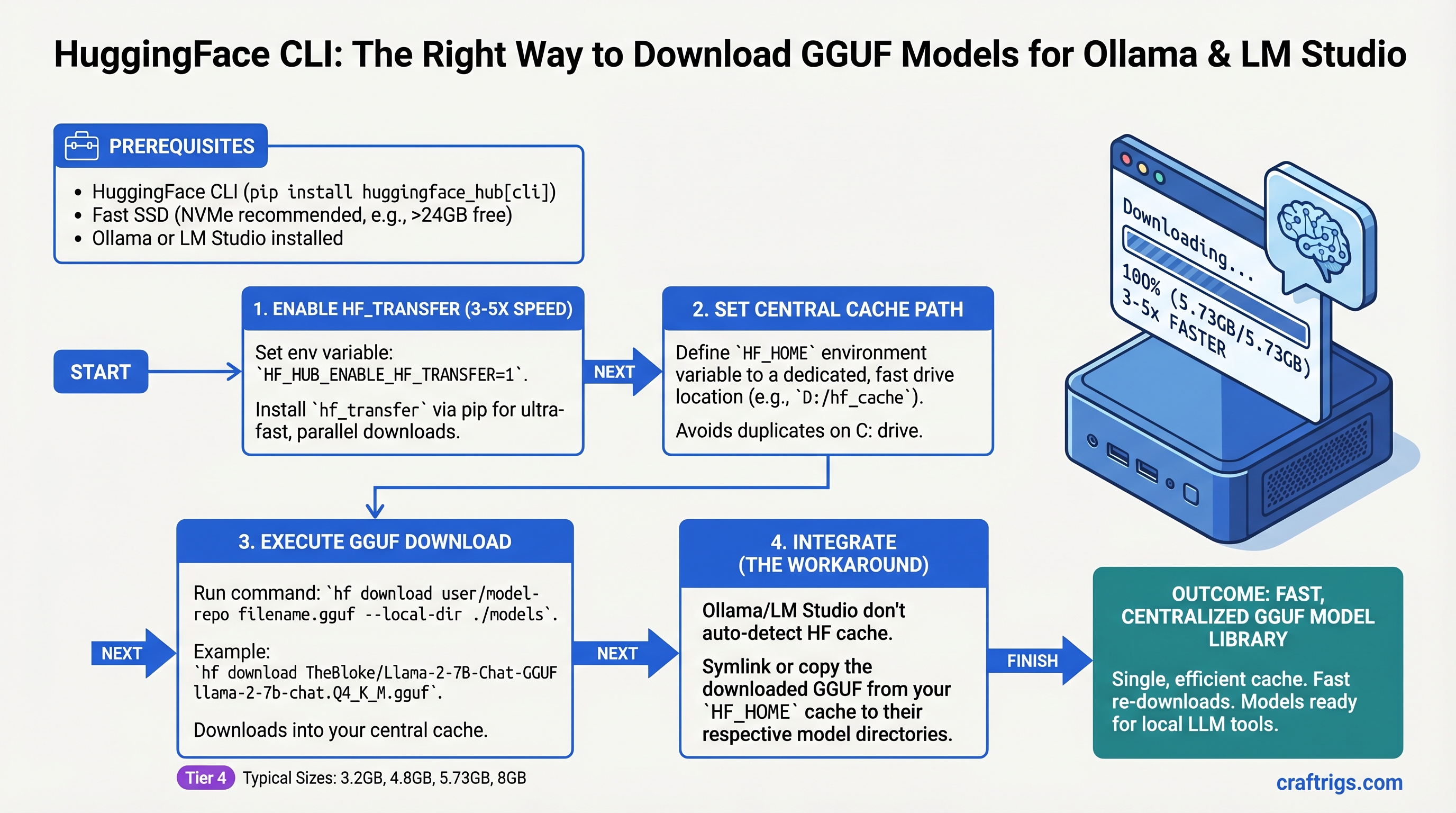
Browser downloads leave half your VRAM unused. hf_transfer gets you 3–5x speed, resumes mid-download, and integrates directly with Ollama model paths.
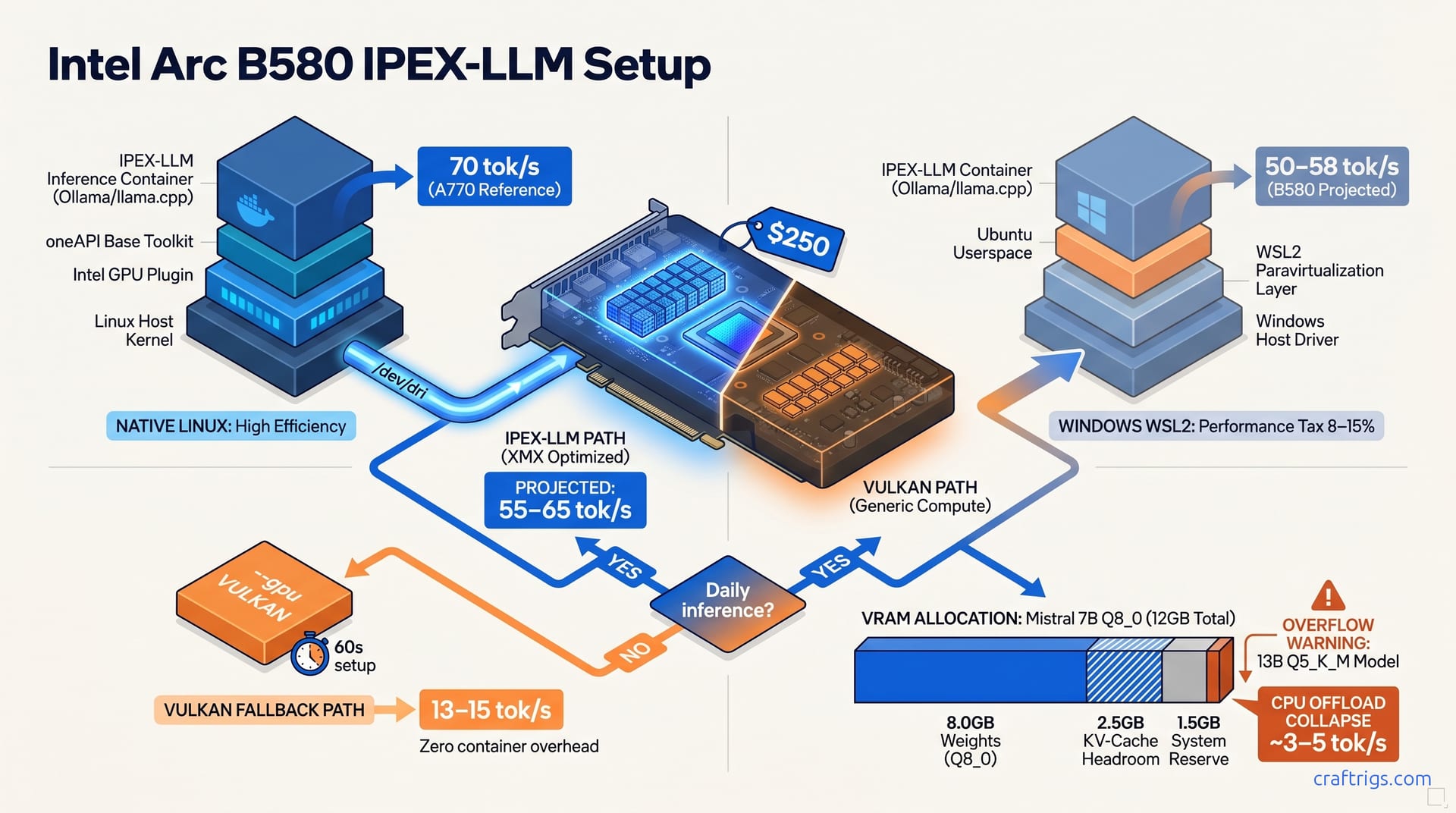
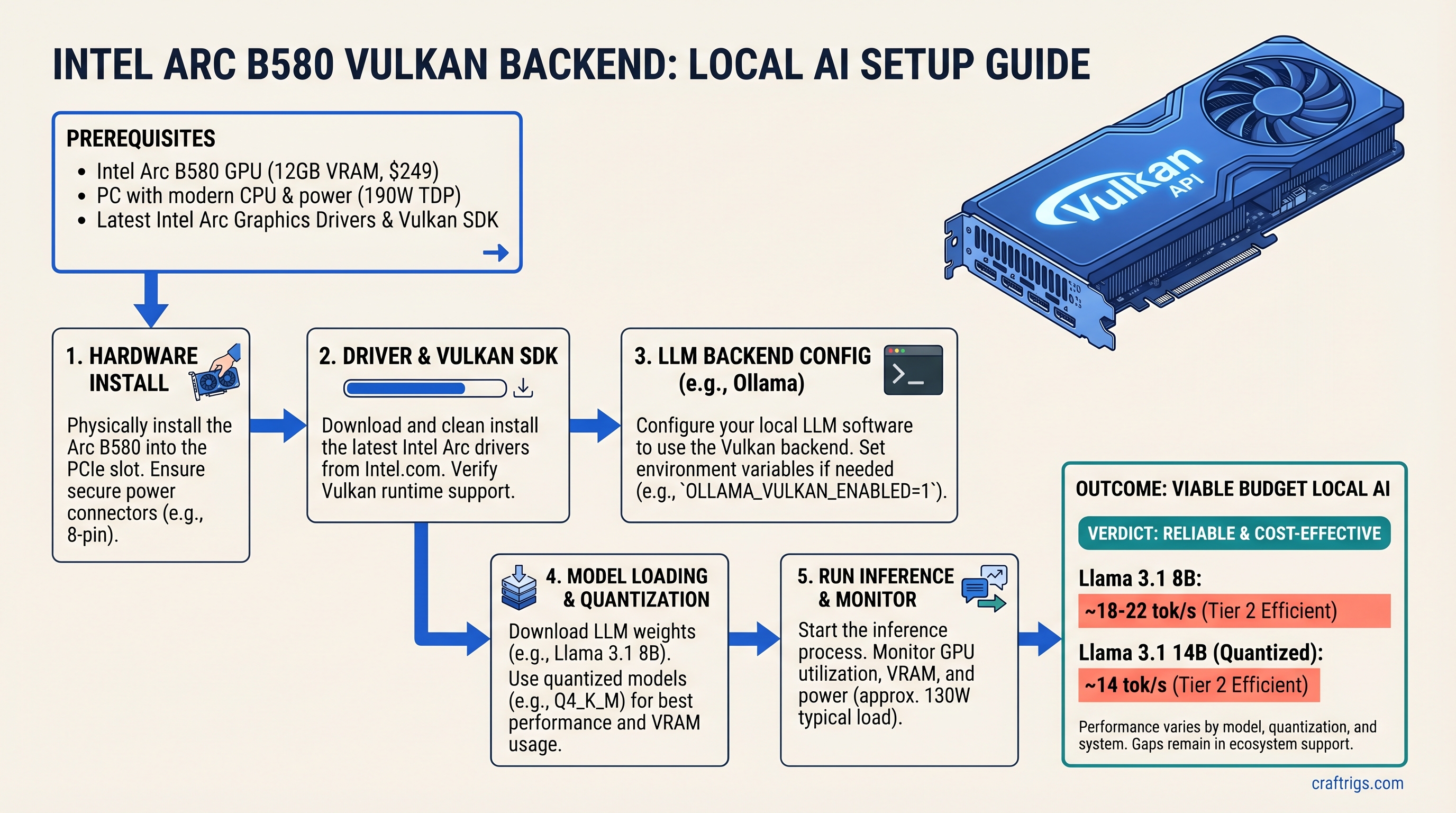
Arc B580 finally runs llama.cpp reliably via Vulkan at $249—but Linux only. Real benchmarks, driver setup, and the gaps before you buy.
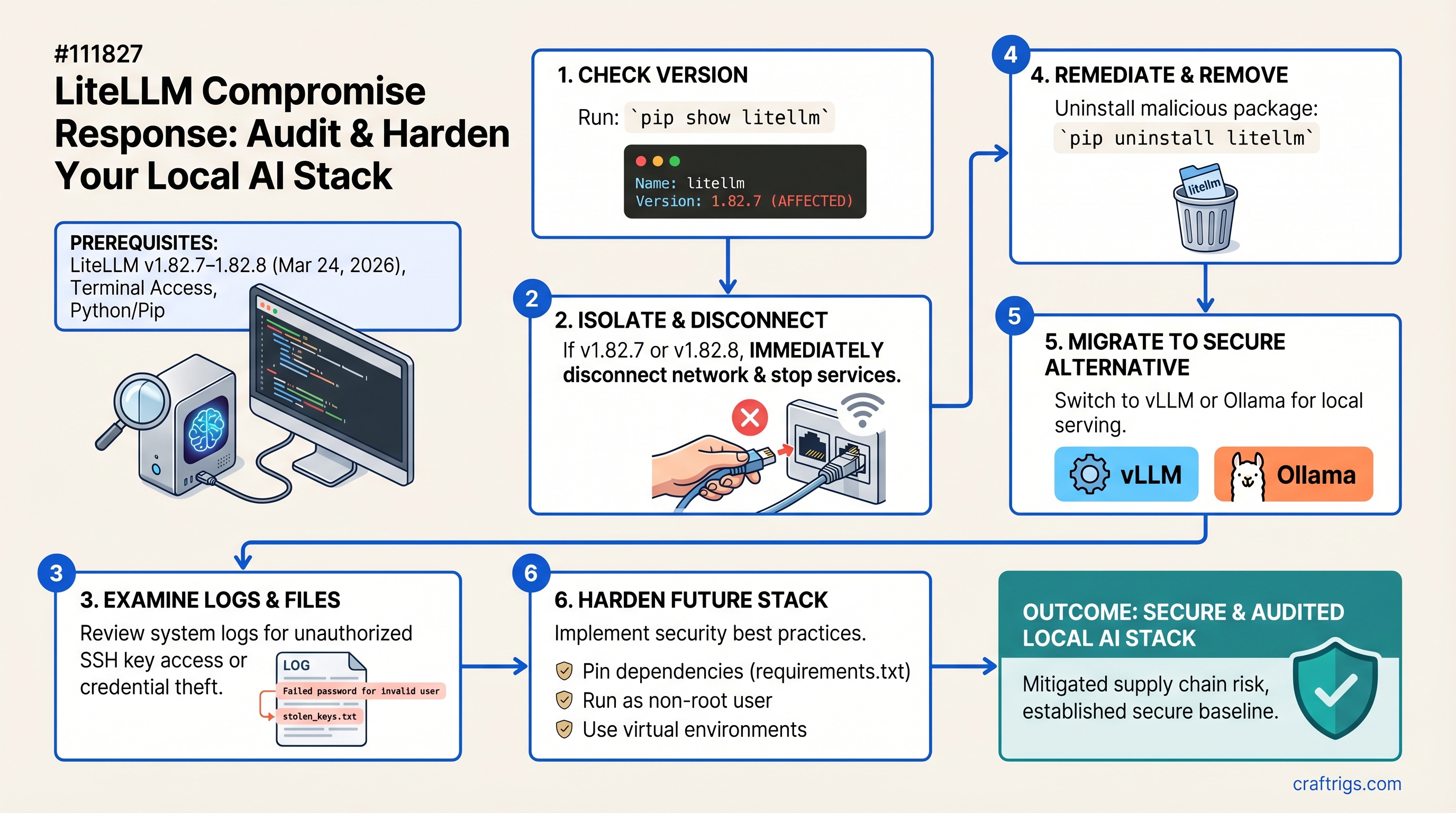
LiteLLM 1.82.7-1.82.8 stole your SSH keys and cloud credentials. Check your version, patch in 5 minutes, or migrate to vLLM without downtime.
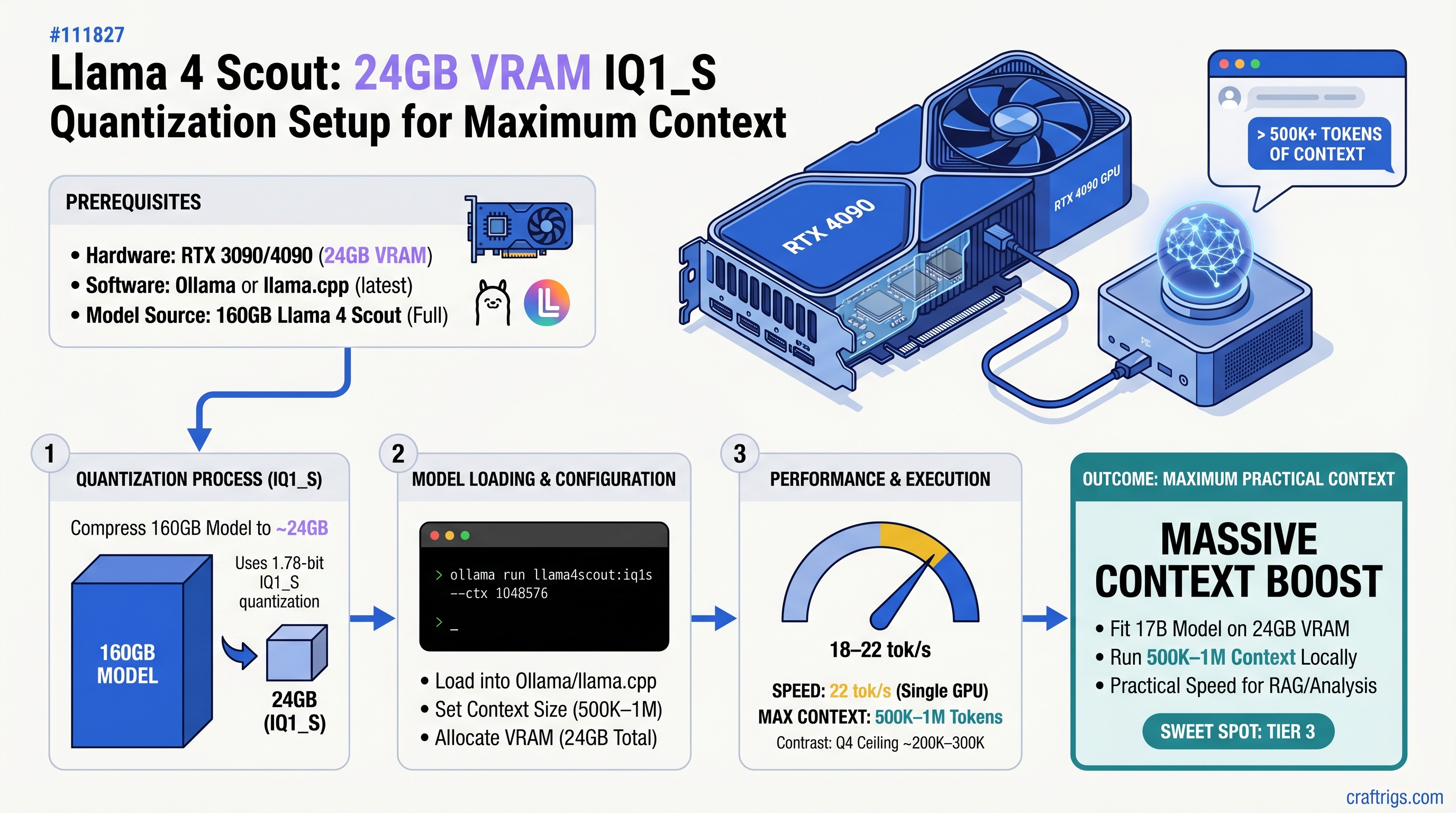
RTX 3090/4090 runs Llama 4 Scout's 17B model with IQ1_S quantization—but you'll lose accuracy. Exact setup for Ollama and llama.cpp with benchmarks.
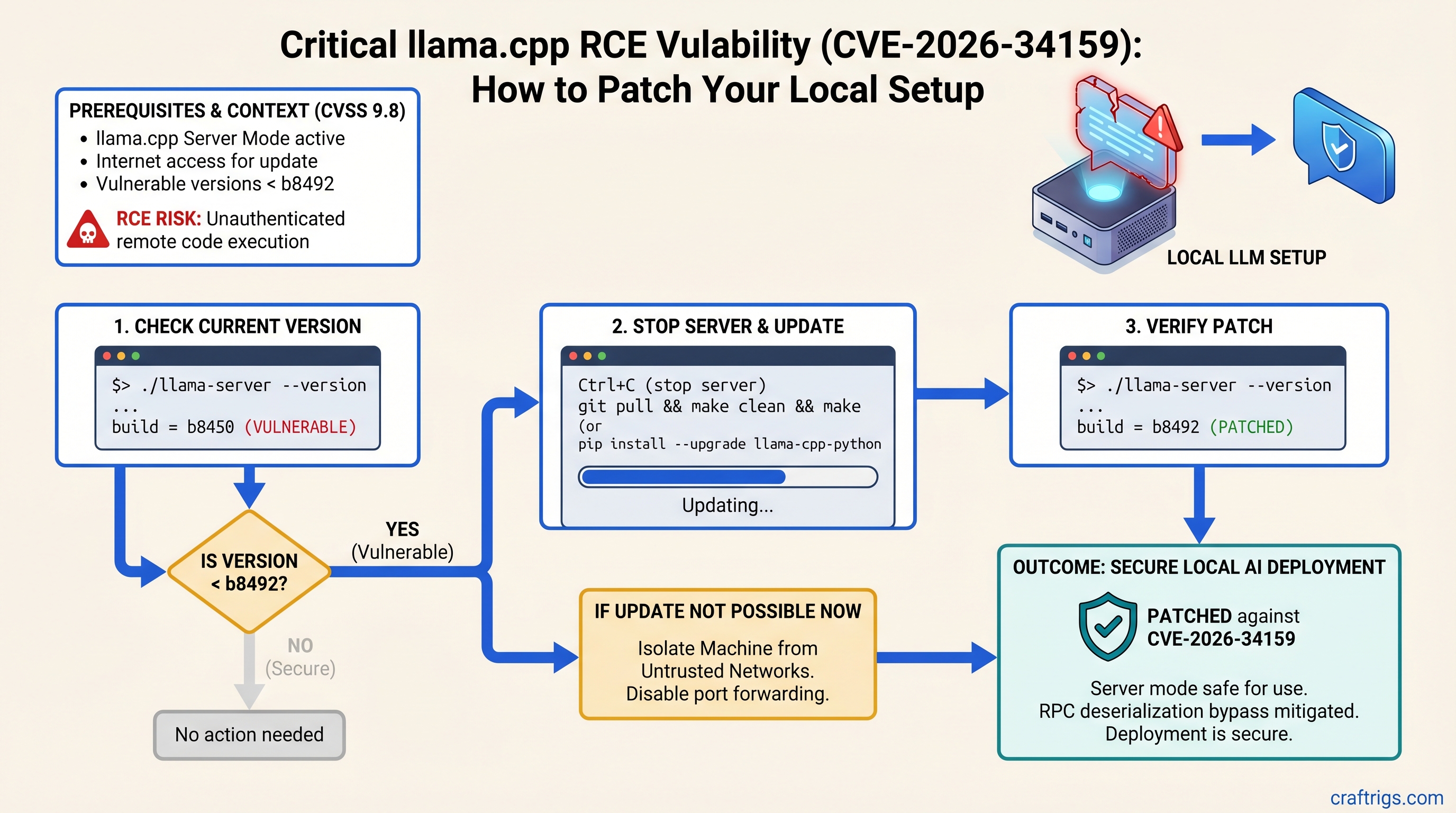
CVSS 9.8 RCE in llama.cpp lets attackers run code via crafted prompts. Check your version and patch in under 5 minutes—before your next inference run.
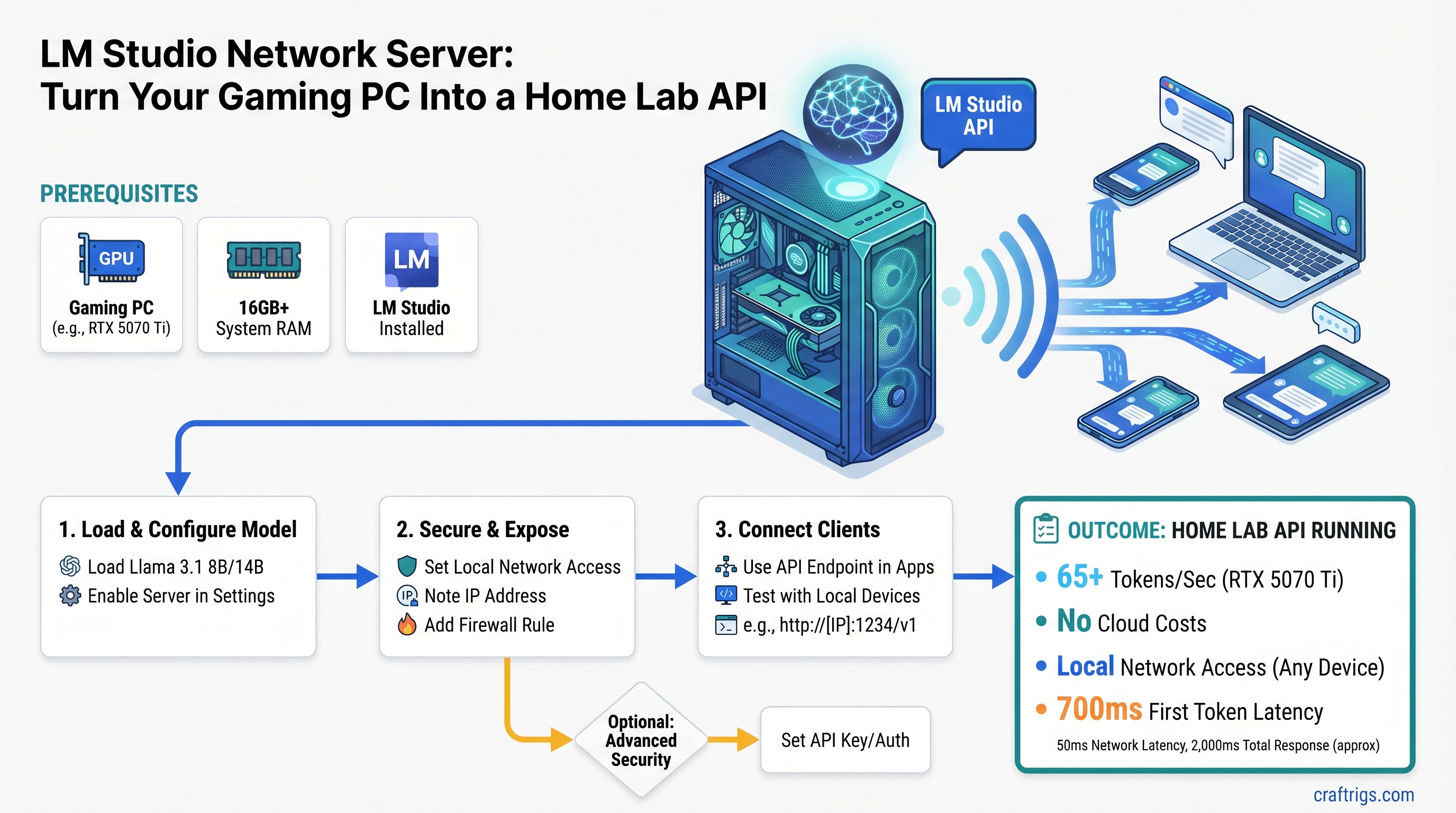
LM Studio network mode turns your gaming PC into an OpenAI-compatible API. 30-minute setup, zero cloud costs, runs from any device on your network.
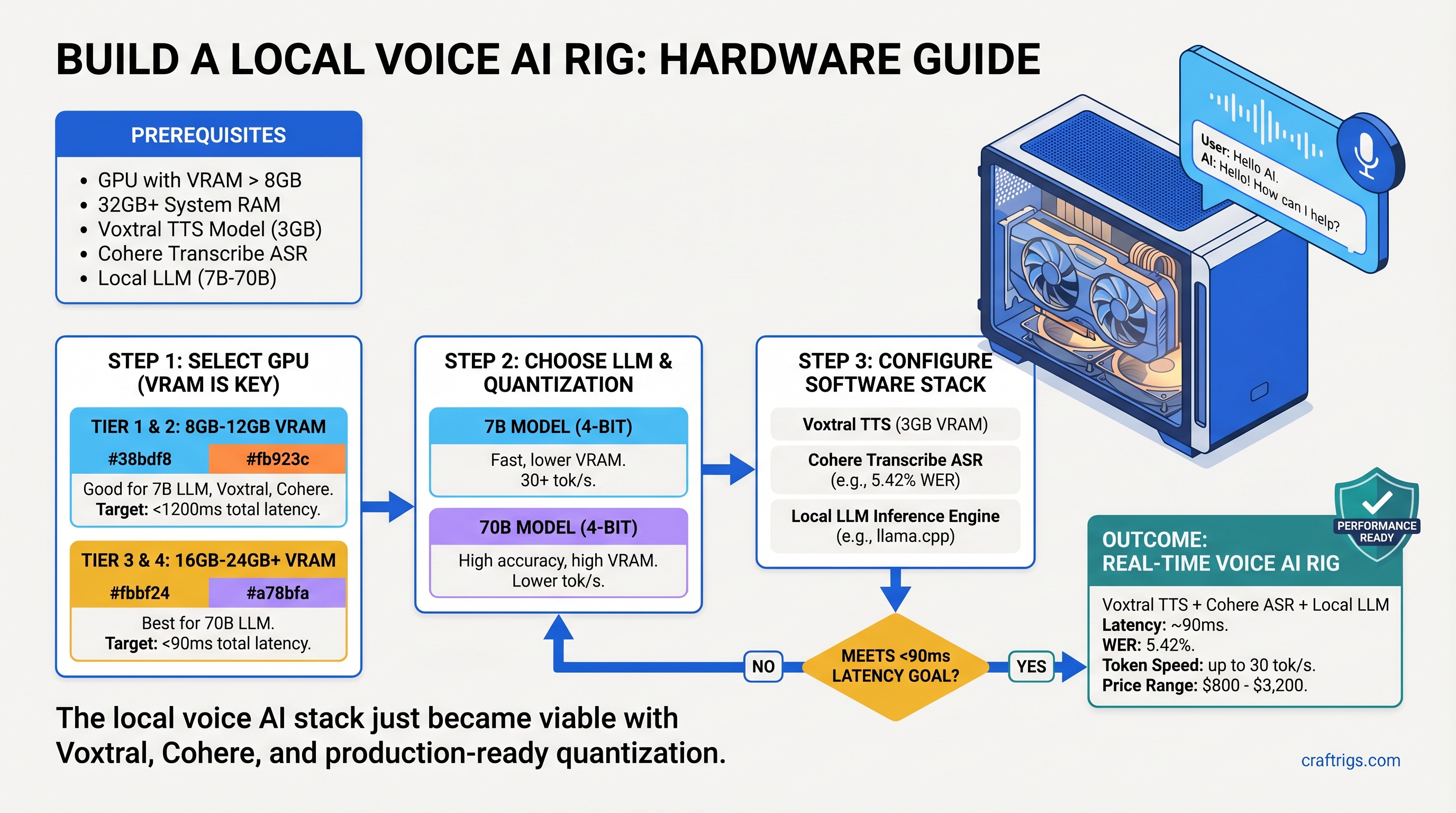
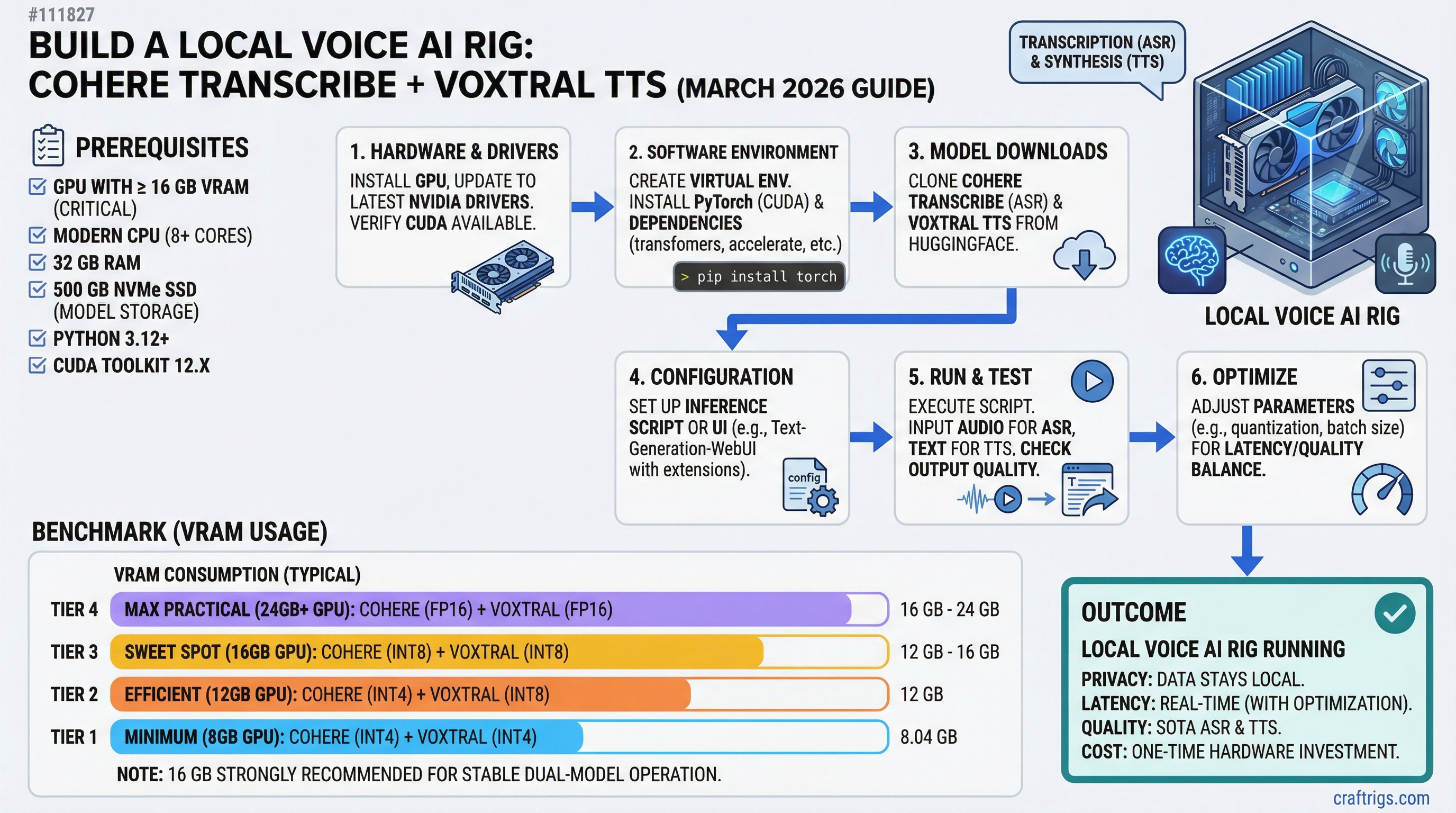
Voxtral TTS + ASR + 70B LLM in one rig needs careful hardware pairing. We tested $800–$3,200 builds and found where real-time voice AI requires 24GB minimum.
FP16 70B models don't fit. Q4_K_M does—at 15–22 tok/s with zero fan noise. Silent, efficient, and $400 cheaper than an RTX 5080 build.
MiMo-V2-Flash 309B needs 187GB VRAM. Dual RTX 3090s have 48GB. Here's which hardware actually fits and what quantization gets you closest.
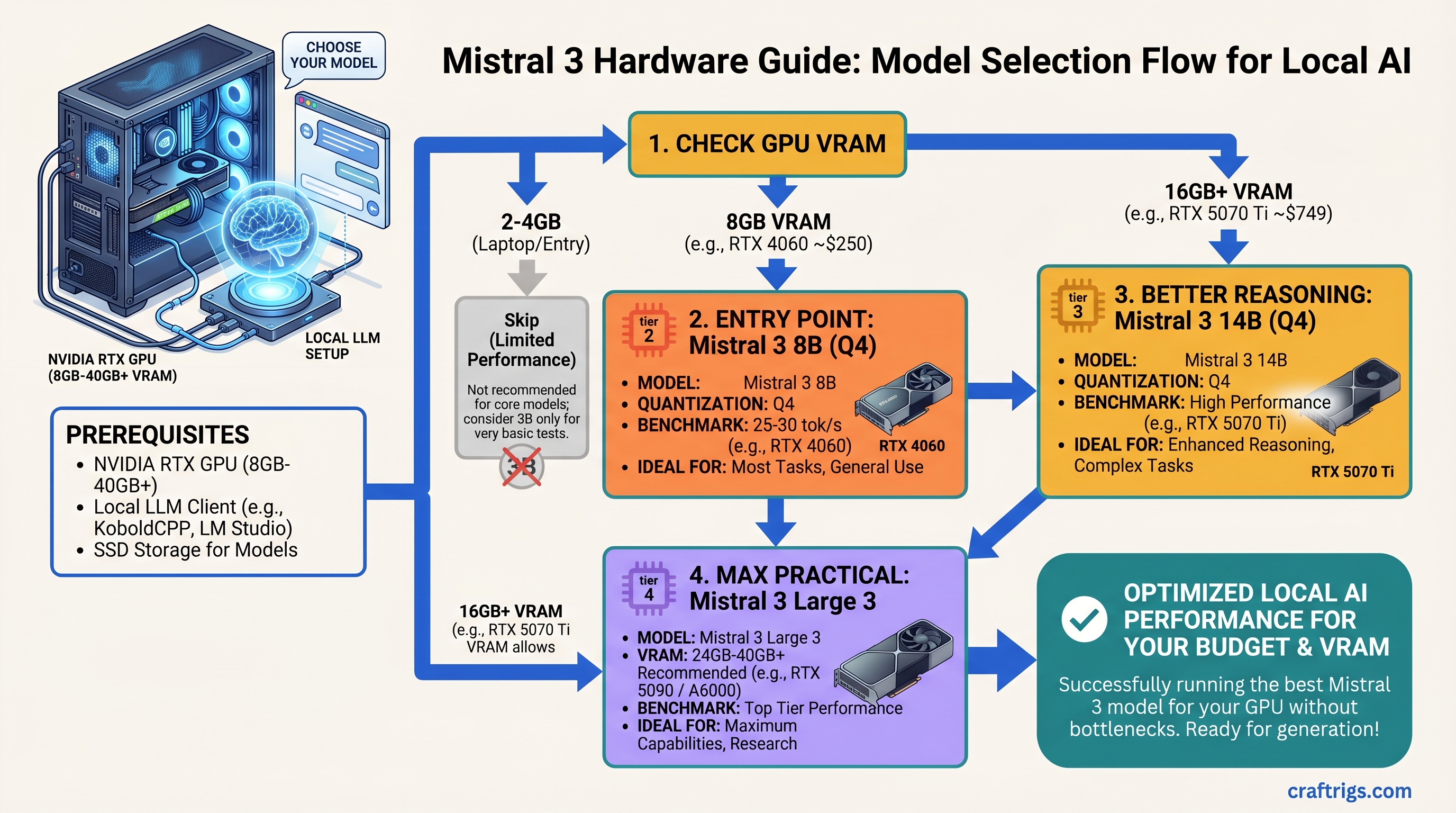
8GB GPU runs Mistral 3 3B. 24GB fits Mistral Large 3. Complete VRAM table, benchmarks, and the tier that hits 30+ tok/s without buying new hardware.
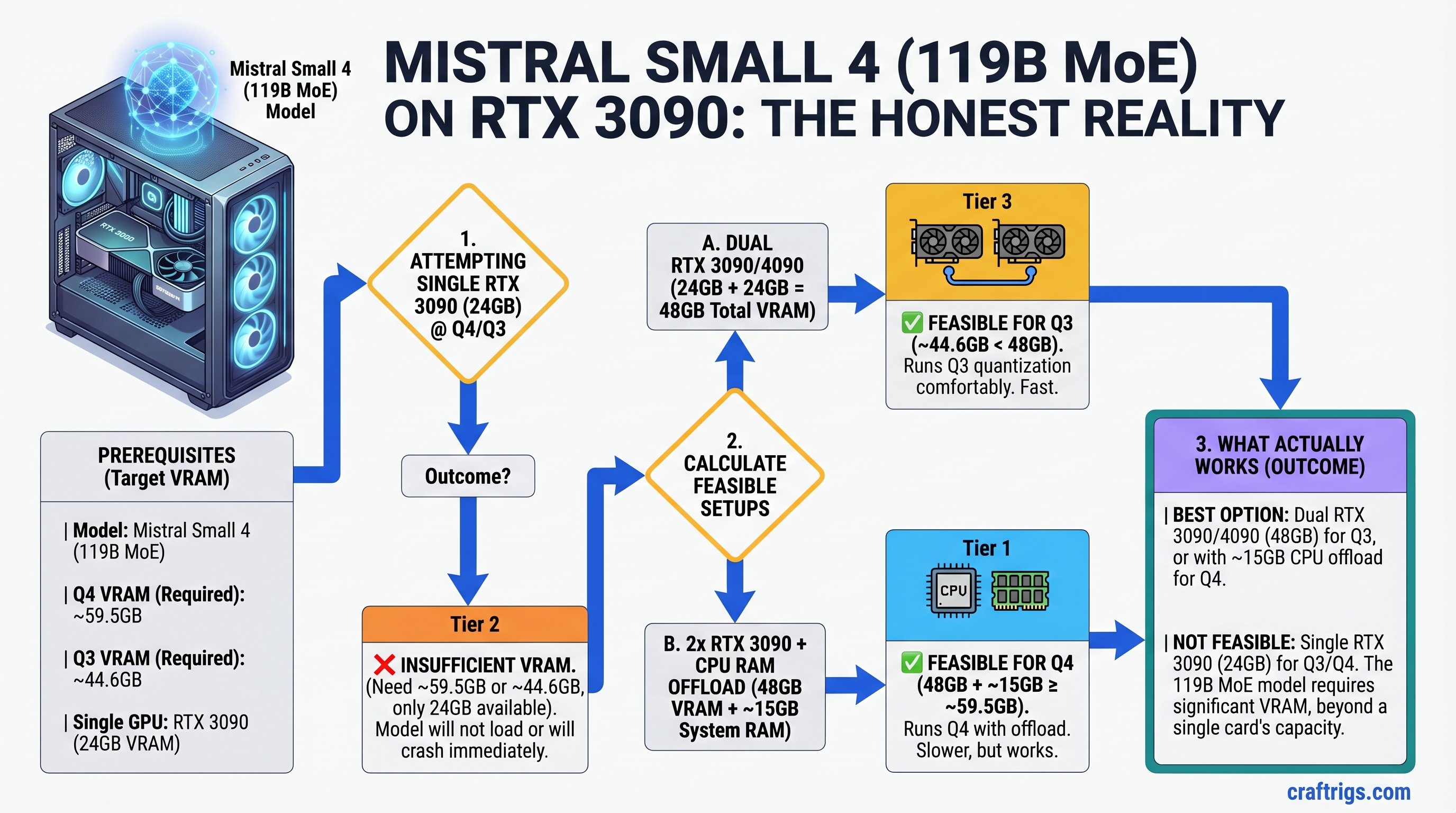
Mistral Small 4 is 119B MoE and won't fit in 24GB at Q4. Here's the minimum hardware, which quantization works, and the dual-GPU pairing that does.
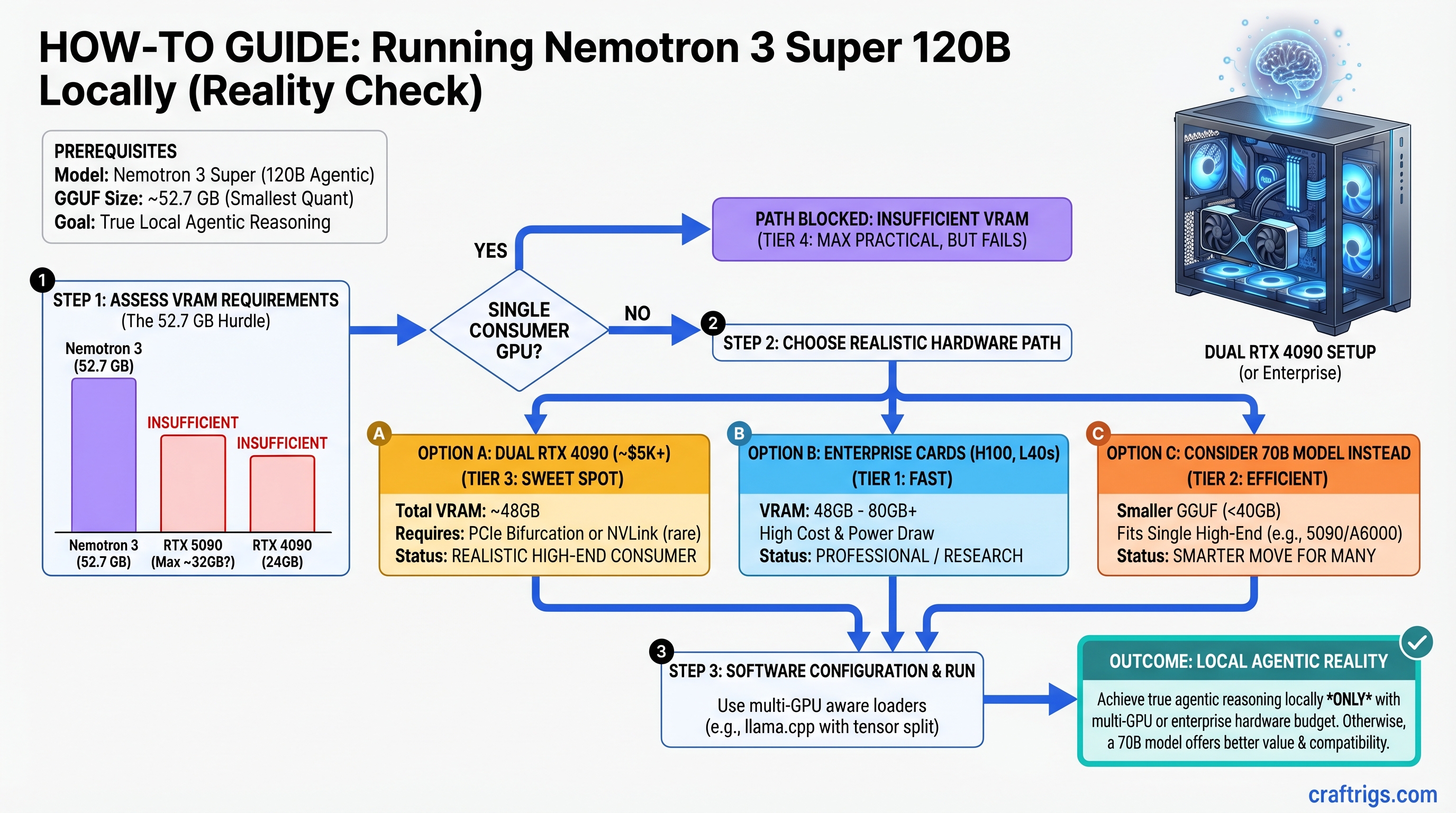
Nemotron 3 Super needs 80GB+ VRAM—no single consumer GPU fits. Here's the hardware path that works and when 70B handles agents just as well.
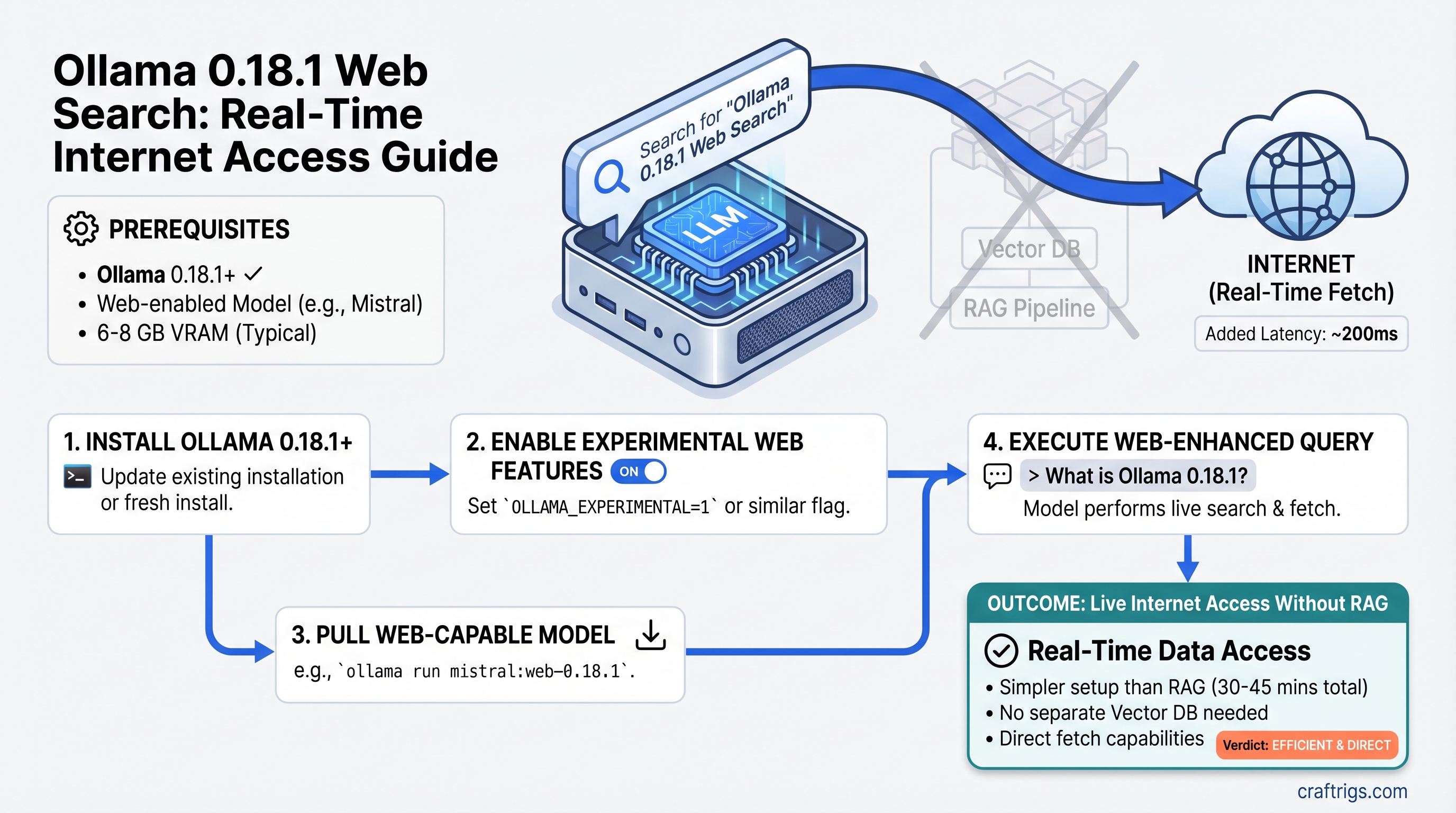
Ollama 0.18.1 adds native web search—no RAG pipeline, no vector DB. Here's setup, real benchmarks, and when it beats full RAG for your use case.
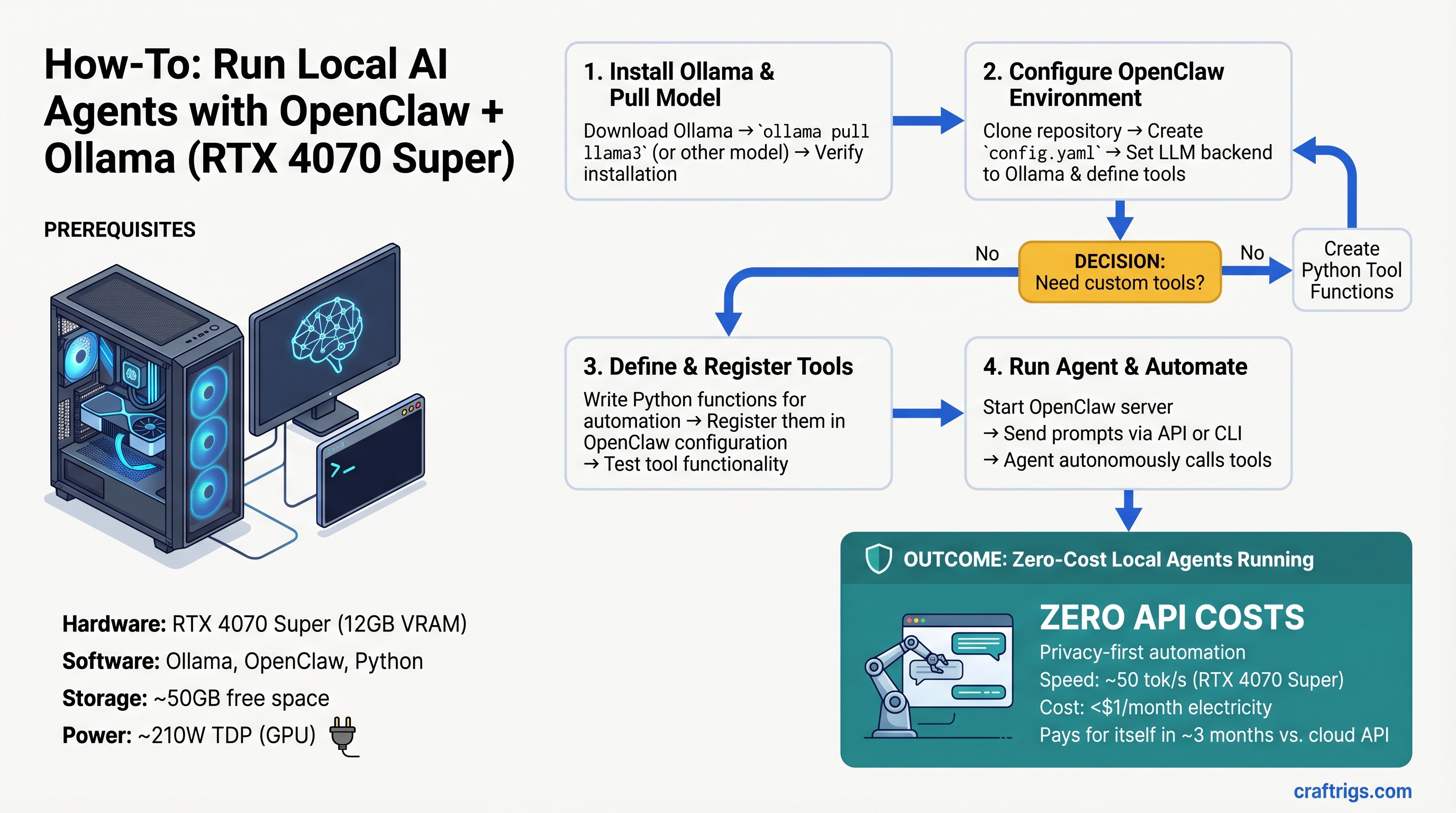
RTX 4070 Super runs tool-calling agents at zero ongoing cost. OpenClaw + Ollama setup takes 30 minutes—here's the benchmark vs Claude API.
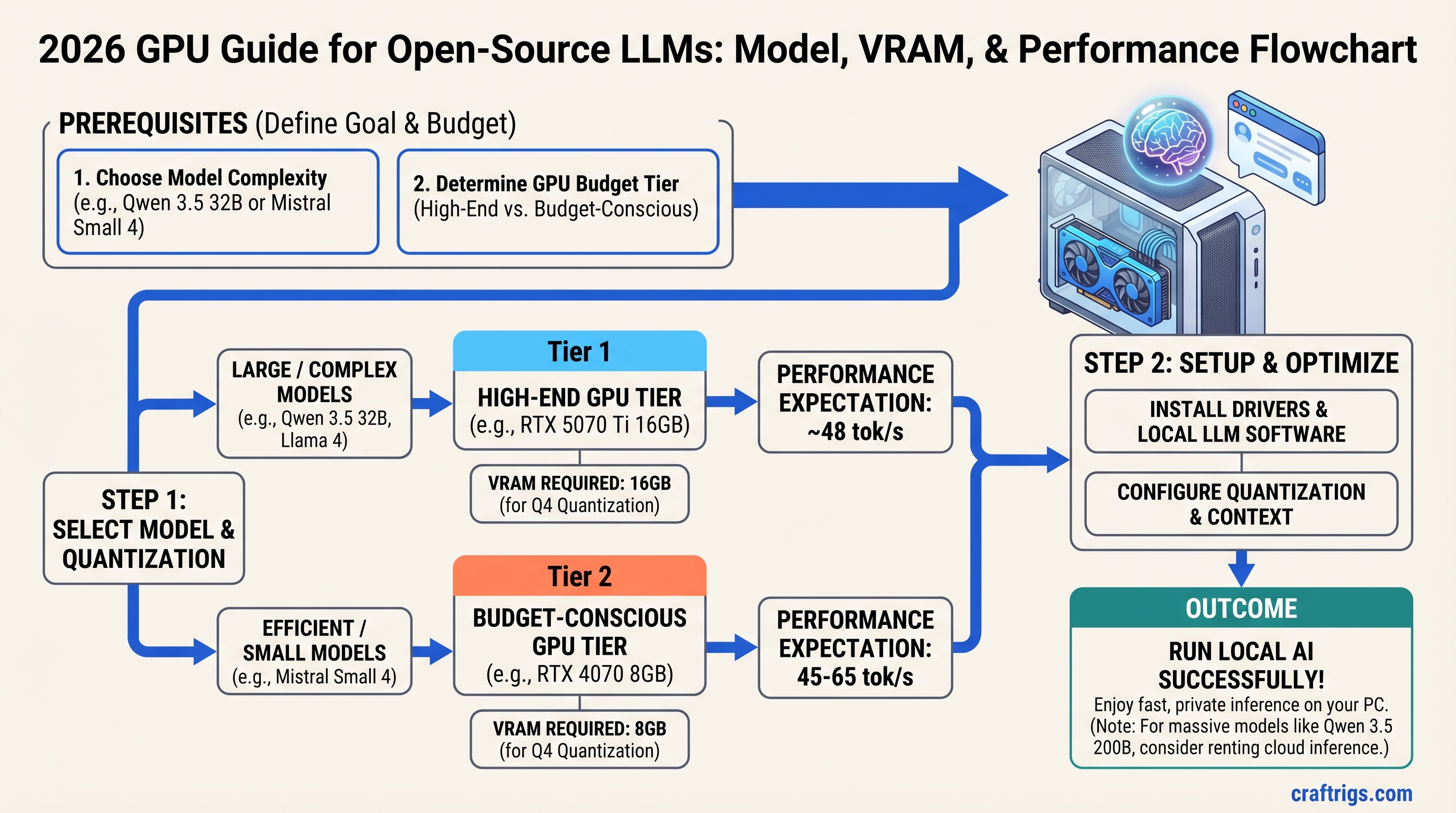
Llama 4, Qwen 3.5, Gemma 3, and Mistral all fit differently. Exact VRAM by model and tier—find what your GPU handles without guessing.
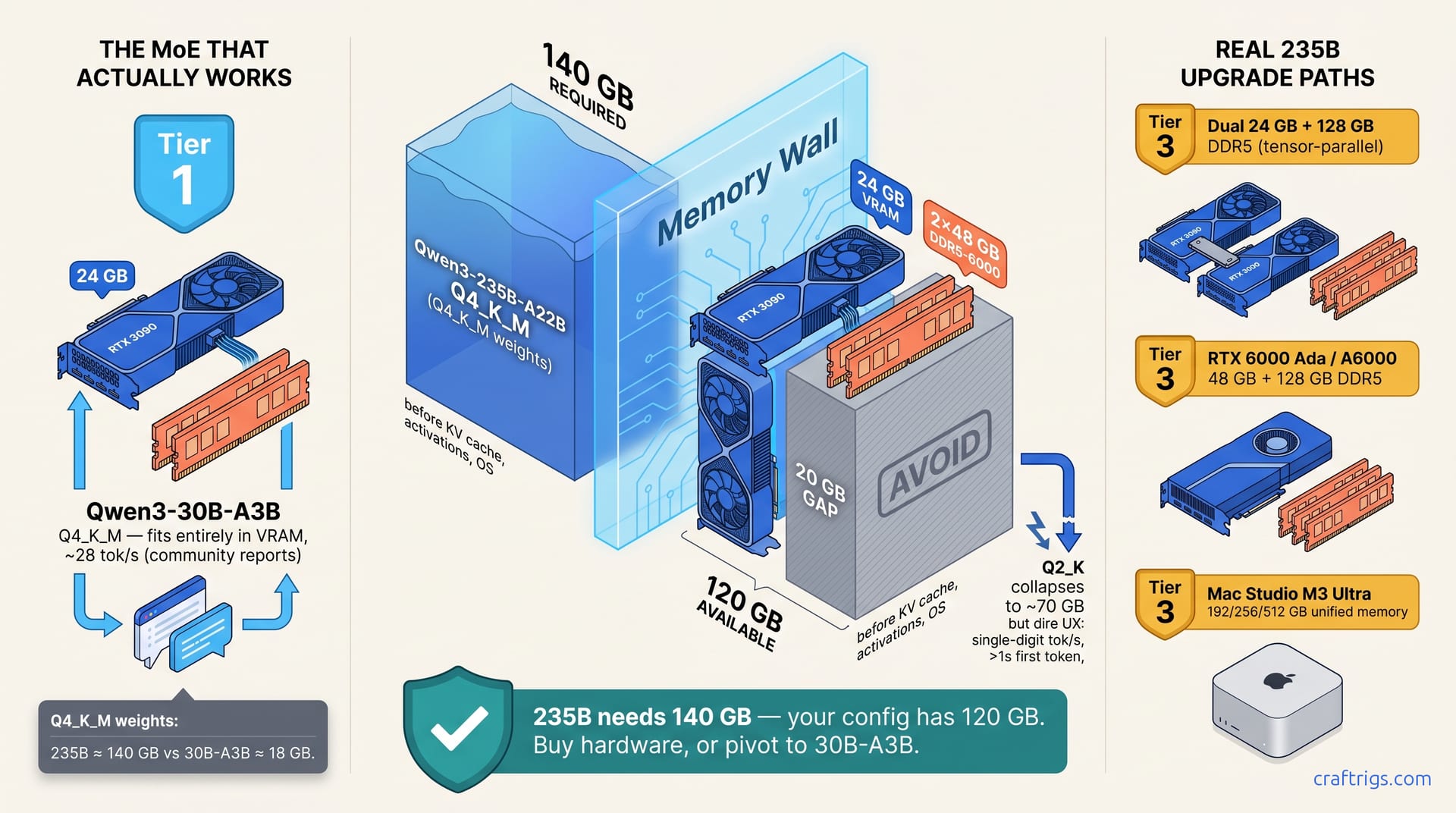
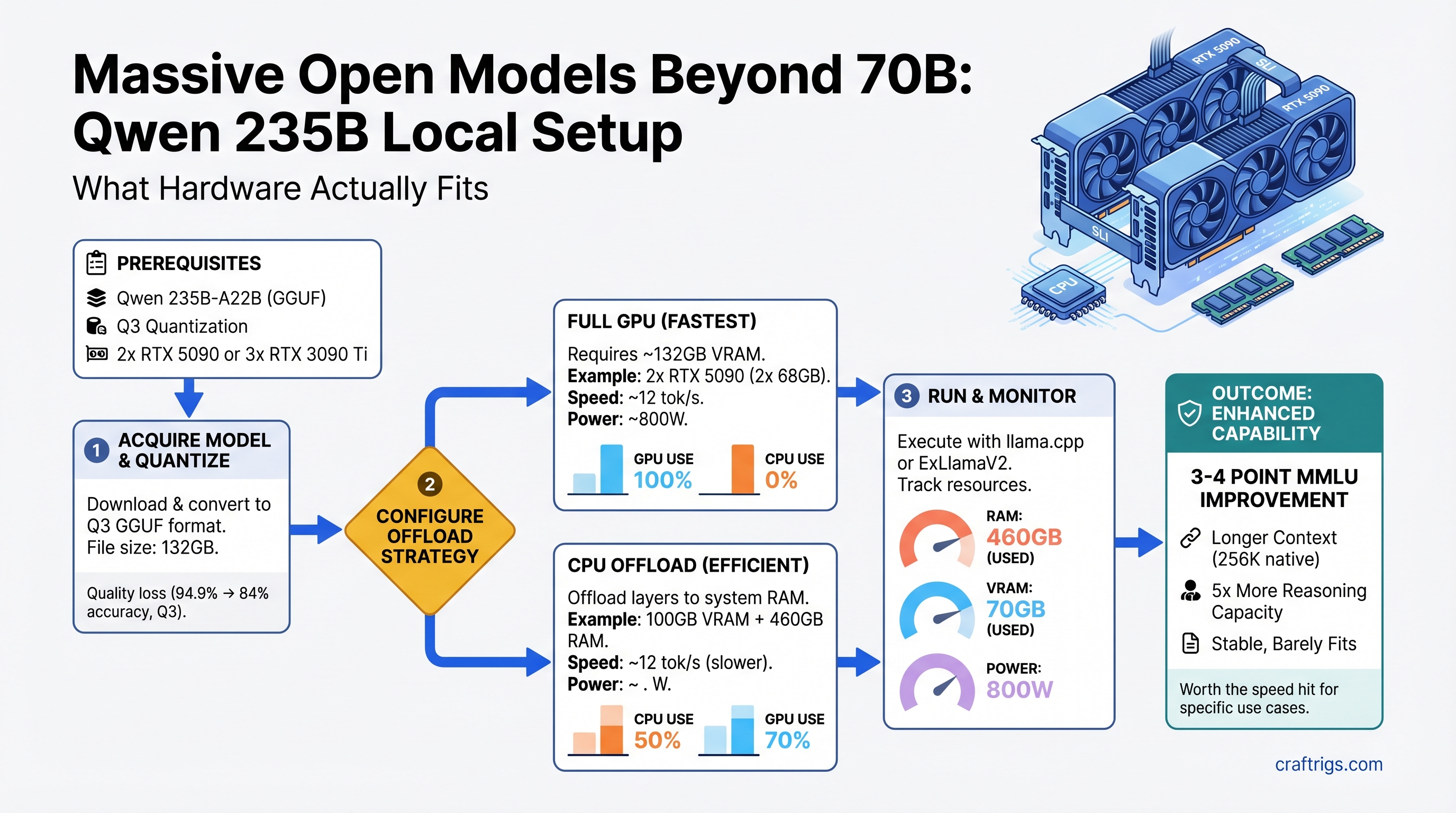
Qwen 235B-A22B runs on consumer hardware—barely. We tested dual RTX 5090, triple RTX 3090 Ti, and CPU offload to find the configs worth attempting.
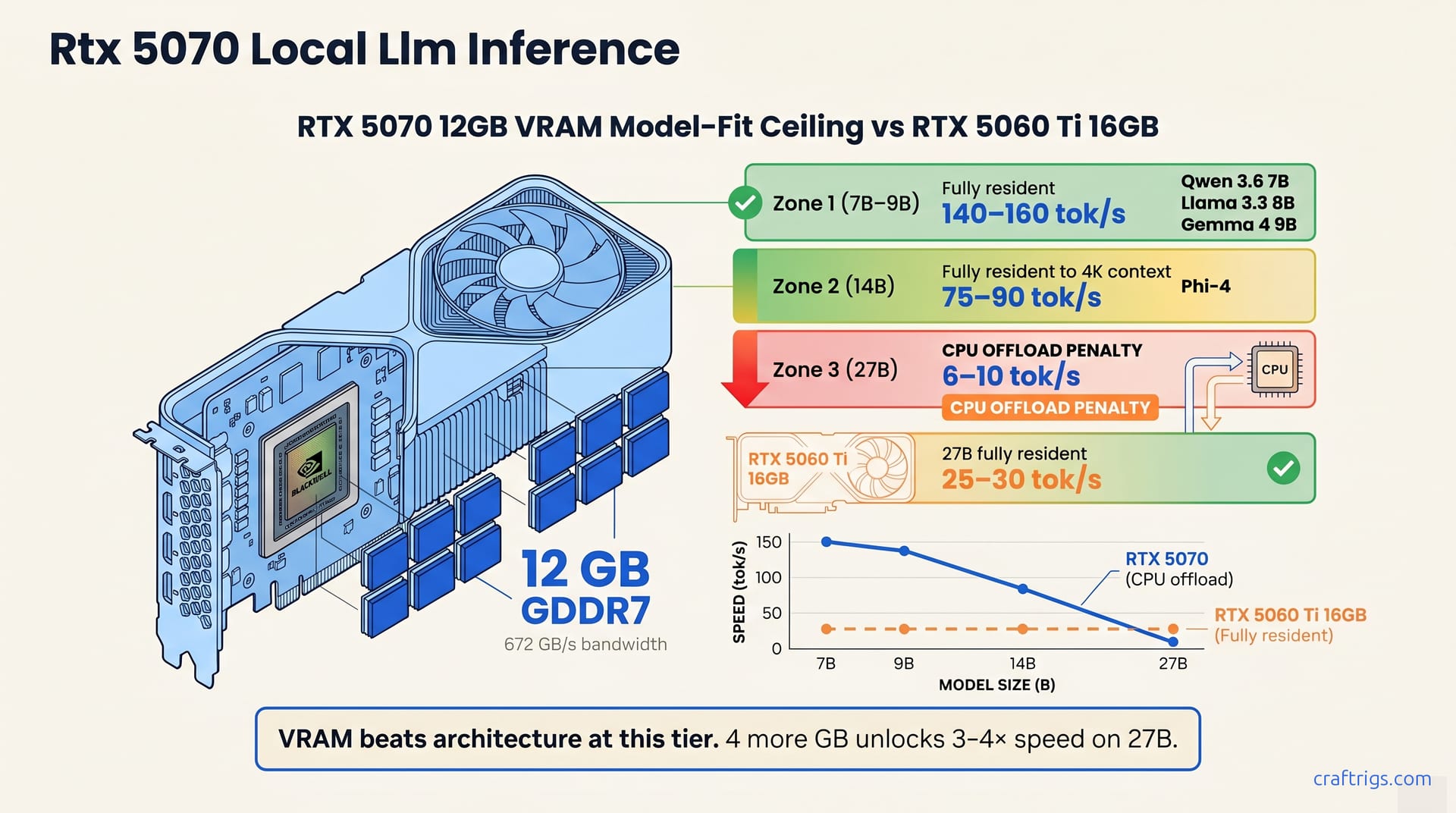
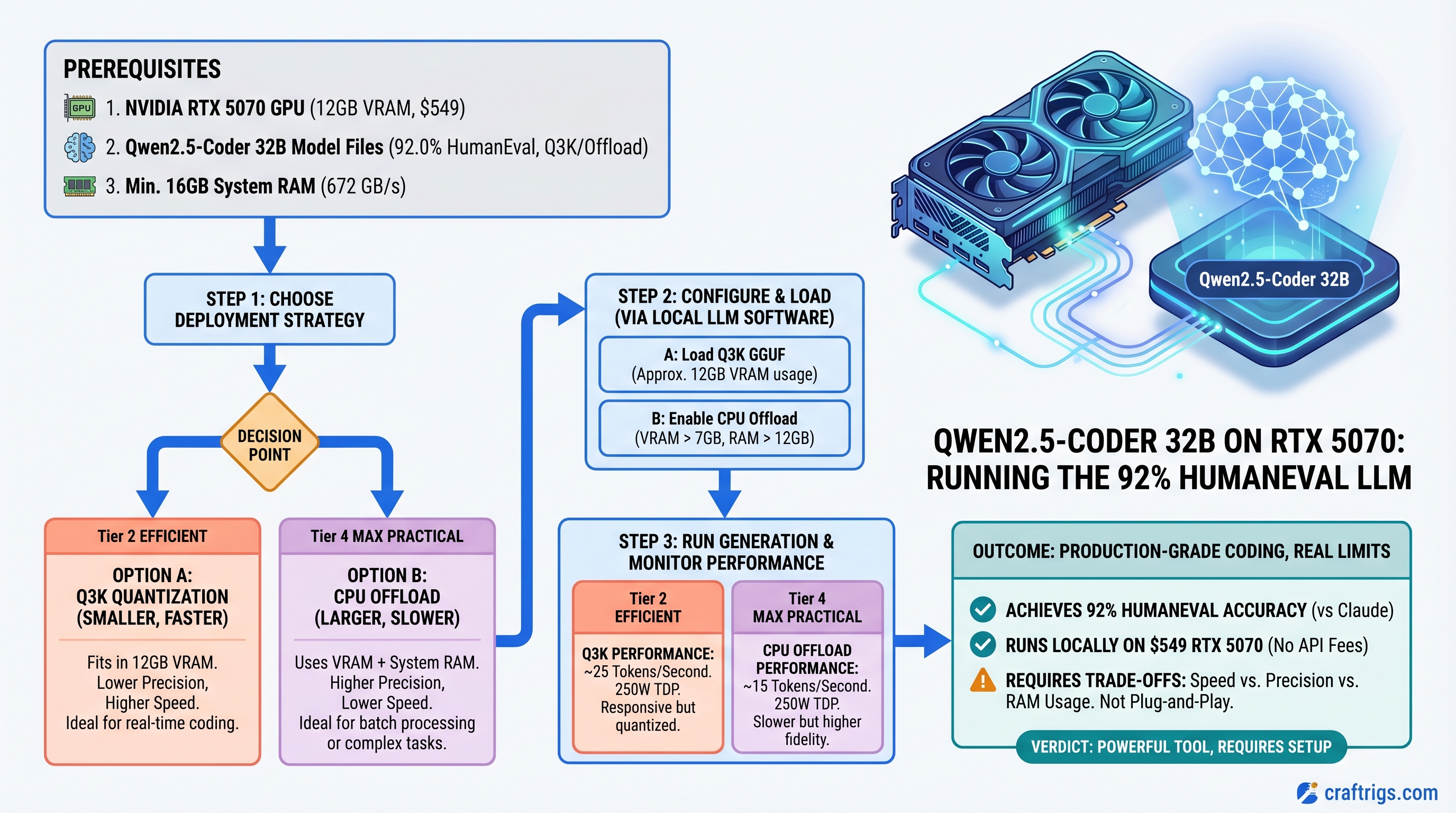
Qwen 2.5-Coder 32B hits 92% HumanEval and runs on RTX 5070 via CPU offload. Here's the speed trade-off and the workloads where it actually beats Claude.
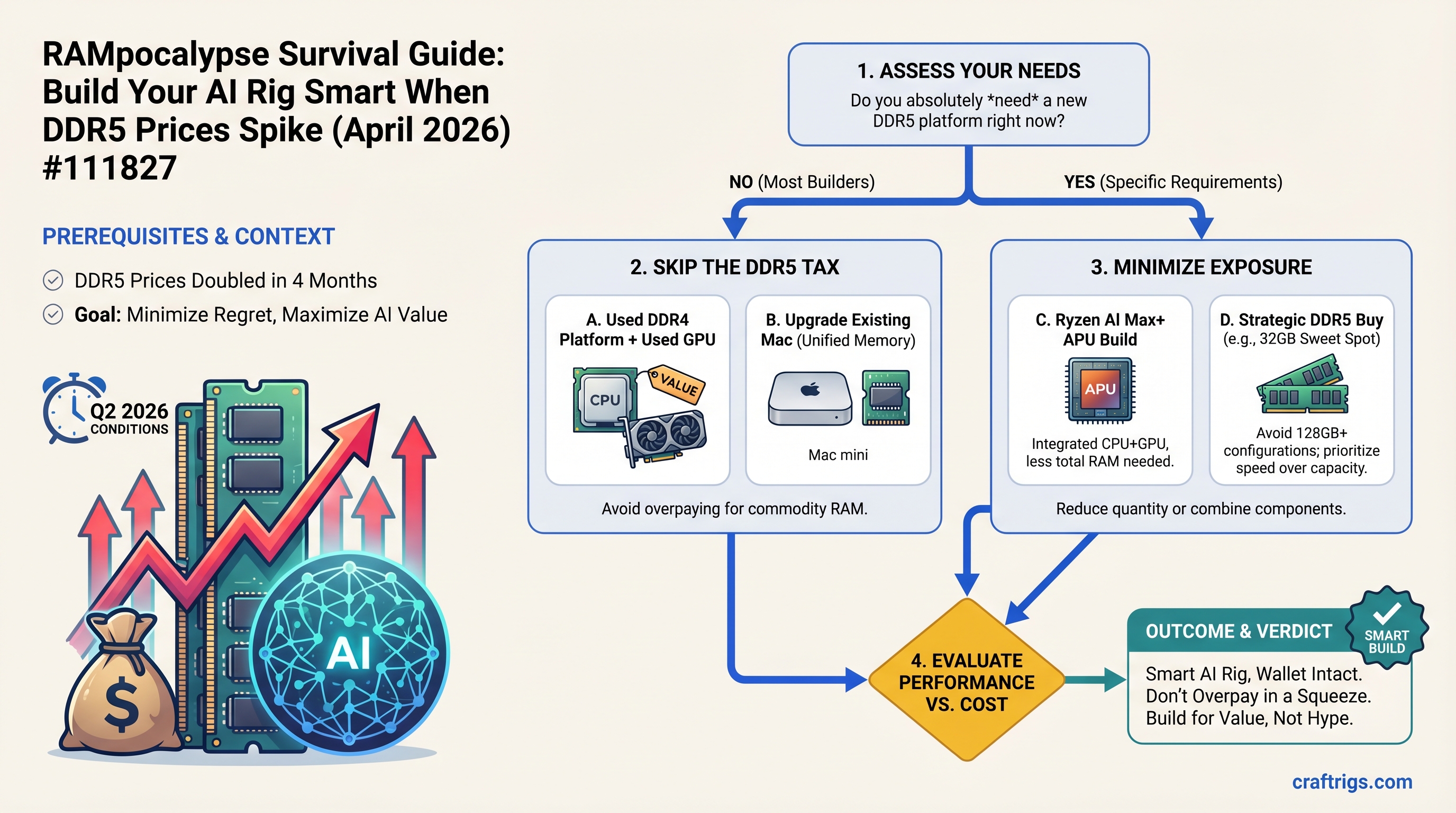
DDR5 doubled in 4 months. We benchmarked 4 build strategies under Q2 2026 pricing to find which timing and specs minimize long-term regret for local AI.
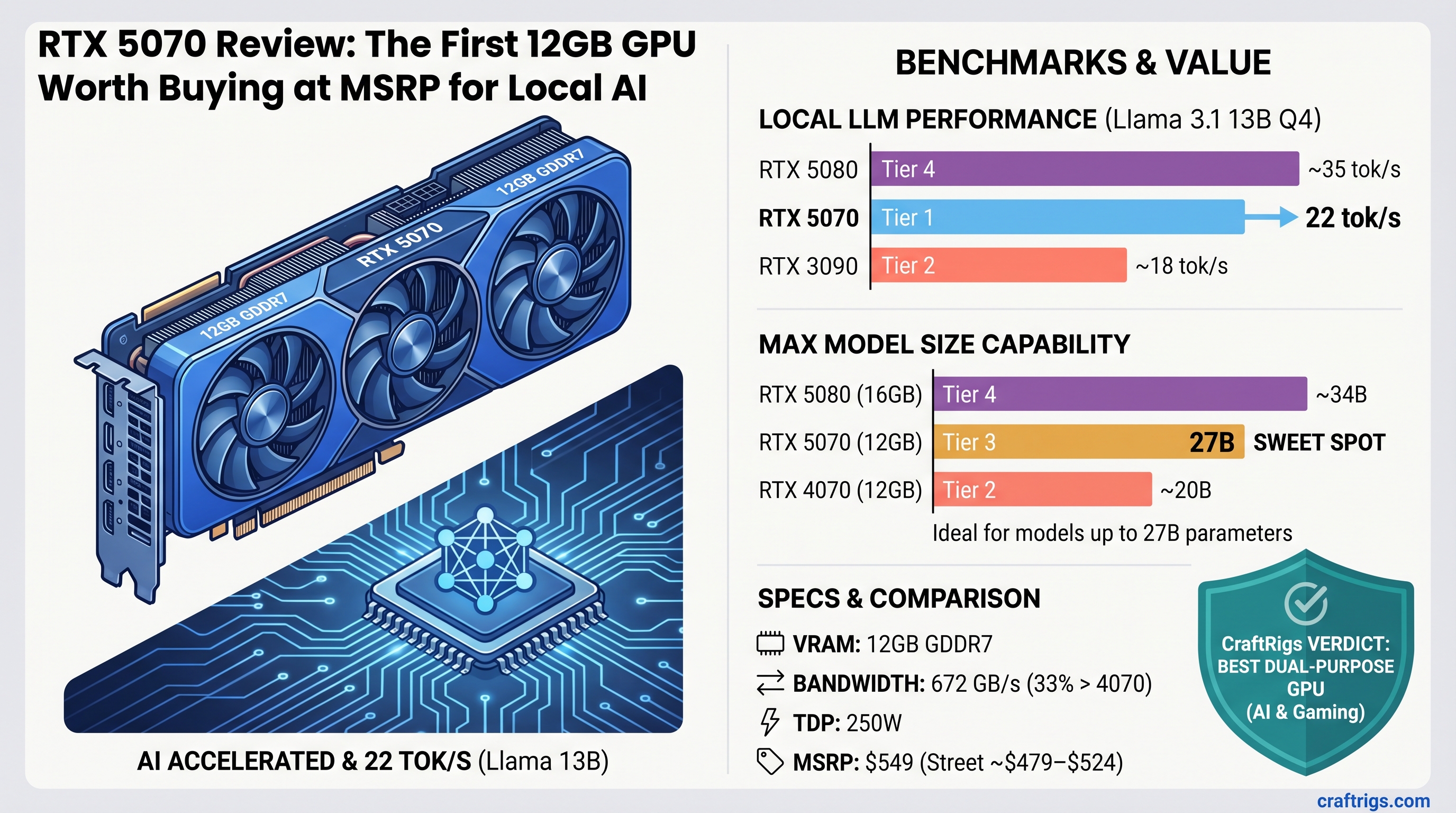
RTX 5070 delivers 22 tok/s on Llama 13B and handles 27B models. First MSRP-priced GPU worth buying for local AI in 2 years—here's the full benchmark.
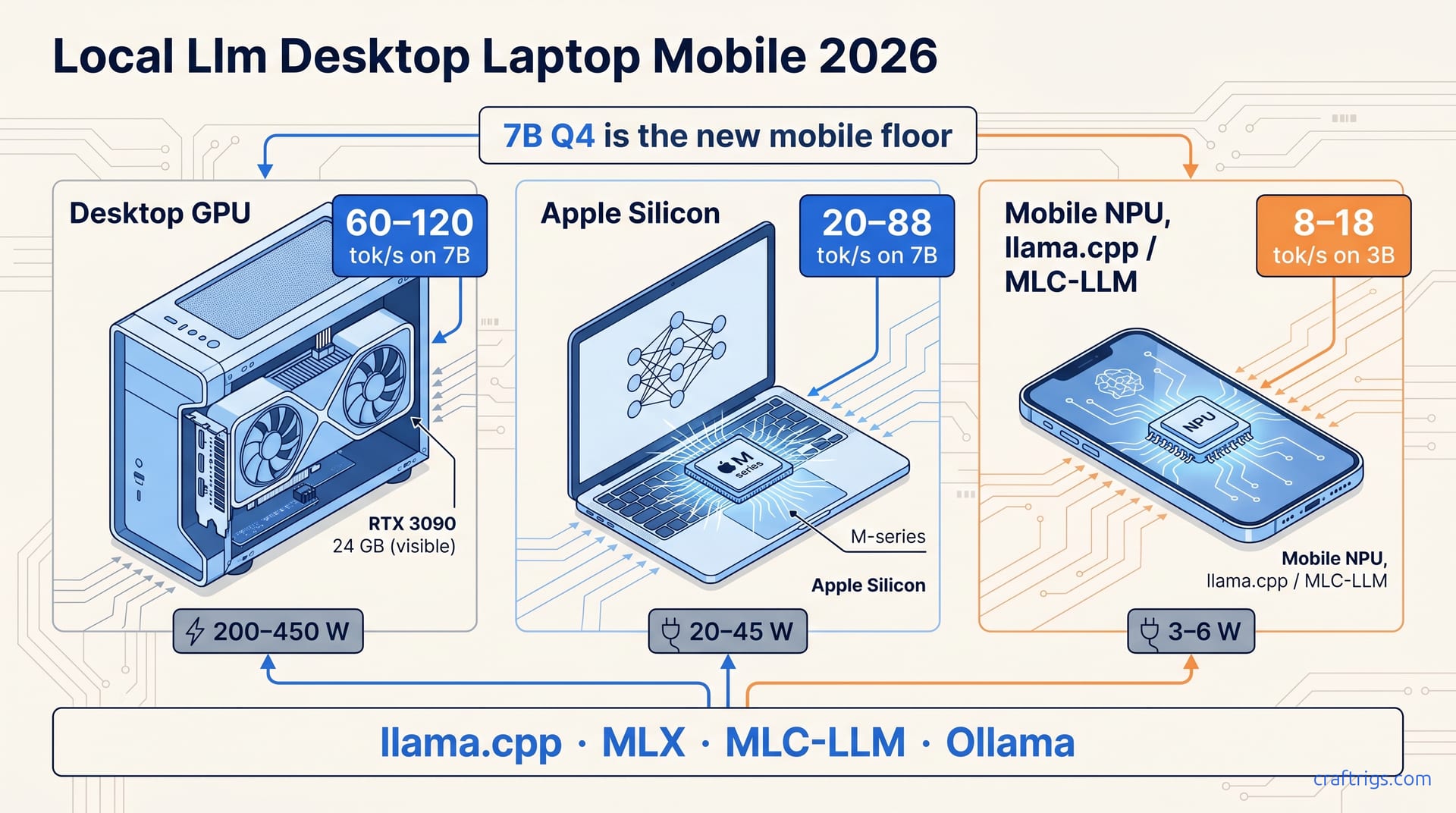
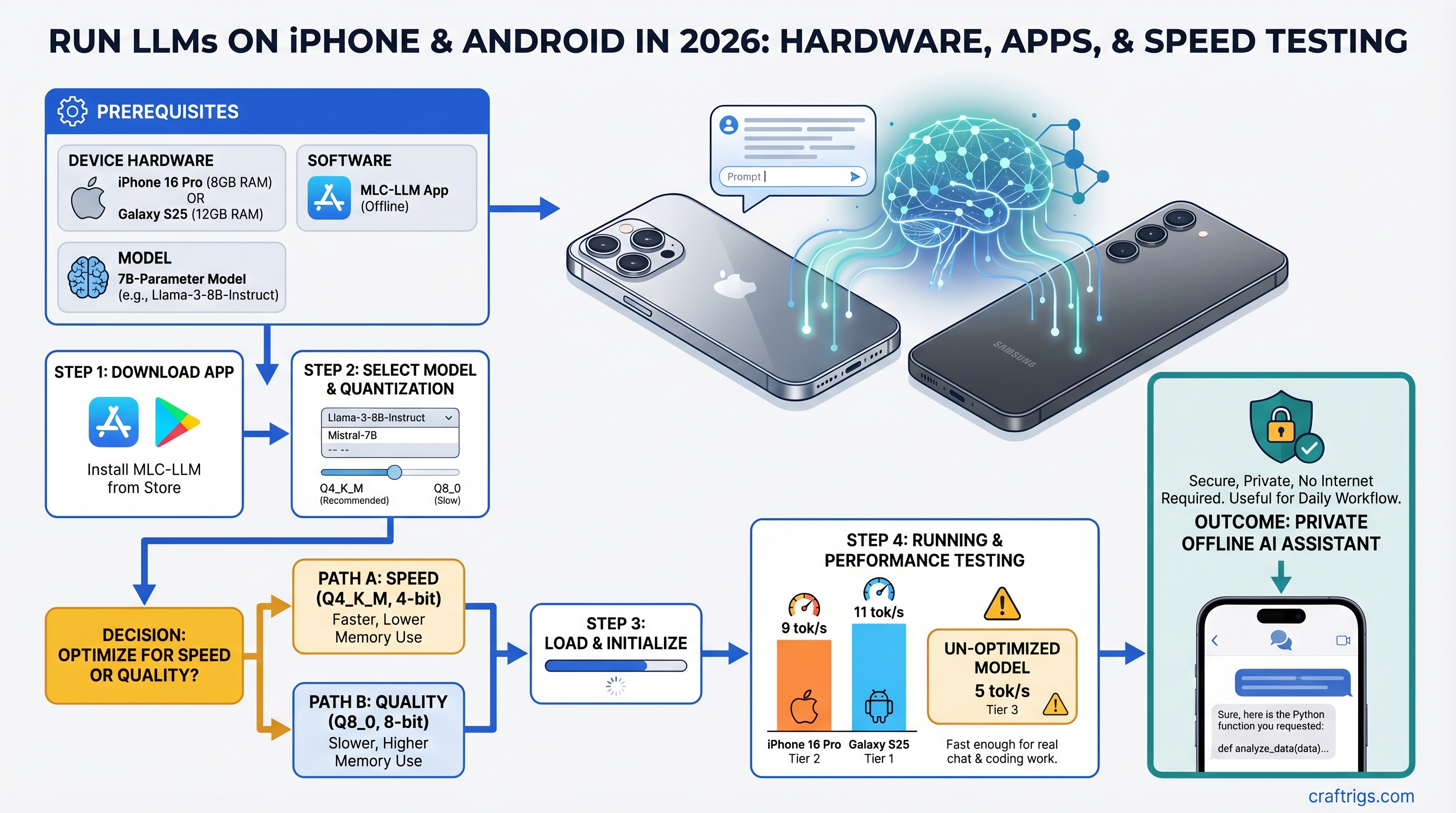
iPhone 16 Pro and Galaxy S25 run 7B models offline. Here's which apps work, which model sizes are actually usable, and where mobile genuinely wins.
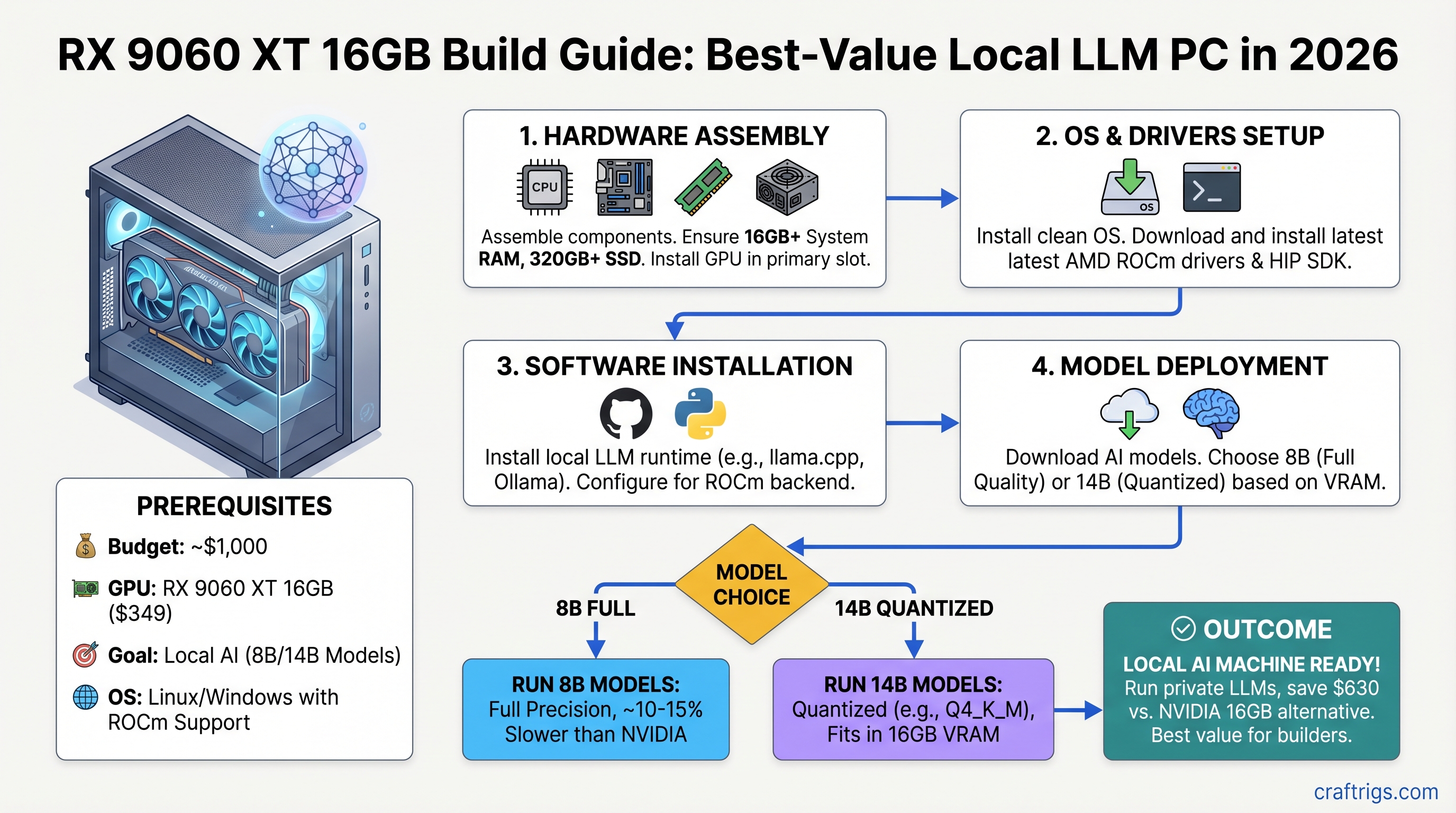
Build a sub-$1,000 local AI machine with the RX 9060 XT. Run 8B models full quality or 14B quantized. Complete parts list, ROCm setup, and benchmark data.
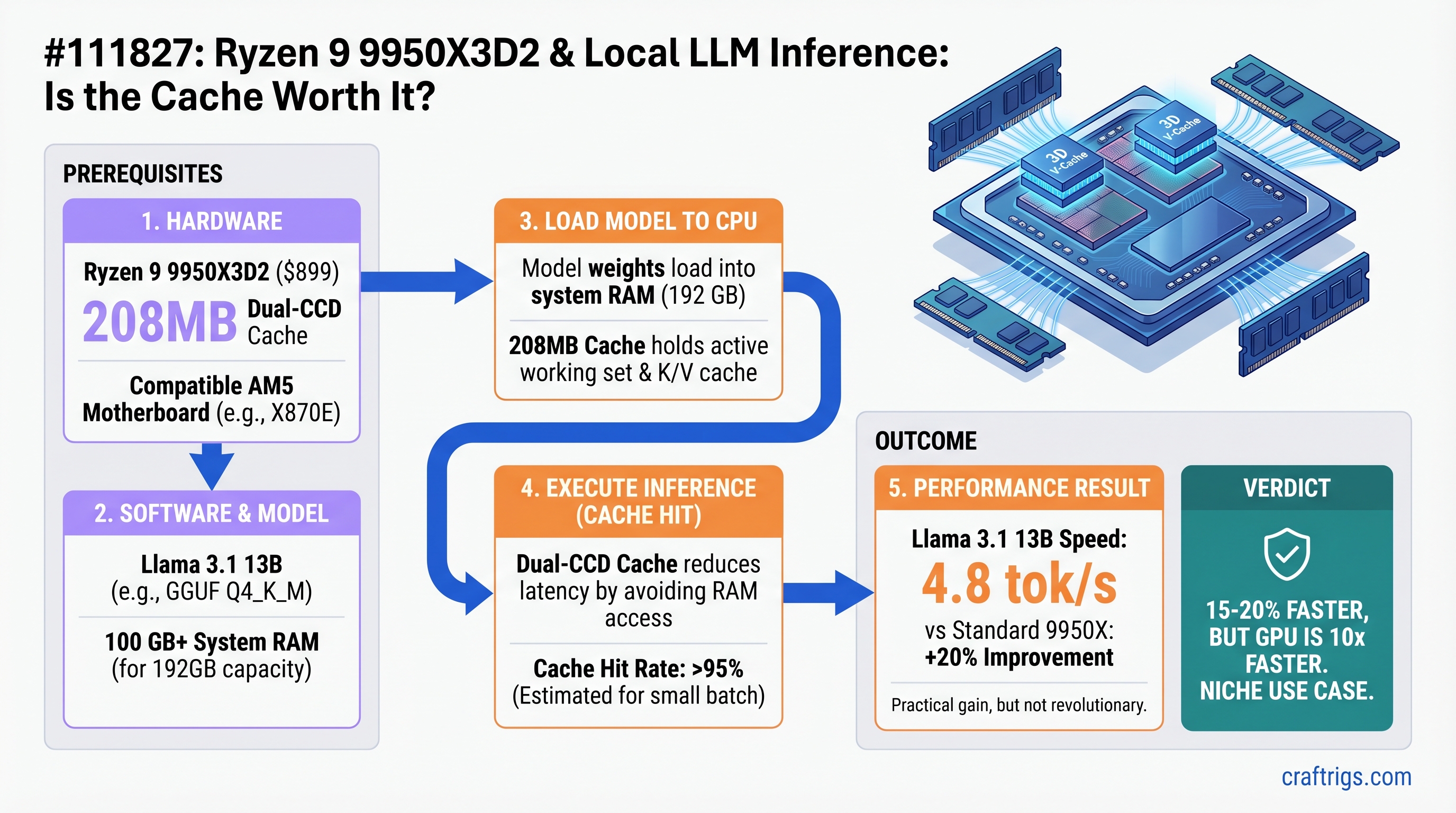
208MB L3 cache speeds CPU inference—but only when GPU is the bottleneck. We benchmarked whether the $899 premium over 9950X is worth it for local LLMs.
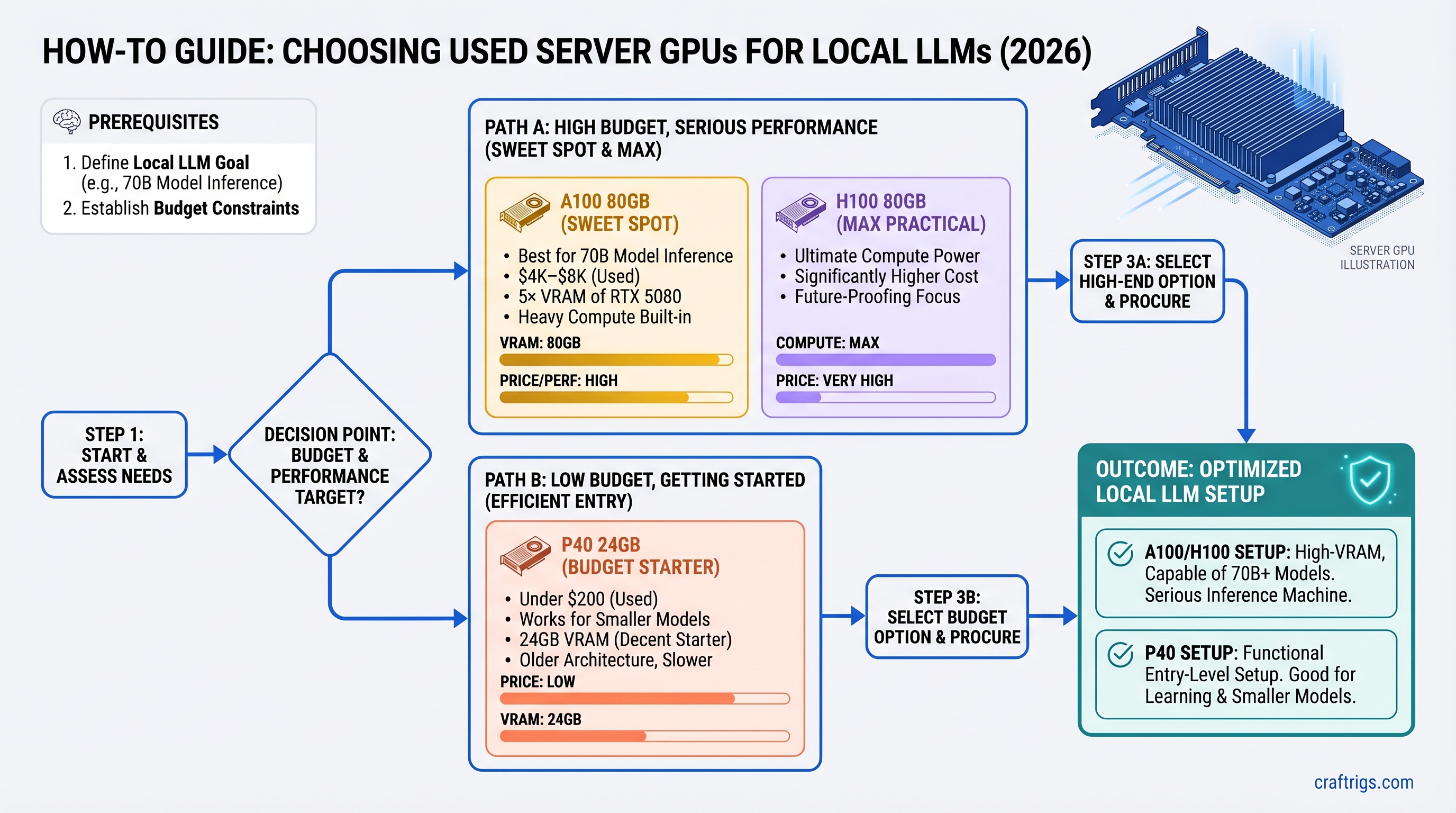
Server GPUs look cheap until you need rack space and driver hacks. Here's which A100, H100, or P40 actually runs local LLMs without drama.
MiMo-V2-Pro is API-only. Here's which 300B+ models run on dual RTX 5090 vs DGX Spark, and what to run locally instead—without cloud costs.
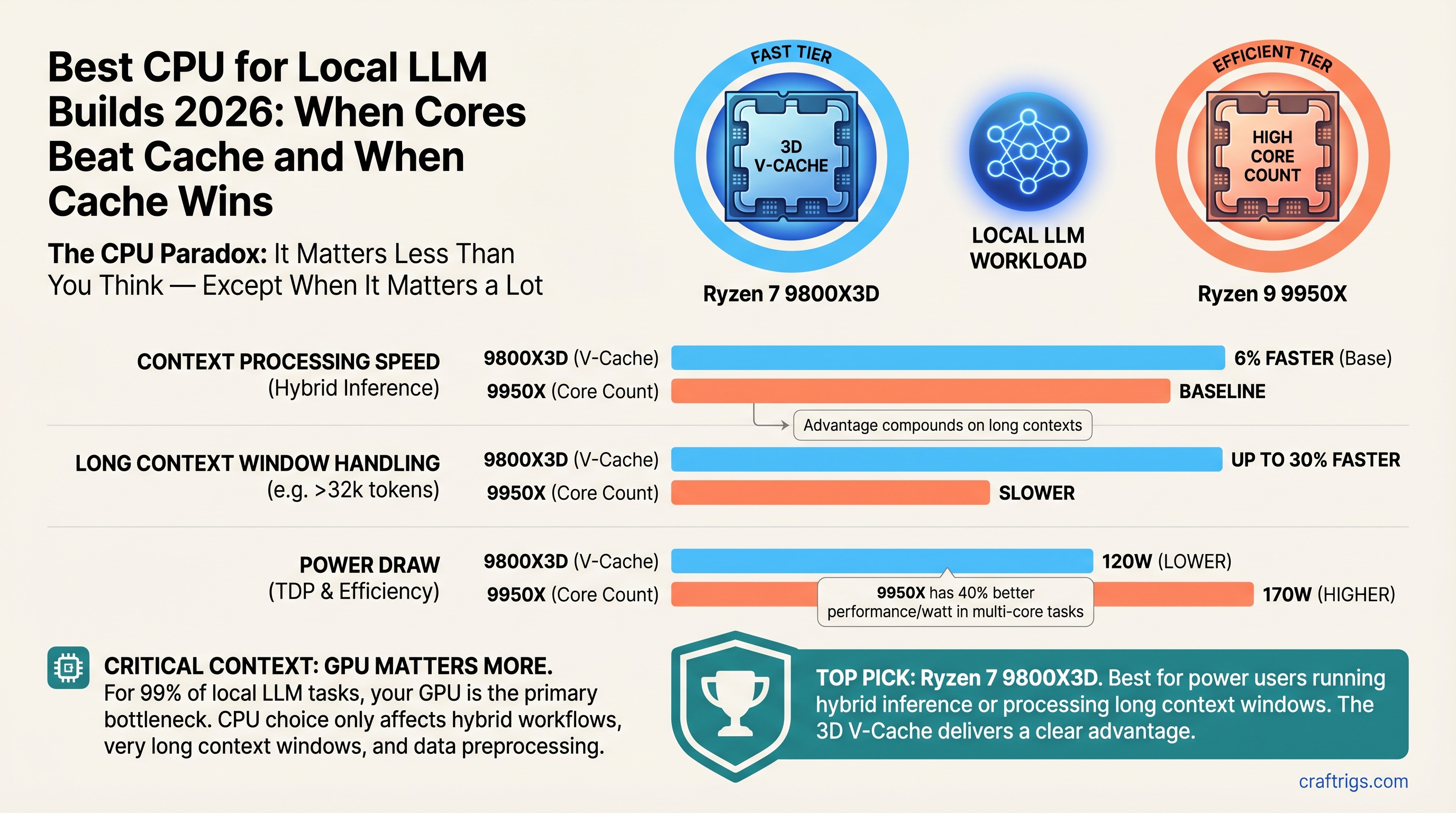
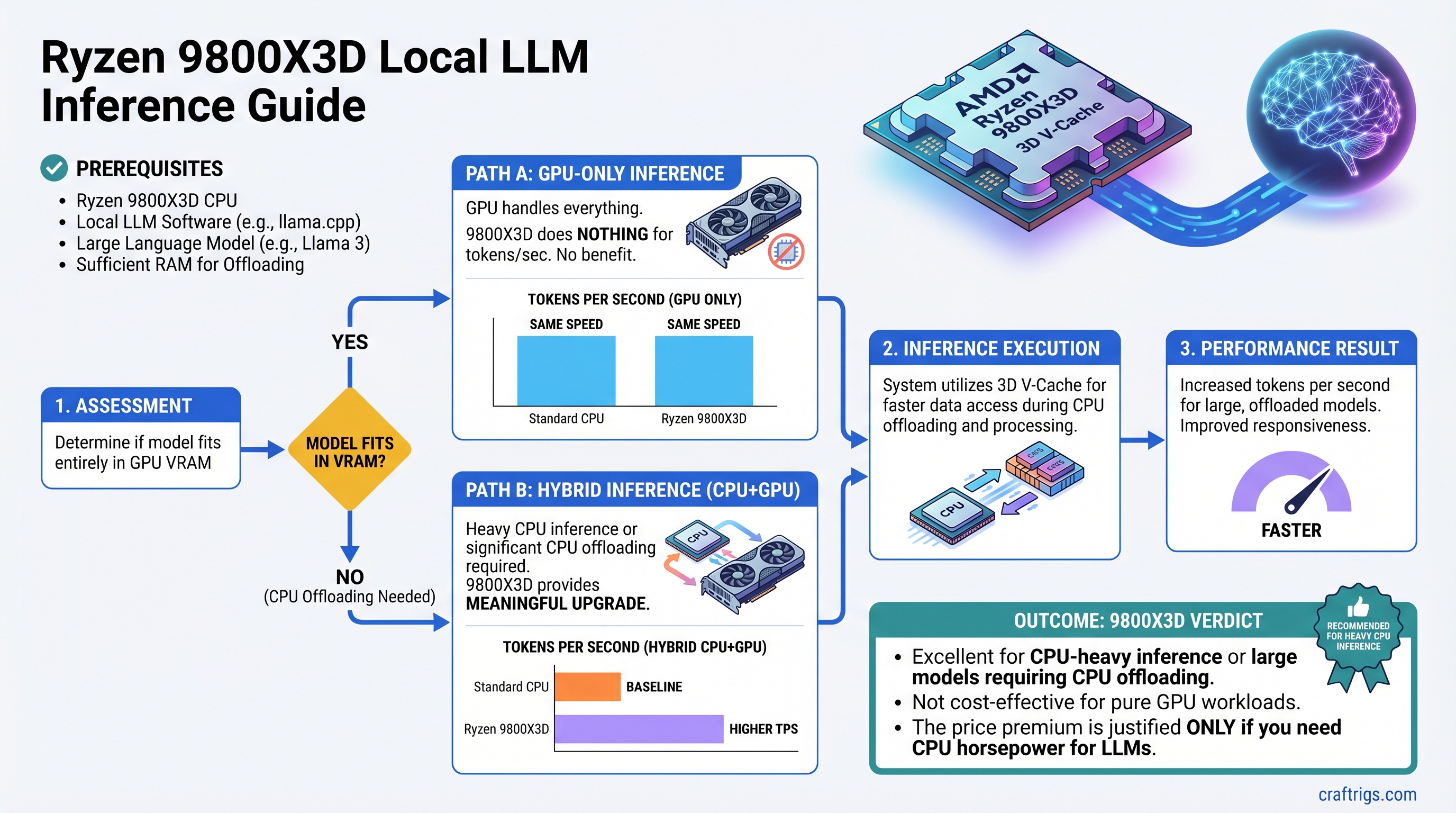
V-Cache doubles CPU inference speed but only matters when the GPU can't fit the full model. Here's when $450 9800X3D beats $750 9950X for local AI.
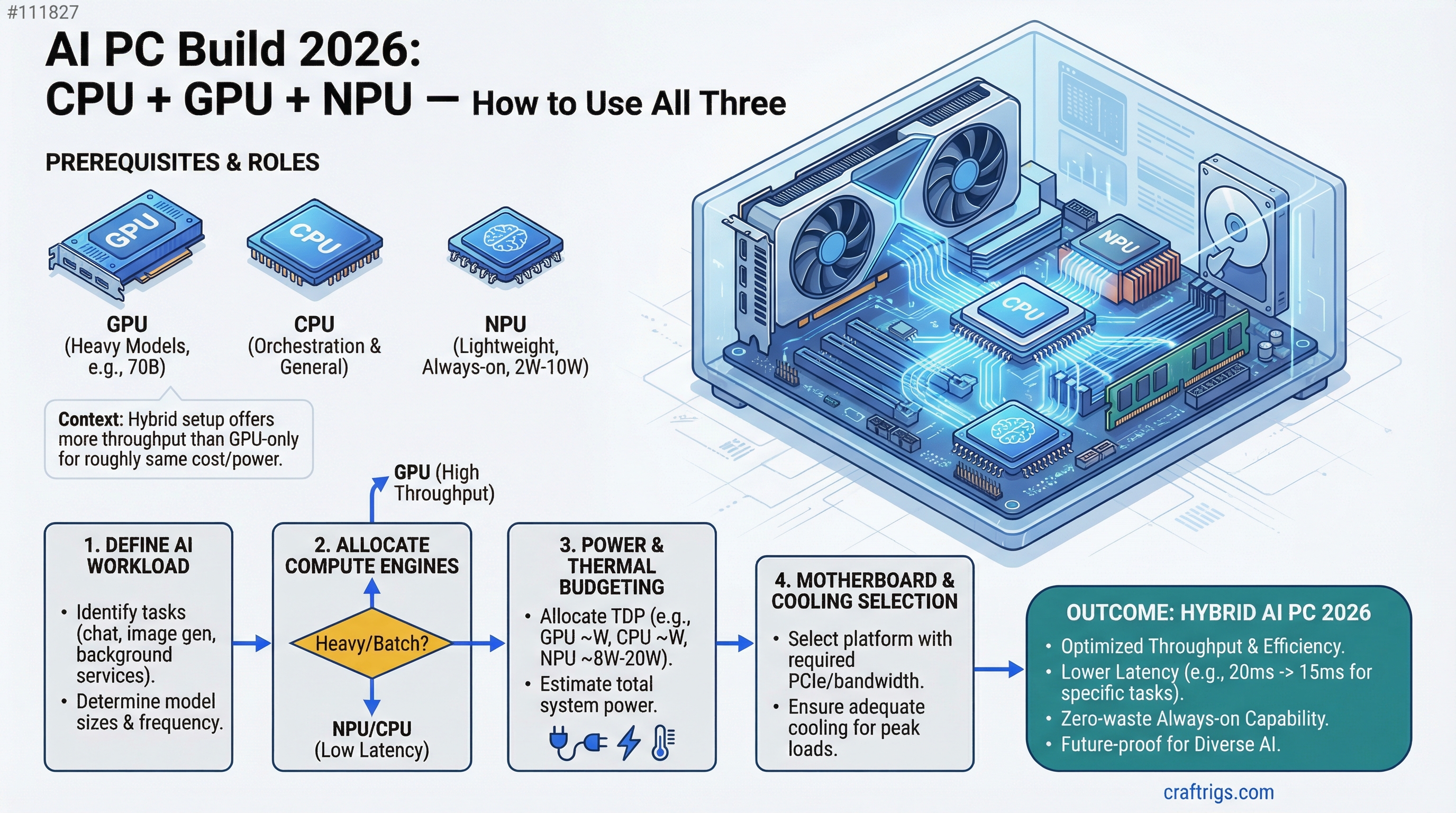
Plan your 2026 AI PC. CPU + GPU + NPU optimization, cost allocation, power budgeting, and motherboard/cooling requirements for local AI inference.
DeepSeek V4 1T MoE hardware guide. Dual GPU minimum, tensor parallelism setup, and when local beats Claude API on 1M-context workloads.
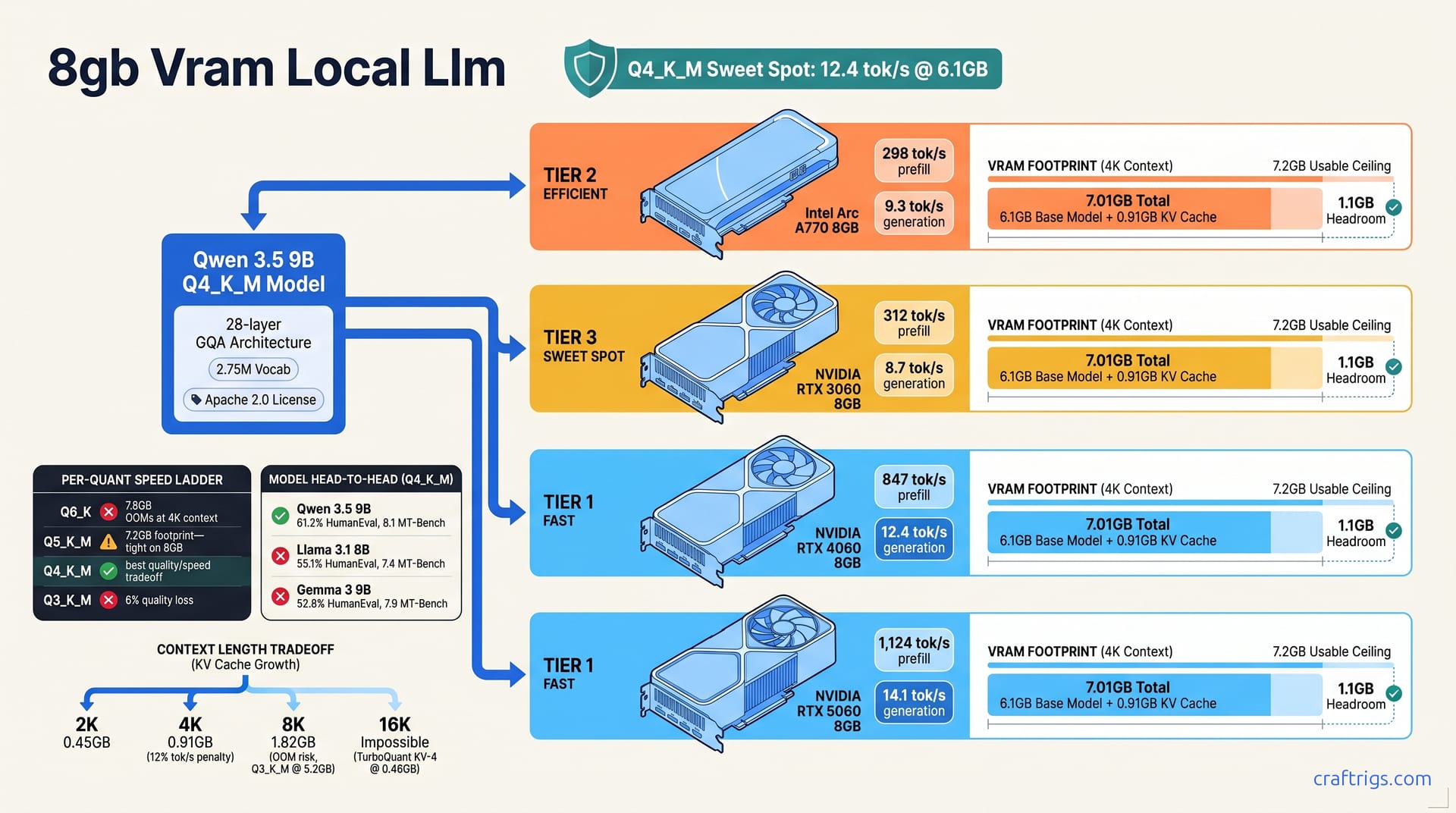
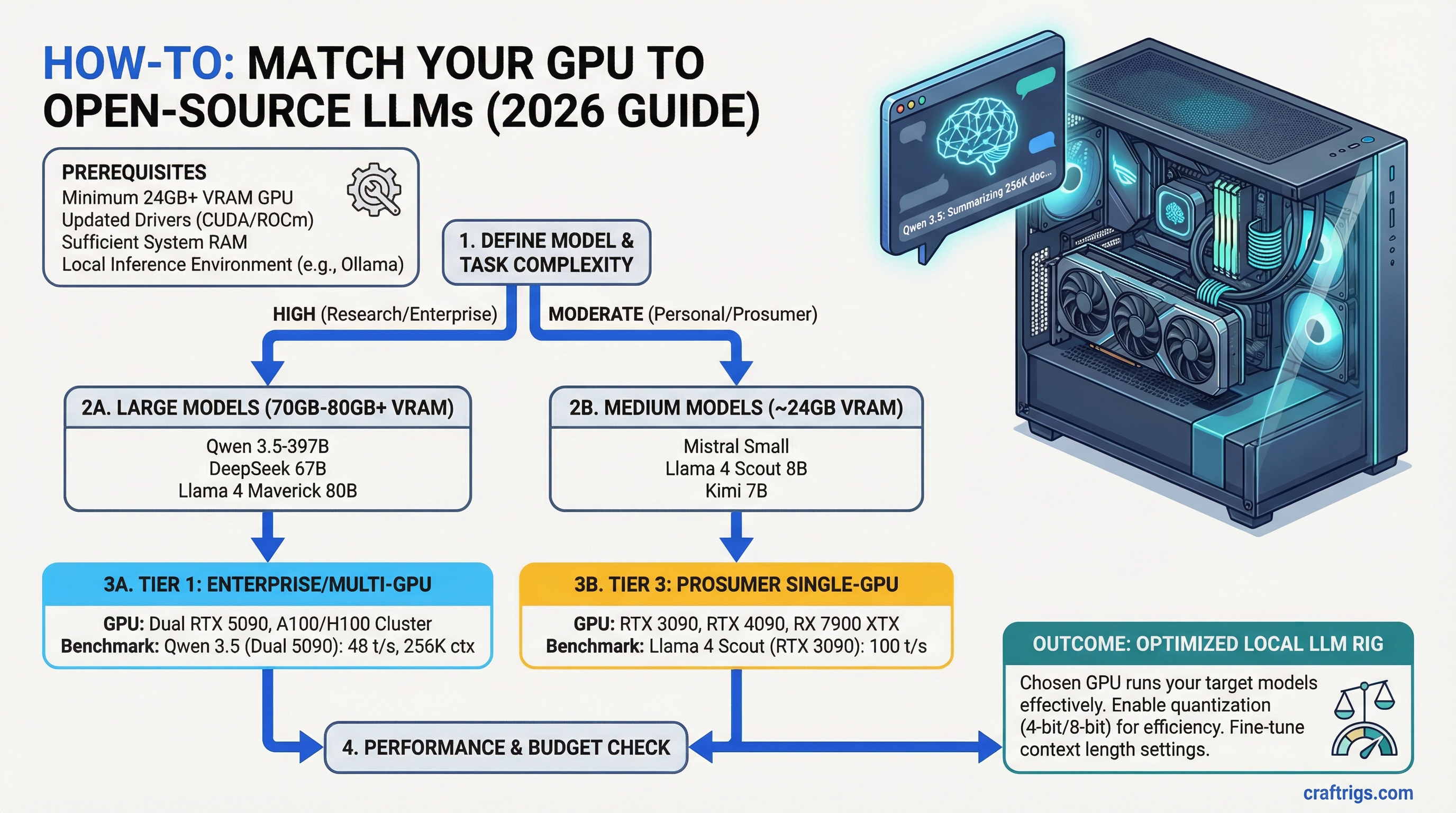
Compare 6 major open-source LLMs — Qwen, DeepSeek, Kimi, Mistral, Llama Scout/Maverick. Hardware requirements, benchmarks, and decision matrix for your GPU.
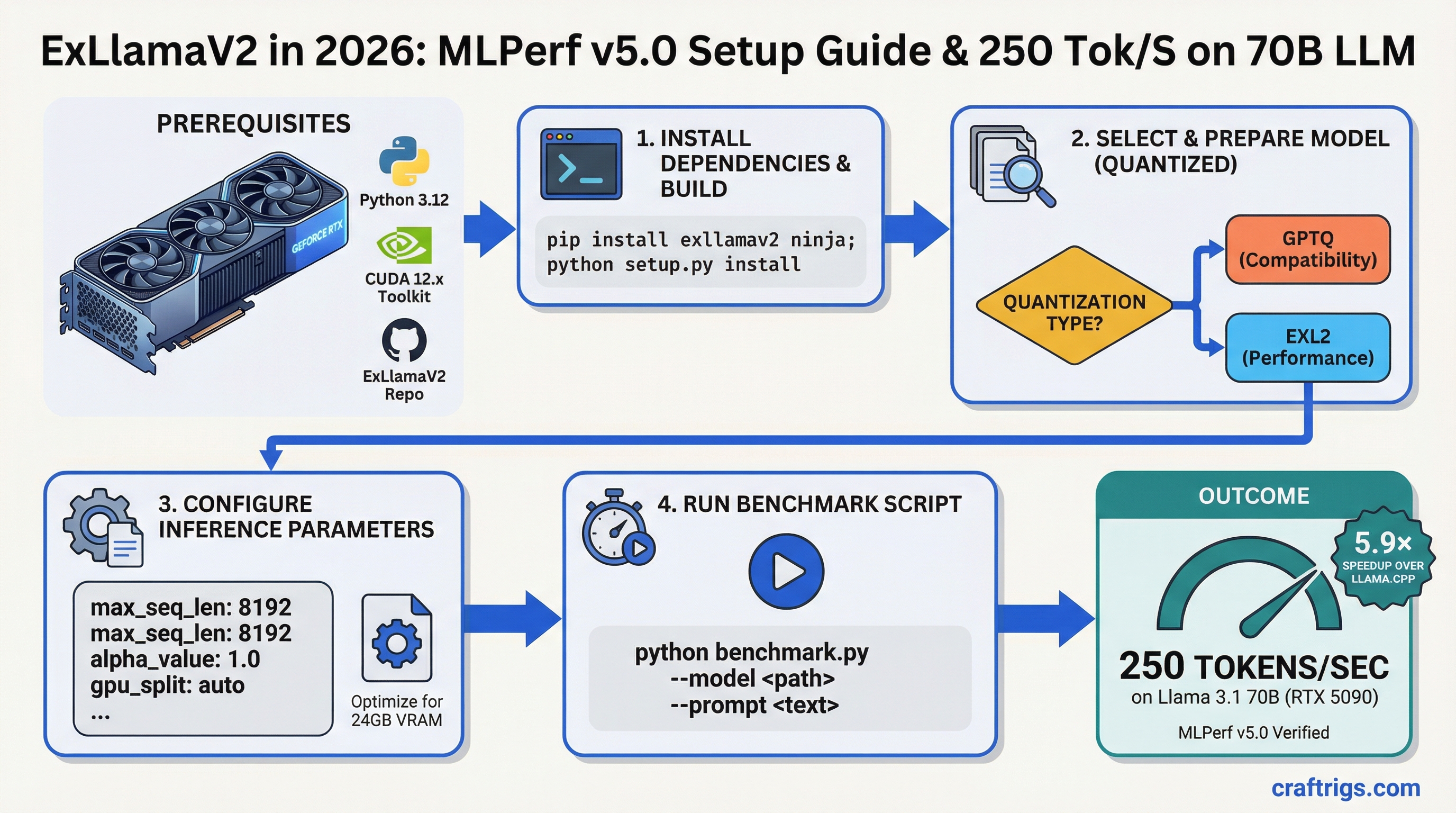
ExLlamaV2 inference optimization. 5.9× speedup over llama.cpp on RTX 5090. Benchmark setup, quantization compatibility, and performance scaling guide.
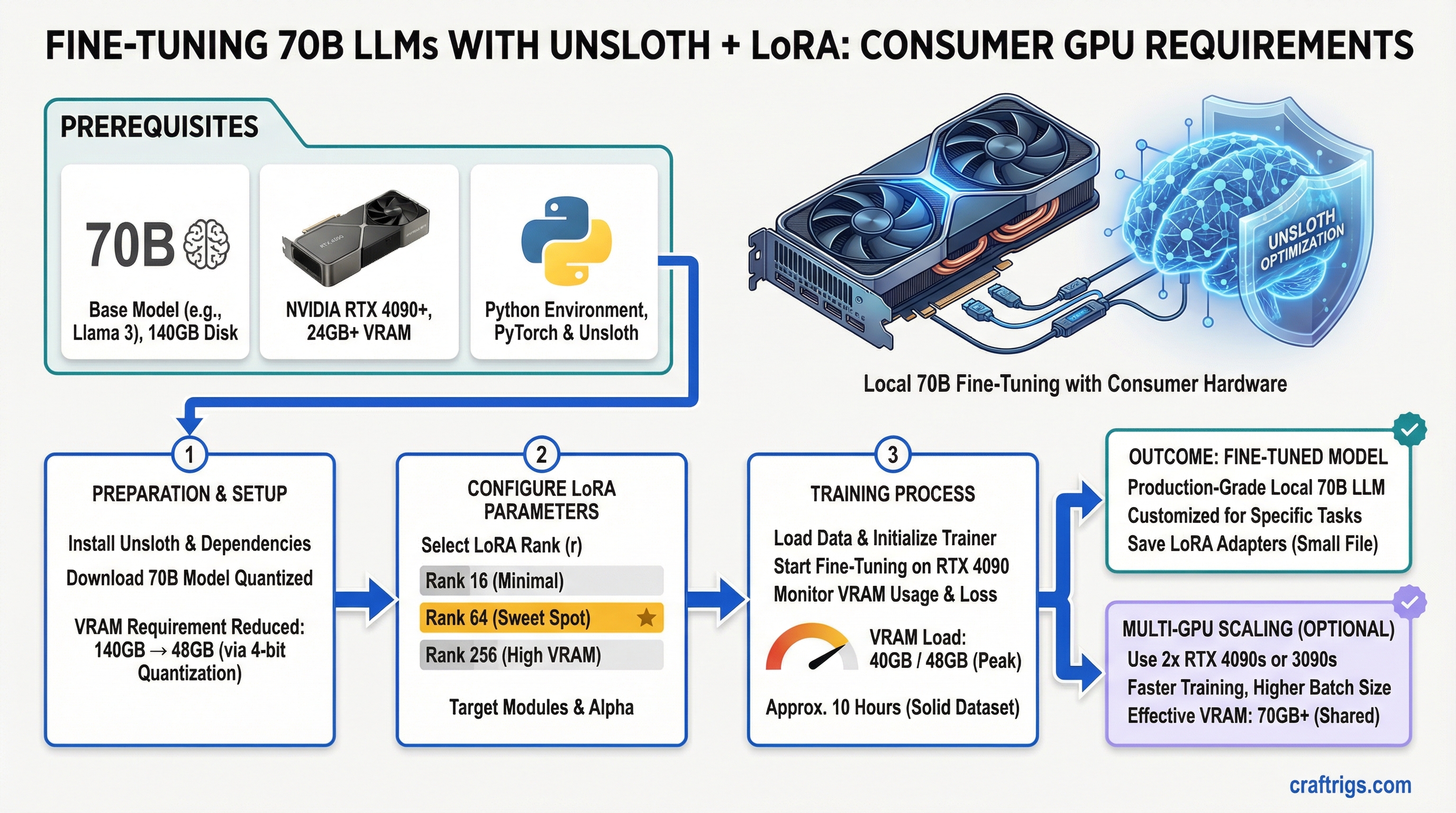
Fine-tune 70B LLMs locally with Unsloth LoRA. VRAM requirements, rank selection, and step-by-step guide for RTX 4090 and multi-GPU training.
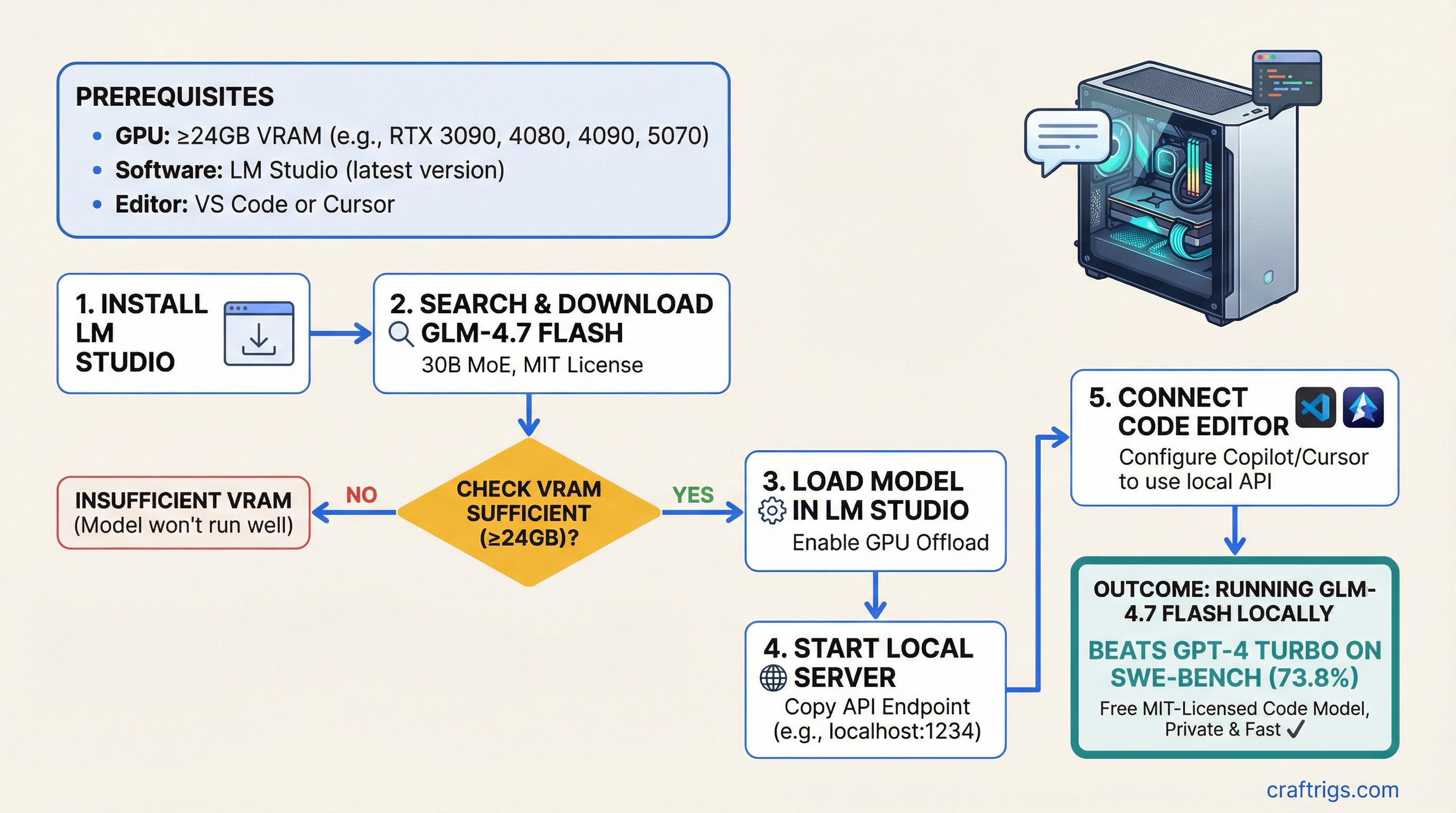
Run GLM-4.7 Flash (30B MoE, MIT license) locally. Beats GPT-4 Turbo on SWE-bench. Setup guide with LM Studio, VS Code Copilot, and Cursor integration.
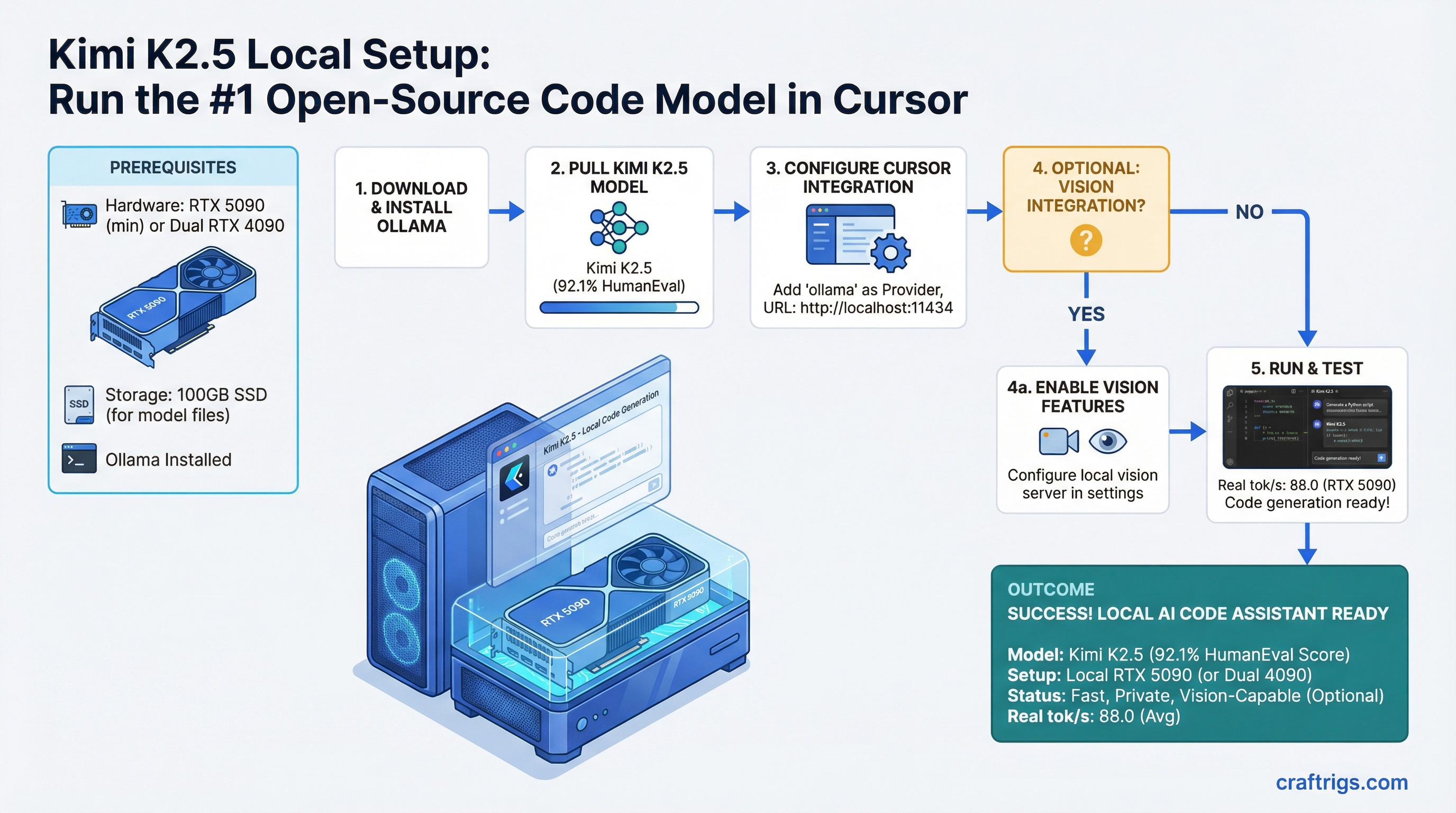
Run Kimi K2.5 locally for Cursor and VS Code. Setup guide for RTX 5090, vision integration, and real tok/s measurements for code generation.
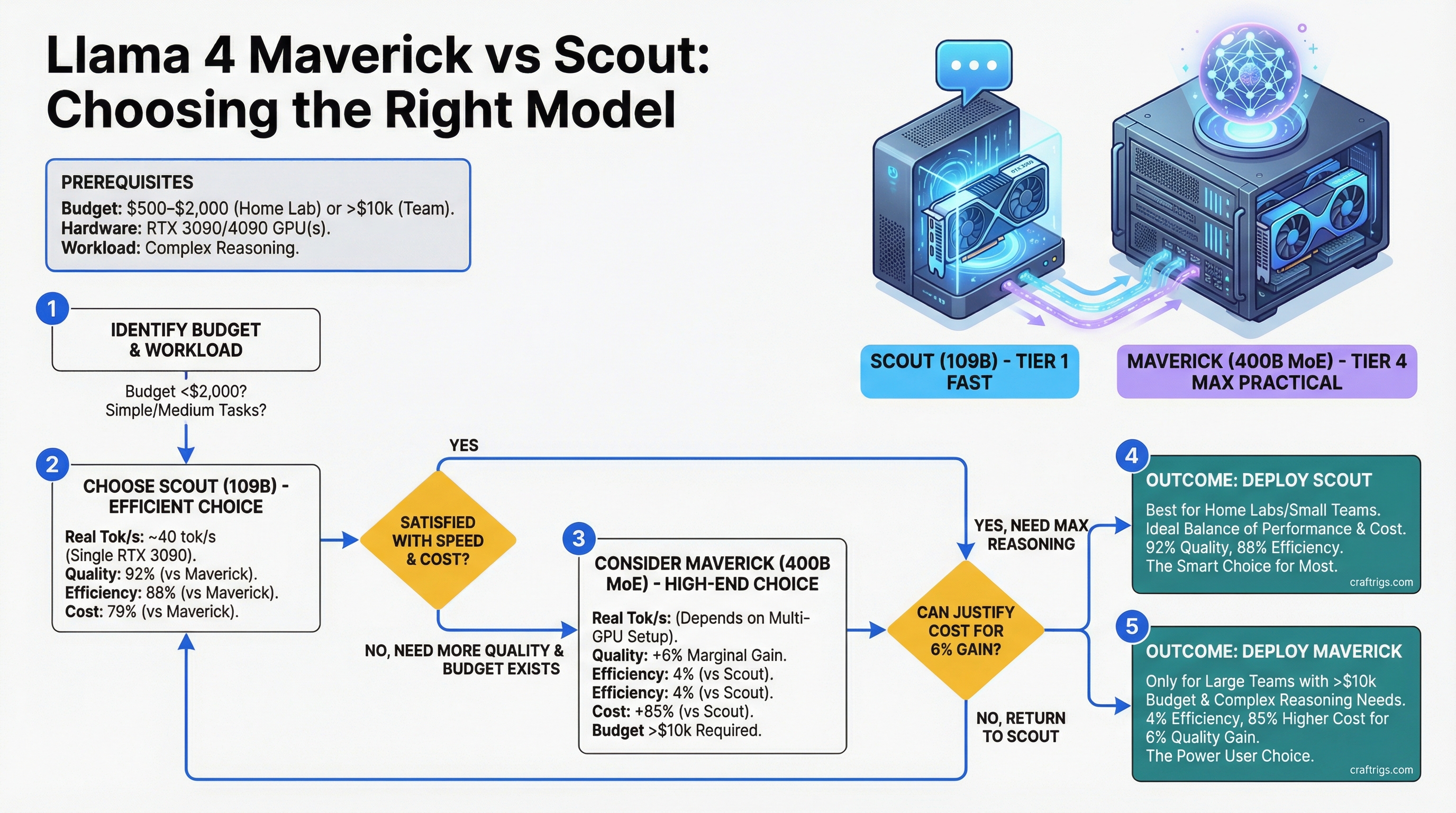
Llama 4 Maverick (400B MoE) vs Scout (109B). Real tok/s, hardware costs, and when the bigger model beats the efficient one for local LLM.
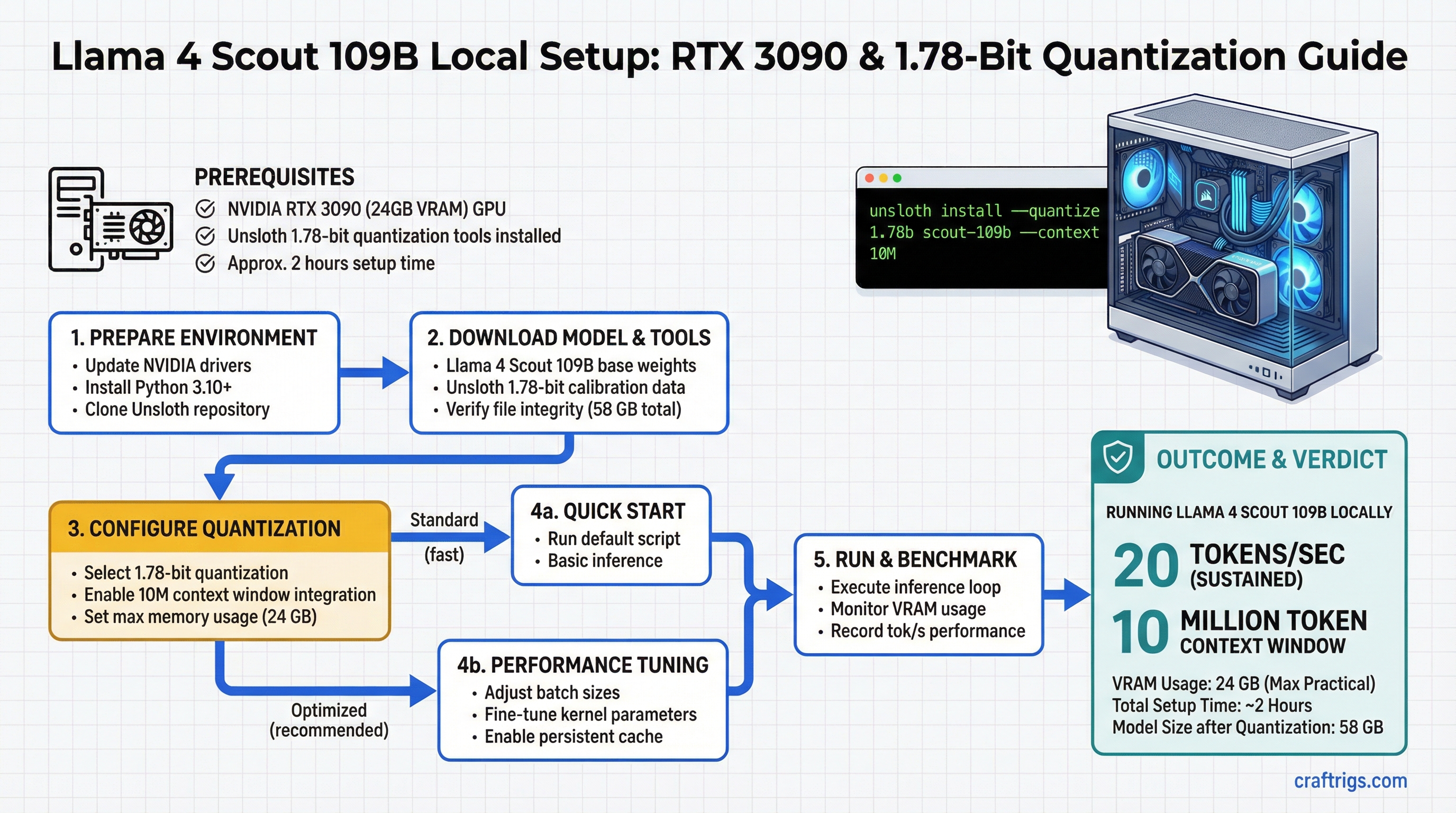
Run Llama 4 Scout 109B locally with Unsloth 1.78-bit quantization. Setup guide for RTX 3090, 10M context integration, and tok/s benchmarks.
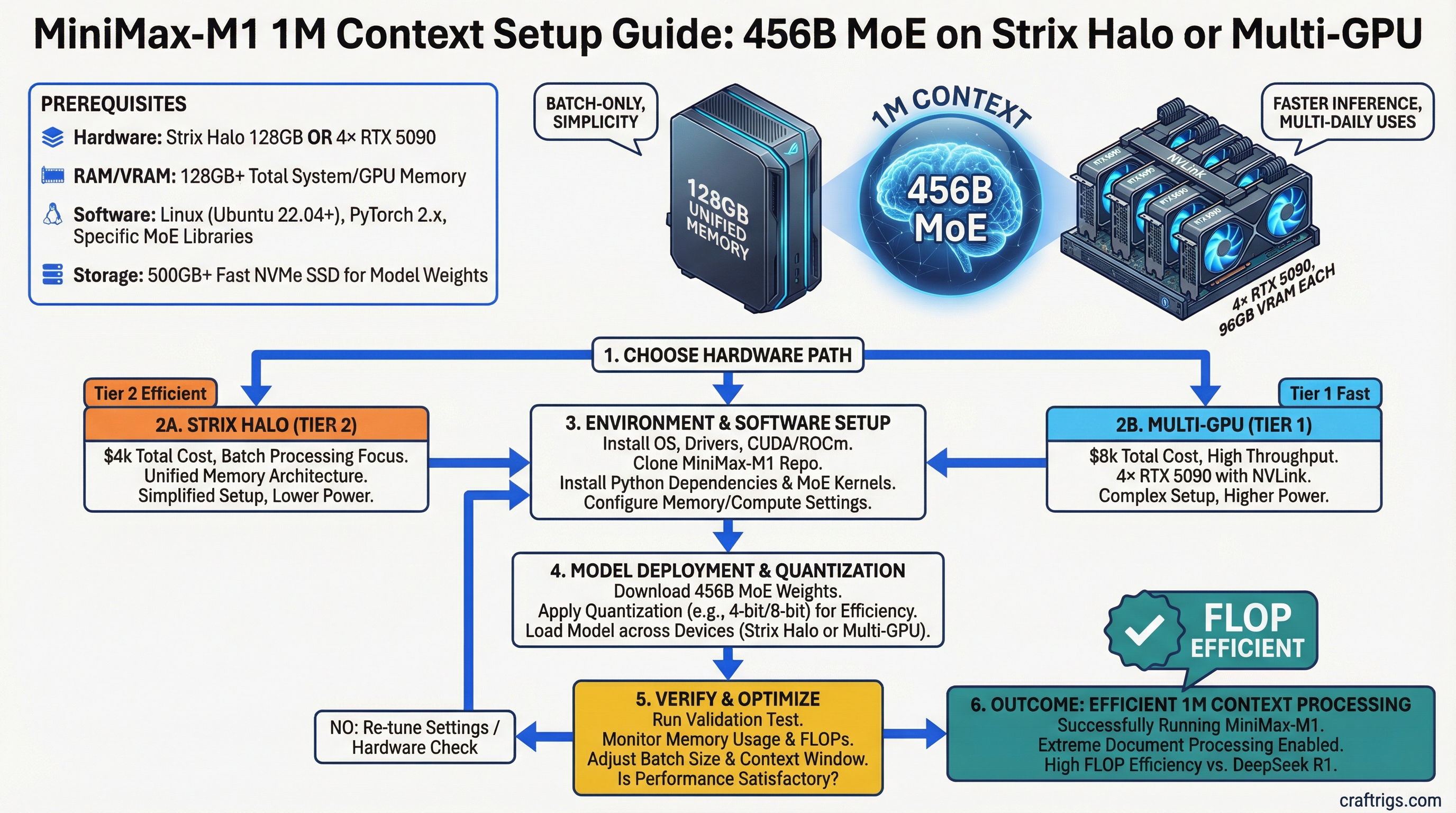
Run MiniMax-M1 1M context on Strix Halo or multi-GPU. 456B MoE architecture, cost analysis, and FLOP efficiency vs DeepSeek R1.
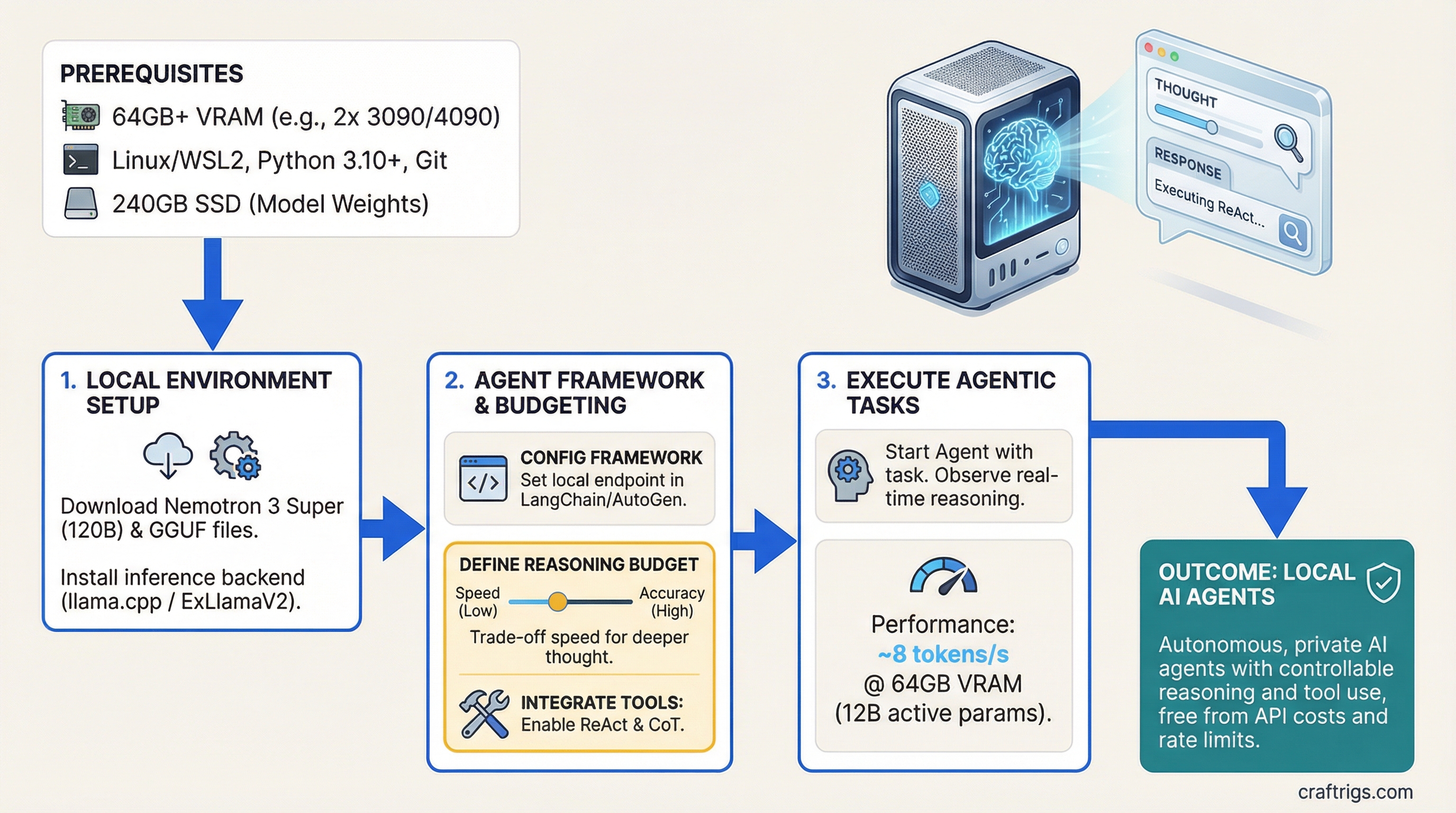
Run Nemotron 3 Super 120B for local AI agents. Agent framework setup, controllable reasoning budget, and tool integration guide for ReAct and CoT.
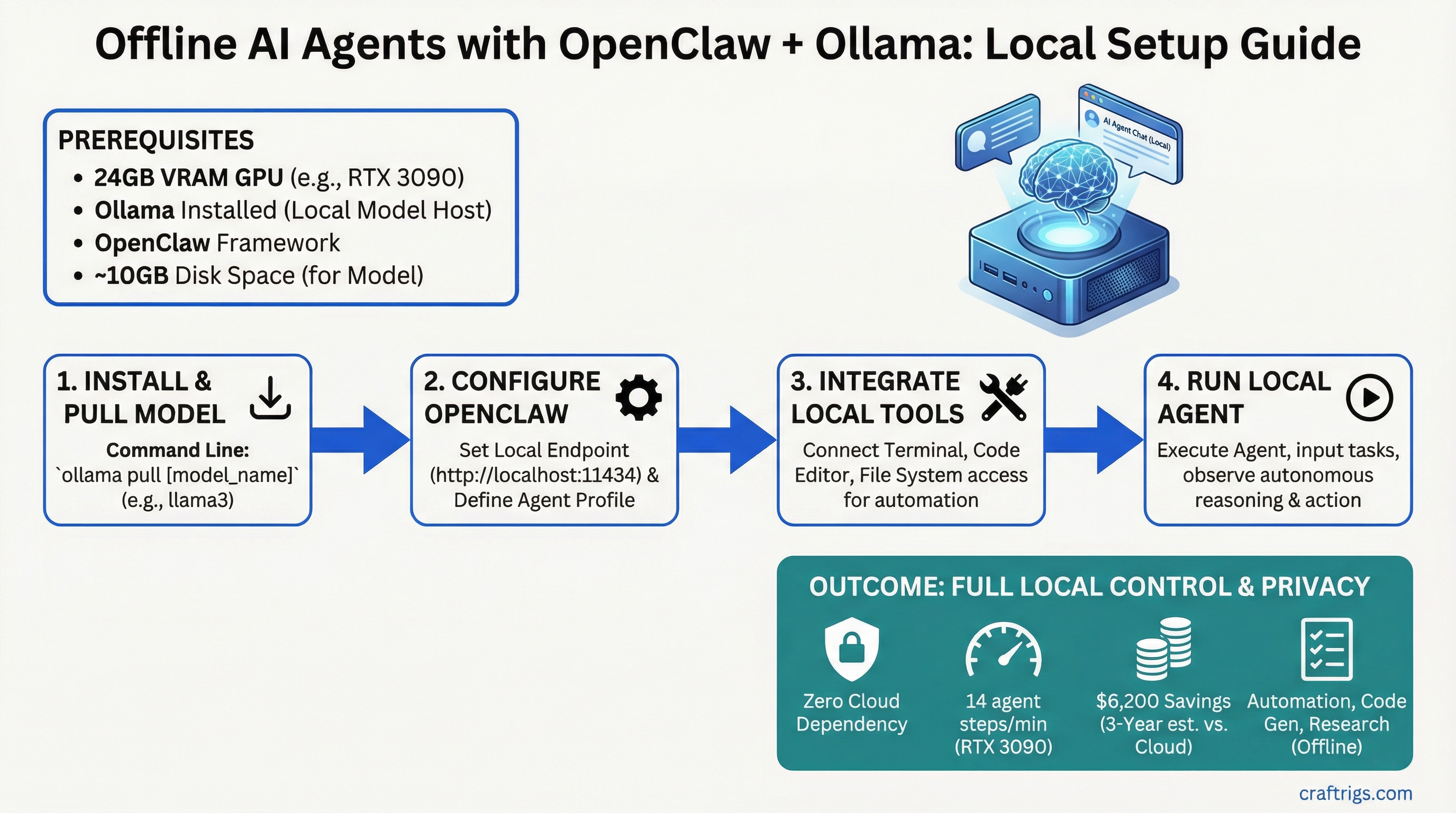
Build offline AI agents with OpenClaw and Ollama. No API calls, full privacy, and local tool integration for automation and code generation.
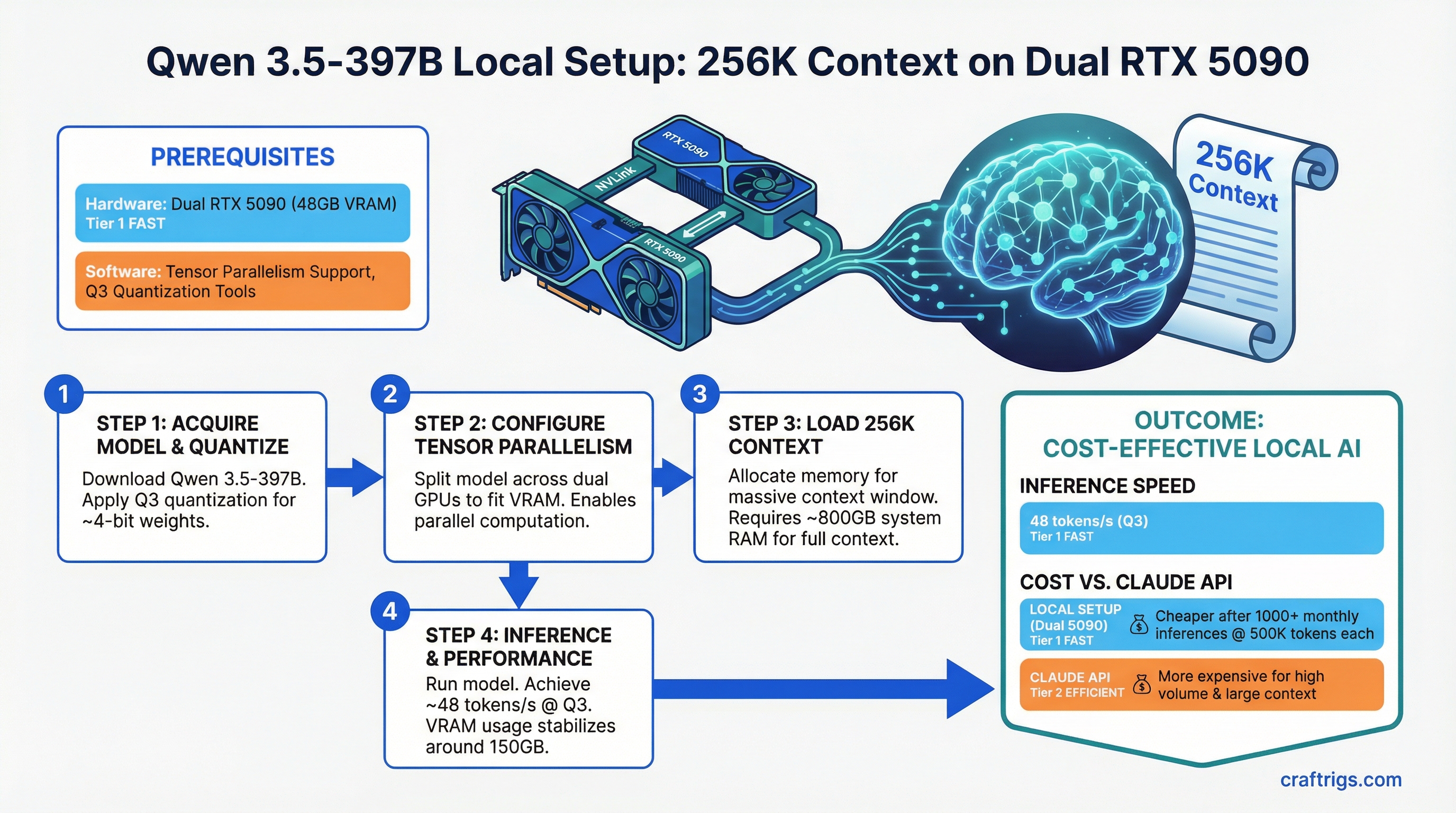
Run Qwen 3.5-397B 256K context locally on dual GPU. Tensor parallelism setup, quantization strategy, and inference cost vs Claude API.
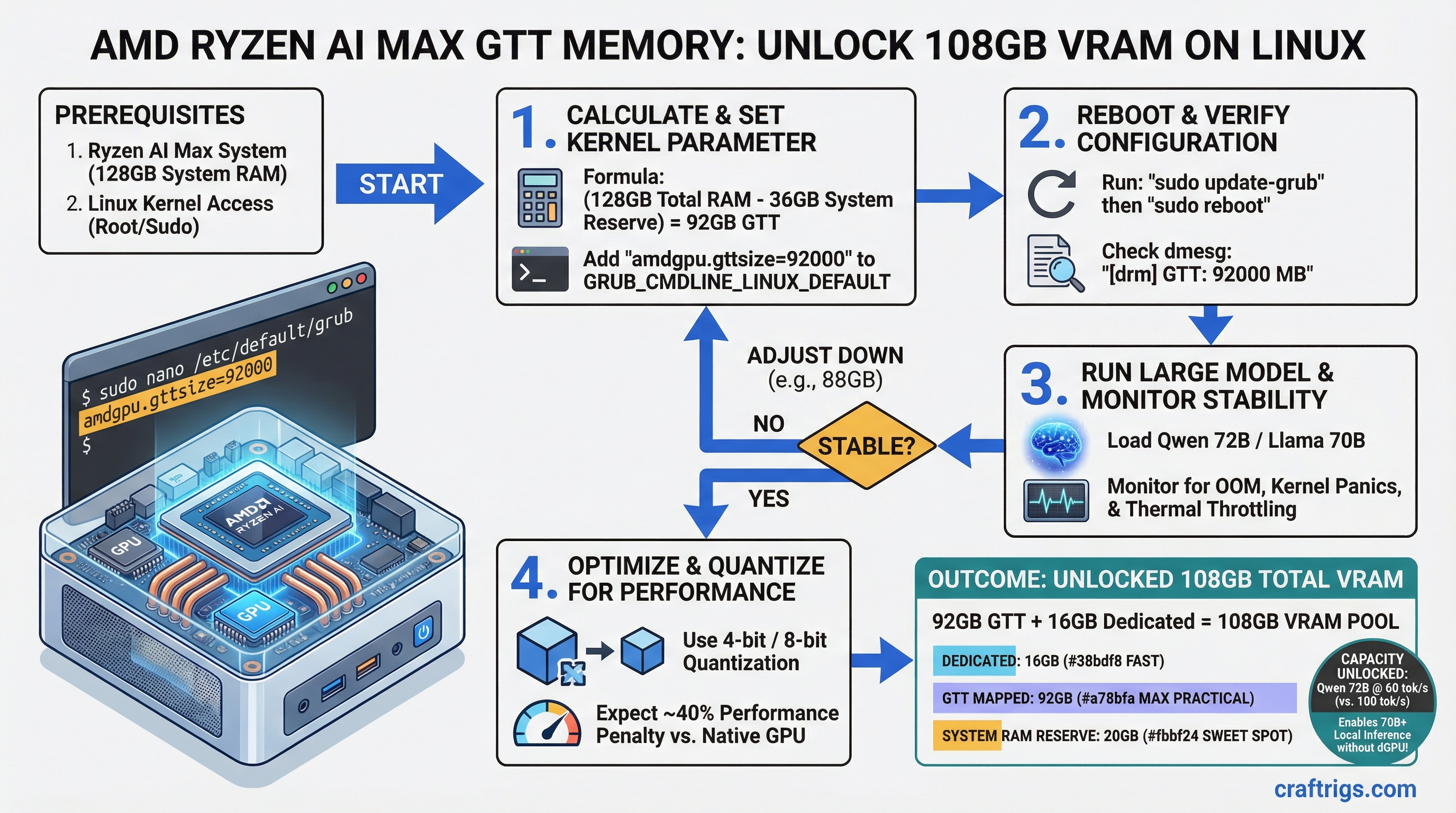
GTT memory expansion on AMD Ryzen AI Max. Kernel parameter guide, stability checks, and model capacity unlock for 72B local inference.
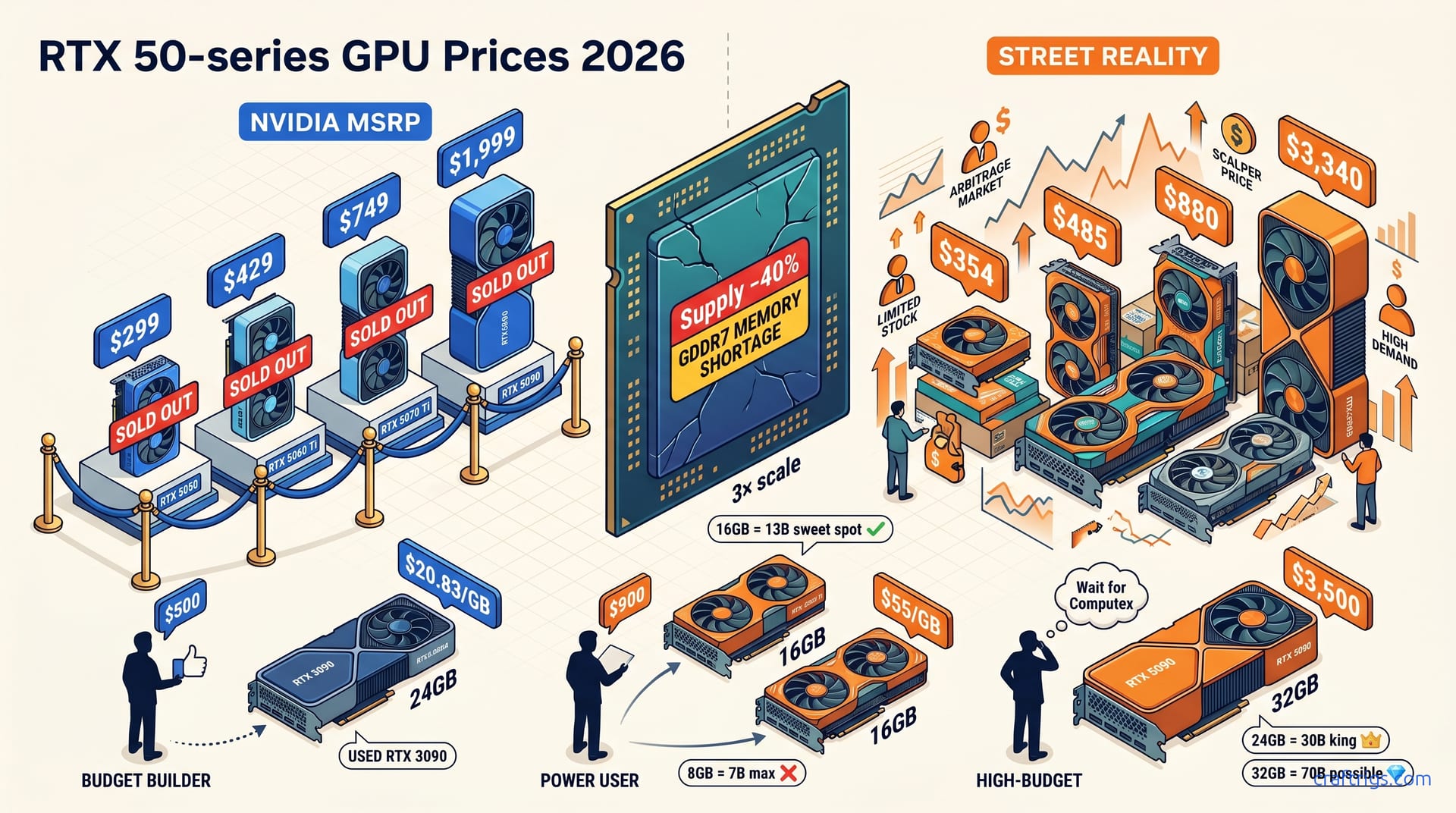
Ryzen 9 9950X is in stock at $513. RTX 5070 Ti costs $880-$1,069 with 30-40% supply cuts coming. Here's how to build now without overpaying for GPUs.
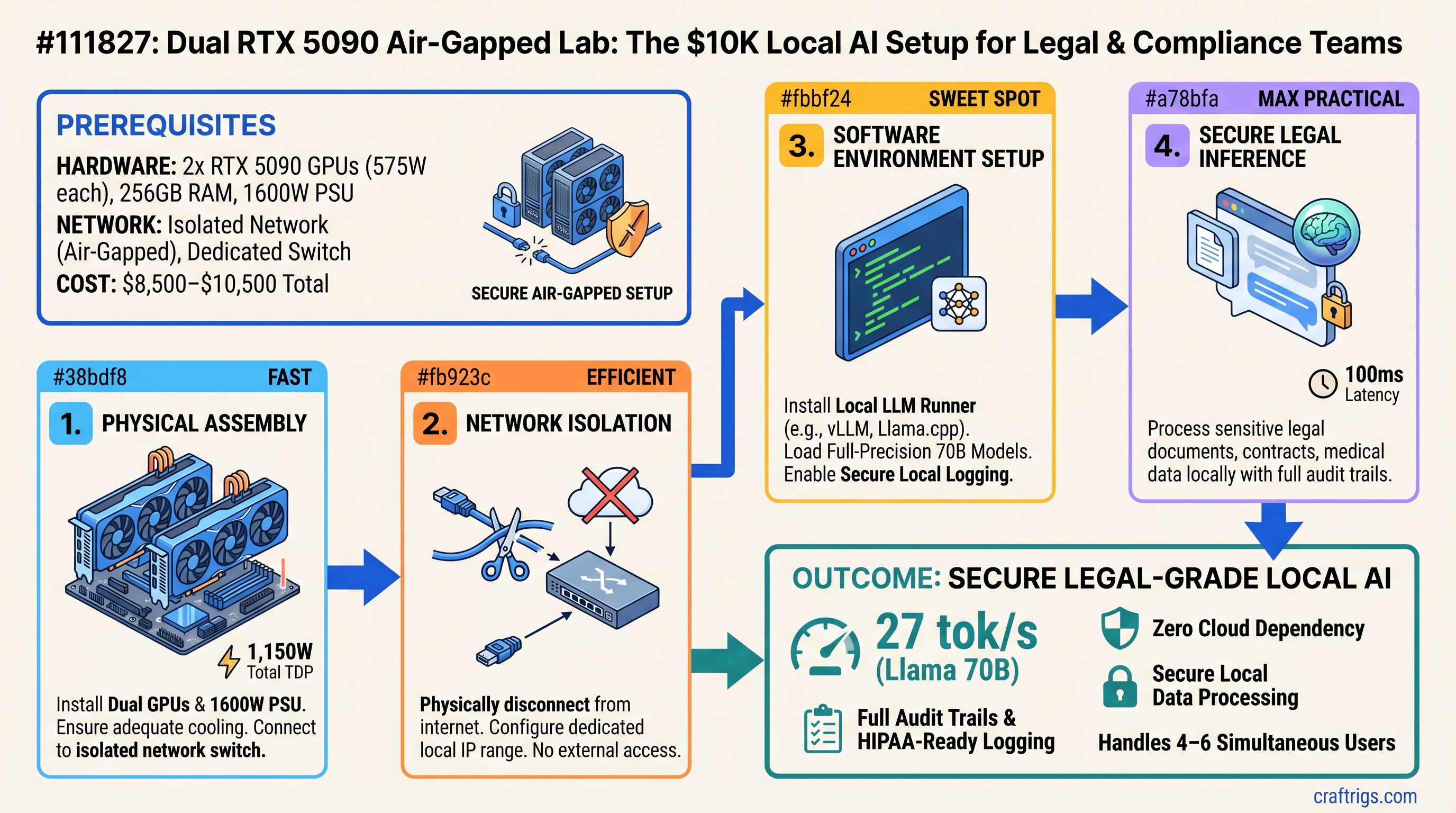
Two RTX 5090 GPUs in an isolated network ($8,500–$10,500 total) deliver legal-grade local inference with full audit trails. 27 tok/s Llama 70B, zero cloud dependency, HIPAA-ready logging.
DDR5 shortage persists through 2026. Here's whether to buy now, wait, or escape to unified memory—with real April 2026 pricing and benchmarks.
Two RTX 5090s in an isolated network deliver 27 tok/s on Llama 70B with zero cloud dependency. Here's the $9,000 build for HIPAA-grade local inference.
RTX 5060 Ti 8GB looks budget-friendly at $379 until you hit the 14B model wall. Here's exactly what fits in 8GB vs 16GB, with benchmarks and the honest upgrade path.
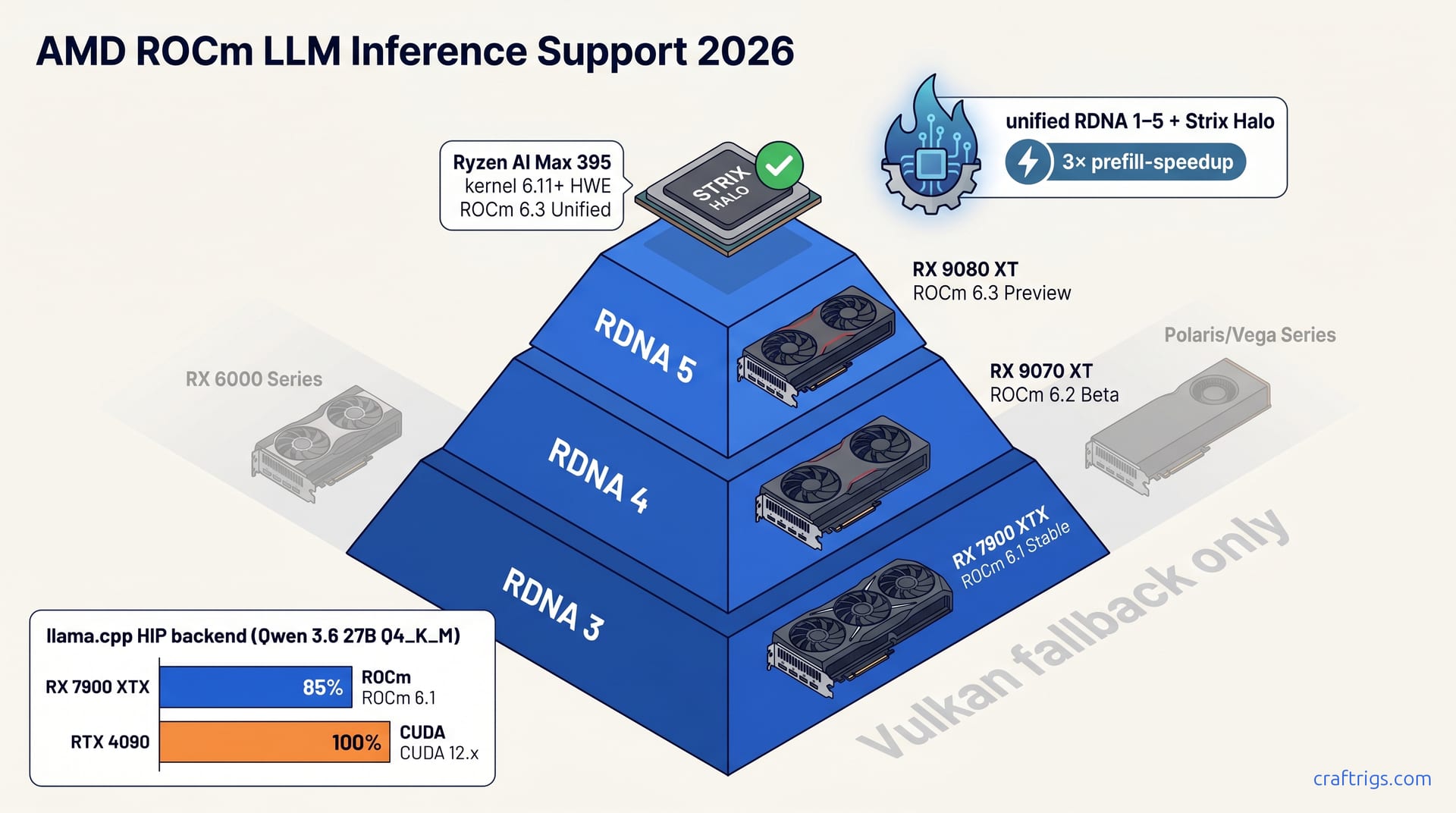
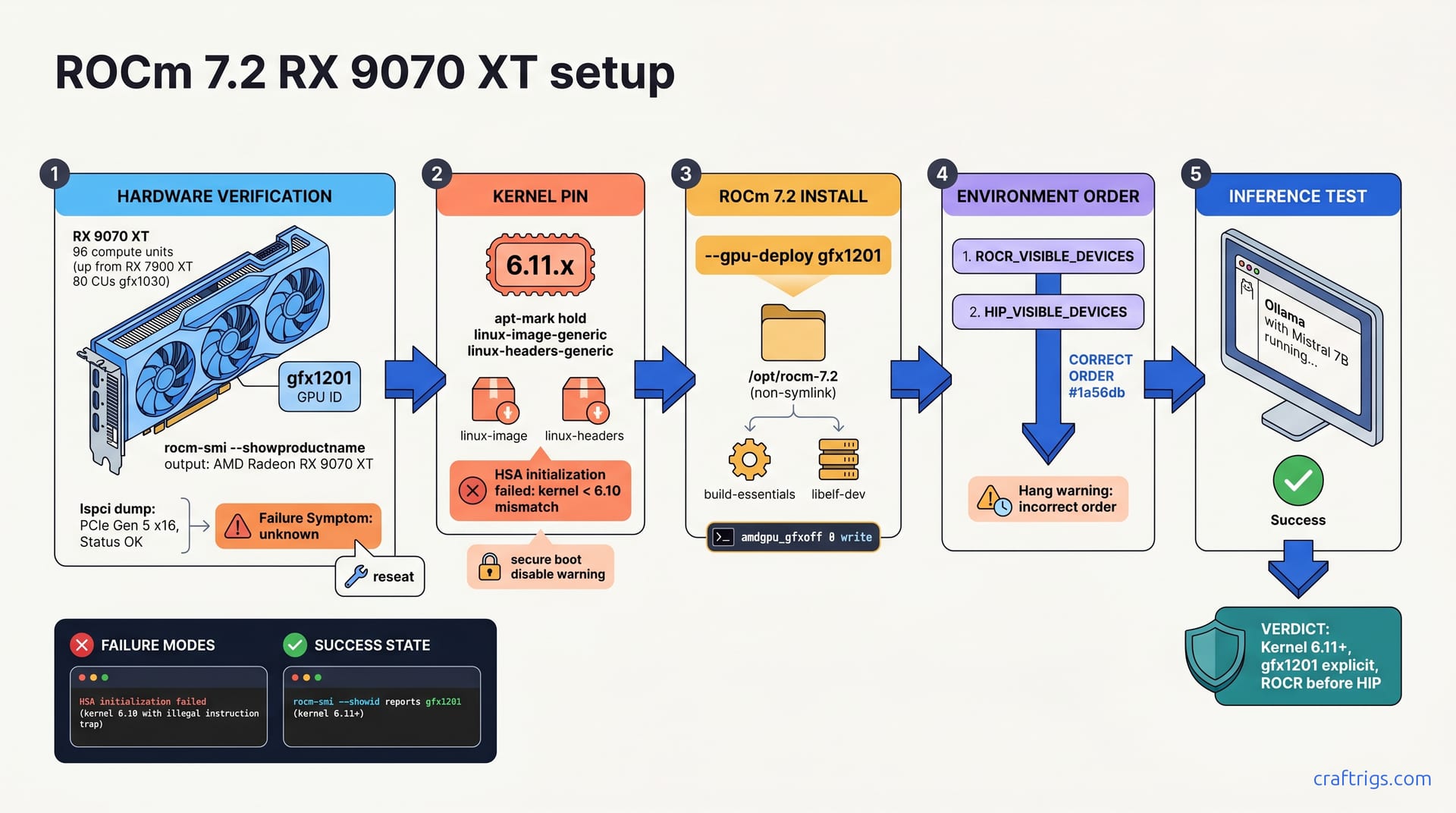
AMD's ROCm 7.12 preview improves inference speed on RX 7900 XT and RX 9070 XT. Learn what models actually work, where AMD wins on price, and why 70B models still need NVIDIA.
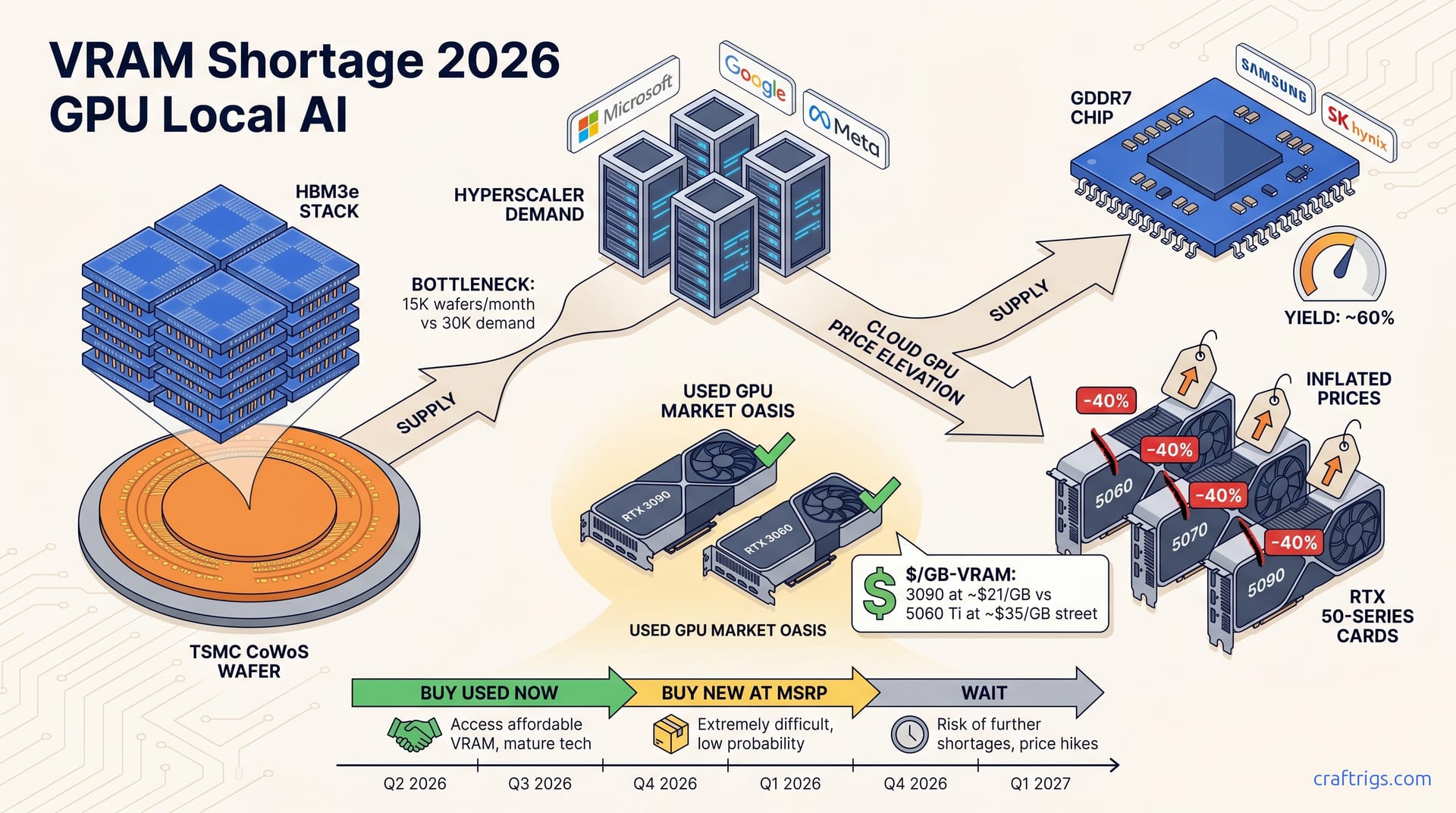
GPU prices are inflated, RAM spiked 400%, and lead times vary wildly. Here's whether to build now or wait — with honest recommendations for each budget tier.
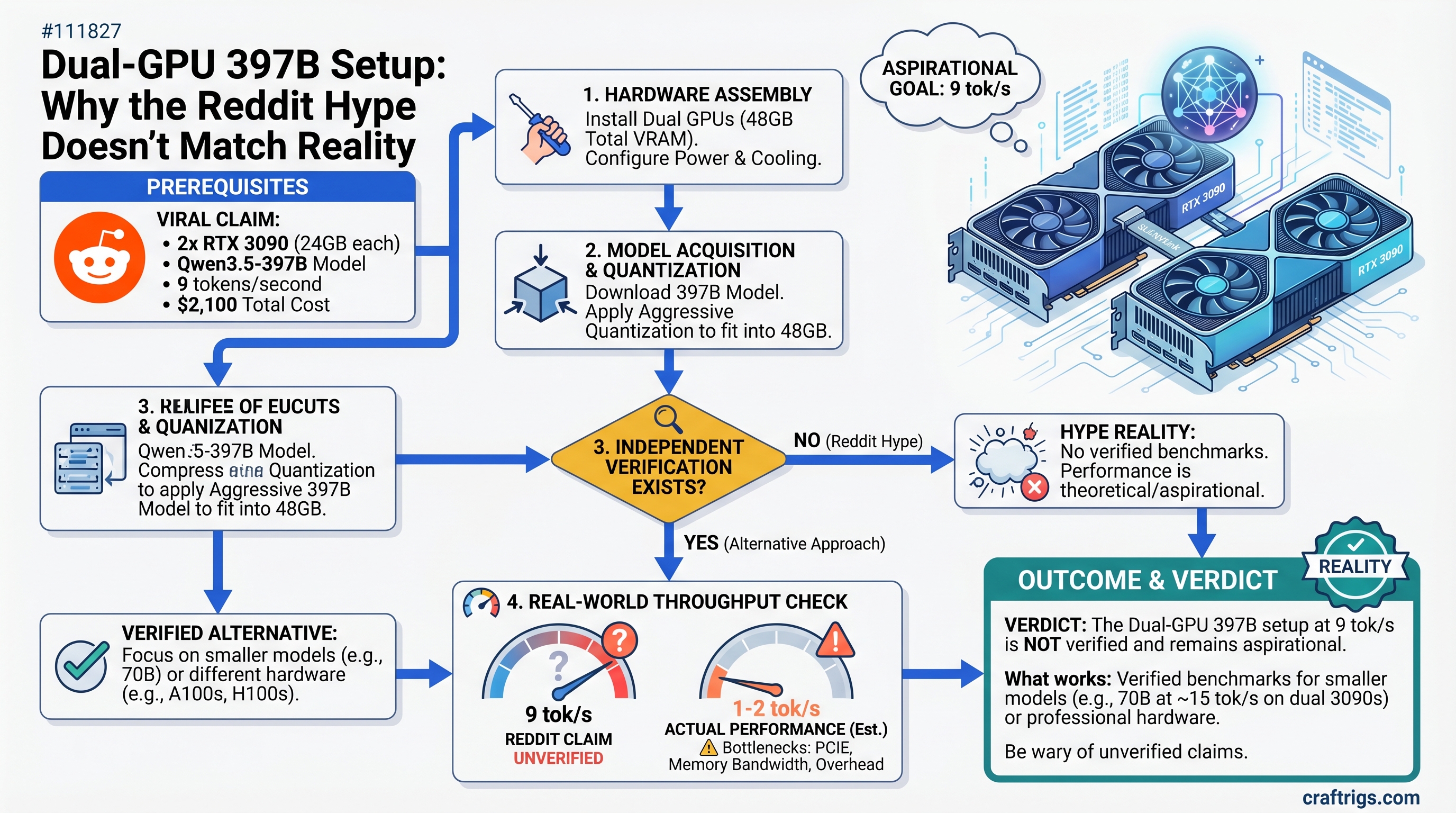
The viral dual-GPU rig running 397B models looks impressive—until you verify the benchmarks. Here's what actually works and what's aspirational.
Viral dual-GPU 397B builds look impressive—but the tok/s numbers need context. Here's what's real, what's aspirational, and what hardware actually fits.
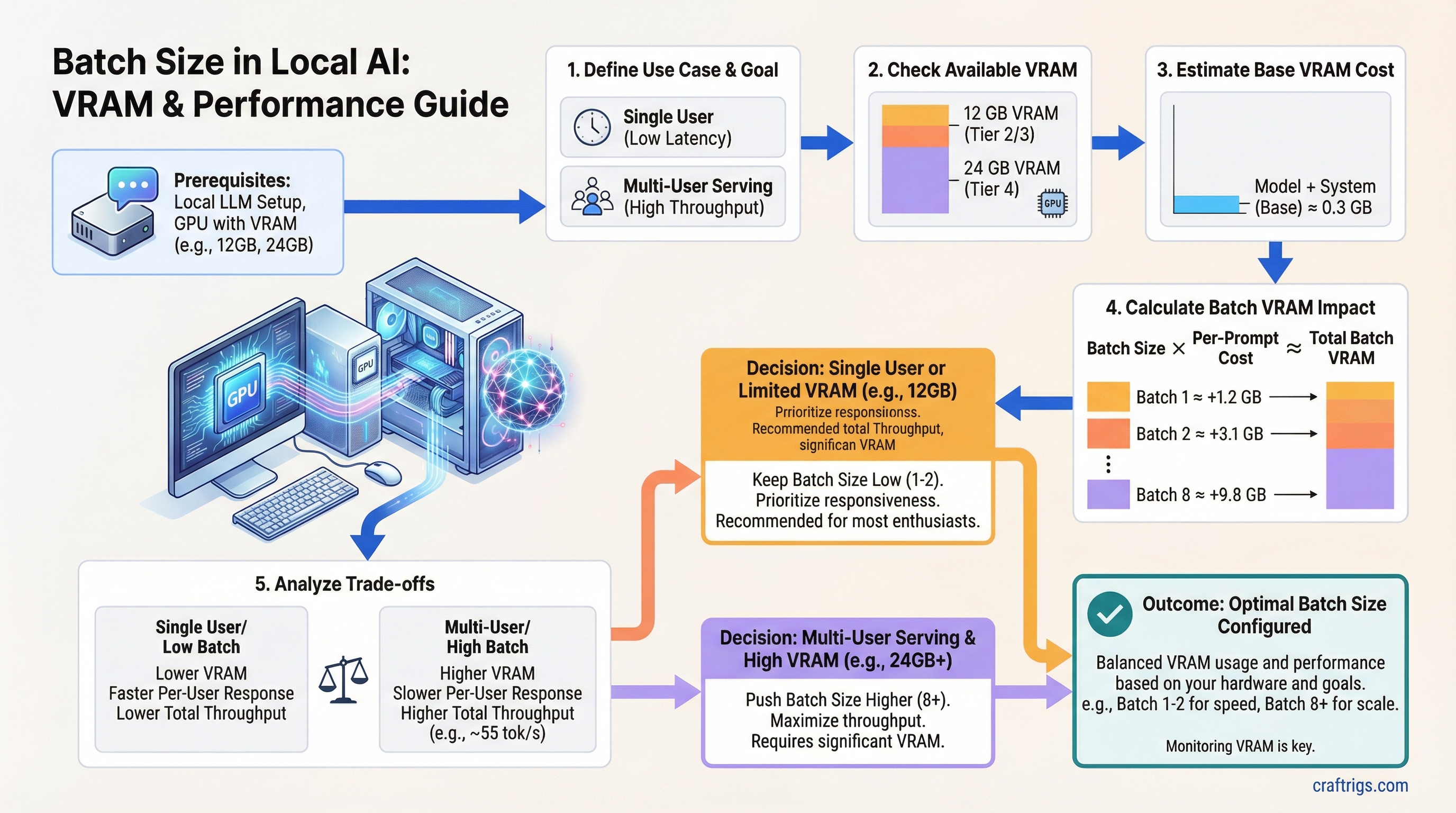
Batch size controls how many prompts your GPU processes at once. Learn the exact VRAM cost, throughput tradeoffs, and right settings for each budget tier.
BF16 uses half the VRAM of FP32 with negligible accuracy loss. Learn which data type to use on RTX 30/40-series GPUs and why the choice matters for your build.
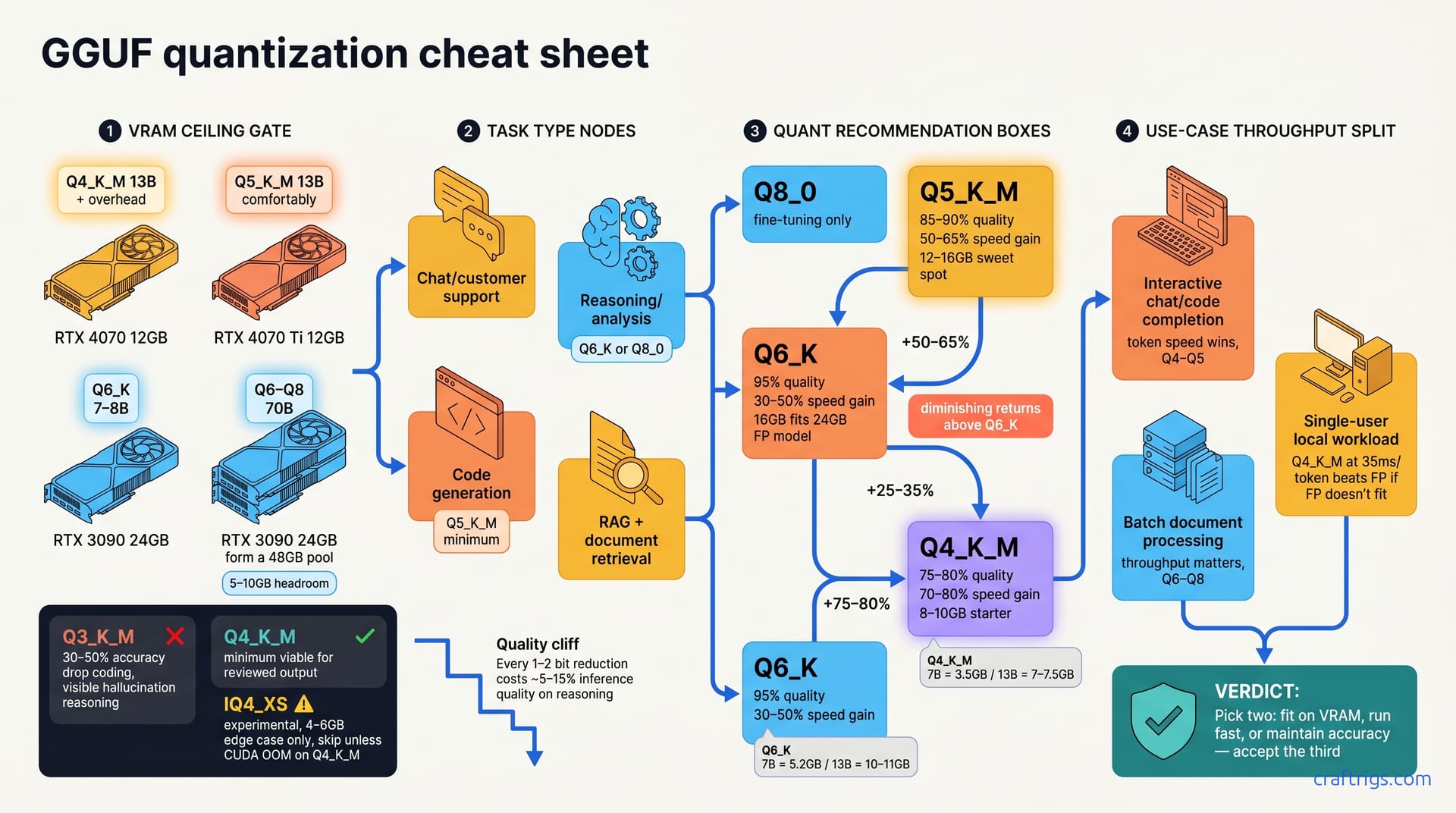
Bits-per-weight is the spec that determines how much VRAM a model needs. Learn the VRAM cost, quality tradeoffs, and right quantization level for your GPU.
Decode speed (tok/s) determines how fast your local LLM feels. Learn what drives it, real GPU benchmarks, and why VRAM bandwidth beats TFLOPS every time.
ExllamaV2 runs 2-3x faster than Ollama on the same GPU using GPTQ/EXL2 models. Real benchmarks, hardware sweet spots, and when the setup overhead is worth it.
Fine-tuning a 7B model with QLoRA needs 8-10 GB VRAM — not 28-40 GB. Here's the full VRAM math for LoRA, QLoRA, and full fine-tuning by budget tier.
Flash Attention cuts attention VRAM from ~8 GB to ~1.5 GB at 16K context and speeds up inference 25-40%. Here's what it does and how to enable it in Ollama and vLLM.
FP16 cuts VRAM by 50% vs FP32 with essentially zero quality loss for inference. Here's the dtype guide for local LLM builders — when to use FP16, BF16, or quantization.
GDDR6X doubles bandwidth via PAM4 signaling. The RTX 4060 Ti 16 GB gets 28 tok/s while the RTX 4070 12 GB hits 58 tok/s. Here's why GB/s matters more than GB.
Run local embedding models on your GPU for private semantic search and RAG pipelines. Real VRAM costs, benchmark scores, and Qdrant setup — no API fees required.
DDR5-6000 benchmarks, current pricing, and whether the speed bump justifies the cost for local LLM inference vs DDR5-4800 and DDR4-3600.
CodeLlama 34B and Llama 2 34B hardware requirements explained. Find the right GPU, VRAM, and quantization level for your budget. RTX 3090 vs 4070 Ti vs 4060 Ti benchmarks.
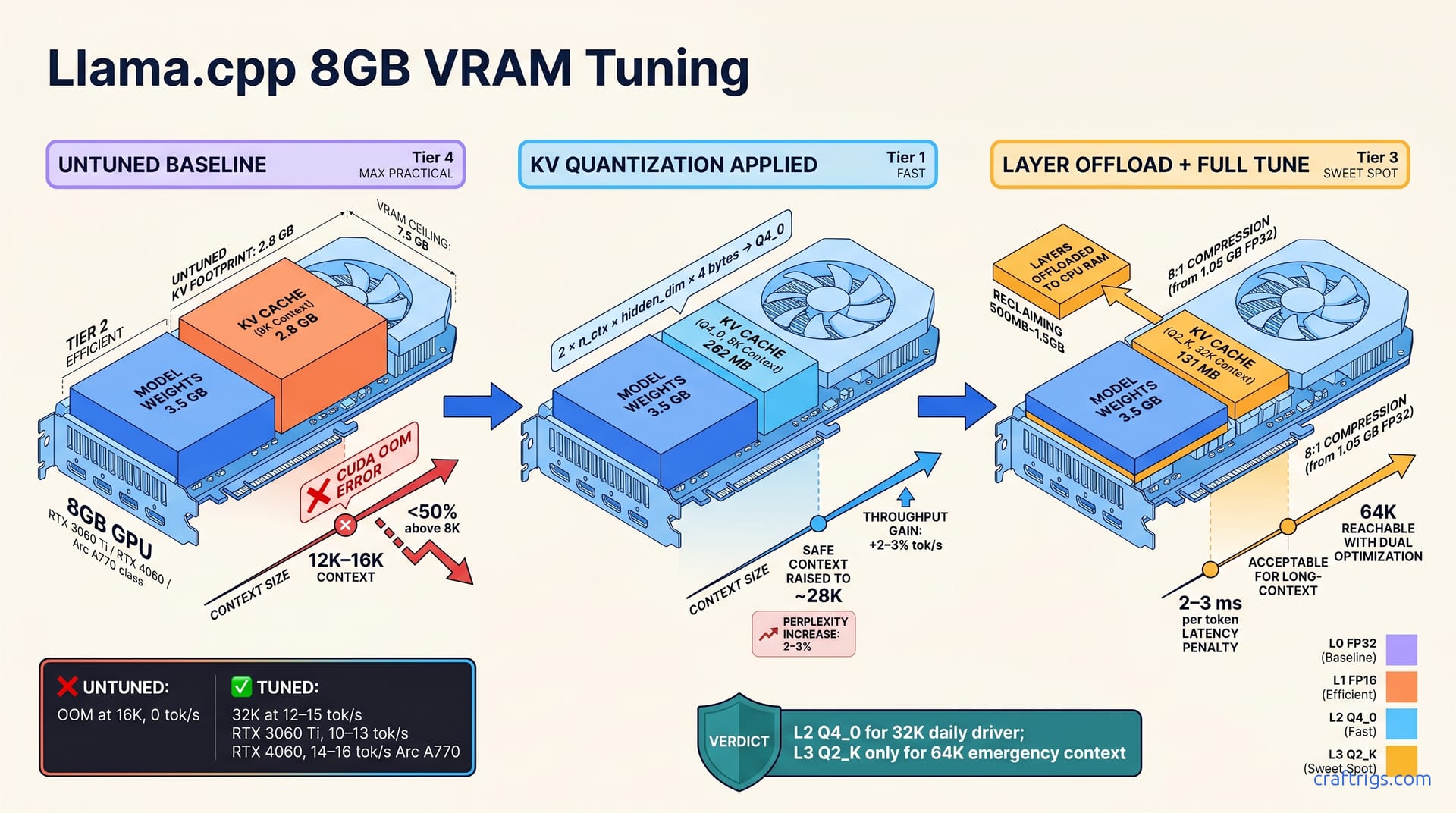
Master llama.cpp memory flags to squeeze 70B models into 8GB, cut VRAM use by 50%, and optimize inference speed. Complete guide with before/after benchmarks.
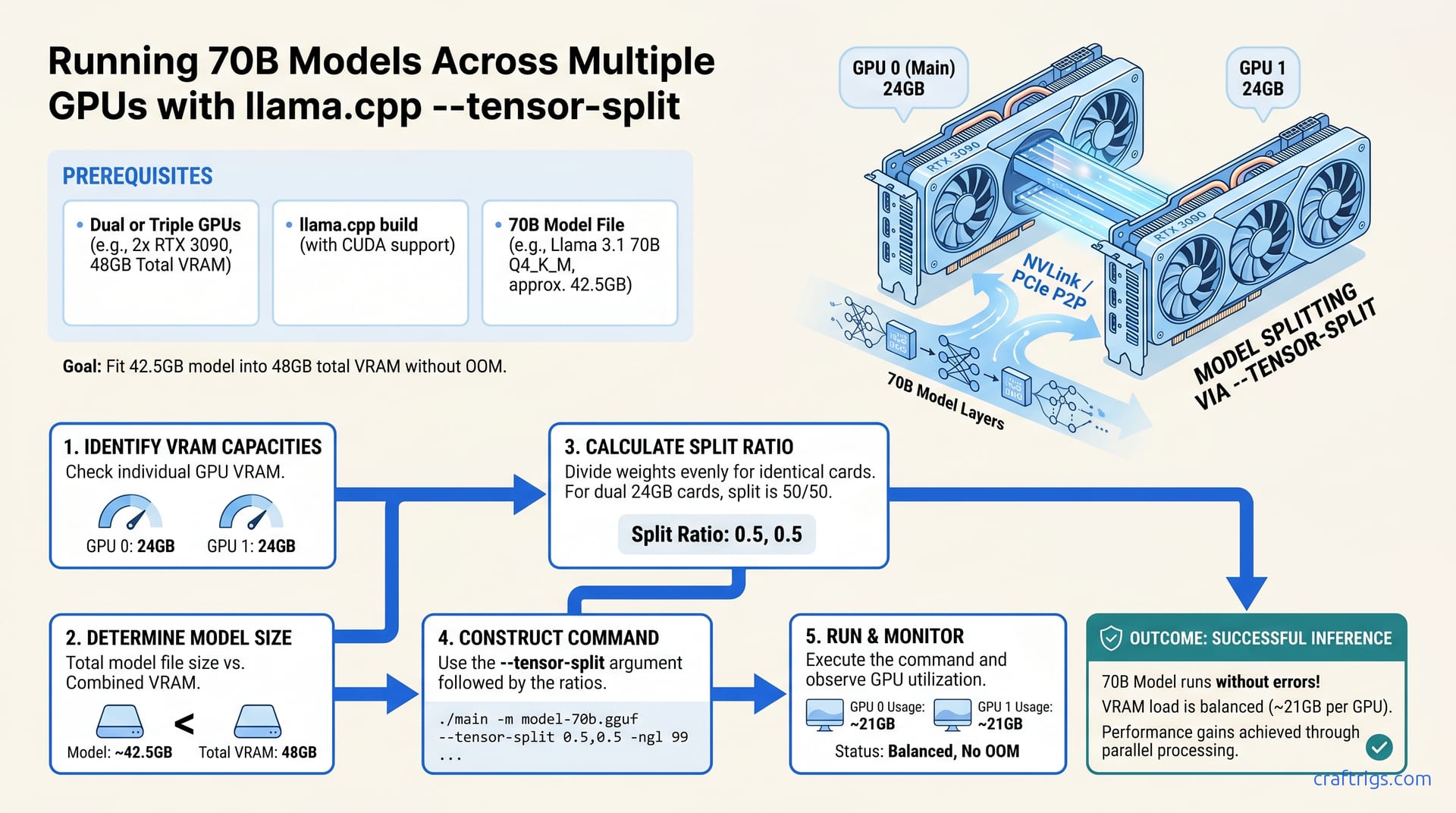
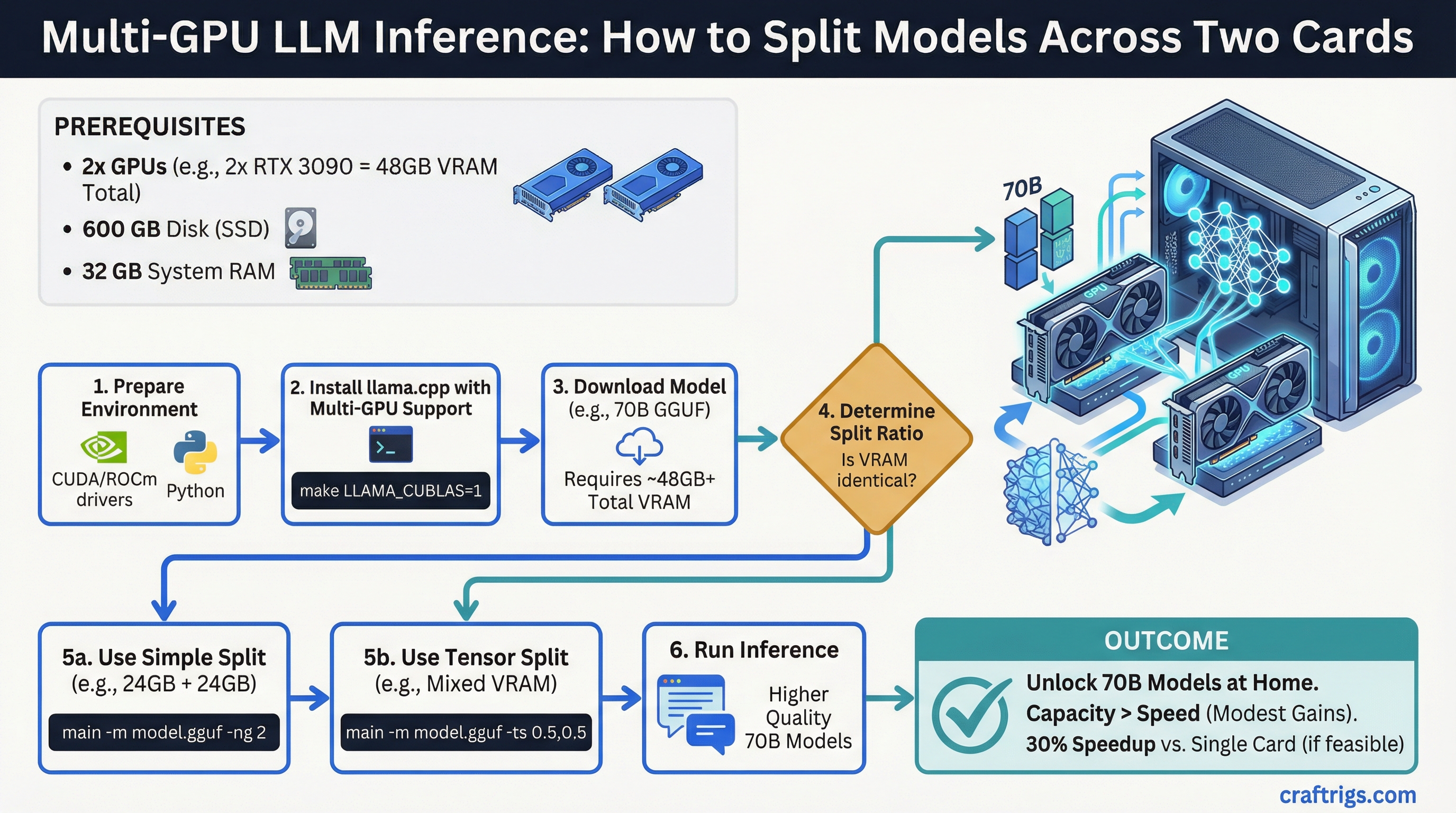
Split Llama 3.1 70B and other models across 2-3 GPUs with --tensor-split. Real commands, VRAM ratios, and actual performance gains from dual RTX 3090 testing.
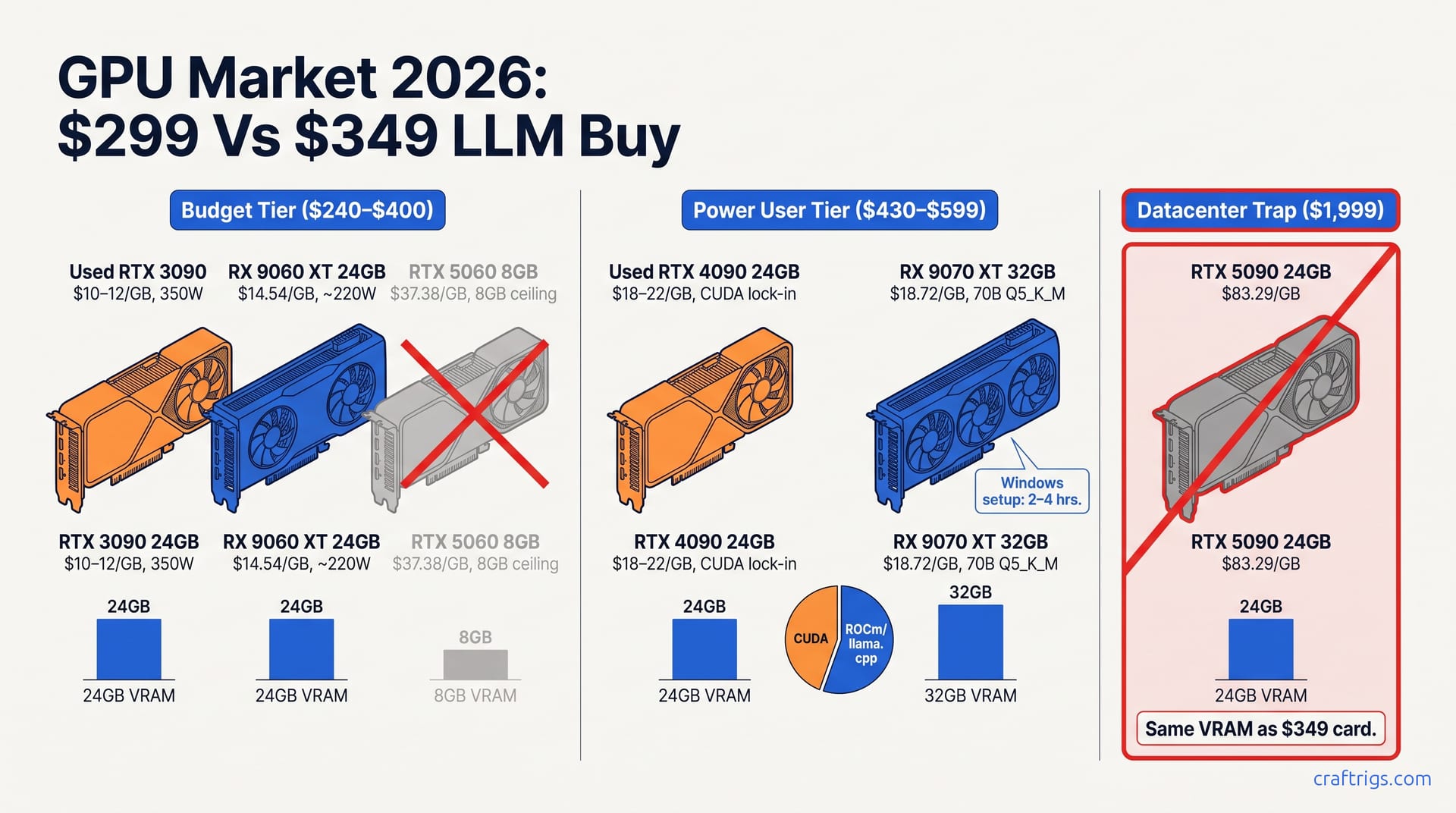
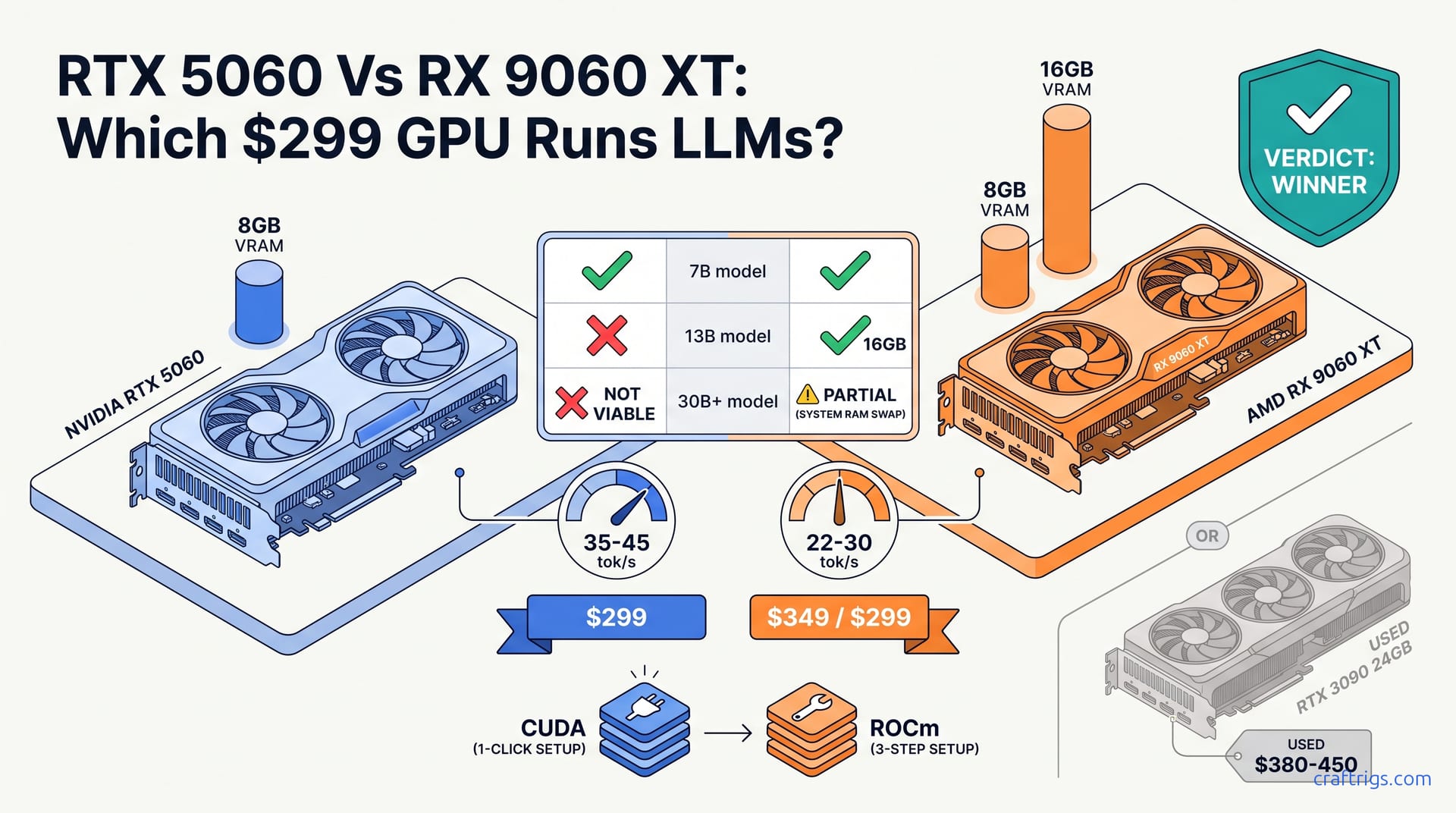
RTX 5060 benchmarks: Mistral 7B at 65-70 tok/s, Qwen2.5 14B at 45-50 tok/s. Is $299 worth it? Real data, no hype.
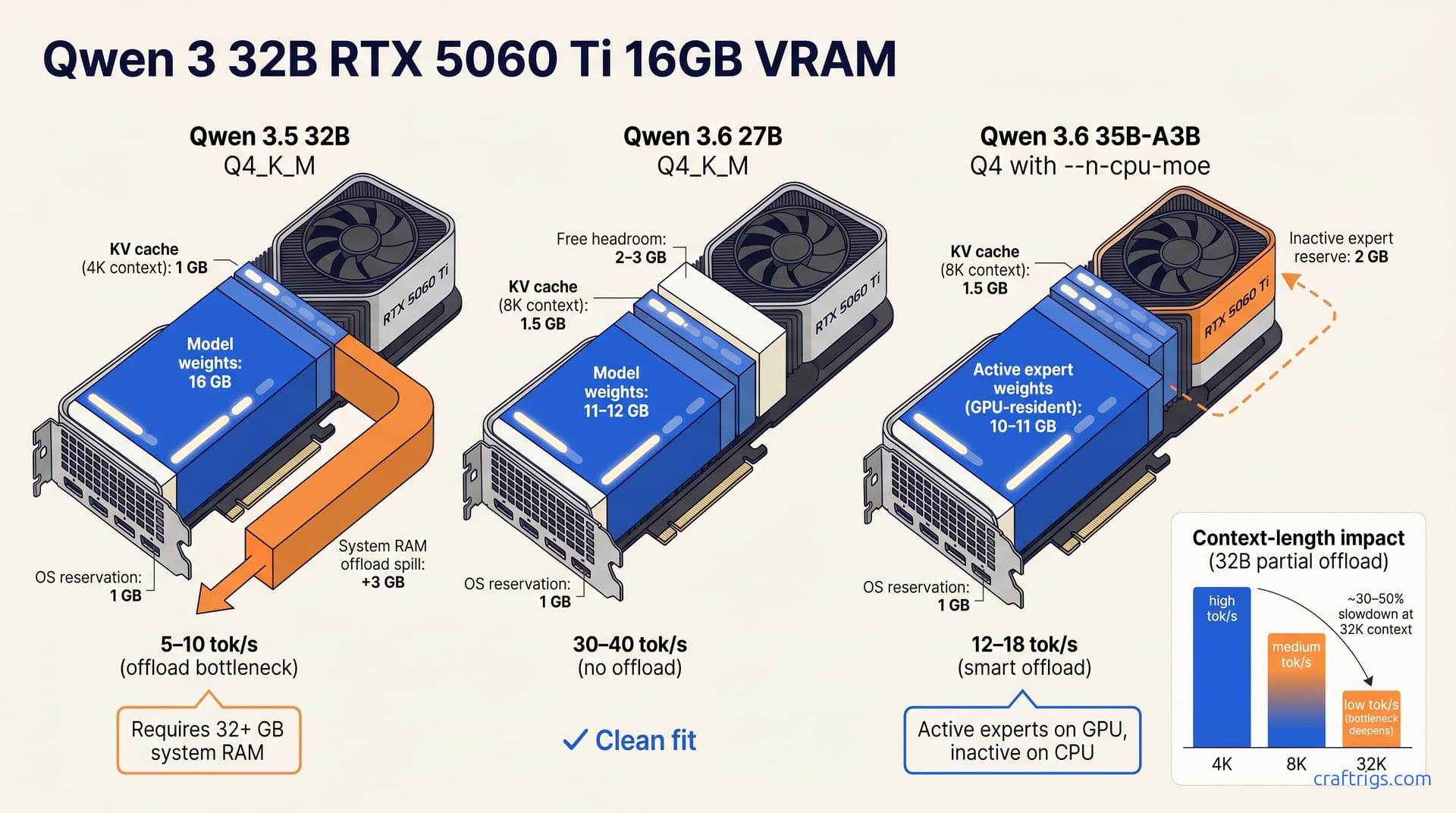
The RTX 5070 Ti has 16GB VRAM — but Qwen 3.5 35B-A3B needs ~22GB at Q4. Here's what quantization actually fits, what to buy at $800, and whether used beats new.
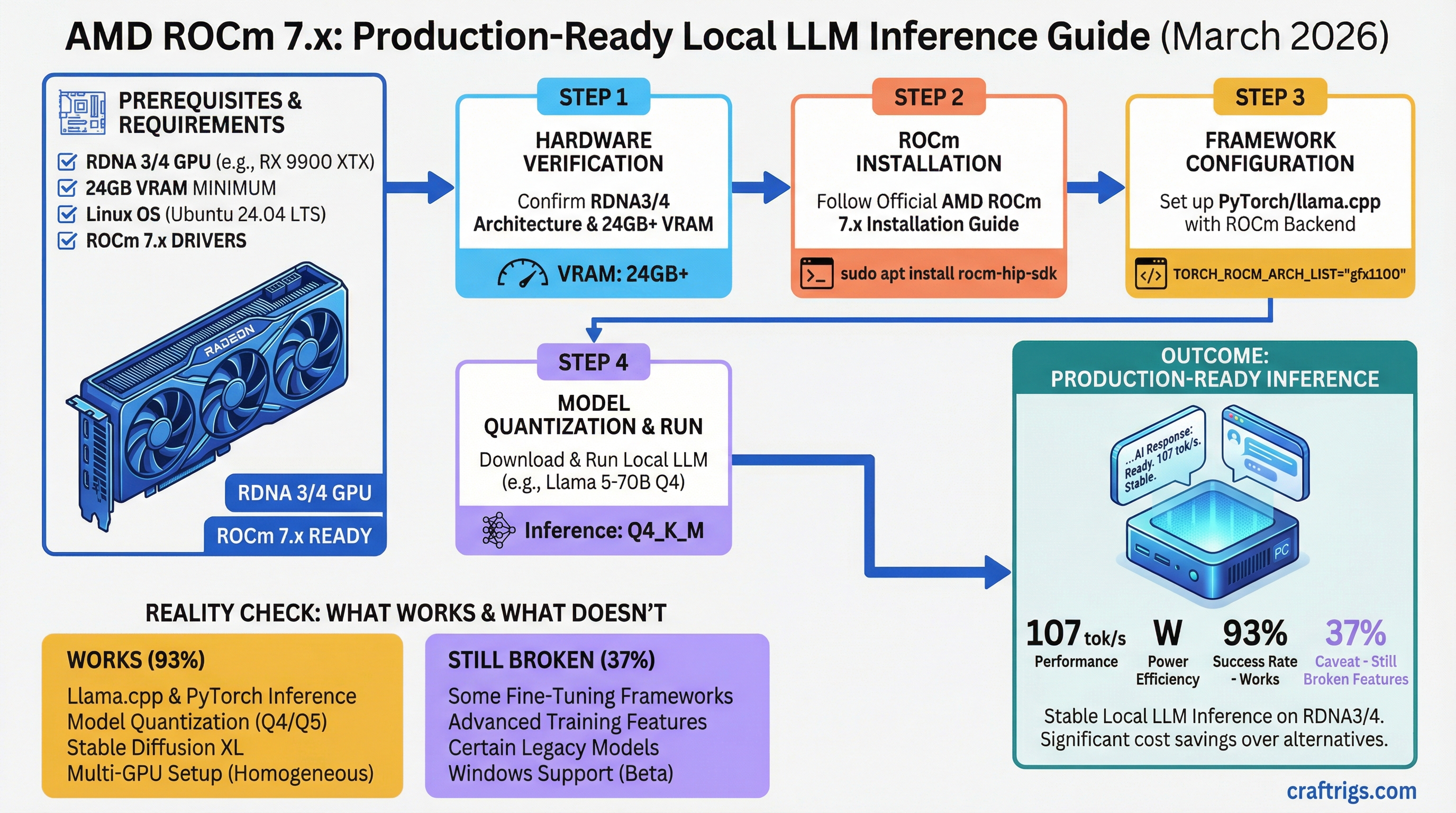
ROCm 7.x is production-ready for inference on RDNA3/4 hardware. Here's what actually works, what's still broken, and when AMD saves you real money.
DeepSeek-R1, Qwen 2.5, Yi 1.5, and InternLM 2.5 — which Chinese open-source model should you actually run locally? Accurate VRAM requirements, real benchmark scores, and GPU pairings for every budget.
Claude Mythos confirmed via March 2026 data leak. Here's the real VRAM math, corrected GPU specs, and which hardware tier actually makes sense for frontier model inference.
Cloud AI exposes sensitive data via retention policies, API key theft, and supply chain attacks. A local LLM setup eliminates every vector — here are three professional builds to do it right.
Build a complete local AI stack in 2026: RTX 5070 Ti hardware, Ollama or vLLM inference, Qwen 3.5-27B for text, and Cohere Transcribe + Voxtral TTS for voice. Full tested configurations at three budget tiers.
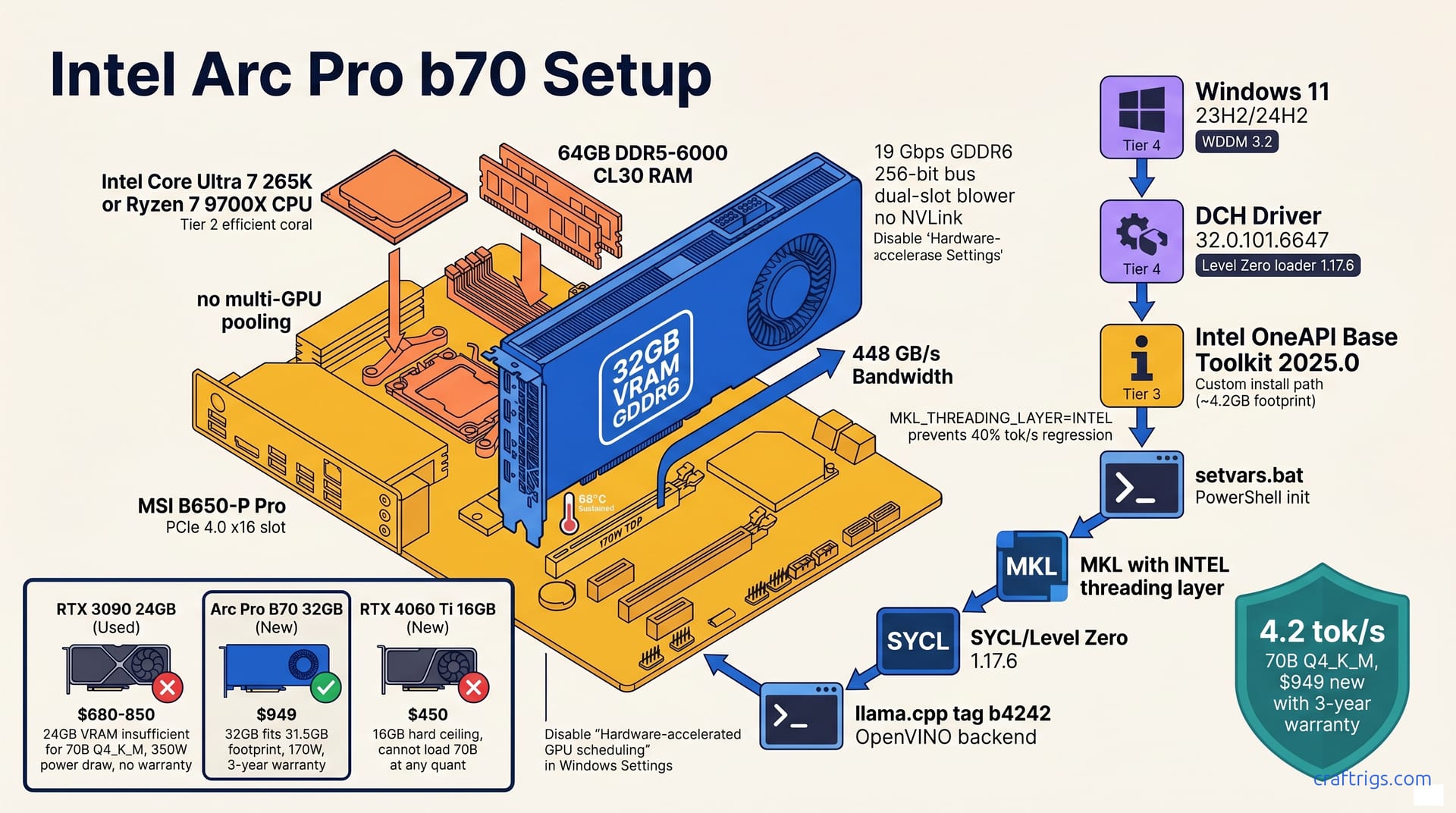
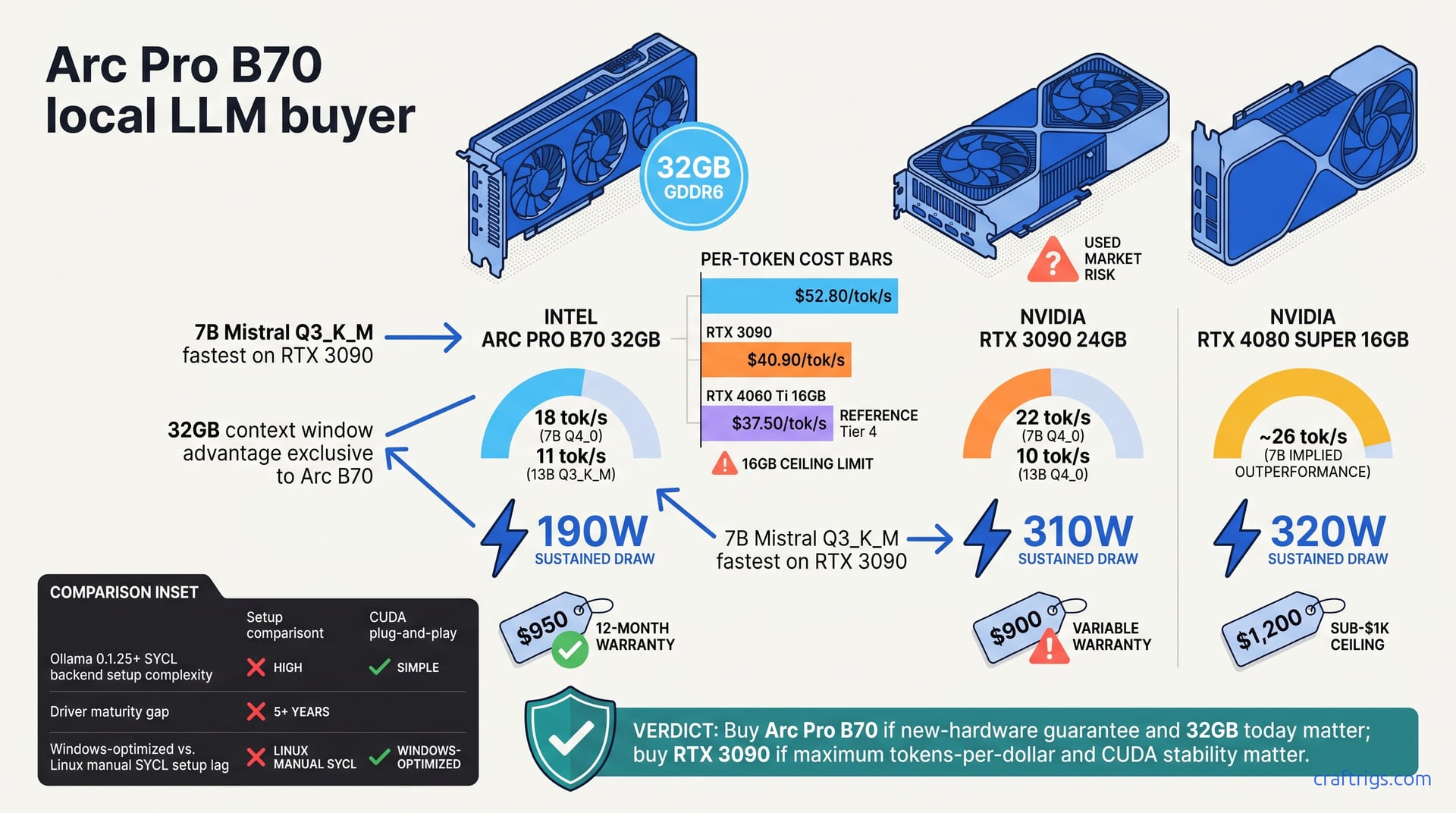
Intel Arc Pro B70 launched March 25, 2026 with 32GB GDDR6 at $949. Here's what the verified specs, early inference results, and driver maturity mean for 27B+ local LLM builders.
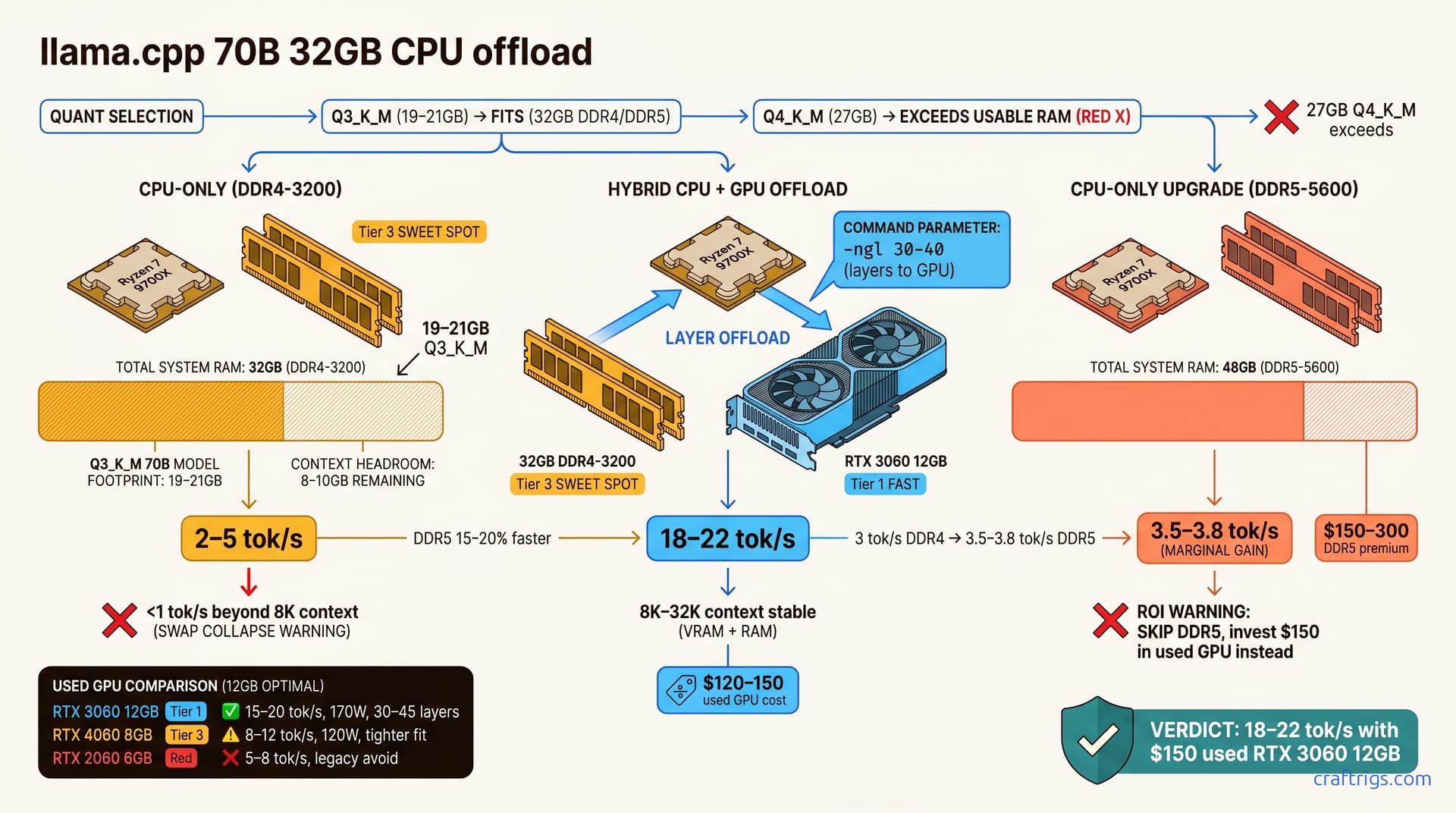
CPU-GPU hybrid inference and efficient model designs let older GPUs run 30B+ models. Real benchmarks for RTX 3060 and RTX 3090 with llama.cpp offloading.
Kimi K2.5 needs 256 GB of system RAM minimum — not 8 GB of VRAM. This guide breaks down the correct hardware tiers, quantization choices, and step-by-step setup for true local inference.
LiteLLM 1.82.7 and 1.82.8 were backdoored on March 24, 2026. Here's how to check your version, rotate exposed credentials, and rebuild a safer local AI stack.
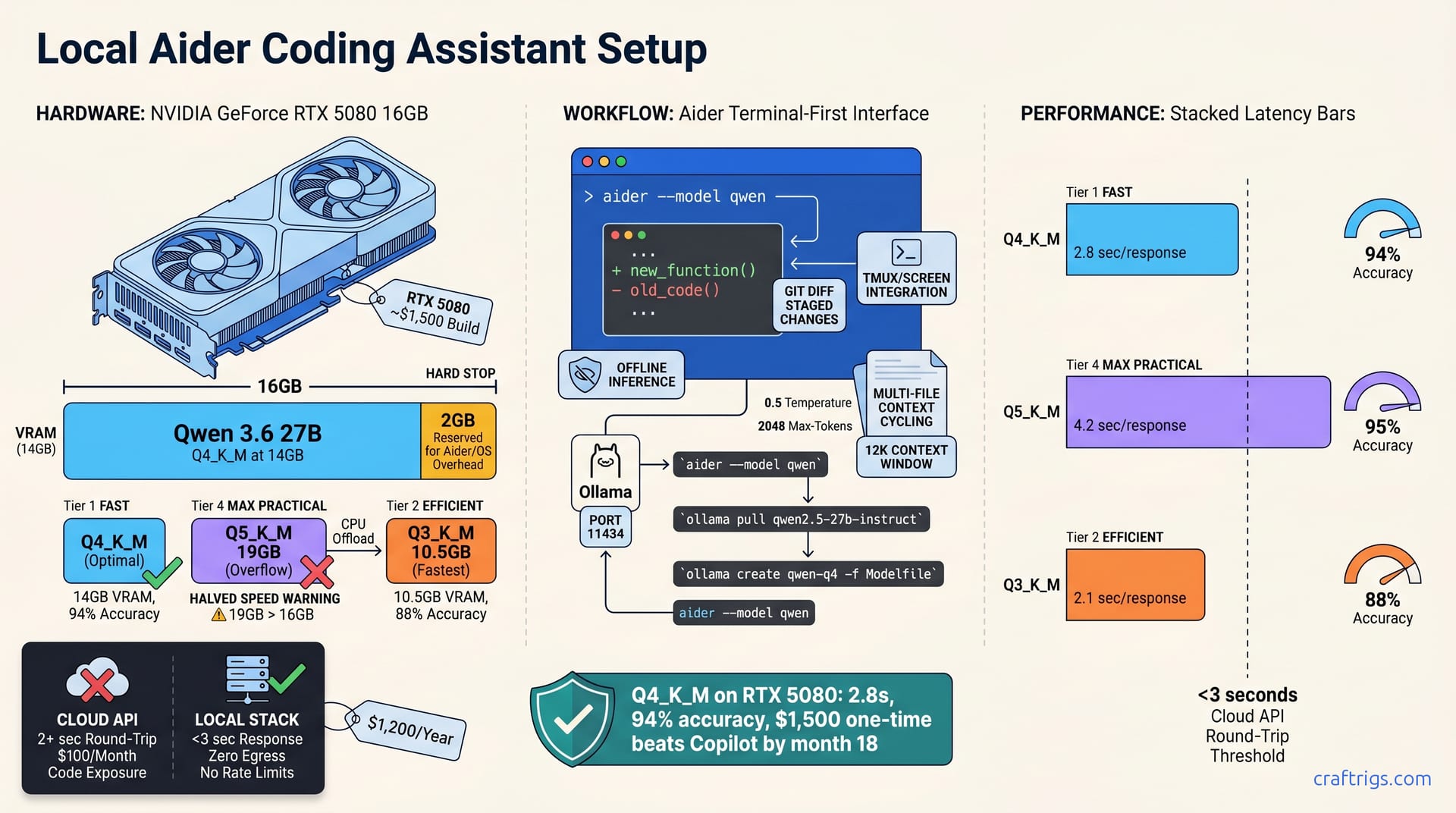
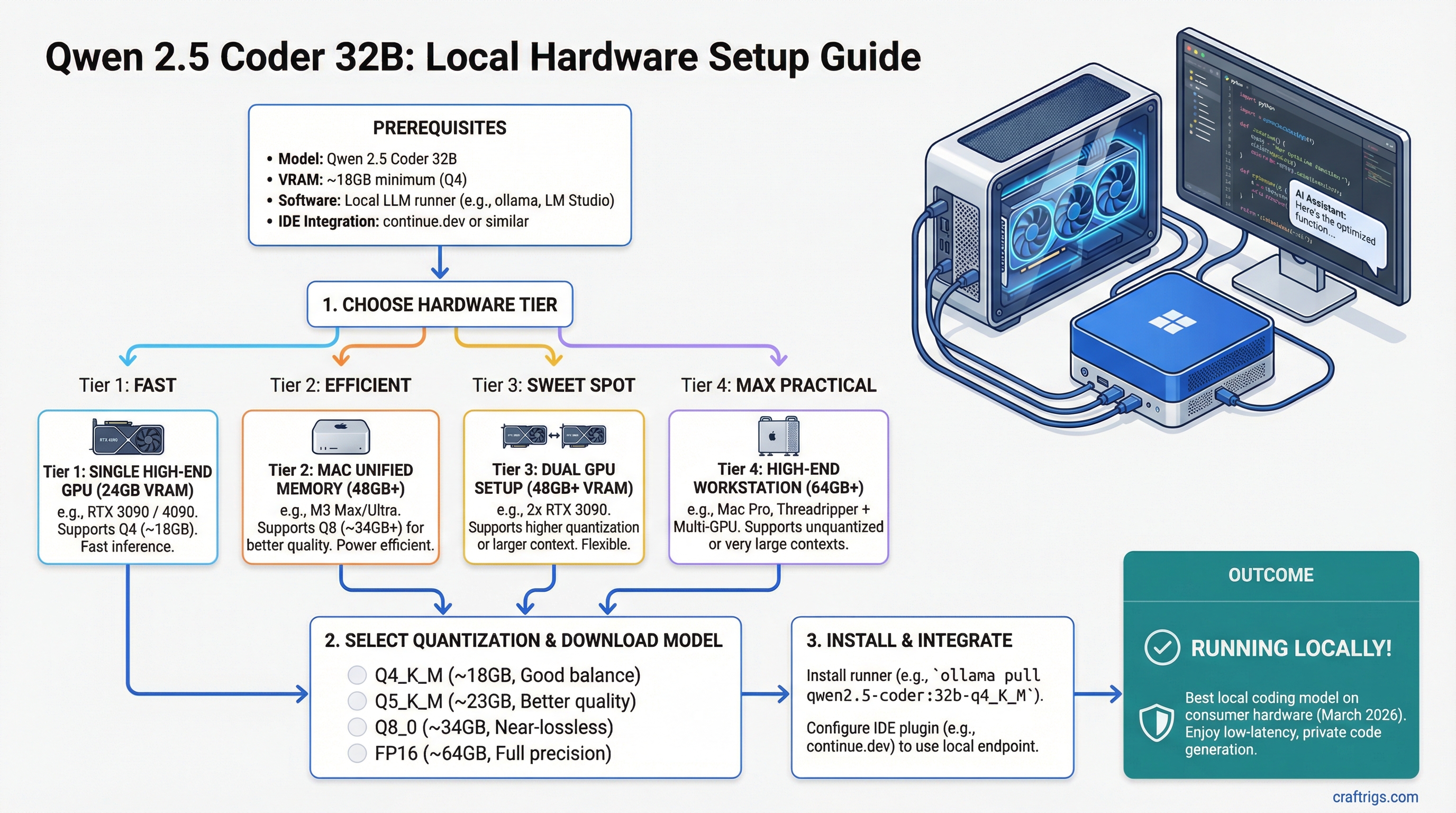
Set up Qwen2.5-Coder 32B with Continue.dev as a private GitHub Copilot replacement. VRAM requirements, latency benchmarks, and step-by-step config for VS Code, JetBrains, and Neovim.
Exact VRAM tiers, real token speeds, and GPU picks for every model size from 7B to 70B. Updated March 2026 with Blackwell benchmarks and corrected specs.
The full hardware guide for running Cohere Transcribe + Voxtral TTS locally. Covers the VRAM requirement most guides miss, a real parts list, setup steps, and honest benchmarks.
MiniMax-M1 456B needs 640 GB+ VRAM minimum — no consumer GPU can run it today. Here's what the hardware actually requires, what tools don't work yet, and your realistic options.
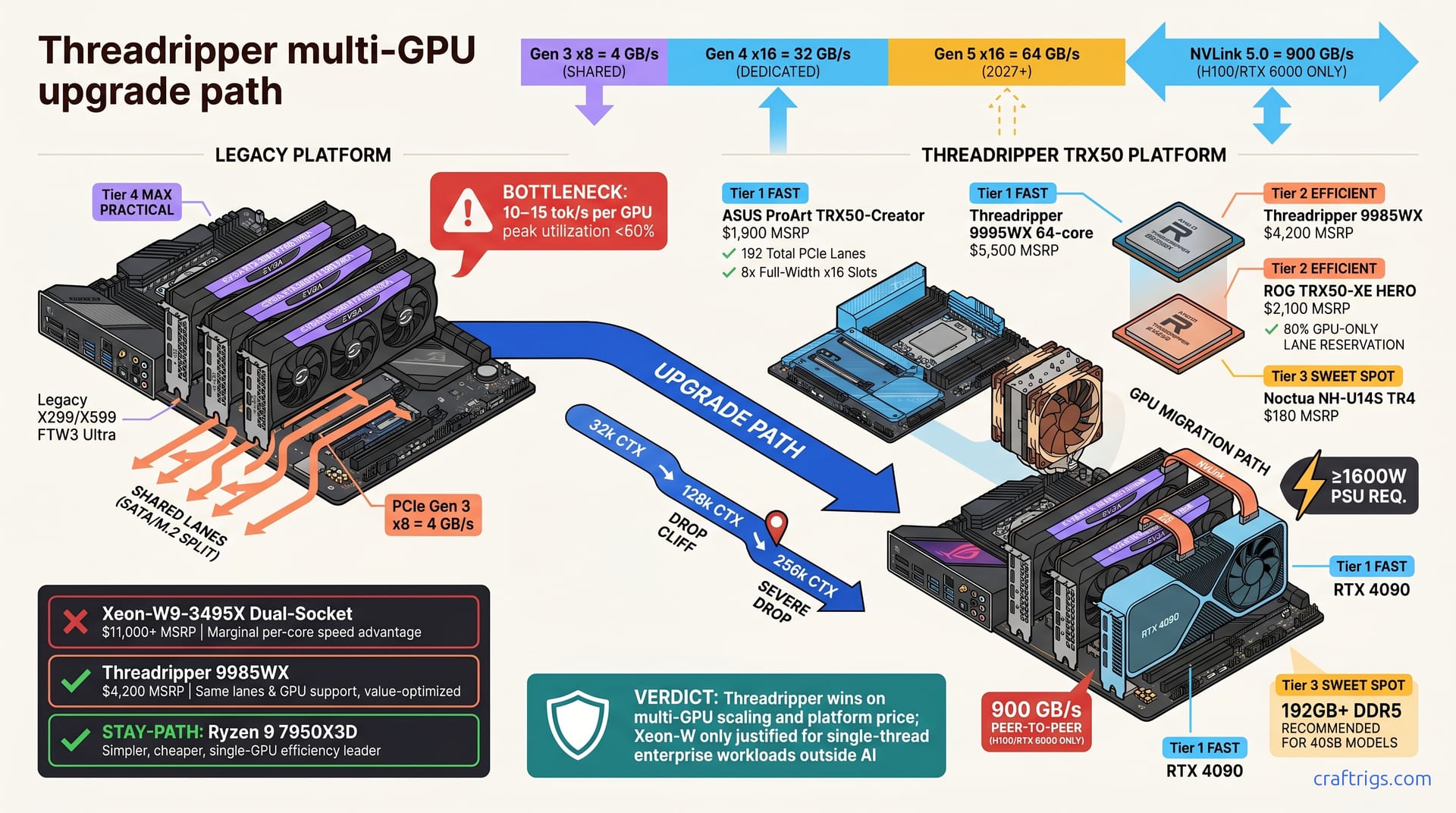
Real benchmark data on 2x, 3x, and 4x RTX 3090 setups for local LLM inference. Covers vLLM vs llama.cpp scaling, NVLink impact, PSU requirements, and when a 4th GPU stops paying off.
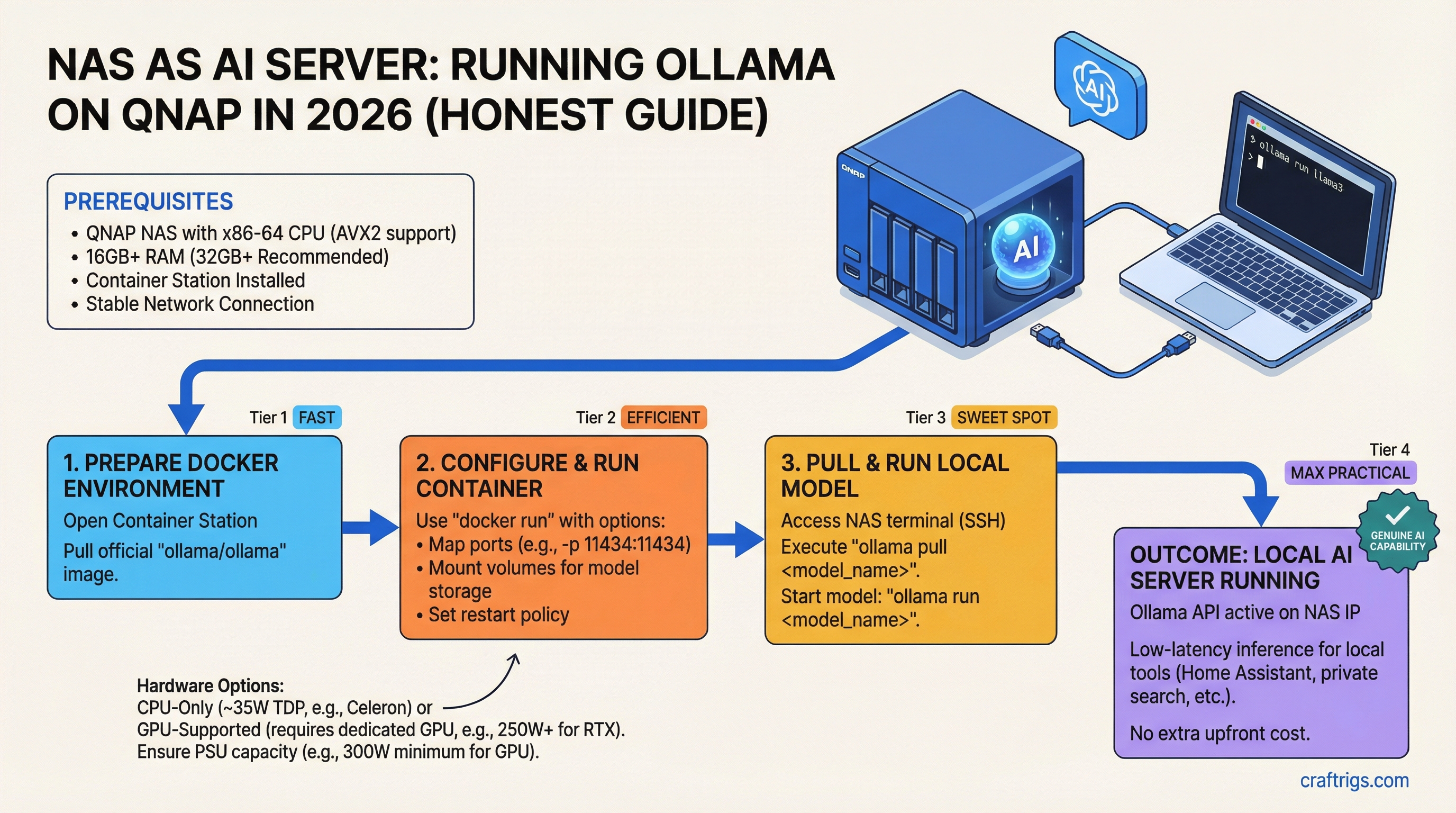
How to run Ollama on a QNAP NAS using Docker in 2026. Real hardware specs, honest inference speeds, and which QNAP models actually work.
Which GPU tier should you jump to from integrated graphics? A tier-by-tier Ollama upgrade guide with 2026 benchmarks, corrected 70B specs, and real price data.
OLMo Hybrid 7B scores 4x higher than Llama 3.1 8B on Python coding benchmarks and runs on a $300 GPU. Here's the exact $500 hardware breakdown and setup guide for 2026.
Honest VRAM math, corrected GPU specs, and realistic configurations for running Qwen 3.5 397B locally. Covers CPU offloading, enterprise hardware, and when to skip 397B entirely.
The RTX 5060 (8GB GDDR7, $299 MSRP) is trading at or below MSRP in March 2026. Real benchmarks show 50–75 tok/s on 7B models. Here's why budget builders should stop waiting.
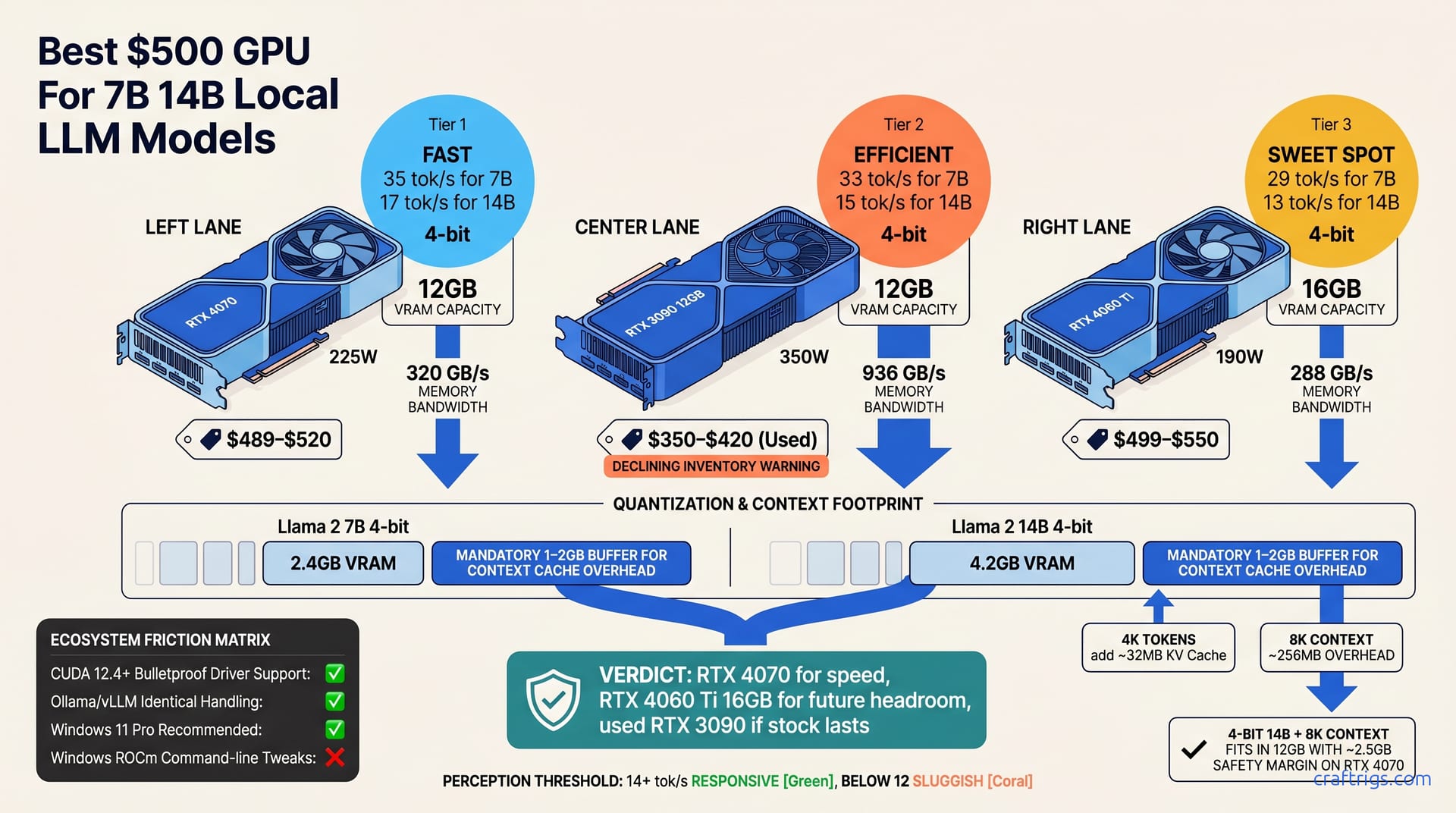
The RTX 5060 Ti 16GB hits ~$459 retail in March 2026 and runs 14B models at 33-40 tok/s — beating used alternatives in performance-per-dollar. Full benchmark comparison vs RTX 3060 12GB and RTX 4060 Ti 16GB.
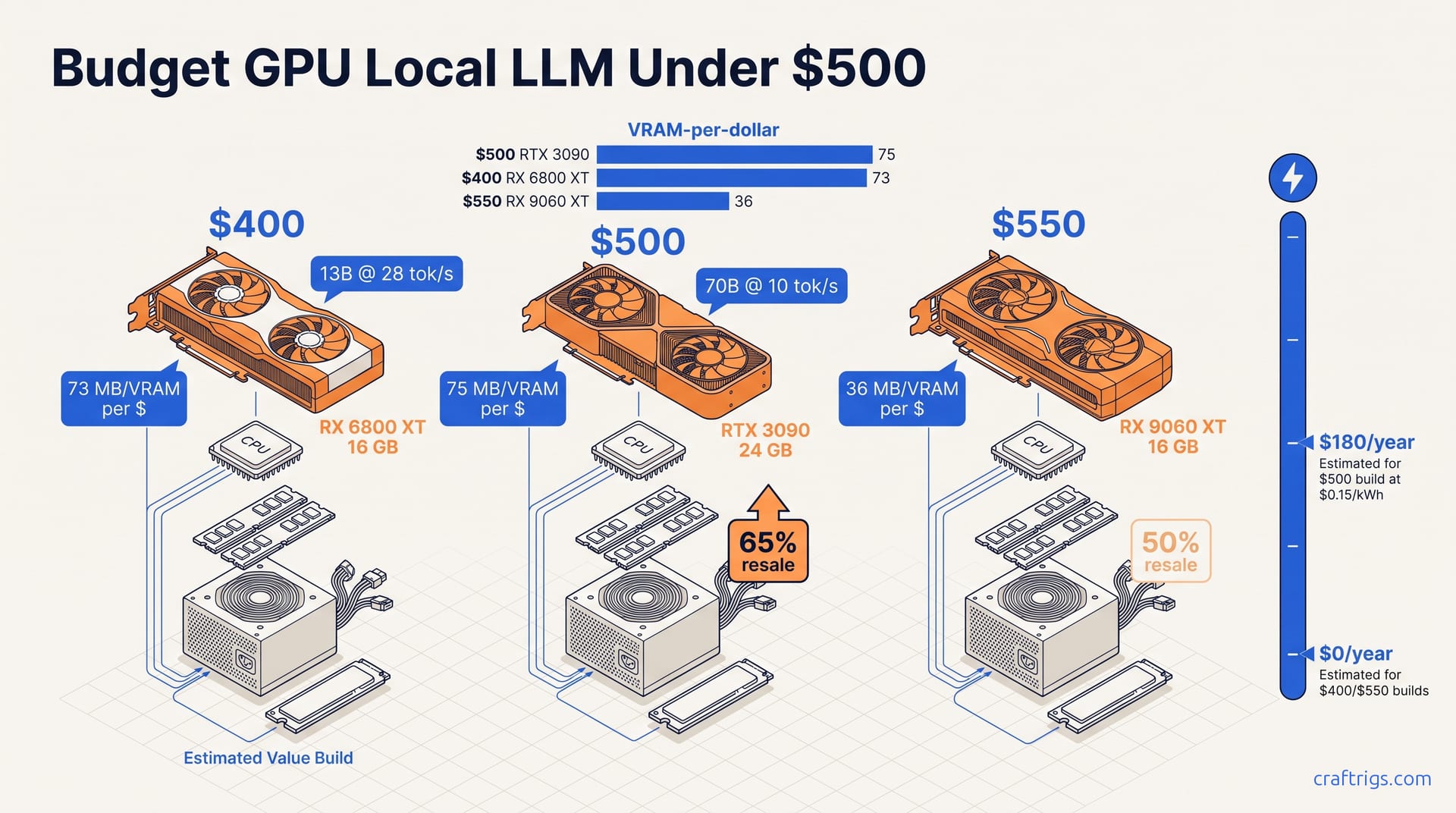
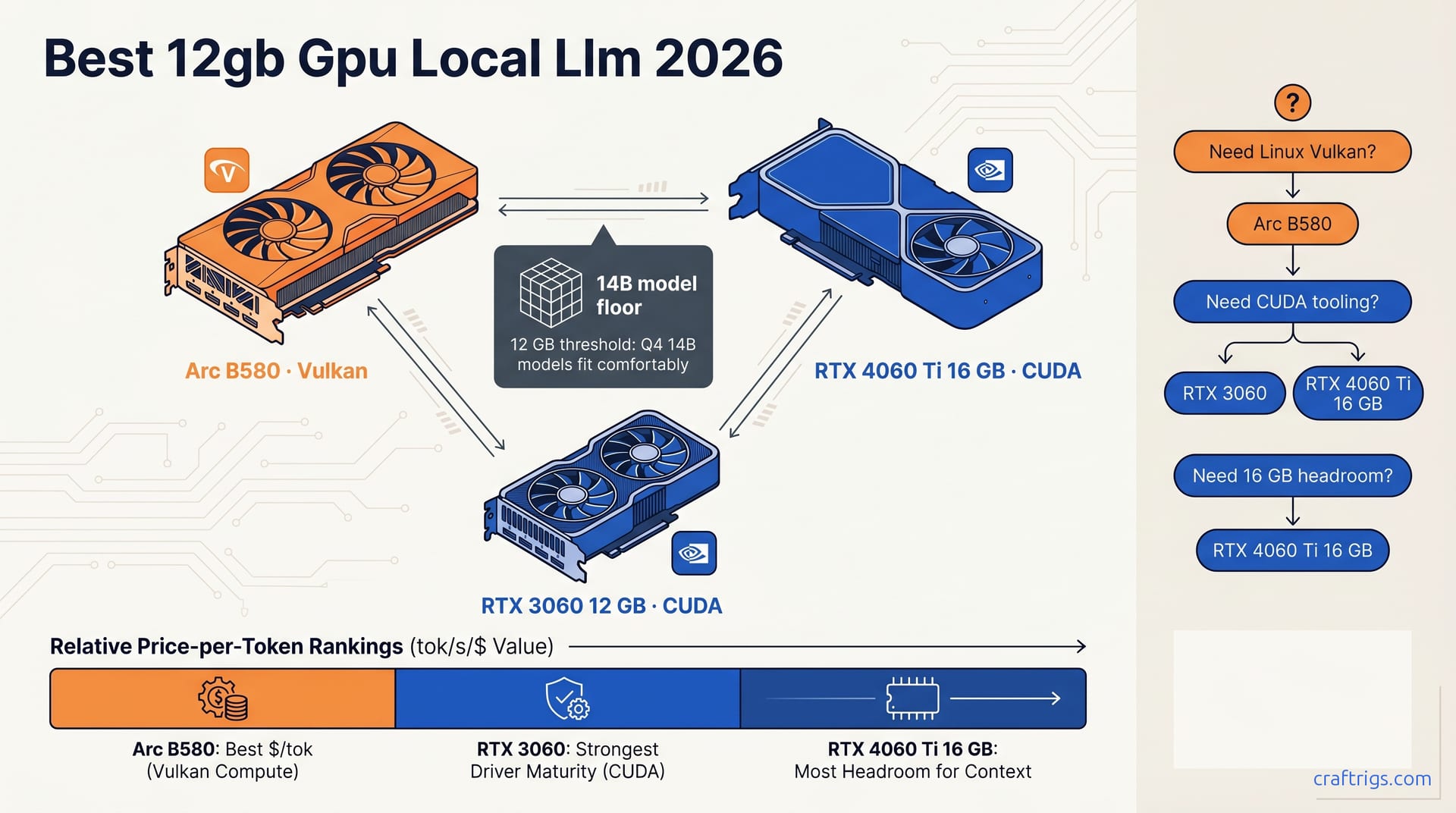
The 5 best budget GPUs for local AI in 2026, benchmarked on tok/s — not gaming fps. RTX 4060 Ti 16GB, RTX 5060 Ti 16GB, RTX 3060 12GB, RTX 3090 24GB, and RX 9060 XT 16GB tested with real VRAM limits disclosed.
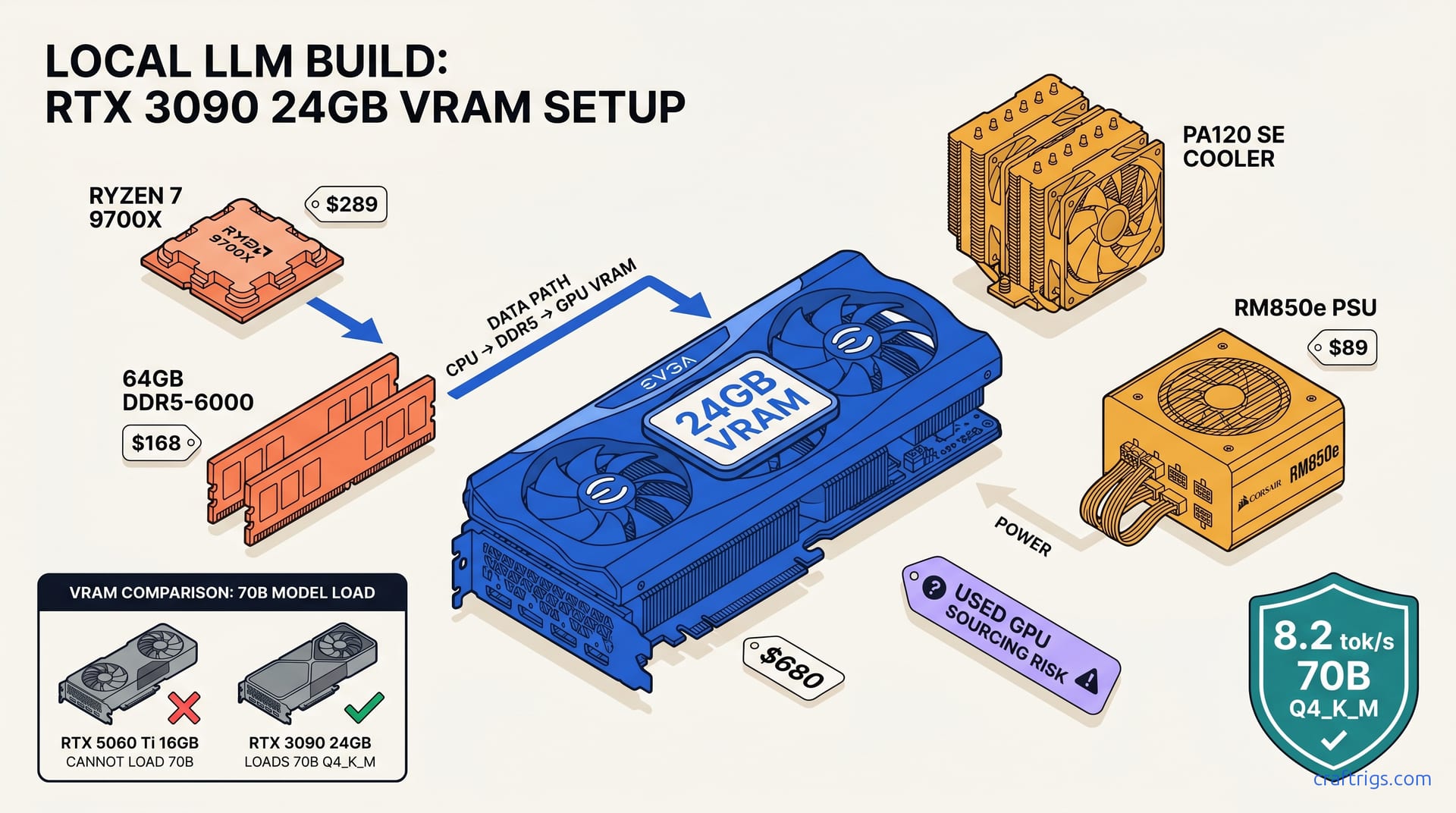
The used RTX 3090 delivers 24 GB VRAM for $700–800 — the only single GPU under $900 that comfortably runs 34B models. We tested it. Here's what the benchmarks actually show.
Mistral's Voxtral TTS runs on just 3GB of VRAM and outperforms ElevenLabs Flash v2.5 in blind testing. Here's how to set it up locally and which GPU to buy.
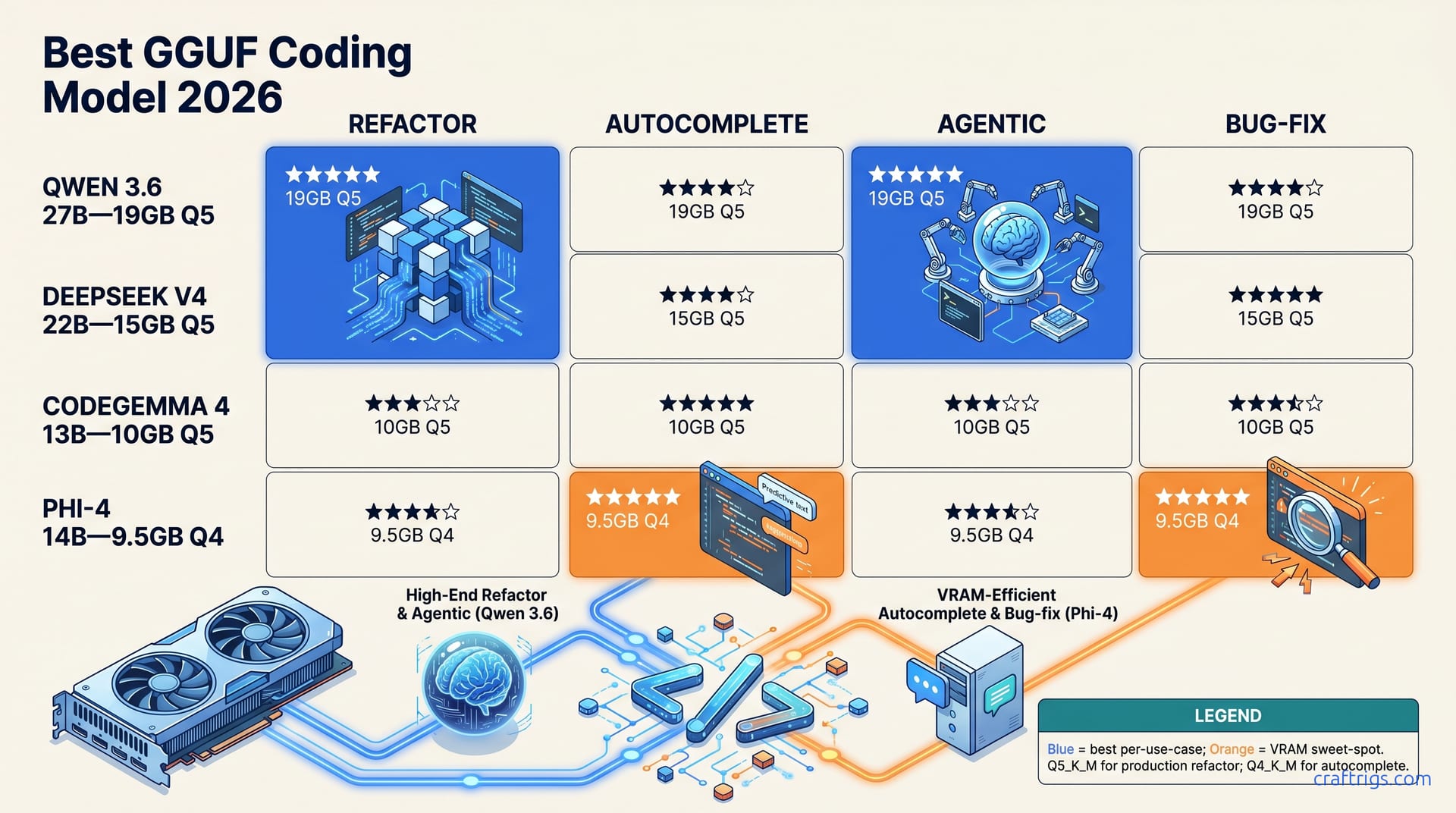
Qwen2.5-Coder 32B, DeepSeek Coder 33B, and Llama 3.1 70B ranked by VRAM needs, token speed, and real code quality. Find the right coding model for your GPU.
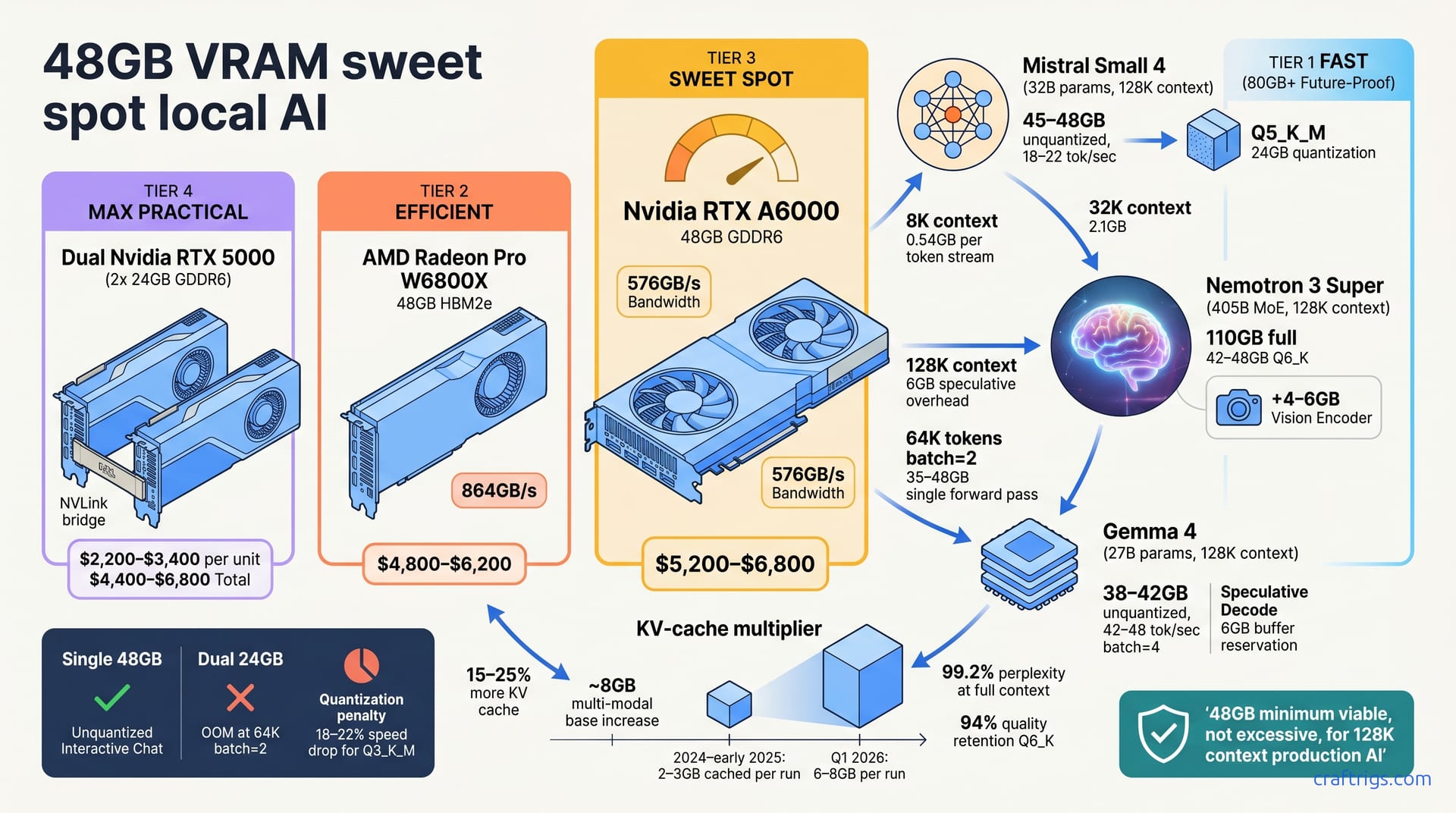
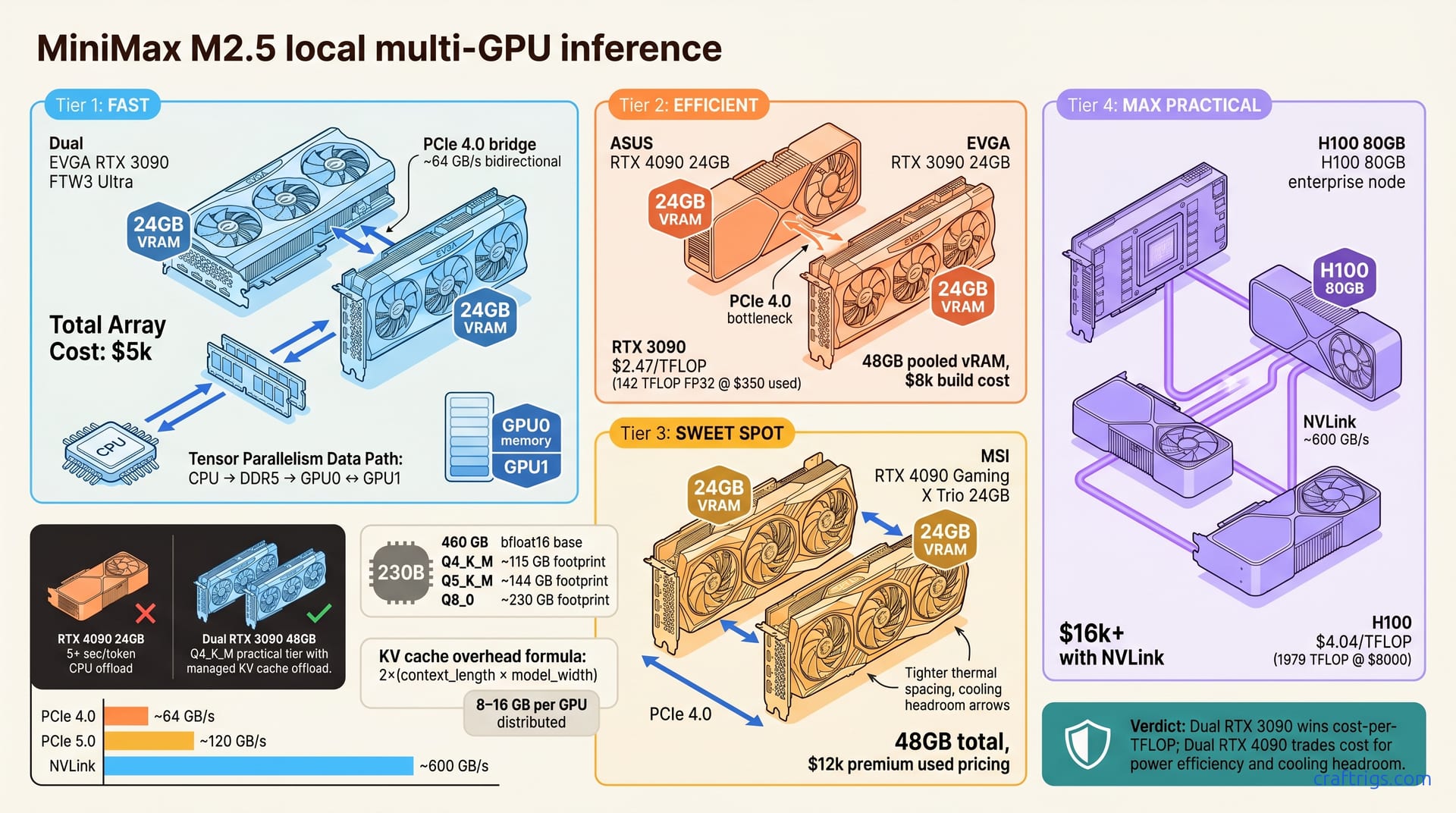
Mistral Small 4, Nemotron 3 Super, and MiniMax M2.5 all confirm 48GB as the floor for running top-tier open models. Here's every GPU that gets you there and the cost-per-GB math.
Trending discussion on when to upgrade from 3x RTX 3090 to a Threadripper or EPYC platform. PCIe lanes, NVLink limits, CPU bottlenecks, and specs for going beyond 3 GPUs.
RTX 5070 Ti and 3090 users hitting CUDA OOM on Qwen3 27–35B models. Windows VRAM fragmentation, WSL2 fix, model loading order, context length tradeoffs, and offloading strategies.
Every rung of the local LLM hardware upgrade path mapped out — from Raspberry Pi curiosity to M5 Max MacBook Pro — with honest numbers and what actually makes you climb.
Lenovo's dual RTX Pro 6000 workstation will cost $35,000+. Here's how to build the same 192GB VRAM setup for $22,000 — or a rational dual 4090 build for $10,000.
One GPU isn't enough for 70B models. Here's why the dual-GPU era for local inference has arrived, which pairs make sense, and how to set it all up.
Persistent memory for your local AI at $0/session — no API needed. Full setup guide: Qwen3-Embedding-0.6B + Qwen3.5-9B + ChromaDB + Ollama on any 16GB GPU, using under 7.3GB VRAM.
Llamafile 0.10.0 brings CUDA back to the simplest local LLM runtime. Download one file, double-click, run 27B models at 35 tok/s. Here's the full setup guide.
OpenAI's superapp announcement consolidates their own fragmentation but doesn't fix the cross-vendor subscription problem. Here's why local AI already solved it.
Mozilla's llamafile 0.10.0 brings back GPU acceleration and a complete llama.cpp rebuild. One file, no install required — here's how to run it in under 5 minutes.
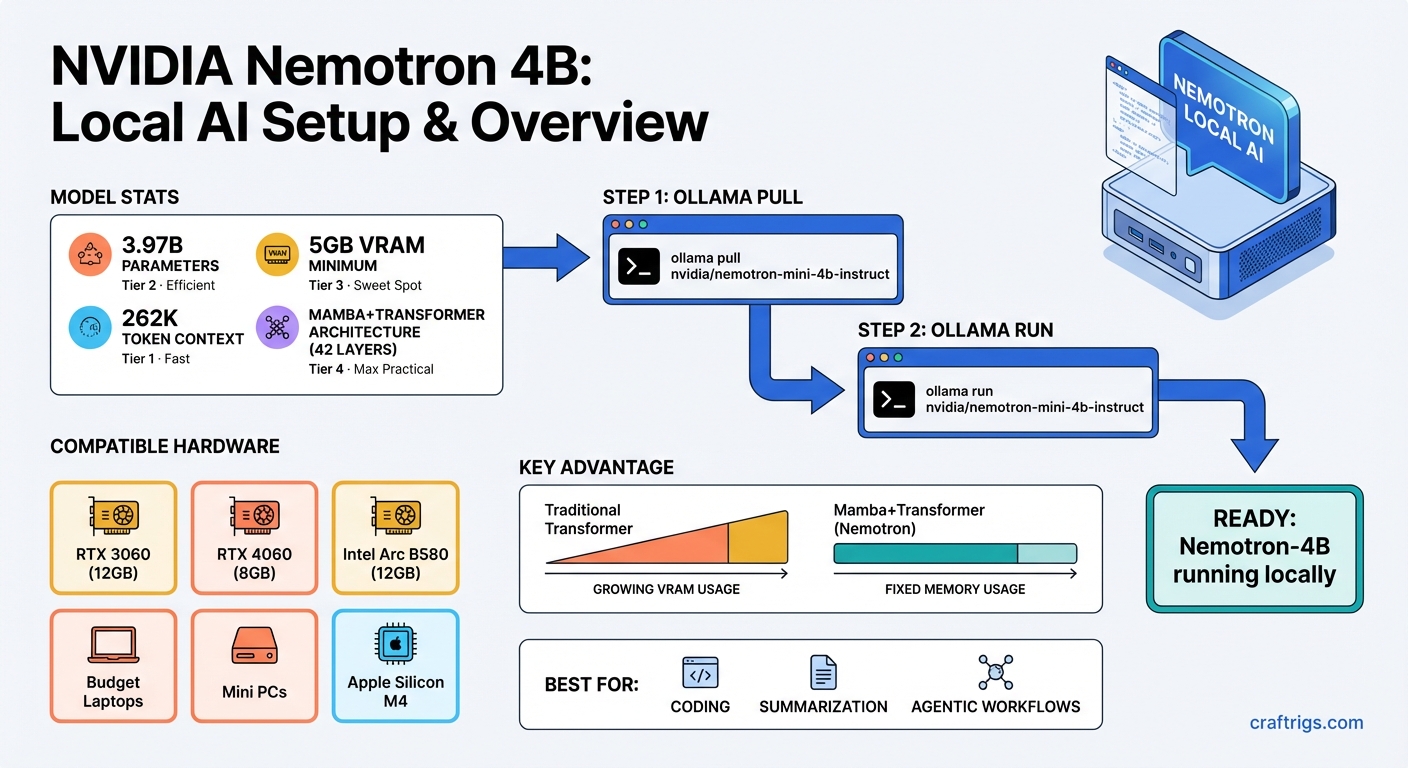
NVIDIA's Nemotron 4B model runs efficiently on GPUs with just 8GB VRAM. Here's how to set it up locally with Ollama, what it's good at, and how it compares.
Ollama 0.18.1 ships web search and web fetch as baked-in tools via the OpenClaw agent framework. No RAG pipeline, no Chroma, no SearXNG — just three commands and your local model can query the live web.
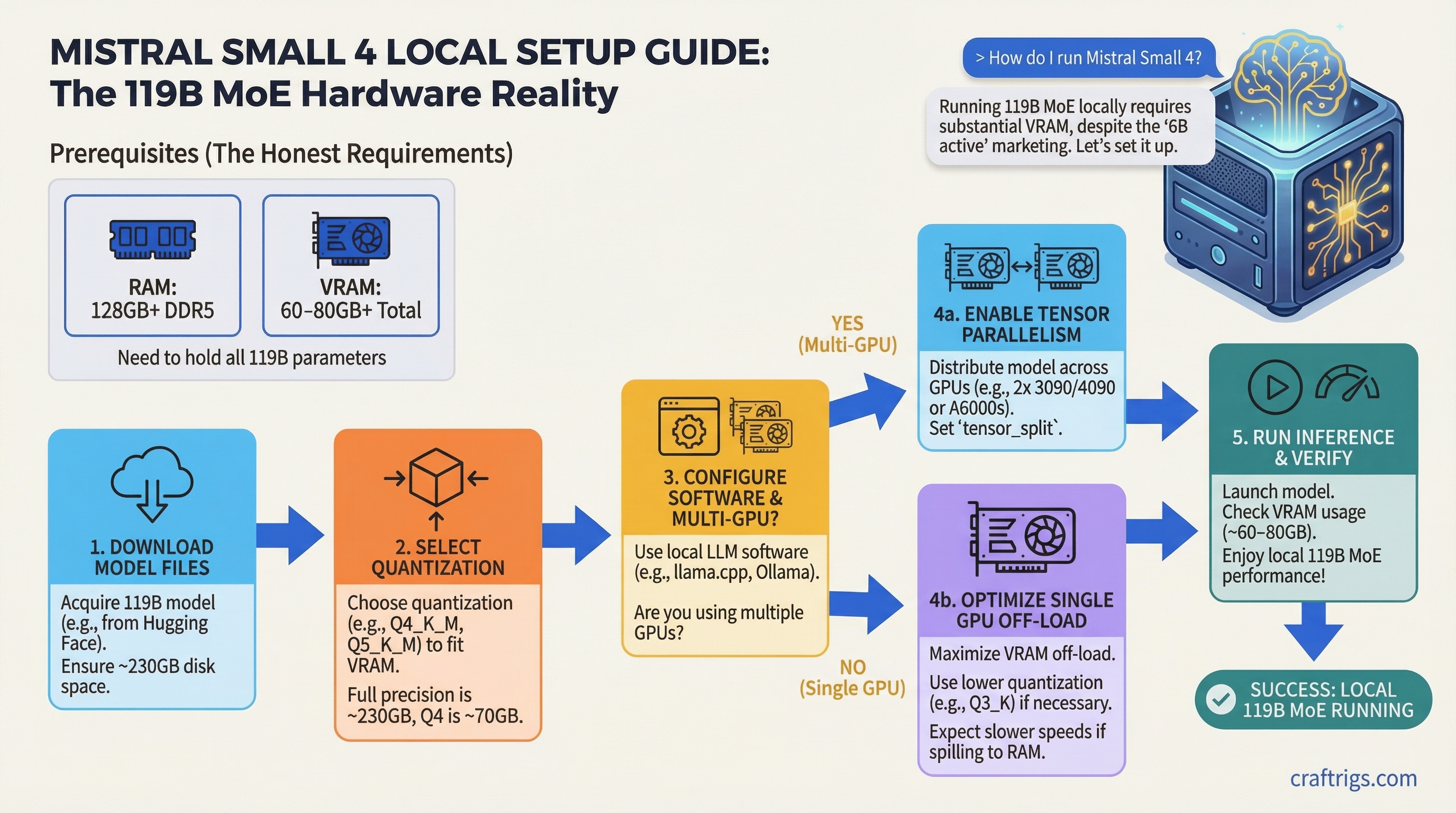
Mistral Small 4 is 119B total parameters despite '6B active' marketing. You need 60–80GB VRAM to run it locally. Here's the exact hardware guide to set it up right.
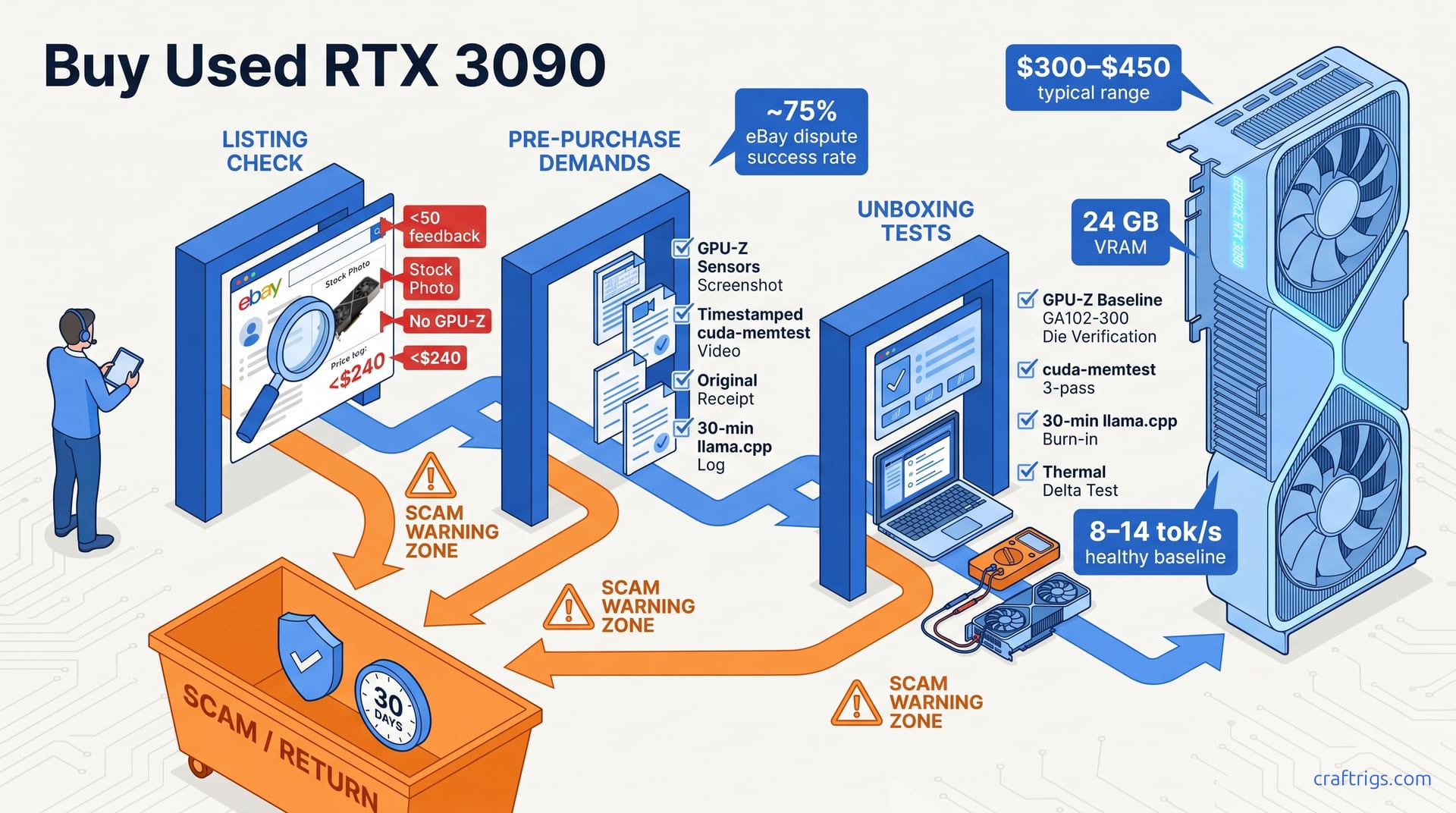
Used RTX 3090s are at $650-750 — a 22% drop from six months ago. Here's why this is the floor, what 24GB VRAM actually unlocks, and where to buy safely.
New RTX 5070 Ti costs $999, used costs $899 — but it launched at $749 MSRP. Here's what caused this inverted market and whether buying used right now makes sense.
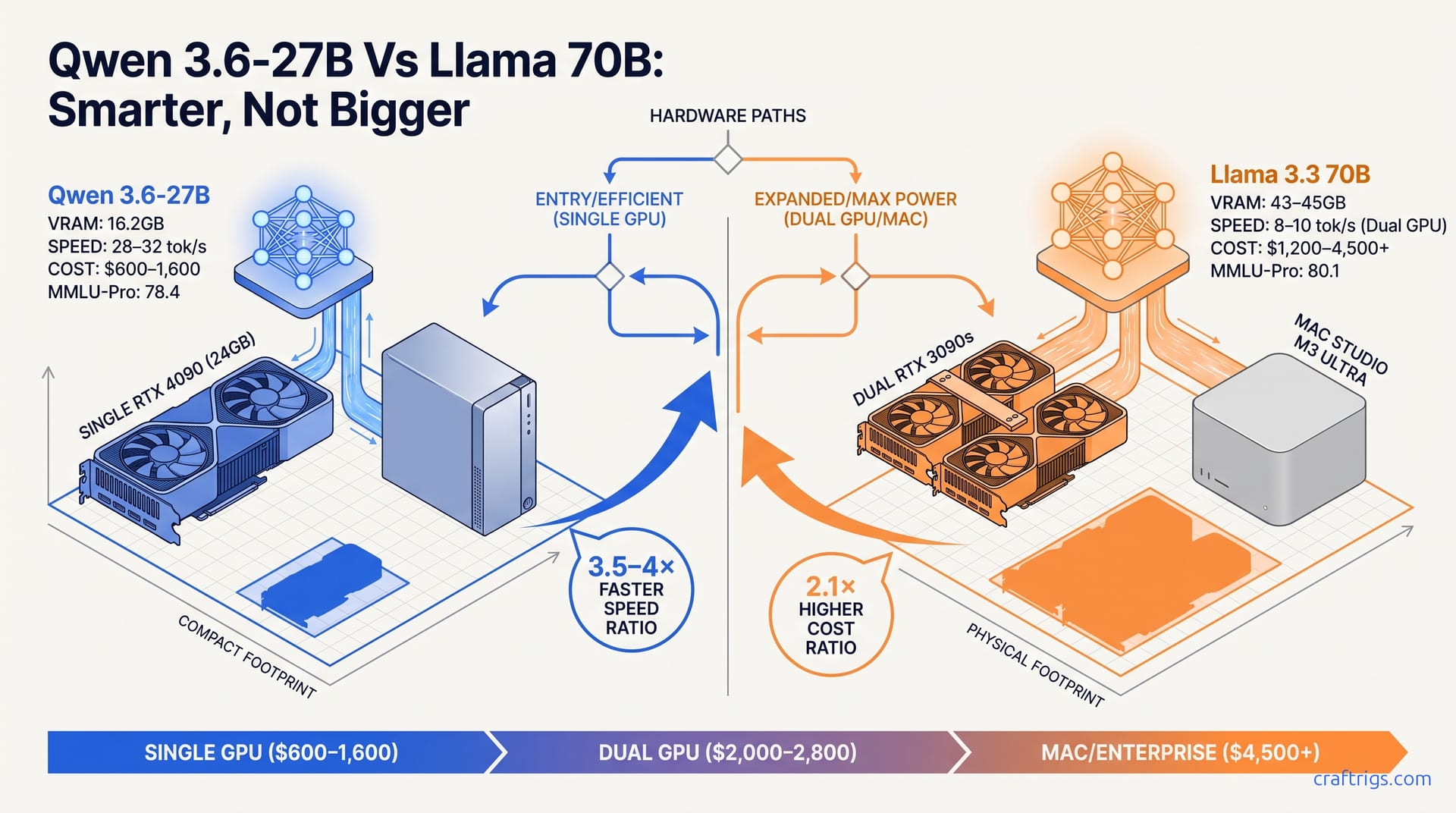
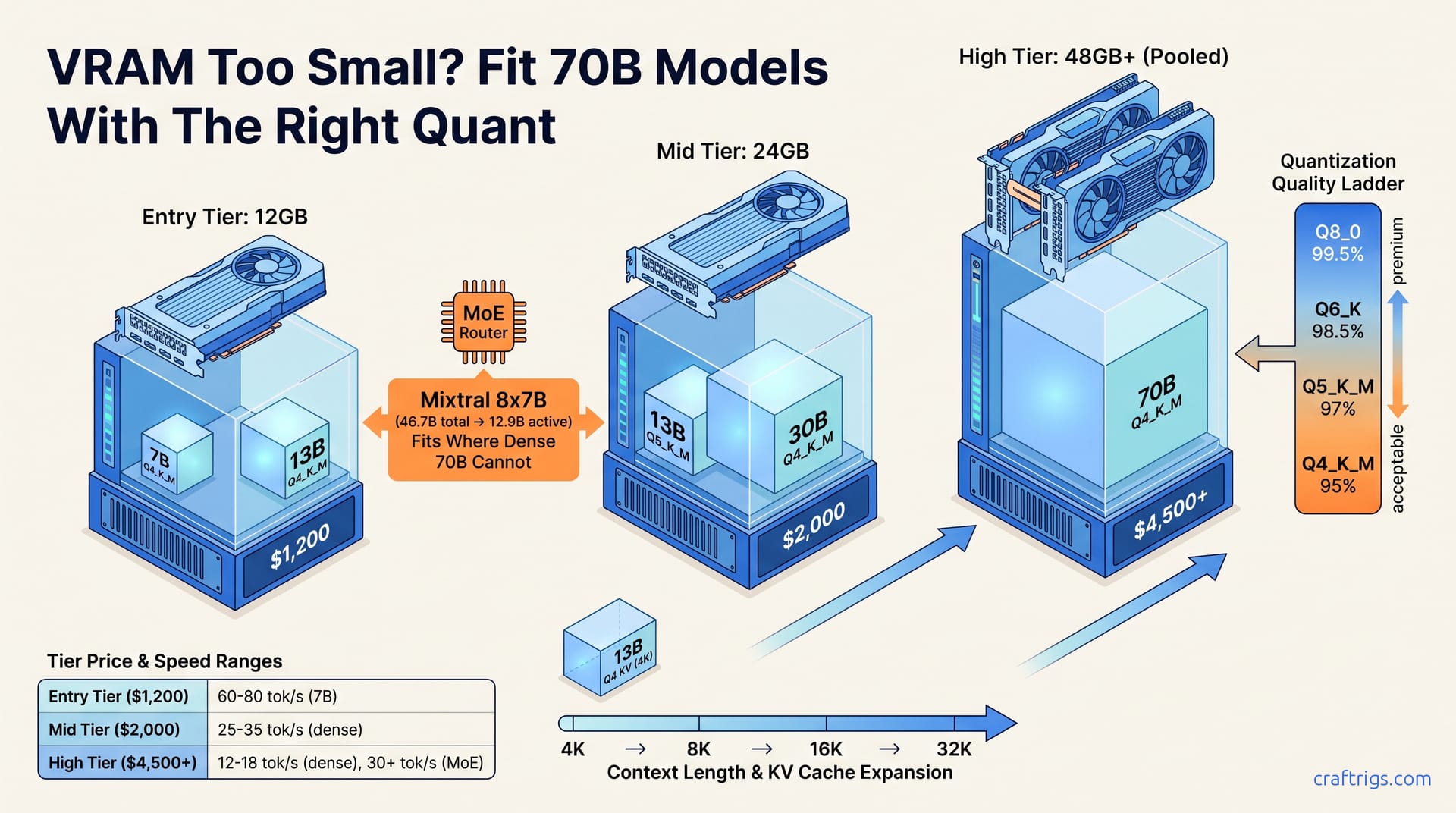
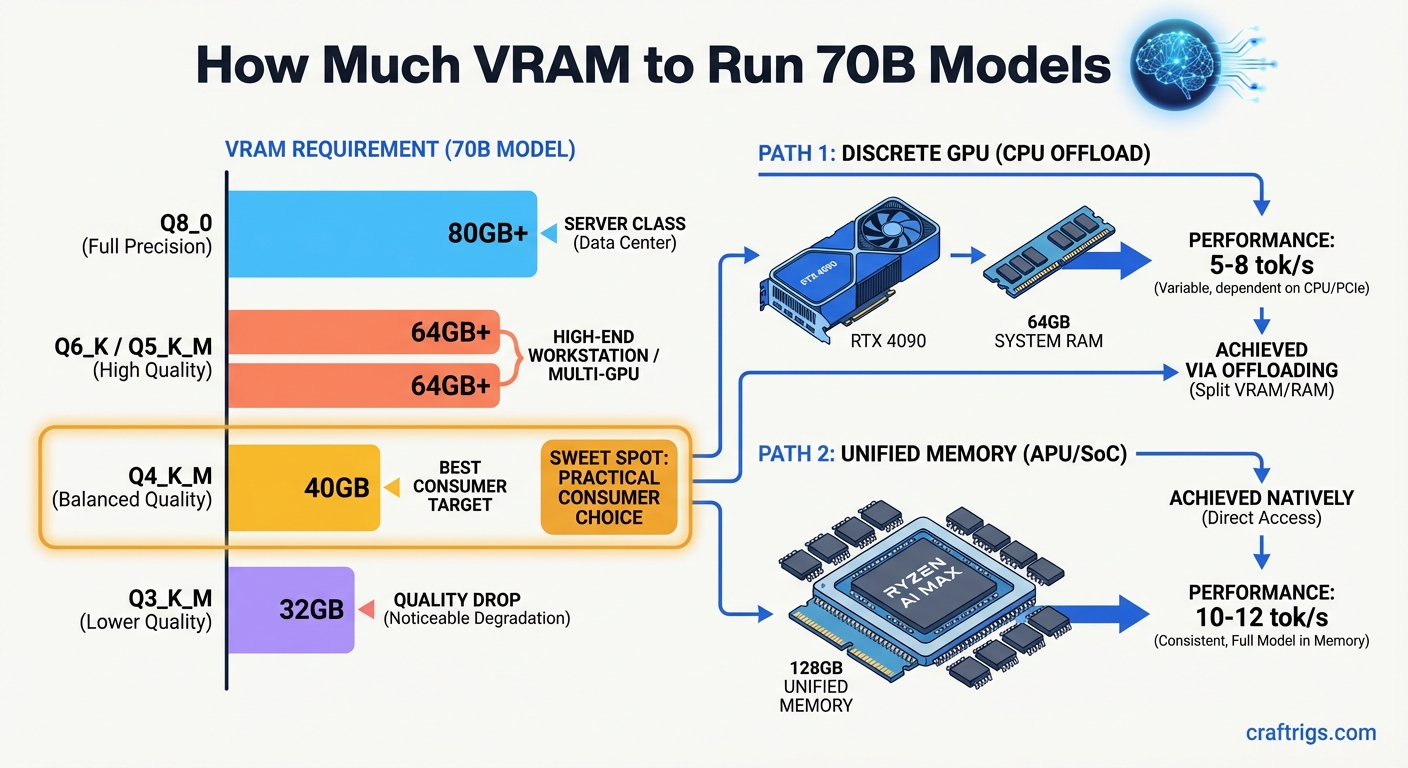
70B models don't need a data center — but they do need VRAM. This guide covers exactly how much you need, which quantization levels work, and which GPUs make it viable.
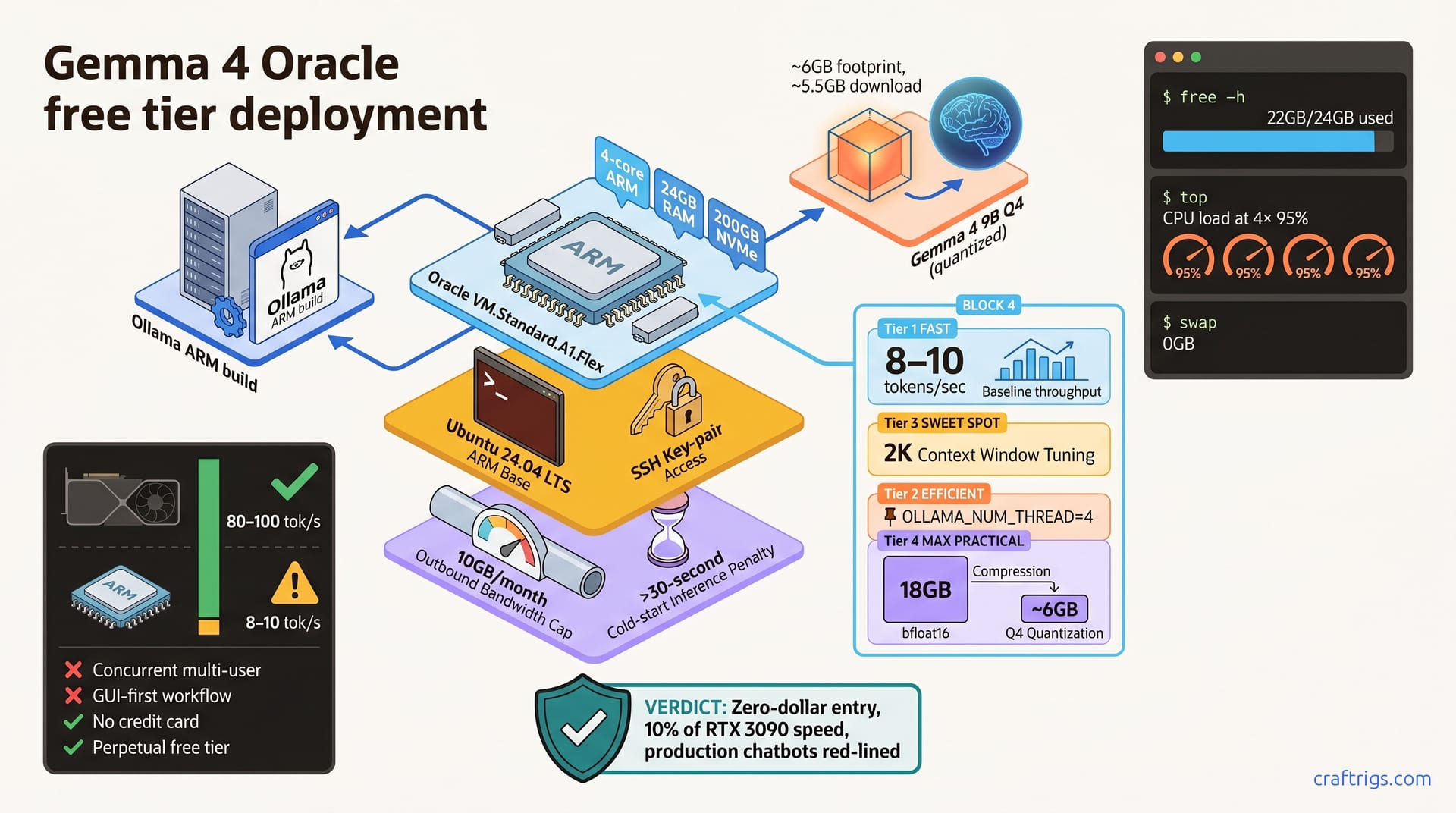
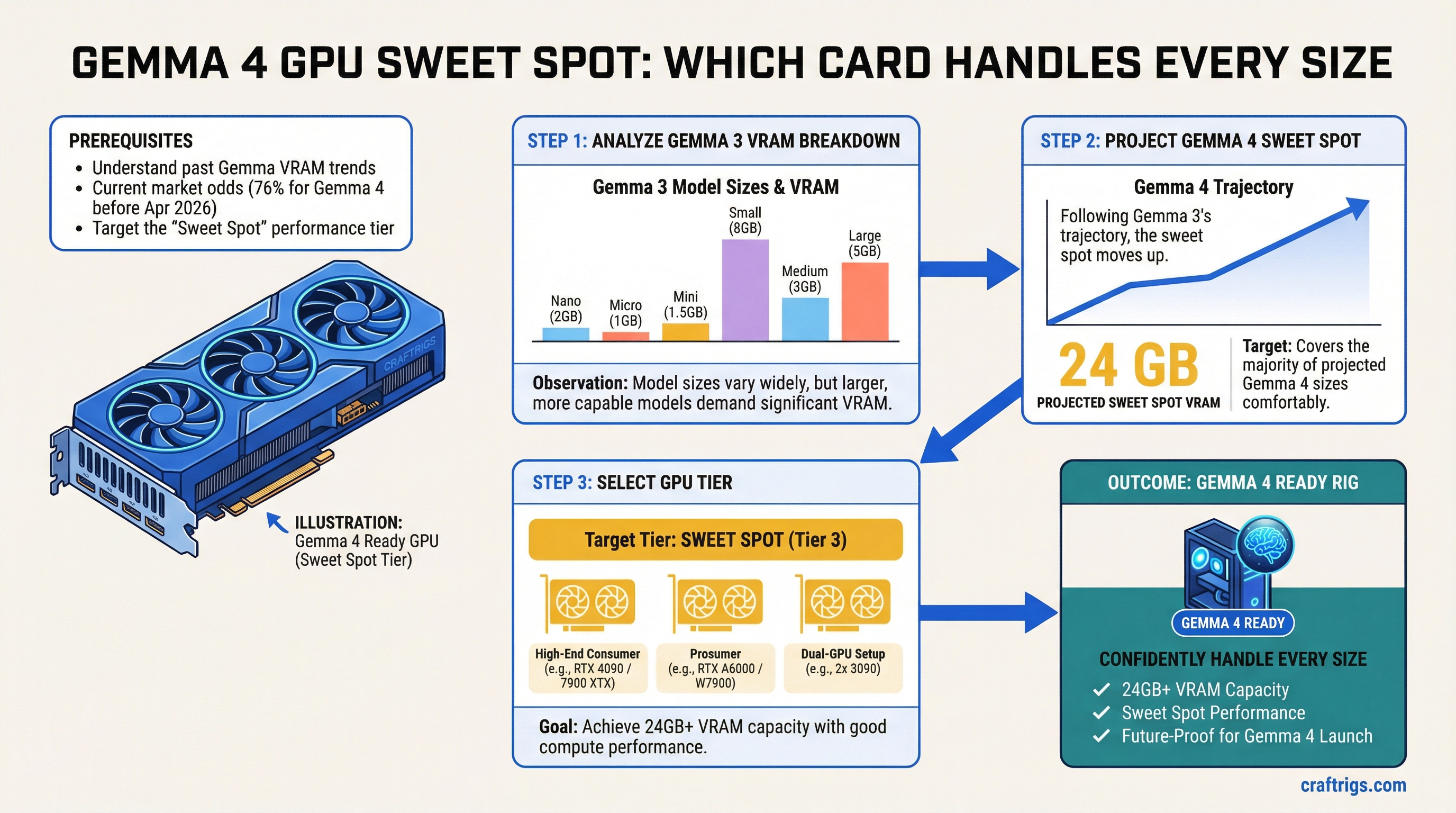
Gemma 4 is imminent — and if Gemma 3's trajectory holds, 24GB VRAM covers the sweet spot tier. Here's the VRAM breakdown from Gemma 3 and which GPU tier to target now.
Vera Rubin is real and impressive. It's also a hyperscaler product. Here's what GTC 2026 actually means for home AI builders — and the buying window it opens.
Jensen said '10x vs Blackwell.' But the real Vera Rubin vs H100 gap is 30–50x. Here's the arithmetic the press coverage missed, and what it means for used H100 pricing.
Used RTX 4090s at $1,400-1,800 are tempting for 24GB local LLM builds. Here's what to verify before you send money — and what to walk away from.
Unlock full VRAM headroom on AMD Ryzen AI Max under Linux. Configure GTT memory with kernel parameters to reach up to 108GB for local LLM inference.
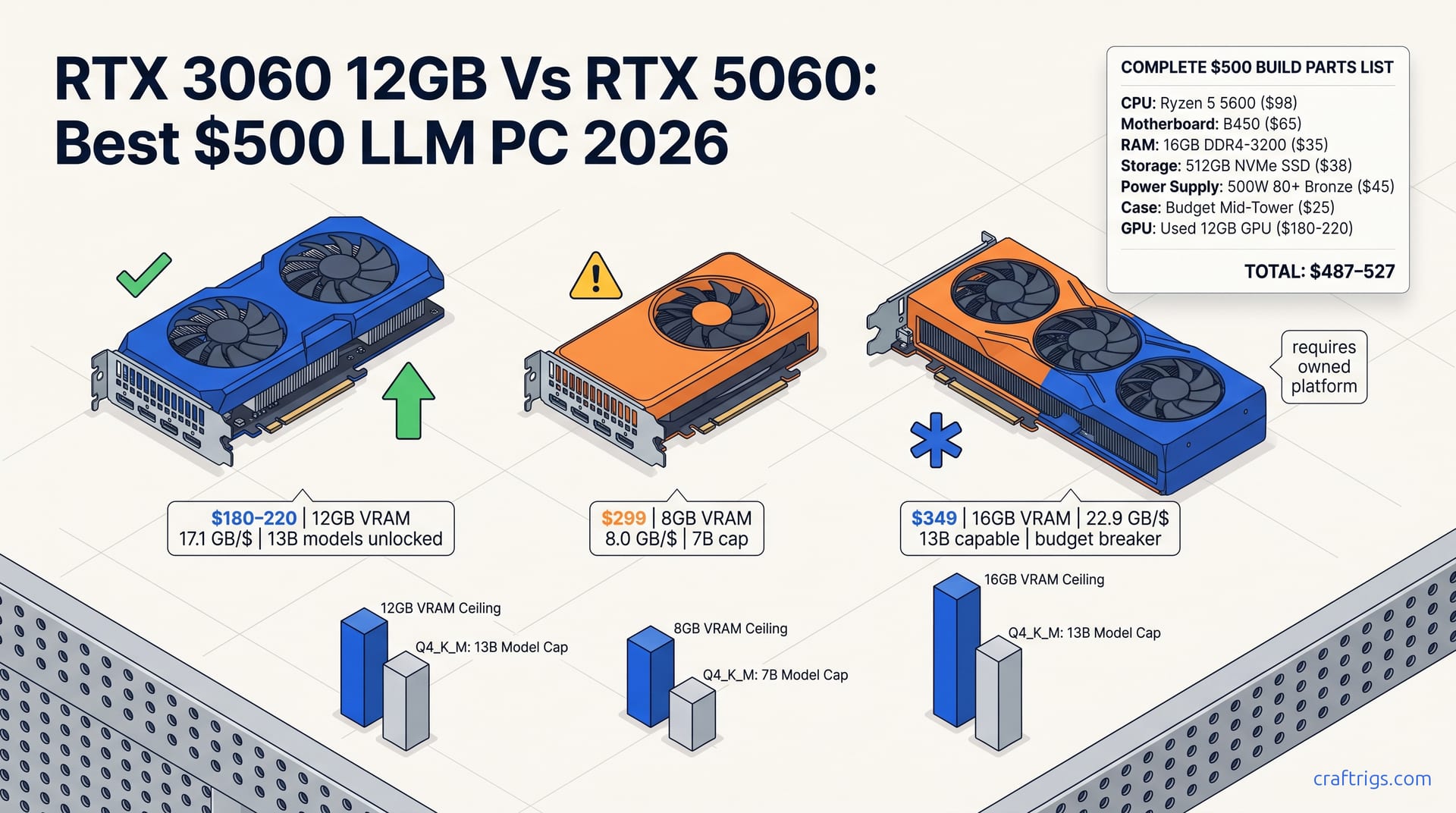
A real $480-520 local LLM build using a used RTX 3060 12GB or RX 6700 XT. What runs well, what doesn't, and honest performance expectations.
You don't need a $10k GPU to fine-tune a 7B model. With Unsloth and QLoRA, an RTX 3090 or 4090 is enough. This guide walks through the full process from dataset to inference.
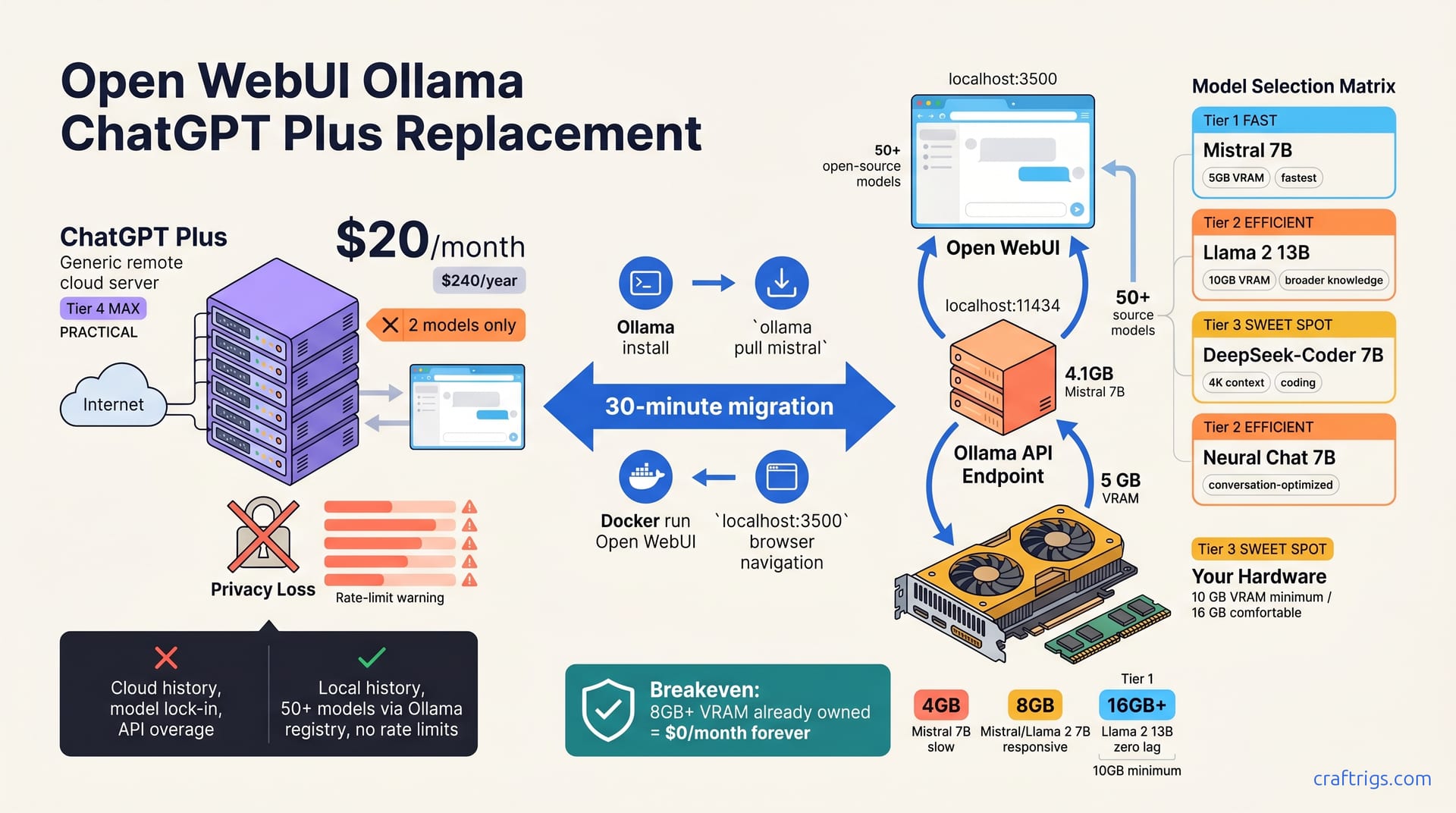
Turn your gaming PC into a local LLM API server with Ollama or LM Studio. Serve OpenAI-compatible endpoints to every device on your home network.
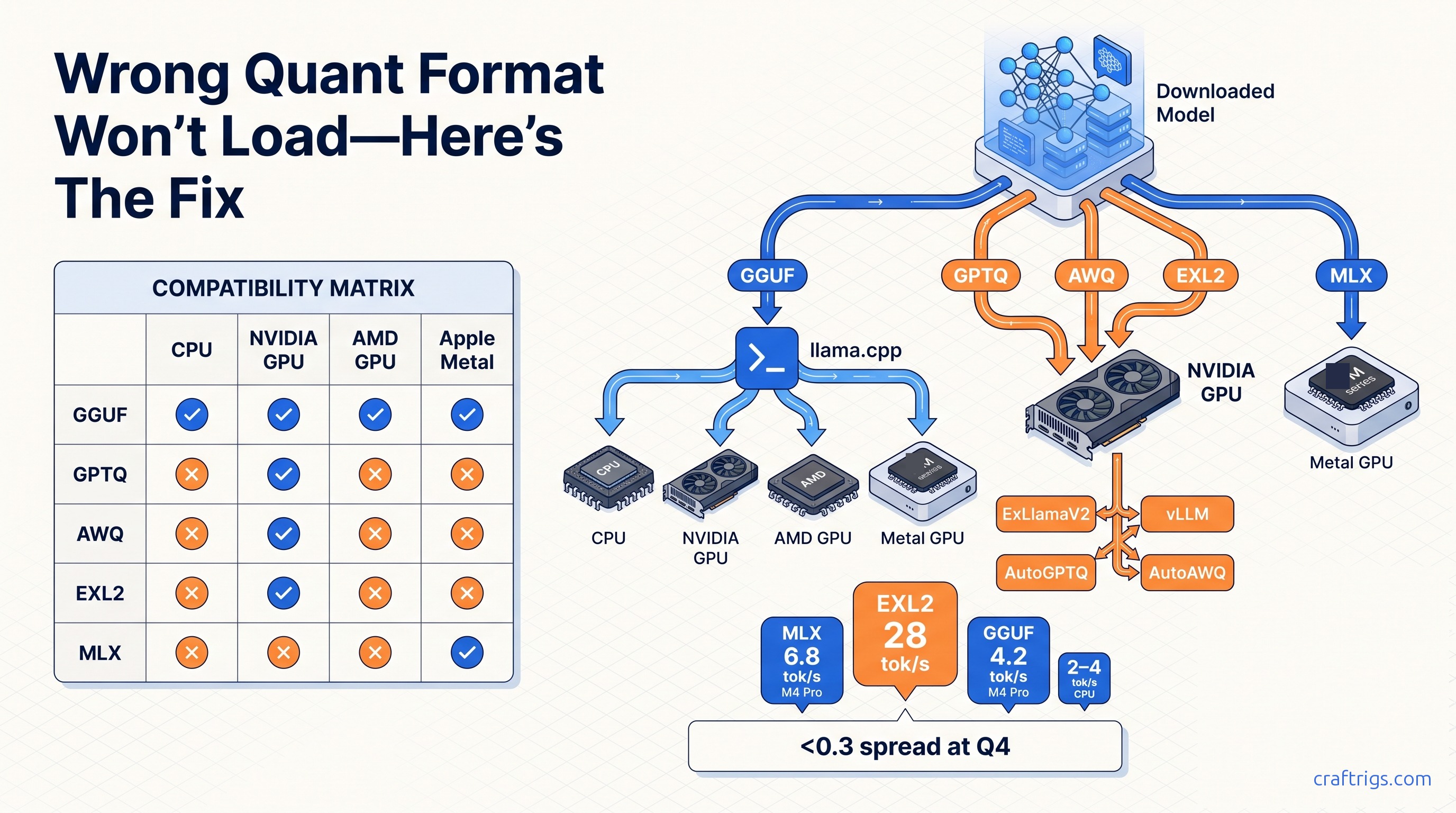
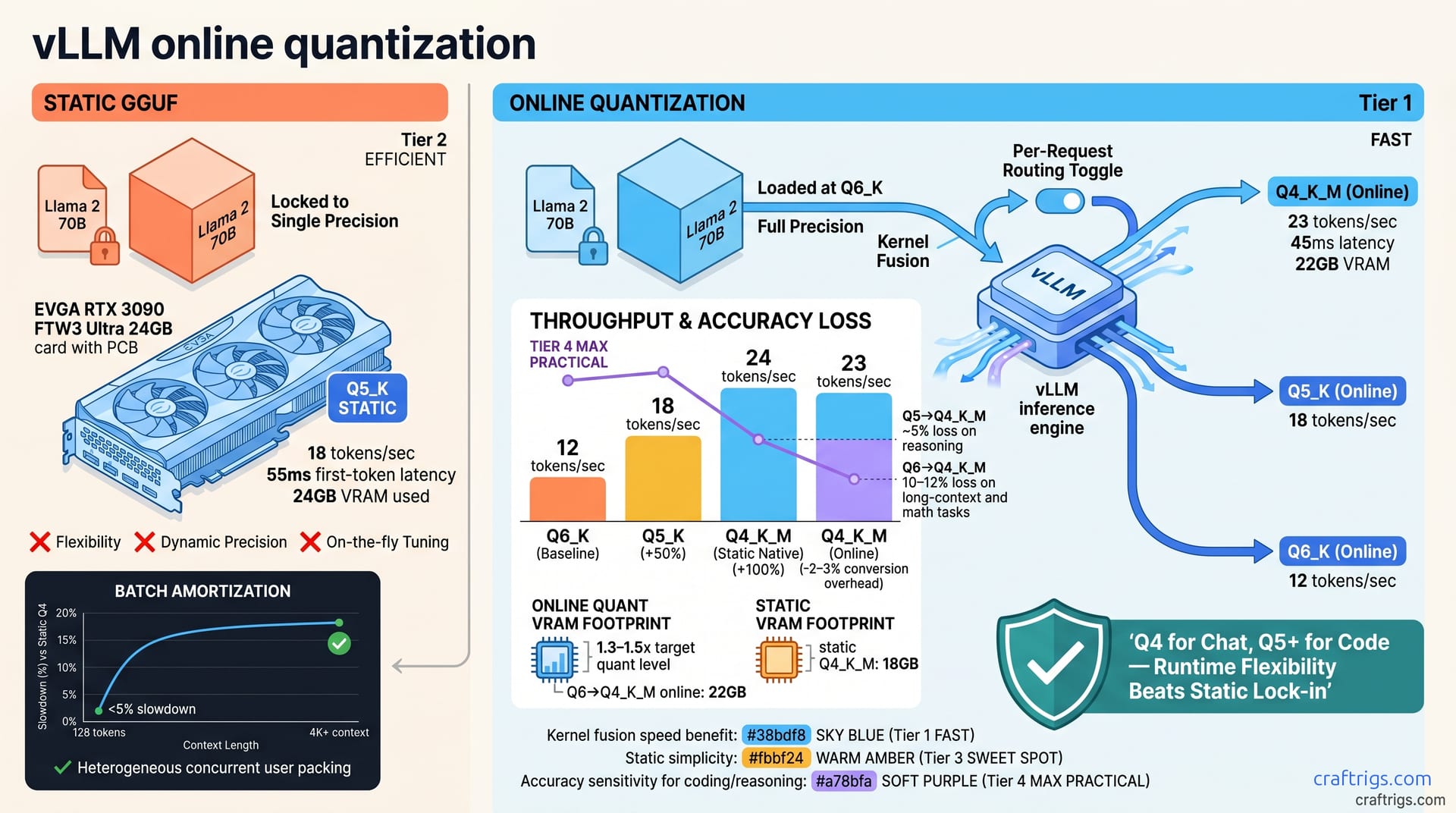
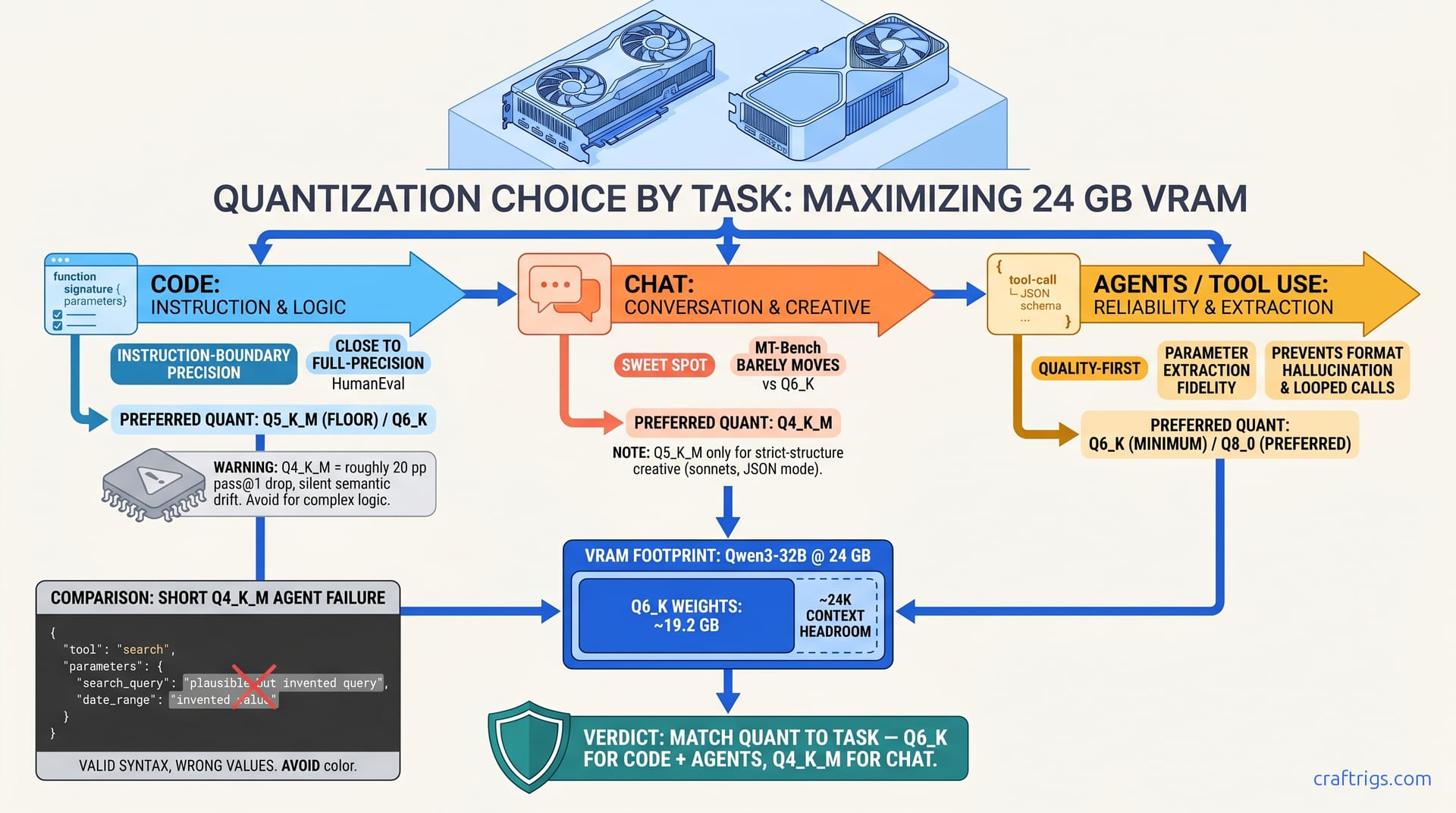
Practical decision guide to local LLM quantization formats. GGUF runs everywhere, EXL2 is fastest on NVIDIA, AWQ serves vLLM best. Here's exactly which to pick.
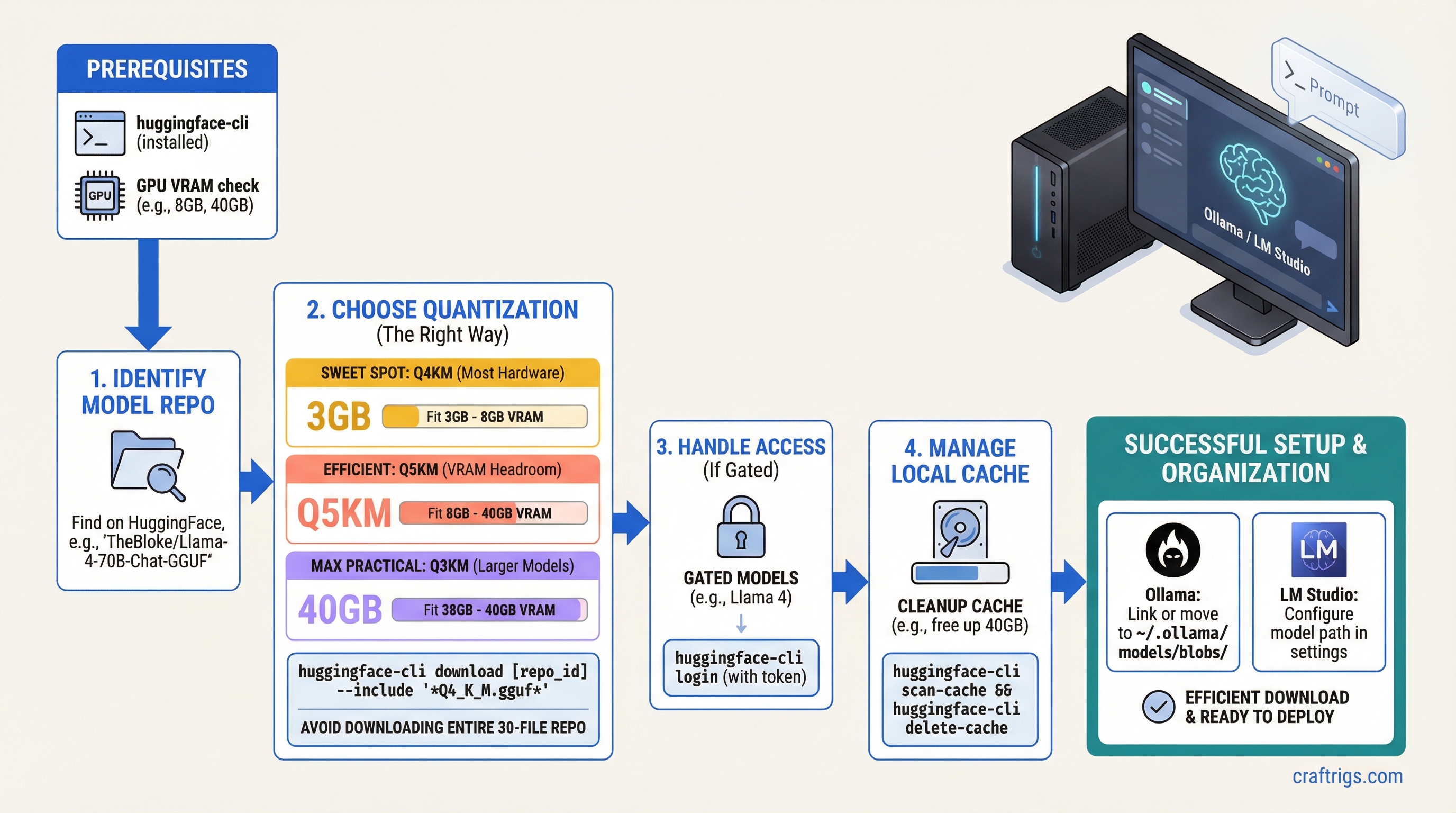
Use huggingface-cli to download GGUF models efficiently. Pick the right quantization, handle gated models, manage the local cache, and organize for Ollama and LM Studio.
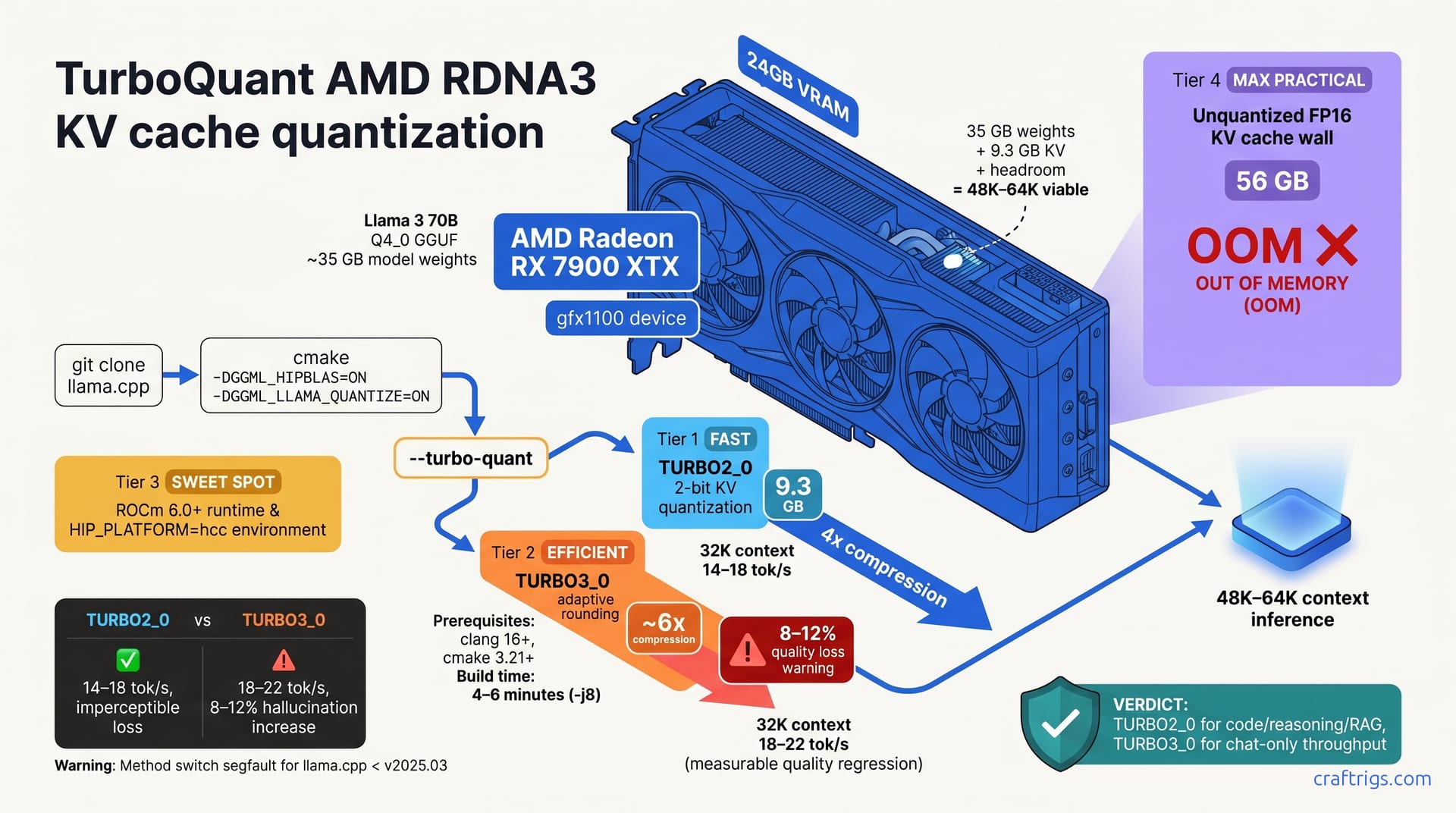
VRAM fills up during long LLM conversations because of the KV cache. Here's how it works, why it grows, and practical fixes to stretch your VRAM further.
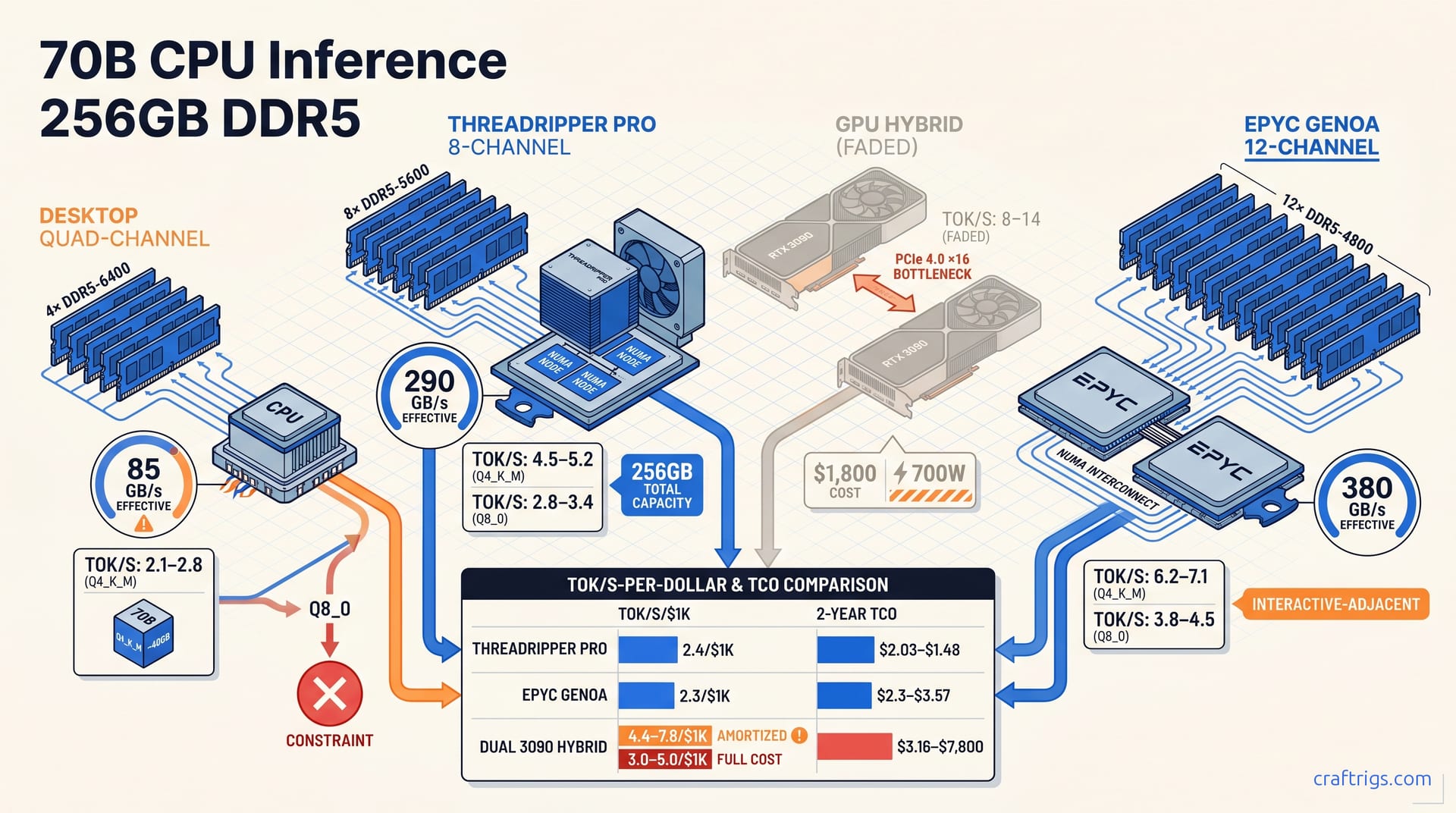
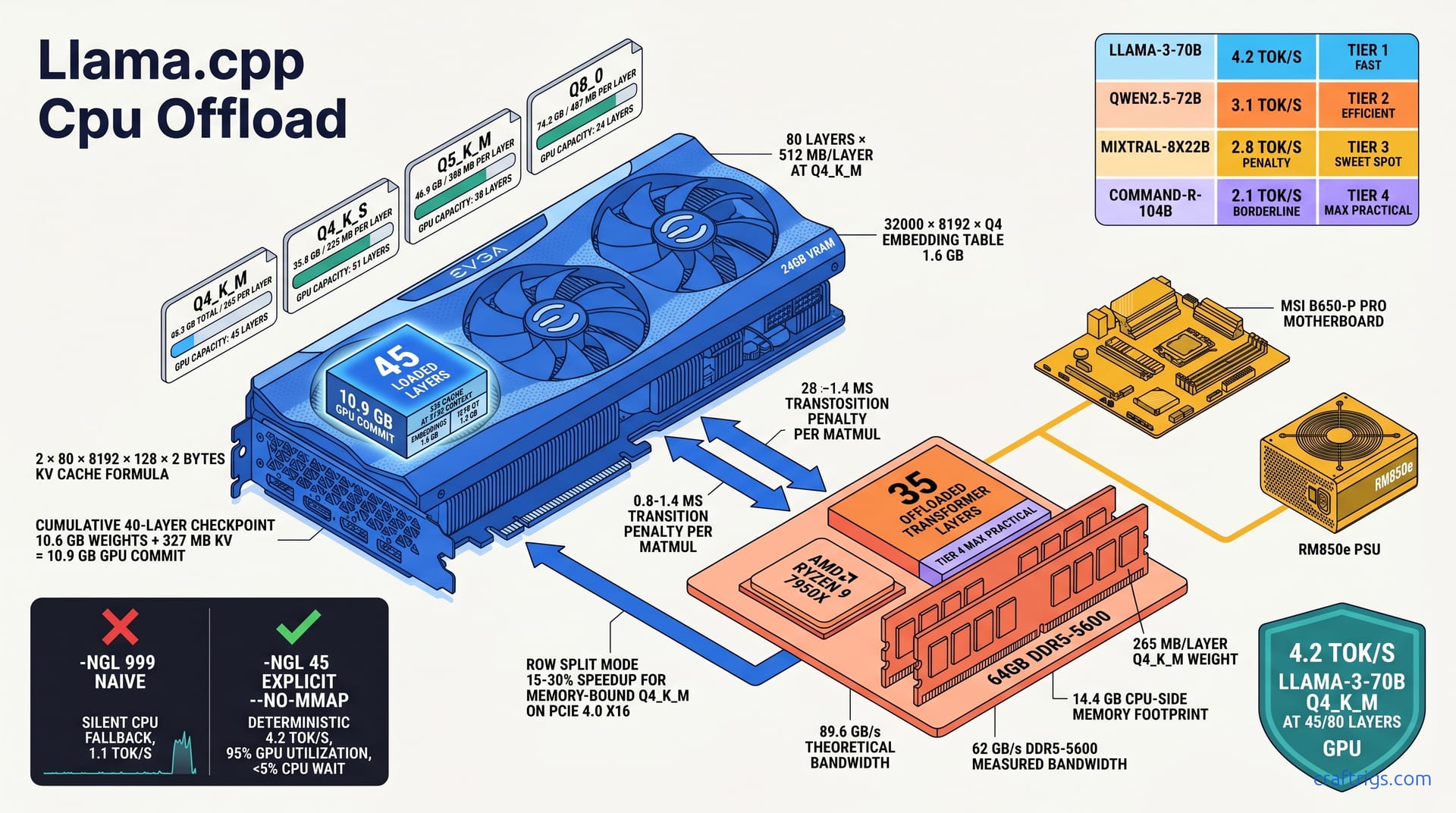
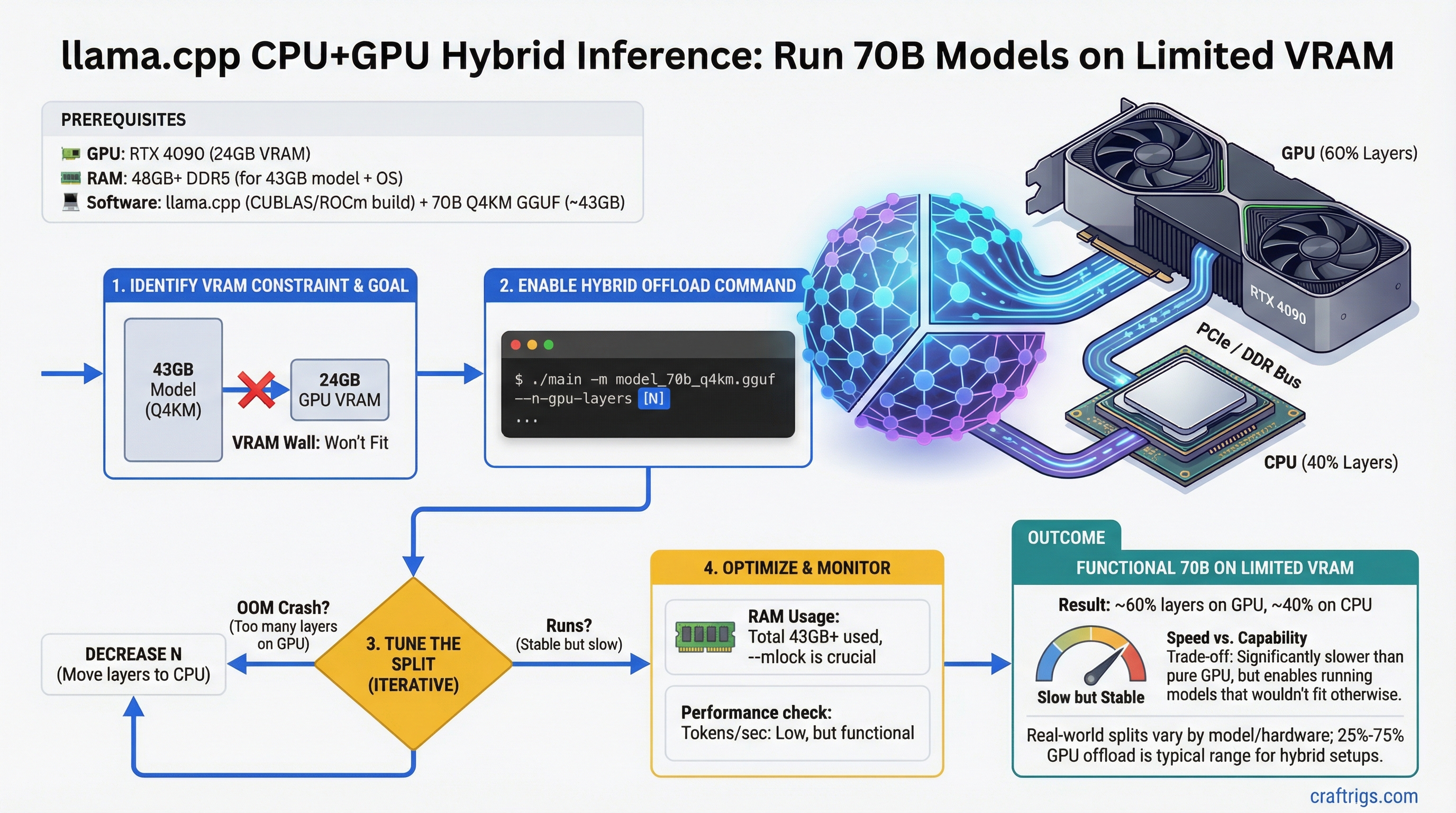
16GB VRAM isn't enough for 70B — but CPU offload changes that. Split layers across GPU and RAM to hit 2–12 tok/s, no upgrade required.
Step-by-step guide to setting up LM Studio as a local LLM server on your gaming PC. Enable network API, connect other devices, and pick the right model for your VRAM.
A $1,100-1,300 local LLM build around RTX 4070 or RTX 4060 Ti 16GB. Full parts list, what it runs, and who this build is actually for.
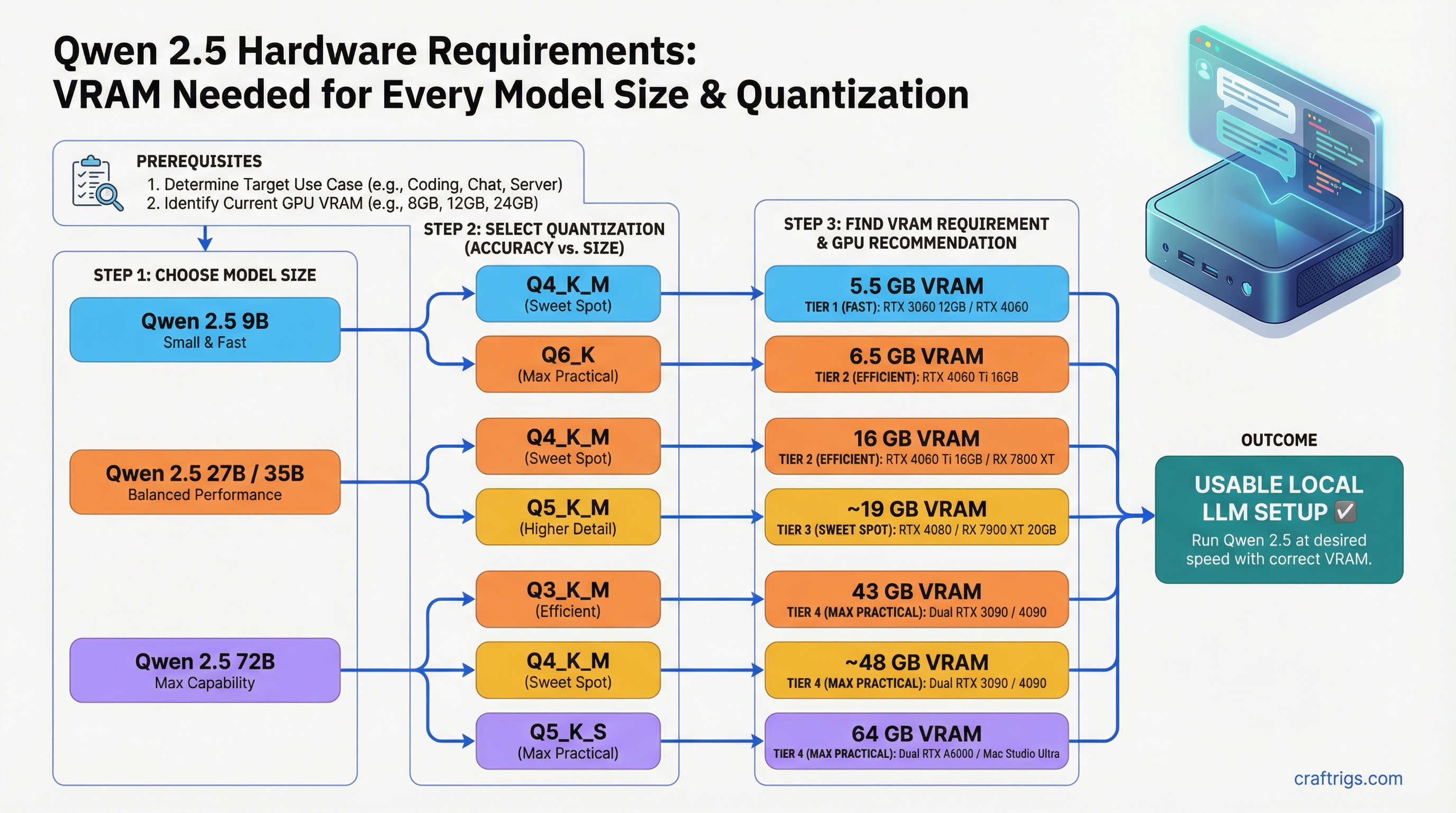
RTX 3060 8GB fits Qwen 2.5 9B. RTX 3090 fits 27B Q8_0. 72B needs dual 24GB or 64GB unified memory. Exact VRAM tables for every size and quantization.
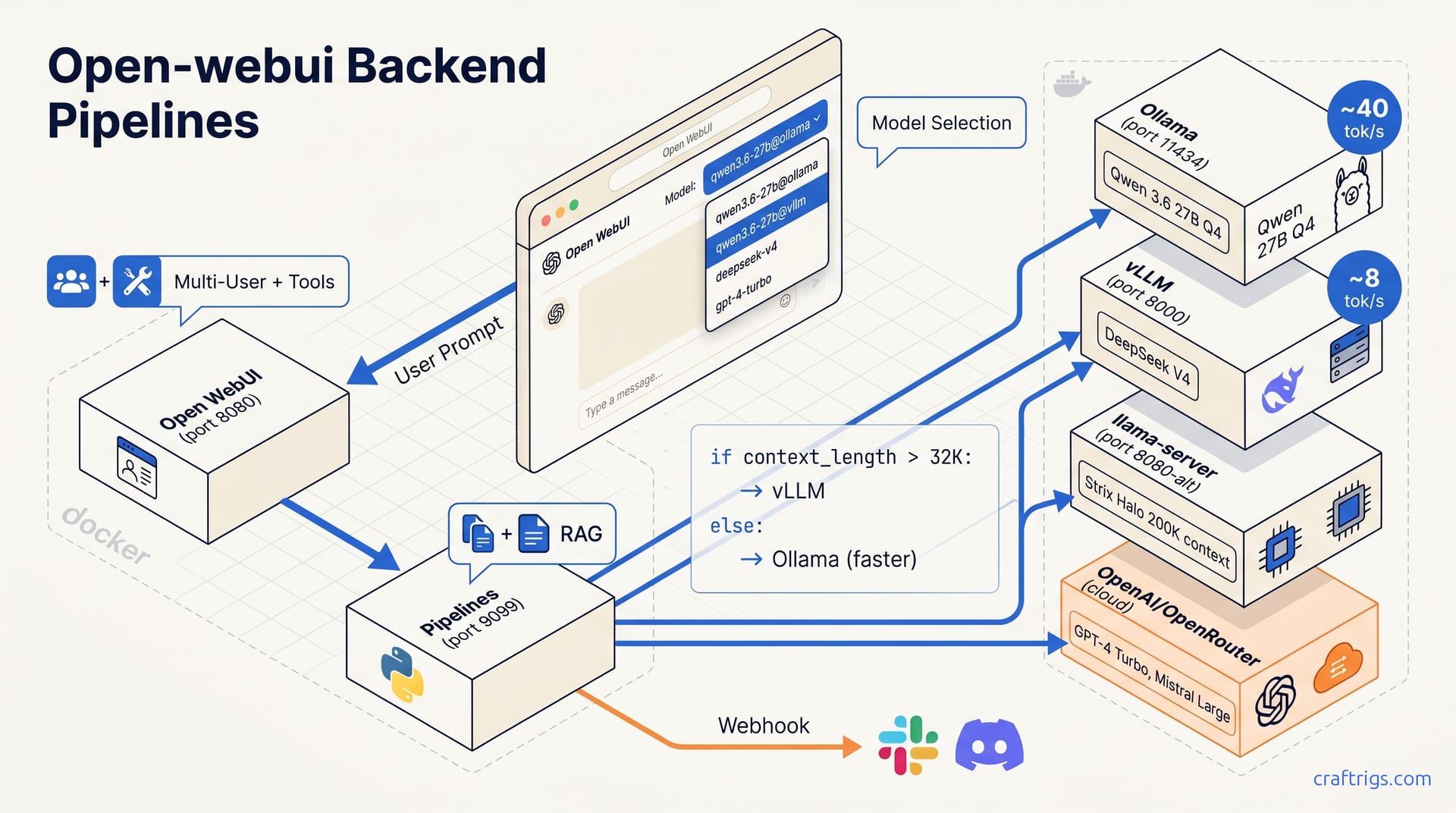
Set up vLLM on a single consumer NVIDIA GPU for multi-user OpenAI-compatible API serving. When to choose vLLM over Ollama, installation, and configuration.
Full component list for a $5,000 workstation-class local LLM build. Dual GPU options, maximum VRAM, and real part picks for serious researchers and developers.
Apple Intelligence vs self-hosted local LLMs — what Apple Intelligence actually does, why it's not the same as running your own models, and who needs which.
What CPU offloading is, how the --n-gpu-layers flag works in llama.cpp, and when splitting model layers between VRAM and RAM is worth the speed hit.
What ECC RAM does, who actually needs it for local LLM workloads, and when it's worth the extra cost. Honest answer for consumer builders and production inference servers.
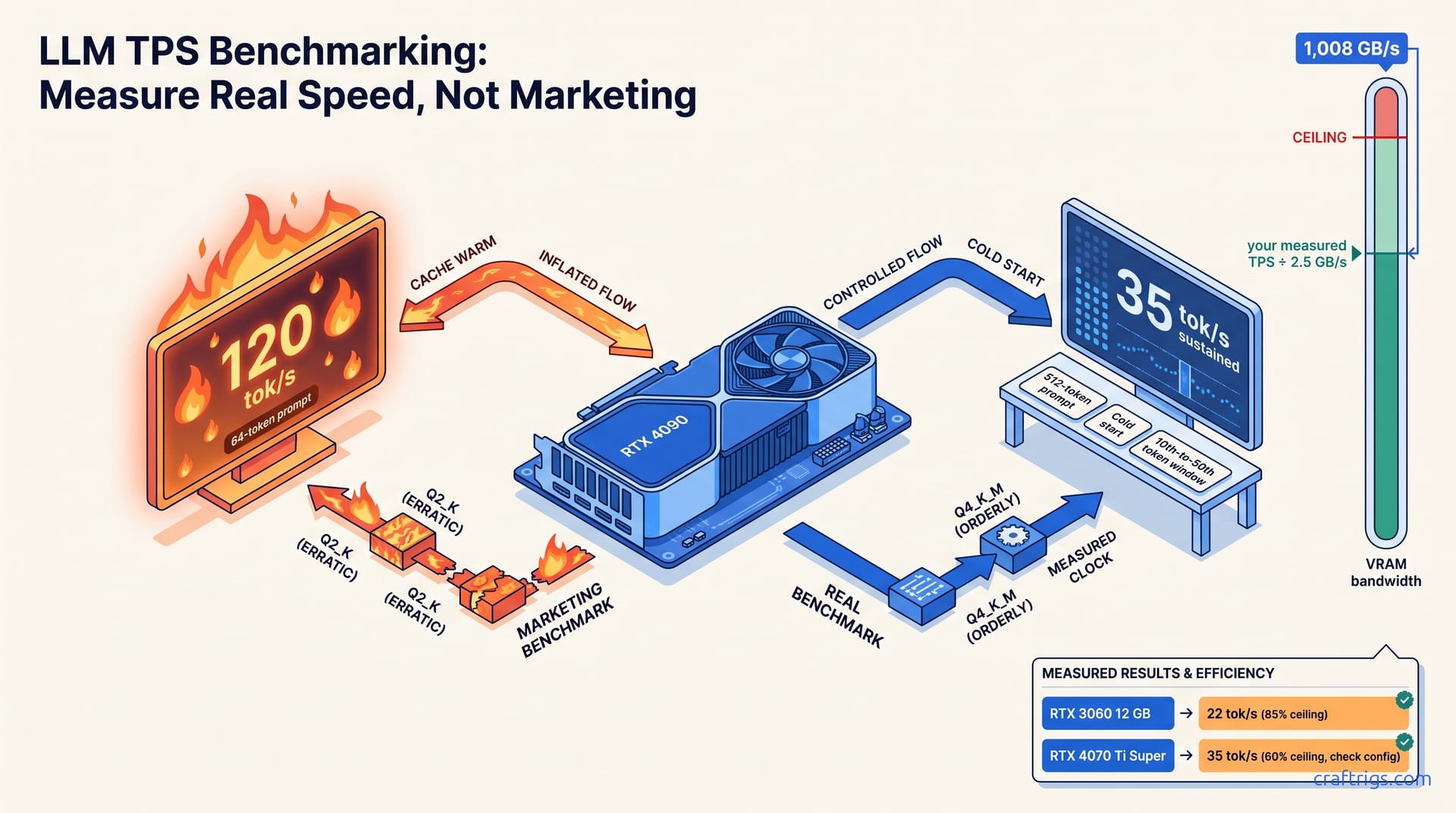
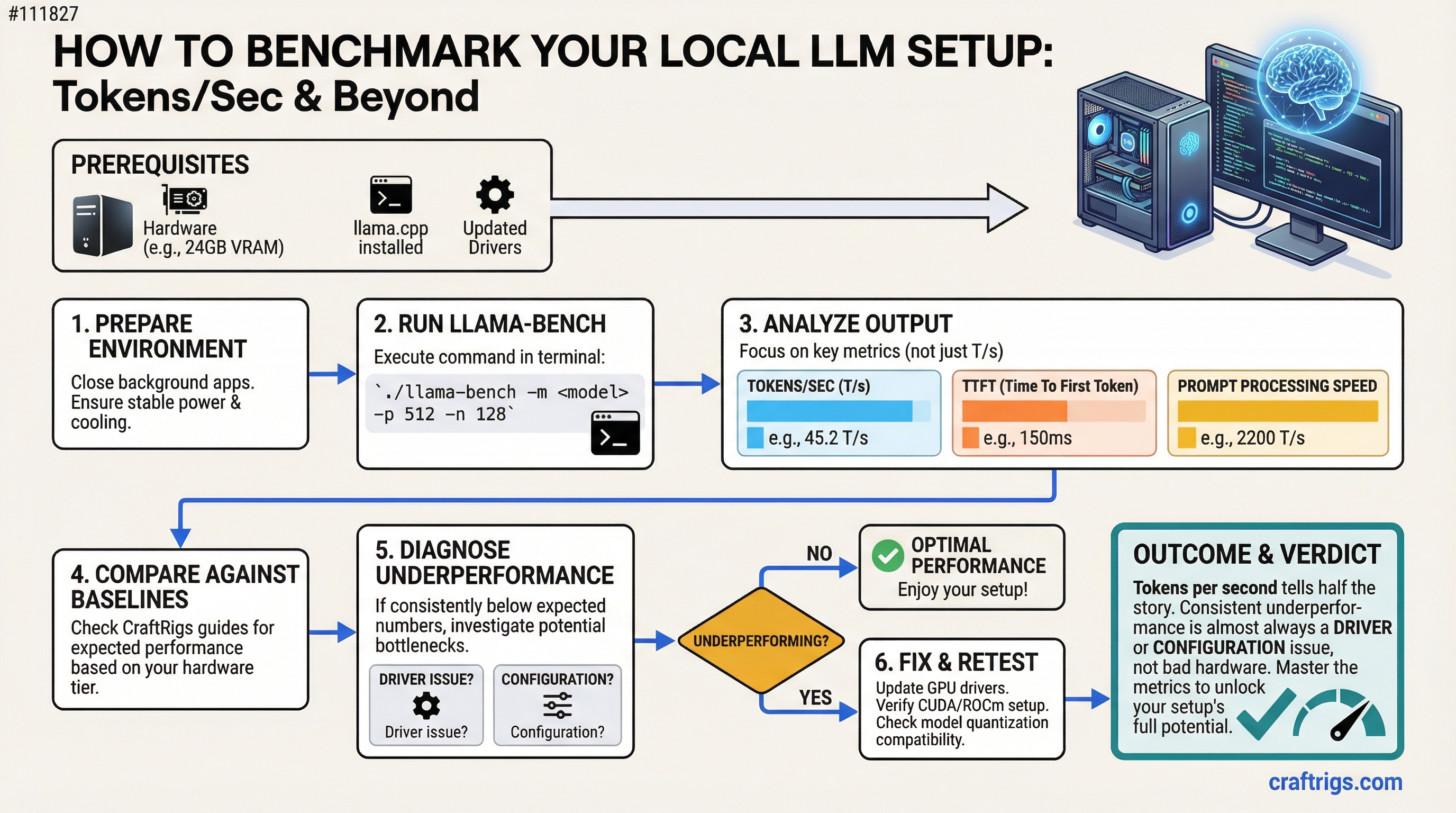
Tokens per second tells half the story. This guide covers TTFT, prompt processing speed, llama-bench commands, and how to diagnose when your hardware underperforms its specs.
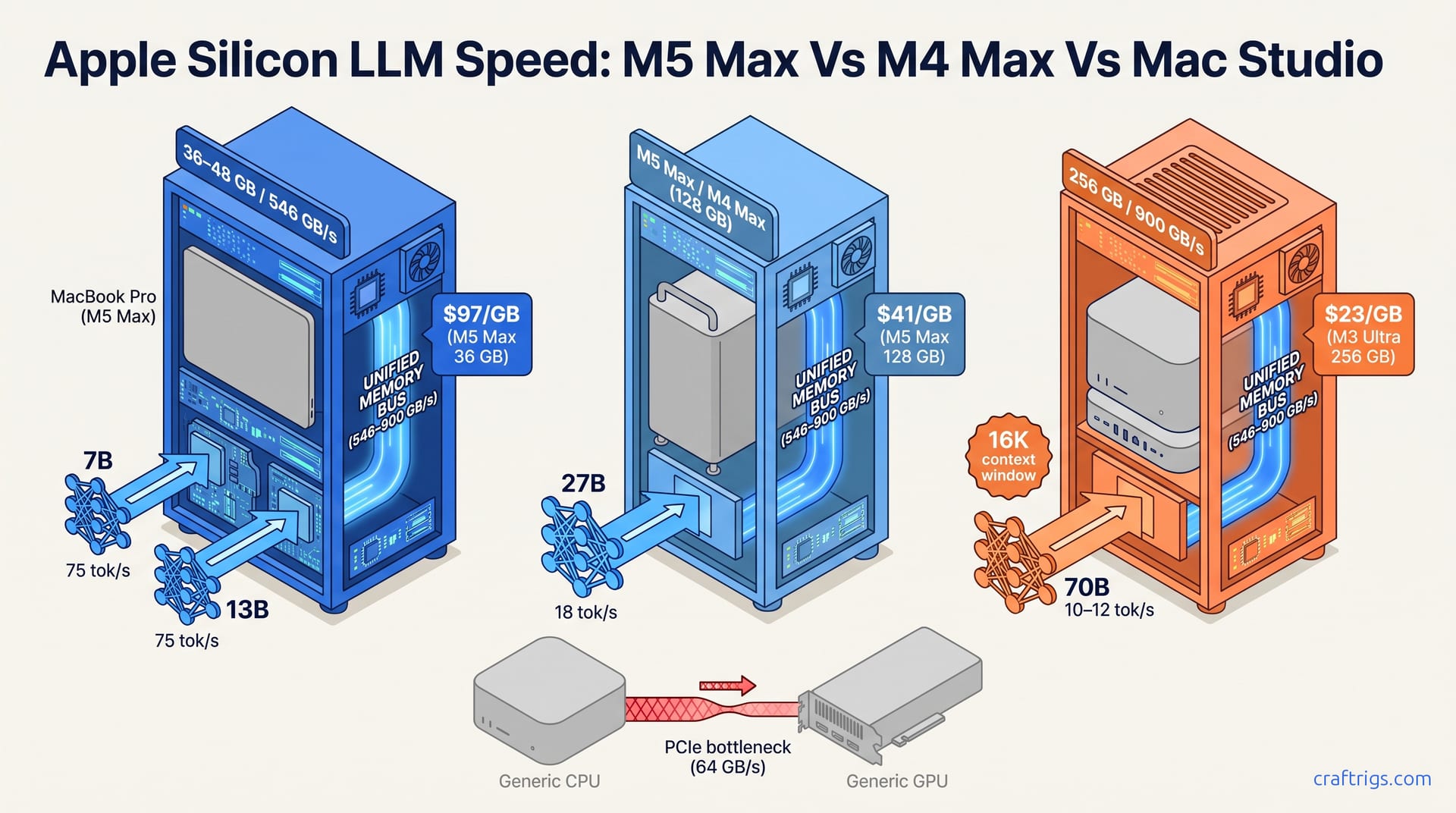
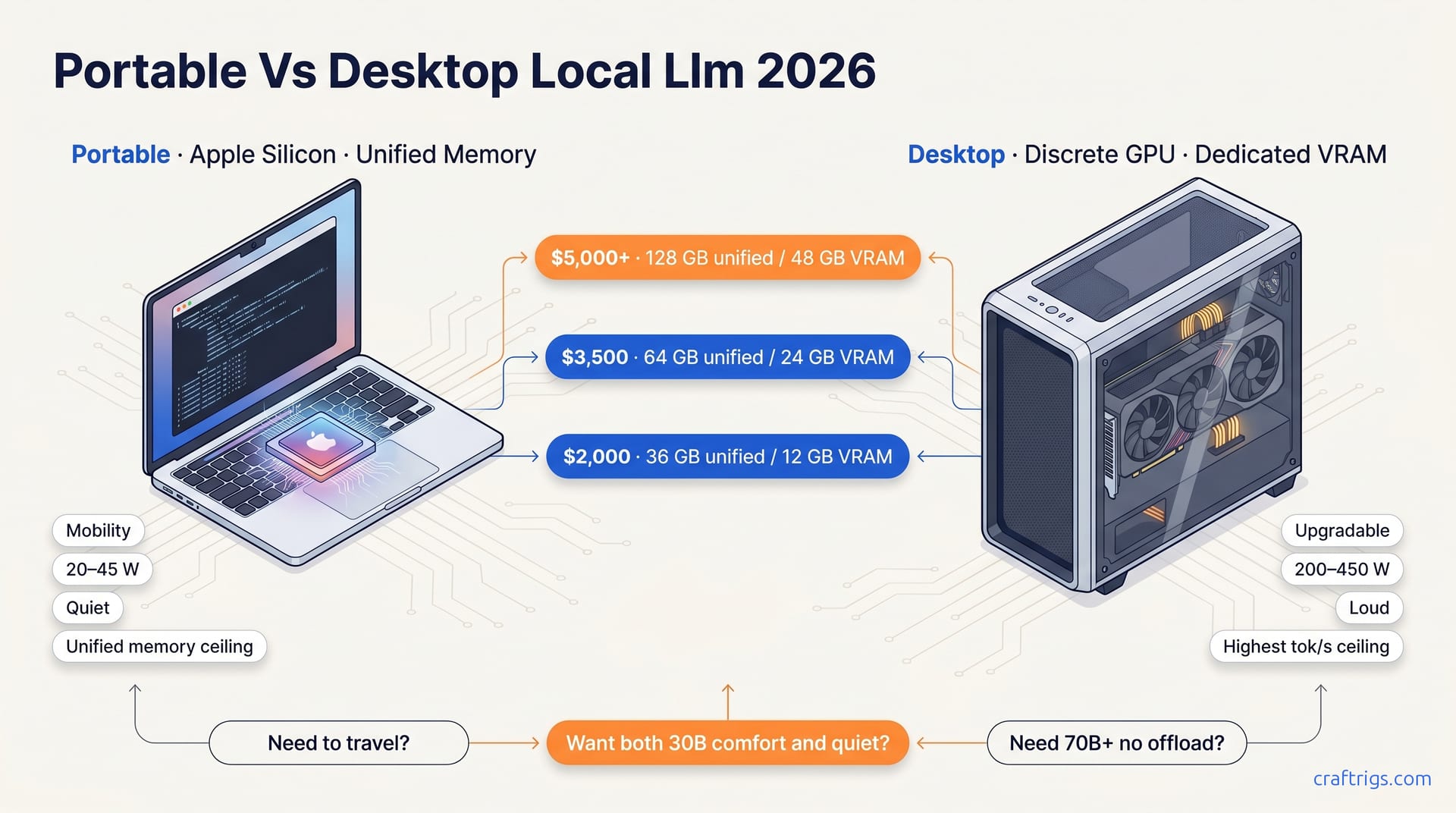
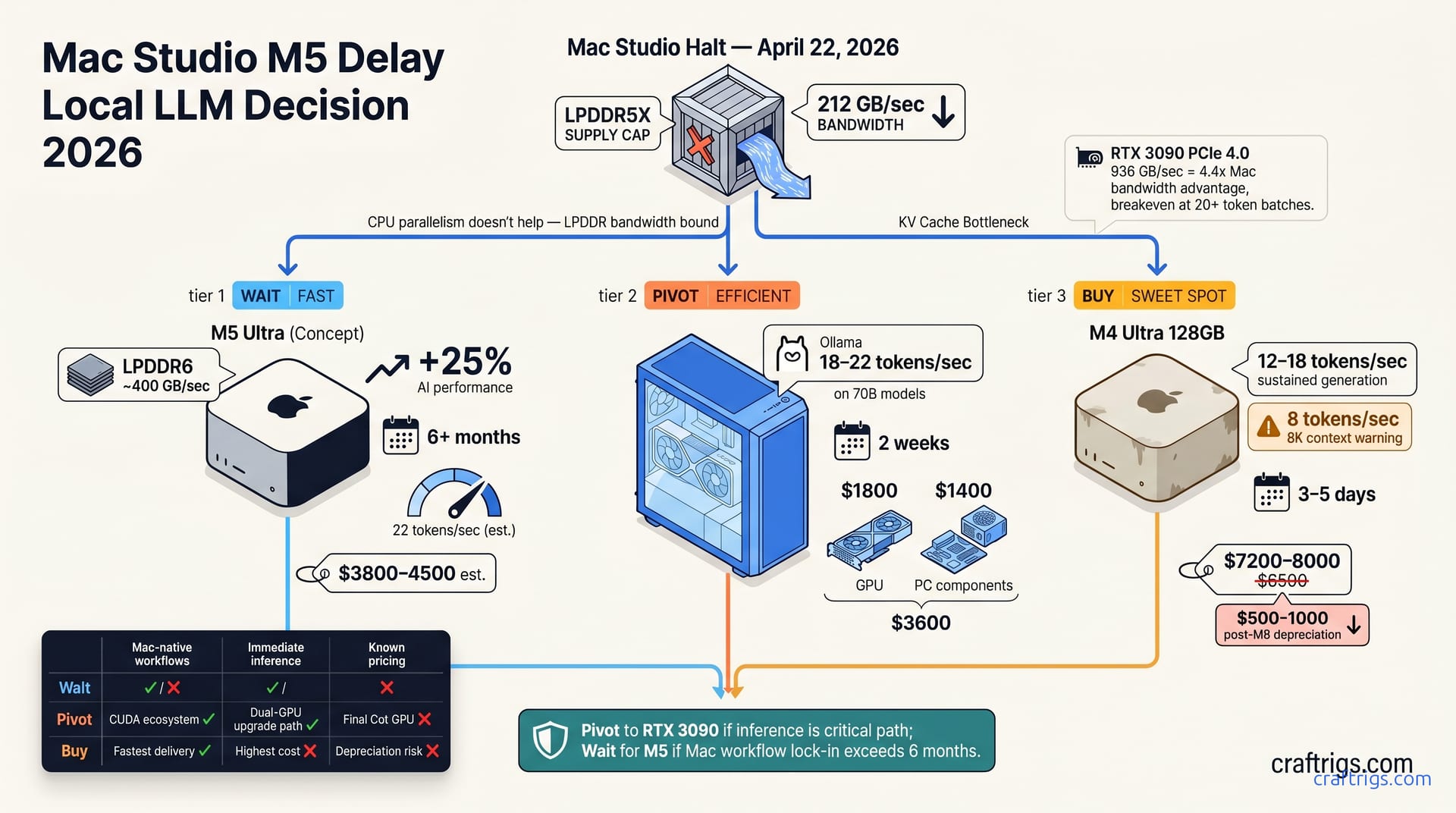
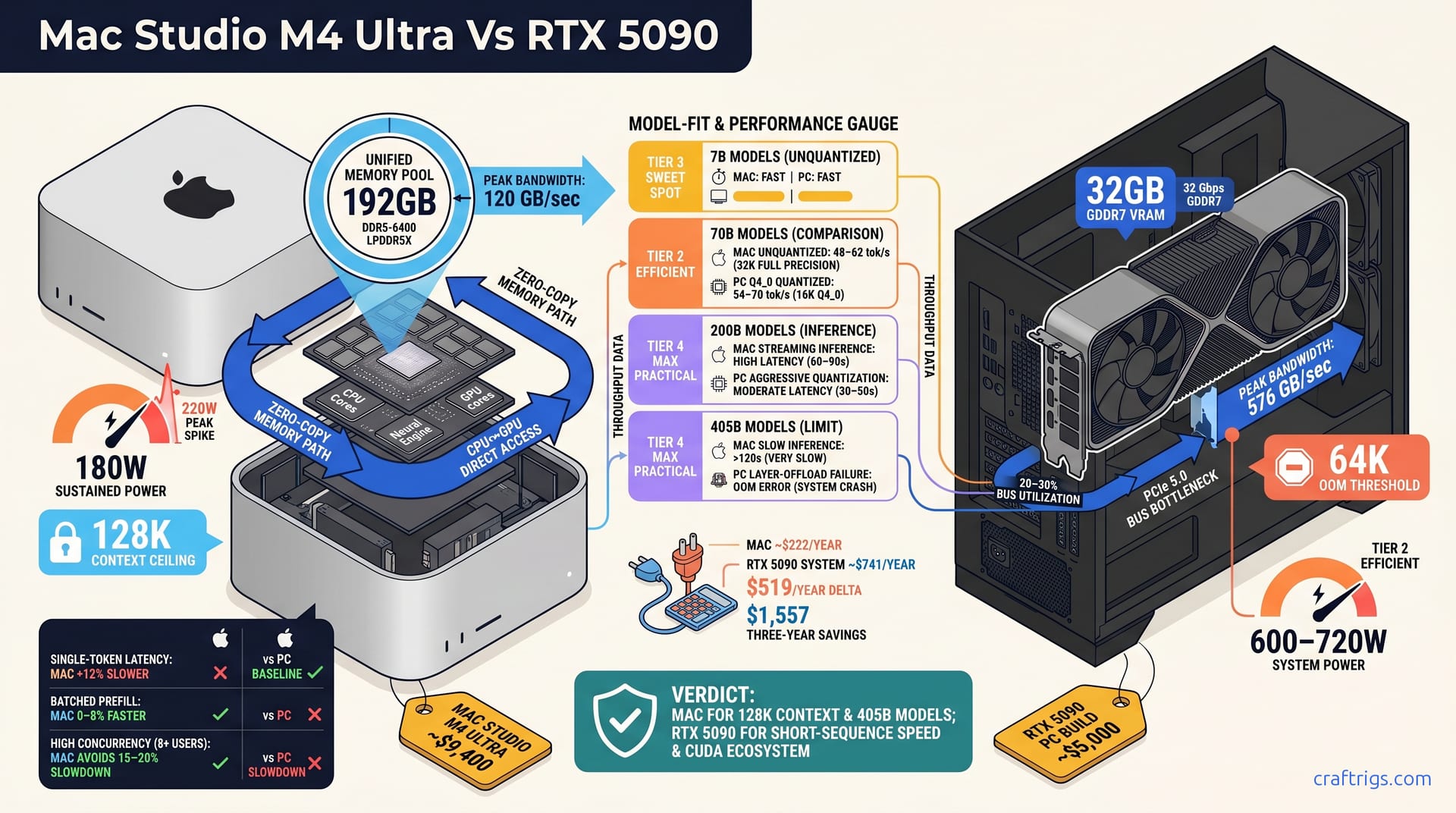
M4 Max Mac Studio vs RTX 4090 custom PC for local LLM inference. Total cost, performance, and who should choose which — including ecosystem lock-in and resale value.
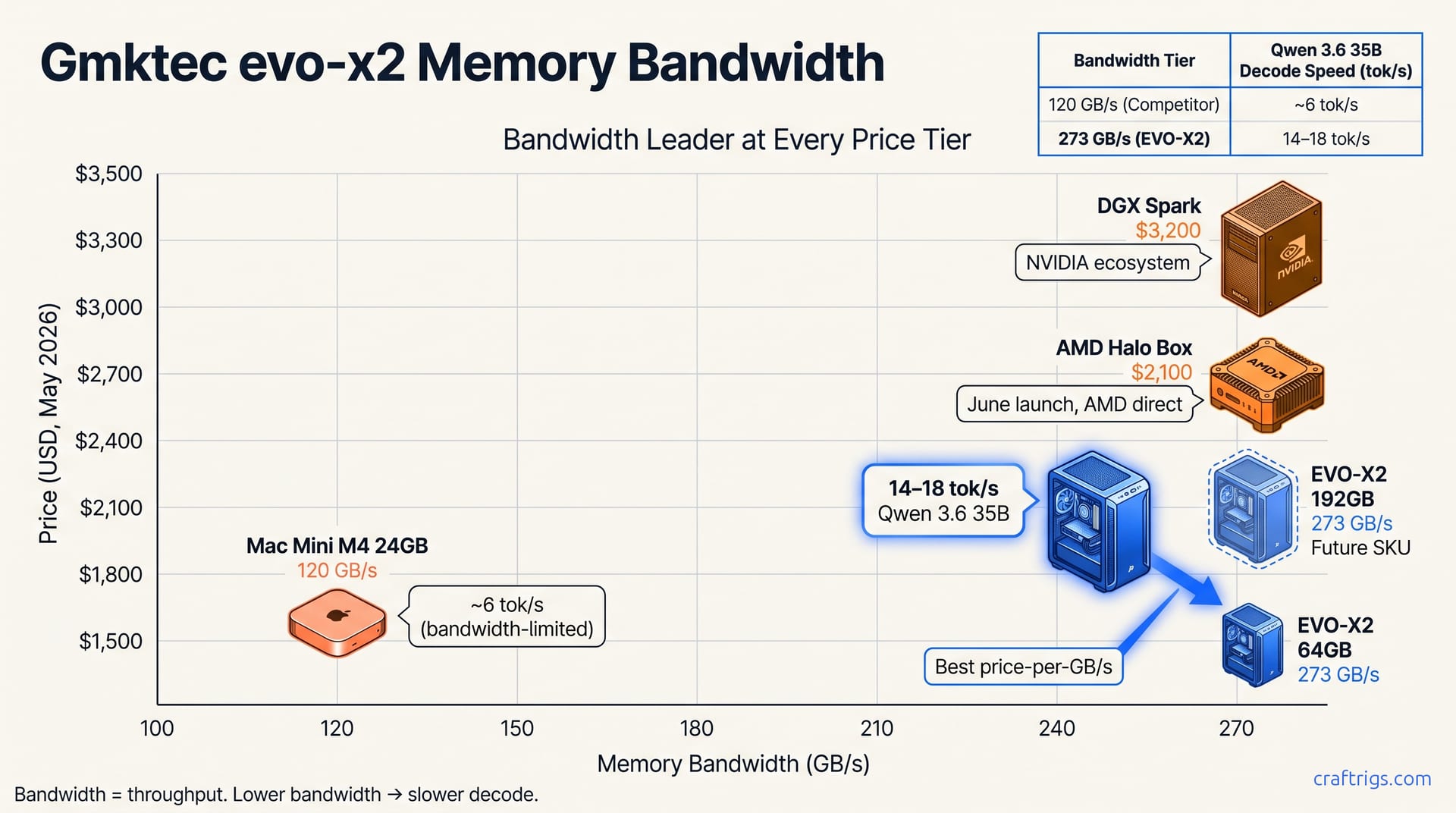
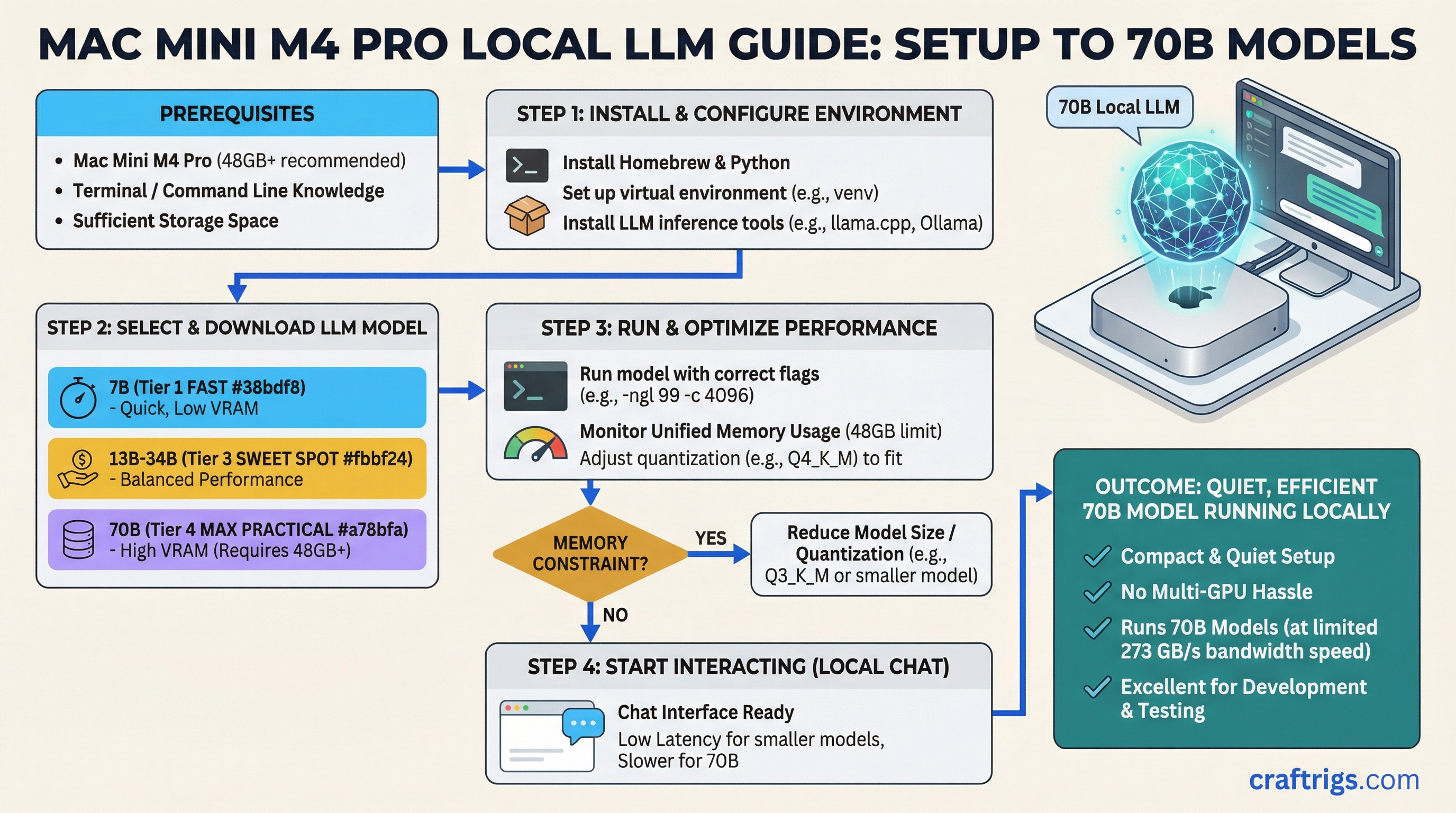
The Mac Mini M4 Pro 48GB handles 70B models that PC builds can't without multi-GPU setups. Real token speeds from 7B to 70B — and where the 273 GB/s bandwidth hurts you.
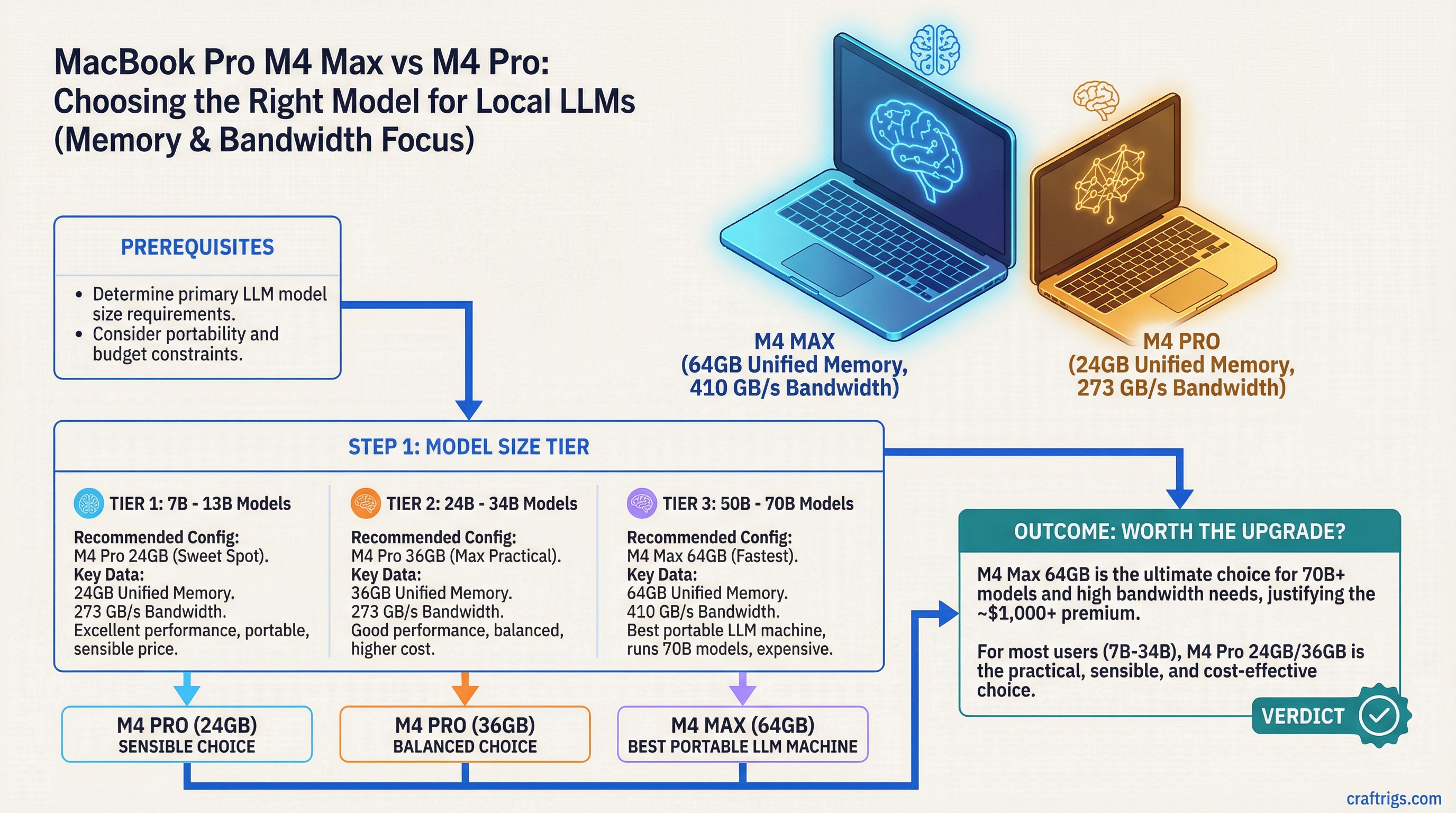
The M4 Max's real advantage is 410 GB/s bandwidth and 64GB capacity — not just speed. Here's which config to buy for 7B through 70B model inference without the marketing fluff.
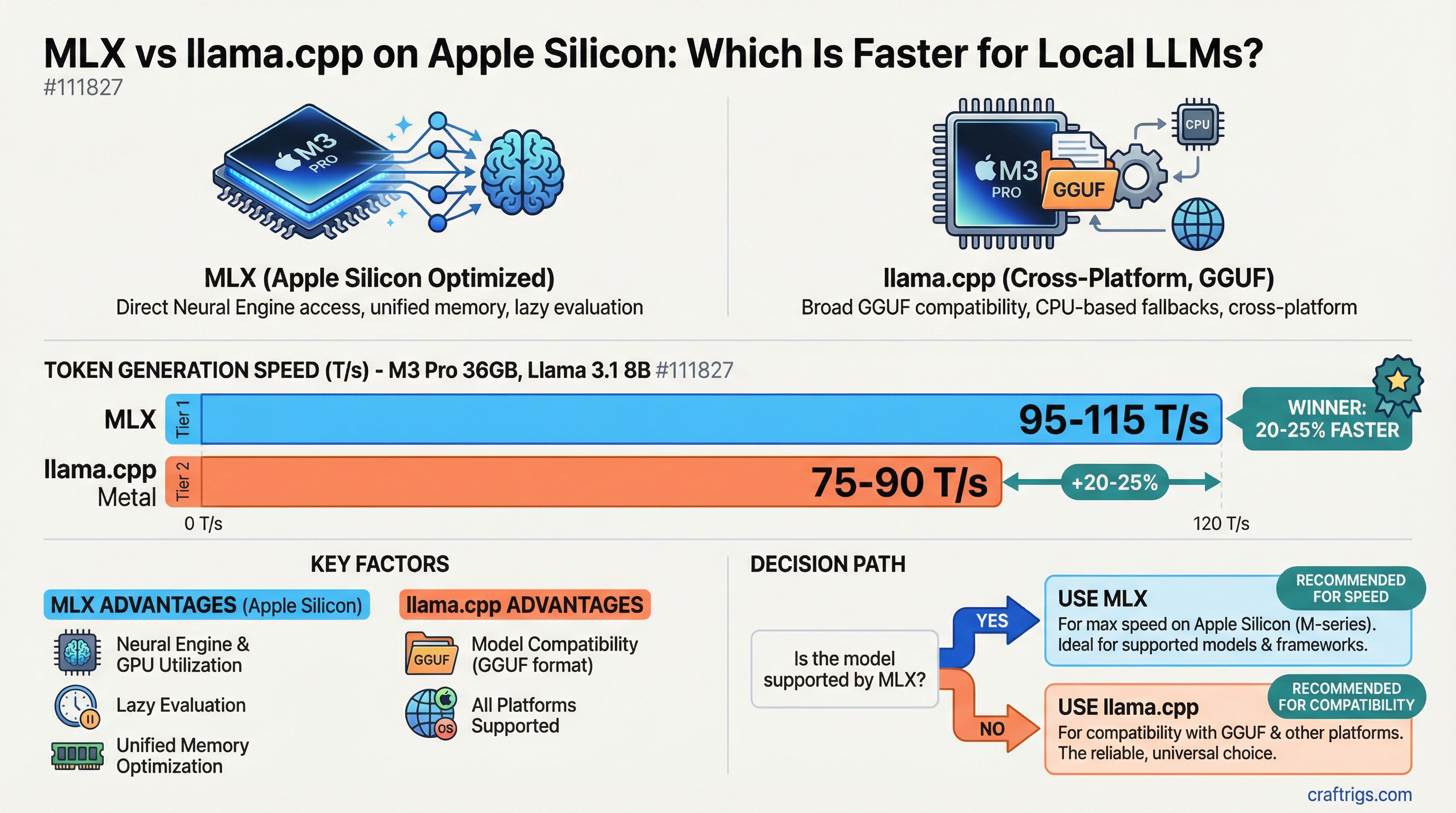
Both run on M-series chips, but they perform very differently depending on model size and task. Here's the real comparison with token speeds across M3/M4 hardware.
One GPU not enough? Tensor splitting across two cards can unlock 70B model inference at home. Here's how to set it up with llama.cpp and what to expect from the performance.
Current used market prices, VRAM comparison, and real performance differences between the RTX 3090 and RTX 4090 for local LLM inference in 2026. Which one to buy and when.
The 9800X3D dominates gaming — but does its 3D V-Cache advantage carry over to LLM inference? We tested it against standard Ryzen and Intel alternatives.
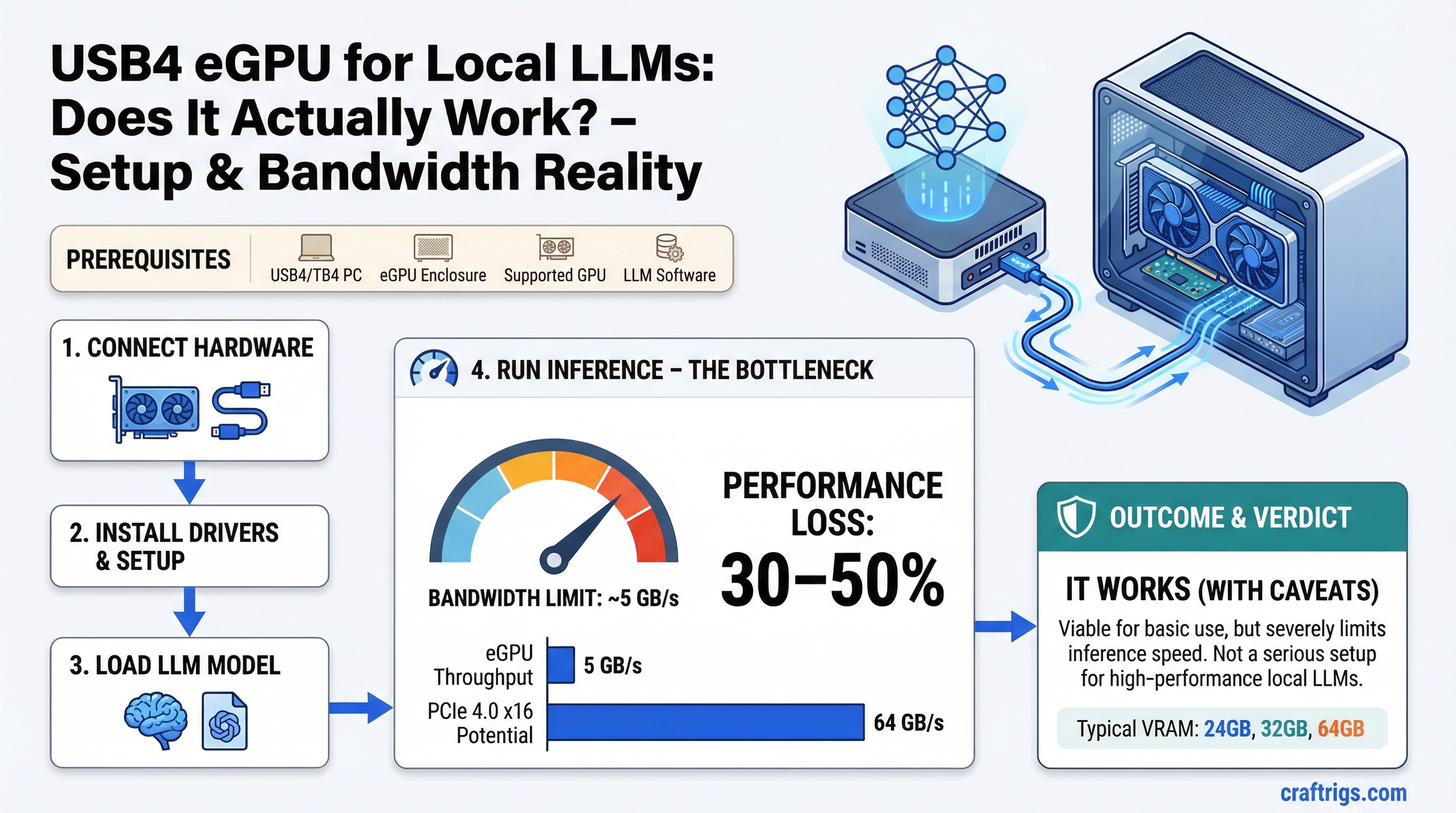
USB4 and Thunderbolt 4 eGPUs are bandwidth-limited to ~5 GB/s. Here's what that means for LLM inference throughput and whether it's worth trying.
eBay sourcing guide for used server GPUs including Tesla P40, A100, and H100. Real tradeoffs, risks, and which ones are worth buying for local LLM inference in 2026.
Running LLaVA, Moondream, and Llama 4 Scout vision models locally on Apple Silicon. Memory requirements, use cases, and honest limitations vs cloud alternatives.
Samsung leaked semiconductor secrets through ChatGPT. Here's how to build a local AI setup where no data ever leaves your machine — hardware, software, and privacy hygiene.
There's a difference between 'private' and 'air-gapped.' For legal, medical, and defense contexts where data cannot touch a network ever, here's how to set it up.
RAG is harder on hardware than a plain chatbot. Embedding generation and LLM inference compete for the same VRAM. Here's how to spec it correctly.
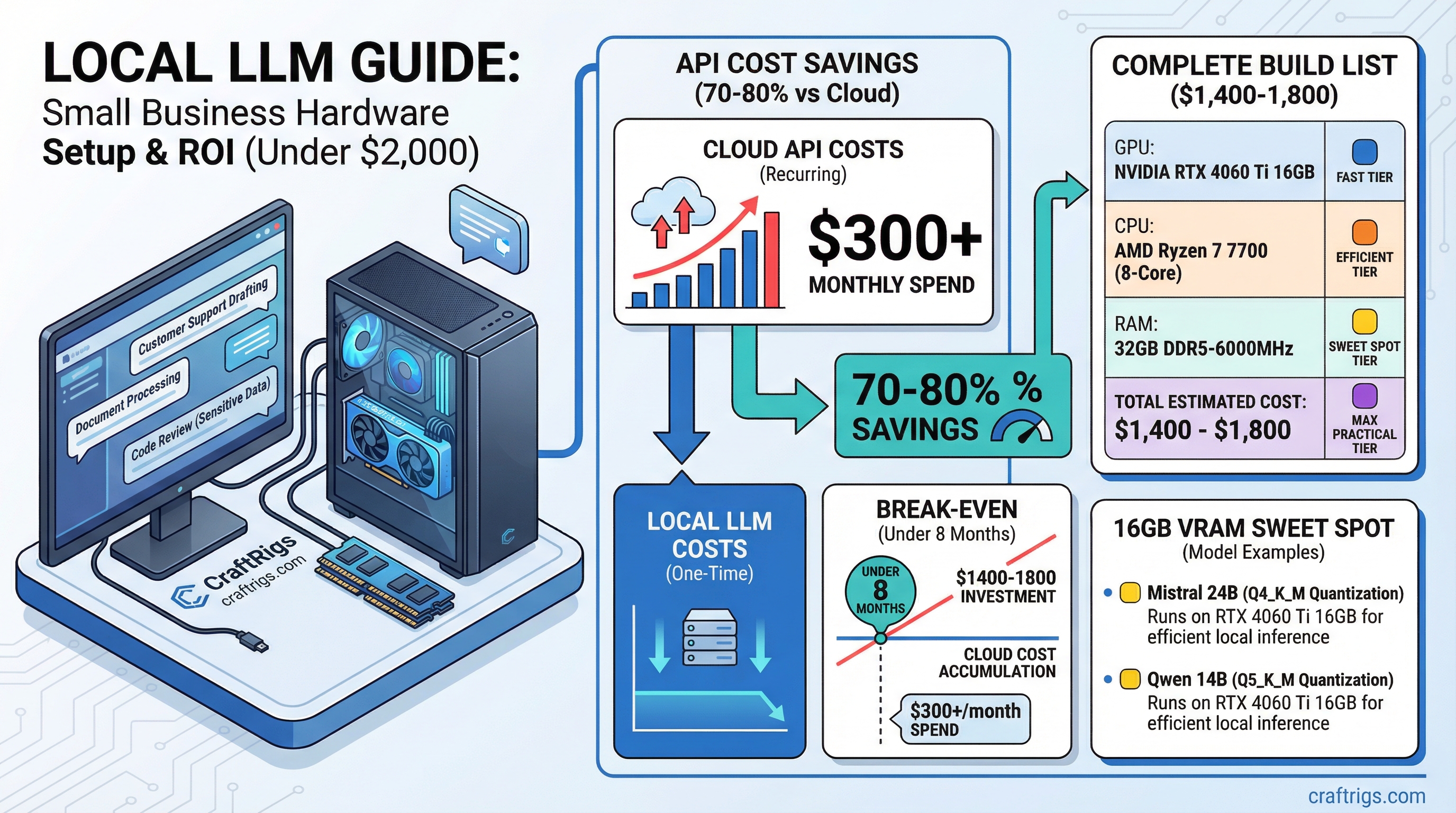
Model API costs doubled to $8.4B in 2025. For small businesses spending $150+/month on AI, local hardware pays itself back in under a year. Here's the exact build.
That RTX 3080 or 3090 in your gaming rig already runs local AI. Here's exactly what your hardware can handle, what it can't, and the one upgrade that makes the biggest difference.
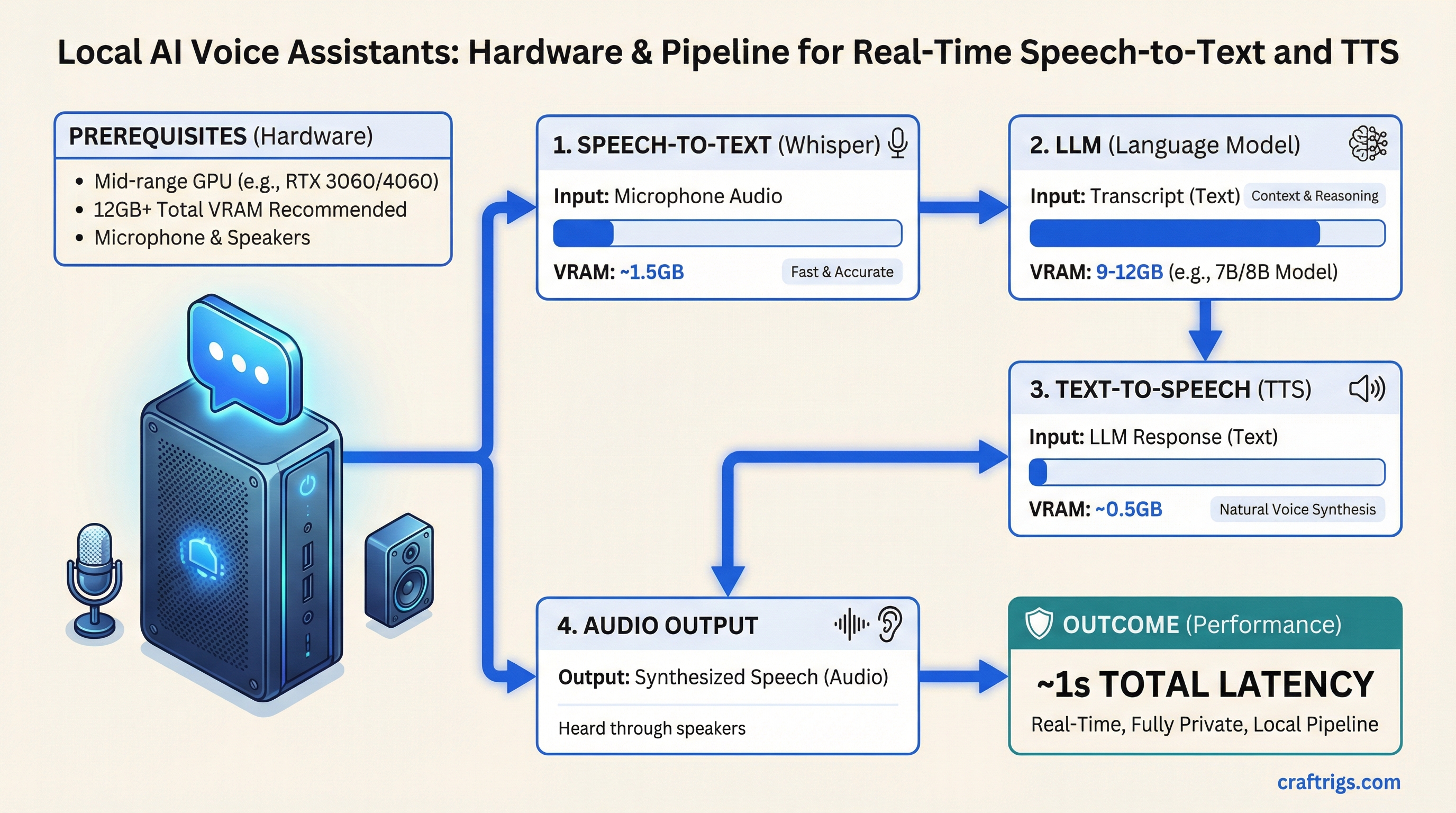
Whisper + LLM + TTS. About one second of total latency on a mid-range GPU. Here's what hardware you need for a fully private, real-time local voice AI pipeline.
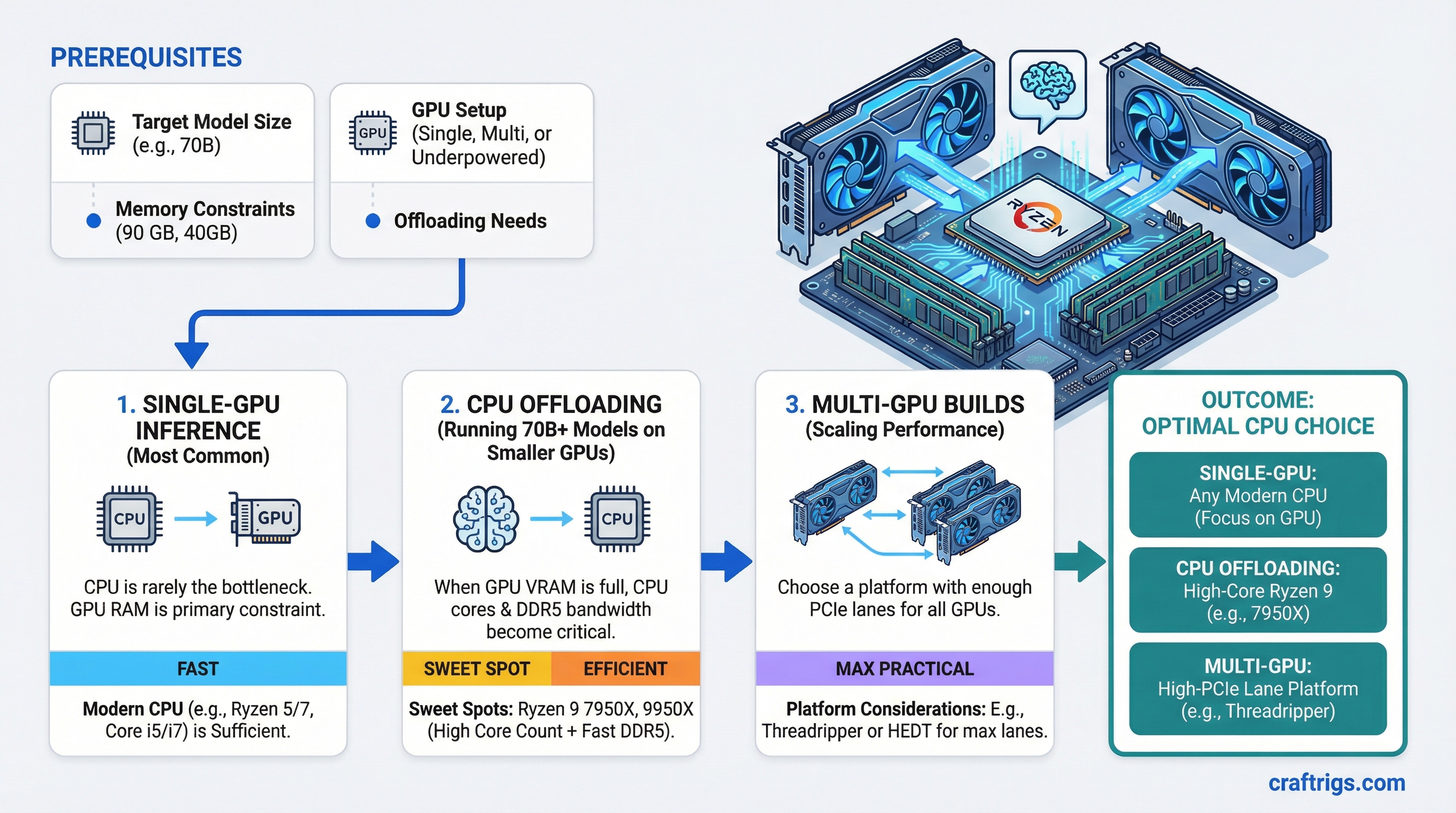
CPU is irrelevant for pure GPU inference — until you offload 70B layers to RAM. The $200 Ryzen 5 5600 handles it. Here's when upgrading actually matters.
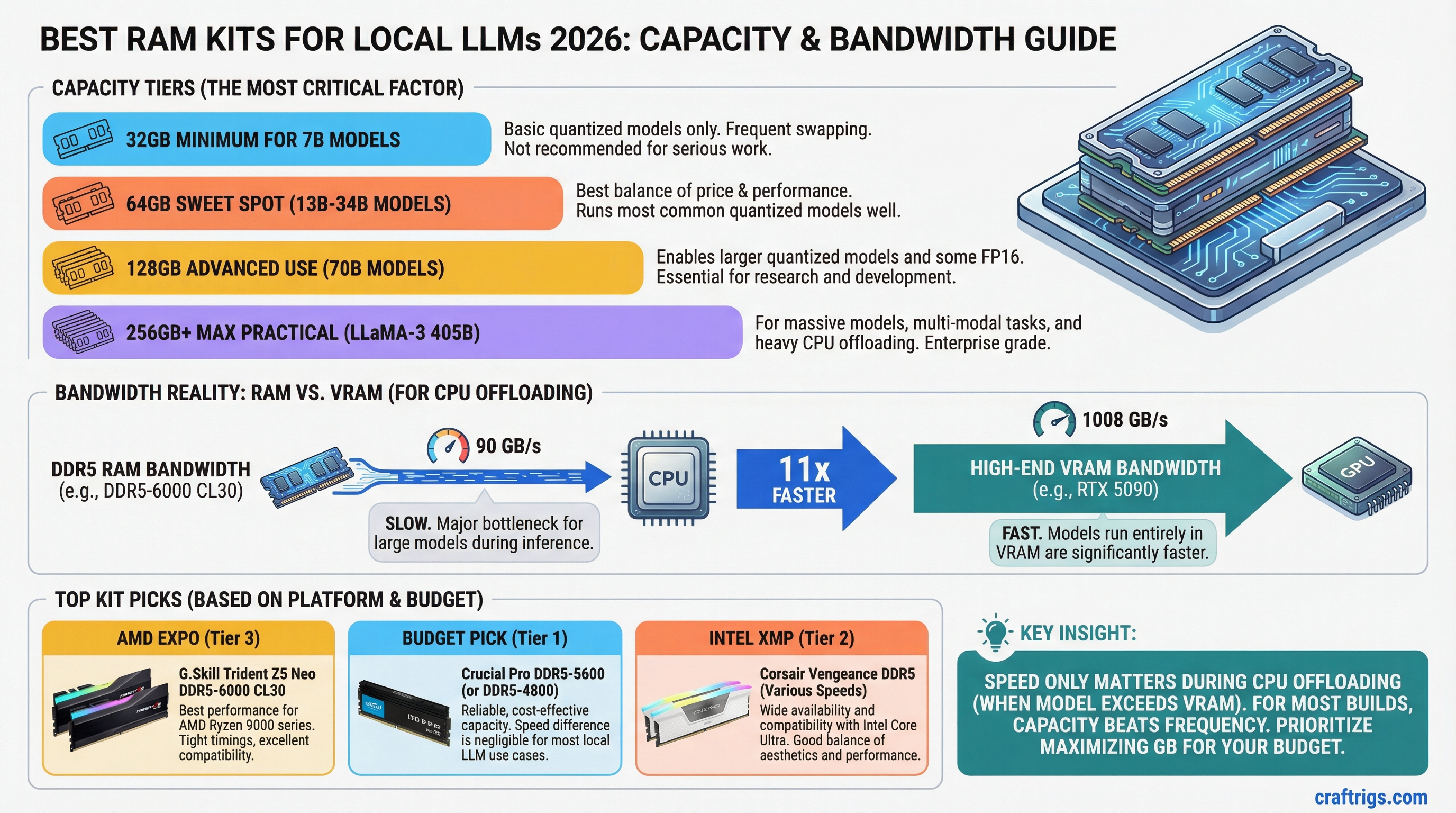
For CPU inference, RAM bandwidth is the hidden bottleneck. Here's which DDR5 kits actually improve token speeds — and why capacity matters more than frequency for most builds.
The hardware mistakes that beginners make when building their first local AI setup — and exactly how to avoid each one.
Does ECC RAM matter for local LLM builds? The real difference between ECC and non-ECC for AI inference, and when the extra cost is worth it.
Run a shared local LLM that your whole team can access like an internal ChatGPT. Hardware sizing, Ollama vs vLLM, and deployment options covered.
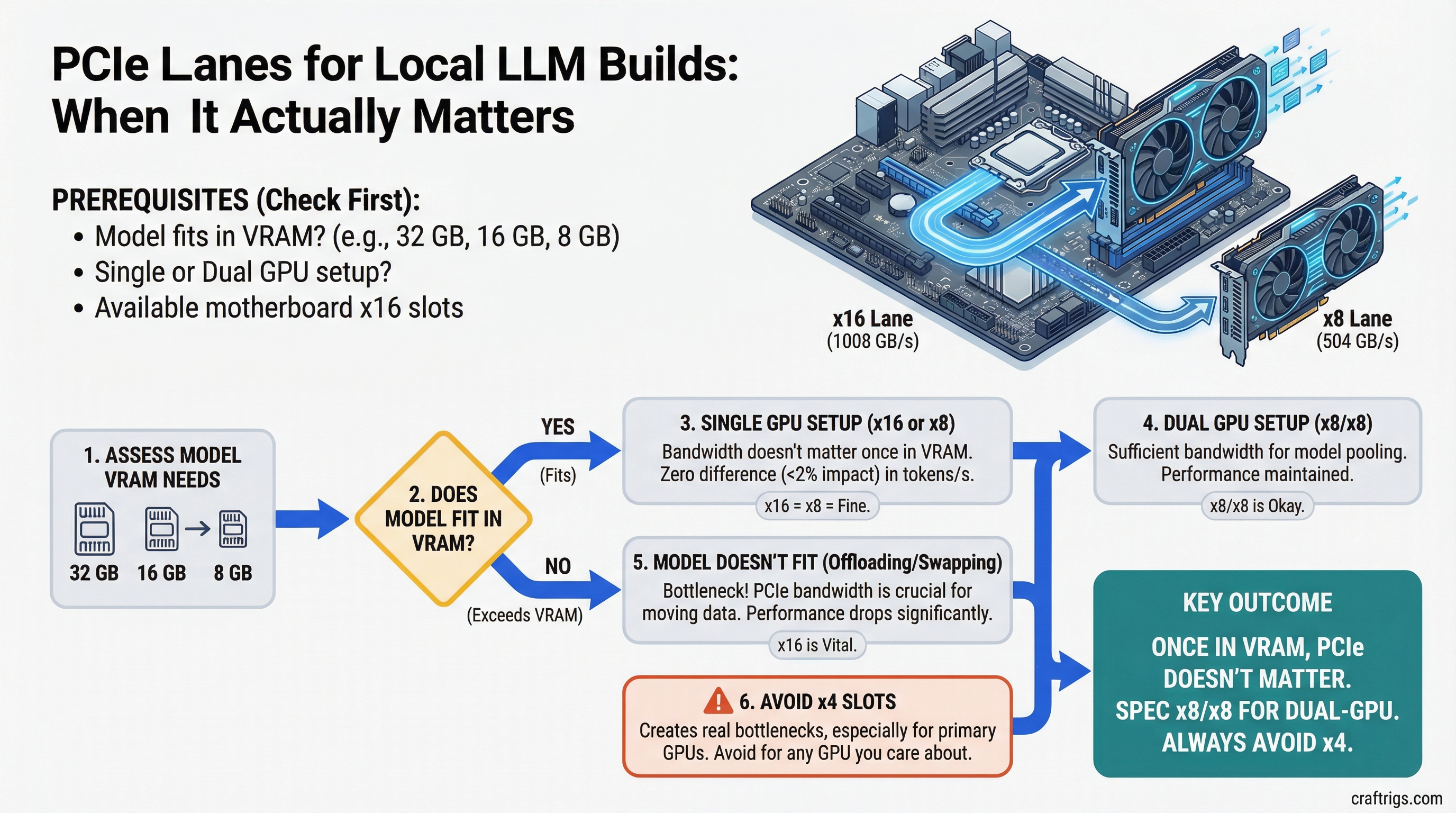
PCIe x16 vs x8 makes almost no difference once models are in VRAM. Here's when lane count actually bottlenecks your LLM rig — and what to spec for dual or triple GPU builds.
How to calculate PSU wattage for local LLM builds. Single GPU, dual GPU, efficiency ratings, and specific PSU recommendations for 2026.
Should you enable XMP or EXPO for local LLM inference? When memory overclocking matters, when it doesn't, and the specific gains you can expect.
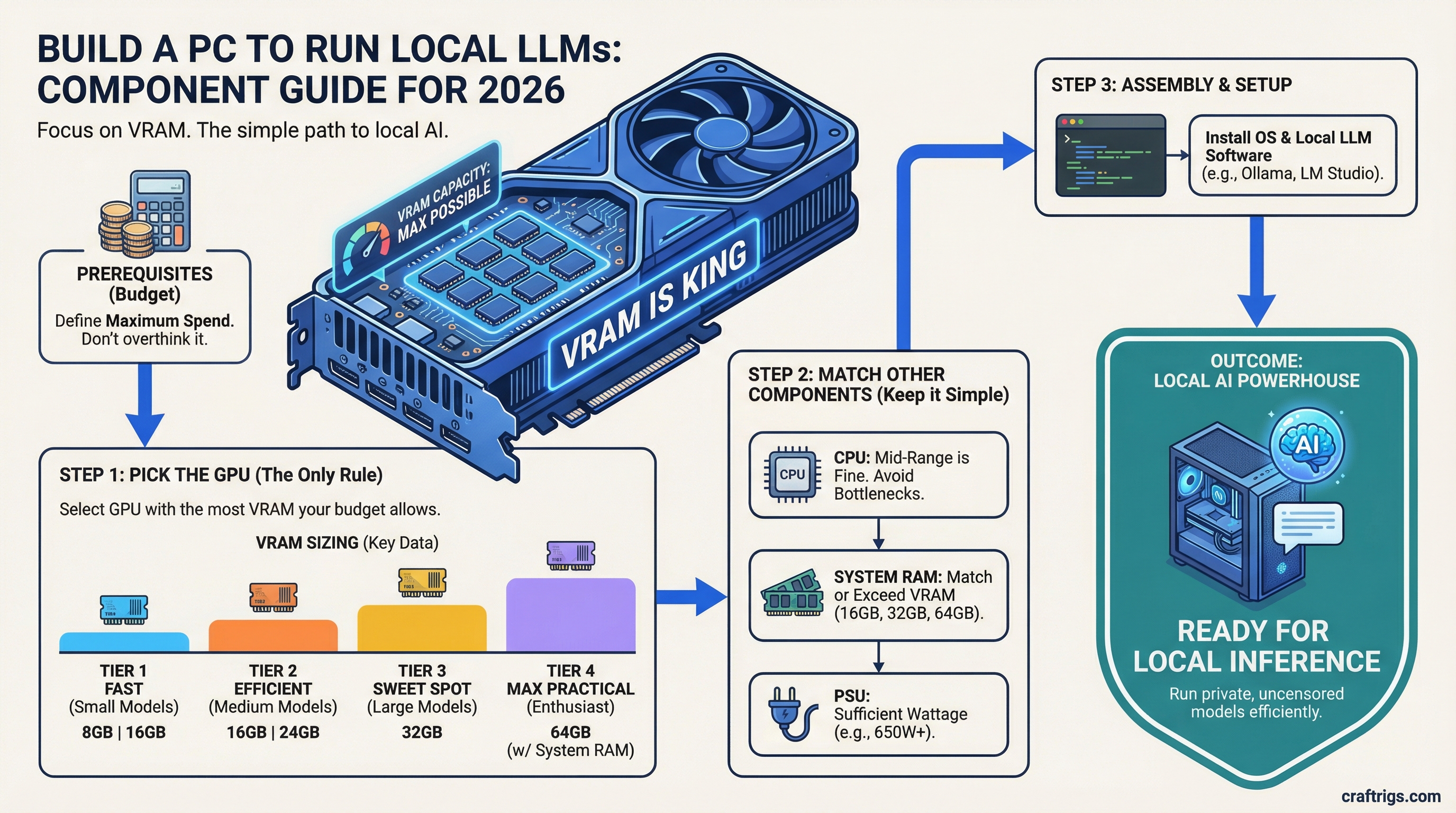
Building from scratch for local AI is different from a gaming build. This guide covers which components actually matter for LLM inference — and which ones you can save on.
Most gaming cases thermal-throttle a second GPU within minutes. Here's what actually works — slot spacing, airflow path, GPU clearance, and the top picks for 70B multi-GPU rigs.
Best CPU coolers for 24/7 LLM inference workstations. Air vs AIO, noise levels, and specific recommendations for sustained workloads.
The right motherboard makes or breaks a multi-GPU LLM build. Here are the best boards for single and dual GPU setups in 2026.
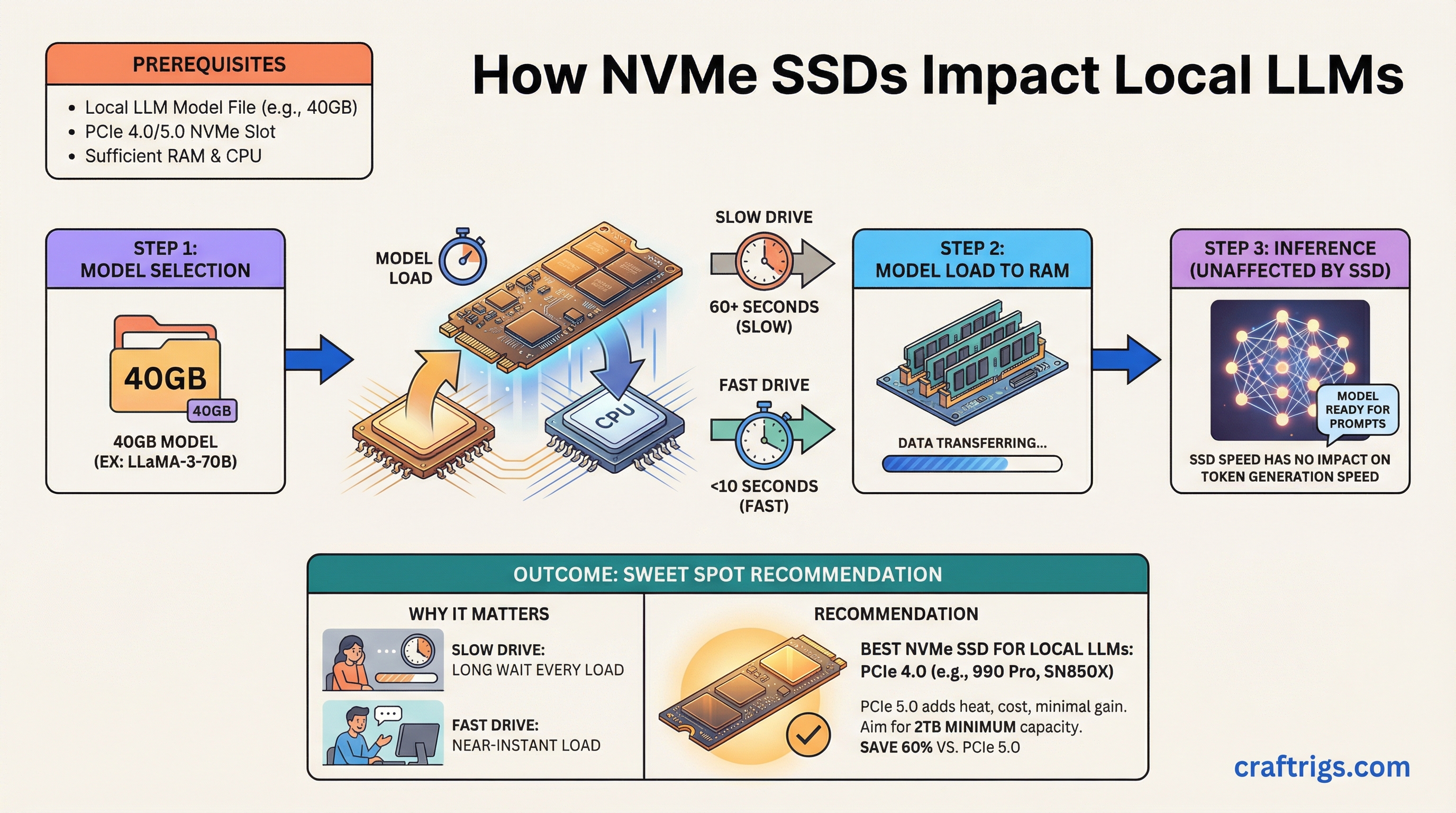
Your SSD doesn't affect inference speed — but a slow drive adds 60+ seconds every time you load a 40GB model. Here's which drives cut cold-load times without overpaying for PCIe 5.
How to keep your GPU cool during 24/7 LLM inference. Undervolting, repasting, fan curves, and thermal pad upgrades explained.
DeepSeek R1 comes in 6 sizes from 7B to 671B. Here's exactly what hardware each variant needs to run locally.
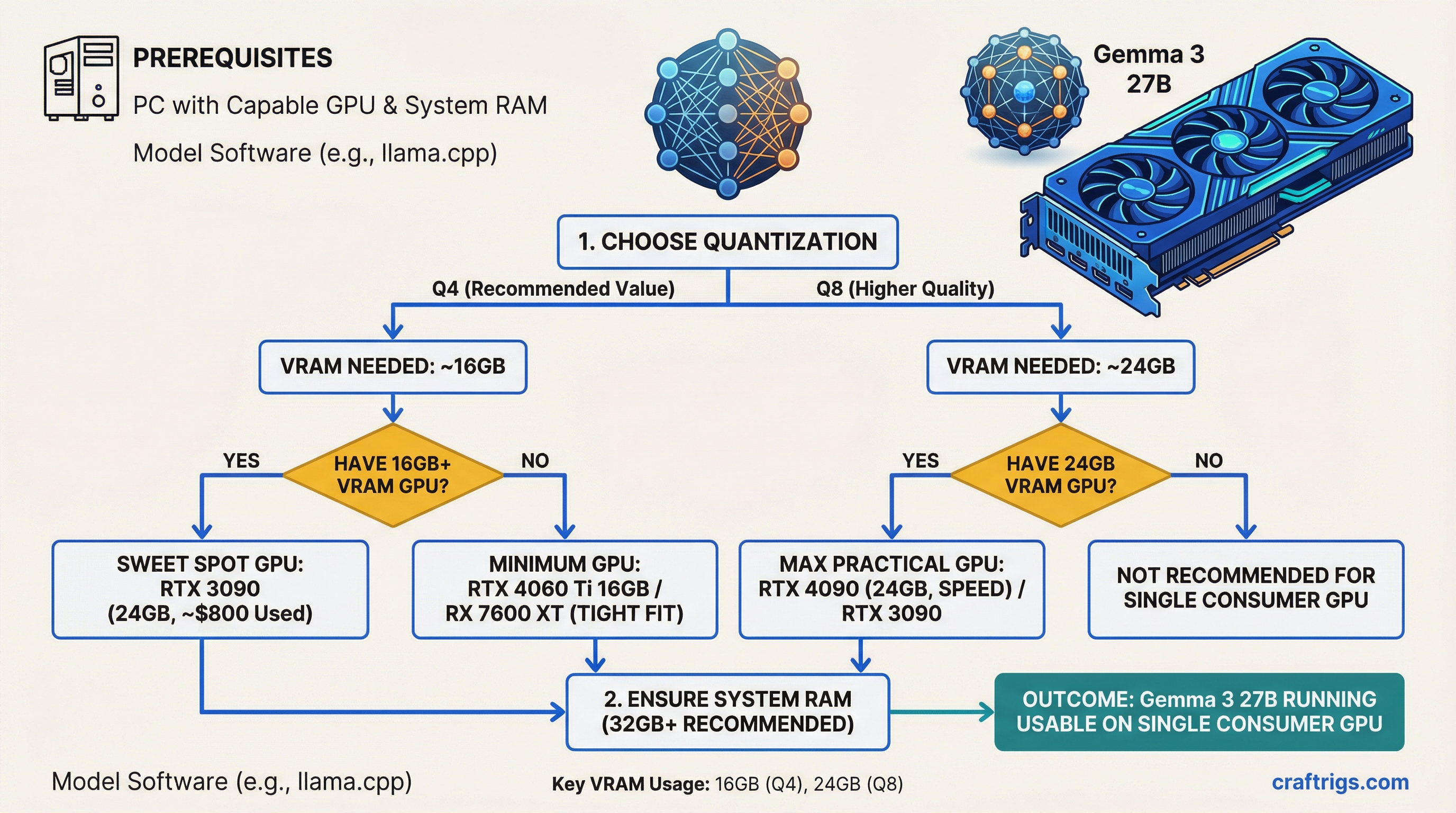
Gemma 3 27B is one of the most capable open models per VRAM dollar. Here's the minimum GPU, RAM, and quantization settings to run it at usable speeds.
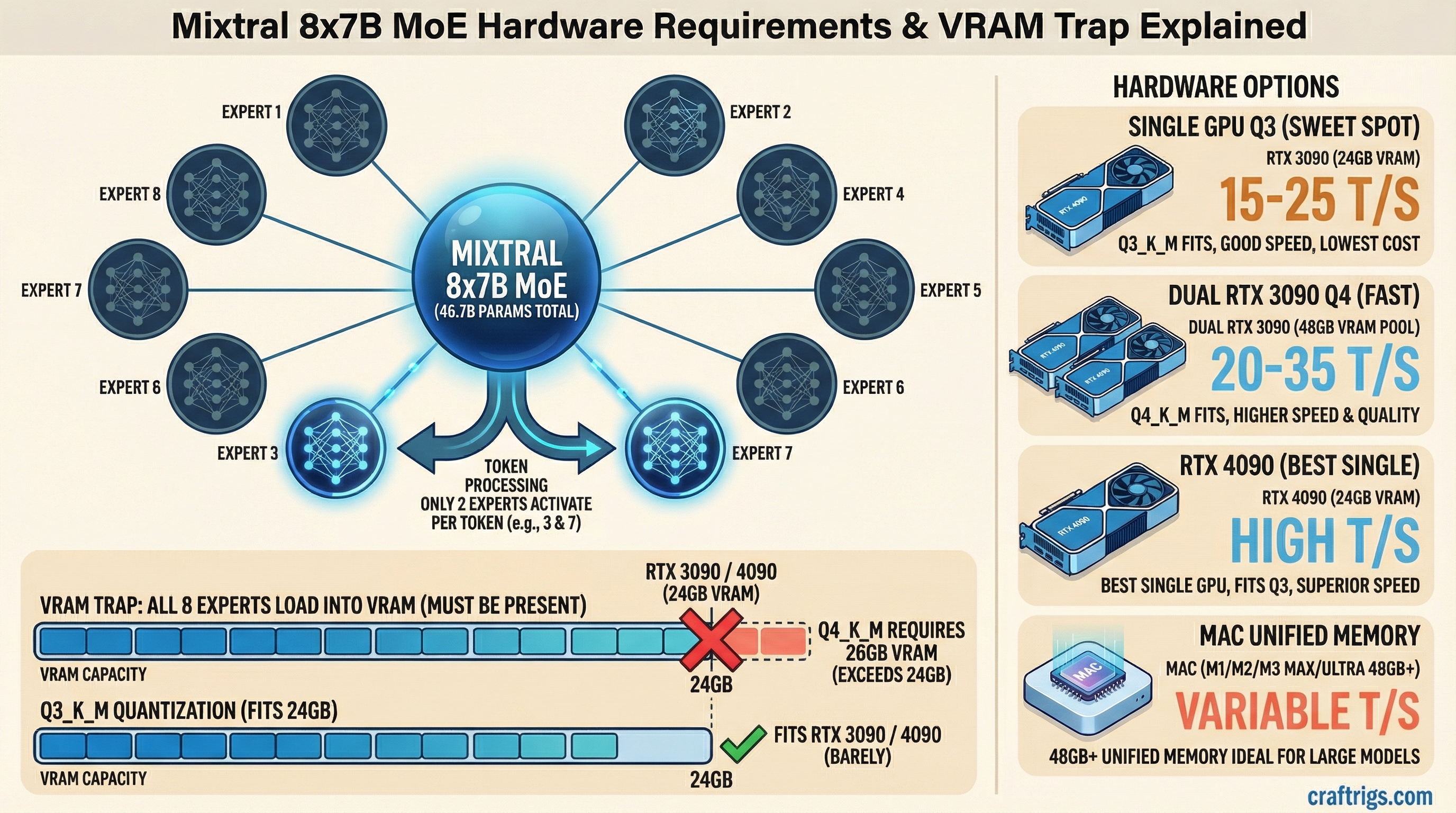
Mixtral's MoE architecture needs ~26GB VRAM at Q4 — even though only 13B parameters activate per token. Here's the exact hardware to run it and what speeds to expect.
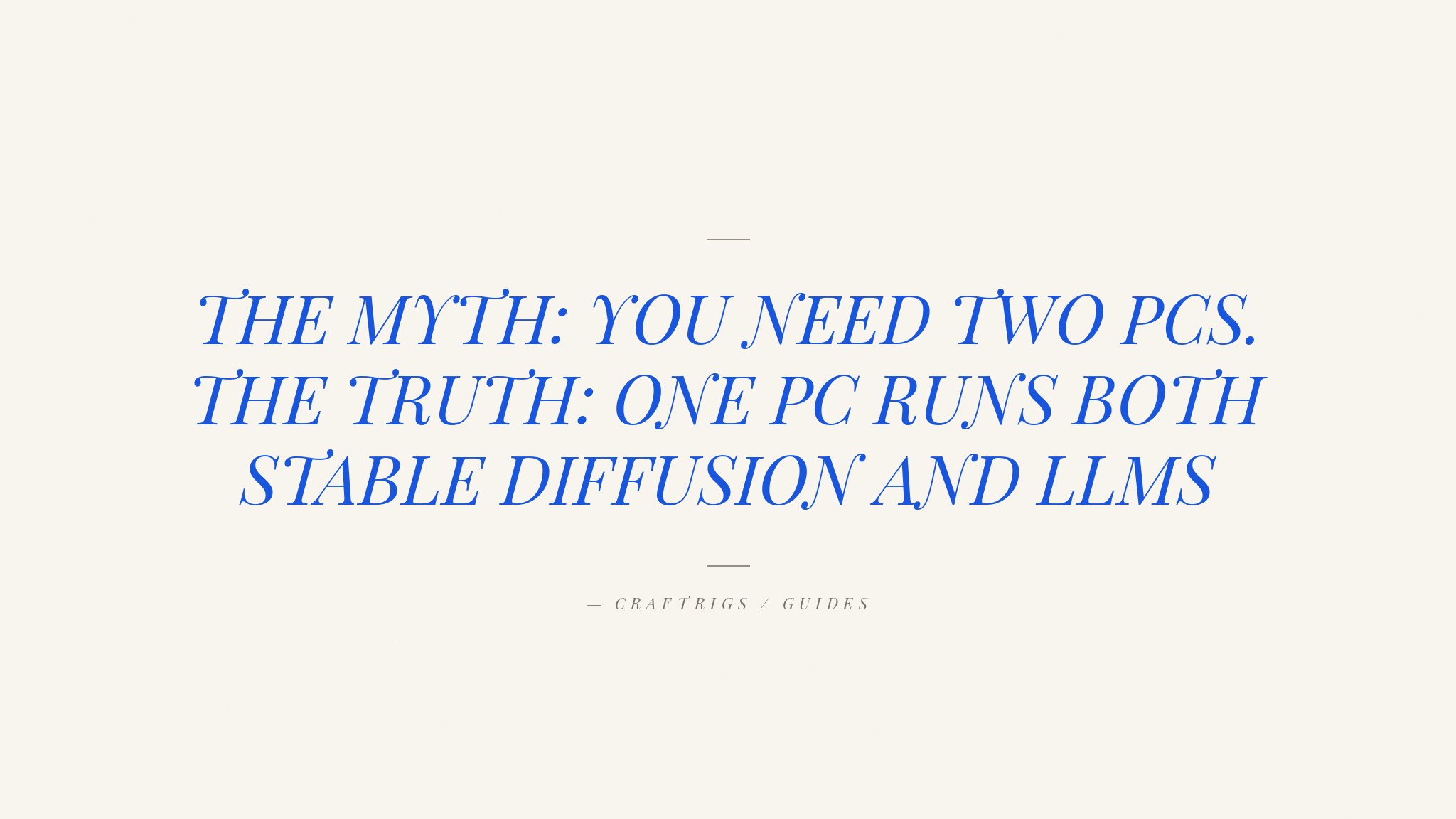
Run image generation and local LLMs on one machine without constant VRAM juggling. Here's the hardware you need.
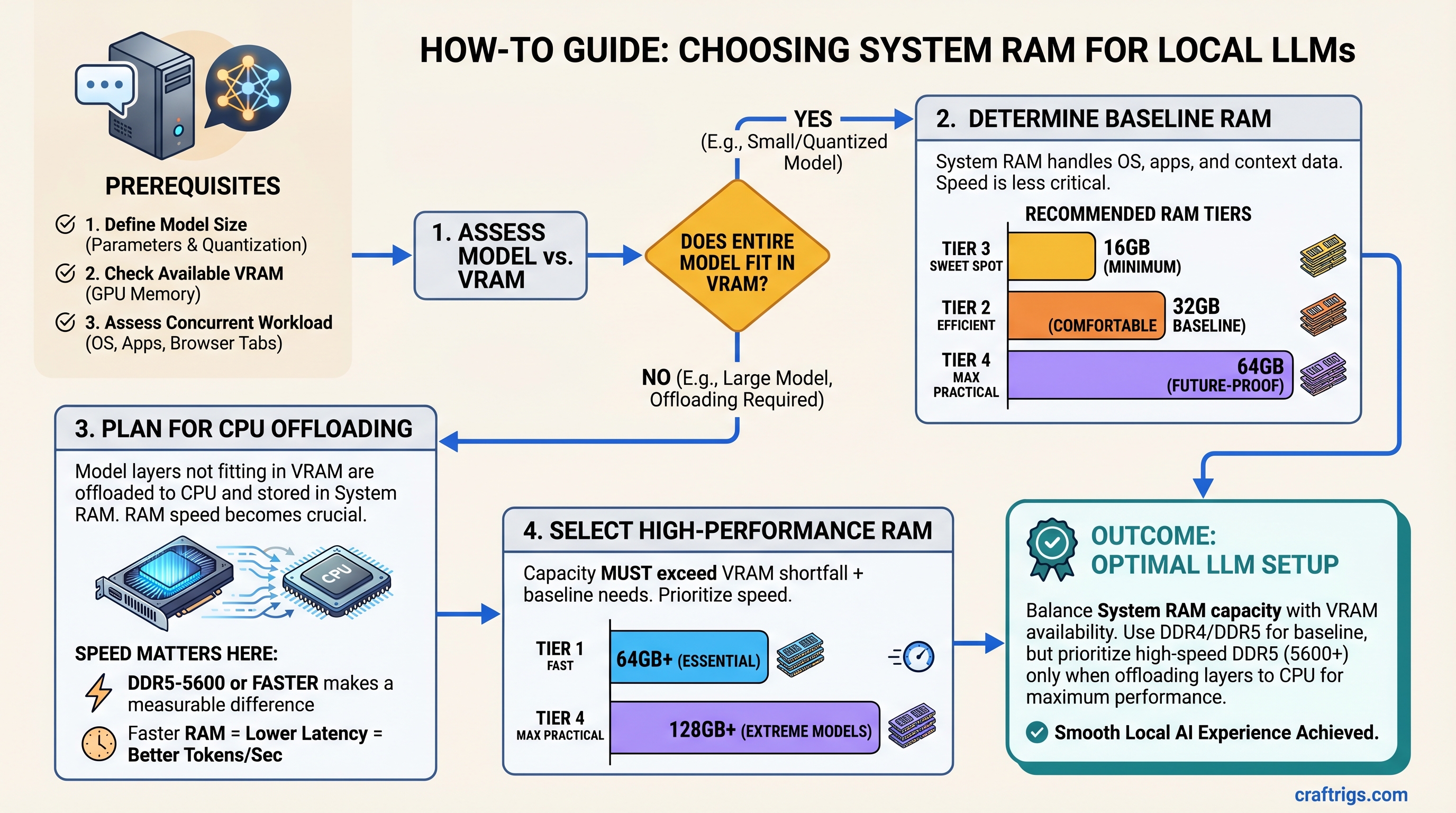
System RAM matters more than you think for local LLMs. Here's how much you need and when faster RAM actually makes a difference.
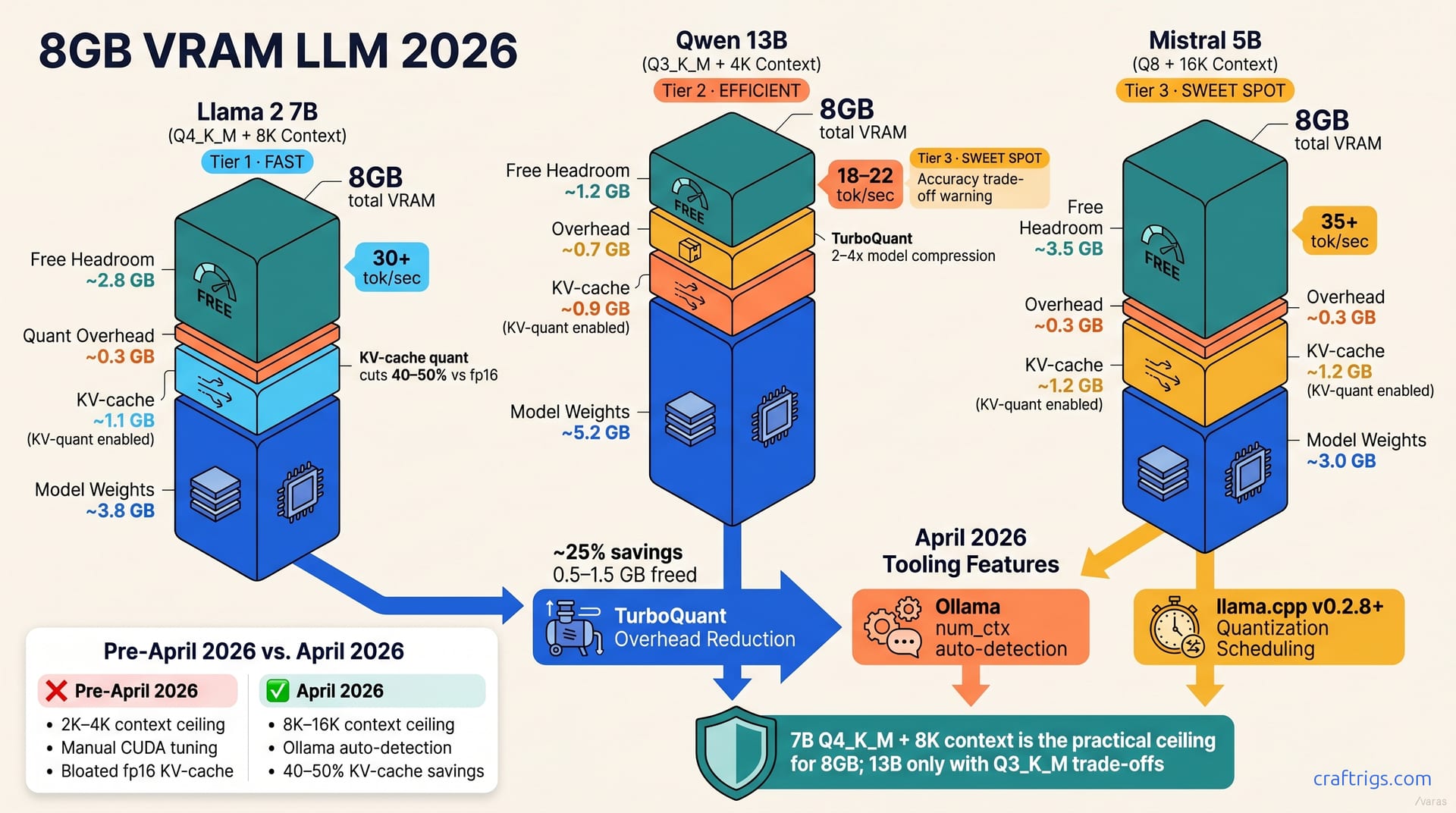
The honest answer on whether your 8GB GPU can handle local AI in 2026 — what runs, what doesn't, and when to upgrade.
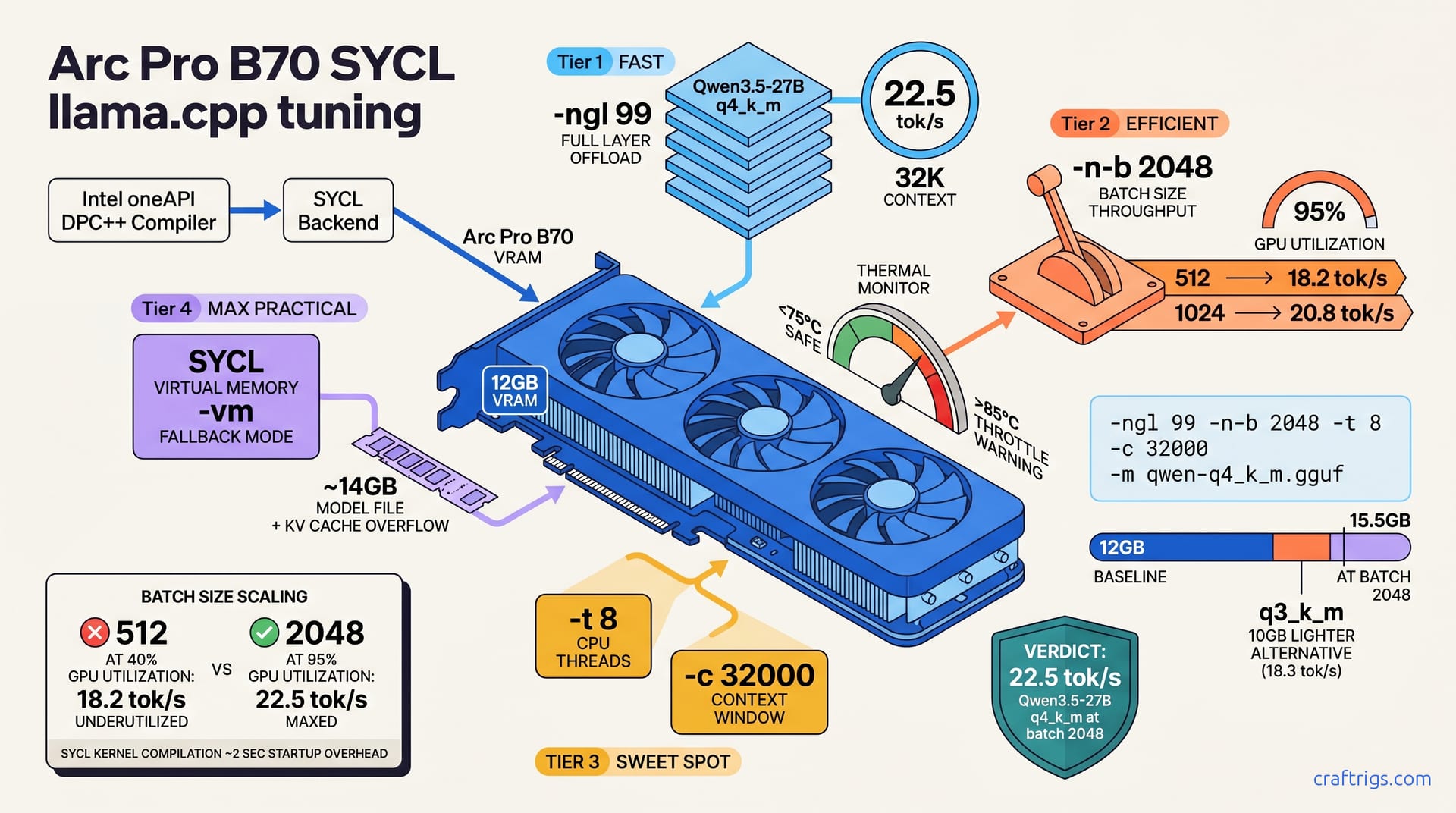
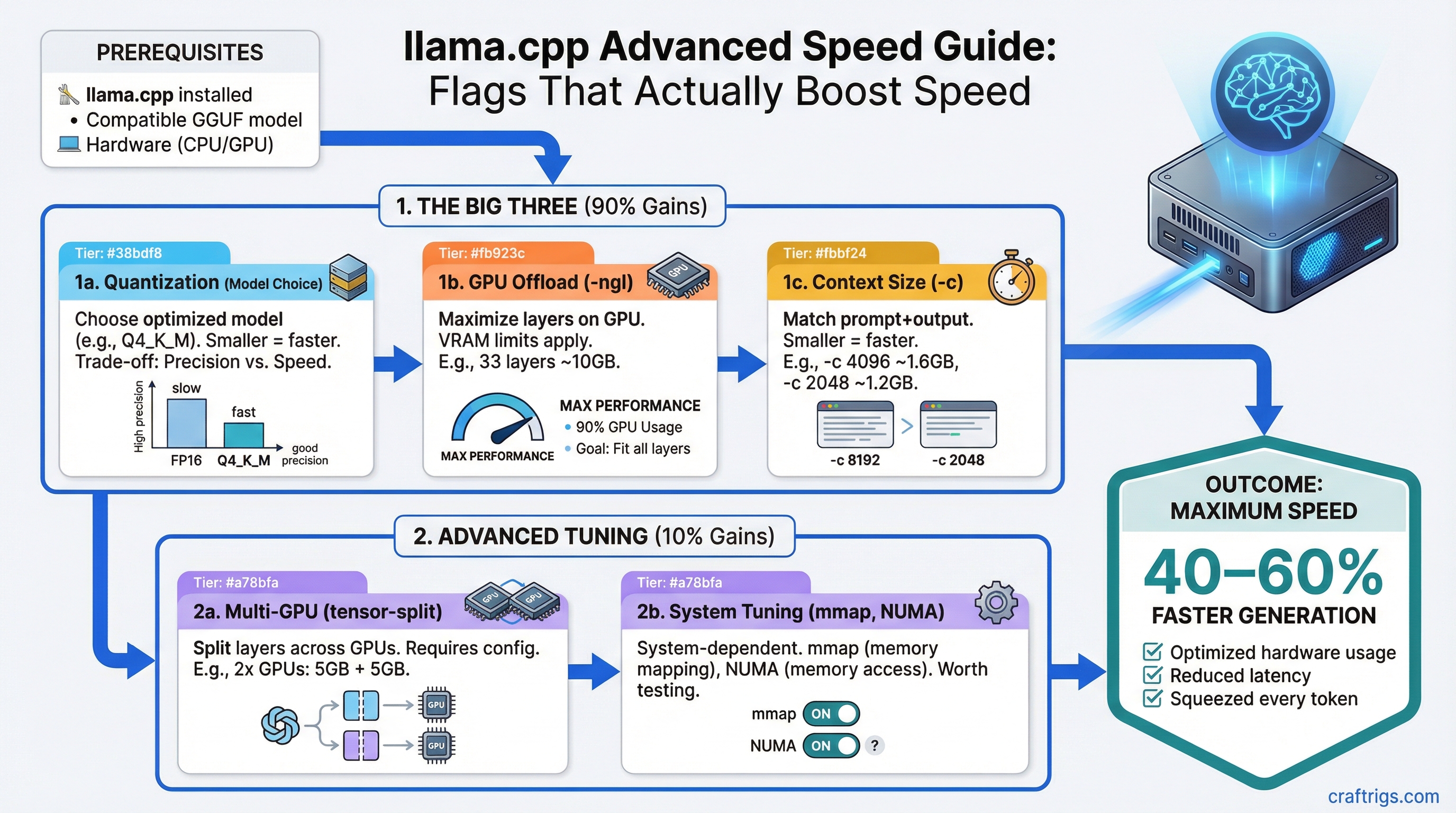
Default llama.cpp settings leave 40–60% speed on the table. Master -ngl, -c, tensor-split, mmap, and context tuning to squeeze every token out of your hardware.
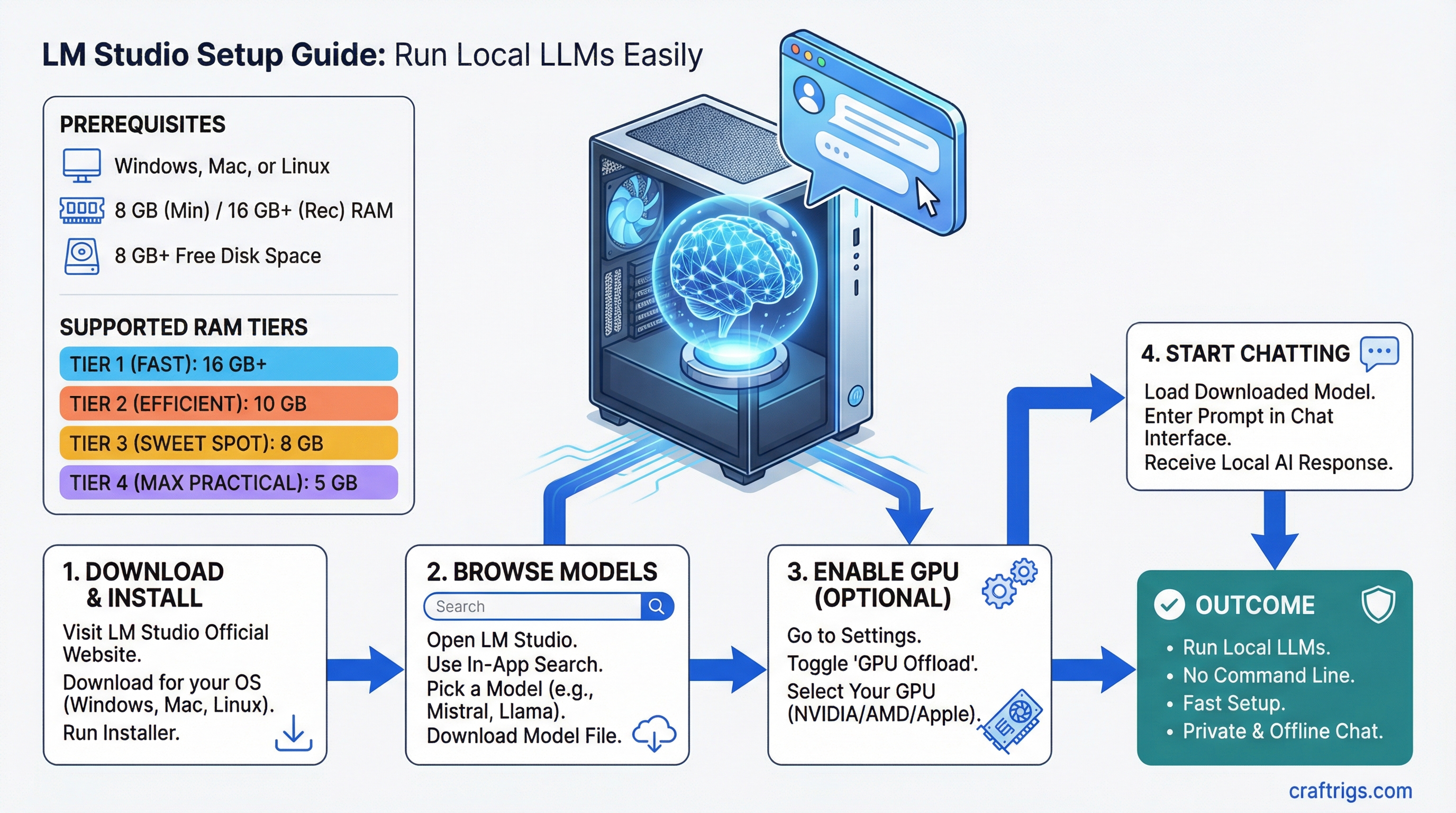
Install LM Studio on Windows, Mac, or Linux, download your first model, enable GPU acceleration, and start running local LLMs without the command line.
The complete hardware guide for replacing GitHub Copilot with local AI coding assistants. Builds, models, IDE setups, and cost math.
Mistral Small 3.1 24B fits on a single 24GB GPU at Q4. Here's the best hardware to run it and why this model hits a sweet spot.
PCIe 3.0 vs 4.0 vs 5.0 NVMe benchmarks for LLM model loading. Tested with 7B, 13B, 30B, and 70B models.
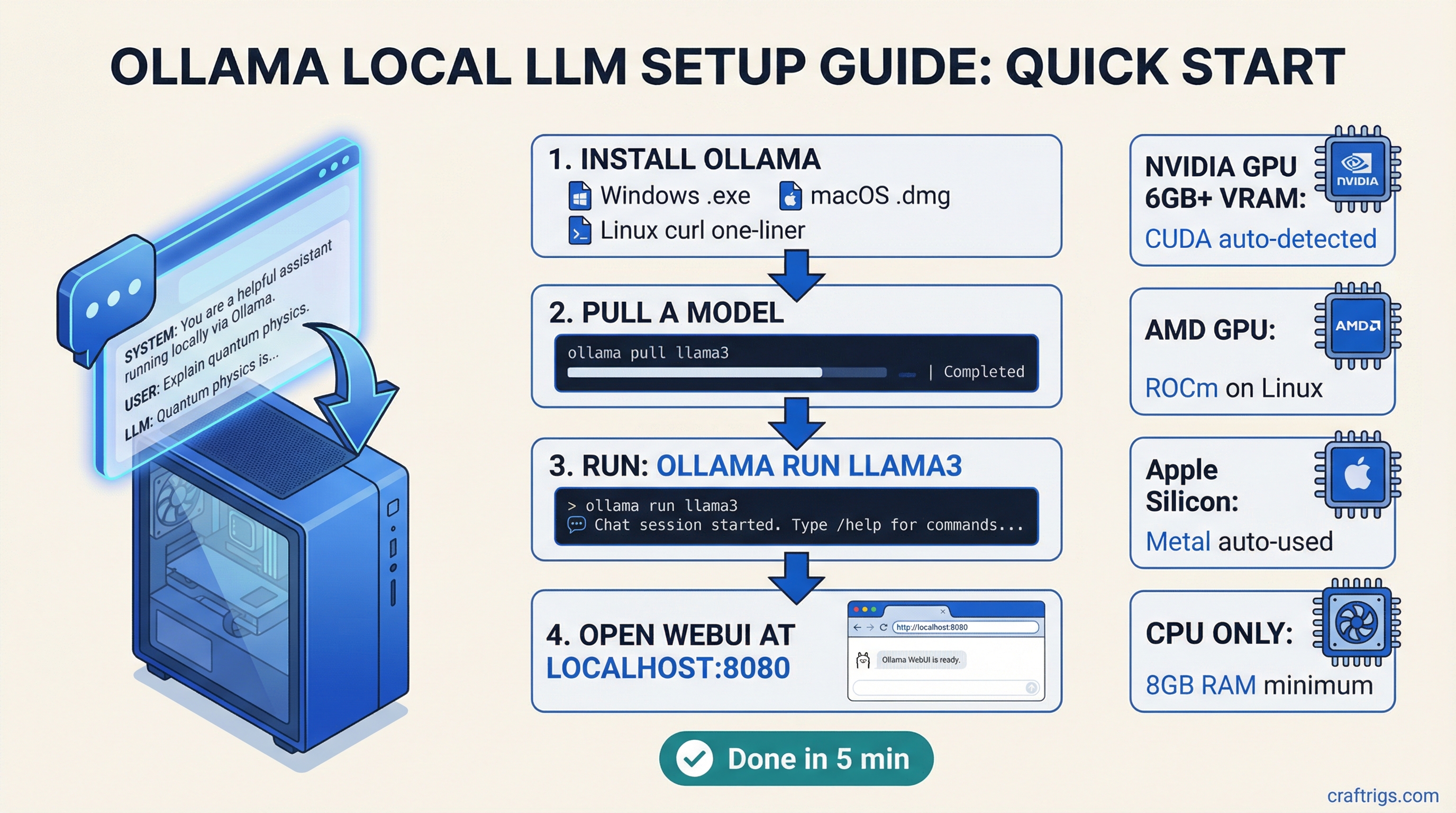
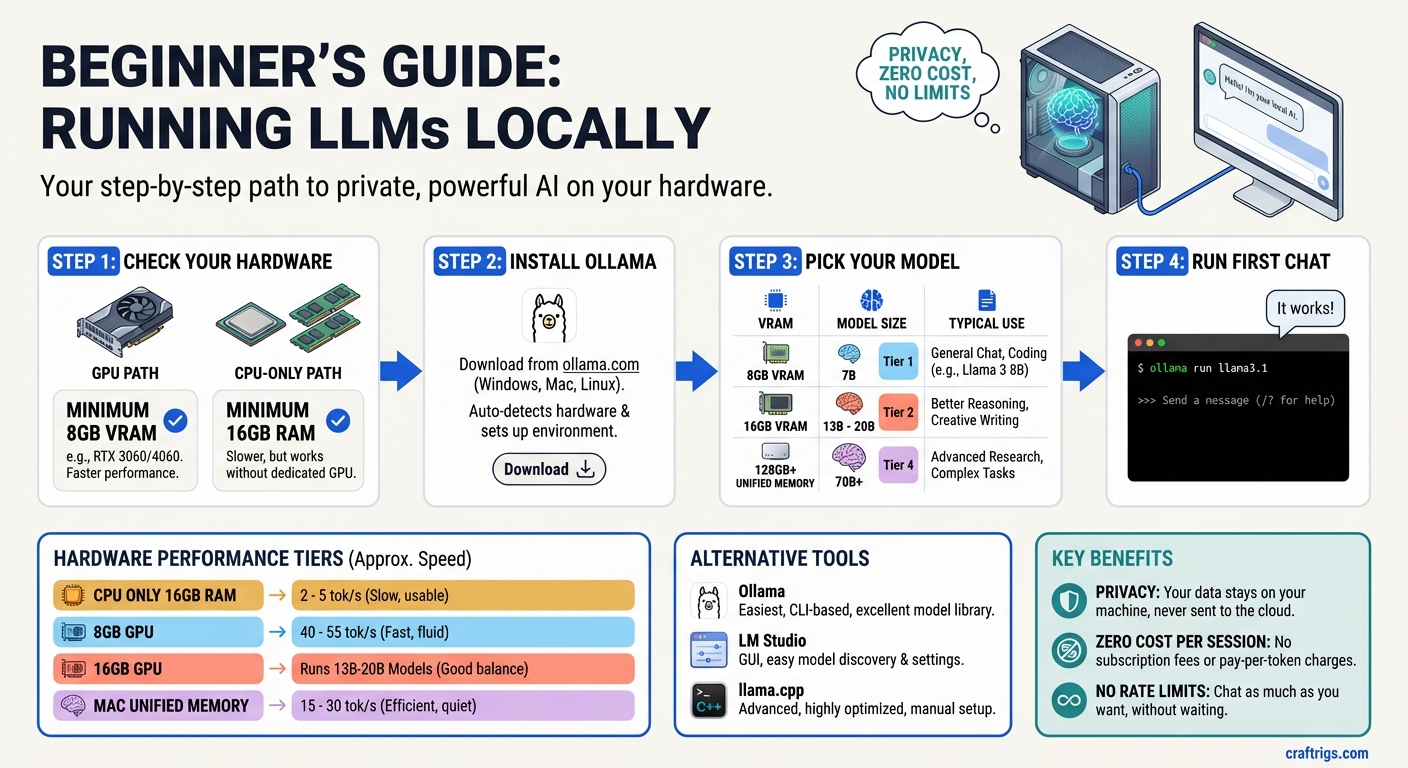
Install Ollama on Windows, Mac, or Linux and run your first local LLM in minutes. Covers GPU setup, Open WebUI, and model management.
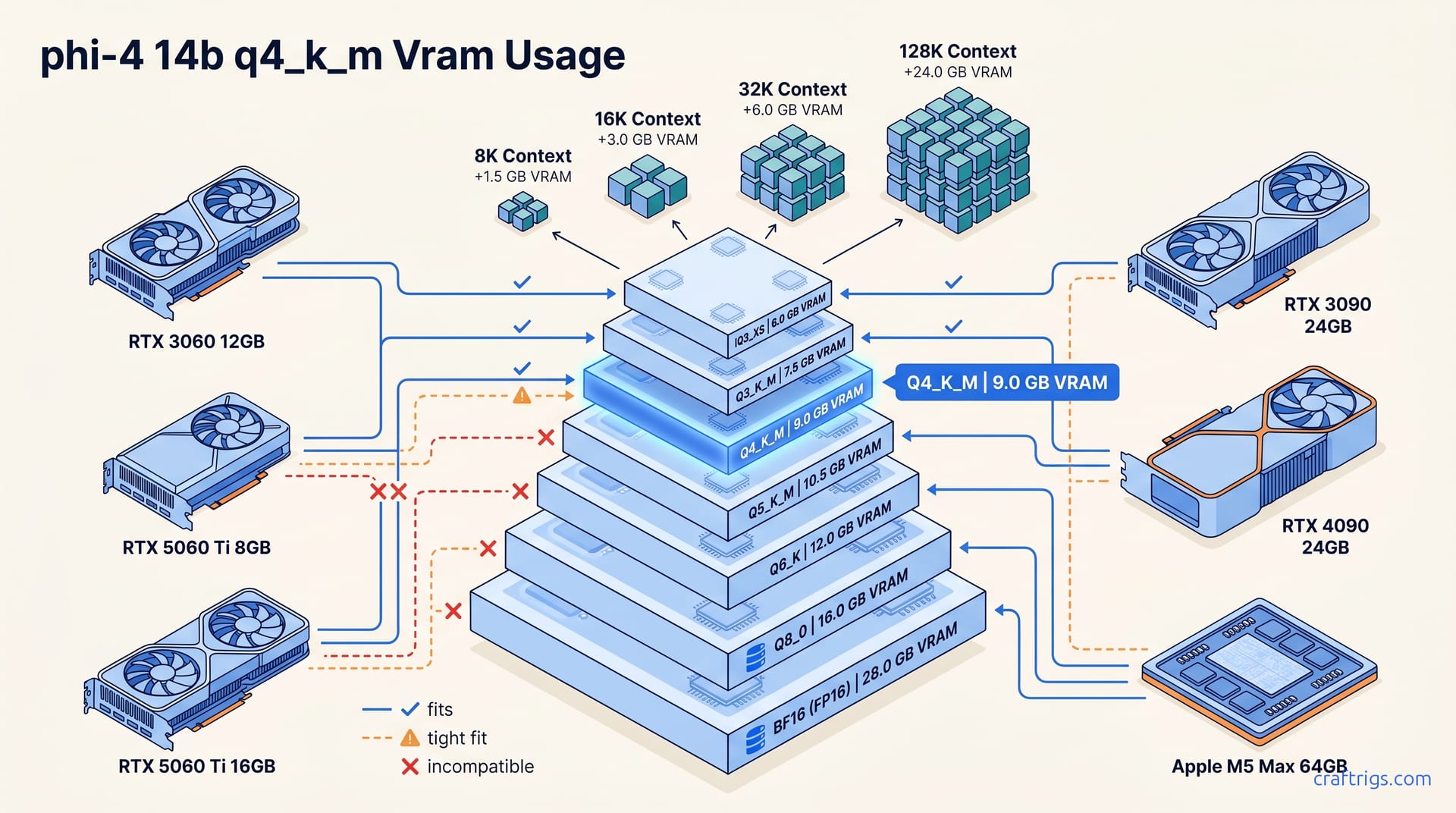
Exact VRAM requirements and hardware recommendations for running Microsoft's Phi-4 14B locally. Fits in 12GB at Q4.
Qwen 2.5 Coder 32B punches above its weight for code generation — but it needs ~18GB VRAM at Q4. Here's the hardware breakdown and what speeds to expect on each tier.
Run two or more local LLMs on a single GPU by managing VRAM, model unloading, and CPU offloading. Practical limits explained.
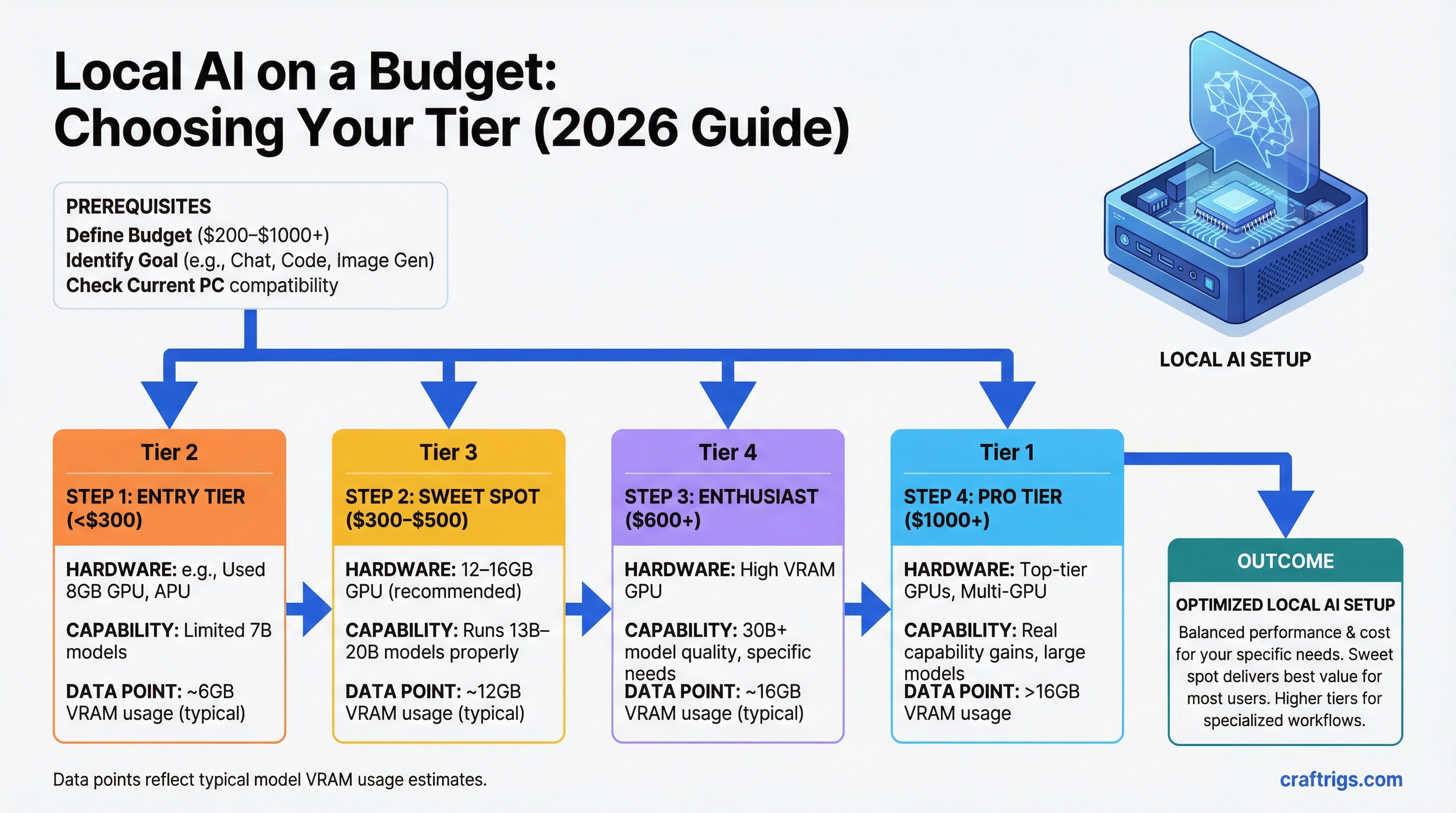
Buy for the model, not the benchmark. This guide maps each hardware tier to what it actually runs — 7B to 70B+, from $220 used cards to Apple Silicon — with real speed benchmarks.
Step-by-step guide to running AI models on your own hardware. Covers Ollama setup, model selection, hardware requirements, and getting your first model running in under 10 minutes.
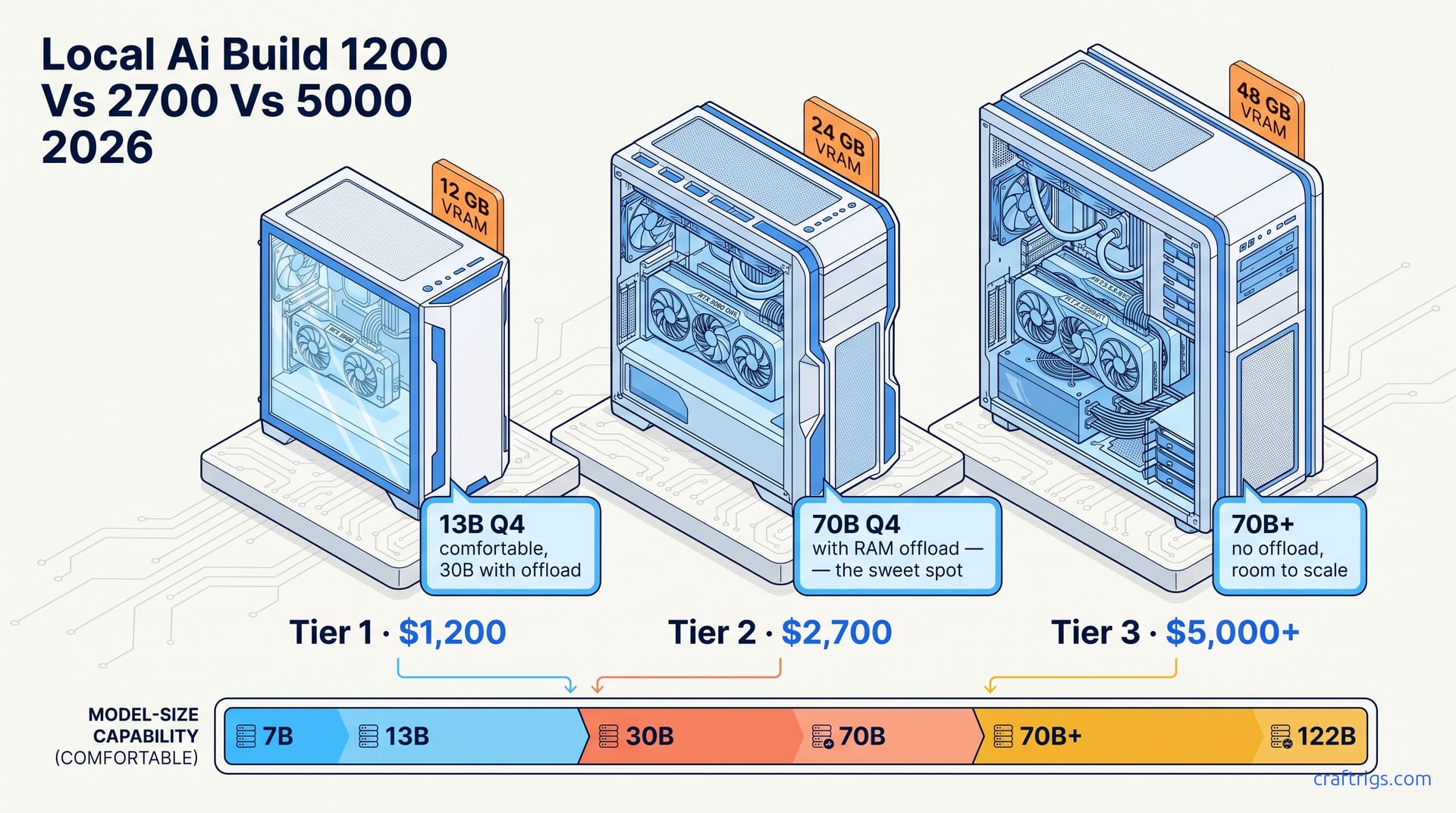
What can you actually run locally at $200, $400, $600, and $1,000+? Honest breakdown of every budget tier with real hardware recommendations and what you're giving up.
A systematic approach to choosing local AI hardware. Answer 5 questions, get a clear recommendation. No wasted money on specs that don't matter for your use case.
Apple Silicon vs NVIDIA GPU for running local LLMs — which is actually better? Real benchmarks, use cases, and the honest answer based on what you need.
A dual-GPU PC build is the most cost-effective way to run 70B models at desktop speed. Two used RTX 3090s with NVLink gives you 48GB combined VRAM for under $3,000.
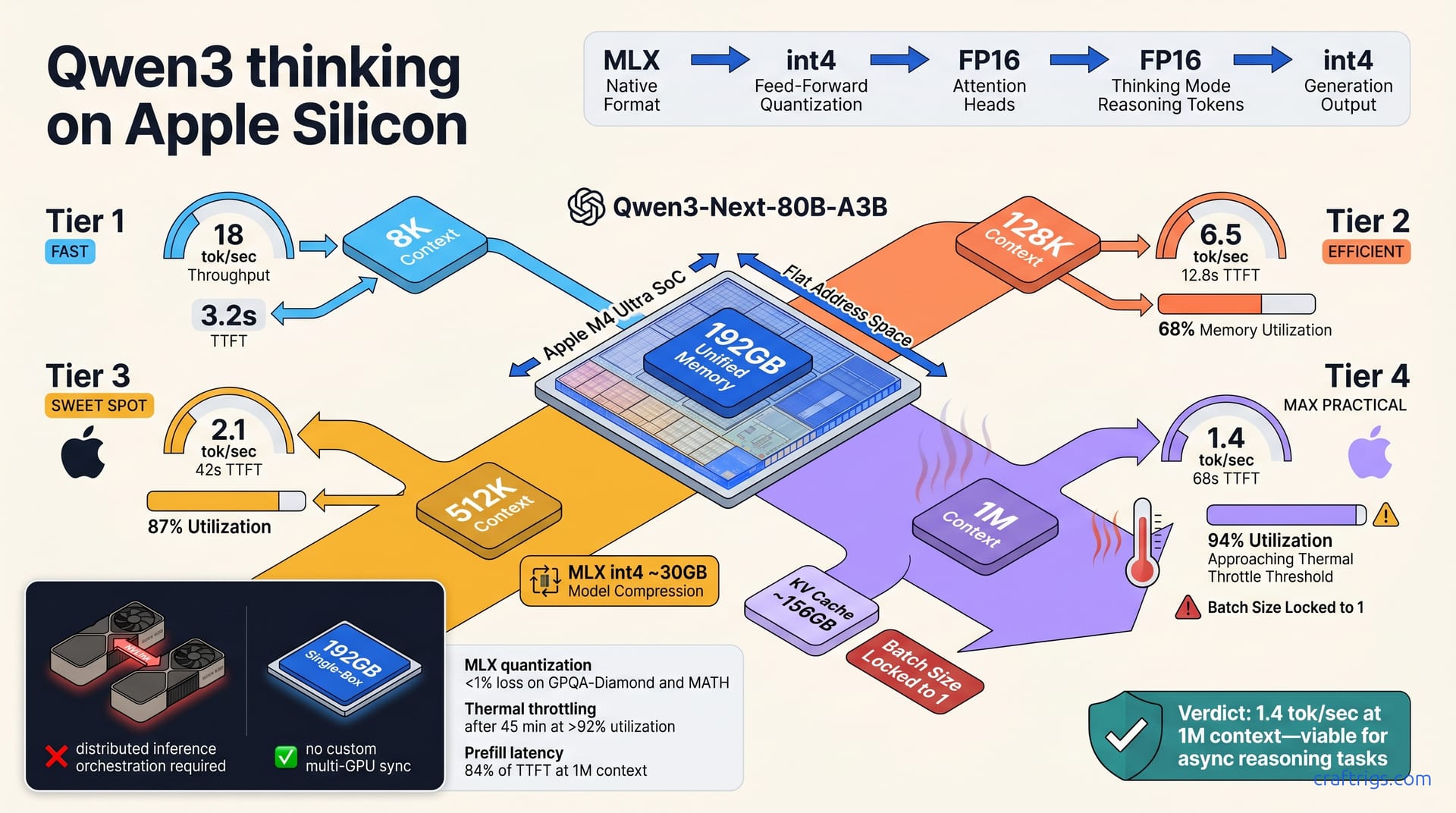
You need an M4 Max or M3 Ultra Mac with at least 128 GB to run Llama 3 70B comfortably. Best setup is MLX through LM Studio — expect ~11-12 tok/s at Q4, which is conversational speed.
You can run Llama 3 locally for as little as $250. Here's what each price tier gets you — and honest expectations about how it compares to ChatGPT.
VRAM is the single biggest constraint for running local LLMs. Here's exactly how much you need for every model size — and what happens when you don't have enough.