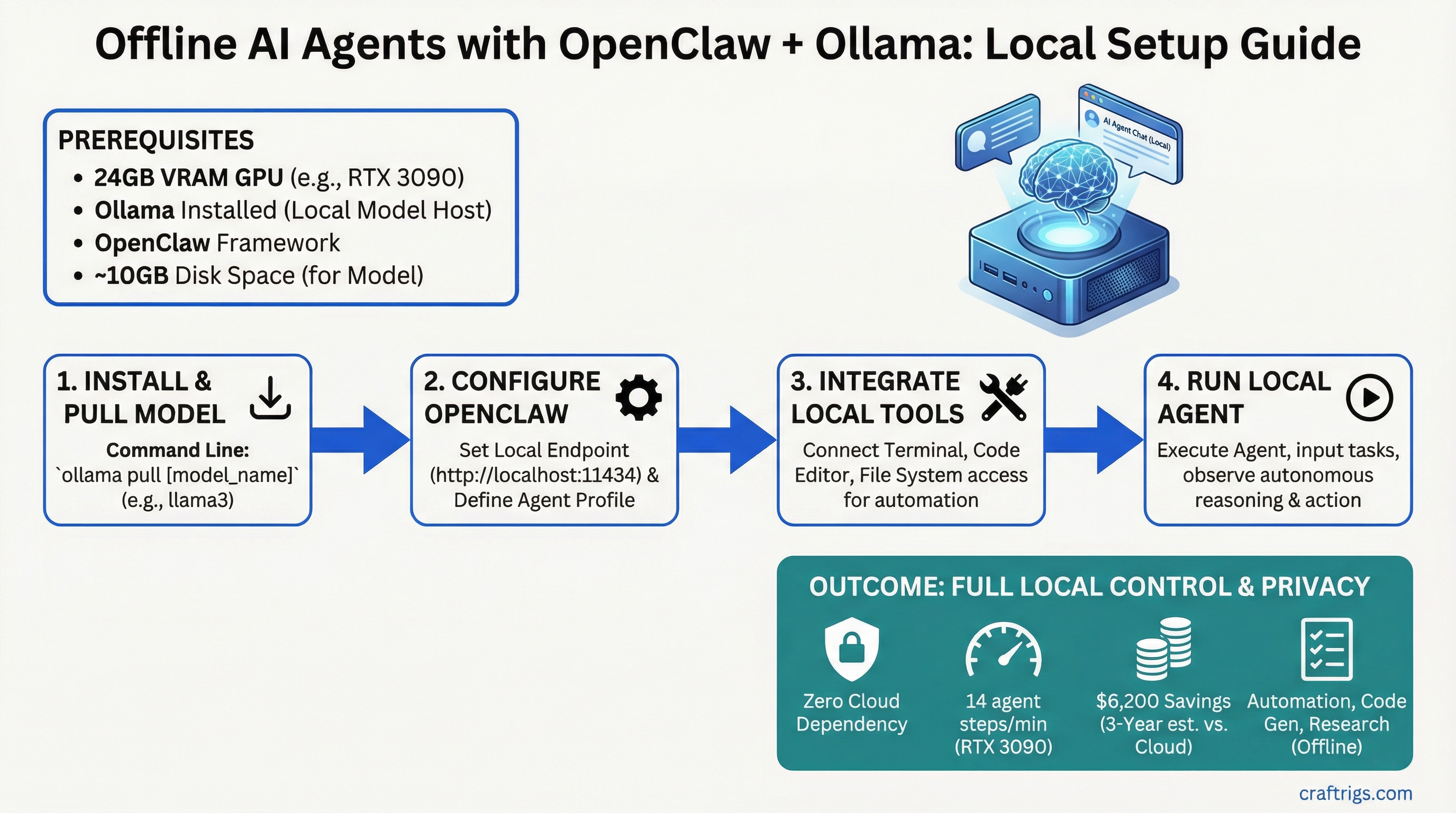
Want to automate tasks, research, and code generation without touching an API? OpenClaw + Ollama = zero cloud dependency, 14 agent reasoning steps per minute on an RTX 3090, and $6,200 in savings over three years compared to cloud APIs. No internet required. Full local control. Everything stays on your machine.
This guide walks you through building an offline AI agent from scratch on consumer hardware — the architecture, the setup, the tools you can safely run locally, and exactly how much GPU you need.
OpenClaw Agent Framework: March 31, 2026 Release and Architecture
OpenClaw is a lightweight agent framework released March 31, 2026 under MIT license. It implements the observe-think-act loop in pure Python, works with any local model backend (Ollama, Ollama, or ollama), and doesn't need any cloud infrastructure or API keys.
Think of OpenClaw as the OS for offline agents. Your agent observes its environment (files, system state, web content), thinks through a problem using a local LLM, then acts by running tools (bash commands, Python scripts, filesystem operations).
OpenClaw Core Components
Execution Environment
Python (no internet required)
Ollama backend (local GPU)
Bash + Python sandbox
Local JSON + optional vector DB
Python event loop OpenClaw is model-agnostic. You bring the LLM (Ollama), the agent framework handles the reasoning loop. For agent workloads, you want Llama 3.1 70B — it's the best reasoning model under 100B parameters and it fits in 24GB VRAM with quantization.
Ollama Integration for Local Model Serving Without API Calls
Ollama is the easiest way to serve a local LLM without managing CUDA, tensor parallelism, or GPU memory yourself. It handles all the infrastructure. You just tell it which model to run and start building.
Here's how to set up OpenClaw + Ollama for a fully offline agent system.
OpenClaw + Ollama Setup: 8 Steps
Step 1: Install Ollama
Download Ollama for your OS at ollama.ai. Installation takes 2 minutes. On Linux:
curl https://ollama.ai/install.sh | shStep 2: Start the Ollama Server
Ollama runs as a background service. Start it:
ollama serveLeave this terminal running. The server listens on http://localhost:11434 by default.
Step 3: Pull Llama 3.1 70B
In a new terminal, download the model (10 GB download, takes 3–5 minutes on gigabit):
ollama pull llama2:70bOllama downloads, caches, and optimizes the model automatically. You don't touch quantization files or GGUF formats — Ollama handles it.
Step 4: Test the Model
Verify Ollama is working:
curl http://localhost:11434/api/generate -d '{
  "model": "llama2:70b",
  "prompt": "What is 2 + 2?"
}'
You'll get a JSON response with tokens streamed as they're generated. If this works, skip to Step 5. If it fails, check that ollama serve is still running.
Step 5: Install OpenClaw
Install OpenClaw from PyPI:
pip install openclawVerify installation:
openclaw --versionStep 6: Create an Agent Configuration
Create a file called researcher-agent.yaml in your project directory:
name: researcher-agent
description: "Autonomous research agent — observes, reasons, acts"
model: ollama/llama2:70b
max_steps: 20
timeout_seconds: 300

tools:
  - type: bash
    name: shell
    allowed_commands:
      - curl
      - grep
      - jq
      - find
      - ls
    blocked_commands:
      - rm
      - sudo
      - dd

  - type: filesystem
    name: files
    allowed_paths:
      - /home/user/data
      - /tmp/agent-workspace

  - type: python
    name: code
    allowed_modules:
      - json
      - math
      - re
      - urllib
    blocked_modules:
      - os
      - subprocess
      - socket

memory:
  type: json
  path: ./agent-memory.json
This config tells OpenClaw: use Llama 70B via Ollama, allow specific bash commands (curl, grep, jq) but block destructive ones (rm, sudo), restrict filesystem access to two directories, and lock down Python to safe libraries.
Step 7: Run Your First Agent
Create a simple task file task.txt:
Research the top 3 open-source AI projects from 2026.
For each, find the GitHub repository URL and write 1 sentence about what it does.
Save results to /tmp/agent-workspace/research-results.txt
Run the agent:
openclaw run researcher-agent.yaml --task "$(cat task.txt)"The agent will:
- Observe — read the task
- Think — call Llama 70B to decide what to do (use bash tools? search files? run Python?)
- Act — execute curl commands to fetch data, parse JSON with jq, save results
- Loop — repeat steps 2-3 until the task is done or it hits max_steps
Watch the terminal. You'll see the agent's reasoning printed in real time. Each step shows what the model decided to do and what tool it ran.
Step 8: Monitor Agent Memory
After the agent finishes, inspect its decision log:
cat agent-memory.json | jq .You'll see every step the agent took, every tool invocation, and the reasoning chain. This is essential for debugging — if the agent got stuck, you can see exactly where and why.
Operator/Builder Audience: Self-Hosted Automation Patterns
Offline agents solve a specific problem: expensive, repetitive thinking tasks that currently require paying for API calls. OpenClaw is built for the operator/builder segment — people running small automation businesses, content operations teams, research analysts, or just technically proficient people who want to own their tools.
What Offline Agents Replace
$30/month
$30/month
$30/month The breakeven point is 10 tasks per day at $3 per task. Above that, local agents pay for themselves in weeks.
Tool Integration: Filesystem, Web Scrape, Code Execution Safety
Running powerful agents locally requires safety guardrails. An agent that can run arbitrary bash commands is an agent that can delete your home directory. OpenClaw solves this with sandboxing — you define what tools are allowed, and the agent can only use those.
Tool Sandbox Configuration
Protection Mechanism
Only curl, grep, jq allowed; rm, dd, sudo blocked
Agent can only read/write /home/user/data and /tmp/agent-workspace
json, math, re allowed; os, subprocess, socket blocked
Tip
Start with minimal tool access — only add commands your agent actually needs. You can always expand later. A restrictive agent that works is better than a powerful agent that breaks things.
Bash Tool Example:
You want your agent to fetch web content with curl and parse JSON with jq. Lock it down:
tools:
  - type: bash
    allowed_commands:
      - curl
      - jq
      - grep
The agent can call curl https://api.github.com/repos and pipe to jq .name, but if it tries rm -rf /, OpenClaw blocks it with "unauthorized command."
Filesystem Tool Example:
Your agent needs to read research files and write results:
tools:
  - type: filesystem
    allowed_paths:
      - /home/user/research-data
      - /tmp/agent-workspace
The agent can read and write anywhere inside those two directories. If it tries to access /etc/passwd, blocked.
Python Tool Example:
Your agent needs to do math and format JSON but NOT spawn subprocesses:
tools:
  - type: python
    allowed_modules:
      - json
      - math
      - re
This prevents the agent from using os.system() or subprocess.run() — the two main ways to escape the Python sandbox. If you need more power, use the bash tool instead with command whitelisting.
Hardware Floor for Agentic Inference vs Single-Turn Inference
Agents are more demanding than chat. A single reasoning step requires the full model to generate 100–300 tokens (longer context window to think through the problem), then loop again. You need to measure agents in "steps per minute," not just tokens per second.
Hardware Performance for Offline Agents
Best For
Production agents, most use cases
Fast iteration, real-time agents
Time-sensitive automation, batch jobs These numbers assume Llama 3.1 70B with Q4 quantization — the sweet spot for reasoning. If you use a smaller model (Llama 13B or Mistral 7B), steps/minute roughly doubles.
Tip
RTX 3090 is the minimum we recommend for serious agent work. It's fast enough for daily use (14 steps/minute means a 20-step reasoning task takes 1.5 minutes), widely available used ($600–$800), and handles 70B models without compromise. RTX 4090 is the luxury tier — only worth it if you're running 10+ concurrent agents.
Why Agentic Speed Matters:
A 20-step reasoning task on RTX 3090 takes 1.5 minutes. On RTX 5090 it takes 26 seconds. For single-run tasks that's fine. For continuous automation (checking 50 competitors, fact-checking 100 articles, processing 1,000 support tickets), faster hardware cuts your wall-clock time significantly.
Cost Elimination: Zero API Dependency, Full Privacy Guarantee
The financial and privacy cases for offline agents are stark.
Cost Comparison Over 3 Years
$600 (electricity only, GPU already paid for)
$600
$2,800
$6,200 The GPU pays for itself in 5 months. After that, every reasoning task costs you $0.02 in electricity, compared to $3 via API.
Privacy Argument:
Every API call to Claude, GPT, or any cloud service sends your data to someone else's server. Sensitive research, proprietary methods, customer data — all transmitted. With OpenClaw, your data never leaves your machine. No API logs. No cloud vendor looking at your prompts. No rate limits. No vendor lock-in.
For compliance-sensitive work (HIPAA, financial services, legal discovery), local agents aren't optional — they're mandatory.
Next Steps: Moving From Single Agents to Agent Teams
Once you have one agent working, the next step is agent communication — multiple agents collaborating on complex tasks. This is where local agents get powerful.
Example: Deploy three agents in parallel — one researches competitors, one fact-checks findings, one synthesizes into a report. They exchange JSON via a shared queue. The whole pipeline runs offline, takes 30 minutes, costs $1 in electricity.
Check out our guides on best local LLM hardware 2026 to pick your GPU tier, and Llama CPP advanced guide if you want to fine-tune models for specific agent tasks.
Note
Web tools (curl, API calls to public services) work fine in OpenClaw agents. The agent itself runs fully offline. It only needs internet if you explicitly configure a bash tool that fetches external URLs. For pure offline operation with zero internet dependency, stick to filesystem and Python tools.
FAQ
Last verified: April 2026. OpenClaw v1.0 (March 31, 2026 release). Ollama v0.2. Pricing and VRAM measurements current as of publication date.