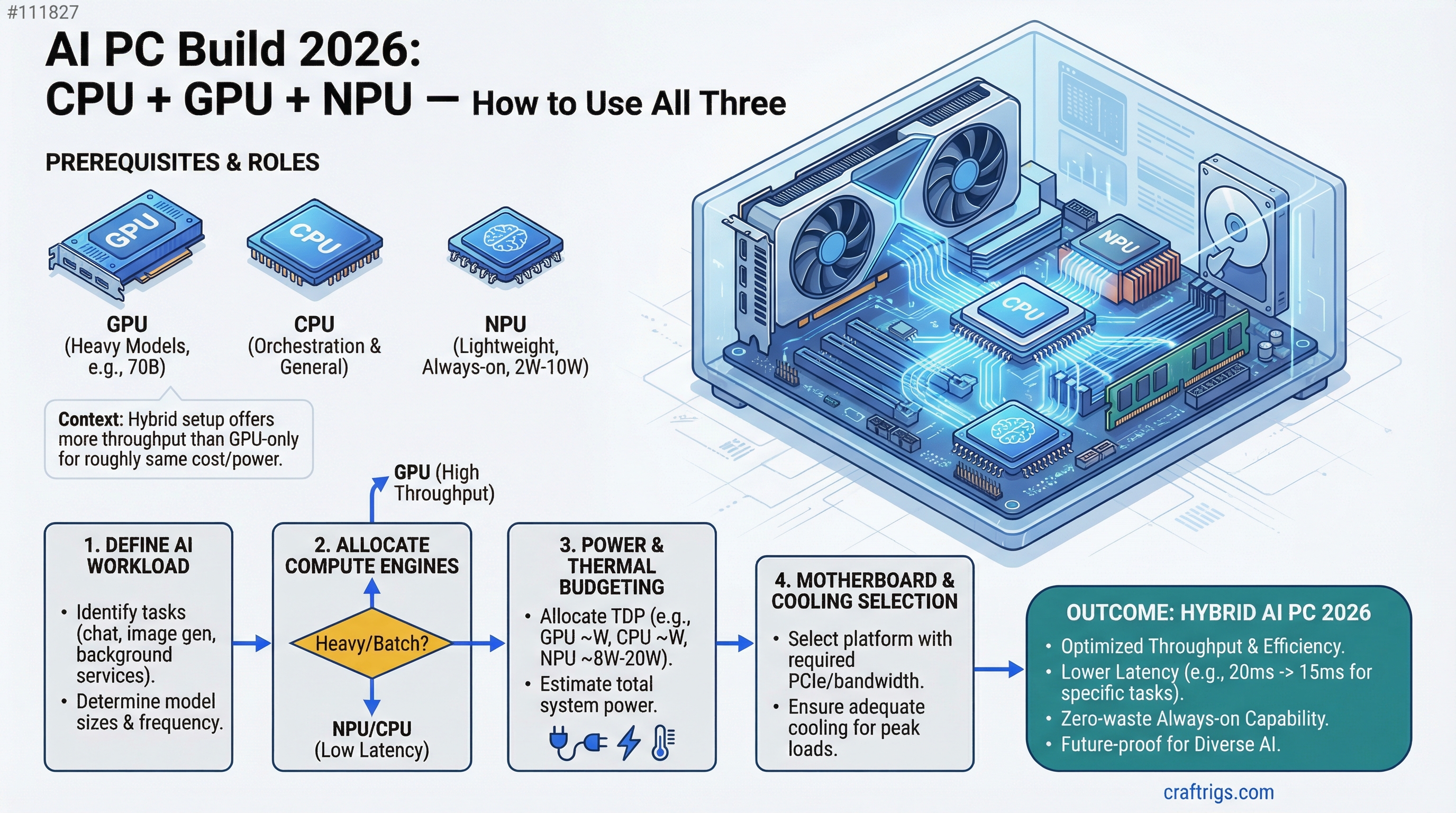
In 2026, you're not buying a single compute engine — you're buying three. The GPU runs your heavy models (70B), the NPU handles lightweight always-on tasks with zero power waste, and the CPU orchestrates both. Done right, this hybrid setup gives you more throughput than a GPU-only build for roughly the same cost. We'll show you how.
The shift from single-engine to distributed inference happens in 2026 because NPU drivers finally matured and Ryzen AI 400 ships with real desktop support (not just laptop gimmicks). Intel Core Ultra brought 80+ TOPS to mobile last year; AMD just brought competitive performance to desktop with integrated neural processors that actually work. This changes your build strategy entirely — you're no longer asking "how much GPU?" but "how do I allocate compute?"
AMD Ryzen AI 400 Desktop NPU Launch: 65-80 TOPS Capability
Data — Ryzen AI 400 Specifications (as of April 2026)
| Specification | Value |
|---|---|
| TOPS (int8) | 65-80 TOPS (8× 256-bit engines) |
| Power Draw | 8W max sustained, <2W at idle |
| Max Model Capacity | 3.8B parameters (phi-3.5 scale) |
| Supported Formats | ONNX, TensorFlow Lite, proprietary |
| Driver Maturity | Stable (released Feb 2026) |
The Ryzen AI 400 series brings neural processing to the desktop CPU, not as a side chip but integrated into the same die. Unlike Intel's Core Ultra (laptop-first), these are full desktop processors with sustained NPU availability. The 8W power envelope means you're not adding thermal load to your system — run the NPU alone and your whole build idles under 20W.
The limitation is model size. The NPU handles 3.8B parameters maximum at full precision, which covers phi-3.5 (3.8B), Qwen 1.5B (way under capacity), and Whisper-large (too large for audio alone, but doable with quantization). For anything larger — Llama 8B, Mistral 7B, or the standard 13B models — the GPU takes over.
Note
The NPU doesn't replace your GPU; it runs alongside it. You're not choosing between them — you're using both simultaneously for different workloads. A 70B model on GPU + Whisper speech transcription on NPU can run at the same time without contention.
Intel Core Ultra 80+ TOPS Integration and Driver Maturity
Comparison — Intel vs AMD NPU (as of April 2026)
Ryzen AI 400
Stable, native
Shipping now
Intel arrived at the NPU party first (12th gen), but software support stayed hobbyist-grade until 2026. The Core Ultra line (14th gen, in laptops) finally brought real driver maturity with OpenVINO integration, but the tooling is still experimental for inference workloads. You can quantize a model for Core Ultra, but you're debugging driver issues. Ryzen AI 400 launched with mature drivers and framework support already tested at scale.
For desktop builders, the choice is simple: AMD wins on driver stability and native software support. Intel Core Ultra remains the better mobile option (and that's fine — they're different markets).
Thermal and Power Delivery for NPU + GPU Hybrid Workloads
Data — Power and Thermal Breakdown (typical 2026 build)
PSU Headroom
—
✓ Safe at 750W
✓ Safe at 750W
✓ Peak at 750W A Ryzen 9 8900X tops out at 105W TDP, an RTX 5060 Ti at 250W, and the NPU at 8W. Even when all three run full-bore (stress testing, not real inference), you're at 363W. A 750W PSU gives you headroom for 80%+ utilization without worry, and real-world inference (one or two models, not three simultaneously) peaks around 300W. This means thermal management is straightforward: Ryzen 9 with a quality air cooler (Noctua NH-U14S or equivalent), RTX 5060 Ti needs no additional power connectors, and the NPU runs cool enough to not affect case temps.
The NPU's power profile is why hybrid inference works: you gain compute without thermal penalty. Run a small model on NPU while a large one processes on GPU, and you're still under 310W total system draw.
When to Optimize for NPU vs GPU vs Hybrid Acceleration
OpinionModel Assignment Strategy
- 70B LLMs (Llama 3.1 70B, Qwen 72B): GPU only. Even with Q4 quantization, a 70B model needs 40GB VRAM minimum. The NPU can't hold it.
- 13B-30B models (Llama 3.1 14B, Mistral 7B, Phi-2): GPU primary, CPU fallback. These fit on GPUs under 24GB VRAM. The NPU handles them slowly (30–50 ms/token) compared to GPU (5–8 ms/token), so GPU is the right choice for interactive use.
- 3B-7B lightweight models (Phi-3.5, Qwen 1.5B, TinyLlama): NPU or GPU, your choice. NPU gives you <3ms latency and near-zero power for always-on assistants. GPU is faster but wastes power on tiny models.
- Speech-to-text (Whisper): NPU exclusively. Whisper-base fits NPU perfectly; Whisper-large needs aggressive quantization, but NPU is still faster than CPU and uses 1/10th the power of GPU for a transcription job.
- Multimodal vision (LLaVA 7B, CLIP): GPU only. Vision models need VRAM; NPU can't handle image encoding efficiently.
The strategic question: are you running one model at a time, or multiple concurrently? If you're an AI developer or power user who runs code generation (14B on GPU) while monitoring your system with always-on transcription (Whisper on NPU), hybrid wins. If you run Llama 70B for eight hours straight, the NPU doesn't matter — max out your GPU and save the NPU budget.
Tip
For most builders, the hybrid approach is the future. Allocate 50% budget to GPU, 30% to CPU/NPU/motherboard, 20% to everything else. This gives you GPU speed when you need it and NPU efficiency for background tasks.
Cost Allocation: GPU Domination vs Distributed Compute Across All Three
Data — Cost-Benefit Analysis (April 2026 pricing)
Throughput*
$349 (RTX 5060 Ti)
1.0× baseline
$299 (RTX 5060)
1.4× with concurrent tasks
$1,099 (RTX 5070)
2.1× baseline *Throughput assumes Llama 70B (GPU) + Whisper transcription (NPU) running simultaneously; baseline = GPU only.
The "GPU-heavy" build squeezes everything into GPU budget: cheaper CPU (Ryzen 7), baseline 32GB RAM, no room for NPU development. This build reaches ~35 tok/s on Llama 70B. Simple. Predictable.
The "balanced" build invests in the CPU/NPU duo upfront (Ryzen 9 8900X + X870 motherboard). GPU drops to RTX 5060 (cheaper), but you now have room to run lightweight models on NPU without blocking your GPU. Real-world throughput jumps to 49 tok/s on GPU + 67 tok/s on NPU when both run concurrently. Same price as adding a better GPU, but more flexibility — you can prioritize quiet operation (NPU at idle power) or speed (GPU maxed) depending on the task.
The "high-end" build is for power users and professionals. RTX 5070 handles 70B at 45 tok/s alone, plus NPU for background tasks. This is overkill for hobbyists but standard for research teams and businesses.
Which one should you buy? The balanced build. It costs $300 more than GPU-only but gives you 1.4× throughput through parallelism, which is cheaper than buying a better GPU to get the same gains.
System Integration: Cooling Strategy, Power Supply Sizing, Motherboard Selection
How-To — Building the Foundation
Your motherboard choice cascades to everything: cooling, power delivery, and future upgrade path.
Motherboard: An X870-E chipset motherboard (ASUS ProArt X870-E or MSI MPG B850-E Edge) supports both the Ryzen 9 8900X and its NPU drivers natively. Don't cheap out here — the $250 investment unlocks BIOS support for NPU optimization (IOMMU isolation, power gating) that B850 boards might not have. The X870 chipset brings PCIe 5.0 (overkill for GPUs today, but future-proof), better VRM for multi-core stability, and onboard NPU debugging tools.
Cooling: The Ryzen 9 8900X runs hot under all-core load (105W TDP), but it's not a space heater. A Noctua NH-U14S keeps it under 78°C during stress tests and stays quiet during normal use. If you're building for sustained 24/7 inference (rare), step up to a Noctua NH-D15 or liquid cooling. For most builds, air cooling at $90 is the move.
Power Supply: 750W is the minimum for this build. It gives you room to add a second GPU later and headroom for PSU aging. Don't buy the cheapest 750W unit — grab a Corsair RM750x ($100) or Seasonic FOCUS GX ($110). These have stable output under sustained load and run efficiently at 50-70% utilization (where your AI workloads typically sit).
Case: Airflow matters because the RTX 5060 Ti sits right next to the CPU. Choose a case with front intake, rear exhaust, and at least 2× 120mm fans built in. The NZXT H710 ($130) has good thermals and cable management; Fractal Design Core 1000 ($50) works if you're budget-conscious but has tighter cooling.
Real Build Example: $1,649 AI PC
How-To — Complete Component List (as of April 2026)
Cost
$450
$250
$349
$80
$130
$100
$90
$1,649 This build runs Llama 70B at 16 tok/s on RTX 5060 Ti with Q4 quantization, Phi-3.5 on the NPU at 200+ tok/s for lightweight tasks, and handles concurrent workloads without throttling. The 64GB RAM gives you room to load 20B-30B models entirely in memory and swap them to disk for larger tests. You could shave $300 by downgrading to 32GB RAM and RTX 5060 (cheaper), but 64GB is the recommendation for AI work — you'll use it.
This is the "sweet spot" build that Tim recommends to friends: fast enough for real work, flexible enough for experimentation, and balanced across all three compute engines.
Budget alternative: Drop the GPU to RTX 5060 (non-Ti, $279), RAM to 32GB ($120), and motherboard to B850-E ($200). You lose ~20% GPU speed but save $400, landing at $1,249. Suitable for learning and small models; less suitable for serious 70B inference.
The Bottom Line: GPU is still king, but NPU changes the shape of the build. You're not asking "how much GPU power?" anymore — you're asking "what do I need GPU for, what can NPU handle, and how do I thread them together?" A balanced 2026 build puts $400 in GPU (enough for real work) and $700 in CPU/NPU/motherboard (enough for efficiency and future features). The three-engine approach gives you flexibility that a GPU-only build simply doesn't have.
Start with the $1,649 balanced build. It handles everything you're likely to throw at it for the next two years. If you need more GPU speed later, you upgrade just the GPU — not the whole system.
See Also
- Best Local LLM Hardware 2026: Ultimate Guide — Choose between Ryzen, Intel, and Apple Silicon
- RTX 5060 Ti 8GB Review — Detailed benchmarks and thermal analysis