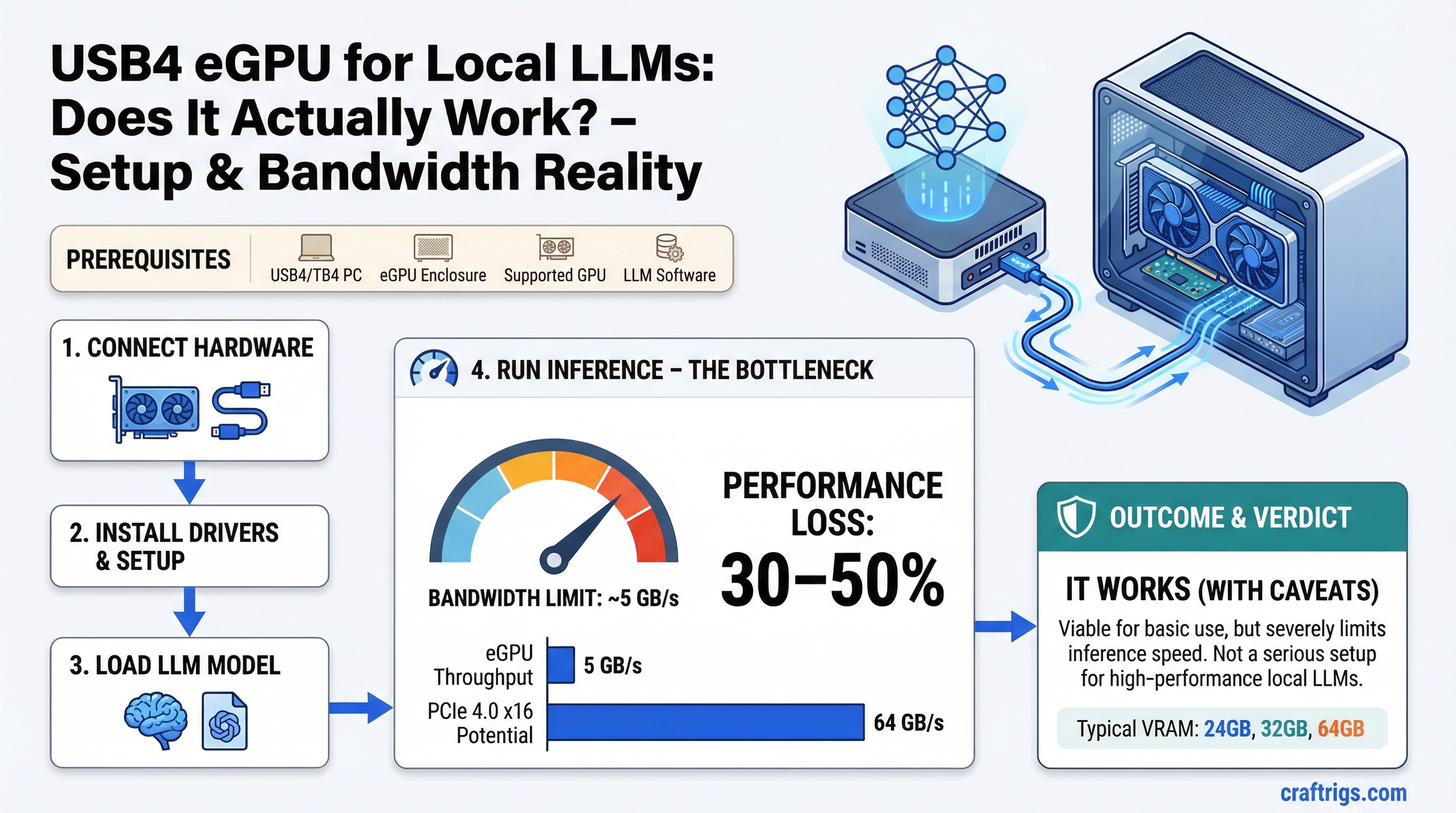
TL;DR: A USB4 or Thunderbolt 4 eGPU can technically run local LLMs, but the bandwidth bottleneck is severe enough to cost you 30–50% of the GPU's potential speed. It works, but it's not a serious inference setup. Only consider it if you have no better option.
What an eGPU Setup Looks Like
An external GPU enclosure (eGPU) is a box that holds a desktop GPU and connects to your laptop or small PC via a cable. You get access to a full-size GPU's VRAM without it being physically inside your machine.
The connection interface is the entire story here. USB4 (which carries Thunderbolt 4 protocol on compatible hosts) runs at 40 Gbps theoretical maximum — about 5 GB/s of usable throughput in practice. Some implementations come in even lower due to protocol overhead.
Thunderbolt 5 is newer and bumps this to 120 Gbps (~15 GB/s), which helps but still trails behind internal PCIe significantly. Most existing laptops and enclosures don't support Thunderbolt 5 yet.
The Bandwidth Problem
LLM inference is one of the most bandwidth-sensitive workloads you can run. Every single forward pass reads the entire set of model weights from VRAM through the memory bus. That's why VRAM bandwidth — not compute — is the primary speed limiter for inference.
An RTX 4090 has 1,008 GB/s of VRAM bandwidth internally. That's the speed at which the GPU can read its own memory. When the GPU is running inference, it's burning through that bandwidth constantly.
The issue with an eGPU isn't VRAM bandwidth — the GPU's VRAM bandwidth is unaffected. The issue is the connection between your laptop's CPU, system RAM, and the eGPU.
In a normal internal GPU setup, the CPU and GPU communicate over PCIe x16, which delivers 32 GB/s (PCIe 4.0) or 64 GB/s (PCIe 5.0). Commands, context data, and the initial model load all flow through this fast pipe.
With USB4/Thunderbolt 4, that same pipe is 5 GB/s. That's a 6x reduction in CPU-to-GPU bandwidth.
For LLMs, this affects:
- Model loading speed — substantially slower. A 24GB model that loads in 5 seconds internally takes 25+ seconds over USB4.
- Prompt processing (prefill phase) — the CPU feeds tokens and context data to the GPU. Bandwidth-constrained at USB4 speeds.
- KV cache operations at long context — more data moving between CPU and GPU memory paths.
- Multi-turn conversations with large context windows — each turn requires transferring context state.
Once the weights are in VRAM and the GPU is doing the token generation math, the internal VRAM bandwidth takes over. Short, simple generations on a loaded model can approach expected speed. But the moment you add long prompts, large context, or frequent model switching, the USB4 bottleneck asserts itself.
Real-World Tokens Per Second Impact
Published benchmarks on Thunderbolt 4 eGPU setups running llama.cpp show consistent penalties versus the same GPU in an internal PCIe slot:
- On short prompts with a loaded model: 10–20% slower.
- On long prompts (2K+ tokens of context): 30–40% slower.
- On very long context (8K+) or frequent model reloads: 40–50% slower.
If an RTX 3090 in an internal slot gets you 18 tokens per second on a 30B model, expect 10–13 tokens per second through Thunderbolt 4. That's the range you're working with.
Thunderbolt 5 eGPUs narrow the gap meaningfully — closer to 15–20% penalty in most benchmarks — but Thunderbolt 5 enclosures and compatible laptops are still uncommon and expensive.
Caution
USB4 does not automatically mean Thunderbolt 4 bandwidth. Not all USB4 ports deliver 40 Gbps — some run at 20 Gbps. Check your laptop's spec sheet carefully. A 20 Gbps USB4 port running an eGPU is even more constrained, with usable throughput around 2.5 GB/s. At that level, the eGPU penalty is severe enough to make high-end GPUs pointless.
When an eGPU Might Make Sense
Given the performance hit, the use cases where eGPU is justifiable for local LLMs are narrow:
You have a laptop and no desktop. If your only machine is a thin laptop with no GPU, an eGPU with 24GB VRAM gives you access to models you couldn't run at all otherwise. Running at 60% speed is still running.
Mac users on Intel. Older Intel Macs with Thunderbolt 3 support external AMD GPUs through Apple's official eGPU support. Not relevant for M-series Macs, which use unified memory and don't benefit from eGPUs. But an Intel Mac user who wants to run CUDA workloads on the side can use an eGPU for that.
Workload is batch, not interactive. If you're processing documents overnight or running a batch generation job where speed doesn't matter, the bandwidth penalty doesn't affect your end result — just your completion time.
VRAM access is more important than speed. Some users need 48GB of VRAM to run a very large model and would rather run slowly than not at all. An eGPU lets a laptop access VRAM pools that would otherwise be unavailable.
Note
For Apple Silicon users: eGPUs don't work with M-series chips for GPU acceleration. Apple removed eGPU support in macOS 14 (Sonoma) for Apple Silicon. If you're on an M2/M3/M4 Mac, there's no path to external GPU acceleration — your only option is unified memory scaling.
The Honest Verdict
Don't build a primary local LLM setup around USB4/Thunderbolt 4 eGPU. The bandwidth limitation is architectural — no firmware update or driver fix changes the fact that 40 Gbps is the ceiling.
If you're choosing between:
- An eGPU with an RTX 3090 over Thunderbolt 4
- A desktop with an RTX 3090 in a PCIe x16 slot
The desktop wins by 30–50% in inference speed. That's a large margin for the same GPU.
If you're choosing between:
- Running on a laptop CPU only
- Running with an eGPU over Thunderbolt 4
The eGPU wins. Even at 50% of peak performance, a GPU is faster than CPU inference for most model sizes.
Use an eGPU if it's genuinely your only option. Don't use it as a primary inference setup if you have a desktop slot available. And if you're buying specifically for local LLMs, a small desktop build will outperform any Thunderbolt 4 eGPU setup at the same GPU price.
Tip
If you're committed to the eGPU path, prioritize an enclosure that runs at full 40 Gbps (Thunderbolt 4 certified, not just USB4 labeled) and a GPU with as much VRAM as possible — since VRAM eliminates the need to shuttle data over the USB4 link repeatedly. A 24GB card like the RTX 3090 or RTX 4090 benefits more from the eGPU setup than a 12GB card, because more of the model stays resident in VRAM and the bandwidth bottleneck is hit less often.
See Also
- Multi-GPU LLM Inference: Splitting Models Across Cards
- Best GPUs for Local LLMs 2026
- Local LLM Build Cost Estimator