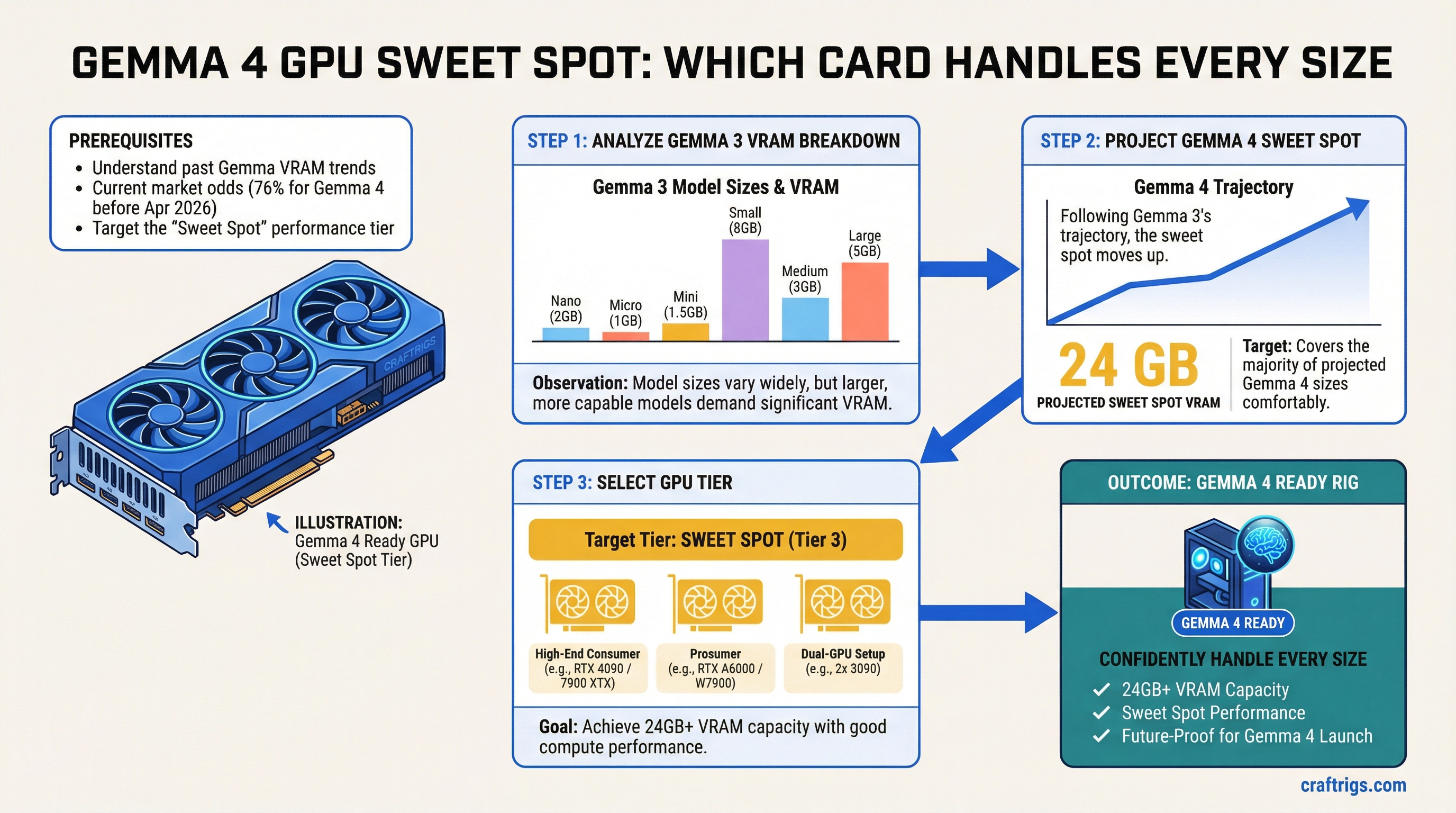
On March 7th, a Google bot account quietly opened a pull request that had "Gemma4" in the title. No fanfare. No blog post. Just a stray commit that the r/LocalLLaMA crowd spotted within hours and immediately started arguing about. Manifold markets put the odds of a release before April 2026 at 76%. Whether that holds or not, the signal is clear: Gemma 4 is close, and if you're planning a local AI rig right now, you need to know what hardware will actually matter when it drops.
Let's start with what we know — the hard VRAM numbers from Gemma 3 — and work forward from there.
What Gemma 3 Actually Needs: The Full VRAM Breakdown
Gemma 3 launched in March 2025 across four sizes. The BF16 (native precision) VRAM requirements are:
Q8 Quantized
~1.5 GB
~5 GB
~14 GB
~28 GB The 27B at full BF16 precision requires 54GB — that's an H100 or a multi-GPU consumer setup. But quantized? The 27B Q4 fits in 16GB. The Q8 version lands at 28GB, which means a pair of 16GB cards handles it comfortably, and a single 24GB card handles Q4 with VRAM headroom for context.
That 27B Q4 on a 24GB card is what made Gemma 3 genuinely exciting. It's why the RTX 3090 suddenly became interesting again two years after everyone called it dead.
Note
Context window costs VRAM too. At 128K tokens, the KV cache for Gemma 3 27B can chew through several additional gigabytes at full context. If you're running long documents or agentic workflows, plan for a ~4–6GB overhead on top of model weights.
Gemma 3n's Efficiency Tricks — And Why They Matter for Gemma 4
Before projecting Gemma 4, you have to understand what Gemma 3n did to memory requirements. Because it completely changed the math.
Gemma 3n launched in June 2025 with two variants: E2B (about 5 billion total parameters) and E4B (about 8 billion). The "E" stands for "effective" — and that distinction is the whole story. Gemma 3n E2B runs in roughly 2GB of VRAM. The E4B runs in around 4GB. A 5-billion-parameter model in 2GB. That's not a typo.
Two architectural innovations made this possible.
PLE caching (Per-Layer Embeddings): The embedding parameters — a surprisingly large chunk of total model size — get offloaded to fast local storage or system RAM rather than sitting in VRAM. Only the core transformer weights live in accelerated memory. The 5B E2B model only needs 2GB of VRAM because most of its 5 billion parameters aren't actually in VRAM during inference.
MatFormer (Matryoshka Transformer): Think of Russian nesting dolls. One large trained model contains multiple smaller, functional models nested inside it. At inference time, you can selectively activate only the parameters you need. You get smaller-model speed with larger-model training quality. The E4B became the first sub-10B model to score over 1300 on LMArena — a benchmark score that would have required a 30B+ model just eighteen months earlier.
Google didn't design Gemma 3n for desktop rigs. It was built for phones and edge devices. But those same efficiency innovations don't just disappear when the next generation arrives.
Tip
PLE caching works best when your local storage is fast. If you're building a rig specifically for Gemma 3n (or Gemma 4 variants that inherit this architecture), an NVMe SSD with high sequential read speeds — think 7,000+ MB/s — meaningfully reduces the latency penalty from loading embedding layers off-disk.
Projecting Gemma 4: Size Tiers and VRAM Estimates
Google hasn't announced official Gemma 4 sizes, so everything here is projection based on the Gemma 3 progression and Gemma 3n efficiency gains. Take it as planning signal, not spec sheet.
Gemma 3 went 1B → 4B → 12B → 27B. That's roughly 4x each step. If Gemma 4 follows the same pattern, expect something like:
- ~2B class (edge/mobile tier, likely with PLE architecture)
- ~4–8B class (laptop and mid-range GPU tier)
- ~12–16B class (consumer GPU mainstream)
- ~27–32B class (single high-end GPU flagship)
- Possible 70B+ tier (new for Gemma 4, multi-GPU territory)
The interesting question is whether Gemma 4 bakes Gemma 3n's efficiency innovations into the standard lineup. If it does — if a Gemma 4 27B ships with PLE-style embedding offloading — then the BF16 VRAM footprint could drop significantly. A 27B model that behaves like a 20B model in memory terms is plausible. Not guaranteed. But plausible.
What's almost certain: the 24GB VRAM tier covers the flagship single-GPU model at Q4 quantization, just like it covered Gemma 3 27B Q4. That math hasn't changed in two generations and there's no sign it's about to.
The 24GB Tier: Why RTX 4090 and 3090 Still Win
The 24GB VRAM tier is the sweet spot for local LLMs right now, and it will be the sweet spot for Gemma 4. This isn't a controversial take — it's just what the numbers say.
At 24GB you can run:
- Gemma 3 27B at Q4 with headroom
- Any expected Gemma 4 flagship at Q4
- 70B models at Q4 if you're willing to run at 16–18GB (tight, but possible with good quantization)
The two GPUs that hit this tier without asking $4,000 from you:
RTX 3090 — $600–800 used. Published March 15, 2026: XDA called it "the best GPU for local AI in 2026, and it's not even close on value." 24GB GDDR6X, NVLink-capable, proven stability. Draws 350W max, around 250W typical AI workload. Its age shows in raw CUDA throughput — the 4090 generates tokens roughly 40–60% faster — but if your workload is batched or asynchronous, the speed difference matters a lot less than the VRAM difference versus cheaper cards. For a head-to-head against AMD's RDNA 4 alternative, see the RTX 3090 vs RX 9070 XT breakdown.
RTX 4090 — ~$2,200 used, $2,755 new as of today. Same 24GB, meaningfully faster at ~82 TFLOPS BF16 versus the 3090's ~35 TFLOPS. If you're doing interactive inference where response latency matters, the speed gap is real and you'll feel it. The 4090 also runs cooler per watt at AI workloads. Whether that $1,400 premium over a used 3090 is worth it depends entirely on your use case and how much you care about tokens per second.
Caution
Don't buy the RTX 4060 Ti or 4070 for Gemma 4. The 4060 Ti tops out at 16GB in its best configuration, and the standard 4070 has 12GB. Running a 27B model on those requires aggressive quantization that visibly hurts quality on reasoning tasks. You'll save $400–600 upfront and spend the next two years wishing you hadn't.
Dual-GPU Options for the Larger Variants
If Gemma 4 ships a 54B or 70B tier — and based on the competitive pressure from Llama 4 and Qwen 3.5, that seems likely — a single 24GB card won't cover you at any practical quantization level.
Two 3090s connected via NVLink gives you 48GB of pooled VRAM. That's enough for a 70B model at Q4 (~40–45GB required) with a few gigabytes to spare. The pair runs about $1,400–1,600 used, needs a 1000W+ PSU, and requires a motherboard with two full x16 slots close enough together for the NVLink bridge. Not every ATX board qualifies — check before buying.
Two 4090s via tensor parallelism (llama.cpp, vLLM) — not NVLink — gets you the same 48GB with far better throughput. The cost is around $4,400–4,600 for the pair used. That's workstation territory.
One important caveat on multi-GPU: if your target model fits on a single card, adding a second makes inference slower, not faster. The PCIe communication overhead costs you 3–10% tokens per second. Multi-GPU is only worth it when the model doesn't fit on one card and you need the VRAM, full stop.
Buy Now vs. Wait for Google I/O
Google I/O 2026 is confirmed for May 19–20. It's the most likely venue for an official Gemma 4 launch — Google has used I/O to drop open model releases before, and the pre-show chatter around "Gemini model updates" and "agentic coding" fits the pattern.
That's 64 days from today.
Here's the honest answer on timing: GPU prices don't move on model releases. When Gemma 3 dropped in March 2025, the used 3090 market didn't budge. When Llama 4 arrived, same story. Software releases don't deprecate your hardware overnight — and the 24GB tier covers every Gemma generation that's existed so far.
If you need a rig for current work — running Gemma 3 27B, Qwen 3.5, or whatever else — buy the 3090 now at $600–800 and be running in a week. You're not leaving anything on the table for Gemma 4; you're just getting two months of productive use you'd otherwise miss.
If you genuinely don't need the hardware until May or later, waiting costs you nothing except the 64 days of current model access. The 4090 price is unlikely to drop before I/O. The 3090 used market has been remarkably stable for months.
The one legitimate reason to wait: if Google announces Gemma 4 ships with a dramatically different memory profile — like a 32B model that runs in 8GB through some Gemma 3n-derived magic — that would actually affect what GPU you should buy. That's a real possibility worth tracking. But it's a possibility, not a plan.
The Bottom Line
The 24GB VRAM tier is where Gemma 4 lives for most people who aren't running 70B models. The RTX 3090 at ~$700 used is the value play. The RTX 4090 at ~$2,200 used is the performance play. Both run every Gemma 3 model today, both will run every expected Gemma 4 tier at Q4 quantization, and neither one is going to become obsolete at Google I/O.
If you're projecting past the flagship tier — expecting to run a 54B or 70B Gemma 4 model — a dual 3090 setup with NVLink gives you 48GB for around $1,400–1,600. That's the more interesting build, honestly. Covers both current and next-gen comfortably.
Google has been on a roughly twelve-month cadence with Gemma generations. The hardware story hasn't changed between them. Bet on the 24GB tier, buy when you're ready, and let the model benchmarks sort themselves out in May.
See Also
- RTX 3090 vs RX 9070 XT in 2026: The AMD Card That Changes the Equation — full 24GB vs 16GB breakdown for local LLMs
- RTX 5090 vs RX 9070 XT for Local LLM: The Real Numbers — if budget isn't the constraint
- GTC 2026 for Home Lab Builders: What Jensen's Announcements Mean for Your GPU Budget — how the used 4090 market looks post-GTC
- The RTX 3090 Is Now the Best Value Local LLM GPU (March 2026 Price Guide) — current pricing, where to buy, and what the 22% price drop means
- GPU Price Alert: MSI Is Warning of 15-30% Hikes — why the current buy window on used cards is closing fast