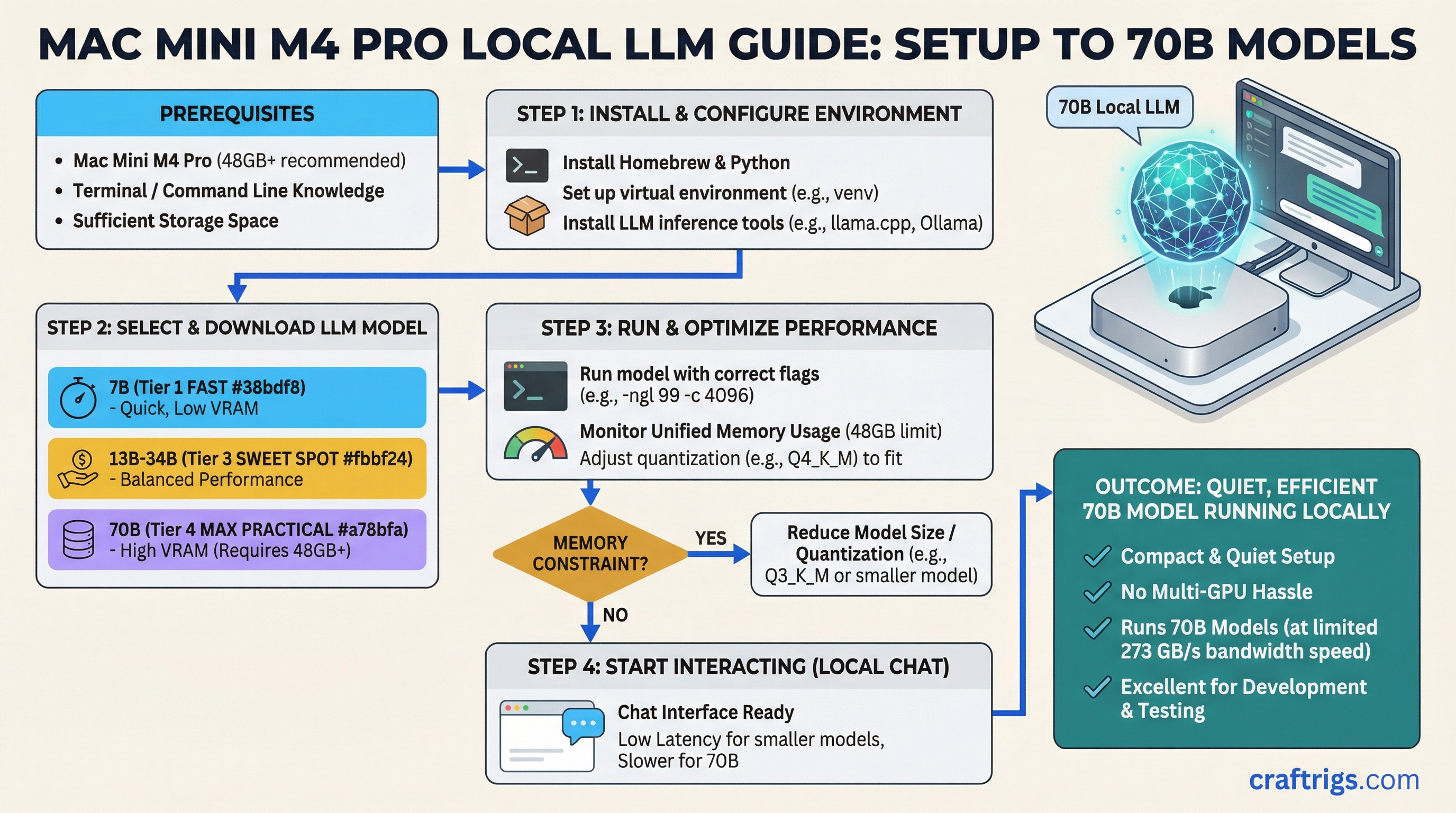
TL;DR: The Mac Mini M4 Pro with 48GB unified memory is genuinely excellent for local LLMs. It's not the fastest option at the price, but it's quiet, compact, and runs 70B models better than most PC builds without any of the setup headache.
Apple Silicon changed the local LLM conversation when the M1 Pro launched. The M4 Pro iteration has refined that to the point where it's a legitimate recommendation for people who want a capable LLM machine without building a custom PC. This guide breaks down exactly what you get and where the limits are.
The M4 Pro and Why Unified Memory Changes the Equation
Standard PC builds separate GPU VRAM and system RAM. Your GPU has 24GB of GDDR6X on the card, and your CPU has 64GB of DDR5 in the motherboard. The model runs on the GPU VRAM, and if it doesn't fit, parts spill into system RAM over a slow PCIe connection.
Apple Silicon uses unified memory — a single pool of fast memory shared between the CPU, GPU, and Neural Engine. The M4 Pro can address all 48GB of its unified memory for model inference. There's no spill, no bandwidth penalty for overflow. It's a genuinely different architecture.
M4 Pro memory bandwidth:
- 10-core GPU variant: 273 GB/s memory bandwidth
- 14-core GPU variant: 273 GB/s (same memory system)
Compare that to:
- RTX 4090: ~1,008 GB/s
- RTX 3090: ~936 GB/s
The PC GPU is faster. Meaningfully faster. But unified memory means the Mac Mini can use all 48GB at that 273 GB/s bandwidth, whereas a PC with a 24GB GPU faces the PCIe bottleneck the moment a model overflows.
24GB vs 48GB: Which Config to Buy
The Mac Mini M4 Pro comes in two unified memory configs: 24GB and 48GB.
24GB M4 Pro:
- Runs 7B models fully in memory: yes, fast
- Runs 13B models: yes, comfortably
- Runs 34B models at Q4: yes, with some headroom
- Runs 70B models: only at heavy quantization (Q2/Q3), quality takes a hit
- Price: ~$1,399
48GB M4 Pro:
- Runs everything the 24GB does: yes, faster
- Runs 70B at Q4_K_M: yes, fits with room
- Runs 70B at Q6: tight but possible
- Can handle some 72B models at Q4 (Qwen 2.5 72B, for example)
- Price: ~$1,799
The $400 difference for 48GB is worth it if you intend to run 70B models. If you're primarily running models up to 34B, 24GB is fine.
Real Tokens Per Second Benchmarks
These are approximate numbers for the M4 Pro 48GB running llama.cpp with Metal backend:
- Llama 3.2 3B Q4: ~150–180 T/s
- Llama 3.1 8B Q4_K_M: ~80–100 T/s
- Llama 3.1 8B Q6_K: ~65–80 T/s
- Mistral Small 24B Q4: ~30–45 T/s
- Qwen 2.5 32B Q4: ~25–35 T/s
- Llama 3.1 70B Q4_K_M: ~12–20 T/s
A PC with an RTX 4090 (24GB) cannot run 70B Q4_K_M cleanly — the model needs ~40GB and requires multi-GPU or CPU offloading on a single 24GB card. With CPU offloading you'd see 5–15 T/s, far slower than the Mac. For 34B and below (models that fit in 24GB VRAM), the RTX 4090 pulls ahead more significantly.
How It Compares to PC Alternatives
A 48GB Mac Mini M4 Pro at $1,799 competes with:
RTX 3090 PC build (~$1,800–2,200 total):
- GPU VRAM: 24GB (less than Mac's 48GB for large models)
- Token generation on 7B–13B: faster (3090 has higher bandwidth per VRAM byte)
- Running 70B: needs heavy quantization (doesn't fit at quality settings the Mac handles)
- Setup complexity: much higher (OS, drivers, CUDA, llama.cpp build)
- Noise: significantly louder
- Size: much larger
RTX 4090 PC build (~$2,800–3,500 total):
- GPU VRAM: 24GB
- Speed: faster than Mac Mini on models that fit in 24GB
- Running 70B: needs same heavy quantization as the 3090
- Much more expensive than the Mac Mini
The Mac Mini's advantage is in the 48GB pool for 70B models. A single 4090 simply can't match the quality of 70B inference the Mac Mini does because the 4090 has to over-quantize to fit the model.
Best Use Cases for the Mac Mini M4 Pro
- Daily personal assistant — fast enough for 8B–34B models that feel snappy in real-time use
- Running 70B models at acceptable quality without building a dual-GPU PC
- A compact inference server for a home office (silent, low power draw)
- Developers who work in the Apple ecosystem and don't want a separate Linux machine
- Anyone who values simplicity and reliability over maximum raw performance
Where It Falls Short
- Raw speed on smaller models: the RTX 4090 is 30–50% faster on 7B–34B models
- No upgrade path for memory — what you buy is what you get forever
- More expensive than an equivalent PC GPU in raw dollar-per-token performance
- Can't run training or fine-tuning workloads at meaningful scale
- If you need the fastest possible inference and don't care about model size, a PC GPU wins
Practical Setup
On the Mac Mini M4 Pro, you have two main inference options:
llama.cpp with Metal backend:
- Most actively maintained
- Best community support and model compatibility
- Run with
-ngl 99to use full Metal (GPU) offload
MLX (Apple's framework):
- Often faster than llama.cpp on Apple Silicon for supported models
- Better memory efficiency in some cases
- Smaller model ecosystem, but growing fast
Ollama on Mac uses llama.cpp Metal underneath, so Ollama works fine and is the easiest setup if you just want something running quickly.