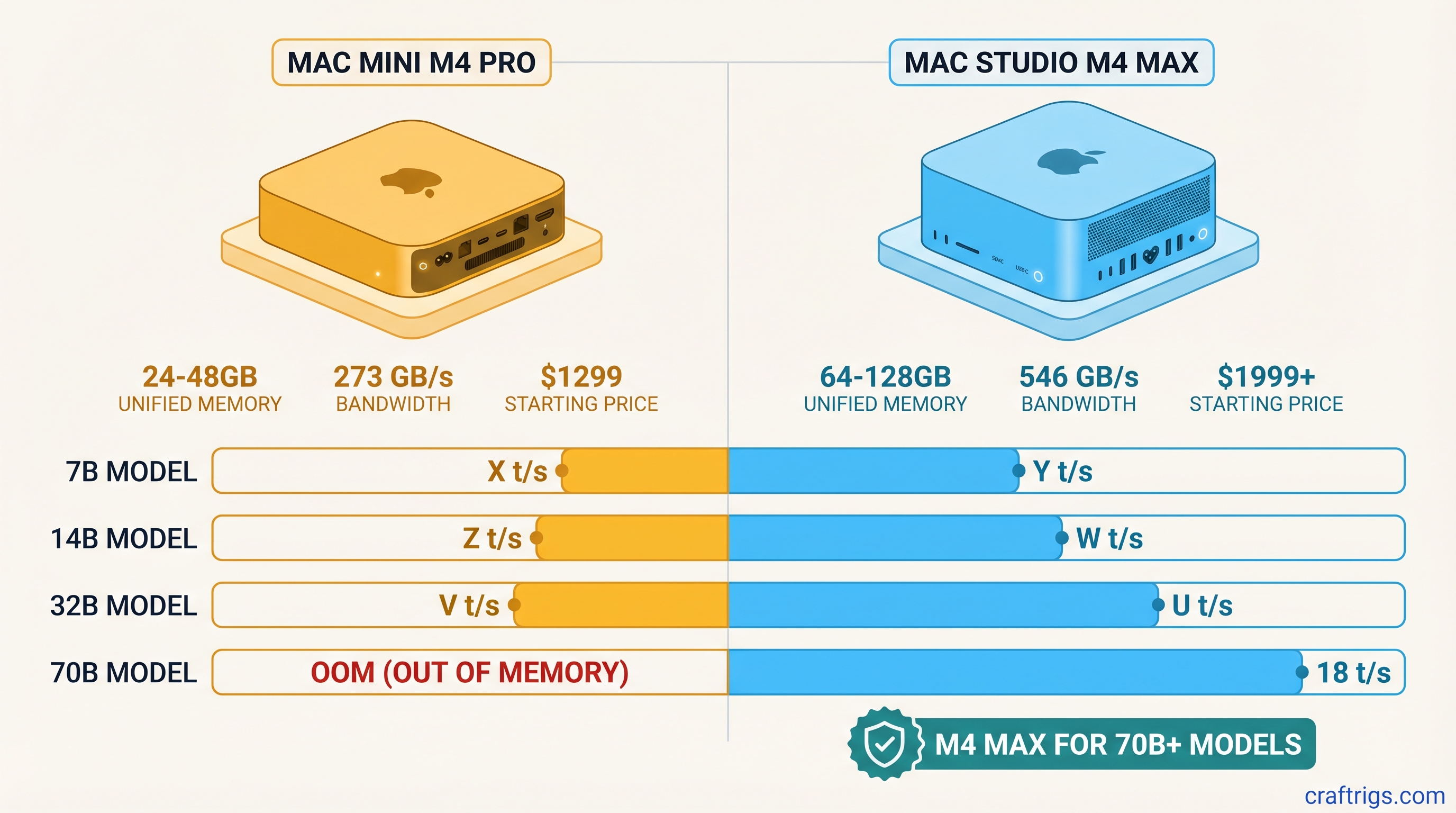
Short answer: The Mac Mini M4 Pro at $1,399 is the right machine if 14B models are your ceiling. The Mac Studio M4 Max at $1,999 is the right machine if you want 32B at usable speed, with a path to 70B at higher memory tiers. The M4 Max's 2x bandwidth advantage is real and it compounds as model size grows.
Quick Specs Comparison
Mac Studio M4 Max 128GB
~$3,199
M4 Max
14-core
32-core
~546 GB/s
70B cleanly
The Memory Question: What Each Tier Unlocks
Both chips use unified memory — one shared pool for CPU, GPU, and your running processes. There's no VRAM partition, no offloading penalty. The whole memory pool is available to your LLM at full bandwidth, which is the architectural advantage Apple Silicon has over discrete GPU setups.
The practical implication: memory capacity determines which models fit, and memory bandwidth determines how fast they run once loaded.
Mac Mini M4 Pro 24GB is the clean 14B machine. A 14B model at Q4_K_M quantization takes roughly 9–10GB of memory. Load it on a 24GB machine and you have 14–16GB free for context, the OS, and background apps — that's comfortable headroom for long context windows. You can push a 20B model onto 24GB at slightly more aggressive quantization, but you'll notice the tighter fit at longer contexts.
Mac Mini M4 Pro 48GB extends that ceiling to 32B. A 32B Q4_K_M model sits at roughly 20–22GB — it technically fits in 24GB, but the 48GB config gives you breathing room for KV cache growth at longer contexts. This is the better value for anyone who wants to run Qwen 32B, Mistral Small 22B, or similar mid-tier models without babysitting memory.
Mac Studio M4 Max 36GB is where the bandwidth story starts to matter more than the capacity story. The 36GB config isn't dramatically larger than the 48GB M4 Pro — in fact, it's less memory. What you're paying for is the chip itself, and its 546 GB/s bandwidth. That bandwidth doubles the tokens/sec you get from the same model compared to an M4 Pro running the same weights.
Mac Studio M4 Max 64GB and 128GB are the configurations you buy when 70B or larger models are part of the plan. The 128GB tier is the only Apple Silicon configuration that runs 70B Q4_K_M cleanly without quantization compromise.
Bandwidth Comparison: Why 546 GB/s Changes the Math
The M4 Max has exactly twice the memory bandwidth of the M4 Pro: 546 GB/s vs 273 GB/s.
For LLM inference, memory bandwidth is the primary throughput bottleneck. Once a model is loaded into memory, generating each token requires reading through model weights repeatedly. The faster your chip can stream those weights, the faster tokens appear on screen. CPU speed and GPU core count matter, but they're secondary to bandwidth once you're working with multi-billion-parameter models.
At 7B, the bandwidth advantage is modest. A 7B Q4_K_M model is small enough that an M4 Pro can stream it quickly — the M4 Max is about 25% faster, not 2x. The bandwidth gap compounds with model size. At 14B and 32B, you start seeing 60–75% faster inference on the M4 Max. The larger the model, the more pronounced the difference.
This is the single most important thing to understand before buying: if you're running 7B models most of the time, the M4 Max's bandwidth advantage barely shows up. If you're running 32B regularly, the difference in daily experience is significant.
Benchmark Table: Tokens/Sec by Model Size
These are estimated real-world inference speeds under MLX or llama.cpp Metal backend, measured at Q4_K_M quantization. Actual results vary by exact model architecture, context length, and system load.
M4 Max 128GB
~35 tok/s
~28–32 tok/s
~18–22 tok/s
~8–10 tok/s A few things stand out in this table:
First, the 7B difference is real but modest — 28 vs 35 tokens/sec. For a chatbot use case, both feel fast. The M4 Pro's 28 tok/s is roughly real-time conversational speed at that model size.
Second, the 14B gap is where the M4 Max starts earning its premium. The M4 Pro delivers roughly 19 tok/s; the M4 Max delivers 30 tok/s. That's a 55–60% improvement from bandwidth alone. On a session where you're iterating quickly — refining a prompt, debugging code, rerunning completions — that difference adds up.
Third, 32B on the M4 Pro 48GB is genuinely usable at 10–12 tok/s, but the M4 Max at the same task is nearly twice as fast. For batch processing, summarization pipelines, or anything where you're running many completions sequentially, 18–22 tok/s vs 10–12 tok/s is a workflow difference.
Fourth, 70B is M4 Max 128GB territory. No other configuration in this comparison gets there at Q4_K_M quality.
Price/Performance Verdict: When the $600 Jump Makes Sense
The Mac Mini M4 Pro 24GB ($1,399) to Mac Studio M4 Max 36GB ($1,999) gap is $600. For that money you get:
- 2x memory bandwidth (273 → 546 GB/s)
- 2x GPU cores (16 → 32)
- A platform that scales to 64GB and 128GB configurations
The $600 jump makes sense if:
- Your primary models are 14B or larger
- You run multiple inference sessions per day and notice latency
- You anticipate moving to 32B models within 12 months
- You're building an inference pipeline where throughput matters more than cost-per-session
The $600 jump does not make sense if:
- You run 7B models most of the time
- You're primarily coding with a 14B Qwen or similar and are happy with the speed
- Budget is the constraint and 14B quality meets your needs
- You plan to keep using the machine primarily for lighter LLM workloads
One more consideration: the Mac Mini M4 Pro 48GB ($1,799) is only $200 less than the Mac Studio M4 Max 36GB ($1,999) but gives you 12GB more memory at roughly half the bandwidth. If 32B capacity is your goal and speed is secondary, the M4 Pro 48GB is the better value. If 32B speed is the goal, the M4 Max 36GB wins.
Who Should Buy Which: Decision Matrix
Mac Mini M4 Pro 24GB ($1,399) — The daily driver for 7B–14B inference. Best Mac value for someone who knows their model ceiling stays under 20B. Clean, quiet, fits anywhere. If you're running Llama 3.1 8B, Qwen 14B, or Mistral 7B as your daily model, this machine handles it comfortably and leaves nothing on the table.
Mac Mini M4 Pro 48GB ($1,799) — The capacity upgrade that makes sense when 32B models are in scope but raw inference speed is not the priority. Also the best option if you need total memory for multi-model setups or longer context windows at 14B. If you're choosing between this and the M4 Max 36GB, the M4 Max 36GB wins on speed; this wins on memory.
Mac Studio M4 Max 36GB ($1,999) — The bandwidth machine. Faster than the M4 Pro 48GB at 14B and 32B workloads despite having less memory. The right pick when speed matters and you expect to run 14B–32B models most of the time. Best for active development workflows where you're running many completions per day.
Mac Studio M4 Max 64GB ($2,399) — Balanced capacity and speed. Handles 32B models at full quality with comfortable headroom. The sweet spot for users who want 32B as their primary tier with overhead for long contexts and multitasking.
Mac Studio M4 Max 128GB ($3,199) — The 70B machine. Buy this only if 70B inference is part of your actual workflow. It's the only configuration in this comparison that runs 70B Q4_K_M cleanly. At 8–10 tok/s, 70B inference is slower than you'd like but functional for non-real-time use cases like batch summarization, document analysis, and code review.
Both machines use the same MLX and llama.cpp Metal backends, so model support and tooling are identical. The performance differences shown here are purely architectural — bandwidth, memory, GPU cores. Pick the configuration that matches the largest model you'll realistically run, then check whether the speed difference at that model size justifies the price step.
For most users who want a capable local AI machine without overthinking it: the Mac Mini M4 Pro 24GB is the answer at $1,399. For users who know 32B is in scope: save the extra $200 over the M4 Pro 48GB and get the M4 Max 36GB instead.