Google shipped Gemma 4 on April 2, 2026 in four initial sizes — E2B, E4B, 26B MoE, and 31B dense — and added a multimodal 12B on June 3 (release notes). The speculation is over. Here's exactly what VRAM each size needs.
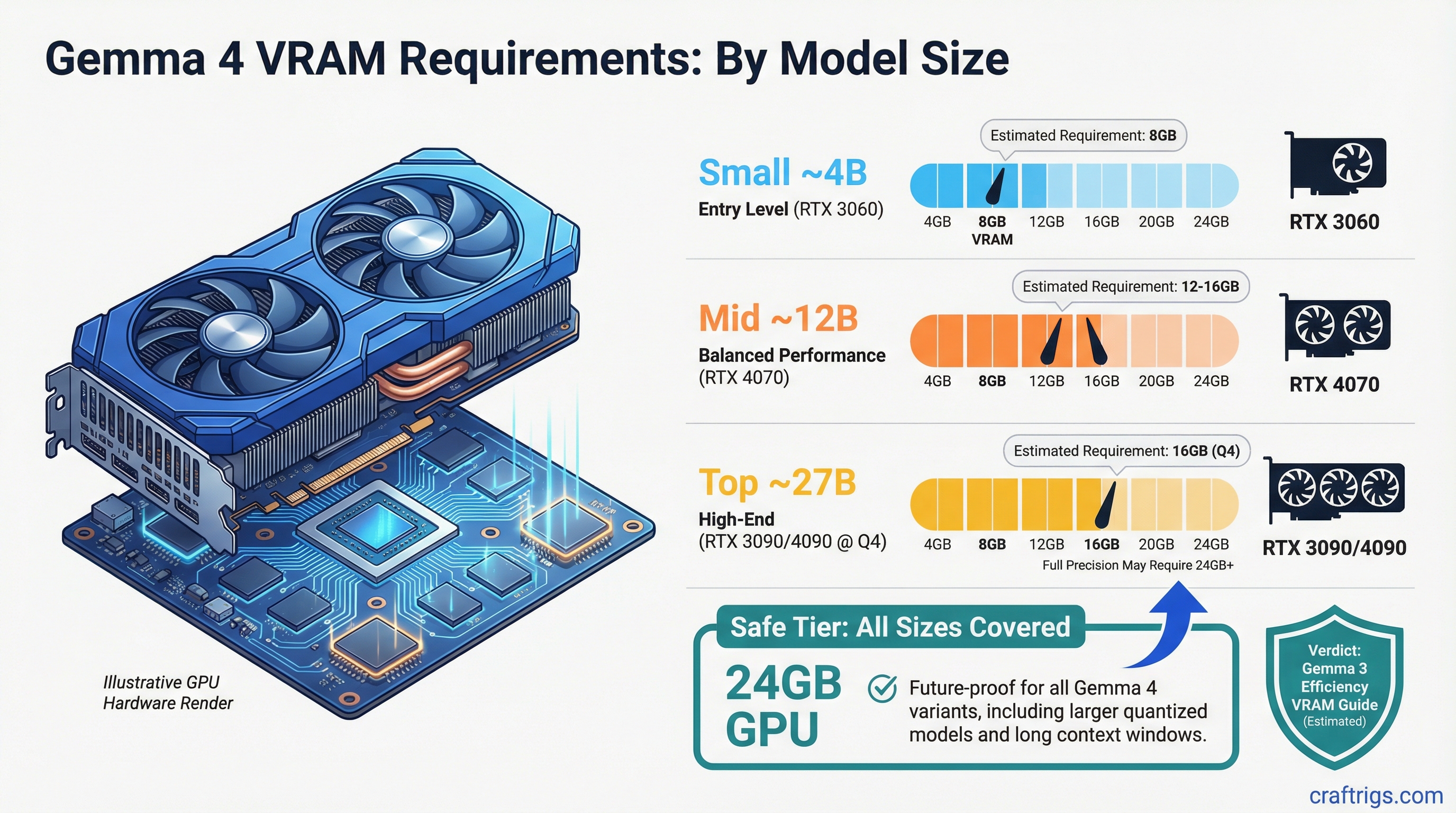
| Gemma 4 size | VRAM at Q4_K_M | GPU tier |
|---|---|---|
| E2B | ~2 GB | Any 4 GB+ card or phone |
| E4B | ~3–4 GB | Any 6–8 GB card |
| 12B | ~7–8 GB | 12 GB (RTX 3060, RTX 4070) |
| 26B MoE (3.8B active) | ~15–16 GB | 16 GB (RTX 5060 Ti 16GB, RTX 4060 Ti 16GB) |
| 31B dense | ~18–19 GB | 24 GB (RTX 3090, RTX 4090) |
Arithmetic: Q4_K_M ≈ 0.55–0.60 GB per billion parameters. Add 3–6 GB KV cache overhead at long context.
On this page:
- Why This Generation Matters More Than the Last
- What Gemma 4 Actually Shipped
- VRAM Requirements by Model Size
- The GPU Landscape Right Now
- The Quantization Play
- What to Actually Do Right Now
Why This Generation Matters More Than the Last
Gemma 3 changed the math for local AI. The 4B model outperformed the previous-generation 27B. A 27B model that used to require server-grade hardware became something you could run on an RTX 3090 at home. That kind of efficiency jump is what happens when Google applies distillation training from its Gemini pipeline to a smaller open model.
Gemma 4 continued that pattern. The 26B MoE variant activates only 3.8B parameters per token — which means it generates tokens at speeds closer to a 4B model while retaining the reasoning quality of a 26B one. The 31B dense model is the full-capability flagship. The 12B multimodal (added June 3) added vision capability to the mid-tier slot.
What that means practically: if you're running Gemma 3 27B comfortably on a 16 GB card at Q4, the Gemma 4 26B MoE fits on the same card with similar headroom. The 31B dense is the first Gemma model that needs a 24 GB card for clean Q4 operation.
The Release Timeline Reality
Gemma 1 launched February 2024. Gemma 2 followed in June. Gemma 3 arrived in March 2025. Gemma 4 shipped April 2, 2026 — roughly consistent with the annual cadence.
The launch included four sizes: E2B, E4B, 26B MoE (3.8B active parameters), and 31B dense. Google added the 12B multimodal variant on June 3, 2026. All sizes are available on Hugging Face and supported in llama.cpp, Ollama, and LM Studio via GGUF.
What Gemma 4 Actually Shipped
The final lineup (per official release notes):
- Gemma 4 E2B — edge-tier model for phones and on-device use. Runs in ~2 GB at Q4.
- Gemma 4 E4B — edge-tier step-up. Runs in ~3–4 GB at Q4.
- Gemma 4 12B — multimodal (vision + text), added June 3, 2026. Fits in 12 GB at Q4.
- Gemma 4 26B MoE — 26B total parameters, 3.8B active per token. Needs ~15–16 GB at Q4. Generates fast due to MoE architecture.
- Gemma 4 31B dense — the flagship. ~18–19 GB at Q4. Requires a 24 GB GPU for clean no-offload inference.
Note
The E2B and E4B variants use per-layer embedding (PLE) caching, which is why their VRAM footprints are far smaller than their total parameter count. This carries forward the Gemma 3n architecture for on-device use cases.
VRAM Requirements by Model Size
Here's the actual data. VRAM figures derived from Q4_K_M arithmetic (0.55–0.60 GB per billion parameters) consistent with the companion Gemma 4 GPU sweet spot guide.
Gemma 4 E2B
- Q4: ~2 GB VRAM
- Q8: ~3 GB VRAM
- Minimum GPU: any 4 GB+ card. Runs on phones via on-device runtimes.
Gemma 4 E4B
- Q4: ~3–4 GB VRAM
- Q8: ~6–7 GB VRAM
- Minimum GPU: any 6–8 GB card (RTX 3060, integrated GPU at reduced speed)
Gemma 4 12B (multimodal)
- Q4: ~7–8 GB VRAM
- Q8: ~13–14 GB VRAM
- Minimum GPU: 12 GB card (RTX 3060 12GB, RTX 4070). Mac with 16 GB unified memory handles Q8 comfortably.
Gemma 4 26B MoE (3.8B active)
- Q4: ~15–16 GB VRAM
- Q8: ~26–28 GB VRAM (requires 32 GB+)
- Minimum GPU for Q4: RTX 5060 Ti 16GB, RTX 4060 Ti 16GB (tight — limited KV cache headroom), or RTX 4080 16GB
- Note: MoE architecture means generation speed is closer to a 4B model than a 26B model
Gemma 4 31B dense (flagship)
- Q4: ~18–19 GB VRAM
- Q8: ~30–32 GB VRAM
- Minimum GPU for Q4: RTX 3090 24GB, RTX 4090 24GB
- For Q8: RTX 5090 (32 GB) or dual-GPU setup
Warning
The 31B dense at Q8 (30–32 GB) exceeds the RTX 4090's 24 GB. If you need near-lossless inference on the flagship, the RTX 5090's 32 GB is the minimum — or accept Q4. Offloading to system RAM cuts throughput by roughly 5–10×.
The GPU Landscape Right Now
The timing of Gemma 4 overlaps with the RTX 5090 being newly available and the RTX 4090 hitting its lowest-ever pricing as the 50-series pushes older inventory down.
RTX 5090 — 32GB GDDR7, 1,792 GB/s memory bandwidth, ~$1,999. The 78% bandwidth advantage over the 4090 (1,008 GB/s) translates roughly proportionally into decode speed on any model that fits both cards — on a 27B Q4 file (~17 GB), the arithmetic ceilings are ~105 vs ~59 tokens/second, with real results landing at 60–80% of ceiling. The bandwidth jump matters more than the CUDA count for inference workloads, and the extra 8GB over the 4090 is the actual selling point for running 27B models at higher quantizations.
RTX 4090 — 24GB GDDR6X, still the best price-per-VRAM on the consumer market right now. Handles Gemma 3 27B at Q4 without complaint. Probably handles Gemma 4 27B at Q4 too, assuming Google doesn't wildly inflate the parameter count. If you already own one, you don't have a hardware problem.
RTX 3090 — 24GB, slower bandwidth than the 4090 at 936 GB/s vs 1,008 GB/s, but dramatically cheaper used (~$700-800 depending on market). If you want 27B-class models and have a tight budget, this is still the working answer. The performance gap to a 4090 is real but not crippling for inference.
Apple Silicon — The Mac Studio M4 Max (up to 64 GB unified memory) and Mac Studio M3 Ultra (96 GB) cover every Gemma 4 size through the 31B dense at Q4 without offloading. The M4 Max 40-core GPU has 546 GB/s bandwidth. The M3 Ultra (819 GB/s) is the highest-memory consumer option. The tradeoff is no CUDA — you're on Apple's Metal stack, using llama.cpp, Ollama, or MLX.
Tip
If you're on a Mac with 36 GB+ unified memory, the Gemma 4 26B MoE runs with comfortable headroom and generous KV cache for long-context work. The 31B dense fits at Q4 on 36 GB (18–19 GB model + ~6 GB KV cache at 128K context = ~25 GB, within the 36 GB budget).
The Quantization Play
Most people running local models are not using full precision. Q4_K_M quantization — the default in Ollama — cuts memory requirements by roughly 55-60% compared to bfloat16. The quality tradeoff at Q4 is minor for instruction-following tasks and more noticeable for complex reasoning.
Q8 quantization is close enough to full precision that it's worth targeting for the 12B and smaller variants, where you have the VRAM headroom. For 27B+, Q4 or Q5 is the practical choice on consumer hardware.
The format matters too. GGUF (used by llama.cpp, Ollama, LM Studio) gives you much more granular quantization control than anything you'd get out of a PyTorch checkpoint directly. When Gemma 4 drops, community GGUF uploads on Hugging Face will typically appear within 24-48 hours of the official weights release.
What to Actually Do Right Now
If you're running an 8GB GPU, you're fine for the 4B model — that's probably not changing. But 8GB caps you out fast. An RTX 4070 Ti (12GB) or 4070 Ti Super (16GB) is a reasonable middle step that handles the 12B without drama.
If you have a 24GB card already, don't upgrade. The 5090 is a genuine improvement but not a mandatory one unless you specifically need to run the 27B at Q8 or larger models without VRAM offloading.
If you're building a new rig from scratch specifically for Gemma 4 and models of that generation, the RTX 5090 is the answer. Yes, it's expensive. But the VRAM jump from 24GB to 32GB is the relevant number, not the compute gain.
And if you're on a Mac with 24GB or more of unified memory — sit tight. You're in better shape than most of the PC crowd for the 12B variant, and the Apple ecosystem support for Gemma models has been solid since Gemma 3 launched.
Gemma 4 is here. The hardware decision is the same one it's always been: buy for the model size you want to run, not for the benchmark. The 26B MoE is the mid-range sweet spot — 16 GB covers it. The 31B dense is the flagship — 24 GB covers it cleanly. The VRAM calculator lets you run the exact numbers for any quantization and context length.