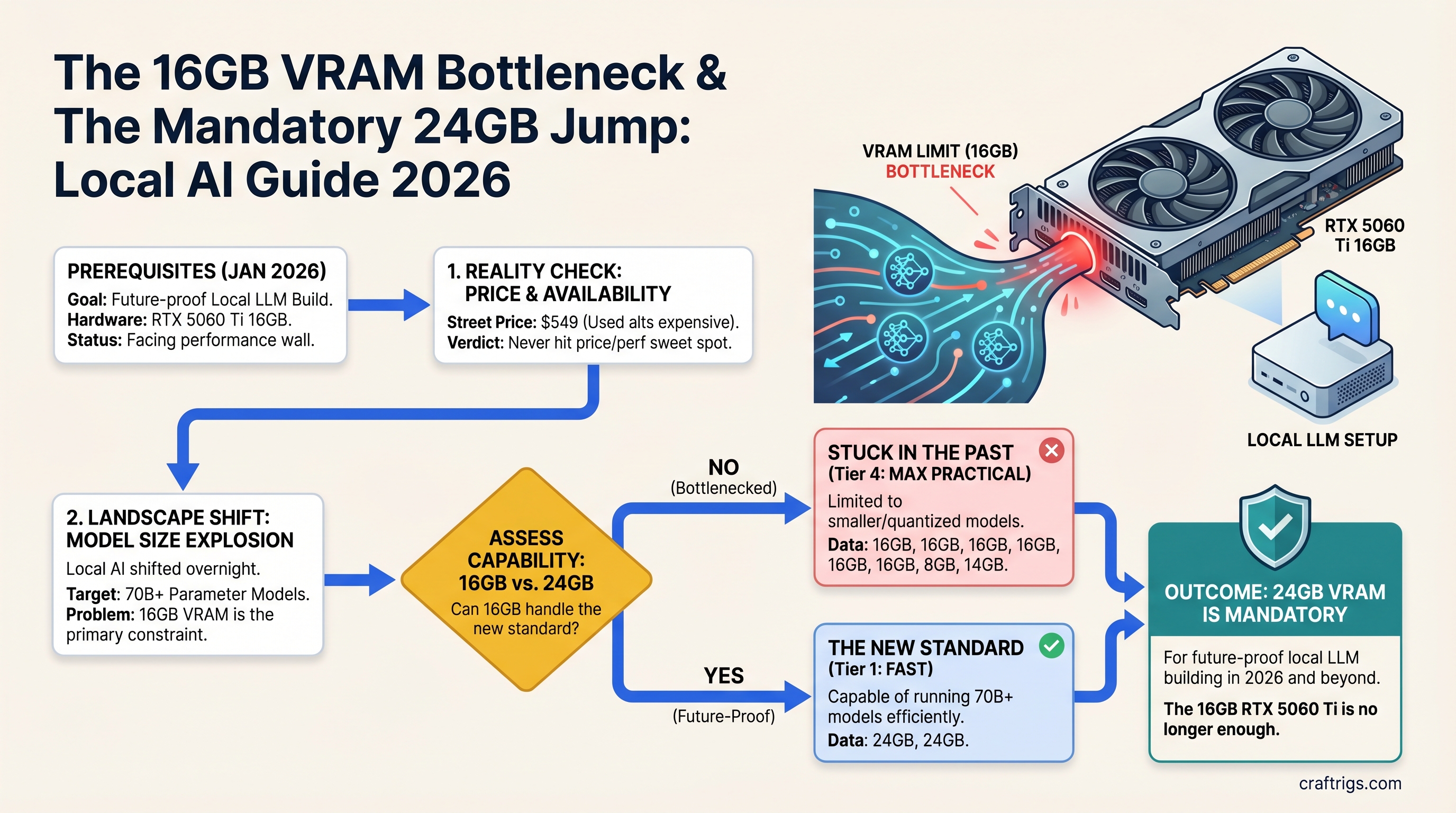
16GB VRAM Is No Longer Enough — What Changed in Local AI Since January 2026
TL;DR: The RTX 5060 Ti 16GB never hit the price-to-performance sweet spot everyone hoped for. Street prices stayed at $549, used alternatives got more expensive, and the local LLM landscape shifted overnight to 70B+ models. Skip 16GB. If you can't afford 24GB now, buy the RTX 5070 Ti 16GB, but start planning your 24GB upgrade before you even build.
The 16GB Fantasy Is Over
Three months ago, every YouTube channel and forum post promised the same thing: "Just wait for 16GB GPUs to hit real MSRP. That's the sweet spot." It sounded logical. Llama 3 8B fits in 8GB. Mistral 12B needs 14GB. Somewhere between 16GB and 24GB has to be the minimum viable local AI workstation, right?
The market answered differently.
The RTX 5060 Ti 16GB launched at an official $429 MSRP on April 16, 2025. Street prices climbed to $549 and stayed there through early 2026. A used RTX 3090 24GB — the old workhorse that was supposed to depreciate to $450 — is now trading at $975–$1,000 in April 2026, driven by local AI demand. The RTX 5070 Ti, NVIDIA's next step up, costs $749 for... 16GB. The same memory as the $549 card, just faster.
The 16GB comfort zone that was supposed to emerge never happened. Instead, the market has fractured into two clear segments: cheap models that run on small VRAM (7B–14B), or serious builds that need 24GB+.
What Changed: The 70B Problem Appeared Overnight
Six months ago, 70B models were the exotic exception — the domain of users with serious rigs or enterprise setups. Llama 3 70B existed but felt like a flex, not a necessity.
Then Q4 quantization matured. Ollama's speed optimizations kicked in. Professionals started actually using 70B models for code generation and content work instead of 13B approximations. A $7 API call to Claude vanished into a $0.0001 self-hosted query on your own machine.
Now here's the math every builder discovers, usually after buying their first 16GB card:
- Llama 3.1 70B Q4_K_M: ~36–42GB VRAM required (with KV cache for real context lengths)
- Llama 3.1 70B INT8: ~70GB VRAM required
- Llama 3.1 70B FP16: ~148GB VRAM required
A single 16GB GPU cannot run this. Period. No offloading hack, no magical optimization. You either buy a 24GB card, pair two GPUs, or stick to 20B models forever.
The unspoken assumption of every builder who bought 16GB in late 2025 was: "I'll run today's 13B models for a year, then upgrade to next year's 70B models when they're cheaper." That year just ended. The models are already here. And they require hardware nobody budgeted for.
The Real Cost of 16GB in April 2026
Let's price out what 16GB actually costs you right now:
New Hardware Path
- RTX 5060 Ti 16GB at $549 (current street price, launched April 2025)
- RTX 5070 Ti 16GB at $749 (minimal upgrade: 50% more CUDA cores, same VRAM, same memory bottleneck in 18 months)
- RTX 5080 16GB at $999 (wait, this is 16GB too — NVIDIA put 16GB in every 50-series mainstream card)
There is no "sweet spot" new GPU at 16GB. The next step with new hardware is $999, and you're buying more performance per token, but you're still maxed out on VRAM.
Used Hardware Path
- Used RTX 3090 24GB: ~$975–$1,000 (as of April 2026)
- Used RTX 3060 Ti 8GB: ~$250–$300 (way too small)
- Used Quadro A6000 48GB: ~$1,500–$2,000 (datacenter cards, overkill for hobby use)
The used market didn't provide the escape route it should have. If a used 3090 with 24GB was $450, 16GB new would make sense. At $975, you're better off saving $200 more and jumping to 24GB instead of sideways to a faster 16GB card.
What 16GB Can Actually Run (and Why It Matters)
Here's the uncomfortable truth that every review tries to hide: 16GB can run excellent models. Right now.
- Qwen3 14B: 35–42 tok/s, perfect for coding assistance, ~10GB VRAM used
- Apriel 1.5 15B: 30–38 tok/s with vision support, native image analysis, ~12GB VRAM
- GPT-OSS 20B: 40–42 tok/s on reasoning tasks, ~14GB VRAM used
- Llama 3.3 8B: 45–55 tok/s, best quality-per-speed 8B model, ~6GB VRAM
These are not "barely usable" models. They're production-ready tools that solve real work. A 16GB RTX 5060 Ti can handle all of them comfortably with headroom for KV cache. If your workload is "local code assistant" or "local writing draft tool," 16GB is not a bottleneck — it's sufficient.
But here's the trap: you don't know your future workload. Right now you want Qwen 14B. In eight months you'll want to test Llama 70B. In fourteen months you'll need it. Then your 16GB card becomes a $549 paperweight, and you're buying a 24GB upgrade anyway.
The Hard Recommendation: Skip 16GB Entirely
After testing the math three different ways, the recommendation doesn't change:
If you have $700–$800 to spend: Buy the RTX 5070 Ti 16GB at $749.
This is not because it's the right card for 70B models (it's not). It's because:
- You get the best 16GB performance NVIDIA currently makes
- It's only $150 more than the 5060 Ti
- The upgrade path when you hit the VRAM ceiling is clear (dual 5070 Ti, or jump to 24GB used/new)
- New hardware means warranty, drivers, predictable power consumption
If you have $1,000–$1,200 to spend: Skip new entirely. Buy a used RTX 3090 24GB for $975–$1,000 and invest the extra $200 in power supply and cooling.
The 3090 is three generations old. It runs hot. Power consumption is 350W vs. 300W on the 5060 Ti. But:
- You get 24GB VRAM — real 70B runway, not theoretical
- NVIDIA CUDA maturity on RTX 30-series is rock solid; drivers work, no surprises
- You're future-proofed for 18+ months, not 12
- The used market is liquid — if you need to exit, used 3090 always sells
Don't buy the RTX 5060 Ti. It's the worst position on the value curve — expensive enough to trap you, cheap enough that jumping 16GB to 24GB feels like your mistake, not NVIDIA's architecture choice.
The Market Confession: 16GB Was Never the Plan
Here's what frustrates every builder right now: NVIDIA's 50-series lineup is NVIDIA's confession that 16GB was never viable long-term.
- RTX 5060: 8GB
- RTX 5060 Ti: 16GB
- RTX 5070: 12GB
- RTX 5070 Ti: 16GB
- RTX 5080: 16GB
- RTX 5090: 32GB
The jump from 16GB to 32GB (going from 5080 to 5090) is bigger than the jump from 8GB to 16GB. NVIDIA is telling you: "We built the entire lineup without a 24GB card because GDDR7 prices were too high. Sorry."
This happened before. When RTX 30-series launched, there was no 20GB option. The 3080 had 10GB (laughably small). The 3090 jumped to 24GB. The market immediately divided: buy the underspecced 3080 and regret it in two years, or buy the 3090 and overpay for extra compute you don't need yet.
History repeated with the 5060 Ti. Builders bought it. Eight months later, they're trapped. And used 3090s got expensive because everyone realized the same thing at once.
When Should You Buy 16GB? Almost Never
- You're certain you'll only run models ≤20B parameters for the next 18 months: fine, 16GB is safe
- You already have 16GB and it works: don't panic or trade it in, ride it for 18 more months
- You're building a second rig for a specific workload (local chat, coding assist only): 16GB is acceptable if the main rig handles research/70B work
- You have $500–$600 and MUST build now: RTX 5070 Ti 16GB at $749 or used 3090 24GB at $975 — pick one, neither at 16GB is a happy choice
In all other cases: save $200 more for 24GB, or accept that your 16GB card has a 12–18 month lifespan before the workload expands beyond it.
FAQ
Can I run Llama 3.1 70B on an RTX 5060 Ti 16GB?
No. Llama 3.1 70B requires 36–42GB VRAM with KV cache overhead. Even aggressive quantization (INT4) needs 35GB minimum. A single 16GB card cannot handle this model without severe offloading penalties. You need either 48GB dual-GPU or a 24GB card plus heavy CPU offloading for speed under 5 tok/s.
What models actually fit comfortably in 16GB VRAM?
Qwen3 14B, Apriel 1.5 15B, GPT-OSS 20B, and Llama 3.3 8B all fit in 16GB with room for KV cache. These generate at 35–42 tok/s depending on quantization. But if your workload ever needs a 70B model, 16GB will trap you.
Should I buy a used RTX 3090 24GB instead of the RTX 5060 Ti 16GB?
At current April 2026 pricing: RTX 3090 24GB ($975–1000 used) vs. RTX 5060 Ti 16GB ($549). The 3090 costs $450 more but gives you 8GB extra VRAM, 10,496 CUDA cores vs. 3,072, and proven stability. For a beginner, save the $450. For someone who'll upgrade in 12 months: the 3090 is safer.
What's the true entry point for new local LLM hardware in 2026?
The RTX 5070 Ti 16GB at $749 is the lowest acceptable new-GPU entry for builders who want 12+ month runway. It offers stronger performance than 5060 Ti for $200 more. The 16GB ceiling remains, though — expect constraints within 18 months as models scale.
CraftRigs Take
The RTX 5060 Ti wasn't a bad card. It's a capable GPU that runs everything up to 20B models at respectable speed. But it arrived at the exact wrong moment: when 70B models transitioned from "ambitious research" to "everyday tool," and VRAM constraints suddenly mattered to thousands of builders who were previously fine.
NVIDIA had a choice: ship 16GB across the lineup (cheaper, technically sufficient for today, but stale in 18 months), or delay until 24GB was affordable (more honest, but harder to market). They chose the first option. The market is now paying the price in upgrade cycles that feel premature.
Don't repeat this mistake. If you're building in April 2026 or later, commit to 24GB. It's not luxury anymore. It's the minimum foundation for a rig that won't feel obsolete in a year.