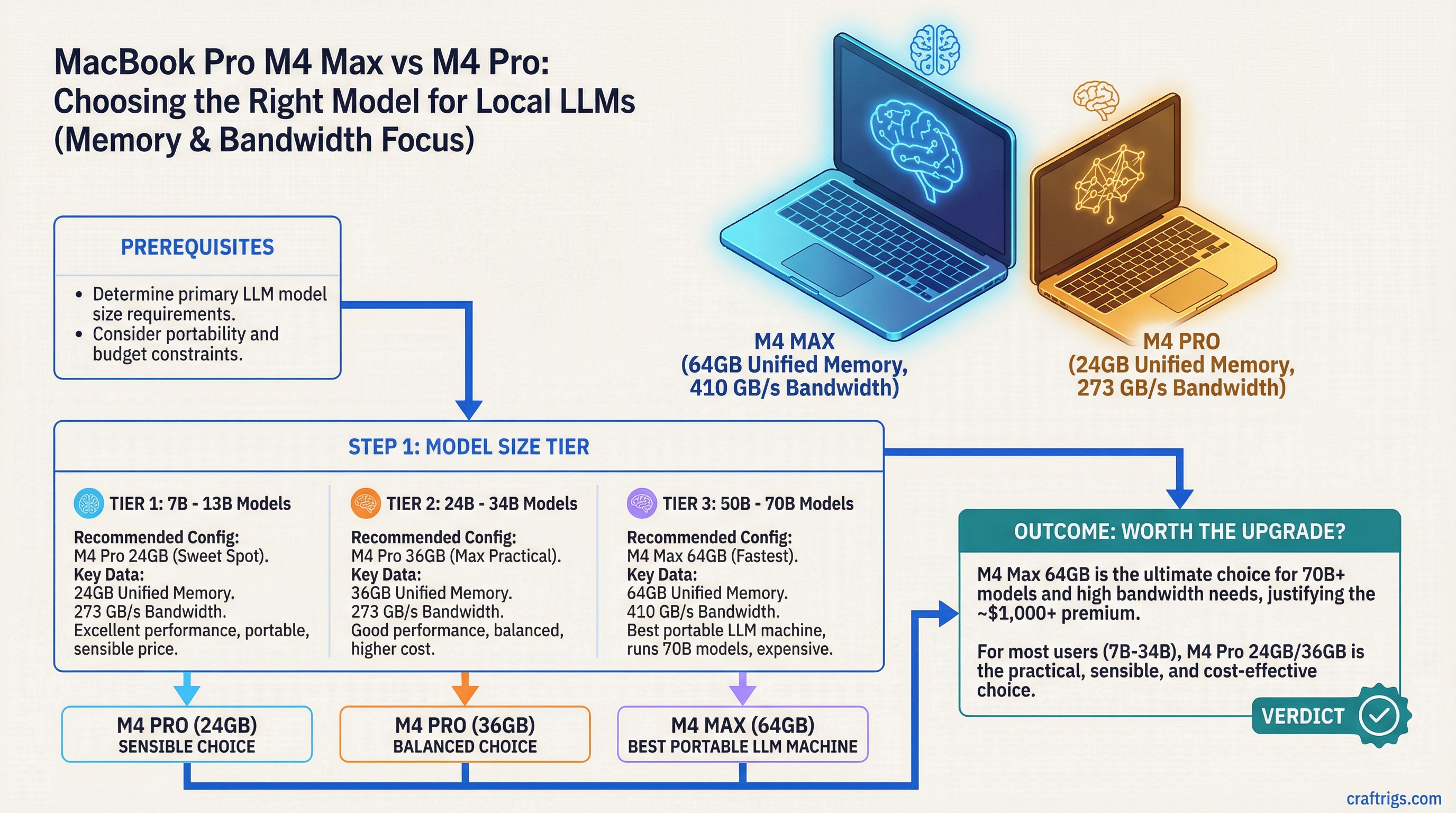
TL;DR: The M4 Max with 64GB unified memory is the best portable LLM machine you can buy — 546 GB/s of bandwidth and enough memory for 70B at Q4_K_M. The M4 Pro with 24GB is the sensible choice for the 7B–14B models most people actually run daily. The decision comes down to whether you need 30B+ models on the go — and whether that's worth $1,200+.
| Config | GPU | Bandwidth | Largest model that fits well (Q4_K_M) |
|---|---|---|---|
| M4 Pro 24GB | 16/20-core | 273 GB/s | 14B comfortably; 32B-class tight |
| M4 Pro 48GB | 16/20-core | 273 GB/s | 32B easily; 70B loads but crawls |
| M4 Max 36GB (binned) | 32-core | 410 GB/s | 32B fast; 70B Q4 does not fit |
| M4 Max 64GB | 40-core | 546 GB/s | 70B Q4_K_M (42.5GB) with headroom |
| M4 Max 128GB | 40-core | 546 GB/s | 70B at Q8_0 (75GB); large MoE models |
Bandwidth and core counts from Apple's M4 Pro and M4 Max announcement and the MacBook Pro tech specs. 70B file sizes from the bartowski Llama-3.3-70B GGUF repository.
On this page:
- M4 Pro vs M4 Max Memory Bandwidth (GB/s)
- The Memory Configs That Matter
- Real Performance Numbers
- The Portability Angle
- Who Should Buy Which
- What You're Giving Up vs a Desktop
- The Honest Recommendation
M4 Pro vs M4 Max Memory Bandwidth (GB/s)
LLM token generation is memory-bandwidth-bound: every generated token reads the model's weights out of memory. That makes bandwidth the spec that decides this comparison, and there are three numbers, not two:
- M4 Pro: 273 GB/s
- M4 Max (binned — 14-core CPU, 32-core GPU, 36GB configs): 410 GB/s
- M4 Max (full — 16-core CPU, 40-core GPU, 48/64/128GB configs): 546 GB/s
All three figures are from Apple's announcement. The practical read: the full M4 Max is exactly 2× the M4 Pro's bandwidth, so on any model both can hold, it generates tokens roughly twice as fast. The binned 36GB Max sits in between at 1.5×. Marketing copy lumps both Maxes together; for local AI the 410-vs-546 distinction is real money and real speed.
The Memory Configs That Matter
Apple sells the MacBook Pro M4 lineup in many configurations (current pricing). For local LLMs, these are the tiers that matter:
M4 Pro — 24GB (from $1,999 for 14-inch):
- 273 GB/s, 16- or 20-core GPU
- Comfortably runs 7B–14B at quality quantization; 32B-class models fit at Q4 but with little KV-cache headroom
- 70B needs heavy Q2/Q3 quantization to fit — quality suffers
- This is the entry point for a genuinely capable LLM laptop
M4 Pro — 48GB:
- Same 273 GB/s bandwidth, more memory
- 32B at Q5/Q6 fits easily; 70B at Q4_K_M (42.5GB) technically loads — but see the bandwidth math below before counting on it
- The middle ground for model access rather than speed
M4 Max — 36GB (binned: 32-core GPU, 410 GB/s):
- Big speed jump over any M4 Pro on models that fit
- 32B-class models are the sweet spot
- A 70B Q4_K_M file is 42.5GB — it does not fit in 36GB; you'd be down at Q3, where quality drops noticeably
M4 Max — 64GB (full: 40-core GPU, 546 GB/s):
- 70B at Q4_K_M fits with room for KV cache
- The first config where 70B is a daily-driver experience rather than a stunt
M4 Max — 128GB (546 GB/s):
- 70B at Q8_0 (a 75GB file) fits — near-full-precision quality
- Room for big MoE models and multimodal workloads
- The deepest local-AI configuration Apple sells in a laptop
One macOS caveat that applies across the board: the system reserves a slice of unified memory for itself, and by default caps how much the GPU can take. On tight fits (70B Q4 on 48GB, for instance) you'll need to raise that limit and run with near-zero headroom — which is why the comfortable answer for 70B is 64GB, not 48GB.
Real Performance Numbers
You can sanity-check any Apple Silicon tok/s claim with one division: bandwidth ÷ weight-file size = theoretical ceiling. Real-world results typically land at 60–80% of ceiling. The best public reference dataset is the llama.cpp Apple Silicon benchmark thread, where reported 7B Q4_0 results run ~51 tok/s on M4 Pro and ~83 tok/s on M4 Max — right in that 60–80% band.
Expected ranges built from that arithmetic (Q4_K_M weights: 8B ≈ 4.9GB, 32B ≈ 19GB, 70B ≈ 42.5GB):
| Model @ Q4_K_M | M4 Pro (273 GB/s) | M4 Max 32-core (410 GB/s) | M4 Max 40-core (546 GB/s) |
|---|---|---|---|
| 8B | ~35–45 tok/s (ceiling 56) | ~50–67 tok/s (ceiling 84) | ~67–89 tok/s (ceiling 111) |
| 32B | ~9–11 tok/s (ceiling 14) | ~13–17 tok/s (ceiling 22) | ~17–23 tok/s (ceiling 29) |
| 70B | 48GB config only: ~4–5 tok/s (ceiling 6.4) | doesn't fit | ~8–10 tok/s (ceiling 12.8) |
Two takeaways. First, the full M4 Max really is about 2× the M4 Pro everywhere, exactly tracking the bandwidth ratio. Second, 70B on the M4 Pro 48GB is possible but at ~4–5 tok/s it's reading speed, not working speed — the bandwidth, not the memory, is the binding constraint.
The Portability Angle
This is where the MacBook Pro genuinely outclasses any PC alternative. PC laptops have dedicated GPUs with 8–16GB of VRAM — a laptop RTX 4090 tops out at 16GB. The 64GB M4 Max has 4× that as GPU-addressable memory, and the 128GB config has 8× — in a machine that fits in a backpack.
If you need to run 70B models locally while traveling, at a coffee shop, or anywhere without access to your desktop — the M4 Max MacBook Pro is the only real option. There's nothing else in the laptop category that competes.
Who Should Buy Which
M4 Pro 24GB:
- Your primary use is 7B–14B models
- You work in an Apple ecosystem and want the cleanest portable setup
- Budget is a consideration
- Good choice for developers, writers, and researchers who don't specifically need 30B+
M4 Pro 48GB:
- You want larger models loadable without paying for Max bandwidth
- 32B at high quantization is your ceiling in practice; treat 70B as an occasional-use party trick
M4 Max 36GB:
- You want Max-tier speed on 32B-and-under models at the lowest Max price
- You accept that 70B at quality quantization is out of reach at this memory size
M4 Max 64GB:
- You need 70B at Q4_K_M running at usable speed on a portable device
- This is your primary compute device and you travel regularly
- You're running vision models alongside LLMs (multimodal workloads eat memory fast)
M4 Max 128GB:
- You want 70B at Q8_0 — the closest a laptop gets to full-precision large-model inference
- You're experimenting with big MoE models where total memory is the gate
What You're Giving Up vs a Desktop
Being honest about the tradeoffs:
- A Mac Studio M3 Ultra (819 GB/s, from $3,999 with 96GB — Apple specs) beats any MacBook Pro on both bandwidth and memory per dollar
- A dual RTX 4090 PC is faster for models that fit in 48GB of VRAM
- MacBook Pro thermal limits mean sustained inference can throttle over time — it's not a 24/7 server
The laptop form factor is genuinely worse for sustained heavy inference. But for a personal machine that you also use for normal work, and that you can take anywhere, the M4 Max has no equivalent in the PC laptop world.
The Honest Recommendation
For most people who are serious about local LLMs on a laptop: M4 Max 64GB. It's the cheapest config where 70B at quality quantization actually works, and the 546 GB/s bandwidth pays off on every model size.
If your daily models are 14B and under and the budget matters: M4 Pro 24GB — and put the savings toward a desktop GPU later. The M4 Pro 48GB middle path mostly buys model access without the speed to enjoy it.