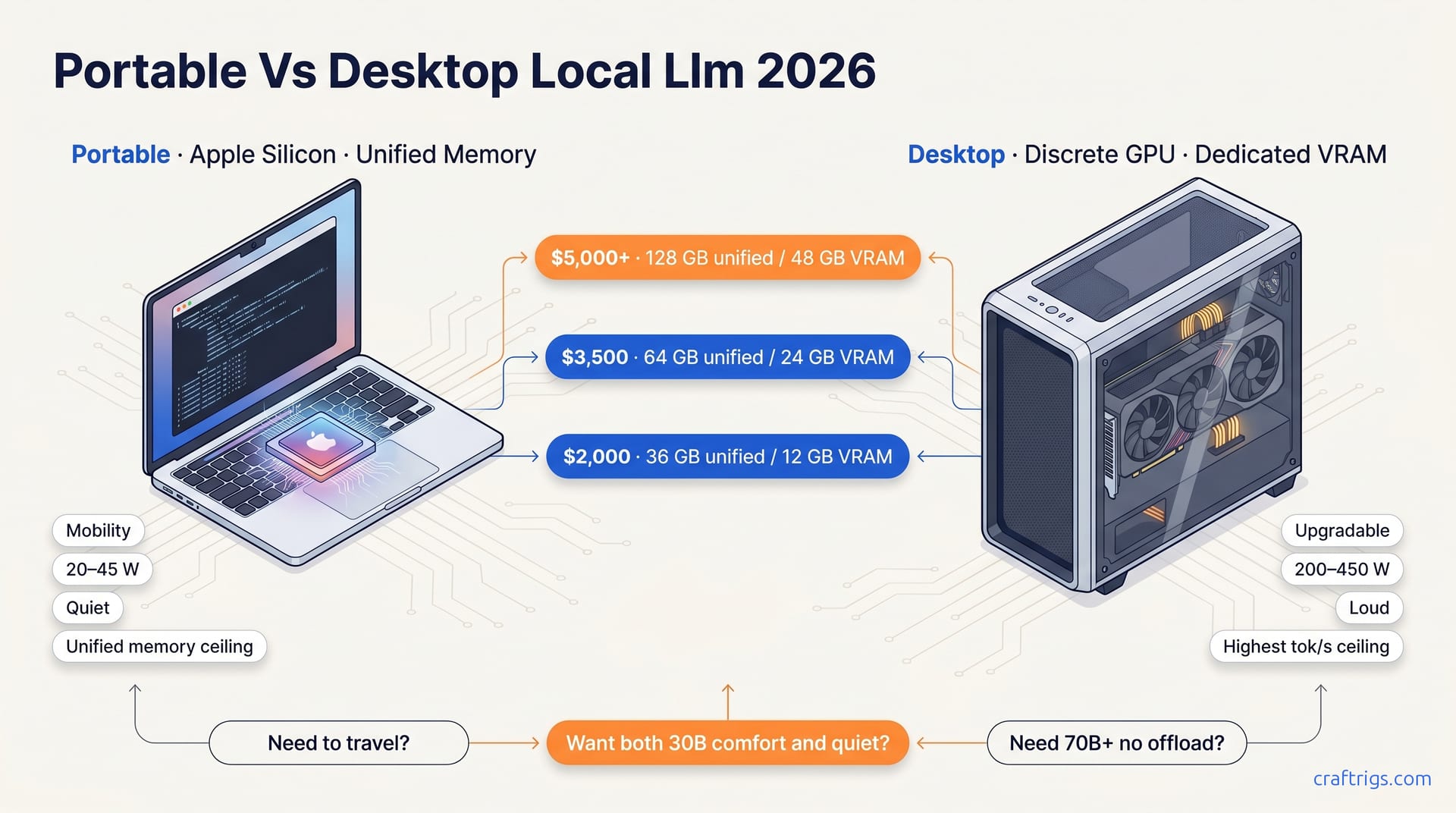
TL;DR — A desktop GPU rig is faster per dollar and faster per watt for short bursts. An Apple Silicon laptop is the only portable that runs 70B models without thermal collapse. Pick portable only if you'll actually move it weekly — otherwise the desktop wins on every axis that isn't location.
When Portability Is Worth the Premium
Three honest reasons to buy portable over desktop:
- You travel and need 70B on a plane. No discrete-GPU laptop runs a 70B at usable speed for more than 10 minutes before throttling. M4/M5 Max with 64–128GB unified memory does. The MacBook Pro M5 Max hitting 88 tok/s on Llama 13B is the proof point — that's desktop-class throughput in a battery-powered chassis.
- You have one machine, period. If you're not willing to maintain a desktop and a laptop, the M-series Max gets you closest to "does both" without compromise.
- You're noise- or heat-sensitive. An M4 Max under inference is silent. An RTX 4090 is a leaf blower at 350W.
If none of those apply, you're paying a premium for portability you won't use.
Apple Silicon vs Discrete GPU at Every Tier
$2,000 tier. MacBook Pro M4 Pro 48GB vs RTX 4070 Super desktop. Desktop wins on raw tok/s for 14B–32B by a wide margin. Mac wins if portability is mandatory. See the Mac local LLMs comparison for the Mac-internal lineup.
$3,500 tier. MacBook Pro M4 Max 64GB vs RTX 5090 desktop. Desktop runs 70B faster (35+ tok/s vs ~12 tok/s). Mac runs it anywhere on battery. The $2,700 AI desktop case study lives below this tier and is the value pick if portability is optional.
$5,000+ tier. MacBook Pro M5 Max 128GB vs RTX PRO 6000 desktop. Now it's interesting — the M5 Max 128GB vs RTX PRO 6000 head-to-head on 122B models shows the Mac actually fits models the desktop card has to quantize harder. Above 96B parameters, unified memory becomes a category advantage, not a compromise.
Decision Matrix
| Factor | Pick Portable | Pick Desktop |
|---|---|---|
| Largest model you'll run | 70B+ on the go | 70B+ at the desk |
| Travel frequency | Weekly+ | Rare |
| Tok/s priority | Acceptable, not max | Maximum |
| Battery requirement | Real | None |
| Power budget | ≤100W draw | 400W+ fine |
| Noise tolerance | Low | High |
| Dual-use (gaming, video) | Mac handles light | Desktop dominates |
The Apple Silicon M-series benchmarks are the reference for the portable side of this table.
The Honest Recommendation
If you're a single-machine person who travels: M4 Max 64GB minimum, M5 Max 128GB if you want to run 122B-class models.
If you have a desk you actually sit at: build the desktop. You'll get 1.5–2x the tok/s for the same dollar, plus upgrade paths the laptop doesn't offer.
If you need both, accept the cost: a $2,700 desktop and a $3,500 MacBook Pro M4 Max is still cheaper than one $7,000 M5 Max 128GB — and you'll have a dedicated home server plus a real laptop. That two-machine split is what most working local-AI users actually end up at.
Don't buy portable for the wrong reason. Mobility you don't use is the most expensive feature in computing.