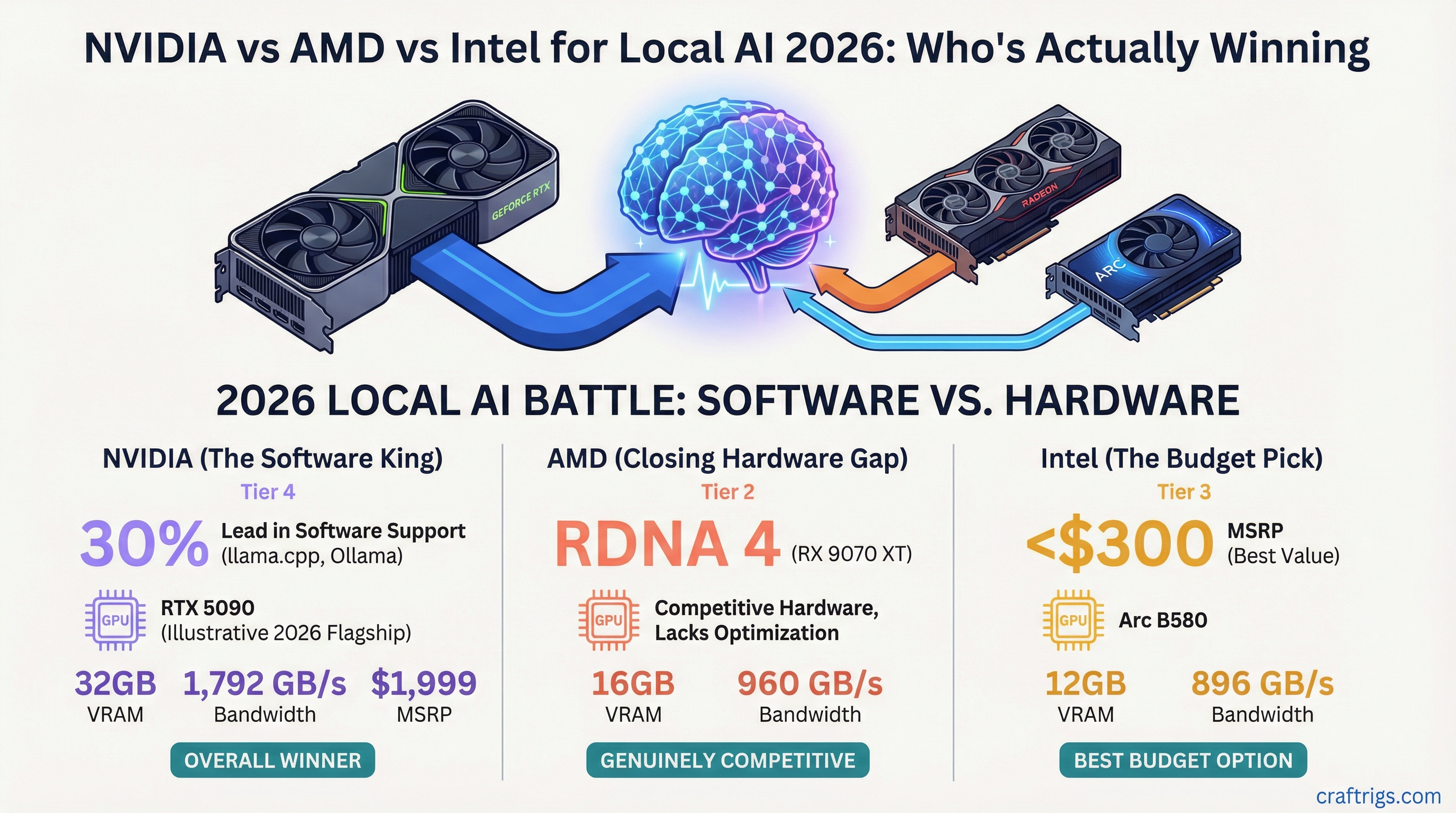
NVIDIA still wins for plug-and-play local AI. AMD's RX 9060 XT closes the gap for budget builders. Intel Arc B580 now runs 7B models in LM Studio. Your 2026 decision comes down to software tolerance: CUDA works, ROCm requires patience, and Intel needs specific runtime versions.
Why Software Beats Hardware for Local LLMs
The bandwidth-as-bottleneck story is covered in our hardware pillar. For this GPU comparison, the inference stack matters more than raw silicon. That stack includes llama.cpp, vLLM, Ollama, and LM Studio. NVIDIA wins on maturity because CUDA plus TensorRT-LLM 10.0+ ships with every major local AI tool. AMD requires ROCm 6.2 or newer. Backend flags change between point releases. Intel Arc needs SYCL builds or IPEX-LLM for functional token generation at all. Software compatibility is the first filter before any GPU comparison, not an afterthought. Your RX 6700 XT has 12 GB of VRAM. But if ROCm doesn't recognize your specific card variant, that VRAM sits idle. If Ollama lacks the right HIP backend, your CPU churns at 3 tok/s instead.
"Working in 10 minutes" only applies to CUDA right now. LM Studio auto-detects NVIDIA GPUs. It downloads the correct CUDA backend. It starts generating tokens without user intervention. AMD owners face a decision tree. They must choose Windows or Linux. They must match the ROCm version. They must set environment variables. They must check whether LM Studio's preview ROCm path supports their specific GPU. Intel Arc users compile from source. They accept beta software with no guarantee of model compatibility. This software gap is why a 16 GB RX 9060 XT can lose to an 8 GB RTX 4060 in real-world usability despite doubling the VRAM. The tool chain isn't there yet.
NVIDIA in 2026: Blackwell Goes Mainstream
The RTX 5060 launches May 19 at $299 with 8 GB of GDDR7 and 384 GB/s memory bandwidth alongside laptop variants with the N1 SoC. Blackwell architecture brings native FP4 and FP6 support in TensorRT-LLM 10.0 or newer. This doubles effective context capacity versus Ada Lovelace at identical VRAM. The 8 GB frame buffer remains the decode bottleneck for 13B+ models. The 5060 is a mainstream gaming card that happens to run AI, not a purpose-built inference accelerator. Buyers targeting local LLMs must weigh their options. The 16 GB RTX 5070 costs $549. A used RTX 3090 24 GB runs ~$650. Both compete against this $299 entry point. Gamers who already own a 3060 or 4060 get a modest inference upgrade through quantization efficiency rather than raw VRAM headroom.
That VRAM ceiling matters more than bandwidth for model selection. At Q4_K_M quantization, a 13B model needs roughly 7.5 GB, leaving almost nothing for context on an 8 GB card. The FP4 path in TensorRT-LLM 10.0+ stretches that same 8 GB. It behaves like 16 GB for context windows. But it doesn't create actual space for larger weights. NVIDIA's maturity advantage is decisive. LM Studio, Ollama, and vLLM all ship with TensorRT-LLM backends. These auto-configure precision modes. A 13B Q4_K_M model runs at 22–28 tok/s on the 5060 with one-click setup. AMD requires manual flag tuning. Intel requires source compilation. For 33B models or longer conversations, only two NVIDIA paths avoid constant offloading to system RAM. Those are the 16 GB RTX 5070 and the used 3090 24 GB.
AMD in 2026: RDNA 4 and ROCm 6.3
The RX 9060 XT launches June 5 at $299 for 16 GB and $349 for the 16 GB "OC" variant, doubling VRAM over the RTX 5060 at the same entry price. RDNA 4's 128 MB Infinity Cache and 20 Gbps GDDR6 on a 128-bit bus yield 320 GB/s effective bandwidth. ROCm 6.3's llama.cpp HIP backend remains the critical variable. ROCm 6.3 adds native FP8 path support and WSL2 GPU passthrough stabilization, yet TensorRT-LLM-grade maturity is absent. Ollama requires OLLAMA_USE_GPU=1 with explicit HIP_VISIBLE_DEVICES on Windows. LM Studio's ROCm path is preview-only as of May 2026. vLLM AMD support is experimental at version 0.6.0 or newer. The 16 GB RX 9060 XT is a hardware value proposition. Buyers must troubleshoot runtime flags. They must accept 15–30% lower tok/s than equivalent CUDA implementations on identically-quantized 13B–33B models.
The flag complexity is real and ongoing. On Windows, getting Ollama to recognize an AMD GPU means setting HIP_VISIBLE_DEVICES=0 before launch, verifying ROCm 6.3 installation, and often falling back to CPU if the HIP backend version mismatches what Ollama shipped. LM Studio's preview ROCm path as of May 2026 lacks the polish of its CUDA equivalent. Model loading hangs. GPU offload percentages don't stick between sessions. Some quantization formats silently CPU-fallback. Linux users get a better experience, but the PC gamer crossover segment lives on Windows. The hardware is undeniably generous. 16 GB loads 13B Q4_K_M with room for context. 33B Q4_K_M fits where the RTX 5060 chokes. That VRAM advantage scales to 70B territory. NVIDIA charges 2× for equivalent frame buffers. CUDA users never open forum searches, Discord threads, or version compatibility matrices. AMD users pay that software tax.
Intel Arc in 2026: LM Studio Support Reality Check
The Intel Arc B580 (12 GB, $249) and B570 (10 GB, $219) remain the only sub-$300 cards with 10+ GB VRAM. LM Studio's Intel GPU support requires the SYCL backend. That means llama.cpp build 3xxx or newer. Alternatively, use IPEX-LLM 2.1.0 with specific environment flags. As of May 2026, LM Studio labels its official Intel path "beta." It offers no B580-specific optimization. Ollama lacks native Arc GPU offload and falls back to CPU. vLLM Intel support is nonexistent. The 12 GB B580 loads 13B Q4_K_M models at 8–12 tok/s via SYCL versus 25–35 tok/s on RTX 4060 Ti 16 GB CUDA. Intel Arc is viable only for specific buyers. They must prioritize VRAM-per-dollar over maturity. They must manually compile llama.cpp from source with oneAPI 2025.0 toolkits. This is the most constrained path of the three vendors. It is also the cheapest entry point for loading larger models at all.
What Actually Works in LM Studio
SYCL backend activation starts with installing Intel oneAPI 2025.0, setting SYCL_DEVICE_FILTER=gpu, and selecting the SYCL build in LM Studio's server preferences. Model quantization limits are strict. Q4_K_M works. Q5_K_M and Q6_K often trigger CPU fallback with no error message explaining why. GGUF files compiled for specific CUDA or ROCm backends won't load at all. When GPU offload fails, LM Studio silently partitions to CPU without alerting you. You notice only when tok/s drops to 3–5 and your CPU fan screams. Check the server log for "SYCL device not found" to confirm the backend never initialized.
Arc vs. RX 9060 XT vs. RTX 5060 at $299
| Spec | RTX 5060 | RX 9060 XT | Arc B580 |
|---|---|---|---|
| Price | $299 | $299 | $249 |
| VRAM | 8 GB GDDR7 | 16 GB GDDR6 | 12 GB GDDR6 |
| Effective Bandwidth | 384 GB/s | ~320 GB/s | ~456 GB/s |
| 13B Q4_K_M tok/s | ~22–28 | ~18–24 | ~8–12 |
| LM Studio Support | One-click | Preview ROCm | Beta SYCL |
| Ollama Support | Native | Flags required | CPU fallback |
| vLLM Support | Stable | Experimental (v0.6.0+) | None |
Intel wins on VRAM-per-dollar and raw bandwidth. Intel loses on every software metric that matters for running models today.
The Head-to-Head: What Each GPU Tier Actually Runs
At the $299 entry tier, the RTX 5060 (8 GB GDDR7, 384 GB/s, TensorRT-LLM 10.0+) delivers 13B Q4_K_M at 22–28 tok/s. The RX 9060 XT 16 GB ($299, 320 GB/s effective, ROCm 6.3 HIP backend) manages 18–24 tok/s with $650) serves inference-dedicated builds. Above $1,000, the RTX 5080 16 GB and RX 9070 XT 16 GB diverge on maturity. CUDA faces maturing ROCm 6.3. Raw bandwidth is not the differentiator. The decisive spec remains VRAM capacity. Every 2 GB enables roughly one additional model-size tier at Q4_K_M quantization. Verify your target model fits with our VRAM calculator.OLLAMA_USE_GPU=1 plus HIP_VISIBLE_DEVICES flags. The Arc B580 12 GB ($249, SYCL beta) hits 8–12 tok/s. At mid-tier, two cards separate by use case. The RTX 5070 16 GB ($549) targets gaming-optimized workloads. The used RTX 3090 24 GB (
$299 Entry Tier: 8 GB vs. 12 GB vs. 16 GB
| Model Size | RTX 5060 8 GB | Arc B580 12 GB | RX 9060 XT 16 GB |
|---|---|---|---|
| 7B Q4_K_M | ✓ Fast | ✓ Fast | ✓ Fast |
| 13B Q4_K_M | ✓ Tight fit | ✓ Comfortable | ✓ Room for context |
| 33B Q4_K_M | ✗ Offloads to RAM | ✗ Offloads to RAM | ✓ Fits with context |
| 70B Q4_K_M | ✗ Impossible | ✗ Impossible | ✓ Possible with split |
VRAM, not bandwidth or architecture, gates what you can load. The 5060's 8 GB hits the wall at 13B with minimal context. The B580's 12 GB adds headroom but still chokes on 33B. Only the 9060 XT's 16 GB crosses into larger model territory without offloading penalties.
Mid-Tier and Above: Where Maturity Becomes the Filter
Above $500, CUDA's one-click maturity justifies NVIDIA's price premium unless you're already comfortable with HIP_VISIBLE_DEVICES and SYCL compile flags. The used RTX 3090 24 GB at ~$650 is the hidden value for pure inference builds. No gaming optimizations, no new features, just raw VRAM that loads 70B Q4_K_M with room to breathe. The RX 9070 XT 16 GB matches the RTX 5080's frame buffer at lower cost. But ROCm 6.3 still has gaps in vLLM and LM Studio stability. You're trading time for money. For the RTX 5070 review, see our dedicated coverage of whether 16 GB is the new minimum.
The Verdict: Pick by Your Pain Tolerance
At $299, the RX 9060 XT 16 GB is the hardware value winner for buyers willing to troubleshoot ROCm 6.3 flags. The RTX 5060 8 GB is the painless default for LM Studio and Ollama users who accept the 13B model ceiling. The Intel Arc B580 12 GB is the VRAM-per-dollar gamble. Only source-compiling enthusiasts need apply. Above $500, lock-in dominates. CUDA's one-click maturity justifies NVIDIA's price premium unless you're already comfortable with HIP_VISIBLE_DEVICES and SYCL compile flags. In that case, AMD's VRAM advantage scales to 70B territory. NVIDIA charges 2× for equivalent frame buffers. Your current GPU runs more than you think. Check whether your 3060 or 6700 XT already handles your target model. Don't chase new hardware unnecessarily.
Measure your software tolerance, then your VRAM needs, then your budget. If you want local AI working in 10 minutes with no terminal commands, NVIDIA is the only rational choice at any price. If you can tolerate 30 minutes of forum searches and flag experiments, AMD's VRAM generosity rewards that patience. If you compile software for fun and treat beta paths as adventure, Intel's B580 is a cheap experiment. Most PC gamers sit in the first category. They bought their GPU for gaming, discovered local AI, and want it to work. For them, the RTX 5060's 8 GB is a known limitation with a clear upgrade path. The RX 9060 XT's 16 GB is a promise that software hasn't fully kept yet.