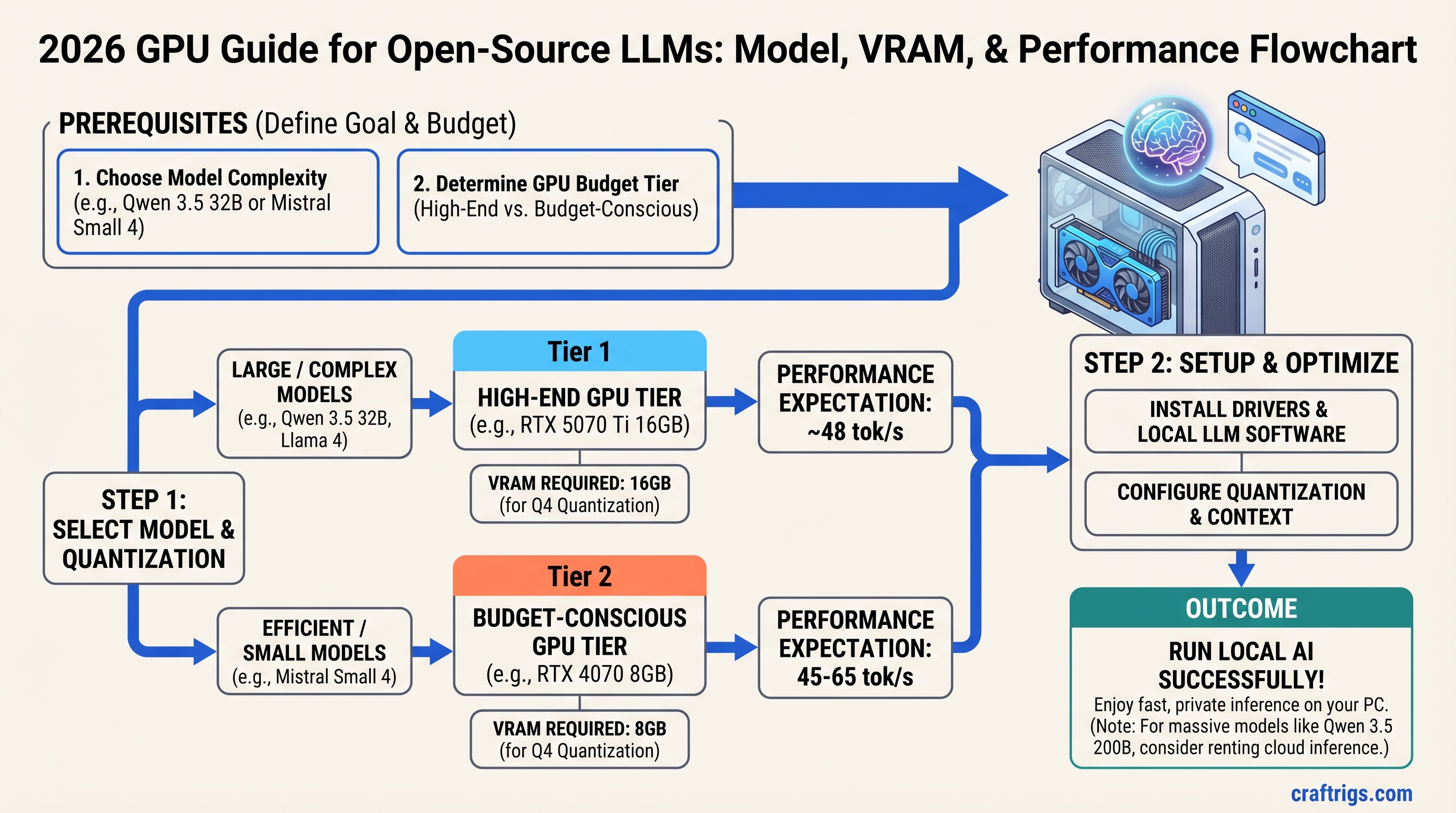
TL;DR: The 2026 open-source flagships are mostly Mixture-of-Experts models with huge total parameter counts — most don't fit in consumer VRAM as whole files. What actually runs well on one GPU: dense models up to ~27B (Qwen 3.5, Gemma 4) and the MoE mid-tier (Qwen 3.5 35B-A3B) on 16–24GB cards. The giants — Mistral Small 4 (119B), Llama 4 Scout (109B), DeepSeek V4, Kimi K2.5 — need either heavy system-RAM offload or an API. This guide maps every major model to real file sizes and the GPU that handles it.
On this page:
- Quick Model-to-GPU Lookup
- Why 2026 Models Don't Fit Like 2025 Models Did
- The Models, One by One
- Hardware Tiers: What to Buy
- Quantization Strategy
- Where These Numbers Come From
- Frequently Asked Questions
The Quick Model-to-GPU Lookup
Running an open-source LLM locally comes down to one number: the model's file size at the quantization level you'll accept, versus the memory that has to hold it. Use the VRAM calculator for your exact configuration.
| Model | Architecture | Q4 file size | What runs it | Est. decode speed |
|---|---|---|---|---|
| Qwen 3.5 9B | Dense | ~6.5 GB | Any 8GB+ GPU | ~40–55 tok/s on RTX 5060 |
| Gemma 4 12B | Dense | ~7–8 GB | Any 12GB GPU | ~35–50 tok/s on RTX 5060 Ti |
| Qwen 3.5 27B | Dense | ~17 GB | 24GB card (Q4) or 16GB card (Q3) | ~33–44 tok/s on RTX 3090 |
| Qwen 3.5 35B-A3B | MoE (3B active) | ~22 GB | 24GB card fully resident; 16GB with offload | 100+ tok/s fully resident |
| Llama 4 Scout | MoE 109B (17B active) | 65.4 GB | 64GB+ system RAM + GPU offload | Single-digit tok/s offloaded |
| Mistral Small 4 | MoE 119B (6B active) | 73.8 GB | 96GB+ system RAM + GPU offload | Low-teens tok/s offloaded |
| Qwen 3.5 122B-A10B | MoE (10B active) | ~70 GB | 96GB+ RAM + offload, or rental | Depends on RAM bandwidth |
| DeepSeek V4-Flash | MoE 284B (13B active) | 150+ GB | Multi-GPU cluster or API | API recommended |
| Kimi K2.5 | MoE 1T (32B active) | Cluster-scale | API | API recommended |
| DeepSeek V4-Pro | MoE 1.6T (49B active) | Cluster-scale | API | API recommended |
File sizes from the published GGUF repositories linked in each model section below. Speed estimates are bandwidth arithmetic (explained at the end), not measurements.
Why 2026 Models Don't Fit Like 2025 Models Did
In 2025, "can I run it" meant comparing a dense model's file size to your VRAM. In 2026 the flagship releases — Llama 4, Mistral Small 4, DeepSeek V4, Kimi K2.5, the large Qwen 3.5 variants — are almost all Mixture-of-Experts. That changes the math in two directions:
Total parameters set the memory bill. A MoE model's full weight file must live somewhere — VRAM, system RAM, or both. Mistral Small 4's 119B parameters produce a 73.8 GB Q4 file no matter how few parameters activate per token.
Active parameters set the speed. During decode, only the routed experts are read per token. Mistral Small 4 activates ~6B parameters per token, so when the whole model sits in fast memory it decodes like a small model. When experts sit in system RAM (the realistic consumer setup, via llama.cpp's MoE offload), decode speed is bounded by your system RAM bandwidth, not your GPU.
The practical consequence: a 16–24GB GPU plus 64–96GB of fast DDR5 is the new enthusiast platform for big MoE models, and our CPU+GPU hybrid inference guide covers the offload mechanics. For everything else, dense models up to ~27B remain the sweet spot for a single card.
The Models, One by One
Qwen 3.5 — The Lineup That Covers Every Tier
Qwen 3.5 (released February 2026, Apache 2.0) ships in 0.8B, 2B, 4B, 9B, 27B, 35B-A3B, 122B-A10B, and 397B-A17B sizes. Three of them matter for consumer hardware:
- Qwen 3.5 9B — ~6.5 GB at 4-bit. Fits any modern 8GB+ card with context headroom. The default "first real model" for budget GPUs.
- Qwen 3.5 27B — ~17 GB at 4-bit, ~14 GB at 3-bit, ~30 GB at 8-bit. The strongest dense model you can host on one consumer card. Q4 wants a 24GB card; 16GB cards run the 3-bit quant with modest context.
- Qwen 3.5 35B-A3B — MoE, ~22 GB at 4-bit, only 3B parameters active per token. Fully resident on a 24GB card it decodes dramatically faster than the 27B dense model. On 16GB cards, offload the expert layers to system RAM (
--n-cpu-moein llama.cpp; Ollama handles it automatically) and it remains very usable.
The 122B-A10B (~70 GB at Q4) and 397B-A17B variants are rental-or-cluster territory. There is no Qwen 3.5 32B or 200B — if you see those sizes cited, the source confused this family with Qwen 2.5's lineup. Full per-size breakdown in our Qwen 3.5 hardware requirements guide.
Gemma 4 — Google's Consumer-Friendly Family
Gemma 4 (April 2, 2026) ships E2B and E4B edge models, a 12B dense model, a 26B MoE (3.8B active), and a 31B dense model. The 12B at Q4 (~7–8 GB) is an excellent fit for 12GB cards, and the E2B runs on virtually anything — including CPU-only — which makes it the right starting point if you want to learn the pipeline before buying GPU hardware. VRAM details by size in our Gemma 4 hardware requirements article.
Llama 4 Scout — Big MoE, Honest Numbers
Llama 4 Scout (Meta, April 2025) is a 109B-total, 17B-active MoE. The Q4_K_M GGUF is 65.4 GB — this is not a 12GB-VRAM model under any quantization you'd want to use. Realistic consumer hosting means 64GB+ of system RAM with GPU offload, and because 17B parameters activate per token, offloaded decode reads ~10 GB per token from system RAM. On dual-channel DDR5 that puts the arithmetic ceiling in the single digits of tokens per second. Scout is best treated as a capability you rent or a reason to own a high-memory Mac, not a reason to buy a consumer GPU.
Mistral Small 4 — The Efficient Giant
Mistral Small 4 (March 16, 2026, Apache 2.0) is a 119B-total MoE with 6B active parameters per token (128 experts, 4 active) and a 256K context window. The Q4_K_M file is 73.8 GB, so plan on 96GB of system RAM for comfortable offloaded hosting. The 6B active count is what makes it interesting: experts streaming from dual-channel DDR5 (~80–90 GB/s) put the decode ceiling around 20 tok/s, with real-world offloaded results landing in the low teens — slow but genuinely usable for a model of this quality. On unified-memory machines that hold the whole file (96GB+ Apple Silicon), it runs fully resident and considerably faster.
DeepSeek V4 — Rent It
DeepSeek V4 (2026) comes as V4-Pro — 1.6T total parameters, 49B active — and V4-Flash at 284B total, 13B active, both with 1M-token context. Neither is consumer-hostable: even V4-Flash's quantized weights run 150+ GB. If you need V4-class reasoning, use the DeepSeek API or rented cluster compute. No quantization trick changes this math on a 24GB card.
Warning
Don't buy hardware for a model class you can't host. A dual-GPU consumer rig still cannot hold V4-Flash, and the engineering time spent trying is worth more than a year of API usage.
Kimi K2.5 — The Long-Context Specialist
Kimi K2.5 (Moonshot AI) is a 1T-parameter MoE with 32B active parameters and 256K native context, under a Modified MIT license. Like DeepSeek V4 it's cluster-scale — the open weights matter for researchers and inference providers, not for single-GPU builders. Access it via the Moonshot API when you need extreme context.
Hardware Tiers: What to Buy
Choose the GPU based on which model tier you actually need, not which price bracket you can stretch to.
Budget ($300–$600): Dense Models to ~12B
The RTX 5060 8GB at $299 MSRP (448 GB/s) and the RTX 3060 12GB (360 GB/s, used market) cover Qwen 3.5 9B, Gemma 4 12B, and every 7–8B model at Q4 with real speed. The 3060's extra 4GB buys longer context and 12B-class fits; the 5060's newer GDDR7 buys raw decode speed. Our RTX 5060 vs RTX 3060 comparison works through that trade in detail. Used RTX 4070 12GB cards (504 GB/s) are also strong value here when priced near the 5060.
Don't attempt 27B+ on 8GB — extreme quants fit but quality and context suffer. Stay in the 7–14B range where these cards shine.
Mid-Range ($429–$800): 27B Dense or the MoE Mid-Tier
The RTX 5060 Ti 16GB ($429 MSRP) and RTX 5070 Ti 16GB ($749 MSRP, 896 GB/s) are the productivity floor. 16GB runs Qwen 3.5 27B at 3-bit, every 14B at Q5, and — the headline use case — Qwen 3.5 35B-A3B with expert offload. The 5070 Ti's doubled bandwidth over the 5060 Ti makes it the pick if your budget reaches; otherwise the 5060 Ti 16GB delivers the same fits at lower speed.
Pair either card with 64GB of DDR5 and you can also experiment with the offloaded giants (Scout, Mistral Small 4) at patience-required speeds.
High-End ($800–$2,000+): 27B at Full Quality, 70B, and Resident MoE
Three paths:
- Used RTX 3090 24GB (~$800, 936 GB/s) — still the value king for VRAM. Runs Qwen 3.5 27B at Q4 (~33–44 tok/s estimated), 35B-A3B fully resident, and pairs into a 48GB dual-card rig for Llama 3.3 70B Q4 (42.5 GB file) via llama.cpp
--tensor-splitor vLLM tensor parallelism over PCIe. - RTX 5090 32GB ($1,999 MSRP, 1,792 GB/s) — the fastest single card: 27B Q4 at an estimated 63–84 tok/s ceiling-derived range, 35B-A3B resident with room for long context.
- Apple Silicon with 96–128GB unified memory — the cleanest consumer host for the 65–75 GB MoE files (Scout, Mistral Small 4), since the whole model sits in unified memory. See our Mac local LLM guide for the bandwidth-by-chip breakdown.
Multi-GPU note: consumer NVLink ended with the RTX 3090. Modern multi-GPU inference runs over PCIe with tensor-parallel software — it works well for fitting bigger models, less well for raw speed scaling.
Quantization Strategy
Inference on consumer GPUs is memory-bandwidth-bound, which means smaller quants are faster, not slower — every byte you shave off the file is a byte you don't read per token.
- Q4_K_M (default): roughly a quarter of the FP16 file size, which translates directly to ~4× the decode-speed ceiling. Quality loss is imperceptible for chat and general work. Use it everywhere unless you have a reason not to.
- Q5/Q6: for when you have VRAM headroom and do long-document or precision-sensitive work. Modest quality gain, proportionally slower decode.
- Q3 and below: a fit-enabler, not a preference. Qwen 3.5 27B at 3-bit (~14 GB) onto a 16GB card is the canonical good use. Below Q3, reasoning quality degrades noticeably — test your own workload before committing.
- FP16/BF16: for research comparisons only. Locally it wastes memory and quarters your speed ceiling.
Where These Numbers Come From
Every speed figure in this article is an estimate from published specs, not a measurement: the decode ceiling is memory bandwidth (GB/s) ÷ bytes read per token, and real-world results from community benchmarks consistently land at 60–80% of that ceiling. For dense models, bytes per token ≈ the model file size. For MoE models, bytes per token ≈ the active-parameter share of the file — which is why a 22 GB MoE file can decode several times faster than a 17 GB dense file.
File sizes come from the linked GGUF repositories (unsloth, bartowski); model specs from the official releases linked in each section; GPU bandwidth from NVIDIA's specifications; community benchmark context from the llama.cpp performance discussions. Inference engine, context length, and driver version all move results within the range — verify on your own hardware before a purchase decision.
Frequently Asked Questions
Can I quantize any 27B+ model down until it fits on 8GB VRAM?
You can make it fit; you can't make it good. Sub-3-bit quants of mid-size dense models show visible reasoning drift. On 8GB, a well-quantized 9B beats a crushed 27B for almost every workload.
Why is my 16GB card slow on Qwen 3.5 35B-A3B?
The Q4 file (~22 GB) doesn't fit in 16GB, so expert layers spill to system RAM and your decode speed follows your RAM bandwidth, not your GPU's. Faster DDR5 helps; so does keeping more layers on-GPU with careful --n-cpu-moe tuning. Fully resident on a 24GB card, the same model is several times faster.
Is DeepSeek V4 really better than hosting a 70B locally?
Different problems. V4-class reasoning is beyond anything you can host on consumer hardware — that's what APIs are for. A local Llama 3.3 70B or Qwen 3.5 27B covers private, offline, latency-insensitive work. Most builders end up with both: a local daily driver plus an API for frontier-model tasks.
Does PCIe 4.0 vs 5.0 matter for inference?
Not for single-GPU inference — the model loads once and decode traffic stays on-card. It matters somewhat for multi-GPU tensor parallelism and for MoE offload setups where expert weights stream across the bus. Details in our PCIe lanes guide.
Should I overclock my GPU for LLM inference?
No. Memory overclocks buy a few percent of bandwidth at the cost of stability and heat under sustained inference load. Spend the effort on quantization choice instead — moving from Q5 to Q4 is worth more than any overclock.
Updated June 2026. Model specs from official releases: Mistral Small 4, Kimi K2.5, DeepSeek V4, Qwen 3.5, Gemma 4. File sizes from the linked GGUF repositories. Speed figures are bandwidth-arithmetic estimates, not measurements.