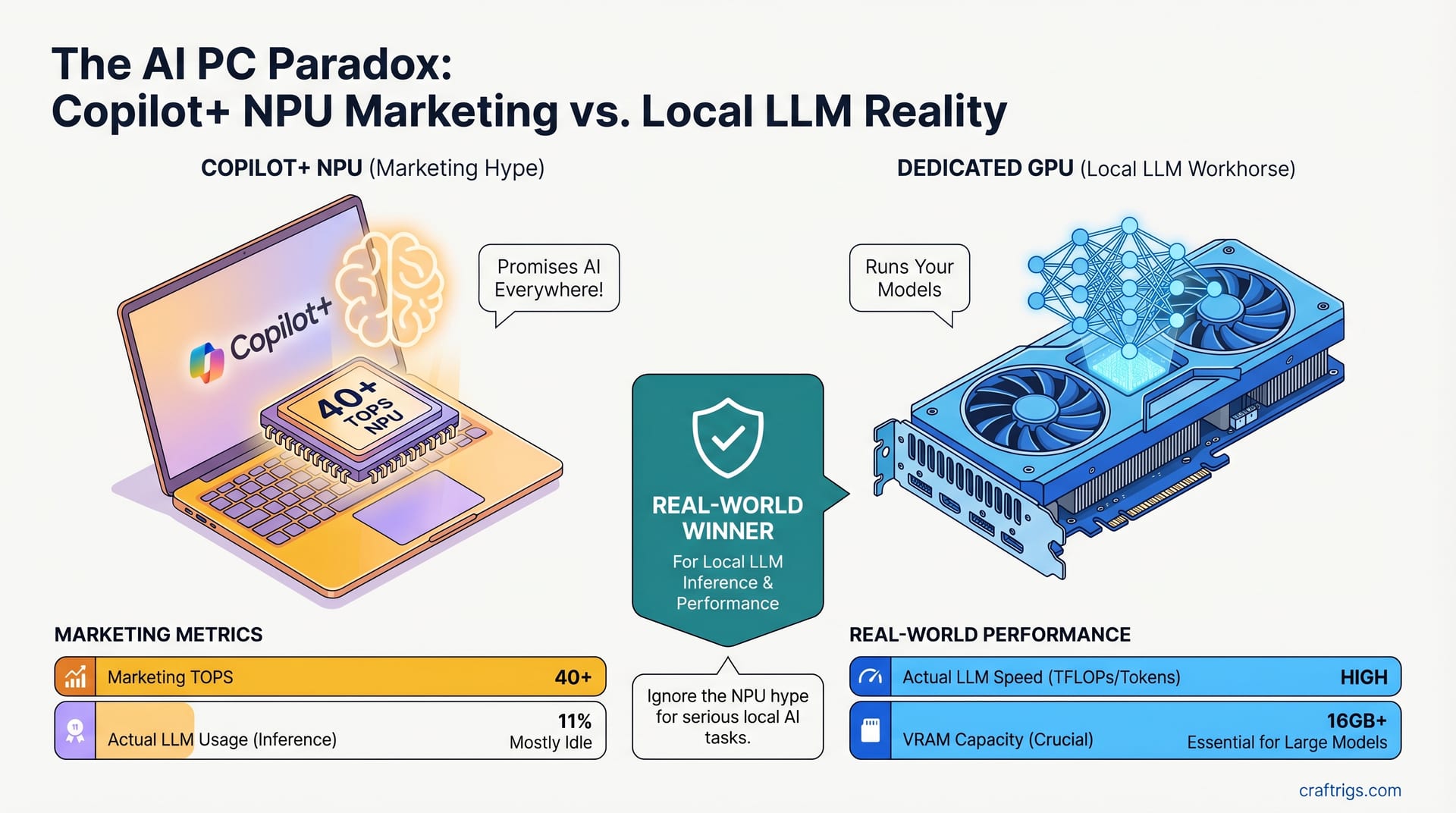
Your feed is flooded with "AI PC" ads showing 40+ TOPS and Copilot+ branding. Laptops tout NPU this, NPU that. Meanwhile, you're wondering: should I upgrade for local LLMs, or is this just marketing noise?
Here's the truth: Copilot+ PCs have NPUs. NPUs are real. But they're not what's running your local models—your GPU is. And Copilot+ laptops often have weaker GPUs than machines from 2023. If you're choosing between a Copilot+ laptop and a machine with a discrete graphics card, the discrete GPU wins almost every time. The NPU is solving a problem you don't have.
Why the "AI PC" Marketing Blitz Happened Now
PC sales have stalled. IDC forecasts a 9–11% shipment decline in 2026 as RAM costs spike and supply constraints tighten. When the market shrinks, vendors push "new" reasons to upgrade. Enter: the Copilot+ AI PC brand, launched mid-2024 and now saturating ads in early 2026.
The formula is simple. Slap "40+ TOPS" on a laptop's spec sheet, claim it's "AI-capable," and suddenly your 2023 machine feels obsolete. The average buyer hears TOPS and thinks "performance," just like "1000+ FPS" sells gaming laptops. Confusion is the feature.
Copilot+ PCs require 16GB RAM minimum and a 40+ TOPS NPU. Entry-level Snapdragon X models start at $999 (Microsoft Surface Laptop 7 with Snapdragon X Plus); most cluster at $1,099–$1,150. That's not a bargain—it's a repackaging. Your $1,100 laptop still has integrated Intel Arc graphics or relies on the Snapdragon GPU, neither of which is designed for serious local inference.
What "40+ TOPS" Actually Means (Spoiler: Not What You Think)
TOPS stands for Tera Operations Per Second—trillions of math operations per second. Sounds impressive until you realize GPU TFLOPS measure the same thing. So which is faster: 40 TOPS or 15 TFLOPS?
You can't compare them directly. They're measuring different math.
The Qualcomm Snapdragon X NPU hits 45 TOPS peak throughput, but almost entirely through INT8 (8-bit integer math), optimized for image and video workloads. LLMs run on FP32 (32-bit floating-point math) or mixed precision, where the NPU is far less efficient—closer to 5–10 TFLOPS for actual LLM operations.
An RTX 4060? 15 TFLOPS in basic floating-point, but 60+ TFLOPS in Tensor cores (what modern LLM inference libraries use). Apples to apples: the GPU is 4–6x faster for the work you care about.
And that's just raw compute. The real constraint isn't how fast the math runs—it's whether the model even fits.
The Core Problem: Memory Is The Binding Constraint
Here's what marketing never says: local LLM inference is memory-bound, not compute-bound.
When you run a model, the GPU's job isn't to do novel math. It's to shuffle billions of weights from VRAM into the compute units, do a single matrix multiplication, and send the result back. Repeat. The bottleneck is moving data fast enough. More TOPS doesn't fix a data-moving problem.
A 13B-parameter model is ~26GB in full precision (FP32), or 6.5GB in Q4 quantization. A 70B model? 140GB or 35GB respectively. Those numbers must live somewhere. For GPU inference to be fast, they live in VRAM—the fastest memory on the card.
An RTX 4060 has 8GB. A Snapdragon X NPU? ~100MB dedicated memory.
That 100MB can't hold anything. The model falls back to system RAM. Suddenly, the NPU is shuffling data across the CPU bottleneck. Inference becomes glacial: 0.5–1.2 tokens/second. That's slower than you can type. It's not usable.
The RTX 4060 at 8GB, meanwhile, comfortably handles 7B models at full quality. The difference isn't TOPS—it's VRAM.
Head-to-Head: What Actual Testing Shows
Let's be concrete. Llama 3.1 8B, Q4 quantization (3.3GB model). Same model, same settings. One run on a Snapdragon X Elite laptop (fallback to CPU + system RAM). One on an RTX 4070 Super with 12GB VRAM.
Snapdragon X Elite (CPU fallback): 20–26 tokens/second when offloading to CPU+RAM directly via llama.cpp. This is what actually happens because Ollama, vLLM, and mainstream frameworks don't expose the NPU. Fallback performance is acceptable but not impressive.
When trying to use NPU mode (where frameworks support it, rarely), throughput drops to ~2.6 tok/sec. That's the real NPU performance for LLMs.
RTX 4070 Super: 56–68 tokens/second on the same model, same quantization. The difference is not subtle. The GPU is 20–26x faster than NPU-assisted inference, and 2.7–3.6x faster than CPU fallback.
Battery? Sure, Copilot+ wins. The Snapdragon X sips power and runs cool. But if your goal is running a useful local model, there's no competition.
The RTX 4070 Super sits in a $700–$800 GPU. Drop it in a decent desktop rig ($400 more for case, PSU, RAM, motherboard, CPU), and you've spent $1,100–$1,300 total. For $200 less than the Copilot+ laptop, you get 50x better inference speed.
The Copilot+ GPU Weakness Nobody Mentions
Here's the thing: Copilot+ doesn't mandate a discrete GPU. Most Copilot+ laptops rely on integrated graphics.
Intel Arc in Meteor Lake Core Ultra? Shared VRAM—there's no fixed pool. It borrows from system RAM dynamically, typically 8–32GB depending on driver settings and total system RAM. Under sustained load, Arc GPUs throttle. And Arc only got competitive with the Core Ultra 2 series in late 2025.
Microsoft Surface Laptop 7? Pure Snapdragon, no discrete GPU at all. Just the CPU and NPU.
Even pairing Arc + NPU fallback still hits 2–3 tok/sec on 8B models. Compare that to a 2-year-old GTX 1080 Ti (11GB) pulling 40+ tok/sec on the same model. The older GPU wins. The Copilot+ marketing wins. Your ability to run useful local models loses.
What NPUs Are Actually Good At
This isn't to say NPUs are useless. They solve real problems—just not the ones you're thinking of.
Real-time background blur for video calls: the NPU offloads this from the GPU and CPU, saving battery and CPU cycles. Qualcomm and Intel report 30–40% reduced latency for video processing when the NPU handles it. That's genuinely useful.
Photo enhancement (denoise, upscale): small vision models hit 10-15 FPS on NPU vs slower on GPU for the same power. Adobe Photoshop on Snapdragon X2 Elite sees up to 43% faster exports—not because the NPU is doing the exports, but because background AI tasks (preview generation, upscaling) run on the NPU instead of taxing the GPU.
Small vision models (YOLO-nano, ~50MB): the NPU is actually competitive. Quick inference for object detection on webcam feeds, no sweat.
LLM inference? The architecture mismatch is fundamental. LLMs are sequential (token-by-token generation), memory-bandwidth-bound. NPUs are designed for parallel image processing. It's like asking a crane to do precision metalwork. The tool exists, but it's the wrong shape.
And the ecosystem doesn't exist. Ollama doesn't expose NPUs. vLLM's NPU support is experimental at best. LM Studio ignores them. If you want to run local LLMs, you're working with what the software supports—and that's the GPU.
The Real Cost of the Premium
Copilot+ adds $200–$400 to the laptop price. You're paying for the NPU, the branding, the Copilot+ sticker.
What does that premium buy you for local LLMs? Slower inference. Worse VRAM situation. A machine designed for battery life, not compute.
If you need a laptop, fine. Copilot+ laptops are competent machines. But the NPU tax doesn't improve the thing you're actually trying to do.
For a budget builder with $1,400 to spend on local LLMs:
Option A: Copilot+ Snapdragon X laptop ($1,299–$1,499)
- Local LLM performance: 2–3 tok/sec on 8B models (CPU fallback or NPU mode)
- Form factor: portable
- Battery: 12–15 hours
- What you're paying for: NPU marketing
Option B: Used/refurbished RTX 4070 Super desktop build ($1,100–$1,300)
- Local LLM performance: 56+ tok/sec on 8B models
- Form factor: fixed
- Battery: none (plugged in)
- What you're paying for: actual inference speed
The desktop is 20–30x faster. The laptop is lighter. Pick based on what you actually need, not what ads tell you to want.
Should You Wait for Better NPUs?
Qualcomm's Oryon 2027 roadmap focuses on power efficiency and peak TOPS, not the core problem. A 2027 NPU won't fix the VRAM bottleneck. It'll still be an island of compute with a moat of memory.
Meanwhile, GPU evolution is sprinting. The RTX 6000 series is coming. Ray Tracing and Tensor cores keep improving. If you're betting on better hardware for local LLMs, bet on GPU, not NPU.
The time to buy is now. Discrete GPUs have a 3–5 year head start in LLM optimization. That gap is widening, not closing.
FAQ: NPU Misconceptions
Can I run ChatGPT offline on a Copilot+ PC?
Not the way you're thinking. You can run smaller open-source models (Llama 8B, Mistral 7B) offline. You can't run the same capability as ChatGPT 4 or 4.5. But Copilot (Microsoft's own assistant) can run tasks like summarization and image understanding locally on the NPU—that's where Copilot+ shines. Don't conflate "local AI" with "local ChatGPT."
What about newer quantization methods? Do they help the NPU?
Not meaningfully. Quantization shrinks model size (good for VRAM constraints), but the VRAM problem remains. A quantized 70B model is 35GB—still far bigger than the NPU's 100MB. The bottleneck stays memory.
Will the NPU ever be good enough for LLMs?
Unlikely. The fundamental mismatch—NPU design for parallel processing, LLMs for sequential generation—isn't a performance problem to be solved. It's an architecture problem. Throwing faster TOPS at it doesn't help. GPU design evolved specifically for this workload over 20 years. NPUs are new to this space.
Is it worth buying a Copilot+ just for the other features?
Depends. If you genuinely use on-device photo enhancement, background blur, or privacy-sensitive video processing, the NPU has value. If you're buying it because marketing said "AI," regret will follow. Be honest about what you actually use.
Bottom line: NPU marketing is loud, and for 2026, it works. Most people don't dig into whether 40 TOPS actually matter. They see "AI PC" and assume it means better local LLMs.
It doesn't. Your GPU does the work. GPU VRAM is the constraint. Copilot+ pricing doesn't align with the actual capability for inference.
If you're building for local models, start with discrete GPU VRAM, not TOPS. If you need a laptop, pick the one with the best graphics card, not the one with the loudest NPU marketing. And if someone tells you an NPU is "the future of AI," nod politely and remember: it's 2026, and the GPU is still winning.